Choosing between LinkedIn Sales Navigator vs Apollo.io usually comes down to one question. Do you want relationship-led prospecting inside LinkedIn or an outbound system built around email, calling and CRM sync?
We work with B2B sales teams, SaaS founders and outbound agencies every week. This comparison breaks down LinkedIn Sales Navigator vs Apollo.io without filler, without buzzwords, and without marketing spin. Just how each platform actually performs when revenue is on the line.
What LinkedIn Sales Navigator is built for
LinkedIn Sales Navigator is a paid LinkedIn product designed for social selling. It sits directly on top of LinkedIn’s database and activity graph.
If your sales motion depends on conversations, referrals, job changes, and account mapping, this tool fits naturally into daily workflows.
Core strengths
- Access to LinkedIn’s live professional graph
- Advanced lead and account filters
- Saved lead alerts and account updates
- InMail credits for direct outreach
- CRM sync with Salesforce and HubSpot
Sales teams that sell high-value services often treat it as a long-term progress builder rather than a short-term volume engine.
What Apollo.io is built for
Apollo.io is an outbound-first sales intelligence and engagement platform.
It combines a large contact database with email sequencing, calling, task management, and CRM integration. The goal is simple. Source leads and run outbound campaigns from one place.
Core strengths
- Large B2B contact database
- Verified email addresses and phone numbers
- Email sequencing and call dialler
- CRM enrichment and sync
- Intent and buying signal data
Apollo suits teams that need predictable outbound volume rather than relationship-led selling.
Comparison Table: LinkedIn Sales Navigator vs Apollo.io
The comparison table is as follows:
| Comparison Criteria | LinkedIn Sales Navigator | Pricing (£/user/month) | Apollo.io | Pricing (£/user/month) |
| 1. Primary purpose | Relationship-led selling | 79 | Outbound execution | 39 |
| 2. Core data source | LinkedIn user profiles | 79 | Proprietary B2B database | 39 |
| 3. Data refresh rate | Real-time user updates | 79 | Periodic revalidation | 39 |
| 4. Email addresses included | No | 79 | Yes | 39 |
| 5. Phone numbers included | No | 79 | Yes | 39 |
| 6. Social selling features | Yes | 79 | Limited | 39 |
| 7. Cold email sequencing | No | 79 | Yes | 39 |
| 8. Cold calling tools | No | 79 | Yes | 39 |
| 9. In-platform messaging | LinkedIn InMail | 79 | Email and calls | 39 |
| 10. Buyer intent signals | Job moves, activity | 79 | Modelled intent data | 79 |
| 11. Account-based selling | Strong | 129 | Moderate | 79 |
| 12. Lead list exports | Restricted | 79 | Unlimited by plan | 39 |
| 13. CRM integration depth | Relationship-focused | 129 | Activity-focused | 79 |
| 14. Reporting focus | Account visibility | 129 | Progress attribution | 79 |
| 15. Automation level | Low | 79 | High | 79 |
| 16. Compliance positioning | LinkedIn governed | 79 | Vendor dependent | 39 |
| 17. Learning curve | Low | 79 | Medium | 39 |
| 18. Team collaboration | Account notes, alerts | 129 | Task and sequence sharing | 79 |
| 19. Best sales cycle length | Medium to long | 129 | Short to medium | 39 |
| 20. Free plan available | No | 79 | Yes | 0 |
list of comparison criteria
- Primary purpose
- Core data source
- Data refresh rate
- Email addresses included
- Phone numbers included
- Social selling features
- Cold email sequencing
- Cold calling tools
- In-platform messaging
- Buyer intent signals
- Account-based selling
- Lead list exports
- CRM integration depth
- Reporting focus
- Automation level
- Compliance positioning
- Learning curve
- Team collaboration
- Best sales cycle length
- Free plan available
1. Primary purpose

The primary purpose is where the difference between LinkedIn Sales Navigator and Apollo.io begins, and it shapes how each tool is used day to day by sales teams.
LinkedIn Sales Navigator primary purpose
LinkedIn Sales Navigator exists to support relationship-led selling. Its core role is to help sales professionals identify the right people inside target companies and approach them with context that already exists inside a professional network.
The platform is built around people rather than records. Sellers use it to understand who decision-makers are, how teams are structured, and what has recently changed inside an organisation. Job moves, promotions, company increase, and professional activity all act as signals that guide outreach timing.
This purpose makes Sales Navigator especially suitable when:
- Deal values are high
- Multiple stakeholders influence buying decisions
- Sales cycles involve ongoing conversations
- Credibility matters before price discussions
Sales Navigator is not designed to increase outbound volume. It is designed to reduce wasted conversations by helping sellers speak to the right person at the right moment with relevant context already in place.
Teams that rely on account executives rather than high-volume SDR outreach tend to see more value here, because the tool aligns with how longer deals actually progress.
Apollo.io primary purpose
Apollo.io exists to support outbound execution. Its core role is to help sales teams reach large numbers of potential buyers in a structured, repeatable way and track that activity through to meetings and progress.
The platform focuses on building contact lists, running email and calling workflows, and recording every action taken by the sales team. Its purpose is not to provide deep professional context, but to create predictable outbound coverage across defined segments.
This purpose makes Apollo.io suitable when:
- Progress must be created consistently each week
- Sales teams are measured on activity and meetings booked
- Outreach is led by SDRs or BDRs
- Speed matters more than personal context
Apollo.io assumes that outbound success comes from disciplined execution. It provides systems to manage that execution at scale rather than relying on individual seller judgement.
Why primary purpose matters in practice
Many teams struggle with these tools because they choose based on features instead of purpose.
- Using Sales Navigator for volume-based outbound often results in slow progress creation
- Using Apollo.io for relationship-heavy enterprise sales often results in poor response quality
The primary purpose determines how the tool fits into daily sales behaviour. When the purpose aligns with the sales motion, adoption is high. When it does not, even strong features fail to deliver value.
Understanding this difference early prevents wasted spend and frustrated sales teams.
2. Core data source
The core data source is one of the most important structural differences between LinkedIn Sales Navigator and Apollo.io. It determines how accurate the information is, how quickly it changes, and how much trust sellers can place in what they see before reaching out.
This single factor often explains why one tool feels reliable in certain sales environments while the other performs better elsewhere.
LinkedIn Sales Navigator core data source
LinkedIn Sales Navigator draws its data directly from LinkedIn user profiles. Every job title, company change, promotion, and role update comes from the individual professional managing their own profile.
This creates several important characteristics:
- Data changes when real people update it
- Job moves often appear within days
- Seniority and role scope are visible
- Company affiliation is usually accurate
Because professionals have an incentive to keep their profiles current, especially in senior or revenue-facing roles, the data quality is strongest where it matters most.
For sellers, this means they are not relying on a snapshot. They are looking at a live representation of how someone currently presents their role in the market.
This data source is particularly valuable when:
- Targeting senior decision-makers
- Tracking leadership changes
- Monitoring hiring or restructuring signals
- Working named accounts over long periods
Sales Navigator does not attempt to enrich or infer missing information. It presents what the individual has chosen to publish. This limits contact detail availability, but it increases confidence in role accuracy and timing.
Apollo.io core data source
Apollo.io relies on a proprietary B2B database built from aggregated third-party sources, public records, partner data, and verification processes.
This approach produces very different strengths:
- Large-scale contact coverage
- Email and phone availability
- Industry and firmographic depth
- Rapid list-building capability
Instead of waiting for individuals to update profiles, Apollo.io compiles and refreshes records on a schedule. This allows sales teams to work at volume and reach prospects who may not be active on professional networks.
However, this data source introduces trade-offs:
- Job changes may lag behind reality
- Titles can be generalised
- Seniority accuracy varies by role and region
- Verification depends on refresh cycles
For outbound teams focused on activity volume, these trade-offs are acceptable. The goal is coverage rather than perfect context.
Apollo.io’s data source works best when:
- Outreach targets mid-level roles
- Volume matters more than timing
- SDR teams need lists quickly
- Sales cycles are shorter
Practical impact on sales teams
The difference in data source directly affects daily sales behaviour.
With Sales Navigator:
- Sellers research before reaching out
- Conversations start with role context
- Timing is often triggered by visible change
With Apollo.io:
- Sellers build lists first
- Outreach begins immediately
- Success depends on execution consistency
Neither approach is wrong. They serve different sales realities.
Problems arise when teams expect one data source to behave like the other. A relationship-led seller often feels constrained by outbound databases. A volume-driven SDR often feels slowed down by profile-based research.
Choosing based on data needs
The right choice depends on what matters more in your progress:
- Accuracy of role and timing points to LinkedIn-based data
- Breadth of contact coverage points to database-driven data
Understanding the core data source prevents frustration later, especially when reply quality or conversion rates do not meet expectations.
3. Data refresh rate
Data refresh rate determines how quickly a sales team is working with current information rather than outdated assumptions. It directly affects outreach timing, message relevance, and the likelihood of contacting the right person in the right role.
This is another area where LinkedIn Sales Navigator and Apollo.io differ in a very practical way.
LinkedIn Sales Navigator data refresh rate
LinkedIn Sales Navigator benefits from near real-time updates because its data changes when professionals update their own profiles.
When someone:
- Changes jobs
- Gets promoted
- Moves departments
- Joins a new company
Those updates usually appear quickly, often within days. In many cases, sellers see changes as soon as the individual chooses to make them public.
This refresh behaviour creates several advantages:
- Sellers can react to role changes early
- Outreach can align with career transitions
- Account planning reflects current team structures
- Stakeholder mapping stays relevant over time
For sales teams working longer cycles, this matters a great deal. A deal can stall simply because the original contact has moved on. Sales Navigator reduces that risk by showing changes before outreach resumes.
The refresh rate also supports timing-based selling. Sellers often reach out shortly after promotions or new appointments, when conversations are more likely to happen.
Apollo.io data refresh rate
Apollo.io refreshes data through scheduled revalidation cycles rather than continuous user updates. Records are checked, updated, or replaced based on internal processes and external data sources.
This approach allows Apollo.io to maintain a very large database, but it introduces delays between real-world changes and database updates.
Typical characteristics include:
- Job changes appearing after a refresh cycle
- Titles reflecting previous roles for a period
- Contact details remaining available even after role changes
For outbound teams working at volume, this is usually acceptable. The aim is to reach enough relevant contacts rather than track individual movements precisely.
However, the delay can matter when:
- Targeting senior decision-makers
- Selling into fast-changing companies
- Running account-based strategies
- Re-engaging stalled opportunities
In these cases, sellers may contact someone who no longer holds buying authority.
How refresh rate affects outreach results
The difference in refresh rate shows up clearly in reply quality.
With Sales Navigator:
- Messages reference current roles
- Timing aligns with visible changes
- Conversations feel informed
With Apollo.io:
- Messages follow structured templates
- Timing depends on sequence logic
- Accuracy depends on last refresh
Neither approach is inherently wrong. They support different ways of selling.
Teams that depend on relevance and timing tend to value real-time refresh. Teams that depend on consistent outbound volume tend to accept refresh delays as part of the model.
Risk management and progress impact
Outdated data creates hidden costs:
- Time spent contacting the wrong person
- Follow-ups sent to irrelevant roles
- CRM records drifting out of sync
Sales Navigator reduces these risks by reflecting live professional updates. Apollo.io manages them by relying on volume and revalidation rather than immediacy.
Understanding this distinction helps teams set realistic expectations and choose tools that fit how they operate.
4. Email addresses included
Whether a tool includes email addresses is not a minor feature difference. It fundamentally changes how outreach is planned, executed, and measured. This criterion alone often determines whether a platform is used by account executives or SDR teams.
Here, LinkedIn Sales Navigator and Apollo.io take completely different positions.
LinkedIn Sales Navigator and email availability
LinkedIn Sales Navigator does not include email addresses as a core feature. This is intentional rather than a limitation.
The platform is designed to keep outreach inside LinkedIn’s professional environment. Communication happens through:
- Profile views
- Connection requests
- Direct messages
- InMail credits
By not surfacing email addresses, Sales Navigator encourages sellers to engage where professional context already exists. The assumption is that a message sent within LinkedIn, tied to a visible profile and mutual network, carries more credibility than a cold email sent without prior context.
This approach suits sales situations where:
- Trust must be established early
- Senior decision-makers are involved
- Messaging needs to feel personal
- Outreach volume is naturally limited
Sales Navigator users typically treat LinkedIn as the first contact point. Email may come later, once a conversation is established or contact details are shared willingly.
This model reduces:
- Unsolicited email risk
- Deliverability concerns
- Dependency on third-party enrichment
However, it also means Sales Navigator cannot function as a standalone outbound system for teams that rely on email-led prospecting.
Apollo.io and email availability
Apollo.io includes email addresses as a core capability. Access to email is central to how the platform is used.
Users can:
- Build lists with verified emails
- Launch email sequences immediately
- Track opens, replies, and meetings
- Sync email activity into CRMs
This makes Apollo.io suitable for teams where email is the primary outreach channel. The system assumes that consistent email activity, paired with follow-ups, creates predictable progress.
Including email addresses allows:
- High-volume prospecting
- Automated follow-up sequences
- Multi-touch campaigns across weeks
- Clear reporting on reply rates
For SDR teams, this is essential. Without direct email access, activity targets and progress goals are difficult to meet.
The trade-off is that email accuracy varies by role and region. Bounce rates and outdated inboxes are part of the outbound model and must be managed through list hygiene and monitoring.
Strategic impact on outreach behaviour
The presence or absence of email addresses shapes how sales teams behave.
With Sales Navigator:
- Sellers research before messaging
- Outreach is manual and deliberate
- Conversations start socially
With Apollo.io:
- Sellers build lists quickly
- Outreach follows structured sequences
- Conversations start via inbox
Neither approach is inherently superior. They reflect different sales realities.
Problems arise when teams expect Sales Navigator to replace an email platform, or when they expect Apollo.io to create warm conversations without prior context.
Decision guidance for sales leaders
Choosing based on this criterion alone often simplifies the decision:
- If email-led outbound is mandatory, Apollo.io fits
- If relationship-led selling is preferred, Sales Navigator fits
Some teams combine both. They use Sales Navigator to identify and qualify the right people, then Apollo.io to manage email follow-ups once relevance is confirmed.
Understanding how email access affects behaviour prevents misuse of either platform and sets realistic expectations from day one.
5. Phone numbers included
The availability of phone numbers changes not just how outreach happens, but who can realistically use a tool day to day. Calling introduces a different sales rhythm, different skills, and different expectations around response speed.
This is another area where LinkedIn Sales Navigator and Apollo.io are built for very different types of teams.
LinkedIn Sales Navigator and phone numbers
LinkedIn Sales Navigator does not provide phone numbers. This is a deliberate design choice aligned with how LinkedIn positions professional interaction.
Sales Navigator assumes that:
- Initial contact should happen in a visible professional space
- Sellers should earn the right to move conversations off-platform
- Phone calls come after some level of engagement
As a result, Sales Navigator users rarely begin relationships with unsolicited calls. Instead, calls happen later in the sales process, once contact details are exchanged voluntarily or sourced through other means.
This approach fits well when:
- Senior stakeholders are involved
- Buyers expect context before speaking
- Sales cycles involve multiple touchpoints
- Sellers rely on credibility rather than persistence
For many enterprise buyers, an unexpected call without prior context is ignored. Sales Navigator avoids this by keeping early interaction within LinkedIn, where the buyer can immediately see who is reaching out and why.
The downside is clear. Sales Navigator cannot support call-first outreach on its own. Teams that rely on daily call targets or phone-based qualification will find this limiting.
Apollo.io and phone numbers
Apollo.io includes phone numbers as part of its contact data, depending on plan level and region. Calling is treated as a core outbound channel rather than an optional add-on.
Users can:
- Access direct dials and mobiles
- Run call tasks alongside email sequences
- Log call outcomes automatically
- Track call activity against meetings booked
This makes Apollo.io suitable for sales teams where phone outreach is a required part of the process. SDRs and BDRs often rely on calls to qualify interest quickly or revive unresponsive email threads.
Phone access supports:
- Faster qualification cycles
- Multi-channel follow-up
- Higher contact rates for certain roles
However, phone data comes with trade-offs. Accuracy varies more than email, particularly for senior roles. Wrong numbers, switchboards, or outdated details are part of the outbound calling model.
Teams using Apollo.io usually accept this and manage it through call scripts, volume, and persistence rather than expecting perfect accuracy.
How phone access shapes sales behaviour
The presence or absence of phone numbers directly affects how sales teams work.
With Sales Navigator:
- Outreach starts asynchronously
- Sellers wait for engagement signals
- Calls happen later, if at all
With Apollo.io:
- Outreach is immediate
- Calls and emails run in parallel
- Activity volume is closely tracked
Neither model is better in isolation. They suit different selling environments.
High-consideration purchases often benefit from slower, context-rich engagement. Shorter sales cycles often benefit from direct, time-bound contact attempts.
Risk, perception, and buyer expectations
Phone outreach carries reputational risk if poorly targeted. Calling the wrong person or calling without context can damage brand perception, especially at senior levels.
Sales Navigator reduces this risk by delaying calls until relevance is established. Apollo.io accepts the risk in exchange for speed and coverage.
Sales leaders must decide which risk they are more comfortable managing:
- Slower progress creation
- Or higher outreach friction
That decision usually reflects deal size, market maturity, and buyer expectations.
Practical decision guidance
This criterion often acts as a clear filter:
- If phone outreach is mandatory, Apollo.io fits
- If phone outreach is optional or delayed, Sales Navigator fits
Some teams combine both approaches. They use Sales Navigator to identify and warm up the right contacts, then rely on Apollo.io for calls once interest is clearer.
Understanding how phone access affects behaviour helps teams choose tools that support how sellers actually work rather than forcing habits that do not match the sales model.
6. Social selling features
Social selling features refer to how a platform supports relationship building inside a professional environment, rather than pure outbound outreach. This is an area where LinkedIn Sales Navigator and Apollo.io differ significantly in both design and intent.
LinkedIn Sales Navigator social selling features
LinkedIn Sales Navigator is built with social selling at its core. Every interaction is tied to a real professional profile, visible work history, shared connections, and public activity. Sellers are not just contacting records. They are engaging with people in a context where identity and credibility are already established.
Key social selling capabilities include:
- Viewing full professional histories
- Seeing mutual connections
- Monitoring posts, comments, and activity
- Tracking profile views and engagement
- Sending personalised InMail messages
These features allow sellers to approach prospects gradually. Instead of leading with a pitch, they can reference shared interests, recent role changes, or visible company activity. This makes outreach feel considered rather than intrusive.
Sales Navigator supports sellers who rely on trust-building, particularly when dealing with senior stakeholders. Buyers can immediately see who is reaching out, what they do, and how they are connected within the professional network.
This reduces friction at the first touchpoint and increases the likelihood of meaningful conversations rather than quick dismissals.
Apollo.io social selling features
Apollo.io includes limited social selling functionality, but it is not the platform’s primary focus. Social data is used mainly as a reference point rather than an engagement channel.
Apollo.io may show:
- Basic LinkedIn profile links
- Company-level context
- Role and seniority indicators
However, interaction does not happen inside a social environment. Outreach is still driven through email and calls rather than profile-based engagement.
This suits teams where social interaction is secondary to outbound execution. Social signals are used to inform messaging, not to replace direct outreach.
The limitation becomes visible when sellers need to build rapport before asking for time. Apollo.io does not support gradual social interaction in the same way as LinkedIn-based tools.
Impact on buyer perception
Social selling features influence how buyers perceive the first interaction.
With Sales Navigator:
- Outreach feels visible and contextual
- Buyers can assess the seller instantly
- Conversations feel professional
With Apollo.io:
- Outreach feels transactional
- Context is delivered through copy
- Trust depends on message quality
For markets where credibility matters early, this difference is critical.
7. Cold email sequencing
Cold email sequencing defines whether a tool can manage structured, multi-step email outreach over time. This capability directly affects how scalable outbound efforts can be.
LinkedIn Sales Navigator and email sequencing
LinkedIn Sales Navigator does not support cold email sequencing. There is no native way to build automated follow-ups or schedule repeated outreach through email.
Communication remains manual and message-based. Sellers must decide when and how to follow up, and each message is sent individually.
This suits sellers who prefer control over timing and messaging. It also aligns with sales motions where outreach volume is naturally limited.
However, it creates clear constraints:
- No automated follow-ups
- No sequence-level reporting
- No inbox-based workflow
Sales Navigator is not designed to run email campaigns. Teams attempting to use it this way often experience slow progress creation.
Apollo.io and cold email sequencing
Cold email sequencing is one of Apollo.io’s central functions. Users can create multi-step sequences with defined delays, conditions, and messaging logic.
Typical sequencing capabilities include:
- Scheduled follow-ups
- Conditional steps based on replies
- Personalisation tokens
- Activity tracking per sequence
This allows teams to run consistent outbound efforts without manual effort for each touchpoint.
Sequencing supports scale. SDR teams can manage hundreds of prospects simultaneously while maintaining structure and visibility.
The trade-off is that sequences rely heavily on copy quality and list accuracy. Poor inputs result in poor outcomes.
Operational impact
With Sales Navigator, follow-up discipline depends on the individual seller.
With Apollo.io, follow-up discipline is enforced by the system.
This distinction matters when managing teams at scale.
8. Cold calling tools
Cold calling tools determine whether a platform supports phone-based outreach as part of daily sales activity.
LinkedIn Sales Navigator and cold calling
LinkedIn Sales Navigator does not include calling tools. There is no dialler, no call logging, and no call task management.
Calling, when it happens, is external to the platform. Sellers use separate systems or personal phones after establishing contact.
This reinforces the idea that calls are a later-stage activity rather than a starting point.
For sales motions where calls are secondary, this works well. For call-led teams, it creates friction.
Apollo.io and cold calling
Apollo.io includes built-in calling tools as part of its outbound workflow.
Users can:
- Dial directly from the platform
- Log call outcomes automatically
- Combine calls with email steps
- Track call activity against results
This supports teams where calling is required daily. Managers gain visibility into call volume and outcomes without relying on manual reporting.
Calling inside Apollo.io is tightly integrated with outreach planning, making it suitable for SDR environments.
Sales rhythm differences
Sales Navigator supports slower, conversation-led rhythms.
Apollo.io supports faster, activity-led rhythms.
Calling capability reinforces this difference.
9. In-platform messaging
In-platform messaging defines where conversations actually happen and how visible they are to both sides.
LinkedIn Sales Navigator messaging
Messaging in Sales Navigator happens through LinkedIn InMail and direct messages. These messages are tied to profiles and visible identities.
Buyers can:
- View the sender’s profile
- See mutual connections
- Assess relevance instantly
Messages feel professional and contextual. This reduces suspicion and increases reply quality, especially at senior levels.
Apollo.io messaging
Apollo.io messaging happens through email and call follow-ups. There is no native professional network context attached to messages.
The success of messaging depends entirely on:
- Subject lines
- Copy relevance
- Timing
This works at scale but requires discipline and testing.
Trust and visibility
LinkedIn messaging benefits from transparency.
Email messaging benefits from reach.
Each serves a different objective.
10. Buyer intent signals
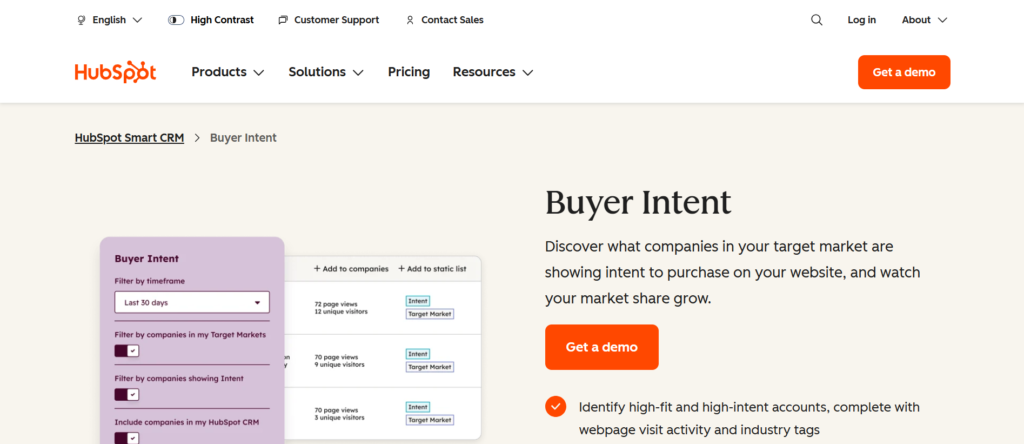
Buyer intent signals help sellers decide when to reach out, not just who to contact.
LinkedIn Sales Navigator buyer intent signals
Sales Navigator surfaces intent through observable professional actions:
- Job changes
- Promotions
- Company increase indicators
- Profile activity
These signals are human-driven and contextual. Sellers act when something meaningful has changed.
This supports timing-based outreach rather than volume-based outreach.
Apollo.io buyer intent signals
Apollo.io uses modelled intent based on external data sources, research behaviour, and inferred interest patterns.
These signals are designed to help prioritise large lists rather than track individual actions.
They work well for segmentation and scoring, but they are indirect.
Practical difference
Sales Navigator intent signals answer: Why now?
Apollo.io intent signals answer: Who to contact first?
Both are useful, but for different selling styles.
11. Account-based selling
Account-based selling is a sales approach where teams focus on specific organisations rather than isolated leads. Success depends on understanding how buying groups are structured, how influence flows internally, and how changes inside an account affect deal momentum. This makes the way a platform supports account-level work extremely important.
This is an area where LinkedIn Sales Navigator and Apollo.io support very different styles of execution.
How LinkedIn Sales Navigator supports account-based selling
LinkedIn Sales Navigator is built with account-based selling in mind. Accounts are not just containers for contacts. They are living entities that change over time.
Sales teams can save target accounts and then track:
- New hires and departures
- Role changes within departments
- Leadership movement
- Organisational increase patterns
This allows sellers to maintain an ongoing understanding of how an account evolves. When a decision-maker leaves, that change is visible. When a new stakeholder joins, sellers can adapt quickly without restarting research from scratch.
Sales Navigator also supports working multiple stakeholders within the same organisation at the same time. Sellers can see reporting structures, seniority levels, and lateral relationships, which is critical when decisions involve finance, operations, and leadership rather than a single buyer.
For enterprise and upper mid-market sales teams, this level of visibility supports long sales cycles where deals progress through stages over months rather than weeks.
How Apollo.io supports account-based selling
Apollo.io supports account-based selling in a more contact-centric way. Accounts are typically used to group contacts for outreach rather than as strategic entities to be monitored over time.
Sales teams often use Apollo.io to:
- Build lists within specific companies
- Segment contacts by role or department
- Run outbound sequences across account lists
This approach works well when the objective is coverage. Teams can keep that multiple people within a target organisation receive outreach without spending significant time on account research.
However, Apollo.io does not naturally support long-term account monitoring. Changes inside an organisation may not be immediately visible, and sellers usually rely on volume rather than insight to manage risk.
This model suits sales motions where:
- Outreach speed matters more than internal mapping
- Buying decisions are decentralised
- Sales cycles are shorter
- SDRs handle early-stage contact
Strategic differences in practice
In real sales environments, these differences show up clearly.
With Sales Navigator:
- Sellers build familiarity with accounts over time
- Outreach adapts as teams change internally
- Conversations continue even when contacts move roles
With Apollo.io:
- Sellers prioritise reaching enough people
- Accounts are treated as sources of opportunity
- Continuity depends on list updates
Neither approach is wrong. They support different revenue strategies.
Risk management and deal continuity
Account-based selling reduces risk when deals are complex. Losing a single contact does not derail progress if the account is understood broadly.
Sales Navigator reduces this risk by keeping account intelligence current. Apollo.io reduces risk by ensuring enough contacts are reached to compensate for change.
Sales leaders must decide which risk they are more comfortable managing:
- Slower, insight-led engagement
- Or faster, coverage-led engagement
12. Lead list exports
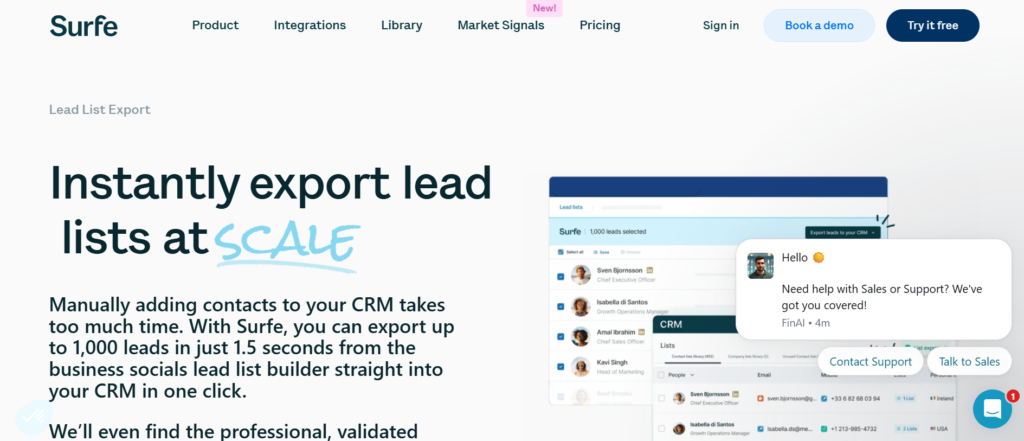
Lead list exports affect how freely prospect data can move between systems, how quickly outreach can begin, and how much control a business has over its sales data once it leaves the platform. This criterion often separates tools designed for controlled engagement from tools designed for outbound scale.
The contrast between LinkedIn Sales Navigator and Apollo.io is very clear here, both in philosophy and in day-to-day usage.
How LinkedIn Sales Navigator handles lead list exports
LinkedIn Sales Navigator places strict limits on exporting lead data. Leads and accounts are meant to be saved, monitored, and engaged with inside the LinkedIn environment rather than extracted in bulk.
Sellers can:
- Save individual leads and accounts
- Tag and organise prospects
- Sync selected records to supported CRMs
What they cannot do is export large lead lists freely for use in external outreach systems. This design reinforces LinkedIn’s position as a professional network rather than a raw data source.
From a practical perspective, this approach:
- Encourages deliberate targeting
- Reduces misuse of professional data
- Keeps outreach tied to visible profiles
- Limits uncontrolled distribution of contact information
For sales teams working complex deals, this restriction is often seen as a benefit rather than a limitation. It forces sellers to prioritise quality over quantity and keeps engagement anchored to context.
However, it also means Sales Navigator cannot act as a standalone prospecting database for teams that rely on bulk list building or frequent data transfers between tools.
How Apollo.io handles lead list exports
Apollo.io treats lead list exports as a core capability. Exporting contacts is expected and supported, with limits primarily defined by pricing tiers.
Users can:
- Export large lead lists
- Push contacts directly into CRMs
- Feed data into outreach tools
- Reuse lists across campaigns
This flexibility is essential for outbound teams that need to move quickly from research to execution. SDR teams can build lists in the morning and begin outreach the same day without friction.
The trade-off is responsibility. Once data is exported, it must be:
- Kept current
- Deduplicated
- Managed for compliance
- Monitored for decay
Apollo.io assumes teams are prepared to handle these responsibilities in exchange for speed and scale.
Operational consequences for sales teams
The export model shapes how sales teams operate.
With Sales Navigator:
- Data stays close to the point of engagement
- Sellers work fewer, better-qualified leads
- CRM records remain focused on active relationships
With Apollo.io:
- Data flows freely between systems
- Sellers work larger volumes of leads
- Process discipline becomes critical
Teams without strong data governance can struggle with exported lists over time, leading to outdated records and wasted activity.
Risk, compliance, and control
Restricting exports reduces risk. Allowing exports increases flexibility.
Sales Navigator prioritises control and professional norms. Apollo.io prioritises operational freedom.
Neither approach is right or wrong. The choice depends on how much risk a business is prepared to manage in exchange for outreach capacity.
Choosing based on workflow needs
This criterion often becomes decisive when evaluating fit:
- If your team needs to build and reuse large prospect lists, Apollo.io fits naturally
- If your team values controlled engagement and account continuity, Sales Navigator fits better
Understanding how lead data is expected to move inside your organisation will point clearly to the right choice.
13. CRM integration depth
CRM integration depth defines what kind of information flows into the CRM, how useful that information is over time, and whether the CRM becomes a system for strategic account understanding or simply an activity log. This criterion matters far more than whether an integration “exists”. What matters is what is integrated and why.
This is another area where LinkedIn Sales Navigator and Apollo.io follow very different philosophies.
LinkedIn Sales Navigator CRM integration depth
LinkedIn Sales Navigator integrates with CRMs in a relationship-focused way. The intent is not to flood the CRM with activity, but to enrich it with context that helps sellers and account owners understand who matters inside an organisation.
The integration typically syncs:
- Saved leads and accounts
- Relationship notes and tags
- Account-level changes
- Stakeholder associations
This means the CRM becomes a place where account knowledge accumulates over time. When a seller opens an account record, they are not just seeing past emails or calls. They are seeing who has been identified as relevant, how roles connect, and what has changed recently.
This depth supports:
- Long sales cycles
- Account handovers between sellers
- Multi-stakeholder deal reviews
- Strategic progress discussions
Sales Navigator does not attempt to track every interaction automatically. Instead, it assumes sellers will record meaningful updates rather than raw activity. This keeps CRM data cleaner and more relevant, especially in enterprise environments where noise quickly becomes a problem.
The limitation is clear. Managers looking for detailed activity metrics inside the CRM will not find them here. The integration prioritises understanding over output measurement.
Apollo.io CRM integration depth
Apollo.io integrates with CRMs in an activity-focused way. The goal is to provide clear visibility into what the sales team is doing and how that activity translates into progress.
The integration commonly syncs:
- Emails sent and received
- Calls completed and outcomes
- Replies and meetings booked
- Sequence activity
This creates a CRM that reflects daily sales execution. Managers can review outreach volume, response rates, and conversion metrics directly inside the system without relying on manual updates.
This depth is particularly valuable for:
- SDR and BDR teams
- High-velocity sales environments
- Weekly progress forecasting
- Performance management
However, this approach has trade-offs. Over time, CRMs can become crowded with low-context records. Hundreds of emails and calls may be logged without clear insight into why a deal progressed or stalled.
Without discipline, the CRM risks becoming a task history rather than a strategic sales tool.
How integration depth affects daily work
The difference in integration depth shapes how teams use their CRM.
With Sales Navigator:
- The CRM supports account planning
- Updates are intentional
- Context is prioritised
With Apollo.io:
- The CRM supports execution tracking
- Updates are automatic
- Volume is prioritised
Neither model is inherently better. They support different management styles and sales motions.
Impact on leadership and forecasting
Leadership teams often feel this difference most acutely.
Sales Navigator-style integration supports:
- Deal reviews
- Account health assessments
- Stakeholder coverage analysis
Apollo.io-style integration supports:
- Activity audits
- Progress creation tracking
- Conversion analysis
When expectations are misaligned, frustration follows. Leaders expecting execution metrics from Sales Navigator will be disappointed. Leaders expecting deep account insight from Apollo.io will need additional effort.
Choosing based on CRM purpose
This criterion becomes simple when framed correctly:
- If your CRM is a strategic account system, Sales Navigator aligns well
- If your CRM is an execution and reporting system, Apollo.io aligns well
The right choice depends on what role the CRM plays inside your sales organisation, not on which integration sounds more advanced.
14. Reporting focus
Reporting focus determines how success is measured, what behaviour is rewarded, and how sales leaders interpret performance. It influences coaching, forecasting, and even hiring decisions. This makes it one of the most practical differences between LinkedIn Sales Navigator and Apollo.io.
LinkedIn Sales Navigator reporting focus
LinkedIn Sales Navigator reporting is centred on account visibility and engagement, not on raw activity counts. The platform is designed to help leaders understand whether the right accounts and people are being worked, rather than how many actions are being taken.
Typical reporting views support:
- Which accounts are saved and actively monitored
- Which stakeholders are being followed
- Changes within key accounts such as new hires or role shifts
- Engagement indicators tied to accounts rather than messages
This reporting model aligns with sales environments where outcomes depend on strategic coverage. Leaders use these insights to assess whether sellers are focused on the correct organisations and whether buying groups are sufficiently mapped.
Because reporting is not activity-heavy, it encourages sellers to prioritise relevance. There is less pressure to inflate numbers and more emphasis on meaningful engagement. This suits enterprise sales, consulting, and recruitment contexts where deal progression is not linear and cannot be reduced to weekly activity targets.
The trade-off is that Sales Navigator reporting does not provide granular visibility into daily output. Managers looking for counts of emails sent or messages delivered will not find that here. The system assumes that quality conversations matter more than volume.
Apollo.io reporting focus
Apollo.io reporting is centred on progress attribution and execution metrics. The platform is designed to show exactly what activity has taken place and how that activity converts into replies, meetings, and opportunities.
Reporting commonly includes:
- Emails sent and delivered
- Calls completed and outcomes
- Replies received
- Meetings booked
- Conversion rates by sequence
This level of detail supports teams where performance is tied directly to output. Managers can identify patterns quickly, adjust sequences, and hold sellers accountable to defined expectations.
Apollo.io reporting is especially valuable for:
- SDR and BDR teams
- High-velocity sales motions
- Weekly or monthly progress targets
- Performance-based coaching
However, this focus can also create pressure to prioritise quantity. Without careful management, sellers may chase metrics rather than outcomes, leading to activity that looks productive but does not translate into qualified progress.
How reporting focus shapes behaviour
The reporting model directly influences how sellers work.
With Sales Navigator:
- Sellers are rewarded for account coverage
- Time is spent researching and tracking changes
- Conversations are fewer but more intentional
With Apollo.io:
- Sellers are rewarded for consistent output
- Time is spent executing sequences
- Conversations are generated through repetition
Both approaches can succeed when aligned with the sales strategy. Problems arise when reporting expectations do not match the tool’s design.
Leadership and forecasting implications
Sales leaders rely on reports to forecast revenue and guide teams.
Sales Navigator-style reporting supports:
- Account health reviews
- Stakeholder coverage assessments
- Long-term deal strategy
Apollo.io-style reporting supports:
- Progress creation tracking
- Short-term forecasting
- Capacity planning
Neither reporting focus replaces the other entirely. Mature sales organisations often combine strategic account reporting with execution reporting to gain a full picture.
Choosing based on what leadership needs to see
This criterion becomes clearer when framed as a leadership question:
- If leadership needs to know who is being worked and why, Sales Navigator aligns
- If leadership needs to know what is being done and what it produces, Apollo.io aligns
Understanding what leadership actually expects from reporting prevents frustration and keeps the chosen tool reinforces the right behaviour.
15. Automation level
Automation level defines how much of the sales process is handled by systems versus individual judgement. It affects scale, consistency, hiring profiles, and even how sellers spend their day. This criterion often determines whether a tool supports a team’s reality or works against it.
This is another point where LinkedIn Sales Navigator and Apollo.io are fundamentally different by design.
LinkedIn Sales Navigator automation level
LinkedIn Sales Navigator operates with a low level of automation, and this is intentional. The platform assumes that effective selling, particularly in complex or high-value environments, requires human judgement at almost every step.
Most actions inside Sales Navigator are manual:
- Sellers choose which accounts to save
- Sellers decide which stakeholders to follow
- Sellers determine when to reach out
- Sellers control follow-ups individually
There are alerts and notifications, such as job changes or account updates, but these act as prompts rather than automated actions. The system surfaces information, then steps aside.
This level of manual control supports sales environments where:
- Each deal is different
- Messaging must reflect context
- Timing depends on judgement rather than rules
- Sellers are experienced and autonomous
Automation is limited because over-automation would reduce the value of context. A templated follow-up sent automatically at the wrong moment can damage credibility with senior buyers. Sales Navigator avoids this risk by keeping the seller in control.
The downside is scalability. As team size increase, consistency depends heavily on training, discipline, and management. Without strong sales leadership, manual systems can drift.
Apollo.io automation level
Apollo.io offers a high level of automation, designed to support repeatable outbound execution across teams.
Automation capabilities commonly include:
- Multi-step email sequences
- Scheduled follow-ups
- Task queues for calls and actions
- Conditional logic based on replies
- Automated CRM updates
These features reduce the cognitive load on sellers. Instead of deciding what to do next, the system presents a list of actions based on predefined rules.
This supports environments where:
- Consistency matters more than personal judgement
- Teams are increasing quickly
- Sellers are early in their careers
- Progress targets are time-bound
Automation allows managers to design processes once and then rely on the system to enforce them. This makes onboarding faster and output more predictable.
However, automation also introduces risk. When messaging is automated, mistakes are repeated at scale. Poor copy, weak targeting, or misaligned timing can affect hundreds of prospects before issues are noticed.
How automation level changes seller behaviour
Automation reshapes how sellers think about their work.
With Sales Navigator:
- Sellers plan their day intentionally
- Research and judgement guide actions
- Quality varies by individual skill
With Apollo.io:
- Sellers follow system-generated tasks
- Execution speed increases
- Quality depends on setup rather than individual insight
Neither approach is inherently better. They suit different team profiles and business models.
Management and hiring implications
Automation level also affects who a business can hire successfully.
Sales Navigator works best with:
- Experienced account executives
- Consultants and advisors
- Recruiters and senior sellers
Apollo.io works best with:
- SDRs and BDRs
- Junior sellers
- Teams built for volume
Choosing the wrong automation level often leads to underperformance, not because the tool is weak, but because it does not match how the team works.
Strategic alignment matters most
Automation should support the sales motion, not replace it.
- Complex deals benefit from human control
- High-volume outreach benefits from system control
Sales Navigator and Apollo.io sit on opposite ends of this spectrum by design. Understanding where your team operates on that spectrum is the key to choosing correctly.
16. Compliance positioning

Compliance positioning refers to how a platform aligns with professional norms, data usage expectations, and regulatory exposure, especially when contacting people who have not explicitly opted in. This criterion often matters most to legal teams, senior leadership, and businesses operating in regulated industries, but its impact is felt daily by sales teams as well.
Here again, LinkedIn Sales Navigator and Apollo.io take very different approaches, rooted in how each platform is designed to be used.
LinkedIn Sales Navigator compliance positioning
LinkedIn Sales Navigator operates within LinkedIn’s professional network rules. Outreach happens inside a platform where users expect to be contacted for business-related reasons, provided the approach is relevant and respectful.
Key compliance characteristics include:
- Communication occurs on-platform
- Profiles are publicly presented for professional contact
- Messaging is tied to visible identities
- Usage is governed by LinkedIn’s terms
This positioning significantly reduces regulatory exposure because:
- Messages are not unsolicited emails
- Contact happens in a professional context
- Buyers can easily see and assess the sender
- There is no bulk extraction of personal contact details
For many organisations, especially those selling to senior decision-makers, this creates a safer operating environment. Legal and compliance teams are often more comfortable with LinkedIn-based outreach than with large-scale email campaigns.
Sales Navigator also limits behaviour that could create compliance issues. Restrictions on exports and automation reduce the risk of misuse or excessive outreach.
The trade-off is reduced flexibility. Teams cannot easily repurpose LinkedIn data for other channels, even if they believe the outreach would be appropriate.
Apollo.io compliance positioning
Apollo.io operates as a data and outreach platform, which places more responsibility on the user to manage compliance correctly.
The platform provides:
- Email addresses
- Phone numbers
- Export functionality
- Outreach automation
This enables powerful outbound activity, but it also increases exposure. Compliance depends on:
- How lists are sourced
- How contacts are segmented
- How outreach is executed
- How opt-outs and preferences are handled
Apollo.io itself does not determine whether outreach is appropriate in every case. It provides tools, and the business must keep those tools are used in line with applicable regulations and accepted norms.
For well-run sales teams with clear processes, this is manageable. For less mature teams, the risk of missteps is higher.
Practical impact on sales operations
Compliance positioning affects more than legal comfort. It shapes daily behaviour.
With Sales Navigator:
- Outreach volume is naturally limited
- Messages are visible and contextual
- Sellers think carefully before reaching out
With Apollo.io:
- Outreach can scale quickly
- Mistakes can scale just as quickly
- Governance must be explicit
This means Apollo.io often requires:
- Clear outreach policies
- Regular list hygiene
- Monitoring of bounce and complaint rates
Sales Navigator requires less formal governance because the platform itself enforces boundaries.
Buyer perception and trust
Compliance positioning also influences how buyers perceive outreach.
LinkedIn messages are often seen as:
- Expected
- Professional
- Easy to ignore without friction
Cold emails and calls can be seen as:
- Interruptive
- High-pressure
- Unwelcome if poorly targeted
This does not mean one channel is always better. It means perception must be managed carefully, especially when selling high-consideration products or services.
Choosing based on risk tolerance
This criterion often comes down to organisational appetite for risk.
- Businesses prioritising brand reputation and senior access often prefer Sales Navigator
- Businesses prioritising progress speed often accept the additional responsibility that comes with Apollo.io
Understanding compliance positioning early prevents conflict later between sales, legal, and leadership teams.
17. Learning curve
The learning curve determines how quickly a sales team can become productive, how much training is required, and how dependent success is on individual experience versus system guidance. This factor often influences adoption rates more than pricing or features, especially in increasing teams.
Here, LinkedIn Sales Navigator and Apollo.io create very different onboarding experiences.
LinkedIn Sales Navigator learning curve
LinkedIn Sales Navigator has a low learning curve because it builds directly on behaviour most sales professionals already understand. Anyone who has used LinkedIn for networking, hiring, or research can begin using Sales Navigator with minimal instruction.
The interface mirrors the core LinkedIn experience:
- Searching profiles feels familiar
- Viewing career history is intuitive
- Messaging follows known patterns
- Alerts are easy to interpret
Because of this, sellers often begin using the tool effectively within days rather than weeks. Training tends to focus on how to think, not how to operate the software. Topics usually include account selection, stakeholder mapping, and message relevance rather than system mechanics.
This low learning curve suits:
- Senior account executives
- Consultants and advisors
- Founder-led sales
- Teams with varied experience levels
However, ease of use does not guarantee consistent outcomes. Because the platform relies heavily on individual judgement, results can vary widely between sellers. Two people using the same tool may produce very different outcomes based on research habits, writing skill, and discipline.
Sales Navigator is easy to use, but it rewards experience.
Apollo.io learning curve
Apollo.io has a medium learning curve because it introduces structured workflows that many sellers have not used before. Users must understand how lists, sequences, rules, and integrations work together.
New users typically need to learn:
- How to build and segment lists
- How to design email and call sequences
- How task queues function
- How activity syncs to the CRM
This requires formal onboarding. Teams often invest time upfront to define processes, templates, and standards before allowing full access. Without this preparation, users may feel overwhelmed or use the system inconsistently.
Once learned, however, Apollo.io becomes easier to operate day to day. The system tells sellers what to do next, reducing reliance on memory or judgement.
This learning curve suits:
- Structured SDR teams
- New hires early in their sales career
- Organisations with defined playbooks
- Managers who want repeatable behaviour
The challenge is that productivity is delayed until onboarding is complete. Teams expecting immediate results without training often struggle in the early stages.
How learning curve affects adoption
The learning curve directly affects adoption patterns.
With Sales Navigator:
- Adoption is fast
- Usage varies by individual
- Best results come from experienced sellers
With Apollo.io:
- Adoption is slower initially
- Usage becomes consistent once trained
- Best results come from clear processes
This difference matters when scaling teams or onboarding new hires rapidly.
Training and management implications
Sales Navigator requires:
- Coaching on research quality
- Feedback on messaging
- Trust in seller judgement
Apollo.io requires:
- Clear onboarding programmes
- Defined outreach rules
- Ongoing system governance
Neither approach is easier in absolute terms. They require different types of management effort.
Choosing based on team maturity
This criterion often aligns closely with team maturity:
- Experienced teams with strong sellers often prefer Sales Navigator’s simplicity
- Increasing teams with mixed experience often prefer Apollo.io’s structure
Understanding how quickly your team needs to become productive, and how much guidance they need along the way, is essential when evaluating fit.
18. Team collaboration
Team collaboration determines how well multiple sellers can work on the same accounts without overlap, confusion, or internal friction. This becomes increasingly important as sales teams increase, accounts become more complex, and ownership changes over time.
In this area, LinkedIn Sales Navigator and Apollo.io support collaboration in very different ways, each aligned with its core purpose.
How LinkedIn Sales Navigator supports team collaboration
LinkedIn Sales Navigator approaches collaboration from an account and relationship perspective rather than a task or activity perspective. The platform assumes that multiple sellers may interact with the same organisation over time and that shared context is essential to avoid disjointed outreach.
Key collaboration elements include:
- Shared account lists across teams
- Shared visibility into saved leads
- Notes attached to accounts and contacts
- Alerts that notify team members of changes
This allows teams to build a shared understanding of an account. When one seller saves an account, others can see that it is already being worked. When notes are added, context is preserved for future conversations or handovers.
This approach works particularly well when:
- Accounts are worked over long periods
- Multiple stakeholders are involved
- Account ownership may change
- Senior sellers collaborate on large deals
Collaboration in Sales Navigator is subtle rather than directive. The platform does not tell sellers what to do next. Instead, it keeps everyone can see what has already been done and what has changed.
The limitation is that collaboration depends on discipline. Notes must be written clearly. Accounts must be maintained properly. Without this, shared visibility loses value.
How Apollo.io supports team collaboration
Apollo.io approaches collaboration from an execution and task coordination perspective. The goal is to keep that teams do not duplicate effort and that activity is distributed efficiently.
Key collaboration elements include:
- Shared lead lists
- Shared outreach sequences
- Task queues assigned by role
- Visibility into who contacted whom
This model supports teams where multiple sellers are working similar segments at the same time. Managers can assign sequences, monitor progress, and keep coverage without relying on individual judgement.
Apollo.io collaboration works well when:
- Teams are large and segmented
- Roles are clearly defined
- Outreach follows standard processes
- Output consistency is required
Because activity is logged automatically, collaboration does not rely on sellers remembering to document work. The system enforces structure.
The trade-off is reduced nuance. Apollo.io collaboration is excellent at coordinating effort but less effective at preserving deep context about why certain decisions were made.
How collaboration models affect daily work
The collaboration model shapes how teams interact internally.
With Sales Navigator:
- Sellers share understanding
- Context travels with accounts
- Handoffs feel more natural
With Apollo.io:
- Sellers share workload
- Tasks are clearly divided
- Handoffs are procedural
Both approaches can work well. Problems arise when the collaboration style does not match how deals are handled.
Impact on account ownership and handover
Account handover is where collaboration strength is truly tested.
Sales Navigator supports handover by preserving:
- Account history
- Stakeholder awareness
- Relationship notes
Apollo.io supports handover by preserving:
- Activity logs
- Sequence history
- Outreach status
One preserves why things happened. The other preserves what happened.
Choosing based on how teams work together
This criterion often depends on team structure:
- If collaboration centres on shared understanding and continuity, Sales Navigator fits
- If collaboration centres on shared execution and coverage, Apollo.io fits
Understanding how your team collaborates internally is essential before deciding which approach will feel natural rather than forced.
19. Best sales cycle length
Sales cycle length refers to how long it typically takes to move from first contact to a closed deal, and just as importantly, how many touchpoints, stakeholders, and internal approvals are involved along the way. Tools that fit short sales cycles often struggle in longer ones, and tools designed for long cycles often feel slow in fast-moving environments.
This is a critical distinction between LinkedIn Sales Navigator and Apollo.io, because each platform is shaped around very different assumptions about time, patience, and deal progression.
LinkedIn Sales Navigator and longer sales cycles
LinkedIn Sales Navigator is naturally aligned with medium to long sales cycles, where deals develop over weeks or months rather than days.
In these environments, sales rarely follow a straight line. Conversations pause, priorities shift, stakeholders change roles, and budgets move slowly. What matters most is staying relevant and visible without overwhelming the buyer.
Sales Navigator supports this by:
- Allowing sellers to monitor accounts continuously
- Showing changes in stakeholder roles over time
- Helping sellers re-enter conversations when timing improves
- Preserving relationship context across long gaps
Because outreach is manual and contextual, sellers are less likely to rush prospects. Messages are sent when something meaningful has changed rather than on a fixed schedule. This pacing suits buyers who expect thoughtful engagement rather than repeated follow-ups.
Longer sales cycles often involve:
- Multiple decision-makers
- Procurement and finance reviews
- Internal alignment on priorities
- Trust built over repeated interactions
Sales Navigator supports these realities by keeping sellers informed without pushing them into constant activity. The platform acts as a long-term account awareness layer rather than a short-term conversion engine.
Apollo.io and shorter sales cycles
Apollo.io aligns more naturally with short to medium sales cycles, where speed and consistency are essential.
In these environments, the goal is to:
- Reach prospects quickly
- Qualify interest early
- Move to meetings fast
- Disqualify non-buyers without delay
Apollo.io supports this by enabling structured outreach across multiple touchpoints in a defined timeframe. Email sequences and call tasks keep prospects are contacted repeatedly until they reply or are removed from the sequence.
This approach suits deals where:
- Decisions are made quickly
- Buyer authority is clear
- Price points are lower
- Volume offsets individual deal risk
Shorter cycles benefit from automation because waiting too long to follow up can result in lost opportunities. Apollo.io reduces that risk by enforcing consistent contact.
However, this same strength can become a weakness in longer cycles. Repeated outreach without a clear trigger can fatigue buyers who are not yet ready to move forward.
Timing, patience, and buyer expectations
Sales cycle length also affects buyer expectations.
In longer cycles:
- Buyers expect relevance
- Conversations resume based on change
- Silence does not mean rejection
In shorter cycles:
- Buyers expect clarity
- Delays reduce momentum
- Silence usually means no interest
Sales Navigator respects the first pattern. Apollo.io enforces the second.
Using the wrong tool for the wrong cycle often creates friction. Long-cycle buyers may disengage when approached too frequently. Short-cycle buyers may disengage when follow-up is too slow.
Impact on forecasting and planning
Sales cycle length affects how leaders forecast progress.
Sales Navigator supports:
- Long-term progress visibility
- Account-level deal progression
- Strategic deal reviews
Apollo.io supports:
- Near-term progress creation
- Weekly activity targets
- Short-term forecasting
Both are valid, but they serve different planning horizons.
Choosing based on how deals actually close
This criterion becomes clear when teams ask an honest question:
- Do deals close because of timing and trust, or because of speed and persistence?
If timing and trust dominate, Sales Navigator fits the sales cycle better.
If speed and persistence dominate, Apollo.io fits the sales cycle better.
Understanding the natural rhythm of your sales process is essential before choosing a platform, because no amount of configuration can change how buyers prefer to buy.
20. Free plan available
The availability of a free plan affects how a tool is evaluated, tested, and adopted, especially by smaller teams or organisations that prefer hands-on validation before committing budget. While pricing often gets the attention, the presence or absence of a free plan quietly shapes who uses the tool and how seriously it is trialled.
This final criterion highlights a clear difference between LinkedIn Sales Navigator and Apollo.io, and it also reflects their broader philosophies.
LinkedIn Sales Navigator and free plan availability
LinkedIn Sales Navigator does not offer a free plan. Access is entirely paid, with limited-time trials occasionally available but not intended for long-term use.
This decision reflects how LinkedIn positions the product. Sales Navigator is treated as a professional-grade sales tool, not a freemium platform. The expectation is that organisations investing in it already have a defined sales process and understand the value of LinkedIn as a channel.
This approach has several implications:
- Adoption usually starts with leadership buy-in
- Usage is more intentional from day one
- Teams tend to receive training early
- Sellers are expected to justify usage
Because there is no permanent free tier, Sales Navigator is less likely to be used casually. Organisations typically roll it out as part of a broader sales strategy rather than as an experiment.
This suits environments where:
- Sales teams are established
- Budgets are planned annually
- Tools are evaluated formally
- Leadership expects disciplined usage
The downside is accessibility. Smaller teams, early-stage founders, or solo operators may hesitate to commit without extended hands-on testing. For them, the lack of a free plan can slow adoption even if the tool would be a good long-term fit.
Apollo.io and free plan availability
Apollo.io offers a free plan, and this plays a significant role in how the platform spreads across the market.
The free plan typically allows:
- Limited contact access
- Restricted exports
- Basic usage of core features
While constrained, it is sufficient for users to understand how the platform works and whether it fits their outbound approach.
This availability lowers the barrier to entry. Teams can:
- Test workflows before committing
- Train new hires on a live system
- Validate data quality for their market
- Experiment with outbound tactics
As a result, Apollo.io often gains early adoption among startups, small teams, and outbound-focused organisations that want to move quickly without upfront cost.
The trade-off is that free access can encourage casual usage. Without clear processes, teams may use the tool inconsistently or without clear objectives, leading to mixed results.
Strategic impact of free access
The presence or absence of a free plan influences how seriously a tool is implemented.
With Sales Navigator:
- Adoption is deliberate
- Expectations are set early
- Usage aligns with defined goals
With Apollo.io:
- Adoption is exploratory
- Usage evolves over time
- Value is proven through activity
Neither approach is inherently better. They simply attract different types of users at different stages.
Budgeting and decision-making implications
For finance and leadership teams, free plans change the approval process.
Sales Navigator usually requires:
- Budget approval upfront
- Clear justification
- Defined success metrics
Apollo.io can often be introduced:
- Without immediate approval
- By individual teams
- As a trial that later expands
This difference affects how quickly tools spread inside organisations and how formally they are governed.
Choosing based on buying behaviour
This criterion often reflects organisational mindset rather than feature preference:
- Businesses that prefer structured procurement often accept paid-only tools
- Businesses that prefer experimentation often value free entry points
Understanding how your organisation evaluates and adopts software will help determine whether the presence or absence of a free plan is a benefit or a barrier.
Ready to Choose Platform
LinkedIn Sales Navigator and Apollo.io address different commercial requirements within B2B sales organisations. Each platform is designed to support a distinct operating model, and performance depends on alignment with sales structure, buyer behaviour, and internal execution standards.
At Pearl Lemon Sales, we consistently see stronger outcomes when tooling decisions are made based on deal mechanics rather than feature availability. Software should reinforce how sales teams already win revenue, not force behavioural change that conflicts with buyer expectations.
Platform Positioning and Use-Case Alignment
LinkedIn Sales Navigator is positioned for organisations that prioritise account intelligence, stakeholder visibility, and professional engagement over extended sales cycles. It supports teams where deal progression depends on timing, credibility, and internal account awareness.
Apollo.io is positioned for organisations that prioritise outbound coverage, structured execution, and measurable progress creation. It supports teams where consistent activity and repeatable processes gain commercial outcomes.
Both platforms perform effectively when deployed within their intended scope.
Operational Implications for Sales Teams
The choice between these platforms has direct implications for:
- Sales workflow design
- Team structure and role definition
- Management reporting expectations
- CRM usage and data governance
- Training and onboarding requirements
Misalignment at this level often leads to low adoption, inconsistent performance, and internal friction, regardless of tool capability.
Commercial Decision Framework
When evaluating LinkedIn Sales Navigator versus Apollo.io, decision-makers should assess:
- Average deal size and cycle length
- Buyer seniority and decision complexity
- Reliance on outbound activity versus account development
- Internal sales maturity and process discipline
- Risk tolerance related to outreach and data usage
Clear answers to these factors typically indicate the appropriate platform without ambiguity.
Frequently Asked Questions
1. Which platform is more suitable for enterprise sales environments?
LinkedIn Sales Navigator generally aligns better with enterprise sales due to its account-level intelligence and stakeholder visibility.
2. Which platform supports outbound SDR teams more effectively?
Apollo.io is better suited for SDR-led teams due to its sequencing, calling, and activity tracking capabilities.
3. Can Apollo.io replace LinkedIn Sales Navigator?
No. Apollo.io does not replicate LinkedIn’s professional network context or relationship visibility.
4. Can LinkedIn Sales Navigator replace outbound automation tools?
No. It does not provide email sequencing or calling functionality.
5. Which platform offers faster visibility into role changes?
LinkedIn Sales Navigator typically reflects role changes sooner due to user-managed profile updates.
6. Which tool requires more onboarding effort?
Apollo.io generally requires more structured onboarding due to workflow configuration and automation features.
7. Which platform presents lower outreach compliance risk?
LinkedIn Sales Navigator operates within LinkedIn’s professional engagement framework, reducing exposure when used correctly.
8. How do reporting capabilities differ?
Sales Navigator focuses on account and relationship visibility, while Apollo.io focuses on activity and progress attribution.
9. Which tool is more suitable for early-stage teams?
Outbound-focused early-stage teams often begin with Apollo.io, while relationship-led teams adopt Sales Navigator as deal values increase.
10. Is it common to use both platforms?
Yes,many organisations use Sales Navigator for account intelligence and Apollo.io for outbound execution in defined stages.
Final Sales Platform Decision Framework
Neither LinkedIn Sales Navigator nor Apollo.io should be viewed as a universal solution. Each platform addresses a specific segment of the B2B sales process, and both can deliver value when deployed intentionally.
Organisations with defined sales motions and disciplined execution standards often integrate both platforms at different stages of the funnel, assigning clear ownership and expectations to each.
Tool selection should follow strategy, not precede it.