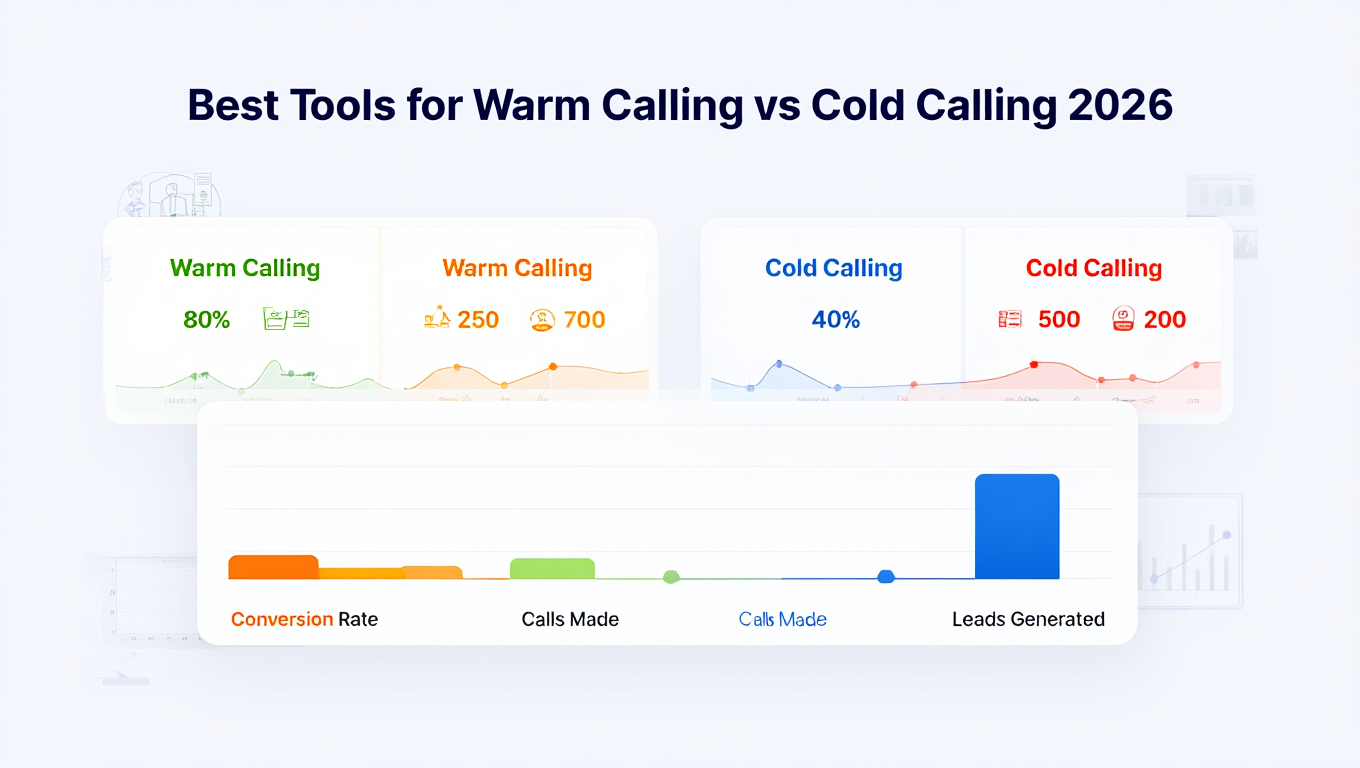
If your sales team is spending hours dialling with little to show for it, the issue is rarely effort. It is usually tooling and timing. Warm calling and cold calling need different systems, different data, and different workflows. Using the wrong tools costs, morale, and revenue.
We reviewed dozens of sales calling platforms used by B2B sales teams, agencies, recruiters, and outbound SDR teams. This guide breaks down the best tools for warm calling vs cold calling based on call context, data quality, automation depth, and follow-up control.
This list is built for sales leaders, founders, and revenue teams who care about booked meetings, not vanity metrics.
What Is Warm Calling vs Cold Calling
Warm calling and cold calling serve very different purposes in outbound sales. The difference comes down to prior awareness, timing, and how much context you have before the call starts.
Choosing the right approach affects the tools you use, the way conversations flow, and how prospects respond once the call connects.
Warm Calling
Warm calling targets leads who already have some level of awareness or prior interaction. This could include:
- Existing CRM contacts
- Inbound form fills
- Email responders
- Webinar attendees
- Past customers
The goal is relevance and timing. Warm calling tools focus on CRM sync, call context, conversation history, and follow-ups.
Cold Calling
Cold calling targets prospects with no prior relationship. Lists are sourced from databases or outbound research. The goal is volume with control.
Cold calling tools focus on:
- Power diallers
- Local presence numbers
- Call scripts and objection tracking
- Call recording and coaching
- Cadence management
Understanding this split matters because one stack rarely does both jobs well.
Comparison Table: Best Tools for Warm Calling vs Cold Calling (20 Tools)
The table focuses on what actually matters when choosing calling software: use case, dialling style, CRM depth, and suitability for warm or cold outreach.
| Tool Name | Best Use | Calling Type | CRM Integration | Dialler Type | Free Trial |
| HubSpot Sales Hub | Inbound follow-ups | Warm | Native CRM | Click-to-call | Yes |
| Aircall | Account-based sales | Warm | HubSpot, Salesforce | Cloud dialler | Yes |
| RingCentral | Larger sales teams | Warm | Salesforce, MS Dynamics | Cloud phone | Yes |
| Close | Sales-led teams | Warm | Native CRM | Power dialler | Yes |
| Freshsales | CRM-first sales | Warm | Native CRM | Click-to-call | Yes |
| Zoho CRM PhoneBridge | Zoho users | Warm | Native CRM | Integrated calling | Yes |
| Pipedrive Caller | Deal-based sales | Warm | Native CRM | Click-to-call | Yes |
| Salesforce Lightning Dialler | Enterprise sales | Warm | Native CRM | Embedded dialler | No |
| Dialpad Sell | Coaching-focused teams | Warm | Salesforce, HubSpot | Sales dialler | Yes |
| JustCall | Mixed outbound teams | Warm & Cold | HubSpot, Pipedrive | Sales dialler | Yes |
| PhoneBurner | High-volume SDRs | Cold | HubSpot, Salesforce | Power dialler | Yes |
| Kixie | Local presence calling | Cold | HubSpot, Pipedrive | Power dialler | Yes |
| Orum | Large outbound teams | Cold | Salesforce | Parallel dialler | Demo |
| CloudTalk | International cold calling | Cold | HubSpot, Pipedrive | VoIP dialler | Yes |
| Dialer360 | Cost-focused outbound | Cold | Limited | Power dialler | No |
| Five9 | Call centre outbound | Cold | Salesforce | Predictive dialler | Demo |
| VanillaSoft | Sales cadence control | Cold | Native CRM | Queue dialler | Yes |
| Nooks | SDR coaching teams | Cold | Salesforce | Parallel dialler | Demo |
| Talkdesk | Enterprise outbound | Cold | Salesforce | Predictive dialler | Demo |
| CallTools | Call centres | Cold | API-based | Predictive dialler | Demo |
Full List: Best Tools for Warm Calling vs Cold Calling
Warm Calling Tools
Used when the prospect already knows your brand, opted in, or exists in your CRM.
- HubSpot Sales Hub
- Aircall
- RingCentral
- Close
- Freshsales
- Zoho CRM PhoneBridge
- Pipedrive Caller
- Salesforce Lightning Dialler
- Dialpad Sell
- JustCall
Cold Calling Tools
Built for outbound prospecting, list-based calling, and SDR teams.
- PhoneBurner
- Kixie
- Orum
- CloudTalk
- Dialer360
- Five9
- VanillaSoft
- Nooks
- Talkdesk
- CallTools
1: HubSpot Sales Hub
HubSpot Sales Hub is designed for sales teams that mainly speak to leads who already know the business. These are inbound enquiries, existing contacts, past customers, or prospects already stored in the CRM.
Rather than focusing on call volume, HubSpot Sales Hub focuses on call quality, history, and follow-up tracking. It suits teams where every call needs background, timing awareness, and a clear next step.
Key Features
These features reflect how warm calling actually works inside a CRM-led sales process. They prioritise visibility, record-keeping, and continuity across conversations, which matters when multiple people interact with the same contact over time.
CRM-Native Calling
Calls are placed directly from the contact record. Reps see emails, forms, deal stage, and notes before dialling. This reduces awkward openings and keeps conversations aligned with the last interaction logged in the system.
Automatic Call Logging
Every call is saved to the contact timeline with date, duration, and outcome. Notes and recordings attach automatically, which keeps records consistent without relying on manual updates after each call.
Call Recording and Review
Calls can be recorded for later review. Managers use recordings to review conversation structure, compliance, and follow-up handling, especially when onboarding new team members.
Inbound Lead Notifications
When a lead fills in a form or requests a demo, reps receive instant alerts. This supports timely follow-ups while interest is still high, which is central to warm calling workflows.
Email and Task Integration
Calls, emails, and tasks sit in one place. Reps move from a call to a follow-up email or meeting without leaving the platform, keeping activity organised around the contact.
Pros & Cons
| Pros | Cons |
| Full contact history | Not suited for cold lists |
| Easy for new reps | No power dialler |
| Strong reporting | Costs rise with team size |
| Free entry plan | Advanced features gated |
Pricing
- Free plan with basic calling features
- Paid plans start from around £40 per user per month
- Higher tiers required for advanced reporting and automation
HubSpot Sales Hub pricing depends on user count and feature depth rather than call usage.
Best For Teams Working Warm Leads Inside a CRM
Good fit for:
- Inbound sales teams – responding to enquiries
- Account managers – handling renewals and expansions
- Agencies – managing referral and enquiry calls
- SaaS teams – following up on demos and trials
Verdict:
HubSpot Sales Hub works well when calls depend on context and continuity. It is less suitable for teams focused on outbound prospect lists or high daily call targets.
Practical Tip: Using HubSpot Sales Hub for Warm Calling
Create call tasks triggered by form submissions or deal stage changes. This keeps follow-ups structured and avoids contacts being overlooked during busy periods.
Best Alternative Tool
Close is often mentioned in HubSpot Sales Hub vs Close comparisons. Close suits teams that want faster outbound calling inside a lighter CRM, while HubSpot suits teams that rely on deeper contact history.
2: Aircall
Aircall is built for teams that spend most of their time calling known contacts stored inside a CRM. It fits inbound sales, account management, and follow-ups where shared visibility matters.
Key Features
These features support warm calling workflows where calls need context, routing, and shared records.
CRM-Based Calling
Calls are placed from inside connected CRMs, allowing reps to view notes, deal status, and past activity before dialling.
Call Routing
Inbound calls are routed by rules such as availability or team, which suits enquiry handling.
Call Recording
Calls are recorded automatically for review and internal training.
Shared Notes
Call outcomes and notes sync back to the CRM without manual entry.
Pros & Cons
| Pros | Cons |
| Strong CRM sync | Not for cold lists |
| Clean interface | Cost rises with scale |
| Easy team setup | Limited outbound speed |
Pricing
From around £30 per user per month with a trial available.
Best For
Inbound sales teams and account managers.
Best Alternative
HubSpot Sales Hub.
3: RingCentral
RingCentral is a cloud-based phone system commonly used by sales, account management, and service-led teams. It fits warm calling environments where calls need to be routed correctly, logged properly, and handled consistently across multiple users.
RingCentral is less about outbound speed and more about call handling, availability, and reliability across teams.
Key Features
These features support warm calling scenarios where calls come from known contacts, inbound enquiries, or existing accounts, and where multiple people may interact with the same contact.
Advanced Call Routing
Calls can be routed based on department, user availability, time of day, or custom rules. This helps keep enquiries, renewals, or account calls reach the right person without confusion.
CRM Integrations
RingCentral integrates with platforms such as Salesforce and HubSpot. Calls, recordings, and basic notes sync back to the CRM, keeping contact records aligned with call activity.
Call Recording and Storage
Calls can be recorded automatically and stored securely. This is commonly used for internal review, compliance checks, and quality monitoring across teams.
Multi-Device Calling
Users can take calls on desktop, mobile, or desk phones using the same number. This supports hybrid teams and staff who move between locations.
Team Messaging and VoIP
Voice calls, internal messaging, and basic collaboration tools sit in one system, reducing the need to switch between multiple communication platforms during the day.
Pros & Cons
| Pros | Cons |
| Strong call routing | Not suited for cold calling |
| Reliable call quality | Setup can feel heavy |
| Multi-device access | Interface less sales-focused |
| Scales across teams | Costs rise with users |
Pricing
- Plans start from around £19.99 per user per month
- Advanced analytics and recording sit on higher tiers
- Trial availability depends on plan and region
RingCentral pricing is based on user count rather than call volume.
Best For Teams Handling Inbound and Account Calls
Good fit for:
- Account management teams – handling ongoing client calls
- Sales teams – responding to inbound enquiries
- Support-led sales teams – combining service and revenue calls
- Larger organisations – needing structured call handling
Verdict:
RingCentral suits teams that need dependable call handling and routing across multiple users. It is less suitable for teams focused on outbound prospect lists or rapid call sessions.
Practical Tip: Using RingCentral for Warm Calling
Set up separate call queues for sales and account management. This keeps inbound warm calls directed correctly and avoids handoffs between teams.
Best Alternative Tool
Aircall is often compared in RingCentral vs Aircall discussions. Aircall suits smaller sales teams working closely inside a CRM, while RingCentral fits broader communication needs.
4: Close

Close is a sales-focused CRM where calling is built directly into the platform. It is commonly used by sales-led teams that handle warm outbound, follow-ups, and repeat conversations without relying on a separate phone system.
Close suits teams that want fewer tools and more time spent speaking to prospects already in their database.
Key Features
These features are designed around active sales conversations where reps make multiple calls per day to known contacts and need fast access to notes and outcomes.
Built-In Dialler
Calls are placed directly from the CRM without third-party integrations. Reps move from lead to call to note in one flow, which suits fast-paced warm outbound work.
Automatic Call Logging
Every call is logged against the lead record with duration and outcome. Notes are added immediately, keeping records consistent across the team.
Call Recording
Calls can be recorded and reviewed later. Sales managers use recordings to review talk structure, objection handling, and follow-up quality.
Email and SMS from the Same Record
Reps can switch between calls, emails, and SMS without leaving the lead view. This keeps communication organised around the contact.
Activity Reporting
Close provides clear reporting on calls made, conversations held, and follow-up activity, which helps teams track daily sales output.
Pros & Cons
| Pros | Cons |
| Calling built into CRM | Not built for inbound routing |
| Fast for sales reps | Limited enterprise features |
| Simple interface | No free plan |
| Clear activity tracking | Cold calling tools limited |
Pricing
- Plans start from around £49 per user per month
- Higher tiers unlock advanced reporting and automation
- No free plan, trial availability varies
Close pricing is based on user access rather than call volume.
Best For Sales Teams Handling Warm Outbound Calls
Good fit for:
- Sales-led teams – working active lead lists
- Start-ups – wanting CRM and calling in one tool
- Agencies – following up with prospects regularly
- Founders – selling directly without complex stacks
Verdict:
Close works well when sales conversations happen frequently with known contacts. It is less suitable for teams that rely heavily on inbound call routing or large outbound lists.
Practical Tip: Using Close for Warm Calling
Use custom call outcomes to label conversations clearly. This keeps follow-up priorities visible without long written notes.
Best Alternative Tool
HubSpot Sales Hub is often compared in Close vs HubSpot discussions. HubSpot suits teams needing deeper contact history, while Close suits faster sales workflows.
5: Freshsales
Freshsales is part of the Freshworks suite and is used by sales teams that want calling tightly linked to CRM records. It suits warm calling where reps need to see past emails, notes, and deal stages before picking up the phone.
Freshsales is commonly used by small to mid-sized teams that want structure without complex setup.
Key Features
These features focus on keeping calls aligned with CRM activity, which matters when multiple interactions happen across email, phone, and meetings.
Built-In Calling
Calls can be made directly from contact and deal records. Reps do not need a separate phone tool, which keeps daily activity contained in one system.
Contact Timeline View
Every interaction appears in a single timeline. Calls, emails, notes, and meetings are visible in order, helping reps understand where the conversation last left off.
Automatic Call Logging
Call duration, outcomes, and notes are saved automatically. This reduces manual updates and keeps records consistent across the team.
Call Recording
Calls can be recorded for later review. Managers often use this to review conversation quality and follow-up handling.
Basic Call Reporting
Freshsales provides reports on call volume and activity by rep. This supports team oversight without complicated dashboards.
Pros & Cons
| Pros | Cons |
| Clean CRM interface | Limited outbound tools |
| Easy to use | Not built for cold lists |
| All-in-one setup | Reporting is basic |
| Affordable entry plans | Fewer dialler options |
Pricing
- Free plan available with limited features
- Paid plans start from around £15 per user per month
- Advanced features available on higher tiers
Freshsales pricing is suitable for teams watching software spend closely.
Best For Small to Mid-Sized Teams Using Warm Calling
Good fit for:
- Small sales teams – handling inbound enquiries
- Account managers – managing ongoing conversations
- Start-ups – needing CRM and calling together
- Service-led teams – mixing support and sales calls
Verdict:
Freshsales works well when calls are part of a wider CRM workflow. It is less suitable for outbound-heavy teams that rely on call volume.
Practical Tip: Using Freshsales for Warm Calling
Use the timeline view before every call. Reviewing the last email or note helps reps open conversations smoothly without repeating questions.
Best Alternative Tool
Pipedrive Caller is often compared in Freshsales vs Pipedrive discussions. Pipedrive suits deal-focused teams, while Freshsales suits teams that rely on full contact timelines.
6: Zoho CRM PhoneBridge
Zoho CRM PhoneBridge is Zoho’s native calling feature that connects phone systems directly to Zoho CRM. It is used by teams that already rely on Zoho for contact management and want calling to sit inside the same workspace.
This tool suits warm calling where contacts, deals, and notes already exist in the CRM and need to stay connected to call activity.
Key Features
These features support CRM-led calling where clarity and record-keeping matter more than outbound call speed.
Native CRM Calling
Calls are made directly from Zoho CRM contact and lead records. Reps see full contact details and past interactions before dialling.
Automatic Call Logging
Incoming and outgoing calls are logged against the relevant record with duration and basic outcomes, reducing manual updates.
Call Notes and Dispositions
Reps can add notes and call results immediately after each call, keeping records consistent across users.
Multiple Telephony Integrations
PhoneBridge supports several third-party telephony providers, allowing teams to choose a calling service that fits their setup.
Lead and Deal Association
Calls link directly to leads, contacts, and deals, which helps teams keep activity aligned with sales stages.
Pros & Cons
| Pros | Cons |
| Native Zoho integration | Limited outside Zoho |
| Simple setup | Few outbound features |
| Clean call logging | Interface feels basic |
| Works with many providers | Not suited for cold calling |
Pricing
- Included with most Zoho CRM plans
- Telephony provider costs apply separately
- Pricing depends on Zoho edition and provider
Zoho CRM PhoneBridge pricing varies based on the calling service selected.
Best For Teams Already Using Zoho CRM
Good fit for:
- Zoho-based sales teams – handling warm leads
- Account managers – tracking ongoing conversations
- Small businesses – wanting simple CRM calling
- Teams avoiding extra tools – keeping systems minimal
Verdict:
Zoho CRM PhoneBridge works well when Zoho CRM is already central to daily sales work. It is less suitable for teams that need advanced outbound or high-volume calling features.
Practical Tip: Using Zoho CRM PhoneBridge for Warm Calling
Choose a telephony provider that supports call recording and reporting. This adds visibility without leaving the Zoho environment.
Best Alternative Tool
Freshsales is often compared in Zoho CRM vs Freshsales discussions. Freshsales suits teams wanting an all-in-one system without external telephony setup.
7: Pipedrive Caller
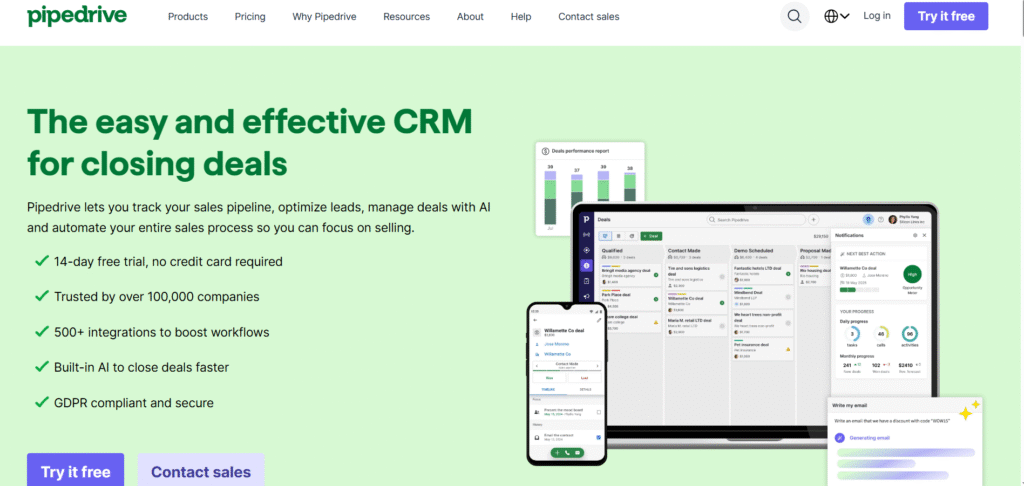
Pipedrive Caller is a built-in calling feature inside Pipedrive CRM. It suits warm calling where reps work directly from deals and need quick access to contact details without complex setup.
Pipedrive Caller is commonly used by small sales teams that prefer straightforward workflows and clear deal visibility.
Key Features
These features support warm calling where calls are tied closely to deals rather than large contact databases.
Deal-Based Calling
Calls are placed directly from deal and contact views. Reps can see deal stage, value, and recent activity before making a call.
Automatic Call Logging
Call duration and basic outcomes are logged automatically to the deal record, keeping activity visible across the team.
Call Notes and Outcomes
Reps add short notes and select call outcomes after each call. This keeps follow-ups clear without long write-ups.
Simple Call Reporting
Pipedrive provides basic reports showing call activity by user and deal stage. This suits teams that want visibility without heavy reporting tools.
Mobile and Desktop Support
Calls can be made from both desktop and mobile apps using the same number, which suits reps working remotely or on the move.
Pros & Cons
| Pros | Cons |
| Easy to use | Limited calling features |
| Fast setup | Not built for cold lists |
| Clear deal view | No advanced dialler |
| Affordable | Basic reporting only |
Pricing
- Included on selected Pipedrive plans
- Calling credits charged separately
- CRM plans start from around £15 per user per month
Pipedrive Caller pricing depends on call usage and CRM tier.
Best For Small Sales Teams Working Deals
Good fit for:
- Small B2B sales teams — managing active deals
- Account executives — following up on opportunities
- Start-ups — needing simple calling inside CRM
- Remote reps — using mobile calling
Verdict:
Pipedrive Caller works well for deal-focused warm calling. It is less suitable for teams that need advanced call routing or outbound calling features.
Practical Tip: Using Pipedrive Caller for Warm Calling
Review deal notes before each call. This helps reps reference previous conversations and keep discussions aligned with the deal stage.
Best Alternative Tool
Freshsales is often compared in Pipedrive vs Freshsales discussions. Freshsales suits teams that rely on full contact timelines rather than deal.
8: Salesforce Lightning Dialler
Salesforce Lightning Dialler is Salesforce’s built-in calling option. It is used by sales teams that already work entirely inside Salesforce and want calls logged without relying on external phone systems.
This tool suits warm calling where contacts, accounts, and opportunities are already well defined.
Key Features
These features focus on keeping call activity inside Salesforce rather than adding outbound speed or advanced dialling controls.
Native Salesforce Calling
Calls are placed directly from lead, contact, and opportunity records. Reps see account details, notes, and recent activity before dialling.
Automatic Activity Logging
Call duration and basic outcomes are logged automatically to Salesforce records. This keeps reporting aligned with CRM activity.
Click-to-Call Workflow
Reps place calls with one click from Salesforce pages. This suits follow-ups, renewals, and account-based conversations.
Call Recording Support
Call recording is available through supported telephony integrations, allowing teams to review conversations where needed.
Reporting Inside Salesforce
Call activity appears in Salesforce reports and dashboards, which helps managers track rep activity without external tools.
Pros & Cons
| Pros | Cons |
| Fully native to Salesforce | Requires Salesforce licences |
| Clean record logging | Limited dialling features |
| Familiar interface | Setup can be complex |
| Strong reporting | Not suited for cold calling |
Pricing
- Included with certain Salesforce editions
- Additional telephony costs may apply
- Pricing depends on Salesforce licence level
Salesforce Lightning Dialler pricing varies by Salesforce plan and region.
Best For Salesforce-Based Sales Teams
Good fit for:
- Enterprise sales teams – working accounts
- Account executives – managing opportunities
- Organisations – standardised on Salesforce
- Teams – avoiding external calling tools
Verdict:
Salesforce Lightning Dialler fits teams that want calling embedded inside Salesforce. It is less suitable for outbound-heavy teams or those needing advanced dialling controls.
Practical Tip: Using Salesforce Lightning Dialler for Warm Calling
Customise call disposition fields to match your sales stages. This keeps call outcomes aligned with opportunity progress.
Best Alternative Tool
RingCentral is often compared in Salesforce vs RingCentral setups. RingCentral suits teams needing more flexible call handling alongside Salesforce.
9: Dialpad Sell
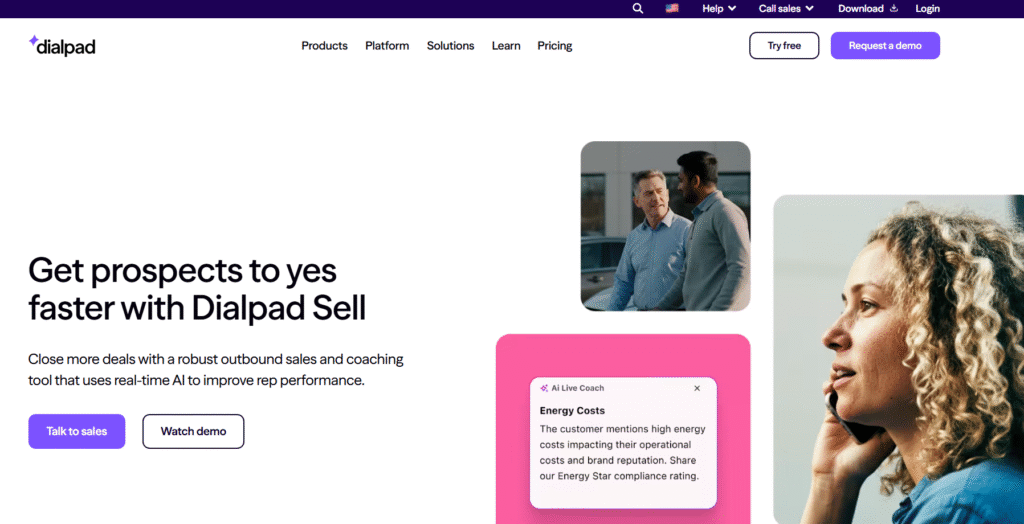
Dialpad Sell is a sales dialler used by teams that want visibility into what is said on calls rather than focusing purely on call volume. It suits warm calling where conversation quality, notes, and follow-up accuracy matter.
Dialpad Sell is commonly used by sales managers who want insight into calls without sitting in live sessions.
Key Features
These features support warm calling by keeping conversations documented and easy to review across the team.
Live Call Transcription
Calls are transcribed in real time. Reps can refer back to what was said without relying on memory or long notes.
Automatic Call Logging
Call details, recordings, and transcripts sync to connected CRMs such as Salesforce and HubSpot, keeping records aligned.
Call Recording
Calls are recorded automatically and stored for later review, training, or compliance checks.
Call Analytics
Managers can review call frequency, duration, and talk ratios to understand how reps handle conversations.
Multi-Device Calling
Calls can be made and received on desktop or mobile, which suits teams working remotely or across locations.
Pros & Cons
| Pros | Cons |
| Clear call transcripts | Higher cost |
| Good for call review | Not built for cold calling |
| CRM integrations | Interface takes time to learn |
| Mobile and desktop use | Dialling speed limited |
Pricing
- Plans start from around £60 per user per month
- Pricing varies by features and user count
- Trial available on request
Dialpad Sell pricing sits at the higher end for sales diallers.
Best For Teams Reviewing Sales Conversations
Good fit for:
- Sales managers – reviewing call quality
- Account executives – handling warm conversations
- Remote teams – needing shared visibility
- Training-focused teams – reviewing past calls
Verdict:
Dialpad Sell suits teams that want detailed records of sales calls. It is less suitable for outbound-heavy teams that rely on high daily call numbers.
Practical Tip: Using Dialpad Sell for Warm Calling
Review transcripts before follow-up calls. This helps reps reference exact objections or questions raised previously without replaying the full recording.
Best Alternative Tool
Aircall is often compared in Dialpad Sell vs Aircall discussions. Aircall suits teams that want simpler CRM-based calling without deep transcription features.
10: JustCall
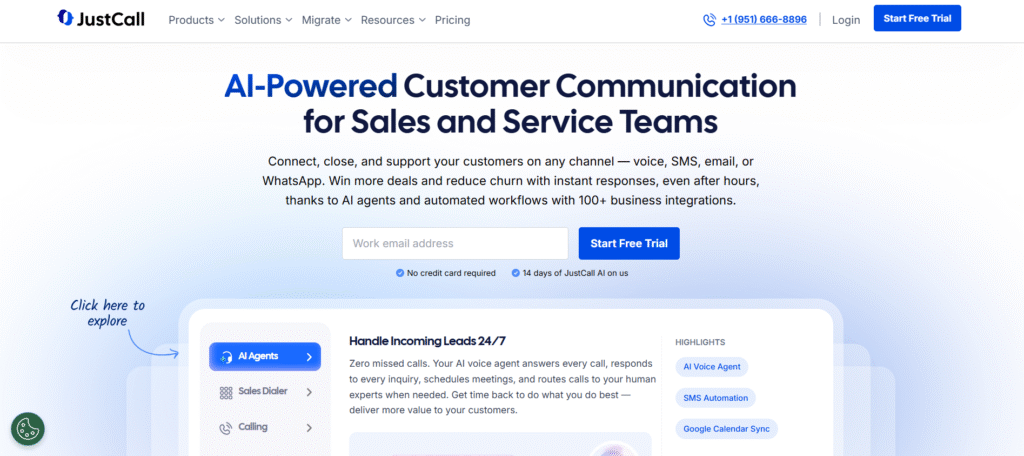
JustCall is a sales calling platform used by teams that handle a mix of warm follow-ups and outbound calls. It connects calling, SMS, and CRM sync in one system, which suits teams that move between inbound replies and scheduled outreach.
JustCall sits between CRM-led warm calling tools and outbound diallers, without going too far in either direction.
Key Features
These features support mixed calling workflows where reps need flexibility across call types without complex setup.
CRM Integrations
JustCall integrates with platforms such as HubSpot, Pipedrive, and Zoho. Calls, texts, and notes sync back to contact records automatically.
Click-to-Call and Auto Dialling
Reps can place calls from CRM records or use auto dialling for short call lists. This suits follow-ups and scheduled outreach rather than long prospect lists.
SMS and WhatsApp Messaging
Text messages can be sent alongside calls. Teams often use this for call follow-ups, confirmations, or short replies when calls go unanswered.
Call Recording
Calls are recorded automatically and stored for later review. This supports internal review and training needs.
Shared Team Numbers
Multiple reps can use shared numbers, which works well for sales inboxes or enquiry lines handled by several users.
Pros & Cons
| Pros | Cons |
| Supports calls and SMS | Not a high-volume dialler |
| Works with many CRMs | Interface can feel busy |
| Flexible for mixed teams | Reporting is basic |
| Simple setup | Costs add up with add-ons |
Pricing
- Plans start from around £19 per user per month
- SMS and call usage billed separately
- Trial available on request
JustCall pricing depends on usage and selected integrations.
Best For Teams Mixing Warm Calls and Light Outbound
Good fit for:
- Sales teams – balancing inbound and outbound
- Agencies – handling follow-ups and prospect calls
- Recruiters – calling candidates and clients
- Support-led sales teams – using calls and SMS together
Verdict:
JustCall works well for teams that need flexibility across call types without committing to heavy outbound tools. It is less suitable for teams focused only on high-volume cold calling.
Practical Tip: Using JustCall for Warm Calling
Use SMS after missed calls to confirm availability. This keeps conversations moving without repeated call attempts.
Best Alternative Tool
Dialpad Sell is often compared in JustCall vs Dialpad discussions. Dialpad suits teams focused on call review, while JustCall suits teams needing calls and messaging together.
11: PhoneBurner
PhoneBurner is built for teams that spend most of their day making outbound calls. It is commonly used by SDR teams, recruiters, and outbound sales roles where speed and call volume matter more than deep contact history.
PhoneBurner is firmly a cold calling tool. It is not designed for inbound routing or account-based calling.
Key Features
These features focus on outbound efficiency and rep workflow during long calling sessions.
Power Dialler
PhoneBurner dials through contact lists quickly without pauses between calls. Reps move from one call to the next with minimal downtime.
Call Dispositions
Reps select call outcomes after each call. These outcomes trigger follow-up actions such as emails or reminders, keeping outbound work organised.
Local Presence Numbers
Calls can appear from local numbers, which helps improve answer rates during outbound sessions.
Call Recording
Calls are recorded automatically. Teams use recordings for review, compliance, and internal feedback.
Email Follow-Ups
Emails can be sent automatically after calls based on selected outcomes. This keeps follow-ups consistent without manual sending.
Pros & Cons
| Pros | Cons |
| Fast outbound calling | Not suited for warm calling |
| Simple rep workflow | No inbound routing |
| Local presence support | Limited CRM depth |
| Easy to train reps | Interface feels dated |
Pricing
- Plans start from around £60 per user per month
- All features included on most plans
- Trial available on request
PhoneBurner pricing is flat per user rather than usage-based.
Best For Outbound SDR and Cold Calling Teams
Good fit for:
- SDR teams – working daily call lists
- Recruiters – contacting candidates
- Sales teams – outbound prospecting
- Agencies – running outbound campaigns
Verdict:
PhoneBurner suits teams where outbound calling is the main activity. It is less suitable for teams that rely on inbound enquiries or CRM-led warm conversations.
Practical Tip: Using PhoneBurner for Cold Calling
Group call lists by time zone and industry. This helps reps keep conversations relevant without slowing down call sessions.
Best Alternative Tool
Orum is often compared in PhoneBurner vs Orum discussions. Orum suits larger teams that want parallel dialling, while PhoneBurner suits straightforward outbound workflows.
12: Kixie
Kixie is a sales calling platform designed for outbound teams that rely on cold calling. It is commonly used by SDR teams that want calls to appear local and need simple outbound workflows tied to a CRM.
Kixie is not aimed at inbound or account-based calling. Its focus is outbound sessions and prospect lists.
Key Features
These features support cold calling where answer rates and outbound efficiency matter more than deep contact history.
Local Presence Dialling
Kixie displays local numbers based on the prospect’s location. This helps improve call pickup rates during outbound sessions.
Power Dialler
Reps can move quickly through call lists without manual dialling. This suits teams making high numbers of outbound calls each day.
CRM Integrations
Kixie integrates with platforms such as HubSpot, Salesforce, and Pipedrive. Call activity and basic notes sync back to the CRM automatically.
Call Recording
Calls are recorded by default. Teams use recordings for review, compliance, and training.
SMS Follow-Ups
Reps can send text messages after calls, which is often used when prospects do not answer.
Pros & Cons
| Pros | Cons |
| Local number display | Limited inbound features |
| Simple outbound setup | Interface is basic |
| CRM sync | Not built for warm calling |
| SMS included | Reporting is limited |
Pricing
- Plans start from around £35 per user per month
- Pricing varies by features and usage
- Trial available on request
Kixie pricing is per user with add-ons for advanced features.
Best For Cold Calling Teams Using CRM Lists
Good fit for:
- SDR teams – outbound prospecting
- Recruiters – candidate outreach
- Sales teams – list-based calling
- Agencies – outbound campaigns
Verdict:
Kixie works well for teams that rely on outbound calling with local number display. It is less suitable for inbound or account-based calling workflows.
Practical Tip: Using Kixie for Cold Calling
Rotate local numbers regularly to avoid call blocking and keep outbound sessions running smoothly.
Best Alternative Tool
PhoneBurner is often compared in Kixie vs PhoneBurner discussions. PhoneBurner suits teams focused on call flow, while Kixie suits teams prioritising local presence.
13: Orum
Orum is built for outbound teams that focus on cold calling at scale. It is used mainly by larger SDR teams where reps need to speak only to live prospects rather than spending time listening to ringing tones or voicemails.
Orum is not a warm calling tool. It is designed specifically for outbound prospecting where efficiency during call sessions matters.
Key Features
These features focus on reducing idle time during cold calling sessions and keeping reps speaking to live prospects as often as possible.
Parallel Dialling
Orum dials multiple numbers at the same time and only connects the rep when someone answers. This removes downtime between calls and keeps reps focused on conversations rather than dialling.
Answer Detection
The system filters out unanswered calls, voicemails, and busy tones before connecting the rep. This is central to how Orum is used during outbound sessions.
CRM Integrations
Orum integrates with Salesforce and similar platforms. Call activity and outcomes sync back to CRM records to keep prospect data aligned.
Call Recording
Calls are recorded automatically. Teams use recordings for internal review and onboarding without manual setup.
Live Call Controls
Reps can manage calls in real time, including dropping connections or moving to the next prospect quickly.
Pros & Cons
| Pros | Cons |
| Reduces time between conversations | High cost |
| Keeps reps on live calls | Not suitable for warm calling |
| Works well at scale | Requires clean call lists |
| CRM integration | Setup requires training |
Pricing
- Custom pricing only
- Typically sold to mid-sized and large teams
- Demo required
Orum pricing depends on team size and usage volume.
Best For Large SDR Teams Focused on Cold Calling
Good fit for:
- SDR teams – outbound prospecting
- Enterprise sales teams – top-of-funnel outreach
- Agencies – large outbound programmes
- Recruiters – high-volume candidate calling
Verdict:
Orum suits teams where outbound calling is the main activity and scale matters. It is less suitable for smaller teams or any warm calling workflows.
Practical Tip: Using Orum for Cold Calling
Clean and validate call lists before uploading. Parallel dialling works best when numbers are accurate and segmented.
Best Alternative Tool
PhoneBurner is often mentioned in Orum vs PhoneBurner comparisons. PhoneBurner suits simpler outbound workflows, while Orum suits larger teams needing parallel dialling.
14: CloudTalk

CloudTalk is a cloud-based calling platform used by sales and support teams that run outbound calls across multiple countries. It fits cold calling where teams need international numbers, call visibility, and straightforward outbound controls.
CloudTalk can handle inbound calls, but its main use in sales teams is list-based outbound work.
Key Features
These features support outbound calling where reach, number availability, and call tracking matter more than deep CRM history.
International Numbers
Teams can purchase local numbers across many countries. This supports outbound calling into different regions without relying on a single caller ID.
Power Dialler
Reps can work through call lists efficiently with minimal manual input. This suits scheduled outbound sessions.
CRM Integrations
CloudTalk integrates with platforms such as HubSpot, Pipedrive, and Salesforce. Call logs, recordings, and notes sync back to CRM records.
Call Recording
Calls are recorded automatically and stored for later review. This supports internal checks and onboarding.
Basic Call Analytics
Managers can view call volumes, durations, and outcomes by user. Reporting focuses on activity rather than advanced metrics.
Pros & Cons
| Pros | Cons |
| International number coverage | Interface takes time to learn |
| Works across regions | Not built for warm calling |
| CRM integrations | Reporting is basic |
| Flexible plans | Setup needs planning |
Pricing
- Plans start from around £25 per user per month
- International numbers billed separately
- Trial available on request
CloudTalk pricing varies based on regions and call usage.
Best For Outbound Teams Calling International Prospects
Good fit for:
- SDR teams – outbound prospecting
- Sales teams – calling across regions
- Agencies – international outreach
- Recruiters – overseas candidate calls
Verdict:
CloudTalk suits teams that need outbound calling across multiple countries. It is less suitable for teams focused on inbound enquiries or account-based calling.
Practical Tip: Using CloudTalk for Cold Calling
Assign numbers by region rather than sharing one global number. This keeps caller IDs consistent with prospect locations.
Best Alternative Tool
Kixie is often compared in CloudTalk vs Kixie discussions. Kixie suits teams focused on local presence in a single region, while CloudTalk suits multi-region calling.
15: Dialer360
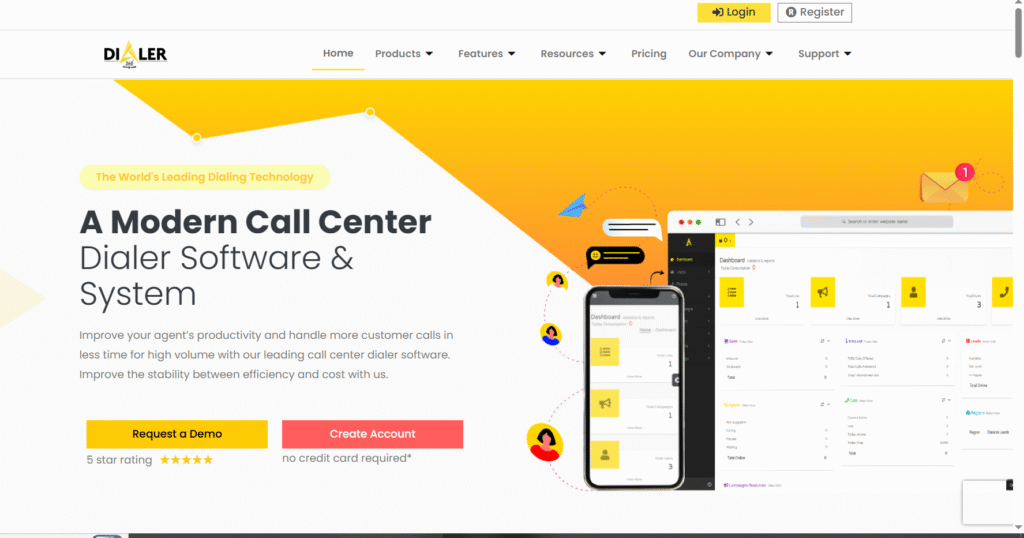
Dialer360 is used mainly by outbound call centres that rely on predictive dialling. It suits cold calling environments where agents work from large lists and calls are distributed automatically.
Dialer360 is not designed for CRM-led warm calling. It is built for structured outbound operations with clear scripts and call flows.
Key Features
These features support cold calling setups where agents handle continuous outbound calls under defined rules.
Predictive Dialler
Dialer360 places calls automatically and connects agents only when a prospect answers. This reduces idle time during outbound shifts.
Campaign Management
Outbound campaigns can be configured with call pacing, schedules, and retry rules. This suits teams running repeatable calling programmes.
Call Monitoring
Supervisors can listen to calls live or review recordings later. This is used for quality checks and onboarding.
Disposition Codes
Agents select call outcomes after each conversation. These outcomes feed into reports and campaign tracking.
Basic Reporting
Managers can view call volumes, answer rates, and agent activity. Reporting focuses on operational oversight rather than sales analytics.
Pros & Cons
| Pros | Cons |
| Predictive dialling | Call centre focused |
| Handles large lists | Limited CRM depth |
| Agent monitoring | Setup requires training |
| Suitable for shifts | Not for warm calling |
Pricing
- Pricing varies by agent count
- Typically sold on monthly contracts
- Demo required
Dialer360 pricing depends on call volume and number of agents.
Best For Outbound Call Centres Running Cold Campaigns
Good fit for:
- Call centres – outbound sales
- Large SDR teams – list-based calling
- Agencies – campaign-driven outreach
- Organisations – shift-based calling
Verdict:
Dialer360 suits structured outbound environments with dedicated agents. It is less suitable for sales teams that rely on CRM context or flexible calling workflows.
Practical Tip: Using Dialer360 for Cold Calling
Align disposition codes with campaign goals. This keeps reporting clear and avoids confusion during call reviews.
Best Alternative Tool
Five9 is often compared in Dialer360 vs Five9 discussions. Five9 suits larger operations needing more configuration options.
16: Five9
Tagline: Predictive and outbound calling for enterprise call centres
Summary
Five9 is a cloud contact centre platform used by large sales and service teams running outbound campaigns at scale. It is designed for structured cold calling environments rather than individual sales reps handling warm conversations.
Five9 is commonly used where outbound calling is managed through shifts, queues, and defined call flows.
Key Features
These features support outbound operations where calls are distributed automatically and agents work from large prospect lists.
Predictive Dialling
Five9 places calls automatically based on agent availability and expected answer rates. Agents are connected only when a call is answered.
Campaign Management
Outbound campaigns can be configured with schedules, pacing rules, and retry logic. This suits teams running repeatable calling programmes.
Call Monitoring and Whisper
Supervisors can listen to live calls, speak to agents privately, or review recordings later. This supports onboarding and quality checks.
CRM Integrations
Five9 integrates with platforms such as Salesforce. Call activity and outcomes sync back to CRM records where required.
Workforce Controls
Managers can manage agent availability, queues, and performance metrics from a central dashboard.
Pros & Cons
| Pros | Cons |
| Handles large call volumes | Enterprise setup required |
| Strong supervisor tools | Not suited for warm calling |
| Scales across teams | Higher cost |
| Reliable infrastructure | Training needed |
Pricing
- Custom pricing based on agent count
- Contracts typically annual
- Demo required
Five9 pricing depends on deployment size and feature set.
Best For Large Outbound Sales and Call Centre Teams
Good fit for:
- Enterprise call centres – outbound sales
- Large SDR teams – campaign-driven calling
- Organisations – shift-based operations
- Agencies – managed calling services
Verdict:
Five9 suits large outbound operations with defined processes and supervision needs. It is less suitable for smaller sales teams or CRM-led warm calling workflows.
Practical Tip: Using Five9 for Cold Calling
Align outbound campaigns with agent schedules carefully. Predictive dialling performs best when availability is accurate.
Best Alternative Tool
Dialer360 is often compared in Five9 vs Dialer360 discussions. Dialer360 suits simpler outbound setups, while Five9 suits larger operations needing more control.
17: VanillaSoft

VanillaSoft is an outbound sales platform built around call queues and defined sales cadences. It is commonly used by cold calling teams that want reps focused on the next action rather than deciding who to call next.
VanillaSoft is not designed for inbound or relationship-led calling. It is built for structured outbound activity.
Key Features
These features support cold calling environments where reps follow predefined steps across calls, emails, and tasks.
Queue-Based Dialling
Reps are presented with the next prospect automatically. This removes decision-making and keeps outbound sessions consistent across the team.
Sales Cadence Management
Call steps, follow-ups, and timing are defined in advance. This helps teams maintain consistent outreach patterns without relying on memory.
Call Logging and Notes
Calls are logged automatically with space for notes and outcomes. This keeps records aligned with the cadence flow.
Call Recording
Calls can be recorded for later review. Managers use recordings for training and quality checks.
Basic Reporting
Reports focus on activity completion, call attempts, and cadence progress rather than advanced sales metrics.
Pros & Cons
| Pros | Cons |
| Keeps reps focused | Not built for warm calling |
| Strong cadence control | Interface feels dated |
| Easy to manage workflows | Limited CRM depth |
| Reduces rep decision fatigue | Reporting is basic |
Pricing
- Pricing varies by user count
- Typically sold on monthly contracts
- Demo required
VanillaSoft pricing depends on team size and selected modules.
Best For Teams Running Structured Cold Calling Cadences
Good fit for:
- SDR teams – outbound prospecting
- Inside sales teams – repeatable outreach
- Agencies – campaign-driven calling
- Managers – enforcing consistent workflows
Verdict:
VanillaSoft suits teams that rely on strict outbound structure and queues. It is less suitable for flexible sales roles or CRM-led warm calling.
Practical Tip: Using VanillaSoft for Cold Calling
Review cadence steps regularly. Removing unnecessary actions keeps reps focused and avoids long gaps between calls.
Best Alternative Tool
PhoneBurner is often compared in VanillaSoft vs PhoneBurner discussions. PhoneBurner suits faster outbound sessions, while VanillaSoft suits structured workflows.
18: Nooks
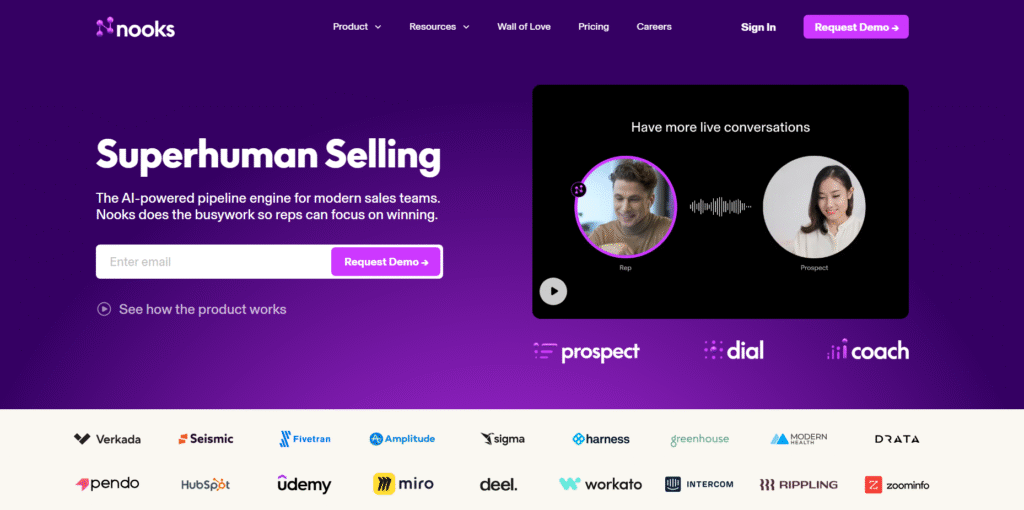
Nooks is used by outbound sales teams that want parallel dialling combined with live call assistance. It focuses on cold calling environments where reps need help during live conversations, not after the fact.
Nooks is not designed for warm calling or inbound enquiries. Its use sits firmly in outbound SDR workflows.
Key Features
These features support cold calling sessions where reps need to reach more live prospects while receiving guidance during calls.
Parallel Dialling
Nooks dials multiple prospects at the same time and connects the rep only when someone answers. This reduces idle time during outbound sessions.
Live Call Coaching
Managers can provide live prompts, objection guidance, or notes during calls without interrupting the conversation. This is often used for onboarding new reps.
CRM Integrations
Nooks integrates with platforms such as Salesforce. Call activity and outcomes sync back to CRM records to keep prospect data aligned.
Call Recording
Calls are recorded automatically and stored for later review, training, and internal checks.
Call Notes and Outcomes
Reps log call outcomes quickly after each conversation, keeping outbound records consistent.
Pros & Cons
| Pros | Cons |
| Live coaching support | High cost |
| Reduces downtime | Not suited for warm calling |
| Useful for new reps | Requires manager involvement |
| CRM integration | Setup takes planning |
Pricing
- Custom pricing only
- Typically sold to mid-sized and large teams
- Demo required
Nooks pricing depends on team size and usage volume.
Best For Outbound SDR Teams Needing Live Support
Good fit for:
- SDR teams – cold calling at scale
- New sales reps – guided outbound work
- Sales managers – live coaching
- Agencies – structured outbound programmes
Verdict:
Nooks suits teams that want real-time support during cold calls. It is less suitable for experienced reps working independently or for any warm calling workflows.
Practical Tip: Using Nooks for Cold Calling
Use live coaching sparingly. Short prompts work better than constant input during live conversations.
Best Alternative Tool
Orum is often compared in Nooks vs Orum discussions. Orum suits teams focused purely on parallel dialling, while Nooks suits teams needing live guidance.
19: Talkdesk

Talkdesk is used by large sales and service organisations that manage outbound calling through structured queues and teams. It is designed for cold calling environments where calls are distributed automatically and managed centrally.
Talkdesk is not intended for individual reps handling warm conversations. It fits outbound operations with defined processes and reporting needs.
Key Features
These features support cold calling setups where scale, control, and supervision matter more than flexibility.
Predictive and Power Dialling
Talkdesk supports predictive and power dialling modes. Calls are placed automatically based on agent availability, reducing downtime during outbound sessions.
Campaign Configuration
Outbound campaigns can be set up with schedules, retry logic, and pacing rules. This suits teams running repeatable calling programmes.
Live Monitoring and Recording
Supervisors can listen to live calls or review recordings later. This is commonly used for quality checks and onboarding.
CRM Integrations
Talkdesk integrates with platforms such as Salesforce. Call activity and outcomes sync back to CRM records where required.
Performance Dashboards
Managers can view agent activity, call volumes, and queue performance from a central dashboard.
Pros & Cons
| Pros | Cons |
| Built for large teams | Enterprise setup required |
| Strong monitoring tools | Not suited for warm calling |
| Flexible dialling modes | Higher cost |
| Scales well | Training needed |
Pricing
- Custom pricing based on agent count
- Typically sold on annual contracts
- Demo required
Talkdesk pricing depends on deployment size and feature selection.
Best For Enterprise Outbound Sales Operations
Good fit for:
- Large call centres – outbound sales
- Enterprise SDR teams – structured outreach
- Agencies – managed calling services
- Organisations – multi-team operations
Verdict:
Talkdesk suits outbound environments where calls are handled through queues and supervision layers. It is less suitable for smaller sales teams or CRM-led warm calling.
Practical Tip: Using Talkdesk for Cold Calling
Review campaign pacing regularly. Adjusting dial rates helps balance agent workload and call quality.
Best Alternative Tool
Five9 is often compared in Talkdesk vs Five9 discussions. Five9 suits similar use cases with slightly different configuration options.
20: CallTools
Tagline: Predictive dialling for outbound call centres
Summary
CallTools is a predictive dialler used by outbound call centres running cold calling campaigns. It focuses on distributing calls efficiently across agents rather than supporting individual sales workflows.
CallTools is designed for high-volume outbound operations rather than relationship-led sales teams.
Key Features
These features support outbound calling where agents work from large lists under defined rules.
Predictive Dialler
CallTools automatically places calls and connects agents only when a prospect answers. This keeps outbound sessions moving during shifts.
Campaign Management
Outbound campaigns can be configured with schedules, call pacing, and retry rules. This suits teams running ongoing cold calling programmes.
Call Recording
Calls are recorded automatically. Supervisors use recordings for internal review and compliance checks.
Agent Management
Managers can monitor agent availability, call activity, and queue performance from a central view.
API and CRM Support
CallTools offers API access and CRM connections for syncing call data where required.
Pros & Cons
| Pros | Cons |
| Strong predictive dialling | Call centre focused |
| Handles large lists | Limited CRM context |
| Agent monitoring tools | Not suited for warm calling |
| Reliable for shifts | Setup requires training |
Pricing
- Custom pricing based on agent count
- Monthly or annual contracts
- Demo required
CallTools pricing depends on call volume and team size.
Best For Outbound Call Centres Running Cold Campaigns
Good fit for:
- Call centres – outbound sales
- Large outbound teams – list-based calling
- Agencies – campaign execution
- Organisations – shift-based operations
Verdict:
CallTools suits structured outbound environments with dedicated agents and defined calling schedules. It is less suitable for flexible sales roles or CRM-led warm calling.
Practical Tip: Using CallTools for Cold Calling
Align agent shifts closely with campaign schedules. Predictive dialling performs best when availability data is accurate.
Best Alternative Tool
Dialer360 is often compared in CallTools vs Dialer360 discussions. Dialer360 suits similar outbound setups with simpler configuration.
Choosing the Right Tools for Warm Calling vs Cold Calling
Warm calling and cold calling fail for different reasons, which is why using the same tool for both usually causes friction. Warm calling works best when call history, notes, and timing sit inside a CRM. Cold calling works best when reps spend more time speaking to people and less time dialling.
Across these 20 tools, a clear pattern appears:
- Warm calling tools suit teams handling inbound enquiries, follow-ups, renewals, and existing accounts.
- Cold calling tools suit SDR teams, recruiters, and call centres working from large prospect lists.
The right choice depends on how your team actually spends its day on the phone, not on feature lists.
Pick the tool that matches your calling reality, not the one with the longest demo.
Need Help Choosing the Right Calling Tools?
Choosing between warm calling and cold calling software often becomes confusing once teams start comparing features instead of workflows. The issue is rarely about which platform has more options. It is about how calls actually happen day to day.
At Pearl Lemon Sales, the focus is placed on call type first. Warm calls usually involve existing contacts, prior conversations, or inbound interest, which means context, timing, and accurate records matter most. Cold calls involve repetition, list discipline, and the ability to move quickly through prospects without distractions.
Many sales teams struggle because they attempt to force both approaches into a single system. This often leads to slower follow-ups on warm leads and inefficient outbound sessions. Separating tools based on call intent allows sales reps to stay focused on the conversation in front of them rather than fighting the software.
If your team is unsure whether it should prioritise CRM-based calling or outbound dialling tools, the right starting point is reviewing how leads enter your pipeline, how often contacts are re-engaged, and how much time reps spend preparing versus speaking. Once that is clear, the right tool choice becomes far easier to justify and maintain.
Frequently Asked Questions
1. What is the main difference between warm calling and cold calling tools?
Warm calling tools focus on context, contact history, and follow-ups inside a CRM. Cold calling tools focus on outbound efficiency, list handling, and dialling speed.
2. Can one calling tool work well for both warm and cold calling?
Some tools attempt to support both, but most teams see better results when tools are chosen based on call type rather than convenience.
3. Are CRM diallers suitable for outbound prospecting?
CRM diallers work best for known contacts. They often lack the dialling controls and list management required for consistent cold calling.
4. Do cold calling tools work for inbound enquiries?
Cold calling tools can receive inbound calls, but they usually lack routing, context, and record visibility needed for inbound sales conversations.
5. What features matter most for warm calling?
Contact history, call logging, notes, CRM sync, and follow-up visibility matter more than dialling speed.
6. What features matter most for cold calling?
Dialling speed, answer detection, list handling, local number support, and call flow controls matter most.
7. Should account managers use outbound diallers?
Account managers usually perform better with CRM-based calling tools that show full account history rather than outbound-focused diallers.
8. Are predictive diallers suitable for small sales teams?
Predictive diallers usually suit larger teams with defined outbound roles rather than small teams handling mixed responsibilities.
9. How often should teams review their calling setup?
Calling tools should be reviewed whenever lead sources change, team size shifts, or response times begin to slip.
10. How does Pearl Lemon Sales approach calling tool selection?
At Pearl Lemon Sales, tool selection starts with how leads are generated and handled, not with software features. Call type, team structure, and follow-up behaviour guide the decision.