
This HubSpot vs Salesforce vs Zoho CRM comparison is written for founders, sales managers, RevOps teams, and B2B marketers who need a clear view of what each CRM actually does in day to day use. No hype, no buzzwords, just how these platforms behave once your progress, contacts, and reporting depend on them.
Choosing the wrong CRM costs time, creates reporting gaps, and frustrates sales teams. Choosing the right one improves progress visibility, deal follow ups, and forecasting accuracy. This guide breaks down HubSpot vs Salesforce vs Zoho CRM based on structure, pricing logic, usability, and long term fit.
What is a CRM and why it matters
A CRM system stores contacts, tracks deals, logs communication, and gives sales leaders a way to see what is actually happening across the progress. At scale, a CRM also controls automation, permissions, reporting, and integration with marketing, finance, and support tools.
The real difference between HubSpot, Salesforce, and Zoho CRM is not features on a pricing page. It is how rigid or flexible the system becomes once your sales motion grows more complex.
HubSpot vs Salesforce vs Zoho CRM: 20-Point Comparison Table
| # | Comparison factor | HubSpot CRM | Salesforce | Zoho CRM |
| 1 | Core positioning | Growth focused | Enterprise focused | Cost focused |
| 2 | Ideal company size | SMB to mid market | Mid market to enterprise | SMB to mid market |
| 3 | Typical users | Sales and marketing | Sales, RevOps | Sales and ops |
| 4 | Initial setup speed | Very fast | Slow | Moderate |
| 5 | Learning curve | Low | High | Medium |
| 6 | User interface | Clean and modern | Dense and technical | Functional |
| 7 | Contact records | Simple and visual | Fully configurable | Standard |
| 8 | Deal progress | Visual progress | Rule based progress | Multiple progress |
| 9 | Reporting depth | Medium to high | Very high | Medium |
| 10 | Forecasting | Basic | Advanced | Basic |
| 11 | Workflow automation | Easy workflows | Advanced flows | Workflow rules |
| 12 | Email tracking | Native | Config required | Native |
| 13 | Marketing tools | Built in | Add ons | Via Zoho apps |
| 14 | App marketplace | Large | Very large | Moderate |
| 15 | Custom objects | Limited | Extensive | Limited |
| 16 | Permissions | Basic | Granular | Moderate |
| 17 | API access | Paid plans | Full | Paid plans |
| 18 | Mobile app | Strong | Strong | Good |
| 19 | Entry pricing | Free tier | Paid only | Low cost |
| 20 | Cost at scale | Rises quickly | High | Controlled |
List:
- Core positioning
- Ideal company size
- Typical users
- Initial setup speed
- Learning curve
- User interface
- Contact management
- Deal progress handling
- Reporting depth
- Sales forecasting
- Workflow automation
- Email tracking
- Marketing feature access
- App marketplace size
- Custom objects support
- User roles and permissions
- API availability
- Mobile app capability
- Entry level pricing
- Cost at scale
1. Core positioning
When comparing HubSpot vs Salesforce vs Zoho CRM, core positioning is the most important factor because it affects everything else. This includes setup effort, daily usage, reporting structure, cost behaviour, and how the system feels once your sales operation becomes more complex.
Each platform was built with a very different type of organisation in mind. Understanding that original intent makes the differences much clearer than comparing feature lists.
HubSpot CRM core positioning
HubSpot CRM is positioned around simplicity and fast adoption. The product assumes that sales teams want to start working immediately rather than spending weeks configuring objects, rules, and permissions. Most defaults are pre set, progress are ready out of the box, and the interface is designed to reduce friction for users who may not be technical.
This positioning makes HubSpot appealing to companies that are still shaping their sales process. Instead of forcing a strict structure, the CRM adapts to informal workflows early on. Contacts, companies, and deals are easy to understand, and most activity logging happens automatically through email and calendar connections.
However, this same positioning introduces limits later. As sales operations mature, teams often want more control over data relationships, reporting logic, and progress behaviour. HubSpot allows some customisation, but it remains opinionated. The platform favours consistency and ease of use over deep structural freedom.
In practical terms, HubSpot works best when:
- Speed of rollout matters more than deep configuration
- Sales teams resist complex systems
- Leadership wants visibility without complex reporting logic
Its positioning prioritises usability and clarity rather than flexibility.
Salesforce core positioning
Salesforce is positioned as a system of record rather than a plug and play CRM. It assumes the organisation already has defined sales stages, approval processes, reporting needs, and data governance rules. Instead of offering strong defaults, Salesforce offers building blocks.
This approach allows organisations to model their sales operation in detail. Objects, fields, relationships, and automation can be structured to match how the business actually runs. Permissions can be applied at a very granular level, which matters in regulated industries or large sales teams.
The trade off is complexity. Salesforce expects time, planning, and usually a dedicated administrator. Without this, teams often struggle with cluttered interfaces, inconsistent data entry, and unused features.
Salesforce positioning suits organisations where:
- Sales operations are already structured
- Reporting accuracy is a priority
- Multiple teams rely on the same data
Rather than shaping behaviour, Salesforce reflects existing processes. That makes it powerful but demanding.
Zoho CRM core positioning
Zoho CRM sits between HubSpot and Salesforce in terms of positioning. It aims to offer broad CRM coverage without the cost or complexity associated with enterprise platforms. The system provides flexibility through configuration, but within clearer boundaries than Salesforce.
Zoho assumes that businesses want control over fields, workflows, and progress, but do not want to manage a large technical stack. The interface supports structured sales processes, yet remains accessible to non technical users after some familiarisation.
Its positioning aligns well with companies that want a functional CRM backbone while keeping operational overhead low. Zoho also benefits from being part of a wider application suite, which influences how data flows between sales, finance, and support tools.
Zoho CRM fits well when:
- Budget discipline matters
- Sales processes are defined but not complex
- Teams want more control than basic CRMs allow
It prioritises coverage and consistency rather than depth in any single area.
Why core positioning matters more than features
In HubSpot vs Salesforce vs Zoho CRM, features overlap heavily. All three support contacts, deals, automation, and reporting. What differs is how much effort is required to adapt the system as your business changes.
Core positioning affects:
- How much setup work is required
- Whether users adopt the system willingly
- How reporting evolves over time
- How costs behave as teams expand
Choosing a CRM that aligns with your current and near future operating model reduces friction later.
2. Ideal company size
In a HubSpot vs Salesforce vs Zoho CRM comparison, ideal company size is not just about employee numbers. It reflects deal volume, reporting expectations, internal roles, approval layers, and how much structure already exists in sales operations. Many CRM issues appear when the system’s assumptions do not match the organisation’s operating reality.
HubSpot CRM and company size fit
HubSpot CRM aligns best with small to growing organisations where sales teams are still forming consistent habits. These companies often have fewer layers of approval, fewer specialised roles, and a need for visibility across sales and marketing without heavy system management.
In this environment, HubSpot works well because it removes barriers to use. Sales representatives can manage contacts, deals, and communication without worrying about breaking reporting structures. Managers can review progress status without complex report configuration. The CRM stays manageable as long as reporting needs remain straightforward and progress do not multiply excessively.
As organisations grow beyond this stage, challenges can appear. More users mean more permission needs. More progress mean more reporting complexity. While HubSpot can support this to a degree, it begins to feel restrictive when teams want highly specific data relationships or layered reporting views.
HubSpot fits best when:
- Sales teams are under fifty users
- Roles overlap between sales and marketing
- Reporting focuses on progress health rather than complex forecasting
Salesforce and organisational scale
Salesforce is designed with larger organisations in mind from the outset. These companies often have distinct departments, defined sales roles, and clear reporting hierarchies. Salesforce assumes that different users need different views of the same data, and that data integrity matters across teams.
This makes Salesforce suitable for organisations with:
- Multiple sales teams or regions
- Separate sales operations or RevOps functions
- Leadership teams that rely on detailed reporting
In smaller companies, this depth can feel unnecessary. Setup takes longer, and users may feel overwhelmed by options they do not need yet. In larger organisations, however, this structure becomes an advantage. Salesforce can support an increase in user count and data complexity without forcing teams to change systems later.
The key point is readiness. Salesforce suits organisations that already operate with defined processes rather than those still experimenting.
Zoho CRM and mid range organisations
Zoho CRM occupies a middle ground. It works well for small to mid-sized organisations that have outgrown basic CRM needs but are not ready for enterprise complexity. These companies often have defined sales stages, a growing team, and a desire for more reporting control without committing to heavy system administration.
Zoho allows configuration of fields, workflows, and progress while keeping limits in place. This prevents the system from becoming overly complex but still allows teams to reflect how they work. It is particularly suited to organisations that want predictability in licensing costs as user numbers increase.
Zoho fits well when:
- Sales teams are structured but lean
- There is no dedicated CRM administrator
- Cost control remains a priority
Why company size alignment matters
Choosing a CRM that matches company size reduces friction across the organisation. When the system expects more structure than exists, adoption slows. When it offers less control than needed, reporting gaps appear.
In HubSpot vs Salesforce vs Zoho CRM, ideal company size influences:
- How much configuration is required
- Whether users feel confident using the system
- How reporting scales as teams expand
A CRM should support how the organisation works today while allowing room for near term change, without forcing unnecessary complexity early on.
3. Typical users
In a HubSpot vs Salesforce vs Zoho CRM comparison, typical users matter because they determine how the CRM is actually used day to day. A system that looks strong in demos can fail if it does not match the habits, technical comfort, and responsibilities of the people expected to use it consistently.
This section focuses on who spends time inside the CRM, what they need from it, and how each platform supports those users in practice.
HubSpot CRM typical users
HubSpot CRM is commonly used by frontline sales representatives, marketers, founders, and small leadership teams. These users usually split their time between email, calls, meetings, and follow-ups rather than system administration or reporting design.
The CRM is structured so that most daily actions happen in one place. Email activity, notes, tasks, and deal updates appear in a single timeline. This suits users who want visibility without switching screens or learning technical terminology.
In many organisations using HubSpot:
- Sales representatives handle their own prospecting and follow-ups
- Marketing teams work in the same system as sales
- Managers review progress status without building custom reports
This user profile explains why HubSpot feels intuitive early on. Users are not expected to understand data models or reporting logic. They are expected to work deals and keep records current through normal activity.
As teams become more specialised, limitations appear. Sales operations staff may want more control over field logic, reporting structure, or permissions than HubSpot comfortably provides. HubSpot still works, but it is clearly built with generalist users in mind rather than specialists.
Salesforce typical user roles
Salesforce is designed for a broader and more specialised user base. Typical users include sales representatives, account executives, sales managers, sales operations staff, analysts, and system administrators. Each group uses the CRM differently.
Sales representatives focus on opportunities, tasks, and activity logging. Managers review dashboards and progress reports. Operations teams manage field rules, validation, automation, and reporting structure. Administrators control permissions and layouts.
This separation of responsibilities is intentional. Salesforce assumes:
- Different users need different views of the same data
- Data accuracy matters across departments
- Reporting must support leadership and planning needs
For organisations with clear role boundaries, this structure works well. Each user group gets tools suited to its responsibilities. For smaller teams where one person covers multiple roles, this depth can feel heavy and time consuming.
Salesforce suits users who are comfortable working within defined systems and processes, rather than those who want minimal structure.
Zoho CRM typical users
Zoho CRM users often sit between the two extremes. Typical users include sales representatives, sales managers, and operational staff who all need access to the same records. There is usually no full time CRM administrator, but someone internally manages configuration.
Zoho expects users to learn how the system works. It does not hide structure in the same way HubSpot does, but it also avoids the depth and role separation found in Salesforce. Users can adjust fields, progress, and workflows without advanced technical skills.
This suits organisations where:
- Users are comfortable with business software
- Sales processes are defined but not complex
- One system needs to support sales and basic operations
Zoho works best when users accept some setup and learning in exchange for more control than basic CRMs allow.
Why typical users matter in CRM selection
CRM success depends less on leadership preference and more on daily usage. If the system matches how users work, data stays accurate and current. If it does not, records become outdated and reporting loses value.
In HubSpot vs Salesforce vs Zoho CRM, typical users influence:
- Adoption rates
- Data quality
- Training requirements
- Long term reliability of reports
A CRM should fit the people using it most, not just the people approving the purchase.
4. Initial setup speed
Initial setup speed affects whether a CRM becomes part of daily work or sits unused while teams fall back on spreadsheets and inboxes. In a HubSpot vs Salesforce vs Zoho CRM comparison, setup speed reflects how much planning, configuration, and internal alignment is required before users can work comfortably.
This is often where expectations and reality differ.
HubSpot CRM setup experience
HubSpot CRM is designed to be usable almost immediately. Core records such as contacts, companies, and deals already exist, and default settings cover most basic sales needs. Connecting email accounts and calendars is straightforward, which means activity logging begins without manual effort.
Most teams can:
- Import contacts on day one
- Create deals without prior configuration
- Start using tasks and notes immediately
This fast setup suits organisations that prefer action over planning. The system makes assumptions to reduce decision-making early on. However, this speed can also mean that structure is added later rather than upfront. Teams sometimes revisit setup once reporting requirements become clearer.
HubSpot’s setup speed works best when immediate usability matters more than perfect structure on day one.
Salesforce setup requirements
Salesforce takes longer to set up because it assumes little. Before users begin, organisations usually need to define objects, fields, page layouts, permissions, and automation rules. This preparation phase can take weeks depending on complexity.
The advantage is control. When setup is done properly, Salesforce reflects how the organisation operates rather than forcing users into defaults. The downside is that without planning, the system can feel confusing and cluttered.
Typical setup steps include:
- Defining record structures
- Setting user roles and permissions
- Creating reports and dashboards
Salesforce setup is an investment. It suits organisations willing to spend time aligning processes before rollout.
Zoho CRM setup process
Zoho CRM sits between the two. Core functionality works out of the box, but teams are encouraged to adjust fields, stages, and automation early. Setup usually takes a few days rather than weeks.
Zoho provides guidance during setup, but it still expects decisions to be made. This helps avoid major rework later while keeping initial effort manageable.
Zoho’s setup speed fits organisations that want some structure early on without committing to extensive planning or specialist support.
Why setup speed matters
A slow setup delays adoption. A rushed setup can cause rework later. In HubSpot vs Salesforce vs Zoho CRM, setup speed affects:
- How quickly teams start using the system
- Whether users trust the CRM early
- How much change is required later
The right balance depends on how clearly processes are already defined.
5. Learning curve

The learning curve determines how quickly people feel comfortable using a CRM without relying on constant guidance. In a HubSpot vs Salesforce vs Zoho CRM comparison, this factor has a direct effect on data quality, consistency of use, and how often teams actually return to the system during a busy workday.
A CRM that feels difficult early on often leads to incomplete records and work happening outside the system. One that feels familiar encourages regular updates and cleaner information.
HubSpot CRM learning curve
HubSpot CRM is built with first time and non technical users in mind. Most people understand how to navigate records, log activity, and manage deals within their first session. The interface uses clear labels and visual timelines rather than system language.
Users typically learn HubSpot by doing rather than through formal training. Tasks such as adding notes, tracking emails, and updating deal status feel intuitive because they mirror how sales teams already work in inboxes and calendars.
This low learning barrier reduces resistance from users who dislike complex software. The limitation appears later, when teams want to perform more advanced configuration. At that point, some users realise that the simplicity they appreciated early on also limits how much control they have.
HubSpot suits environments where ease of understanding is more important than technical depth.
Salesforce learning experience
Salesforce has a steep learning curve by design. Users are exposed to a wide range of objects, fields, and navigation options. Terminology can feel technical, and screens often contain more information than a single role needs.
New users usually require structured onboarding to understand where to work and what matters to their role. Reports, dashboards, and record layouts often vary depending on permissions, which adds to the learning effort.
This complexity allows precision and detailed control, but it demands time and patience. Teams that invest in training often find Salesforce reliable and consistent. Teams that do not often struggle with partial usage and inconsistent data entry.
Salesforce fits organisations where learning time is accepted as part of operating a structured system.
Zoho CRM learning curve
Zoho CRM offers a middle ground. New users usually need some guidance, especially around configuration options and reporting. The interface exposes more controls than HubSpot, which means users must understand what each setting does.
Once users become familiar with the layout, daily tasks feel predictable. Zoho does not hide system structure, but it also avoids overwhelming users with advanced options on every screen.
This learning curve suits teams that are comfortable with business software and willing to spend time getting familiar without committing to long training programmes.
Why the learning curve matters
A CRM is only useful if people use it consistently. When the learning curve is too steep for the user base, updates happen late or not at all. When it matches user comfort levels, records stay current and reliable.
In HubSpot vs Salesforce vs Zoho CRM, the learning curve influences:
- How quickly users adopt the system
- How much training is required
- Whether data stays accurate over time
Choosing a CRM that matches how quickly your team can learn it often matters more than advanced capabilities.
6. User interface
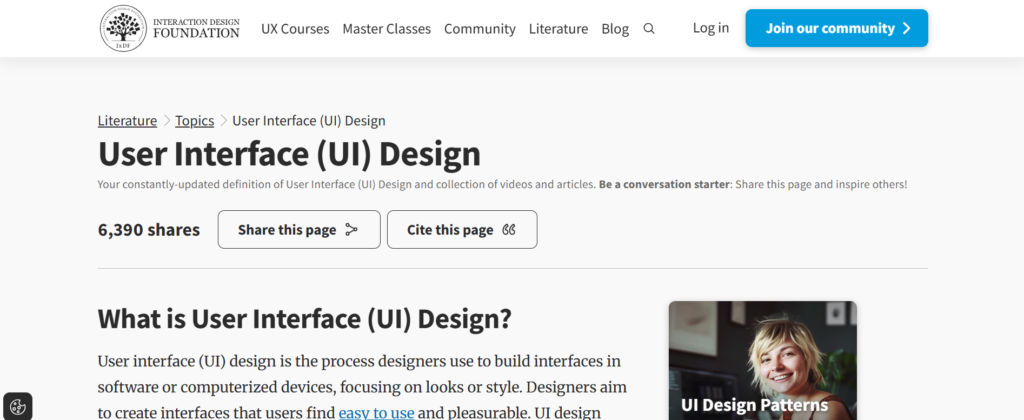
User interface determines how comfortable people feel spending hours inside a CRM. In a HubSpot vs Salesforce vs Zoho CRM comparison, interface design influences daily efficiency, error rates, and how often users avoid or delay updates.
This is not about visual style alone. It is about layout logic, information density, and how quickly users can find what they need without frustration.
HubSpot CRM user interface
HubSpot CRM uses a clean, uncluttered interface that prioritises readability. Records are built around a central activity timeline where emails, notes, calls, and tasks appear in chronological order. Most actions are visible without navigating away from the record.
The design assumes users want context at a glance rather than multiple tabs and menus. Buttons are clearly labelled, and screens rarely feel crowded. This reduces cognitive load, especially for users who move quickly between records throughout the day.
Because the interface hides much of the underlying structure, users are less likely to feel overwhelmed. The trade-off is reduced visibility into advanced configuration. Users who want deeper control may find the interface limiting because many settings sit behind higher level menus.
HubSpot’s interface suits teams that value clarity and speed over structural visibility.
Salesforce interface design
Salesforce has a dense and information-rich interface. Screens often display many fields, related lists, and options at once. This reflects the platform’s focus on detail and configurability rather than simplicity.
Users can customise page layouts extensively, which means interfaces often differ by role. A sales representative may see a simplified view, while managers and operations staff see more data on the same record.
This flexibility is powerful but comes at a cost. New users often feel overloaded, especially when fields are not well organised. Without careful layout planning, screens can become cluttered and hard to navigate.
Salesforce’s interface works best when time is spent designing layouts thoughtfully and when users understand why certain information appears on their screen.
Zoho CRM user interface
Zoho CRM offers a functional interface that sits between HubSpot and Salesforce. It presents more structure than HubSpot, with visible fields and configuration options, but avoids the extreme density found in Salesforce.
Navigation follows traditional CRM patterns, which makes it familiar to users with prior experience. Records display essential information clearly, though the visual design feels more utilitarian than refined.
Zoho’s interface exposes system structure more openly, which helps users understand how records relate to one another. At the same time, this means users need to pay more attention to where actions and settings live.
Zoho’s interface suits teams that want visibility into system structure without managing highly complex screens.
Why user interface matters
A CRM interface affects how willingly people use the system. When screens feel clear and predictable, updates happen naturally. When screens feel crowded or confusing, users delay interaction or avoid it altogether.
In HubSpot vs Salesforce vs Zoho CRM, user interface influences:
- How quickly users complete daily tasks
- How often records are updated accurately
- How much training is needed for basic usage
An interface that matches user expectations reduces friction and supports consistent usage over time.
7. Contact management
Contact management sits at the centre of any CRM. It determines how clearly teams understand who they are speaking to, what has already happened, and what context is available before the next interaction. In a HubSpot vs Salesforce vs Zoho CRM comparison, differences in contact management usually become obvious within the first few weeks of use.
This section focuses on how each system stores, displays, and maintains contact records over time.
HubSpot CRM contact management
HubSpot CRM organises contact records around a single, chronological activity view. Emails, calls, notes, meetings, and tasks appear in one continuous timeline. This design makes it easy to understand the full history of interaction without switching screens.
Contact records in HubSpot are easy to read. Key properties such as name, company, role, and communication details are clearly displayed, while less frequently used fields remain out of the way. This keeps records usable for sales representatives and managers alike.
HubSpot automatically captures much of the interaction history once email and calendar accounts are connected. This reduces manual input and helps keep records current even when users forget to log activity.
The limitation appears when teams want more control over how contact data is structured. Custom fields are available, but relationships between contacts, companies, and other records are handled in a simplified way. For many teams, this is enough. For others, it can feel restrictive as requirements expand.
HubSpot contact management suits teams that value clarity, readability, and minimal manual upkeep.
Salesforce contact record structure
Salesforce treats contact management as part of a broader data model. Contacts exist alongside accounts, leads, and other objects, with relationships that can be defined in detail. This allows organisations to reflect complex customer structures.
Contact records can include a large number of fields, related lists, and historical data. Users can see not only interaction history but also how a contact connects to accounts, opportunities, and other records across the system.
This depth allows precision, but it also increases responsibility. Data entry often requires more discipline, and poorly designed layouts can make records hard to read. Salesforce relies heavily on configuration quality to keep contact records usable.
Salesforce contact management works best in environments where:
- Data accuracy is critical
- Multiple teams rely on the same records
- There is ownership over record design and maintenance
When well managed, contact records become a reliable source of truth across departments.
Zoho CRM contact handling
Zoho CRM offers structured contact management without the extreme flexibility found in Salesforce. Contact records display key information clearly, with tabs for activities, notes, and related data.
Zoho allows custom fields and basic relationships, which helps teams capture information specific to their sales process. Activity tracking is available, though it may require more manual input compared to HubSpot’s automatic logging.
The interface exposes more structure than HubSpot, which helps users understand how records are organised. At the same time, it avoids overwhelming users with too many related lists or configuration options on a single screen.
Zoho contact management suits teams that want more structure than basic CRMs provide while keeping records readable and manageable.
Why contact management quality matters
Contact records are only useful if they stay accurate and readable over time. When records become cluttered or incomplete, teams lose context and repeat work.
In HubSpot vs Salesforce vs Zoho CRM, contact management affects:
- How quickly users understand past interactions
- How reliable shared information remains
- How much manual effort is required to keep records current
A CRM should make it easy to see who someone is, what has happened, and what matters next, without adding unnecessary complexity.
8. Deal stage management
Managing how deals move from first contact to final outcome is a core CRM function. In a HubSpot vs Salesforce vs Zoho CRM comparison, differences here affect forecasting accuracy, reporting clarity, and how reliably teams update records.
This section avoids theory and focuses on how each system handles deal progression in real usage.
HubSpot deal stage handling
HubSpot CRM presents deals in a visual, board-style format. Each deal sits within a clearly labelled stage, and users can move records forward with simple actions. The interface makes it obvious where deals sit and what stage comes next.
Stages are easy to edit, rename, and reorder. This suits teams that want flexibility without technical setup. Required fields can be added to stages, but enforcement remains light, which keeps user friction low.
Because stage movement is simple, HubSpot encourages regular updates. Sales representatives can adjust deal status quickly during or after calls without navigating away from the main view.
The limitation appears when teams want strict control. HubSpot allows some rules, but it does not strongly enforce stage logic. This can lead to inconsistent usage if teams are not aligned internally.
HubSpot’s approach works best when clarity and ease of movement matter more than rigid structure.
Salesforce deal structure and control
Salesforce treats deal stages as part of a broader opportunity model. Each stage can be tied to rules, validation requirements, probability settings, and reporting logic. This allows organisations to control how deals progress and what data must be captured at each step.
Users can be prevented from moving deals forward without completing required fields. This improves consistency and reporting accuracy but adds friction to daily use. Stage changes often trigger automation, approvals, or updates elsewhere in the system.
Because of this depth, Salesforce requires planning. Stage definitions, field requirements, and permissions need to be agreed before rollout. Without this, users may feel blocked or confused.
Salesforce suits organisations where consistency and oversight matter more than speed of updates.
Zoho deal stage approach
Zoho CRM offers structured deal stages with moderate control. Teams can define stages, assign probabilities, and attach basic rules. This provides more structure than HubSpot without the complexity of Salesforce.
Users can update deal stages without heavy restrictions, but certain checks can be applied to encourage consistent data entry. Automation can be triggered on stage changes, though configuration remains relatively straightforward.
Zoho’s approach balances usability with structure. It supports defined sales processes while keeping daily updates manageable for users.
Why deal stage management matters
Deal stages influence reporting, forecasting, and how teams prioritise work. If stage movement is too loose, data becomes unreliable. If it is too strict, users avoid updates.
In HubSpot vs Salesforce vs Zoho CRM, deal stage management affects:
- Accuracy of sales reports
- Consistency of record updates
- User willingness to keep deals current
The right system matches how disciplined the organisation already is, rather than forcing behaviour that users resist.
9. Reporting depth
Reporting depth determines how clearly a CRM shows what is actually happening across sales activity. In a HubSpot vs Salesforce vs Zoho CRM comparison, this area often separates systems that feel convenient from those that become critical for decision making.
Reporting is not only about charts. It includes how data can be filtered, compared over time, and shared with different stakeholders.
HubSpot CRM reporting capability
HubSpot CRM focuses on ready made reports that work without setup. Users can quickly view deal status, activity volume, conversion rates, and individual performance using standard dashboards. These reports are easy to access and understand, even for users without reporting experience.
Custom reports are available, but they operate within defined limits. Users can filter and group data, but deeper combinations across objects are restricted on lower plans. This keeps reporting consistent but reduces flexibility for complex questions.
For many teams, HubSpot’s reporting is enough. Managers can see trends, identify gaps in activity, and review outcomes without building reports from scratch. The challenge appears when teams want to compare data across multiple dimensions or build highly specific views.
HubSpot reporting suits organisations that want clarity quickly without managing complex report logic.
Salesforce reporting structure
Salesforce offers extensive reporting depth. Users can build reports that pull data from multiple objects, apply advanced filters, and group results in detailed ways. Dashboards can be customised for different roles, showing exactly what each user needs.
This depth allows organisations to answer detailed questions about sales activity, performance, and trends. Reports can support leadership reviews, audits, and long-term planning.
The trade-off is complexity. Building accurate reports requires understanding the underlying data model. Poorly designed reports can misrepresent information, which means reporting ownership is important.
Salesforce reporting works best where:
- Reporting accuracy is critical
- Dedicated roles manage data and reports
- Different teams need different views
When managed properly, reporting becomes one of Salesforce’s strongest capabilities.
Zoho CRM reporting approach
Zoho CRM provides standard reports with moderate customisation. Users can create summaries, filter data, and build dashboards without advanced technical knowledge. Reports cover common needs such as deal status, activity tracking, and user performance.
Zoho allows some cross-module reporting, but it does not reach the depth found in Salesforce. This keeps reporting accessible while limiting how far users can go with complex analysis.
For many small to mid-sized teams, Zoho’s reporting strikes a practical balance. It offers more control than basic CRMs while avoiding the overhead of enterprise reporting tools.
Why reporting depth matters
Reporting influences how decisions are made and how confidently leaders rely on CRM data. When reports are easy to build but limited, teams accept constraints. When reports are powerful but complex, teams need ownership and discipline.
In HubSpot vs Salesforce vs Zoho CRM, reporting depth affects:
- Visibility into sales activity
- Confidence in shared data
- Time spent building and maintaining reports
The right choice depends on how detailed reporting needs are today and how much effort the organisation is willing to invest to support them.
If you want me to continue with Item #10, type continue.
continue
10. Sales forecasting
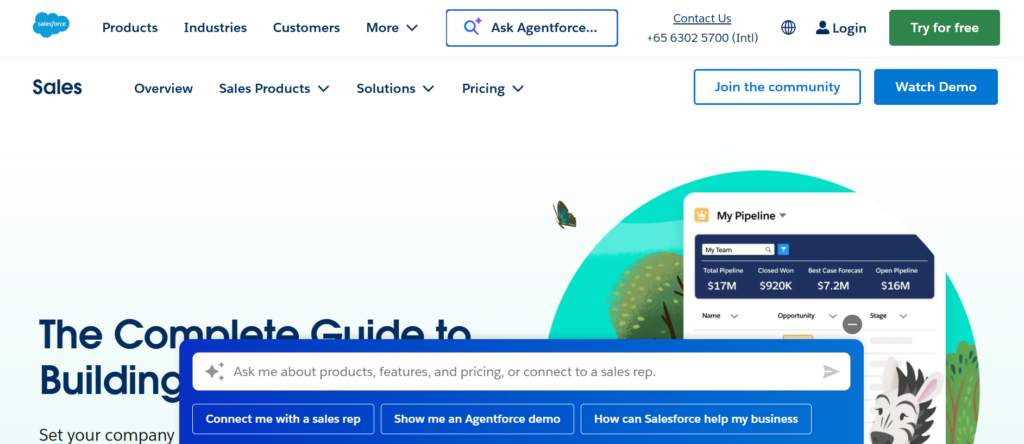
Sales forecasting describes how a CRM estimates expected outcomes based on deal data, timing, and user input. In a HubSpot vs Salesforce vs Zoho CRM comparison, this area shows clear differences in how much structure and discipline each system expects from its users.
Forecasting quality depends on two things: how data is captured and how the system processes it. Each platform approaches this differently.
HubSpot CRM forecasting approach
HubSpot CRM offers basic forecasting tools that focus on simplicity. Forecasts are usually derived from deal amounts, close dates, and stages. Managers can view expected totals for specific time periods without setting up complex logic.
This approach works well for teams that want a straightforward view of expected outcomes. Users do not need to understand forecasting models or probability weighting in detail. As long as deal records are updated, forecasts remain readable.
However, HubSpot does not support advanced forecasting scenarios. Users cannot easily model multiple outcomes, compare forecast versions, or apply detailed weighting rules. Forecasts reflect current deal data rather than structured assumptions.
HubSpot forecasting suits teams that:
- Want quick visibility without configuration
- Accept a simple view of expected results
- Prefer ease of use over analytical depth
The system assumes forecasting is a reference point rather than a planning tool.
Salesforce forecasting structure
Salesforce provides advanced forecasting capabilities designed for structured sales environments. Forecasts can be built using stages, probabilities, custom fields, and multiple forecast categories. Managers can view forecasts by user, team, region, or time period.
Salesforce allows comparisons between forecasted and actual results, adjustments at management level, and rollups across teams. This makes it possible to review accuracy over time and refine assumptions.
The downside is complexity. Forecasting in Salesforce requires clear definitions and consistent usage. If users do not update records accurately, forecasts lose reliability. Setup often involves decisions about categories, permissions, and reporting views.
Salesforce forecasting works best when:
- Forecast accuracy matters to leadership
- Sales processes are consistent
- Users are trained to update records correctly
When managed properly, forecasting becomes a central planning reference rather than a rough estimate.
Zoho CRM forecasting method
Zoho CRM offers basic to moderate forecasting features. Forecasts are typically based on deal values, stages, and expected close dates. Managers can view summaries by user or time period without heavy setup.
Zoho allows some configuration, such as adjusting probabilities or grouping forecasts, but it does not support the advanced scenarios found in Salesforce. This keeps forecasting accessible while limiting analytical depth.
For many teams, Zoho’s approach is sufficient. It provides a clear view of expected outcomes without requiring extensive setup or specialist knowledge.
Zoho forecasting suits organisations that:
- Want visibility without complex modelling
- Rely on forecasts as guidance rather than strict targets
- Prefer predictable setup and usage
Why forecasting approach matters
Forecasting influences planning, staffing decisions, and leadership confidence in sales data. When forecasts are too basic, they lack insight. When they are too complex, they depend heavily on user discipline.
In HubSpot vs Salesforce vs Zoho CRM, forecasting affects:
- How reliable future estimates appear
- How much effort is needed to maintain accuracy
- How forecasts are used in decision making
The right forecasting approach matches how structured the organisation already is, rather than forcing a level of discipline that users are not ready to maintain.
11. Workflow automation
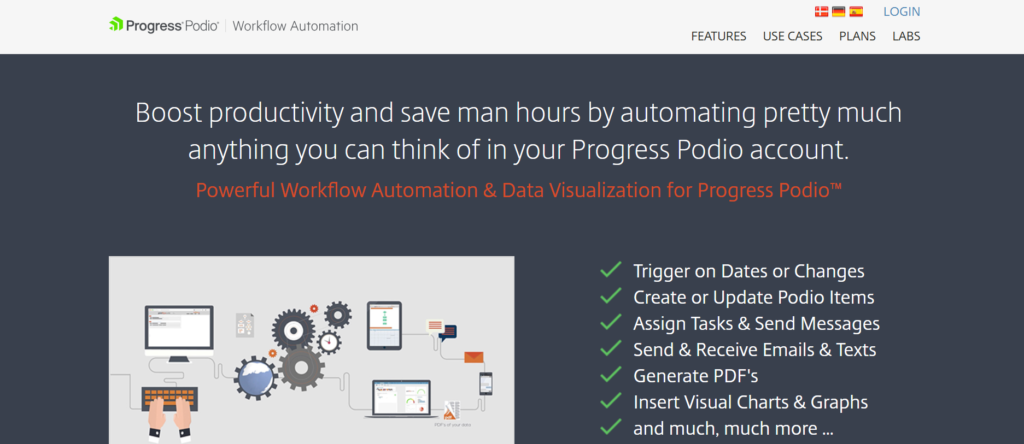
Workflow automation controls how repetitive actions are handled inside a CRM. This includes task creation, record updates, notifications, and internal handovers. In a HubSpot vs Salesforce vs Zoho CRM comparison, automation often determines how much manual work remains once the system is in daily use.
Automation quality is not only about power. It is about how easy it is to understand, manage, and trust over time.
HubSpot CRM workflow automation
HubSpot CRM offers workflow automation that focuses on simplicity and visibility. Workflows are built using a visual editor that shows triggers and actions in a clear sequence. Common actions include assigning owners, creating tasks, sending internal notifications, and updating record properties.
The system guides users through setup with clear options, which reduces errors. Most workflows can be created by non technical users without assistance. This makes automation accessible to sales managers and operations staff who want quick improvements without deep configuration.
However, HubSpot limits how complex workflows can become. Branching logic exists, but advanced conditions across many objects are restricted on lower plans. This keeps workflows readable but caps how far automation can go.
HubSpot automation works well when:
- Processes are straightforward
- Visibility matters more than complexity
- Non technical users manage workflows
The platform treats automation as a support tool rather than a system backbone.
Salesforce automation capabilities
Salesforce provides highly advanced automation through tools such as flows, process rules, and approval logic. These allow organisations to control record behaviour in detail, including multi step conditions, cross object updates, and timed actions.
Automation in Salesforce can touch almost every part of the system. Actions can be triggered by record changes, time based conditions, or user actions. This allows teams to reflect complex internal processes accurately.
The challenge is complexity. Building and maintaining automation often requires specialist knowledge. Poorly designed automation can cause conflicts or unexpected behaviour, which makes testing and documentation important.
Salesforce automation suits organisations where:
- Processes are clearly defined
- There is ownership over system logic
- Automation replaces manual coordination
When managed carefully, automation becomes a core operational layer rather than an add on.
Zoho CRM automation approach
Zoho CRM offers rule based automation that covers most common needs. Users can create workflows triggered by record changes, dates, or conditions. Actions include sending alerts, updating fields, and assigning records.
Zoho’s automation tools are more flexible than HubSpot’s basic workflows but less complex than Salesforce’s flows. The interface exposes logic clearly, though users need to understand conditions and dependencies.
This balance allows teams to automate routine actions without committing to highly technical setup. Automation remains understandable and manageable for users who are comfortable with CRM configuration.
Zoho automation fits teams that:
- Want consistency in record handling
- Prefer clear rules over complex logic
- Manage automation internally
Why workflow automation matters
Automation affects consistency, accuracy, and workload distribution. When automation is too limited, manual work increases. When it is too complex, maintenance becomes a burden.
In HubSpot vs Salesforce vs Zoho CRM, workflow automation influences:
- How much manual coordination remains
- How predictable record updates are
- How often users trust automated actions
The right level of automation matches how structured internal processes already are and who is responsible for maintaining them.
12. Email tracking and communication logging
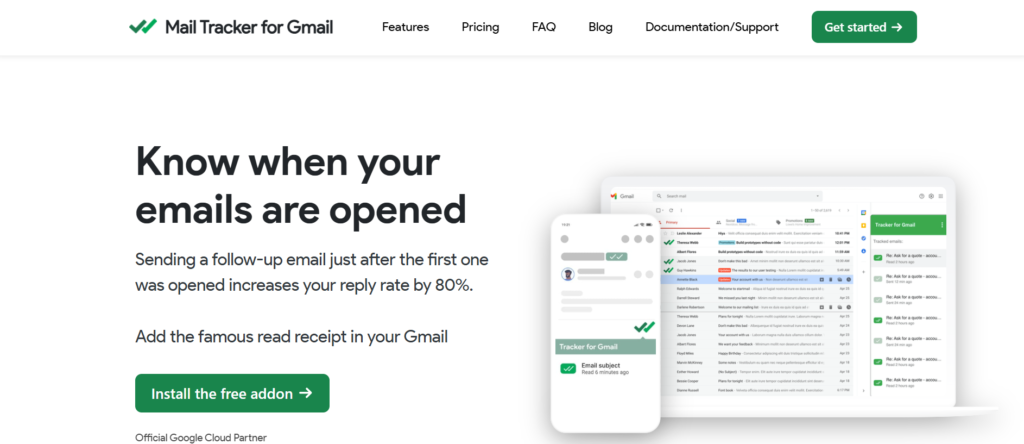
Email tracking and communication logging determine how reliably a CRM captures what actually happens between users and contacts. In a HubSpot vs Salesforce vs Zoho CRM comparison, this area directly affects record accuracy and how much manual effort users need to put into keeping information up to date.
This section focuses on how each system captures emails, links them to records, and presents communication history.
HubSpot CRM email tracking
HubSpot CRM treats email tracking as a core feature rather than an add on. Once a user connects their email account, sent and received emails automatically appear on the relevant contact and deal records. Opens and clicks are logged without extra configuration.
This automatic capture reduces reliance on manual logging. Users can work from their inbox while the CRM records activity in the background. Email templates and sequences are available on paid plans, but even basic tracking works well on free and entry tiers.
The communication history appears in a single timeline alongside calls, notes, and meetings. This makes it easy to review past interactions before replying or scheduling a call.
HubSpot’s approach suits teams that want communication history captured with minimal effort and minimal risk of missing data.
Salesforce email and activity logging
Salesforce supports detailed email tracking, but it usually requires configuration. Users often need to install plugins, enable settings, or use specific tools to link emails to records correctly.
Once set up, Salesforce allows emails to be associated with multiple records and included in reports. Communication data can be analysed alongside other activity types, which supports detailed performance reviews.
The trade off is complexity. If setup is incomplete or users forget to log emails correctly, gaps appear in the record history. Salesforce assumes a level of discipline and process ownership around communication logging.
Salesforce email tracking works best when:
- Tools are properly configured
- Users are trained on correct usage
- Communication data is reviewed regularly
Zoho CRM communication tracking
Zoho CRM offers built in email integration that logs sent and received messages against contact records. Setup is simpler than Salesforce but less automated than HubSpot in some cases.
Users can see email threads, attachments, and timestamps within the CRM. Some actions still require manual association, depending on configuration and email provider.
Zoho balances control and usability. Communication history is accessible and readable, but it expects users to follow basic usage rules to keep records complete.
Zoho’s email tracking suits teams that want visibility into communication without complex setup, while accepting some manual steps.
Why email tracking matters
Email remains a primary communication channel for sales teams. When email history is incomplete or scattered, context is lost and follow ups suffer.
In HubSpot vs Salesforce vs Zoho CRM, email tracking affects:
- Accuracy of contact records
- Time spent updating the CRM
- Confidence in communication history
A CRM should capture communication reliably without adding unnecessary steps for users.
13. Marketing feature access
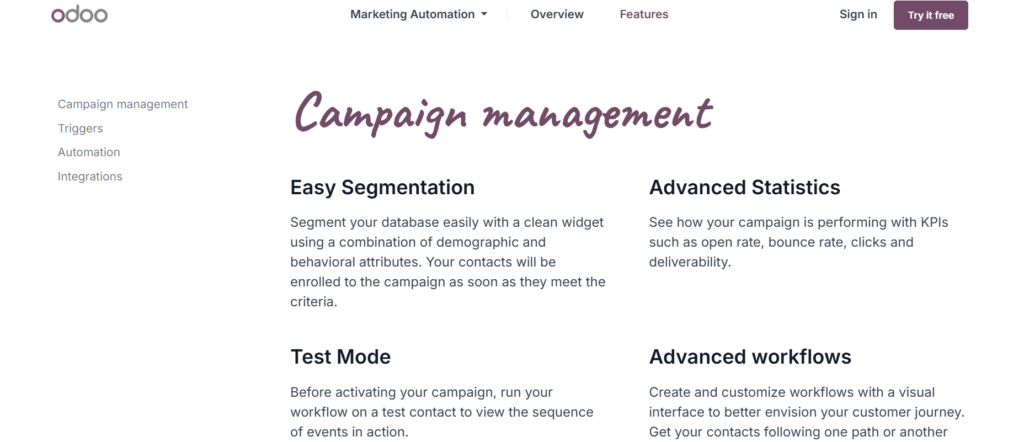
Marketing feature access defines how closely sales activity connects with campaigns, content, and audience data inside the CRM. In a HubSpot vs Salesforce vs Zoho CRM comparison, this area shows how much marketing context sales teams can see without switching systems.
This section looks at what marketing-related tools are available inside each CRM and how naturally they connect to contact records.
HubSpot CRM marketing features
HubSpot CRM includes marketing tools as part of the same platform. Contacts, emails, forms, landing pages, and campaign data live in one system. This means sales users can see how a contact interacted with marketing assets directly on the contact record.
Email opens, link clicks, form submissions, and page visits appear in the activity timeline. Sales teams do not need to ask marketing for context because it is already visible. This shared view reduces handovers and confusion between teams.
The limitation is depth at lower tiers. Advanced campaign reporting and automation sit behind paid plans. Still, even basic access provides useful context for conversations.
HubSpot’s approach suits organisations where sales and marketing work closely and use the same system daily.
Salesforce marketing capability
Salesforce does not include native marketing tools in its core CRM. Marketing features usually come from connected products or third party platforms. These tools integrate with Salesforce, but they remain separate systems with their own setup and data rules.
When configured correctly, Salesforce can show marketing data on contact and account records. This allows sales users to review engagement history alongside sales activity. However, this requires planning, integration work, and ongoing maintenance.
The advantage is flexibility. Organisations can choose specialised marketing platforms that suit their needs. The drawback is complexity and reliance on integration quality.
Salesforce marketing access works best when:
- Dedicated marketing systems are already in place
- Integration ownership is clearly defined
- Sales users are trained on where to find marketing data
Zoho CRM marketing access
Zoho CRM connects with marketing tools within the wider Zoho application suite. Email campaigns, forms, and audience tools can be linked to CRM records, allowing shared data between teams.
Marketing activity can appear on contact records, though setup is required. The connection is tighter than typical third party integrations but looser than HubSpot’s all-in-one model.
Zoho’s approach suits organisations that want marketing and sales tools connected without managing multiple external platforms. The experience is functional, though less refined than HubSpot’s native integration.
Why marketing feature access matters
Marketing context helps sales teams understand who they are speaking to and what interests have already been shown. When this information is hidden or scattered, conversations start without context.
In HubSpot vs Salesforce vs Zoho CRM, marketing feature access affects:
- Visibility into contact engagement
- Coordination between teams
- Time spent switching tools
The right setup depends on whether marketing and sales operate inside one platform or across several connected systems.
14. App marketplace and integrations
The app marketplace determines how easily a CRM connects with other systems such as email tools, finance software, customer support platforms, and analytics products. In a HubSpot vs Salesforce vs Zoho CRM comparison, this factor becomes important once teams rely on multiple tools to run daily operations.
This section looks at the size, quality, and practical use of each platform’s integration options.
HubSpot CRM app marketplace
HubSpot CRM offers a well organised app marketplace with integrations designed to work smoothly out of the box. Most popular sales, marketing, and support tools are available, and installation usually takes minutes rather than hours.
Integrations tend to follow consistent patterns. Data sync behaviour is clear, and users can see what information moves between systems before activating a connection. This reduces confusion and limits unexpected changes to records.
The marketplace focuses on usability rather than sheer volume. While HubSpot does not match Salesforce in total number of apps, the available integrations are generally easier to manage without technical support.
HubSpot’s marketplace suits teams that want connections to work reliably without spending time on custom setup or troubleshooting.
Salesforce integration ecosystem
Salesforce has the largest integration ecosystem of the three. Thousands of applications connect with Salesforce, covering almost every business function. This makes it possible to link the CRM with specialised systems across finance, analytics, support, and operations.
The flexibility is significant, but it comes with responsibility. Integrations often require configuration, testing, and ongoing maintenance. Data mapping, sync rules, and permissions must be clearly defined to avoid conflicts.
Salesforce’s ecosystem suits organisations that already use multiple specialised systems and have internal resources to manage integrations. When handled well, the CRM becomes a central data layer across the business.
Zoho CRM integration options
Zoho CRM integrates closely with other applications in the Zoho suite. This allows contacts, deals, and activity data to move between sales, finance, and support tools without third party connectors.
External integrations are available, though the marketplace is smaller than Salesforce and HubSpot. Setup is usually straightforward, but options are more limited for niche tools.
Zoho’s integration approach suits organisations that prefer using a connected set of tools from one vendor rather than managing many external systems.
Why the app marketplace matters
Integrations determine whether a CRM fits into an existing toolset or forces teams to change how they work. Poor integrations create manual work and data gaps.
In HubSpot vs Salesforce vs Zoho CRM, the app marketplace affects:
- How easily systems share data
- How much setup effort is required
- How stable connections remain over time
The right choice depends on how many tools the organisation already relies on and who manages system connections internally.
15. Custom objects and data structure
Custom objects and data structure control how closely a CRM can reflect how an organisation actually works. In a HubSpot vs Salesforce vs Zoho CRM comparison, this factor becomes important once standard contact and deal records are no longer enough to represent real relationships.
This section explains how each platform handles additional record types and structured data.
HubSpot CRM custom objects
HubSpot CRM supports custom objects, but access depends on the pricing tier. On higher plans, teams can create additional object types beyond contacts, companies, and deals. These objects can store unique data and link back to standard records.
The creation process is guided and user friendly. Field creation, naming, and relationships are handled through a visual interface. This makes it possible for non technical users to extend the CRM without external help.
The limitation is depth. Relationships between objects are relatively simple, and reporting across multiple custom objects is restricted compared to enterprise systems. HubSpot keeps custom objects controlled to protect usability and data consistency.
HubSpot custom objects work best when:
- Only a small number of additional record types are needed
- Relationships between records are straightforward
- Non technical users manage configuration
Salesforce data model flexibility
Salesforce offers the highest level of flexibility when it comes to custom objects and data structure. Organisations can create unlimited custom objects, define complex relationships, and control how records interact across the system.
Custom objects can be reported on, automated, and secured with the same level of control as standard objects. This allows Salesforce to represent complex business models, multiple customer types, and detailed internal processes.
The trade off is responsibility. Designing a clean data model requires planning and technical understanding. Poorly designed objects can make reporting confusing and interfaces cluttered.
Salesforce custom objects suit organisations that:
- Need to model complex relationships
- Rely on detailed reporting across many record types
- Have ownership over data design and governance
Zoho CRM custom modules
Zoho CRM supports custom modules, which act as additional record types. These modules can store custom fields and link to existing records such as contacts and deals.
Zoho’s approach offers more flexibility than basic CRMs while staying simpler than Salesforce. Users can create and manage custom modules without advanced technical skills, though some planning is still required.
Reporting across custom modules is available, but it is less detailed than Salesforce. This keeps the system approachable while limiting how far data analysis can go.
Zoho custom modules fit teams that:
- Need extra record types without heavy setup
- Want visibility across related data
- Prefer manageable configuration
Why custom objects matter
As organisations mature, standard CRM records often fail to capture important details. Custom objects allow teams to track information that does not fit neatly into contacts or deals.
In HubSpot vs Salesforce vs Zoho CRM, custom objects affect:
- How accurately the CRM reflects real operations
- How flexible reporting becomes
- How much planning is required before configuration
Choosing the right level of data structure prevents future limitations without creating unnecessary complexity.
16. User roles and permissions
User roles and permissions define who can see, edit, and manage data inside a CRM. In a HubSpot vs Salesforce vs Zoho CRM comparison, this factor becomes critical once multiple teams share the same system and access needs start to differ.
This section focuses on how clearly each platform separates responsibilities and controls access without creating unnecessary friction.
HubSpot CRM roles and permissions
HubSpot CRM uses a relatively simple permissions model. Users can be assigned roles that control access to contacts, deals, reports, and settings. Permissions are easy to understand and quick to apply, which suits smaller teams.
Managers can restrict access to sensitive data, such as revenue figures or certain records, without complex configuration. Most permission settings are applied at a high level rather than at individual field level.
This simplicity keeps administration light, but it also introduces limits. Field level control is restricted on lower plans, and role hierarchy is basic. As teams expand and responsibilities become more specialised, this can feel limiting.
HubSpot’s permission structure works best when:
- Teams are small to mid sized
- Data access rules are straightforward
- One or two people manage system settings
Salesforce access control depth
Salesforce offers very granular control over user roles and permissions. Administrators can define who can view, create, edit, or delete almost any type of data. Access can be controlled at object level, field level, and even record level.
Role hierarchies allow managers to see subordinate data automatically. Permission sets make it possible to add or remove access without changing a user’s core role. This flexibility supports complex organisational structures.
The trade off is complexity. Setting up roles and permissions correctly requires planning and ongoing maintenance. Poorly designed access rules can confuse users or block legitimate work.
Salesforce suits organisations where:
- Data access rules are strict
- Multiple teams share the same records
- There is ownership over permission design
When managed properly, permissions support clarity rather than restriction.
Zoho CRM permission handling
Zoho CRM provides moderate control over roles and permissions. Administrators can define roles, assign access rights, and restrict visibility across modules. The system supports hierarchical access without deep technical setup.
Field level permissions are available, though not as extensive as Salesforce. This allows some separation of responsibilities while keeping configuration manageable.
Zoho’s permission model fits teams that need more control than basic CRMs offer but do not want to manage complex access rules.
Zoho permissions work well when:
- Teams have defined roles
- Data sensitivity varies by role
- System administration is handled internally
Why roles and permissions matter
Clear access rules protect data integrity and reduce confusion. When users see only what is relevant to their role, errors decrease and confidence in the system improves.
In HubSpot vs Salesforce vs Zoho CRM, roles and permissions influence:
- Data security
- User confidence
- Administrative workload
Choosing a CRM with the right level of access control prevents future problems as teams become more structured.
17. API access and developer control
API access determines how easily a CRM can connect with internal systems, custom tools, and external applications beyond standard integrations. In a HubSpot vs Salesforce vs Zoho CRM comparison, this factor becomes important once teams want data to move automatically between platforms without manual exports or imports.
This section explains how each system approaches API access and what level of control is available.
HubSpot CRM API access
HubSpot CRM provides API access on paid plans, allowing developers to read and write data related to contacts, companies, deals, and other supported objects. The APIs are well documented and designed to be approachable, even for smaller development teams.
Authentication and rate limits are clearly defined, which helps prevent unexpected issues. Many common use cases, such as syncing contact data or updating records from external tools, are straightforward to implement.
The limitation is scope. While HubSpot’s APIs cover core objects well, deeper system behaviour is less accessible. Certain configuration elements and advanced reporting actions cannot be controlled through the API.
HubSpot API access suits organisations that:
- Need reliable data exchange
- Have light to moderate development needs
- Prefer clear documentation over deep system control
Salesforce API depth and flexibility
Salesforce offers extensive API access across almost every part of the system. Developers can interact with standard and custom objects, automation logic, metadata, and user data. Multiple API types are available, each suited to different use cases.
This depth allows organisations to build highly integrated systems around Salesforce. Internal tools, external applications, and data warehouses can all connect directly to the CRM.
The trade off is complexity. Salesforce APIs require technical expertise to use effectively. Rate limits, authentication methods, and object relationships need to be understood clearly. Poorly designed integrations can cause data issues if not managed carefully.
Salesforce API access fits organisations that:
- Maintain internal development resources
- Require deep system integration
- Treat the CRM as a central data layer
Zoho CRM API capabilities
Zoho CRM provides API access that supports common data operations such as creating, updating, and retrieving records. The APIs cover standard modules and custom modules, which allows external tools to interact with CRM data.
Documentation is available, though it may require more reading compared to HubSpot. API limits are defined clearly, and most routine integrations are achievable without specialist tools.
Zoho’s APIs do not expose the same level of system control as Salesforce, but they go further than basic CRM offerings. This makes them suitable for practical integrations without heavy development overhead.
Zoho API access works well when:
- Integration needs are clear and limited
- Development resources are available but lean
- The focus is on data sync rather than system control
Why API access matters
API access allows organisations to connect their CRM with the rest of their technology stack. Without it, data becomes siloed and manual work increases.
In HubSpot vs Salesforce vs Zoho CRM, API access affects:
- How easily systems exchange data
- How much manual handling is required
- How adaptable the CRM becomes over time
The right level of API access depends on how much technical control the organisation needs and who is responsible for maintaining integrations.
18. Mobile app capability
Mobile app capability determines how practical a CRM is when users are away from their desks. In a HubSpot vs Salesforce vs Zoho CRM comparison, this factor matters for teams that work remotely, travel often, or manage relationships outside the office.
This section focuses on how usable each mobile app feels in real conditions, not just feature availability.
HubSpot CRM mobile experience
HubSpot CRM offers a mobile app that mirrors the simplicity of its desktop interface. Users can view contact records, review deal details, log calls, add notes, and check tasks without navigating complex menus.
The activity timeline is easy to scroll through on a mobile screen, which helps users quickly understand recent interactions before making a call or sending a message. Notifications are clear and actionable, allowing users to respond without opening the full app.
The mobile app focuses on core actions rather than configuration. Advanced settings and reporting remain desktop oriented. This keeps the mobile experience focused and avoids clutter.
HubSpot’s mobile app suits users who:
- Need quick access to contact history
- Log activity while travelling
- Prefer a clean and readable interface
Salesforce mobile app functionality
Salesforce offers a powerful mobile app that exposes a large portion of the desktop system. Users can access records, dashboards, tasks, and even some configuration elements from their mobile devices.
This depth allows advanced users to stay connected, but it can also feel dense. Screens often contain many fields, which can be difficult to navigate on smaller displays. Customisation helps, but it requires planning to make the mobile experience practical.
The Salesforce mobile app works best when layouts are designed specifically for mobile use and users understand where to find relevant information.
Salesforce mobile access fits users who:
- Rely heavily on dashboards and reports
- Are comfortable with complex interfaces
- Need access to detailed records on the move
Zoho CRM mobile usability
Zoho CRM provides a mobile app that covers essential CRM functions. Users can view contacts, update records, log activities, and receive notifications. The interface is functional and familiar to users of the desktop version.
While the app does not offer the same depth as Salesforce, it avoids overwhelming users. Some advanced features remain desktop only, which keeps the mobile experience manageable.
Zoho’s mobile app suits teams that want reliable access to core CRM data without navigating heavy screens.
Why mobile capability matters
A mobile app often becomes the primary touchpoint for updates outside the office. If it feels slow or confusing, users delay updates or avoid using it entirely.
In HubSpot vs Salesforce vs Zoho CRM, mobile capability affects:
- Timeliness of record updates
- Accuracy of logged activity
- User confidence when working remotely
The right mobile experience depends on how much work users are expected to complete away from a desk and how complex their daily interactions are.
19. Entry level pricing

Entry level pricing shapes how easy it is to start using a CRM and how quickly costs appear once real usage begins. In a HubSpot vs Salesforce vs Zoho CRM comparison, pricing at the entry point often influences short term decisions, but the structure behind that pricing determines whether the system remains sustainable.
This section focuses on how each platform approaches initial cost and what is actually included at that level.
HubSpot CRM entry pricing
HubSpot CRM is known for its free entry tier. At this level, users can manage contacts, companies, deals, tasks, and basic reporting without paying licence fees. Email tracking, activity logging, and limited automation are also available.
This allows teams to begin using the CRM without financial commitment. It is particularly useful for small teams testing formal systems for the first time. Users can explore core functionality and build habits before upgrading.
However, many advanced features sit behind paid plans. As soon as teams want deeper reporting, more automation, or additional users with advanced permissions, costs begin to appear. Pricing is structured around hubs and tiers, which means understanding total cost requires careful review.
HubSpot’s entry pricing suits organisations that:
- Want to start without upfront spend
- Are comfortable upgrading gradually
- Need core CRM functions early on
Salesforce pricing at entry
Salesforce does not offer a free CRM tier. Entry level plans are paid from the start and are priced per user. Even basic editions include a wide range of features, but setup and configuration are still required.
This pricing approach reflects Salesforce’s positioning. The system assumes organisations are ready to invest financially and operationally from day one. While the entry price is higher than other options, it includes access to a powerful platform rather than a limited starter product.
Additional costs often come from add ons, integrations, and advanced reporting features. This means entry pricing is only part of the overall cost picture.
Salesforce entry pricing fits organisations that:
- Are prepared for upfront investment
- Need structured systems immediately
- Have budget allocated for CRM usage
Zoho CRM entry pricing
Zoho CRM offers low cost paid plans at entry level. These plans include core CRM features such as contact management, deals, tasks, and basic automation. Pricing is per user and remains accessible for small teams.
There is usually no free tier with full CRM functionality, but trial periods allow teams to test the system before committing. Compared to Salesforce, Zoho’s entry pricing is easier to manage. Compared to HubSpot, it introduces cost earlier but includes more features upfront.
Zoho’s pricing approach suits teams that want predictable costs without relying on a free tier.
Why entry pricing matters
Entry pricing affects adoption, budgeting, and expectations. A free tier lowers barriers but can hide future costs. A paid entry plan signals commitment but offers clarity.
In HubSpot vs Salesforce vs Zoho CRM, entry pricing influences:
- How quickly teams start using the CRM
- How costs are planned early on
- Whether upgrades feel optional or required
Understanding what is included at entry level prevents surprises once usage increases.
20. Cost at scale
Cost at scale describes how CRM spending changes as user numbers increase, data volume grows, and additional features become necessary. In a HubSpot vs Salesforce vs Zoho CRM comparison, this factor often determines whether a system remains practical after the first year.
Many teams choose a CRM based on entry pricing, only to face unexpected cost pressure later. This section explains how each platform behaves as usage expands.
HubSpot CRM cost behaviour over time
HubSpot CRM often starts with little or no cost, but expenses increase as teams add features, users, and advanced access. Pricing is organised around separate hubs and tiers, which means functionality is bundled rather than added individually.
As contact volumes rise, limits can trigger upgrades. Advanced reporting, automation, and permission controls usually require higher plans. While this structure keeps the system simple to buy early on, it can become difficult to predict long term spend without careful planning.
HubSpot’s costs tend to rise in steps rather than gradually. Each upgrade unlocks useful features, but it also commits the organisation to a higher recurring spend.
HubSpot suits teams that:
- Accept step based pricing changes
- Review usage regularly
- Are comfortable paying more for bundled features
Salesforce long term cost structure
Salesforce is typically the most expensive option as usage expands. Pricing is per user, and additional features often come through add ons or higher editions. As more teams join the system, licence costs rise steadily.
There are also indirect costs. Many organisations rely on administrators, consultants, or internal specialists to manage configuration, reporting, and integrations. These costs do not appear on the pricing page but affect total ownership significantly.
The benefit is predictability in capability. Salesforce rarely needs to be replaced due to limitations. The system can support large teams and complex requirements without forcing a platform change.
Salesforce suits organisations that:
- Budget for ongoing CRM investment
- Rely on the system across departments
- Value depth over cost control
Zoho CRM cost progression
Zoho CRM is generally the most controlled in terms of cost over time. Pricing remains moderate as users are added, and feature access is more evenly distributed across plans. This reduces pressure to upgrade frequently.
Because Zoho includes many functions at lower tiers, teams often avoid sudden pricing jumps. Integration with other Zoho applications can also reduce reliance on external tools, which helps keep overall spend stable.
The trade off is capability limits at the highest end. While Zoho handles many use cases well, it may require workarounds for very complex needs.
Zoho’s cost structure suits organisations that:
- Want predictable spending
- Add users steadily
- Prefer stable pricing over premium features
Why cost at scale matters
A CRM becomes more expensive not just because of licences, but because it becomes central to operations. Changes are harder to reverse, and switching systems later is disruptive.
In HubSpot vs Salesforce vs Zoho CRM, cost at scale affects:
- Budget planning over multiple years
- Willingness to expand system usage
- Long term satisfaction with the platform
The right CRM is not the cheapest at the start, but the one whose cost pattern matches how the organisation expects to operate over time.
Final wrap-up: choosing between HubSpot, Salesforce, and Zoho CRM
The HubSpot vs Salesforce vs Zoho CRM comparison shows that there is no universal answer. Each platform is built with different assumptions about how teams work, how much structure already exists, and how much time and money an organisation is prepared to commit to its CRM.
HubSpot suits teams that want a system people will actually use from day one, with minimal setup and a clear interface. It works best where roles overlap and where visibility matters more than deep configuration. Its limits usually appear later, when reporting needs and access rules become more detailed.
Salesforce suits organisations that already operate with defined processes, multiple roles, and strict reporting requirements. It offers depth and control across almost every area, but it demands planning, training, and ongoing system ownership. It is rarely outgrown, but it is rarely simple.
Zoho CRM sits between the two. It provides structure and flexibility at a controlled cost, without requiring enterprise-level administration. It works well for teams that want more control than entry-level systems offer, but do not want to manage a highly complex platform.
The right decision depends on how your organisation works today and how much structure it is ready to manage over the next few years. A CRM should support daily activity, not slow it down.
At Pearl Lemon Sales, we work with teams using HubSpot, Salesforce, and Zoho CRM across different stages and sales models. We see first-hand where systems help and where they get in the way. Our focus is on aligning CRM choice and setup with how sales teams actually operate, so the system supports consistent activity, accurate reporting, and clear ownership.
If you are weighing up these platforms or reviewing an existing setup, the key is not choosing the most popular option, but choosing the one that fits your internal reality.
Frequently Asked Questions
1. Which CRM is better for a small sales team with limited admin support
For smaller teams, HubSpot CRM or Zoho CRM are usually easier to manage. They require less configuration and day to day system oversight compared to Salesforce, which often needs dedicated administration.
2. Is Salesforce too complex for non technical users
Salesforce can feel complex for users who are new to structured systems. With proper setup and training it works well, but without that support many users struggle to use it consistently.
3. Can HubSpot CRM handle more advanced reporting needs
HubSpot CRM covers standard reporting well. When reporting requirements become more detailed, limitations appear unless higher tier plans are used. It is important to review reporting needs early.
4. Does Zoho CRM support custom record types
Yes, Zoho CRM supports custom modules that allow teams to create additional record types. These are useful for tracking information that does not fit into standard contact or deal records.
5. Which CRM is easiest to set up quickly
HubSpot CRM is generally the fastest to set up. Most teams can start using it within hours, while Salesforce usually requires more planning and configuration time.
6. How do these CRMs handle user permissions
Salesforce offers the most detailed control over user roles and permissions. HubSpot keeps permissions simple, while Zoho CRM offers a middle level of control suitable for most teams.
7. Is it difficult to move data from one CRM to another
Data migration is possible between all three platforms, but complexity depends on how much custom structure exists. Migrations involving Salesforce usually require more planning than HubSpot or Zoho CRM.
8. Which CRM works best with existing business tools
Salesforce has the largest integration ecosystem. HubSpot focuses on ease of connection, and Zoho CRM works best when paired with other Zoho applications.
9. Do all three CRMs offer mobile access
Yes, HubSpot, Salesforce, and Zoho CRM all provide mobile apps. The level of functionality varies, with Salesforce offering the most depth and HubSpot focusing on simplicity.
10. How do I decide which CRM fits my organisation
The best choice depends on team size, internal structure, reporting expectations, and how much system management your organisation can support. Reviewing real usage scenarios is more effective than comparing feature lists.