
Inbox replies are harder to earn. Cold emails blend together. Decision makers skim, delete, and move on. That is exactly why video prospecting tools have become a core part of modern outbound sales, recruitment outreach, and account based selling.
We reviewed dozens of video prospecting tools used by SDRs, founders, recruiters, and agencies. The result is a focused shortlist built for people who need replies, meetings, and booked calls rather than vanity activity.
This guide is written for B2B sales teams, solo consultants, recruitment firms, and outbound agencies who rely on personalised outreach. According to recent sales engagement studies, personalised video messages can lift reply rates by over 30 percent when compared to text only outreach. Another widely cited finding shows prospects retain video messages longer than written follow ups when the content is short and relevant.
You will see video prospecting tools compared on price, use case, and practical sales features so you can choose with clarity.
What Is Video Prospecting?
Video prospecting is the use of short, personalised videos sent via email, LinkedIn, or CRM workflows to start conversations with prospects. These videos are usually recorded quickly using webcam or screen capture and focus on relevance rather than polish.
Sales teams use video prospecting tools to:
- Stand out in crowded inboxes
- Add context to complex offers
- Build familiarity before a meeting
- Shorten the sales cycle
Unlike long form marketing videos, prospecting videos are brief, direct, and built around one clear reason for reaching out.
Quick Comparison Table of Top Video Prospecting Tools
The columns below focus on what matters most when choosing video prospecting tools: speed of recording, personalisation options, CRM fit, pricing entry point, and ease of sharing across outbound channels.
| Tool | Best For | Starting Price | Free Plan | Core Use |
| Vidyard | Sales teams | £0 | Yes | Analytics |
| Loom | Quick videos | £0 | Yes | Fast sharing |
| Bonjoro | Relationship follow ups | £25 | No | CRM triggers |
| Hippo Video | Sales + marketing | £20 | Yes | Templates |
| Sendspark | Thumbnails | £15 | No | Image personalisation |
| Dubb | Outbound sales | £0 | Yes | Video email |
| Covideo | Sales reps | £49 | No | Mobile recording |
| VideoAsk | Interactive video | £24 | Yes | Video forms |
| OneMob | Enterprise sales | £50 | No | Sales pages |
| Wistia | Branded video | £19 | No | Hosting |
| BombBomb | Email video | £33 | No | CRM sync |
| Veed | Simple edits | £0 | Yes | Browser editing |
| Soapbox | Chrome users | £0 | Yes | Screen capture |
| Zight | Visual messaging | £7 | Yes | Screenshots |
| Claap | Sales teams | £24 | No | Deal videos |
| Tella | Founder videos | £0 | Yes | Presenter layouts |
| Vimeo | Secure hosting | £7 | No | Privacy controls |
| Loomly Video | Social sales | £32 | No | Social clips |
| ScreenRec | Instant sharing | £0 | Yes | Desktop capture |
| CloudApp | Teams | £9 | Yes | Visual messages |
List of Tools
- Vidyard
- Loom
- Bonjoro
- Hippo Video
- Sendspark
- Dubb
- Covideo
- VideoAsk
- OneMob
- Wistia
- BombBomb
- Veed
- Soapbox
- Zight
- Claap
- Tella
- Vimeo
- Loomly
- ScreenRec
- CloudApp
1. Vidyard
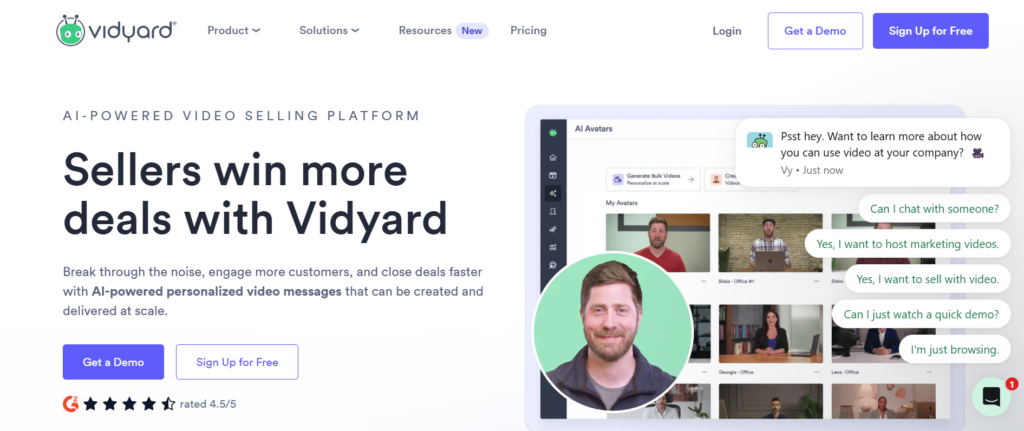
Vidyard is designed for teams that rely on personalised video to start conversations, restart stalled threads, and move prospects towards booked meetings. It is widely used across B2B sales, recruitment, partnerships, and account based outreach where knowing how a prospect interacts with a video directly influences the next action.
Rather than focusing on polished production, Vidyard centres on speed, relevance, and visibility. It fits workflows where short videos are recorded daily and sent as part of outbound emails, LinkedIn messages, and CRM sequences.
How Vidyard Fits Into Video Prospecting Workflows
Vidyard is commonly used at multiple stages of outbound activity. At the top of the funnel, sales reps record quick introduction videos that reference the prospect’s role, website, or recent activity. These videos act as the first point of differentiation in crowded inboxes.
Later in the process, Vidyard is used for follow ups when email replies slow down, after discovery calls to recap key points, and during deal stages to explain next steps. This makes it useful across the full sales cycle rather than only at first contact.
Recording Experience and Daily Usage
The recording process is built for speed. Vidyard offers browser based recording through Chrome, allowing users to switch between webcam, screen, or a combined view. This reduces friction and keeps video creation practical for daily outbound use.
Sales reps can record, trim, and share a video within minutes. There is no expectation of editing timelines or production quality, which aligns with how modern sales teams actually work.
Sharing Videos Across Outreach Channels
Once recorded, Vidyard generates shareable links and clickable thumbnails that work well in email clients and messaging platforms. These thumbnails preview the video visually, which helps draw attention when a prospect opens the message.
Videos can be shared through:
- Email outreach tools
- Direct email replies
- LinkedIn messages
- CRM based sequences
This flexibility allows teams to keep a consistent approach across channels.
Viewer Activity and Sales Signals
Vidyard provides detailed insight into how prospects interact with videos. Sales teams can see when a video is opened, how much is watched, and whether the viewer returns to it later.
This information is used to guide follow up timing and messaging. A prospect who watches a full video is often treated differently from one who only clicks briefly. Teams use this data to focus attention where interest already exists.
Personalisation Options Inside Videos
Vidyard supports basic personalisation techniques that sales teams use to increase relevance. Reps often show the prospect’s website on screen, reference specific pages, or walk through a short visual explanation tied directly to the prospect’s situation.
This approach works well in outbound sales where context matters more than presentation quality.
CRM and Sales System Connections
Vidyard integrates with widely used sales systems so video activity can be logged against contacts and deals. This keeps outreach visible across the team and reduces manual updates.
Integrations typically cover CRM platforms, email tools, and browser based workflows used by SDR teams and account executives.
Reporting and Team Visibility
For managers, Vidyard provides reporting that shows how video is being used across the team. This includes tracking how often videos are sent, how prospects engage with them, and which reps are using video consistently.
This makes it easier to coach outreach behaviour and identify patterns tied to replies and meetings.
Pricing Details
Vidyard offers a free plan that allows individuals to test video prospecting with basic features. Paid plans start at £15 per user per month, with higher tiers available for teams that need shared libraries, branding options, and deeper engagement data.
Pricing scales based on feature access and team requirements rather than charging per video sent.
Who Should Use Vidyard
Vidyard is particularly well suited for:
- B2B sales teams running structured outbound
- SDR teams focused on reply rates
- Recruiters sending personalised introduction videos
- Account managers following up on active deals
Teams that value visibility into prospect behaviour tend to get the most value from this tool.
Practical Usage Insight
Many teams report higher play rates when the video thumbnail is placed at the very top of the email body rather than after text. This positions the video as the main action instead of an optional extra.
Another common practice is keeping videos under 60 seconds to match how prospects actually watch content during the workday.
Other Tools Often Compared at This Stage
When teams evaluate Vidyard, they often compare it with Loom for faster recording or Sendspark for image personalisation. The choice usually comes down to whether engagement tracking or visual customisation matters more for the outreach strategy.
2. Loom
Loom is built for speed. It is one of the most widely adopted video prospecting tools for sales reps, founders, recruiters, and consultants who need to record and send short videos without friction. Loom is often the first tool teams adopt when moving from text based outreach to video.
The platform focuses on reducing the time between recording and sending, which makes it suitable for high volume outreach where personalisation still matters.
How Loom Is Commonly Used in Prospecting
Loom is typically used for quick one to one videos sent immediately after researching a prospect. Sales reps record short webcam or screen videos referencing a website, LinkedIn profile, or recent activity, then send the link directly through email or messaging tools.
It is often used for:
- First touch cold outreach
- Same day follow ups
- Quick explanations instead of long emails
- Internal prep videos before calls
Recording Speed and Ease of Use
One of Loom’s main strengths is how quickly a video can be created. Users can start recording with a single click, switch between screen and webcam, and finish without any setup or configuration.
This speed allows sales teams to stay consistent with video prospecting without slowing down daily activity.
Sharing and Playback Experience
Once a video is recorded, Loom instantly generates a shareable link. These links open in a clean viewing page that works across devices and browsers.
Sales reps usually paste the link directly into email or LinkedIn messages rather than embedding large thumbnails, which keeps messages lightweight.
Viewer Feedback and Notifications
Loom provides basic engagement signals such as notifications when a video is opened and reactions from viewers. While the analytics are lighter than some sales focused tools, they are often enough for reps to know when interest exists.
This makes Loom suitable for teams that want awareness rather than deep tracking.
Team Usage and Collaboration
Loom supports team libraries where videos can be stored and reused internally. This is often used for onboarding, internal sales training, and sharing best performing outreach examples across teams.
Pricing Structure
Loom offers a free plan with recording limits. Paid plans start at £10 per user per month, unlocking longer recordings, team features, and additional controls.
Pricing remains accessible for individual users and small teams.
Who Loom Is Best Suited For
Loom works well for:
- SDRs sending high volume videos
- Founders running outbound themselves
- Recruiters reaching out to candidates
- Teams prioritising speed over analytics
Practical Usage Insight
Short Loom videos under 60 seconds tend to perform better in outbound outreach. Keeping the message focused on one reason for reaching out helps maintain viewer attention.
Tools Often Compared With Loom
Loom is frequently compared with Vidyard for analytics and Sendspark for visual personalisation. Teams usually choose Loom when speed is the top priority.
3. Bonjoro
Bonjoro is designed around relationship driven outreach rather than cold volume. It is commonly used by account managers, customer success teams, recruiters, and consultants who want to send personal videos triggered by specific actions.
The platform focuses on timely responses rather than large scale campaigns.
How Bonjoro Is Used in Prospecting and Follow Ups
Bonjoro is often triggered by events such as a form submission, demo request, application, or reply. Users receive notifications prompting them to record a video at the right moment.
This makes Bonjoro popular for:
- Warm lead follow ups
- Post demo thank you videos
- Candidate outreach
- Client onboarding messages
Recording and Personal Touch
Videos are typically recorded using webcam, often from desktop or mobile. The emphasis is on natural delivery rather than scripting, which helps maintain a human tone in outreach.
Because videos are recorded in response to specific actions, they tend to feel timely and relevant.
Automation and Triggers
Bonjoro connects with CRM and form tools to create automated prompts for video recording. This removes the need to manually track when to follow up.
The system acts as a reminder layer for personal video messages.
Engagement Visibility
Users can see when videos are watched and whether recipients interact with them. While not focused on deep analytics, this visibility helps teams understand whether their follow up landed.
Integration With Existing Systems
Bonjoro integrates with CRM platforms, email tools, and form builders. This allows teams to slot video messaging into existing workflows without replacing other tools.
Pricing Structure
Bonjoro does not offer a free plan. Paid plans start at £25 per user per month, with higher tiers available for teams and automation features.
Pricing reflects its focus on relationship based use rather than volume outreach.
Who Bonjoro Works Best For
Bonjoro is well suited for:
- Account managers handling warm leads
- Recruiters engaging candidates
- Consultants following inbound enquiries
- Customer success teams
Practical Usage Insight
Bonjoro videos perform best when sent quickly after a trigger event. Delays reduce the personal impact that the tool is designed to create.
Tools Often Compared With Bonjoro
Bonjoro is often compared with Vidyard and Loom, but it serves a different purpose. It is chosen when timing and personal connection matter more than scale.
4. Hippo Video
Hippo Video combines sales video, personalisation, and hosting in one platform. It is often used by teams that want more structure in their videos without moving into full production workflows.
This makes it suitable for sales teams and agencies that mix outbound prospecting with inbound activity.
How Hippo Video Supports Prospecting
Hippo Video is used to create short webcam or screen videos that explain offers, walk through pages, or clarify complex points. These videos are shared through email, CRM tools, and follow ups.
Teams often use it when they want consistency across videos while keeping a personal touch.
Recording Options and Control
Users can record webcam, screen, or both together using browser or desktop tools. Videos can be trimmed and prepared for sharing without external software.
This keeps video creation manageable for regular use.
Templates and Structured Videos
Hippo Video allows teams to build reusable templates that maintain layout and branding. This helps sales teams keep videos aligned while still personalising the message.
Templates are often used for repeat outreach patterns.
Hosting and Viewer Experience
Videos are hosted on Hippo Video’s platform with clean playback pages. These pages can include links and calls to action, guiding prospects toward the next step.
Engagement Tracking
Hippo Video provides data on views and watch time, helping teams understand interest levels and follow up accordingly.
Pricing Structure
Hippo Video offers a limited free plan. Paid plans start at £20 per user per month, with advanced features available on higher tiers.
Who Hippo Video Is Best For
Hippo Video fits:
- Sales teams combining outbound and inbound
- Agencies producing repeat video formats
- Teams wanting templates and structure
Practical Usage Insight
Using one clear message per video improves engagement. Hippo Video templates help enforce this discipline across teams.
Tools Often Compared With Hippo Video
Hippo Video is commonly compared with Vidyard for analytics and Loom for speed. It is chosen when structure matters more than simplicity.
5. Sendspark
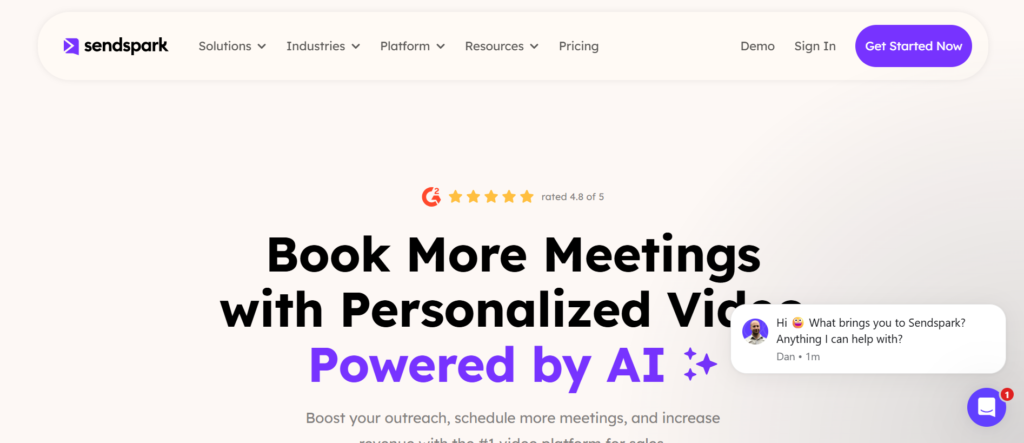
Sendspark is built around visual personalisation, making it a strong choice for outbound teams that want their videos to stand out the moment an email is opened. Rather than focusing only on the video itself, Sendspark places heavy emphasis on personalised thumbnails and on screen elements that catch attention before the play button is clicked.
This tool is commonly used by SDR teams, outbound agencies, and founders who rely on cold email as a primary channel.
How Sendspark Is Used in Video Prospecting
Sendspark is typically used to create short webcam or screen videos that are paired with personalised thumbnails. These thumbnails can include a prospect’s name, company, or website displayed visually, which increases the chance of a click.
Sales teams often use Sendspark for:
- Cold email outreach
- Follow ups after no reply
- LinkedIn messages with video links
- Agency campaigns targeting multiple accounts
Recording and Video Creation Process
The recording process is straightforward, allowing users to capture webcam, screen, or both. Videos are intentionally kept simple so that the focus stays on relevance rather than editing.
Once recorded, users can assign personalised elements that appear on the thumbnail without re recording the video.
Personalised Thumbnails and Visual Hooks
One of Sendspark’s defining features is its dynamic thumbnail capability. Thumbnails can change automatically based on the recipient, showing names or company branding.
This visual hook helps emails stand out in inboxes where text alone often blends together.
Sharing and Outreach Integration
Videos are shared using links that can be inserted into email campaigns or messages. Sendspark integrates well with cold email platforms and CRM systems, making it easy to slot into existing outbound workflows.
Engagement Tracking
Sendspark provides basic engagement data such as views and clicks. While not focused on deep analytics, it offers enough insight to understand whether a prospect interacted with the video.
Pricing Structure
Sendspark does not offer a free plan. Paid plans start at £15 per user per month, with higher tiers available for teams that need automation and scaling features.
Best Fit for This Tool
Sendspark works best for:
- Cold email campaigns
- Outbound agencies
- SDR teams focused on click through rates
Practical Usage Insight
Teams often pair Sendspark thumbnails with very short videos under 45 seconds. The thumbnail earns the click, while the video delivers a clear reason to reply.
6. Dubb
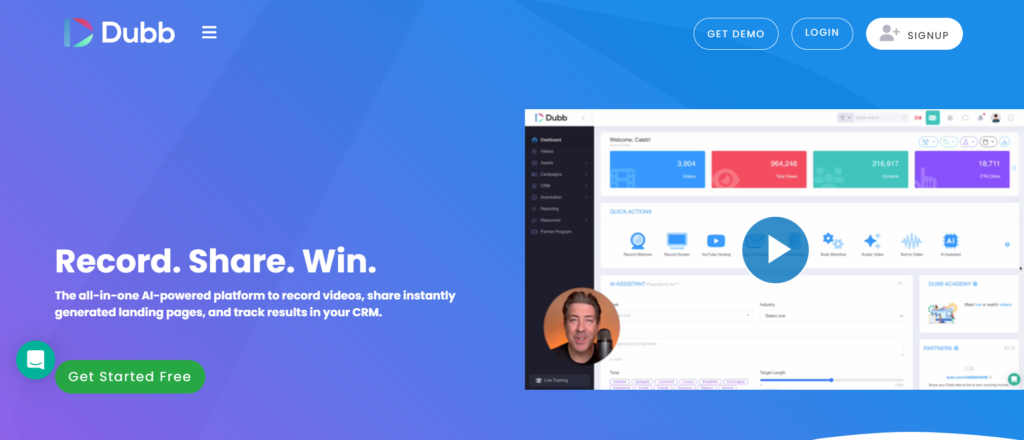
Dubb is a video sales platform designed for teams that want video to act as a central part of their outreach and follow up process. It combines recording, hosting, and simple landing page creation in one system.
Dubb is commonly used by sales reps, consultants, and small teams that want video to support relationship driven selling.
How Dubb Fits Into Sales Outreach
Dubb is often used to send personalised video messages that include calls to action, calendar links, or follow up prompts. Videos are typically sent after initial contact or as part of nurture sequences.
This makes it suitable for:
- Warm lead follow ups
- Proposal walkthroughs
- Post call recap videos
Recording and Video Hosting
Users can record webcam or screen videos directly within the platform. Dubb hosts videos on branded pages that can include buttons and links to guide the viewer.
This approach turns each video into a simple conversion asset rather than just a message.
Landing Pages and Calls to Action
Dubb allows users to attach calls to action beneath videos, such as booking links or contact buttons. This helps move prospects toward a next step without additional emails.
Engagement Tracking
Dubb provides visibility into video views and interactions with calls to action. This helps sales reps understand which prospects are engaging beyond just watching.
Pricing Details
Dubb offers a limited free plan. Paid plans start at £29 per month, with higher tiers unlocking automation and team features.
Who Dubb Is Best For
Dubb works well for:
- Consultants selling services
- Small sales teams
- Relationship focused outreach
Practical Usage Insight
Dubb videos perform well when used after initial contact rather than at the very first cold touch, where context may be limited.
7. Covideo
Covideo is built specifically for sales teams that rely on personalised video emails as part of their daily outreach. It is commonly used by field sales teams, inside sales reps, recruiters, and organisations where sending videos from both desktop and mobile devices is part of the workflow.
Unlike general screen recording tools, Covideo is focused on video email delivery, contact management, and tracking engagement at the individual prospect level.
How Covideo Is Used in Video Prospecting
Covideo is most often used when sales reps want to send personalised videos directly inside email messages rather than links that feel detached from the conversation. Videos are recorded quickly and embedded into emails with animated previews that encourage clicks.
Typical use cases include:
- First touch outreach emails
- Follow ups after unanswered calls
- Check in messages to existing accounts
- Recruitment outreach to candidates
This approach works well for teams that want video to feel like part of the email rather than an external asset.
Recording Experience Across Devices
One of Covideo’s strengths is its mobile first capability. Sales reps can record videos using desktop browsers or mobile apps, which makes it useful for teams working remotely or on the move.
Recording options usually focus on webcam video rather than heavy screen capture, keeping messages personal and conversational.
Email Integration and Delivery
Covideo integrates directly with email platforms, allowing users to send videos without copying links or switching tools. Videos appear as animated thumbnails inside the email body, increasing visibility when a prospect opens the message.
This tight connection between recording and sending reduces friction in outbound workflows.
Contact Management Inside the Platform
Covideo includes built in contact management features. Sales reps can store prospect details, track previous videos sent, and review engagement history without relying entirely on external systems.
This is particularly useful for smaller teams that want video activity and contact records in one place.
Engagement Tracking and Notifications
The platform provides alerts when a prospect opens or watches a video. Sales teams use these signals to decide when to follow up and how to customized the next message.
While the analytics are focused on individual interactions rather than deep reporting, they are well suited to one to one outreach.
CRM and Sales Tool Connections
Covideo connects with common CRM systems, allowing video activity to be logged against contacts and deals. This helps maintain visibility across visibility and keeps video outreach is not happening in isolation.
These integrations support teams that already rely on CRM systems for daily sales management.
Pricing Breakdown
Covideo does not offer a free plan. Paid plans start at £49 per user per month, which includes access to video email features, mobile recording, and engagement tracking.
Higher tiers are available for teams that need additional branding options, integrations, and administrative controls.
Who Covideo Is Best Suited For
Covideo works best for:
- Sales reps who rely heavily on email outreach
- Teams that record videos from mobile devices
- Recruiters sending personal candidate videos
- Field sales teams needing flexibility
It is less suited for teams that want heavy screen walkthroughs or advanced editing features.
Practical Usage Insight
Sales teams often see higher response rates when Covideo videos are kept under 45 seconds and focus on one clear reason for reaching out. Shorter videos fit better into email based outreach where attention is limited.
Using the prospect’s name early in the video also helps establish relevance quickly.
Tools Commonly Compared With Covideo
Covideo is frequently compared with BombBomb for video email use and Vidyard for deeper analytics. Teams typically choose Covideo when mobile recording and email delivery are priorities rather than advanced reporting.
8. VideoAsk
VideoAsk is different from most video prospecting tools because it focuses on two way interaction. Instead of sending a video and waiting for a reply, users can ask questions directly within the video experience.
This makes it useful for qualification and screening rather than pure outreach.
How VideoAsk Is Used in Prospecting
VideoAsk is commonly used to qualify leads before sales calls. Teams send a video asking a prospect to respond with text, video, or multiple choice answers.
This approach is often used for:
- Lead qualification
- Recruitment screening
- Post event follow ups
Interactive Video Experience
Prospects watch a video and are prompted to respond within the same interface. This reduces friction compared to asking them to reply via email.
Integration With Workflows
Responses can be routed to email, CRM systems, or collaboration tools, keeping follow ups organised.
Pricing Structure
VideoAsk offers a free plan. Paid plans start at £24 per month, with higher tiers for teams and automation.
Best Fit for This Tool
VideoAsk works best for:
- Qualification workflows
- Recruitment screening
- Agencies filtering inbound leads
Practical Usage Insight
Keeping VideoAsk questions short increases completion rates, especially for cold or semi warm audiences.
9. OneMob
OneMob is designed for enterprise sales teams that want structured video outreach combined with branded content experiences. It focuses heavily on how videos are presented and tracked.
How OneMob Is Used in Enterprise Outreach
OneMob is often used to create video pages that combine personalised messages with supporting assets such as case studies or documents.
This is useful in longer sales cycles where multiple stakeholders are involved.
Video Pages and Branding
Videos are hosted on branded pages that align with company identity. This adds consistency across outbound and follow up communications.
Engagement Analytics
OneMob provides detailed insight into viewer behaviour, which is valuable for account based selling.
Pricing Structure
OneMob does not offer a free plan. Pricing starts at £50 per user per month, reflecting its enterprise focus.
Who OneMob Is Best For
OneMob fits:
- Enterprise sales teams
- Account based selling
- Complex deal cycles
Practical Usage Insight
OneMob works best when used after initial interest is established rather than at the very first cold touch.
10. Wistia
Wistia is primarily a video hosting platform, but it is often used in sales prospecting where brand control and reliable playback matter. It is commonly chosen by marketing led sales teams.
How Wistia Supports Sales Videos
Sales teams use Wistia to host videos that are shared through outreach emails and follow ups. This includes demo clips, walkthroughs, and recorded explanations.
Playback and Reliability
Wistia is known for fast loading and stable playback across devices, which reduces friction for prospects.
Analytics and Viewer Data
The platform provides insight into how viewers watch videos, helping teams understand engagement patterns.
Pricing Structure
Wistia does not offer a free plan. Paid plans start at £19 per month, with higher tiers for advanced analytics and controls.
Best Fit for This Tool
Wistia works best for:
- Marketing led sales teams
- Branded video outreach
- Demo and explainer videos
Practical Usage Insight
Sales teams often use Wistia links after a prospect has shown interest, where brand consistency supports credibility.
11. BombBomb
BombBomb is built specifically for teams that rely on email as their main outbound and follow up channel. It has been used for years by sales teams, recruiters, and account managers who want video to feel like a natural part of email conversations rather than a separate asset.
The platform focuses on helping users send personal videos directly inside emails while keeping delivery, tracking, and contact history tightly connected.
How BombBomb Is Used in Video Prospecting
BombBomb is most often used for personalised outreach where relationship building matters. Sales reps record short webcam videos and embed them directly into email messages with animated previews. This makes the video visible the moment the email is opened.
Common prospecting and follow up scenarios include:
- First contact emails to warm or semi cold leads
- Follow ups after unanswered emails
- Thank you messages after calls or meetings
- Recruitment outreach to candidates
Because BombBomb integrates closely with email, it fits naturally into daily inbox based workflows.
Recording Experience and Message Creation
Recording videos in BombBomb is straightforward. Users can record webcam videos directly from their browser or desktop app. The focus is on quick recording rather than editing or production.
Videos are typically conversational in tone, helping sales reps come across as human and approachable rather than scripted.
Email Integration and Delivery Control
BombBomb integrates directly with popular email clients, allowing users to insert videos into emails without copying links or switching tools. The video appears as an animated thumbnail inside the message, which draws attention without requiring extra explanation.
This tight email integration is one of the main reasons teams choose BombBomb over more general video tools.
Contact Management and History
BombBomb keeps a record of contacts, videos sent, and engagement history. This allows sales reps to see which prospects have received videos and how they interacted with them.
For smaller teams, this reduces the need to rely entirely on separate CRM systems for tracking video outreach.
Engagement Tracking and Alerts
Users receive notifications when a prospect opens or watches a video. While BombBomb does not focus on deep analytics dashboards, it provides enough visibility to support timely follow ups.
Sales reps often use these alerts to send quick check in messages while interest is still fresh.
CRM and Sales Tool Connections
BombBomb connects with widely used CRM platforms so video activity can be logged against contacts and deals. This keeps outreach activity visible across the team and avoids gaps in reporting.
These integrations are useful for teams that already rely on CRM systems for visibility management.
Pricing Structure Explained
BombBomb does not offer a free plan. Paid plans start at £33 per user per month, which includes video email features, contact management, and engagement alerts.
Higher priced tiers are available for teams that need advanced controls, branding options, and administrative features.
Who BombBomb Is Best Suited For
BombBomb is particularly well suited for:
- Sales reps who rely heavily on email outreach
- Account managers nurturing existing relationships
- Recruiters sending personalised candidate messages
- Teams that want video embedded directly into emails
It is less suited for teams that need heavy screen recording or advanced editing tools.
Practical Usage Insight
BombBomb videos tend to perform better when they are under one minute and recorded immediately before sending. This keeps the message timely and aligned with the email content.
Using the prospect’s name in the first few seconds also helps establish relevance quickly.
Tools Commonly Compared With BombBomb
BombBomb is often compared with Covideo for video email use and Vidyard for analytics. Teams usually choose BombBomb when email delivery and relationship driven outreach matter more than reporting depth.
12. Veed
Veed is primarily known as a browser based video editor, but it is frequently used by sales teams and agencies to clean up prospecting videos before sending them out. It fits teams that want slightly more control over presentation without moving into complex editing software.
This tool is often paired with other video prospecting tools rather than used on its own for recording.
How Veed Is Used in Video Prospecting
In outbound workflows, Veed is commonly used to edit short sales videos that were recorded elsewhere. Sales reps use it to trim pauses, add captions, and keep videos look clear before sharing.
It is especially useful when videos are reused across multiple prospects or campaigns.
Editing Capabilities for Sales Videos
Veed allows users to cut clips, add text overlays, include captions, and adjust basic visual elements. These features help keep videos remain clear and easy to follow, especially when watched without sound.
Captions are particularly useful for prospecting videos that may be viewed in open offices or on mobile devices.
Browser Based Workflow
Because Veed runs in the browser, there is no need to install software. This makes it accessible for teams that want quick edits without technical setup.
Videos can be exported and then uploaded to a hosting or outreach tool of choice.
Pricing Structure
Veed offers a free plan with watermarked exports. Paid plans start at £12 per month, removing watermarks and unlocking higher export quality and additional editing features.
Pricing scales based on export limits and feature access.
Who Veed Works Best For
Veed is best suited for:
- Sales teams refining outbound videos
- Agencies preparing videos for clients
- Teams adding captions to prospecting videos
Practical Usage Insight
Short captions placed near the bottom of the video tend to improve watch completion, especially for busy prospects scanning content quickly.
13. Soapbox
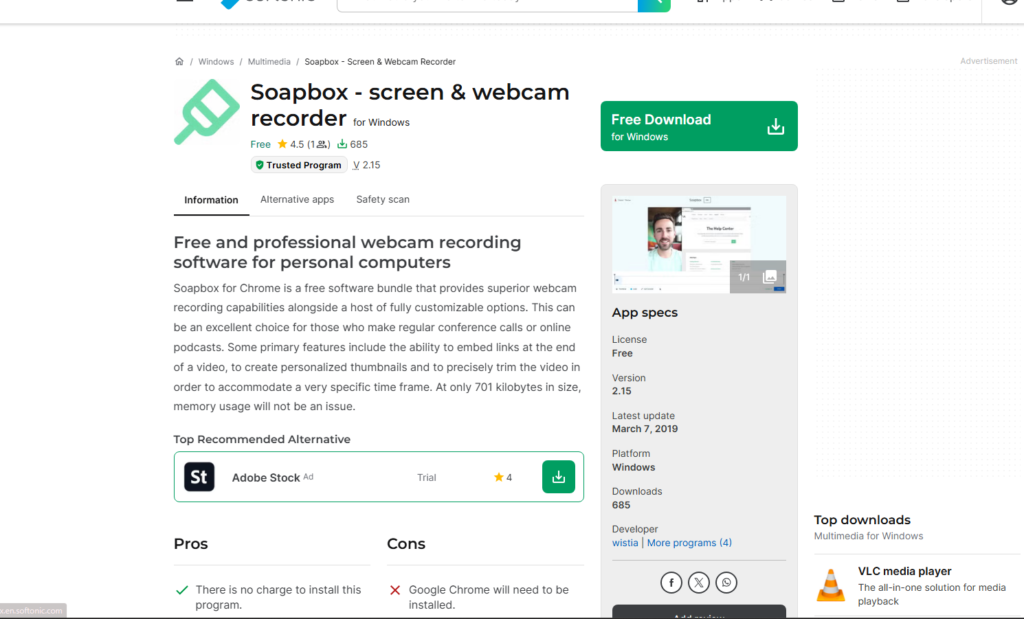
Soapbox is a Chrome based screen recording tool that focuses on simplicity and speed. It is often used by sales reps who want to record quick screen walkthroughs without opening full recording software.
The tool fits prospecting workflows where showing a website or document visually adds clarity.
How Soapbox Is Used in Prospecting
Soapbox is commonly used to record screen videos that highlight a prospect’s website, landing page, or product flow. Sales reps narrate over the screen to explain a specific observation or opportunity.
This approach works well when visual context supports the outreach message.
Screen Recording Simplicity
The Chrome extension allows users to start recording directly from the browser. This removes friction and keeps recording aligned with research activity.
Videos can be captured quickly and shared without exporting files.
Video Hosting and Sharing
Soapbox hosts videos and provides shareable links that can be sent through email or messaging platforms. Playback is simple and does not require the viewer to log in.
Pricing Structure
Soapbox offers a free plan with basic features. Paid plans start at £10 per month, unlocking longer recordings and additional controls.
Who Soapbox Is Best For
Soapbox works well for:
- SDRs sending screen walkthroughs
- Consultants explaining audits or reviews
- Teams that rely on browser based research
Practical Usage Insight
Keeping screen recordings under 90 seconds helps maintain attention when prospects are unfamiliar with the sender.
14. Zight
Zight combines screenshots, screen recordings, and short videos into one visual messaging platform. It is often used by sales and support teams who want to communicate visually without long explanations.
The tool supports quick creation rather than polished output.
How Zight Is Used in Video Prospecting
Zight is used to send short videos or screen captures that clarify a point quickly. Sales reps often use it to explain a small issue or highlight a specific page.
This works well in follow ups rather than initial cold outreach.
Mixed Media Messaging
Zight allows users to combine screenshots, GIFs, and short videos. This flexibility helps sales reps choose the right format for the message.
Sharing and Accessibility
Content is shared via links that open instantly. Prospects do not need accounts to view messages.
Pricing Structure
Zight offers a free plan. Paid plans start at £7 per month, unlocking additional storage and sharing features.
Who Zight Is Best For
Zight fits:
- Follow up explanations
- Technical sales discussions
- Visual clarifications
Practical Usage Insight
Using Zight for specific follow ups rather than first outreach helps maintain relevance and avoids overwhelming new prospects.
15. Claap
Claap is designed for sales teams that want to replace long written follow ups with short video messages. It is often used after calls to summarise discussions and align next steps.
The tool focuses on collaboration and shared understanding rather than cold outreach volume.
How Claap Is Used in Sales Workflows
Claap videos are commonly recorded after meetings to recap decisions, action items, and timelines. These videos are shared with multiple stakeholders to keep clarity.
Asynchronous Communication
Claap supports asynchronous video messaging, allowing teams to communicate without scheduling calls. This suits complex sales cycles with multiple participants.
Integration With Team Tools
Claap integrates with collaboration and CRM tools so videos can be shared internally and externally.
Pricing Structure
Claap does not offer a free plan. Paid plans start at £24 per user per month, with team focused features included.
Who Claap Is Best For
Claap is best suited for:
- Mid market and enterprise sales teams
- Deal follow ups with multiple stakeholders
- Teams replacing written summaries
Practical Usage Insight
Claap videos perform best when sent within a few hours of a meeting while details are still fresh.
16. Tella
Tella is a modern video recording tool built for clear presentation and storytelling. It is often used by founders, consultants, and sales leaders who want their videos to look structured without heavy editing.
The tool focuses on layout and visual clarity.
How Tella Is Used in Prospecting
Tella is used to record videos that combine webcam and screen content in structured layouts. Sales reps use it when explaining concepts that benefit from visual order.
Presentation Layouts
Tella offers layout options that keep the presenter visible alongside the screen. This helps maintain connection while showing information.
Recording and Sharing Flow
Videos are recorded and shared through links that open on clean playback pages.
Pricing Structure
Tella offers a free plan. Paid plans start at £15 per month, unlocking additional layouts and export options.
Who Tella Works Best For
Tella fits:
- Founder led sales
- Consultative selling
- Explainer style prospecting
Practical Usage Insight
Tella videos work best when used for explanation rather than cold introductions, where structure supports understanding.
17. Vimeo
Vimeo is widely recognised as a video hosting platform, but it is regularly used in sales and prospecting environments where control, reliability, and privacy matter. Sales teams and agencies often use Vimeo when videos need to look polished, load quickly, and remain accessible without distractions.
Rather than focusing on rapid webcam messaging, Vimeo supports outreach where videos are shared after interest has been established.
How Vimeo Is Used in Sales and Prospecting
Vimeo is commonly used to host sales videos that are sent during later stages of outreach. These include demo recordings, product walkthroughs, proposal explanations, and follow up videos after discovery calls.
Sales reps rely on Vimeo when they want prospects to focus entirely on the message without ads or unrelated recommendations.
Hosting Quality and Playback Reliability
One of Vimeo’s main strengths is playback quality. Videos load consistently across devices and browsers, which reduces friction for prospects reviewing content during busy schedules.
This reliability makes Vimeo suitable for longer videos that require uninterrupted viewing.
Privacy and Access Controls
Vimeo offers strong privacy options, allowing users to restrict access, hide videos from public search, or share links with specific audiences. This is useful for sales teams sharing sensitive information such as pricing breakdowns or internal walkthroughs.
These controls help maintain professionalism during outreach.
Analytics and Viewer Behaviour
Vimeo provides insight into how viewers interact with videos, including watch time and drop off points. While not designed specifically for outbound sales signals, this data helps teams understand how prospects engage with longer content.
Pricing Structure
Vimeo does not offer a free plan suitable for commercial use. Paid plans start at £7 per month, with higher tiers unlocking advanced analytics, privacy controls, and team collaboration features.
Who Vimeo Is Best Suited For
Vimeo works best for:
- Sales teams sharing demos and walkthroughs
- Agencies delivering client facing videos
- Teams prioritising presentation and control
Practical Usage Insight
Vimeo performs best when videos are shared after initial interest is confirmed, where prospects are more willing to spend time watching longer content.
18. Loomly
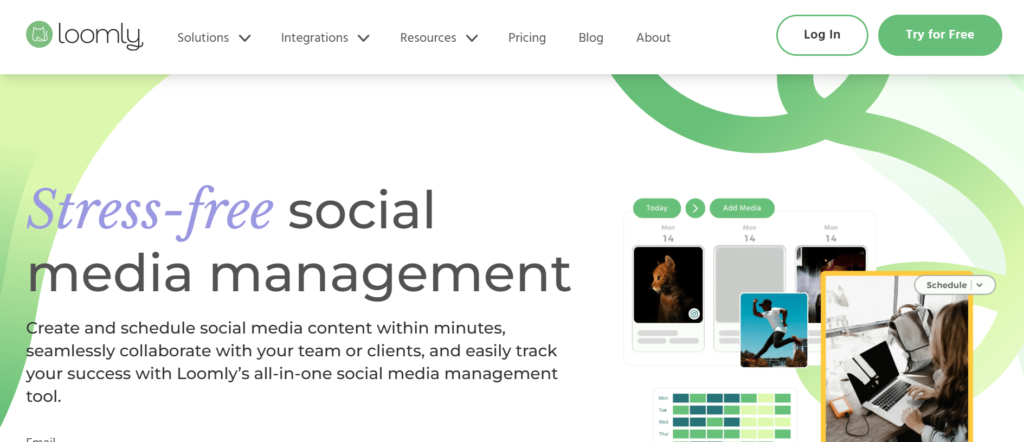
Loomly is primarily a social media management platform, but its video capabilities are often used by sales and marketing teams involved in social selling. It supports the creation and scheduling of short videos designed for visibility across professional networks.
This tool is typically used when prospecting overlaps with content distribution.
How Loomly Supports Social Selling
Sales teams use Loomly to manage and publish short videos that support outreach on professional social platforms. These videos are often referenced during direct messages or follow ups.
This approach works well when prospects engage with content before entering direct conversations.
Video Creation and Scheduling
Loomly allows users to prepare video content and schedule it alongside other posts. This helps maintain consistency in messaging while supporting individual outreach efforts.
Videos are designed to be short and clear, aligning with how users consume content on social platforms.
Collaboration and Approval Flows
Teams can collaborate on video content inside Loomly, allowing managers to review and approve material before it goes live. This helps maintain consistency across outreach and branding.
Pricing Structure
Loomly does not offer a free plan. Paid plans start at £32 per month, with pricing increasing based on team size and feature access.
Who Loomly Works Best For
Loomly fits:
- Sales teams using social selling
- Marketing led outreach strategies
- Teams publishing regular video content
Practical Usage Insight
Videos published through Loomly perform better when referenced directly in follow up messages rather than left to generate attention on their own.
19. ScreenRec
ScreenRec is a lightweight screen recording tool designed for speed and simplicity. It is often used by sales reps and consultants who want to capture screens quickly and share them without setup.
The tool focuses on immediacy rather than advanced features.
How ScreenRec Is Used in Prospecting
ScreenRec is commonly used to record quick screen clips that explain a single point. Sales reps often use it to highlight a specific page or issue during follow ups.
This approach works well when clarity matters more than presentation.
Instant Recording and Sharing
ScreenRec allows users to record screens and share links instantly. There is no need to upload files manually, which keeps workflows fast.
Videos are hosted automatically and accessible via simple links.
Accessibility for Viewers
Prospects can watch ScreenRec videos without logging in or installing anything. This reduces friction, especially during follow ups.
Pricing Structure
ScreenRec offers a free plan. Paid plans start at £8 per month, unlocking additional storage and features.
Who ScreenRec Is Best For
ScreenRec is best suited for:
- Quick follow up explanations
- Technical clarifications
- Consultants sharing short walkthroughs
Practical Usage Insight
ScreenRec works best when used for very specific explanations rather than broad introductions.
20. CloudApp
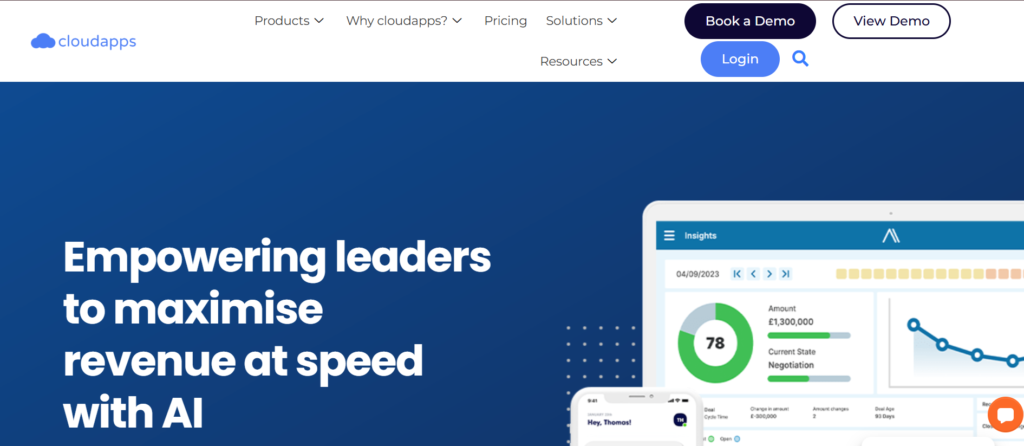
CloudApp is a visual communication tool that combines screen recording, screenshots, and short videos into one platform. It is widely used by sales, support, and remote teams who want to explain ideas visually without long written messages.
The tool supports fast creation and sharing.
How CloudApp Fits Into Prospecting Workflows
CloudApp is often used during follow ups to clarify points discussed in previous emails or calls. Sales reps use it to show a feature, highlight an issue, or explain next steps visually.
This keeps messages short and clear.
Visual Messaging Options
CloudApp allows users to record screens, capture screenshots, and annotate visuals. This flexibility helps sales reps choose the right format for each message.
Sharing and Integration
Content is shared via links that open instantly. CloudApp integrates with common collaboration and sales tools, making it easy to include visuals in existing workflows.
Pricing Structure
CloudApp offers a free plan. Paid plans start at £9 per user per month, with team features available on higher tiers.
Who CloudApp Is Best For
CloudApp fits:
- Sales teams handling detailed follow ups
- Remote teams explaining processes
- Support led sales environments
Practical Usage Insight
CloudApp messages are most effective when focused on one visual point rather than covering multiple topics in a single video.
Choosing the Right Video Prospecting Stack
Video prospecting works when it fits how sales teams actually operate. The tools covered in this guide range from fast one to one recording platforms to structured systems designed for complex sales cycles. Some are built for inbox first outreach. Others support qualification, follow ups, or deal progression.
The most effective teams do not use every tool. They choose one or two video prospecting tools that match their sales motion, deal size, and outreach volume, then use them consistently. When video is used with intent rather than novelty, it becomes a reliable part of the sales process rather than a distraction.
How We Supports Video Prospecting Campaigns
Pearl Lemon Sales works with B2B teams that want predictable outbound results rather than scattered activity. Video prospecting is built into our outbound frameworks where it supports reply rates, meeting booking, and deal momentum.
We handle:
- Video led cold outreach strategy
- Tool selection aligned to your sales motion
- Script frameworks that sound natural on camera
- Prospect research workflows that support personal video
- Follow up sequencing tied to viewer behaviour
Our approach keeps video prospecting fits into your wider outbound system rather than sitting in isolation.
If your team wants video outreach that leads to booked meetings instead of unused software seats, this is where structured execution matters.
Frequently Asked Questions
1. What length works best for video prospecting?
Most outbound videos perform best between 30 and 60 seconds. Shorter videos are more likely to be watched in full during a workday.
2. Should video be used in first touch outreach?
Yes, but only when relevance is clear. Video works best when paired with brief context so the prospect knows why the message matters.
3. Is screen recording better than webcam video?
Screen recording works well when visual context helps. Webcam video is often better for introductions and relationship building.
4. How many videos should a sales rep send per day?
Most teams maintain quality at 10 to 20 personalised videos per day. Volume beyond that often reduces relevance.
5. Does video prospecting work for enterprise sales?
Yes, especially during follow ups and deal stages where multiple stakeholders need alignment.
6. Should videos be scripted?
Loose talking points work better than word for word scripts. This keeps delivery natural.
7. Can video replace cold calls?
Video does not replace calls but supports them by warming prospects and providing context.
8. Do prospects need to turn sound on?
Not always. Captions help when videos are watched silently.
9. Is video prospecting suitable for recruitment?
Yes. Recruitment teams often see higher response rates with short personal videos.
10. How long should video prospecting be tested?
At least 30 days with consistent usage before evaluating results.