
Bad data kills deals. Missing job titles, outdated emails, weak firmographic detail all of it slows sales teams down and wastes paid media spend. If you rely on outbound, account-based sales, or B2B demand capture, lead enrichment tools are no longer optional.
This guide to the best tools for lead enrichment is written for founders, sales managers, visibility teams, and agencies that need accurate contact data at scale. We reviewed dozens of lead enrichment platforms and narrowed them down to the top 20 based on data coverage, enrichment depth, pricing clarity, and usability.
The best tools for lead enrichment help you turn partial leads into sales-ready records by appending verified emails, phone numbers, company size, revenue, tech stack, and buying signals. Used correctly, lead enrichment tools shorten sales cycles and raise reply rates without increasing ad spend.
What Is Lead Enrichment?
Lead enrichment is the process of adding missing or deeper data points to an existing lead record. This usually includes:
- Business email verification
- Direct dials and mobile numbers
- Job title and seniority
- Company size and revenue
- Industry and location
- Technology usage
- Buying intent signals
Modern lead enrichment tools pull this data from public sources, proprietary databases, and real-time web signals. The result is cleaner CRM records, sharper targeting, and better-qualified sales conversations.
For outbound teams, lead enrichment reduces bounce rates and cold email waste. For inbound teams, it improves lead scoring and routing. For agencies, it means cleaner reporting and fewer dead leads.
Quick Comparison Table of Lead Enrichment Tools
The table below focuses on what buyers care about most when choosing lead enrichment software: use case fit, entry pricing, trial access, and review scores. These factors determine adoption speed and cost control for sales teams.
| Tool | Best For | Starting Price | Free Trial | Rating |
| Clearbit | SaaS enrichment | 99 | Yes | 4.5 |
| ZoomInfo | Enterprise sales | 250 | No | 4.3 |
| Apollo.io | Outbound teams | 49 | Yes | 4.6 |
| Cognism | Compliance-first sales | 1,000 | No | 4.4 |
| Lusha | SMB prospecting | 39 | Yes | 4.2 |
| Hunter | Email enrichment | 49 | Yes | 4.4 |
| Snov.io | Email outreach | 39 | Yes | 4.5 |
| UpLead | Verified leads | 74 | Yes | 4.6 |
| Kaspr | LinkedIn leads | 45 | Yes | 4.3 |
| RocketReach | Contact discovery | 80 | Yes | 4.1 |
| LeadIQ | Sales capture | 75 | Yes | 4.4 |
| SalesIntel | Human-verified data | 99 | No | 4.5 |
| People Data Labs | Developers | 99 | Yes | 4.2 |
| FullContact | Identity matching | 99 | Yes | 4.1 |
| LeadGenius | Custom research | 500 | No | 4.0 |
| Seamless.ai | Live prospecting | 147 | Yes | 4.3 |
| Datanyze | Tech stack data | 39 | Yes | 4.0 |
| Crunchbase | Company data | 29 | Yes | 4.4 |
| Adapt.io | Increasing teams | 49 | Yes | 4.1 |
| Clay | Automated enrichment | 149 | Yes | 4.7 |
Best Lead Enrichment Tools in 2026
Below is the full list of the best tools for lead enrichment, ranked for accuracy, scale, and commercial use. Each tool will be reviewed in depth with features, pricing, pros and cons, and best-fit use cases.
- Clearbit
- ZoomInfo
- Apollo.io
- Cognism
- Lusha
- Hunter
- Snov.io
- UpLead
- Kaspr
- RocketReach
- LeadIQ
- SalesIntel
- People Data Labs
- FullContact
- LeadGenius
- Seamless.ai
- Datanyze
- Crunchbase
- Adapt.io
- Clay
1. Clearbit
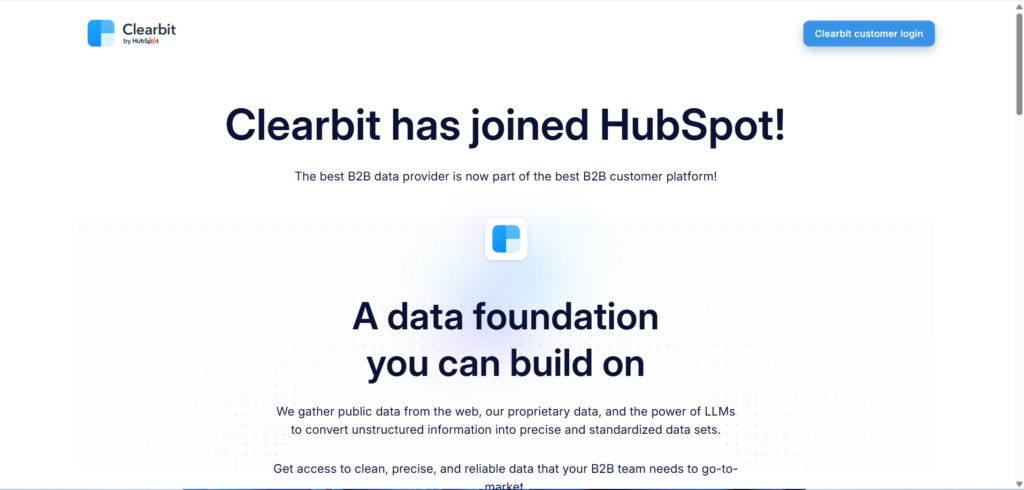
Clearbit is built for teams that want immediate context on every inbound or outbound lead. It connects directly with CRMs and marketing platforms to append firmographic and contact-level data as soon as an email or domain is captured. SaaS companies, revenue teams, and visibility operators rely on Clearbit to reduce incomplete records and prioritise accounts that match their ideal customer profile.
In most Clearbit review comparisons, it is positioned as a premium option focused on enrichment depth rather than volume scraping. When stacked against Clearbit alternatives, it performs best in environments where clean inbound data and CRM hygiene matter more than bulk exports.
Key Features
Clearbit focuses on real-time enrichment, deep company intelligence, and tight CRM workflows. The platform is designed to work silently in the background while sales and marketing teams work from enriched records without manual research.
Real-Time Lead Enrichment
Clearbit enriches leads instantly using an email address or company domain. It appends job role, seniority, company size, industry classification, estimated revenue, and geographic data at the moment a lead enters the system. This removes delays between capture and qualification, which is critical for inbound sales teams.
Company and Firmographic Data
Clearbit maintains detailed company profiles including employee count bands, funding status, business model, and market category. These attributes allow teams to segment accounts properly and route leads based on firmographic fit rather than surface-level signals.
CRM and Marketing Automation Sync
Native integrations with major CRMs and marketing platforms allow Clearbit to write enriched data directly into existing fields. This keeps lead scoring rules, routing logic, and lifecycle stages operate on complete data rather than assumptions.
Visitor and Domain Identification
Clearbit Reveal identifies companies visiting your site even when no form is filled. This feature supports account-based sales by showing which organisations are showing interest, allowing outreach teams to act while intent is fresh.
Data Governance and Accuracy Controls
Clearbit includes controls for field-level overwrites and enrichment rules. Teams can decide which data points should update existing records and which should not, reducing conflicts between sales and marketing data ownership.
Pros and Cons
| Pros | Cons |
| Strong inbound enrichment | Higher entry pricing |
| Fast CRM updates | Limited bulk exports |
| Reliable firmographics | Best value at scale |
Pricing
Clearbit pricing starts from 99 per month, with costs increasing based on enrichment volume and feature access. Enterprise plans are priced on usage and data depth.
Best For SaaS Teams Running Inbound and Product-Led Sales
Clearbit works best for teams that rely on inbound leads, sign-ups, and demo requests rather than pure cold outreach.
- SaaS founders – immediate context on trial users without manual checks
- Revenue operations teams – cleaner CRM records and scoring accuracy
- Inbound sales teams – faster qualification without back-and-forth research
Verdict: If your progress depends on speed and context at the point of entry, Clearbit fits better than most lead enrichment tools focused on bulk scraping.
Practical Usage Tip
Use Clearbit Reveal alongside form-based enrichment to identify high-fit companies browsing pricing or documentation pages. This allows sales teams to prioritise warm accounts before competitors reach them.
Best Alternate Tool
Apollo.io is often compared in Clearbit vs Apollo.io discussions, especially for teams that want both enrichment and outbound sequencing in a single platform.
2. ZoomInfo
Enterprise-grade lead enrichment for large outbound motions
ZoomInfo is built for revenue teams that operate at scale and need deep contact, company, and intent data across multiple regions and industries. It is commonly used by enterprise sales organisations running structured outbound programmes with strict qualification criteria. ZoomInfo sits at the heavier end of lead enrichment tools, with a strong focus on account coverage rather than lightweight enrichment.
In many ZoomInfo review discussions, the platform is positioned as a full sales intelligence system rather than a simple enrichment layer. When compared in ZoomInfo vs Clearbit analysis, ZoomInfo typically wins on data breadth, while Clearbit is preferred for real-time inbound workflows.
Key Features
ZoomInfo centres around large-scale data coverage, buyer intent visibility, and structured prospecting workflows. The platform is designed to support long sales cycles, multiple stakeholders, and territory-based sales teams.
Contact and Company Enrichment
ZoomInfo enriches leads with job title, department, seniority, verified email addresses, direct dials, and company-level attributes such as employee count, revenue bands, and ownership type. This allows sales teams to target decision-makers rather than generic inboxes.
Buyer Intent Signals
ZoomInfo tracks research behaviour across its data network to identify accounts actively researching relevant topics. These intent signals allow teams to prioritise outreach based on likelihood to engage rather than static firmographics alone.
Advanced Search and Segmentation
Sales teams can filter prospects using layered criteria including role, industry, location, technology usage, and intent stage. This supports highly structured outbound campaigns aligned with specific offers or verticals.
CRM and Sales Platform Integrations
ZoomInfo integrates with major CRMs and sales engagement tools, syncing enriched data directly into progresse. This keeps that lead scoring, routing, and forecasting are based on complete datasets.
Data Governance and Compliance Controls
The platform includes tools for managing data usage permissions, regional compliance, and record updates. This is particularly relevant for organisations operating across multiple markets with strict compliance standards.
Pros and Cons
| Pros | Cons |
| Very large database | Higher cost |
| Strong intent data | Steep learning curve |
| Enterprise-ready workflows | Annual contracts |
Pricing
ZoomInfo pricing typically starts from 250 per month per user, with most enterprise plans priced higher based on seats, data access, and intent features.
Best For Enterprise Sales Teams Running High-Volume Outbound
ZoomInfo is best suited for organisations with established outbound processes and dedicated sales operations support.
- Enterprise SDR teams – large prospecting volumes with strict targeting
- Account-based sales teams – multi-contact account strategies
- Sales operations managers – territory planning and progress hygiene
Verdict: ZoomInfo makes sense when scale and data coverage matter more than simplicity or entry-level pricing.
Practical Usage Tip
Use buyer intent filters alongside seniority targeting to surface accounts researching your category and route them directly to senior reps rather than entry-level SDRs.
Best Alternate Tool
Cognism is often considered in ZoomInfo vs Cognism evaluations, particularly for teams prioritising compliance-led outreach.
3. Apollo.io
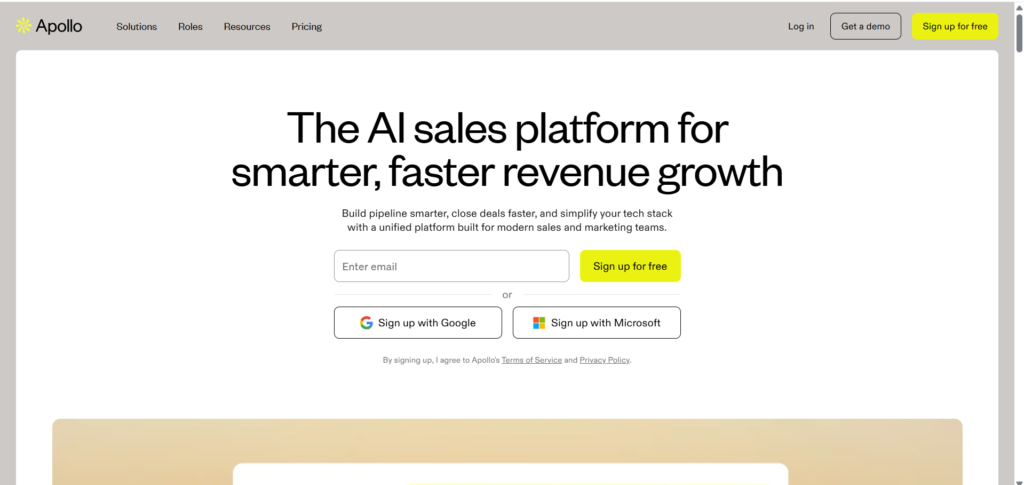
Apollo.io combines lead enrichment with prospecting, sequencing, and engagement tracking. Unlike platforms focused only on data, Apollo is used daily by sales reps to source leads, enrich records, and run outbound campaigns from a single interface. This makes it popular with startups, agencies, and mid-sized sales teams.
In most Apollo.io review breakdowns, its value comes from reducing tool sprawl. Compared with Apollo.io alternatives, it offers a broader feature set at a lower entry price, though with less depth than enterprise-focused platforms.
Key Features
Apollo.io blends enrichment with execution, making it suitable for teams that want immediate action rather than passive data storage.
Contact and Account Enrichment
Apollo enriches leads with verified emails, job roles, seniority levels, and company attributes. This data is refreshed regularly and supports both individual lookups and bulk enrichment workflows.
Prospecting Database
The platform includes a searchable database of contacts and companies, allowing users to build lists based on role, industry, location, and increase indicators. This removes the need for separate list-building tools.
Sales Engagement Sequences
Apollo allows users to create multi-step email and task sequences tied directly to enriched leads. This keeps prospecting, enrichment, and follow-up inside one system.
CRM Synchronisation
Apollo syncs with CRMs to push enriched records and activity history. This keeps visibility across sales and marketing teams without duplicate data entry.
Analytics and Performance Tracking
Users can track reply rates, open rates, and progress influence from enriched leads. This links data quality directly to sales outcomes rather than vanity metrics.
Pros and Cons
| Pros | Cons |
| All-in-one platform | Less enterprise depth |
| Competitive pricing | Data depth varies |
| Easy adoption | Limited intent data |
Pricing
Apollo.io pricing starts from 49 per month, with higher tiers offering increased enrichment limits and advanced engagement features.
Best For increasing Teams Running Outbound at Speed
Apollo.io works best for teams that want enrichment and outreach in one workflow.
- Startups – fewer tools, faster execution
- Sales agencies – list building and campaigns together
- SMB sales teams – predictable monthly costs
Verdict: Apollo.io is a strong choice when execution speed matters more than having the deepest dataset on the market.
Practical Usage Tip
Use Apollo enrichment on inbound demo requests, then immediately drop qualified leads into outbound-style follow-ups for faster response times.
Best Alternate Tool
Lusha is often compared in Apollo.io vs Lusha discussions for teams focused on quick contact discovery.
4. Cognism
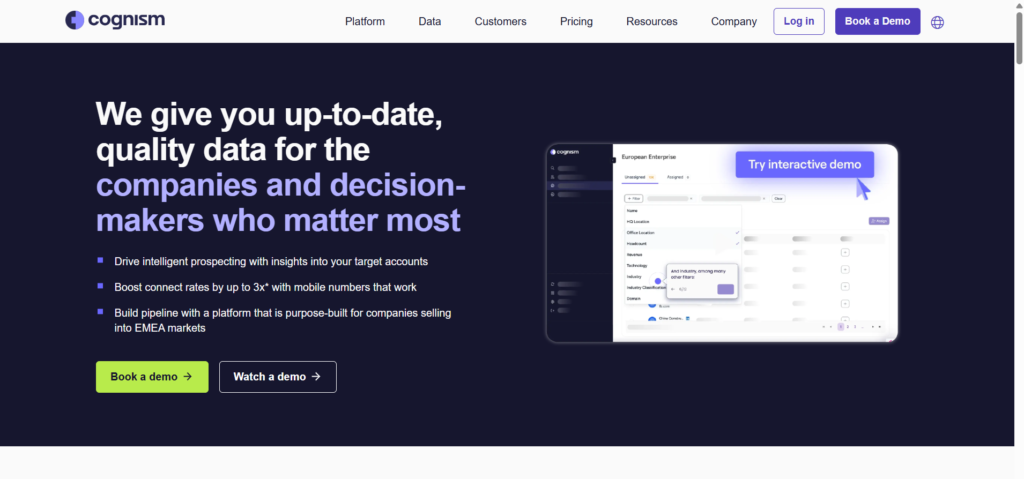
Cognism is designed for sales teams that require accurate contact data with a strong focus on compliance. It is widely used by outbound teams operating in regulated markets where permission handling and data sourcing matter as much as accuracy. Cognism positions itself around phone-verified contacts and transparent data practices.
In Cognism review content, compliance and mobile number coverage are highlighted as key strengths. When assessed against Cognism alternatives, it often appeals to teams that have struggled with data risk or unreliable direct dials.
Key Features
Cognism focuses on verified contact data, mobile coverage, and permission-aware enrichment.
Phone-Verified Contact Data
Cognism enriches leads with mobile numbers that are checked through multiple verification steps. This supports call-heavy outbound strategies where direct contact matters.
Firmographic and Role Enrichment
Leads are enriched with company size, industry, revenue estimates, and role details. This supports accurate targeting and reduces time spent on manual research.
Compliance and Permission Controls
Cognism includes tools to manage opt-out data and permission signals. This reduces exposure to regulatory risk during outbound campaigns.
CRM and Sales Tool Integration
The platform syncs enriched data into CRMs and engagement tools, allowing sales teams to work from a single source of truth.
Intent and Signal Layer
Cognism includes intent indicators that help teams prioritise accounts showing early buying signals rather than relying only on static data.
Pros and Cons
| Pros | Cons |
| Strong compliance focus | Higher starting price |
| Reliable mobile data | Smaller database than ZoomInfo |
| Outbound-friendly | Less inbound focus |
Pricing
Cognism pricing generally starts from 1000 per year per user, with plans structured around contact access and feature scope.
Best For Outbound Teams Focused on Call-Based Sales
Cognism suits teams where phone outreach is central to revenue generation.
- SDR teams – direct dial-heavy workflows
- Regulated industries – compliance-sensitive outreach
- Mid-market sales teams – structured outbound motions
Verdict: Cognism fits teams that value verified phone data and compliance clarity over low entry pricing.
Practical Usage Tip
Prioritise mobile-enriched contacts with seniority filters to increase live conversation rates during outbound call blocks.
Best Alternate Tool
ZoomInfo is frequently assessed in Cognism vs ZoomInfo comparisons when database size is the deciding factor.
5. Lusha
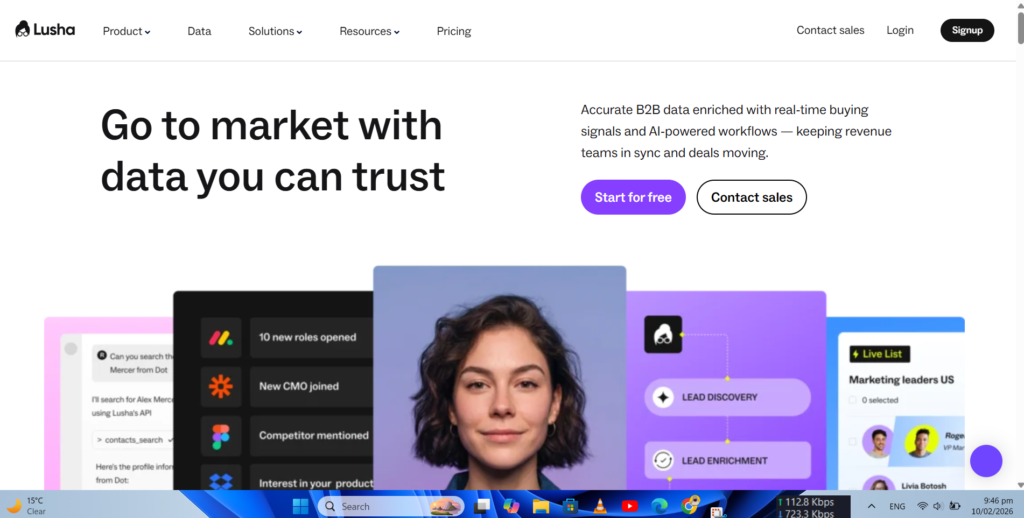
Lusha is designed for sales teams that need quick access to contact data without complex setup or heavy configuration. It is commonly used by SMB sales teams, recruiters, and agencies that rely on LinkedIn-based prospecting and short sales cycles. Lusha focuses on simplicity and accessibility rather than deep enterprise workflows.
In many Lusha review discussions, ease of use and browser-based enrichment are highlighted as core strengths. When compared in Lusha vs Apollo.io or Lusha vs ZoomInfo conversations, Lusha is often chosen for fast contact discovery rather than multi-layer account intelligence.
Key Features
Lusha prioritises speed, simplicity, and minimal friction, making it suitable for teams that need contact details immediately rather than extended research workflows.
Browser-Based Contact Enrichment
Lusha works directly through a browser extension, enriching leads while users browse LinkedIn profiles or company websites. Emails and phone numbers are surfaced instantly without switching platforms, reducing interruptions during prospecting sessions.
Email and Phone Number Coverage
The platform enriches leads with business emails and phone numbers, including mobile numbers where available. This supports both email-first and call-first outreach strategies, particularly for small and mid-sized sales teams.
Basic Firmographic Context
Lusha provides company-level data such as industry, company size, and location. While not as deep as enterprise tools, this data is sufficient for basic lead qualification and segmentation.
CRM Synchronisation
Lusha integrates with common CRMs, allowing users to push enriched contacts directly into progresses. This reduces manual data entry and keeps sales records consistent across tools.
Credit-Based Usage Model
Users consume credits for each enriched contact. This structure allows teams to control spend and avoid long-term contracts, which appeals to smaller organisations.
Pros and Cons
| Pros | Cons |
| Very easy to use | Limited firmographics |
| Quick LinkedIn enrichment | Credit limits |
| Low entry price | Less suited for large teams |
Pricing
Lusha pricing starts from 39 per month, with higher tiers offering increased monthly credit allowances and team features.
Best For Small Sales Teams and Recruiters
Lusha fits teams that prioritise quick access to contact details over deep account research.
- SMB sales reps – fast prospecting without complexity
- Recruitment teams – direct contact discovery
- Agencies – lightweight enrichment for multiple clients
Verdict: Lusha works well when speed matters more than depth and when teams want enrichment without heavy onboarding.
Practical Usage Tip
Use Lusha during LinkedIn Sales Navigator sessions to enrich profiles in real time and push only qualified contacts into your CRM.
Best Alternate Tool
Kaspr is often evaluated in Lusha vs Kaspr comparisons, particularly for LinkedIn-based outreach workflows.
6. Hunter
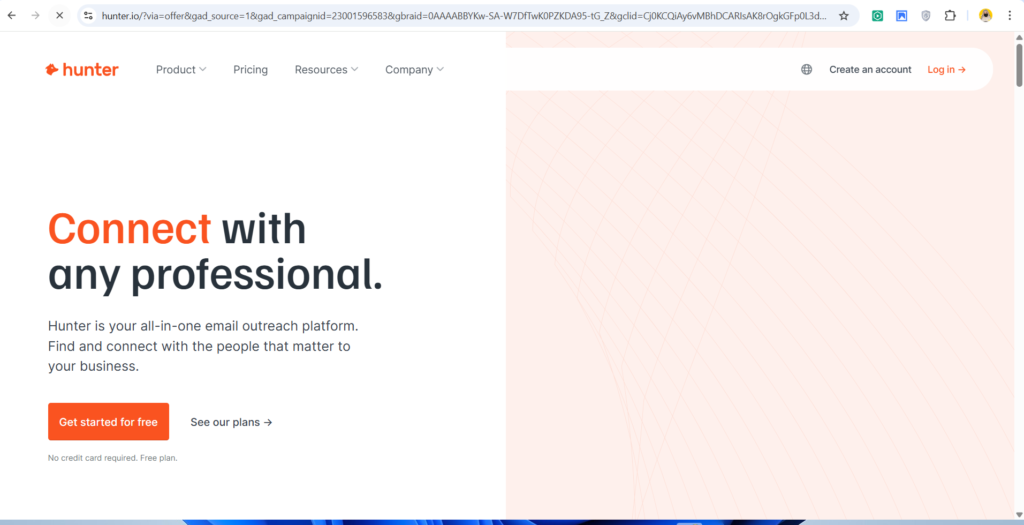
Hunter io is best known for email discovery and verification rather than full-spectrum lead enrichment. It is widely used by outbound marketers, PR teams, and link-building specialists who rely on accurate business email addresses. Hunter focuses on reducing bounce rates and improving deliverability rather than broad contact profiling.
In most Hunter review articles, accuracy and transparency are recurring themes. When assessed against Hunter alternatives, the platform stands out for its clear scoring system and domain-based email discovery.
Key Features
Hunter centres on email accuracy, domain intelligence, and verification workflows rather than deep contact or firmographic enrichment.
Domain-Based Email Discovery
Hunter allows users to search company domains to uncover publicly available email patterns and addresses. This supports outreach teams that target specific organisations rather than individual profiles.
Email Verification System
Every email enriched through Hunter is scored based on deliverability signals. This helps teams avoid hard bounces and maintain sender reputation during outbound campaigns.
Bulk Email Enrichment
Users can upload lead lists and enrich them with email addresses in bulk. This is useful for campaigns that start with names and company domains but lack contact details.
CRM and Outreach Tool Integration
Hunter integrates with CRMs and outreach platforms, allowing verified emails to sync directly into workflows without manual exports.
Transparent Data Sourcing
Hunter clearly shows where email data comes from and how confident it is in deliverability. This transparency builds confidence for teams running high-volume email campaigns.
Pros and Cons
| Pros | Cons |
| High email accuracy | Limited phone data |
| Strong verification | Minimal firmographics |
| Simple interface | Not full enrichment |
Pricing
Hunter pricing starts from 49 per month, with plans scaling based on monthly search and verification limits.
Best For Email-First Outreach and PR Teams
Hunter is ideal when email deliverability is the main concern rather than multi-channel outreach.
- Link-building teams – verified outreach emails
- PR professionals – media contact discovery
- Outbound marketers – reduced bounce rates
Verdict: Hunter fits teams that care more about email accuracy than complete contact profiles.
Practical Usage Tip
Run Hunter verification on every outbound list before launch to reduce bounce rates and protect sending domains.
Best Alternate Tool
Snov.io is often compared in Hunter vs Snov.io evaluations for teams that want email enrichment plus outreach tools.
7. Snov.io
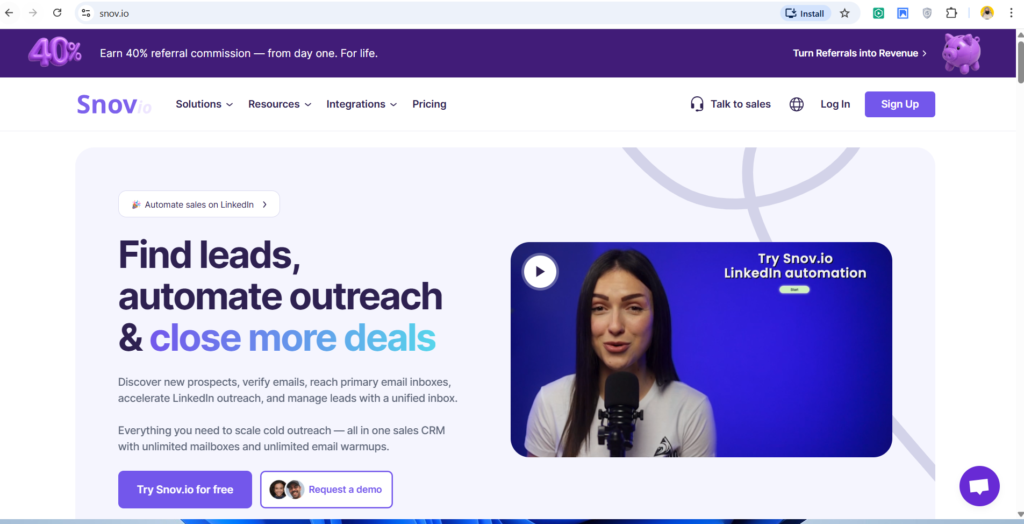
Snov.io combines lead enrichment, email discovery, verification, and outreach into a single platform. It is commonly used by outbound marketers, increase teams, and agencies that want enrichment and campaign execution without stitching together multiple tools.
In many Snov.io review breakdowns, the platform is positioned as a practical alternative to more expensive sales stacks. When compared against Snov.io alternatives, it often appeals to teams seeking predictable pricing and all-in-one functionality.
Key Features
Snov.io focuses on combining enrichment with action, allowing users to move from data collection to outreach without delays.
Email and Contact Enrichment
Snov.io enriches leads with business email addresses, names, job roles, and company information. This supports outbound campaigns that start with partial datasets.
Email Verification Engine
The platform verifies emails before campaigns are sent, reducing bounce rates and protecting sender reputation. Verification is built directly into list preparation workflows.
Prospecting and List Building
Users can build lead lists using domain searches, job title filters, and company attributes. This removes reliance on third-party list providers.
Outreach Campaign Management
Snov.io includes email sequencing tools that allow teams to launch campaigns directly from enriched lead lists. This ties data quality to campaign performance.
CRM Integration
Enriched and engaged leads can be synced into CRMs, ensuring sales teams work with contacts that have already shown engagement.
Pros and Cons
| Pros | Cons |
| All-in-one platform | Less enterprise depth |
| Predictable pricing | Limited phone data |
| Outreach included | Smaller database |
Pricing
Snov.io pricing starts from 39 per month, with higher plans increasing enrichment, verification, and campaign limits.
Best For Agencies and Increase Teams Running Email Outreach
Snov.io suits teams that want enrichment and outreach without complex setups.
- Increase marketers – enrichment plus campaigns
- Sales agencies – client-ready workflows
- SMB outbound teams – cost control
Verdict: Snov.io works well when enrichment and outreach need to live in the same system.
Practical Usage Tip
Use Snov.io enrichment on scraped domain lists, verify emails, then launch segmented campaigns based on job role or company size.
Best Alternate Tool
Apollo.io is commonly reviewed in Snov.io vs Apollo.io comparisons for teams that want deeper sales engagement features.
8. UpLead
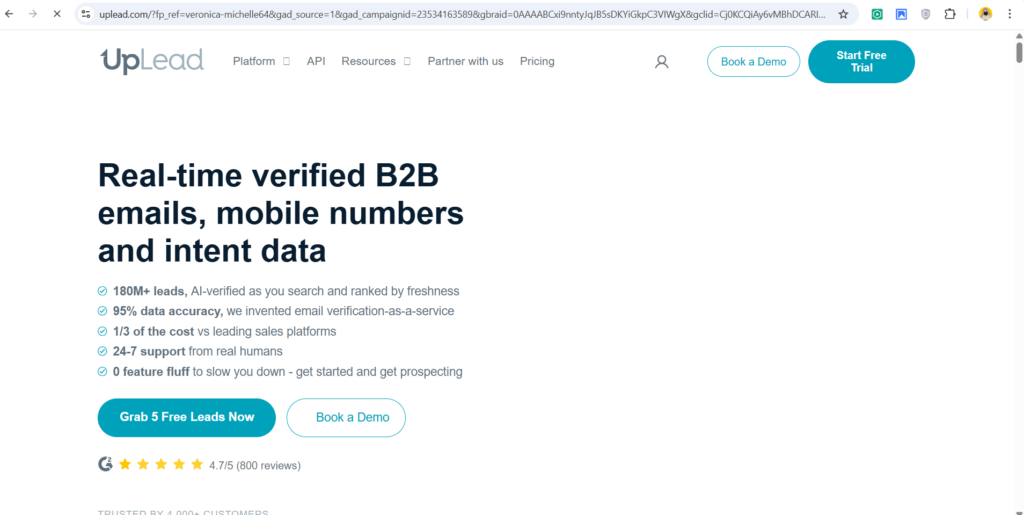
UpLead is built for teams that want reliable contact data without committing to large enterprise contracts. It focuses on accuracy, verification, and clean enrichment rather than massive databases. UpLead is commonly used by outbound sales teams, agencies, and consultants that need dependable data for targeted campaigns.
In most UpLead review comparisons, accuracy claims and real-time verification stand out. When weighed against UpLead alternatives, the platform is often selected by teams that have experienced bounce rate issues or poor contact reliability elsewhere.
Key Features
UpLead centres its product around data quality, offering multiple verification layers before contact details are delivered to users.
Real-Time Email Verification
UpLead verifies email addresses at the moment of enrichment rather than relying only on historical validation. This reduces the risk of outdated or invalid contact information entering sales workflows.
Detailed Firmographic Enrichment
Leads are enriched with company size, revenue range, industry classification, location, and ownership type. This allows teams to filter prospects based on fit rather than surface-level attributes.
Contact-Level Data Accuracy Scoring
Each enriched contact includes confidence indicators, giving sales teams visibility into how reliable a record is before outreach begins. This helps prioritise higher-quality leads.
Bulk Enrichment and List Uploads
Users can upload CSV lists and enrich them in batches. This is useful for teams migrating legacy lists or cleaning CRM data.
CRM Integration and Data Export
UpLead integrates with common CRMs and also supports manual exports. This flexibility suits teams with mixed workflows or custom systems.
Pros and Cons
| Pros | Cons |
| High data accuracy | Smaller database |
| Real-time verification | Limited intent data |
| Simple pricing | Less outbound tooling |
Pricing
UpLead pricing starts from 74 per month, with higher tiers offering more enrichment credits and team access.
Best For Teams Focused on Data Accuracy Over Volume
UpLead is ideal for sales teams that prefer fewer leads with higher confidence.
- Outbound sales teams – cleaner email campaigns
- Consultants – reliable contact data for niche markets
- Agencies – reduced bounce rate risk
Verdict: UpLead is a strong option when data accuracy matters more than having the largest possible database.
Practical Usage Tip
Run bulk enrichment on legacy CRM lists to identify outdated contacts before launching reactivation campaigns.
Best Alternate Tool
Hunter is often compared in UpLead vs Hunter discussions when email accuracy is the primary concern.
9. Kaspr
Kaspr is designed specifically for LinkedIn-based prospecting. It enriches leads directly from LinkedIn profiles, providing contact data while sales reps browse. Kaspr is popular with SDR teams, recruiters, and agencies that rely heavily on LinkedIn as their primary sourcing channel.
In many Kaspr review articles, real-time LinkedIn enrichment is highlighted as the main differentiator. Compared with Kaspr alternatives, it appeals to teams that want enrichment without switching between multiple dashboards.
Key Features
Kaspr focuses on in-context enrichment, allowing sales teams to gather contact data without breaking prospecting flow.
LinkedIn Browser Extension
Kaspr enriches leads directly from LinkedIn profiles and search results. Contact details appear alongside profile data, reducing time spent switching tools during prospecting.
Email and Phone Number Enrichment
The platform provides business emails and phone numbers, including mobile numbers when available. This supports both email outreach and call-based workflows.
Basic Company Data
Kaspr appends company-level information such as industry, size, and location. While not deeply layered, this data supports initial qualification.
CRM Sync and Exports
Users can push enriched contacts directly into CRMs or export lists for outreach tools. This keeps prospecting and execution connected.
Credit-Based Usage Control
Kaspr operates on a credit system, allowing teams to manage spend and avoid overuse during prospecting sessions.
Pros and Cons
| Pros | Cons |
| Strong LinkedIn integration | Limited firmographics |
| Fast enrichment | Credit-based limits |
| Easy adoption | Smaller dataset |
Pricing
Kaspr pricing starts from 45 per month, with higher plans increasing monthly enrichment credits.
Best For SDR Teams Using LinkedIn Daily
Kaspr fits teams that source most leads directly from LinkedIn.
- SDR teams – faster LinkedIn prospecting
- Recruiters – direct contact access
- Agencies – quick enrichment for clients
Verdict: Kaspr works well when LinkedIn is the main sourcing channel and speed is critical.
Practical Usage Tip
Combine LinkedIn Sales Navigator filters with Kaspr enrichment to surface contacts that match both role and company criteria.
Best Alternate Tool
Lusha is often reviewed in Kaspr vs Lusha comparisons for LinkedIn-based enrichment needs.
10. RocketReach
RocketReach is a contact lookup and enrichment platform that aggregates data from public and proprietary sources. It is used by sales teams, recruiters, and marketers who need contact details across a wide range of industries. RocketReach focuses on breadth rather than deep account intelligence.
In RocketReach review content, coverage across different verticals is frequently mentioned. When compared with RocketReach alternatives, it is often selected for its flexibility and cross-industry reach.
Key Features
RocketReach is designed to surface contact data across many sectors without requiring complex setup.
Multi-Source Contact Enrichment
RocketReach enriches leads using data collected from web sources, professional networks, and proprietary databases. This increases the likelihood of finding contact details for niche roles.
Email and Phone Number Discovery
The platform provides emails and phone numbers, including work and direct lines when available. This supports both email-first and call-based outreach.
Company and Role Context
Leads are enriched with job title, company name, industry, and location. This supports basic segmentation and qualification.
Browser Extension and Web App
Users can enrich contacts through a browser extension or the RocketReach web interface, offering flexibility in how prospecting is performed.
CRM and Outreach Integrations
RocketReach integrates with CRMs and outreach platforms, allowing enriched contacts to move directly into sales workflows.
Pros and Cons
| Pros | Cons |
| Wide industry coverage | Data depth varies |
| Easy to use | Limited intent data |
| Flexible workflows | Verification varies |
Pricing
RocketReach pricing starts from 80 per month, with plans scaling based on monthly lookup limits.
Best For Teams Targeting Diverse Industries
RocketReach suits teams that prospect across many sectors rather than a single niche.
- Recruiters – cross-industry sourcing
- Sales teams – broad contact discovery
- Marketing teams – list enrichment
Verdict: RocketReach is useful when coverage breadth matters more than having deeply layered company intelligence.
Practical Usage Tip
Use RocketReach enrichment for niche roles that are hard to source through LinkedIn-based tools.
Best Alternate Tool
Apollo.io is often considered in RocketReach vs Apollo.io evaluations when teams want enrichment combined with outbound execution.
11. LeadIQ
LeadIQ is designed for sales teams that capture and enrich leads while actively prospecting. Rather than operating as a passive database, LeadIQ focuses on live data capture during outbound research. It is widely used by SDR teams that work inside LinkedIn and CRM environments and want enrichment tied directly to daily sales activity.
In most LeadIQ review analyses, the platform is described as a productivity tool rather than a pure data provider. When compared in LeadIQ vs Apollo.io discussions, LeadIQ is usually preferred for real-time capture, while Apollo.io is favoured for broader database access.
Key Features
LeadIQ centres around capturing, enriching, and activating leads without interrupting sales workflows.
Live Prospect Capture
LeadIQ allows sales reps to capture leads directly from LinkedIn and other web sources while browsing. Contact data is enriched at the moment of capture, reducing the delay between research and outreach.
Contact Enrichment with Context
Leads are enriched with verified emails, job titles, seniority, and company information. LeadIQ also preserves contextual notes from the capture session, helping reps remember why a lead was selected.
CRM Data Hygiene Controls
The platform includes logic to prevent duplicate records and incorrect overwrites. This is particularly valuable for teams operating shared CRMs with multiple SDRs.
Sales Engagement Integration
LeadIQ connects with sales engagement tools, allowing enriched leads to flow directly into sequences. This ties data collection directly to outbound execution.
Team Collaboration Features
Managers can monitor captured leads, enrichment usage, and adoption metrics. This supports coaching and standardisation across sales teams.
Pros and Cons
| Pros | Cons |
| Strong live capture | Smaller database |
| CRM-safe enrichment | Less suited for bulk lists |
| Sales-focused design | Limited firmographic depth |
Pricing
LeadIQ pricing starts from 75 per user per month, with higher tiers offering increased capture limits and team features.
Best For SDR Teams Prospecting Daily
LeadIQ fits teams that source leads manually and want enrichment integrated into prospecting routines.
- SDR teams – live LinkedIn prospecting
- Sales managers – visibility into sourcing activity
- Outbound teams – faster handoff to sequences
Verdict: LeadIQ is most effective when enrichment needs to happen at the exact moment of lead discovery.
Practical Usage Tip
Encourage reps to capture leads during account research sessions so enriched records include intent context, not just contact data.
Best Alternate Tool
Kaspr is often evaluated in LeadIQ vs Kaspr comparisons for teams focused on LinkedIn-based enrichment.
12. SalesIntel
SalesIntel positions itself around human-verified contact data. Unlike platforms that rely primarily on automated scraping, SalesIntel uses a verification layer involving real researchers. This approach appeals to teams that prioritise accuracy and direct dial reliability over database size.
In SalesIntel review content, human verification is the most cited differentiator. When assessed against SalesIntel alternatives, it is often chosen by teams that have experienced low connect rates with automated datasets.
Key Features
SalesIntel focuses on reducing incorrect data through manual validation and controlled enrichment workflows.
Human-Verified Contact Data
Contacts enriched through SalesIntel are checked by researchers to confirm accuracy. This includes job role confirmation, company association, and phone number validity.
Direct Dial and Phone Coverage
The platform places strong emphasis on direct dials and mobile numbers, supporting call-based outbound strategies.
Firmographic and Account Data
Leads are enriched with company size, revenue estimates, industry classification, and location data. This supports account qualification and segmentation.
CRM Integration and Data Refresh
SalesIntel syncs enriched data into CRMs and provides refresh options to update outdated records over time.
Research-on-Demand Capability
Users can request custom research for specific accounts or roles, filling gaps not covered by standard enrichment.
Pros and Cons
| Pros | Cons |
| High accuracy | Slower enrichment |
| Strong phone data | Higher pricing |
| Human validation | Less instant scale |
Pricing
SalesIntel pricing typically starts from 99 per month, with custom pricing for higher data volumes and research services.
Best For Call-Heavy Outbound Sales Teams
SalesIntel suits teams where call connection rates matter more than enrichment speed.
- Inside sales teams – higher live connect rates
- Mid-market sales – reliable direct dials
- Revenue leaders – reduced wasted outreach
Verdict: SalesIntel is a strong option when data quality directly affects sales productivity.
Practical Usage Tip
Use SalesIntel for senior decision-maker lists where incorrect phone data has the highest cost.
Best Alternate Tool
Cognism is frequently reviewed in SalesIntel vs Cognism discussions for teams focused on phone-based outreach.
13. People Data Labs
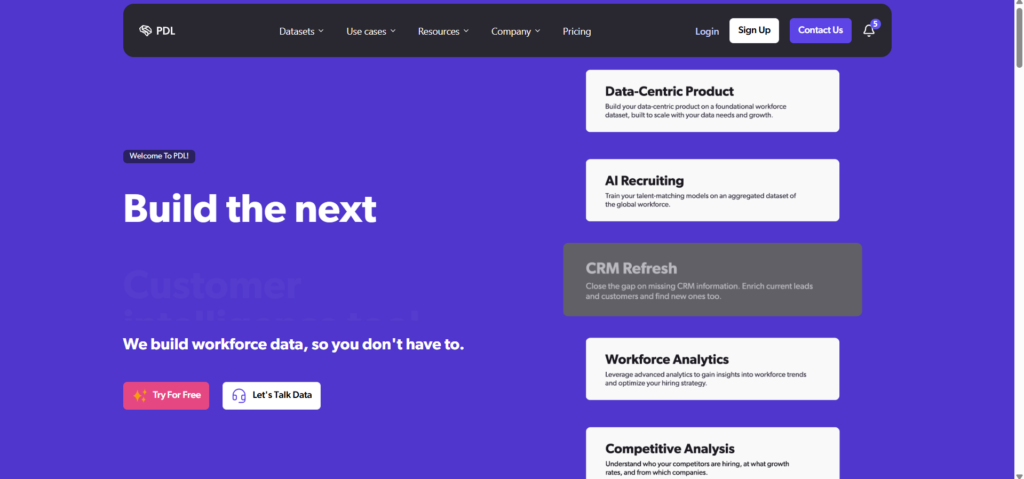
Developer-first lead enrichment infrastructure
People Data Labs is an enrichment API designed for technical teams and data-driven organisations. Rather than offering a traditional user interface, it provides programmatic access to person and company data at scale. This makes it suitable for SaaS platforms, marketplaces, and internal data systems.
In People Data Labs review discussions, flexibility and scale are key themes. Compared with People Data Labs alternatives, it is often selected by teams that want enrichment embedded directly into products or internal progresses.
Key Features
People Data Labs focuses on infrastructure-level enrichment rather than end-user workflows.
Person and Company Enrichment API
The API enriches records with job history, current role, company attributes, education, and online profiles. This supports advanced matching and segmentation logic.
Large-Scale Data Coverage
People Data Labs offers access to hundreds of millions of profiles, supporting enrichment at scale across large datasets.
Flexible Matching Logic
Users can enrich data using multiple identifiers including email, name, domain, or social profiles. This flexibility supports complex data environments.
Custom Data progress
The API can be integrated into internal systems, CRMs, or products, allowing enrichment to occur automatically as data flows through systems.
Compliance and Data Controls
People Data Labs provides documentation around data sourcing and usage, supporting internal governance requirements.
Pros and Cons
| Pros | Cons |
| Highly scalable | Requires technical setup |
| Flexible API | No built-in UI |
| Deep data access | Not sales-friendly |
Pricing
People Data Labs pricing starts from 99 per month, with usage-based costs scaling by API calls.
Best For Technical Teams and SaaS Products
People Data Labs fits organisations that want enrichment embedded into systems rather than used manually.
- Engineering teams – API-driven enrichment
- SaaS platforms – embedded data layers
- Data teams – large-scale matching
Verdict: People Data Labs is best when enrichment is part of infrastructure, not a sales tool.
Practical Usage Tip
Use enrichment responses to power internal lead scoring models rather than manual sales workflows.
Best Alternate Tool
FullContact is often assessed in People Data Labs vs FullContact evaluations for identity-based enrichment needs.
14. FullContact
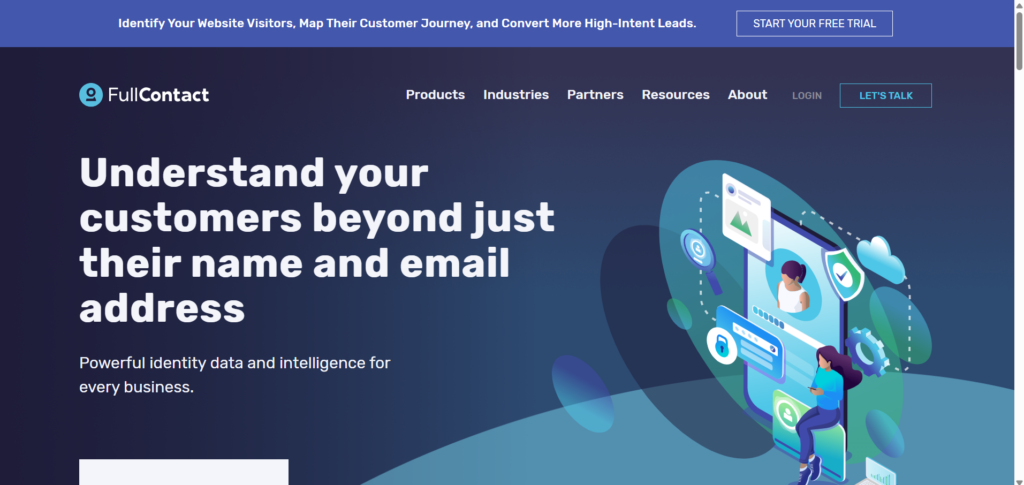
FullContact focuses on identity resolution rather than traditional sales prospecting. It is used to unify fragmented lead records across systems and enrich them with consistent identity attributes. Marketing teams, data teams, and platforms use FullContact to maintain clean customer profiles.
In FullContact review content, identity matching and deduplication are frequently cited. When compared with FullContact alternatives, it is often chosen for data unification rather than outbound sales use.
Key Features
FullContact centres on identity consistency and record accuracy across systems.
Identity Resolution Engine
FullContact matches records across emails, devices, and identifiers to create unified profiles. This reduces duplication and data fragmentation.
Person and Company Enrichment
Profiles are enriched with demographic, professional, and firmographic attributes. This supports segmentation and personalisation use cases.
Data Hygiene and Deduplication
The platform identifies and merges duplicate records, improving CRM and marketing database quality.
Privacy and Permission Controls
FullContact includes tools to manage consent and identity preferences, supporting responsible data usage.
Integration with Data Systems
FullContact connects with CRMs, CDPs, and data warehouses, allowing identity-enriched profiles to sync across tools.
Pros and Cons
| Pros | Cons |
| Strong identity matching | Not sales-focused |
| Deduplication | Limited contact discovery |
| Data hygiene tools | Less outbound use |
Pricing
FullContact pricing starts from 99 per month, with higher tiers offering increased identity resolution volume.
Best For Data and Marketing Operations Teams
FullContact suits teams focused on data consistency rather than lead sourcing.
- Marketing ops teams – clean customer profiles
- Data teams – unified identities
- Platforms – cross-system matching
Verdict: FullContact fits environments where identity accuracy matters more than outbound enrichment.
Practical Usage Tip
Use FullContact to clean CRM and marketing databases before running segmentation or attribution analysis.
Best Alternate Tool
People Data Labs is often compared in FullContact vs People Data Labs discussions for teams needing programmatic enrichment.
15. LeadGenius
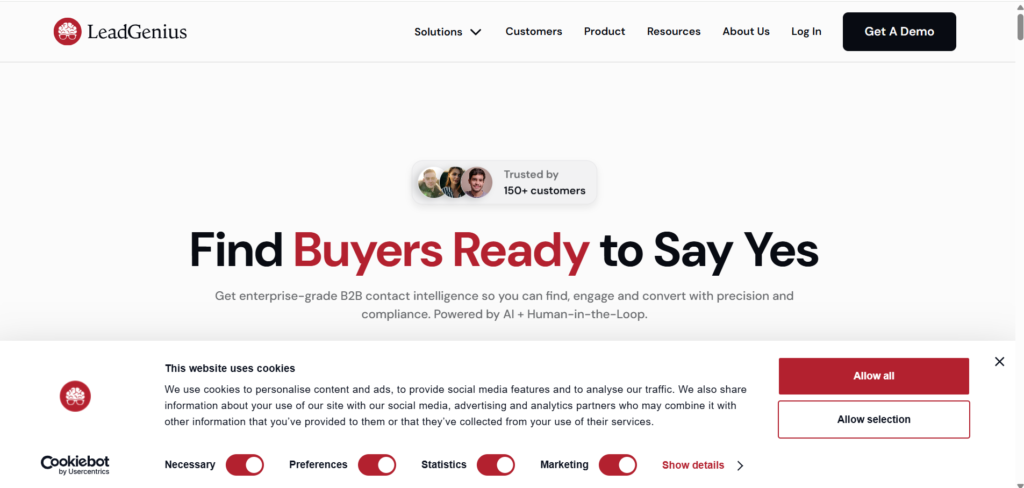
LeadGenius operates differently from most lead enrichment tools. Instead of relying solely on automated databases, it combines technology with managed human research. This makes it suitable for teams that need highly specific, hard-to-source data that standard platforms fail to deliver. LeadGenius is commonly used by enterprise sales teams, strategy groups, and organisations targeting niche markets.
In many LeadGenius review discussions, flexibility and customisation depth are highlighted. When assessed against LeadGenius alternatives, it is often chosen by teams that have outgrown self-serve enrichment tools and need tailored datasets.
Key Features
LeadGenius is built around precision research and custom enrichment rather than instant access to a static database.
Custom Lead Research
LeadGenius assigns human researchers to build and enrich lead lists based on exact criteria. This includes role definitions, niche industries, regional constraints, and account-specific requirements. This approach reduces irrelevant records and increases alignment with sales criteria.
Account-Level and Contact-Level Enrichment
Both company and individual records are enriched with detailed attributes such as organisational structure, decision-maker mapping, and contextual notes. This supports account-based sales strategies that require multiple stakeholders per account.
Data Quality Assurance
Every dataset goes through quality checks before delivery. This includes validation of job roles, company relevance, and contact accuracy. This reduces rework and wasted outreach.
CRM and Workflow Integration
Enriched datasets are delivered in formats compatible with CRMs and sales tools. LeadGenius also supports ongoing enrichment projects rather than one-off list delivery.
Dedicated Account Management
Clients work with dedicated account managers who refine targeting criteria over time. This improves dataset quality across long-term engagements.
Pros and Cons
| Pros | Cons |
| Highly precise data | Not instant |
| Human research | Higher cost |
| Niche targeting | Less self-serve |
Pricing
LeadGenius pricing generally starts from 500 per month, with costs increasing based on research scope and volume.
Best For Enterprise Teams Targeting Niche Markets
LeadGenius suits organisations that require specificity over speed.
- Enterprise sales teams – complex account structures
- Strategy teams – market research and mapping
- ABM programmes – high-value account focus
Verdict: LeadGenius is best when standard enrichment tools cannot meet targeting requirements.
Practical Usage Tip
Use LeadGenius for strategic account lists where accuracy and relevance outweigh the need for instant data access.
Best Alternate Tool
SalesIntel is often evaluated in LeadGenius vs SalesIntel discussions for teams balancing accuracy with speed.
16. Seamless.ai
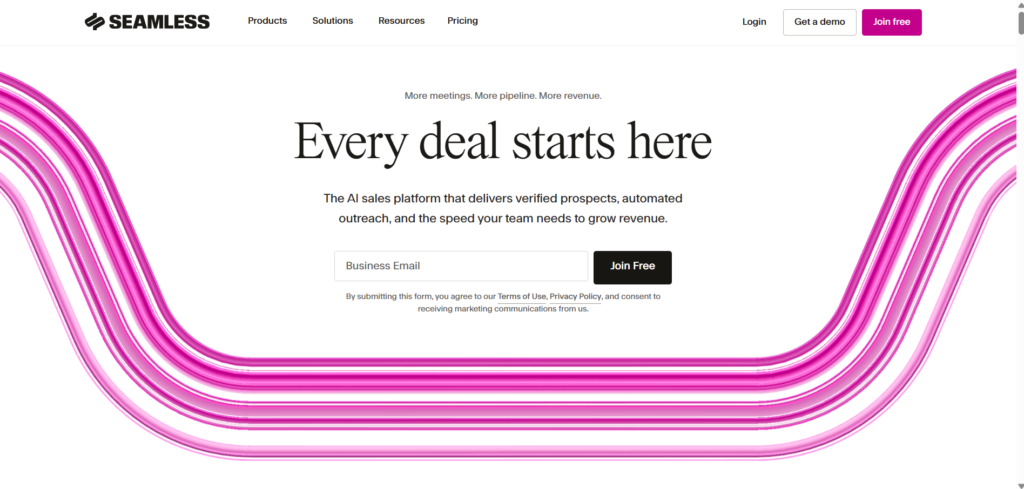
Seamless.ai is built around the idea of live data discovery. It continuously searches for contact information as users prospect, updating records dynamically rather than relying on static datasets. Seamless.ai is used by outbound sales teams that prioritise volume and frequent data refresh.
In Seamless.ai review content, automation and scale are frequently mentioned. When compared with Seamless.ai alternatives, it often appeals to teams running aggressive outbound programmes.
Key Features
Seamless.ai focuses on speed, volume, and continuous enrichment during prospecting.
Live Contact Discovery
As users search for prospects, Seamless.ai retrieves emails and phone numbers in real time. This allows sales reps to build lists quickly without waiting for batch processing.
Continuous Data Refresh
Records are refreshed regularly to reflect role changes, company moves, and contact updates. This reduces decay in long-running sales databases.
Prospecting and Search Filters
Users can search by role, company, industry, and location. This supports rapid list building for outbound campaigns.
CRM Integration
Enriched contacts can be pushed directly into CRMs, allowing teams to act on newly sourced data immediately.
Team-Based Usage Controls
Managers can monitor usage, credit consumption, and adoption across teams. This supports governance in high-volume environments.
Pros and Cons
| Pros | Cons |
| High-volume sourcing | Data accuracy varies |
| Live updates | Credit consumption |
| Fast list building | Less firmographic depth |
Pricing
Seamless.ai pricing typically starts from 147 per user per month, with plans scaling based on usage.
Best For High-Volume Outbound Sales Teams
Seamless.ai fits teams that prioritise speed and volume.
- Outbound SDR teams – rapid list creation
- Sales organisations – large prospect pools
- Lead generation agencies – continuous sourcing
Verdict: Seamless.ai works best when outreach volume matters more than precision targeting.
Practical Usage Tip
Use Seamless.ai to refresh older CRM records before reactivation campaigns to reduce wasted outreach.
Best Alternate Tool
Apollo.io is often considered in Seamless.ai vs Apollo.io discussions for teams wanting integrated outreach.
17. Datanyze
Datanyze focuses on technographic enrichment, helping teams identify which technologies companies use. Rather than prioritising individual contact data, Datanyze enriches leads with insights into software adoption, platforms, and infrastructure choices. This is useful for vendors selling into specific tech ecosystems.
In Datanyze review discussions, technology detection accuracy is the most cited strength. When compared with Datanyze alternatives, it is often chosen for competitive and partner targeting.
Key Features
Datanyze centres around technology intelligence rather than full contact enrichment.
Technographic Data Enrichment
Datanyze identifies software and tools used by companies, including CMS platforms, analytics tools, and marketing software. This supports targeting based on compatibility or replacement strategies.
Account-Level Insights
Company profiles include size, industry, and location alongside technology usage. This helps sales teams qualify accounts based on fit.
Chrome Extension for Research
Users can view technographic data while browsing company websites, supporting real-time research during prospecting.
CRM and Sales Tool Integration
Technographic insights can be synced into CRMs, allowing sales teams to personalise outreach based on known technology stacks.
Market and Competitor Analysis
Datanyze supports analysis of technology adoption trends across industries, aiding go-to-market planning.
Pros and Cons
| Pros | Cons |
| Strong technographics | Limited contact data |
| Useful for targeting | Less outbound-ready |
| Easy research | Smaller scope |
Pricing
Datanyze pricing starts from 39 per month, with higher tiers offering increased access to technographic data.
Best For Technology Vendors and Channel Sales
Datanyze suits teams selling software or services tied to specific platforms.
- SaaS vendors – competitive targeting
- Partner teams – ecosystem alignment
- Sales strategists – market analysis
Verdict: Datanyze is most effective when technology usage is a key buying signal.
Practical Usage Tip
Segment accounts based on competitor technology usage to prioritise replacement or integration campaigns.
Best Alternate Tool
Crunchbase is often compared in Datanyze vs Crunchbase discussions when company-level intelligence is the focus.
18. Crunchbase
Crunchbase is primarily a company intelligence platform rather than a direct contact enrichment tool. It is used to enrich leads at the account level with funding data, increase indicators, ownership details, and business activity signals. Sales teams, analysts, and founders rely on Crunchbase to understand company context before outreach begins.
In many Crunchbase review discussions, visibility into funding rounds and increase stages is cited as the main value. When compared with Crunchbase alternatives, it is often selected for early-stage and increase -focused account targeting.
Key Features
Crunchbase focuses on organisational intelligence that supports qualification and prioritisation rather than individual contact sourcing.
Company Profile Enrichment
Crunchbase enriches accounts with detailed company profiles, including founding date, employee count ranges, revenue estimates, headquarters location, and ownership structure. This supports segmentation based on maturity and scale.
Funding and Investment Data
The platform tracks funding rounds, investors, acquisition activity, and valuation signals. This helps sales teams identify accounts with budget availability or upcoming expansion needs.
Industry and Category Classification
Companies are categorised by industry and market segment, allowing users to filter accounts based on relevance to specific offerings.
Increase and Hiring Signals
Crunchbase surfaces indicators such as hiring activity and expansion patterns, supporting prioritisation of accounts entering visibility phases.
CRM and Workflow Integration
Company-level enrichment data can be synced into CRMs, allowing account records to reflect current business status.
Pros and Cons
| Pros | Cons |
| Strong company insights | Limited contact data |
| Funding visibility | Not outbound-ready |
| Useful for research | Manual enrichment |
Pricing
Crunchbase pricing starts from 29 per month, with higher plans providing expanded data access and exports.
Best For Account Research and Qualification
Crunchbase fits teams that qualify accounts before sourcing contacts.
- Founders – partnership research
- Sales strategists – account prioritisation
- Investors and analysts – market mapping
Verdict: Crunchbase works best as a pre-enrichment layer for account intelligence.
Practical Usage Tip
Use Crunchbase funding filters to prioritise accounts that recently raised capital before running outbound campaigns.
Best Alternate Tool
Datanyze is often considered in Crunchbase vs Datanyze comparisons when technology usage data is required.
19. Adapt.io
Adapt.io is a sales intelligence and enrichment platform aimed at increasing teams that need both contact and company data without enterprise complexity. It combines prospecting, enrichment, and list management in a single system.
In Adapt.io review content, affordability and balance between features are often highlighted. When evaluated against Adapt.io alternatives, it is commonly chosen by teams scaling outbound activity.
Key Features
Adapt.io focuses on providing practical enrichment that supports everyday sales workflows.
Contact and Company Enrichment
Leads are enriched with emails, phone numbers, job roles, and company attributes such as size and industry. This supports basic qualification and outreach preparation.
Search and List Building
Users can build prospect lists using filters for role, company size, location, and industry. This supports repeatable outbound processes.
Bulk Enrichment and Exports
Adapt.io allows bulk enrichment of lead lists and supports exports into CRMs and outreach tools.
CRM Integration
Enriched records can be synced into CRMs, reducing manual data handling.
Credit-Based Usage Model
Users consume credits per contact, allowing spend control as teams scale.
Pros and Cons
| Pros | Cons |
| Balanced feature set | Smaller dataset |
| Simple adoption | Limited intent data |
| Reasonable pricing | Less enterprise focus |
Pricing
Adapt.io pricing starts from 49 per month, with higher plans increasing enrichment credits and team features.
Best For Sales Teams in Visibility Phase
Adapt.io suits teams moving beyond spreadsheets but not yet enterprise stacks.
- Increasing sales teams – predictable costs
- SMBs – contact enrichment and prospecting
- Agencies – flexible usage
Verdict: Adapt.io is suitable when teams need reliable enrichment without enterprise overhead.
Practical Usage Tip
Use Adapt.io list filters to build segmented prospect lists aligned with specific outbound offers.
Best Alternate Tool
RocketReach is often compared in Adapt.io vs RocketReach evaluations for teams needing broader coverage.
20. Clay
Clay is a workflow-based enrichment platform that connects multiple data providers into automated processes. Rather than acting as a single database, Clay orchestrates enrichment tasks across APIs, spreadsheets, and CRM systems. It is used by visibility teams, operators, and technical sales teams.
In Clay review discussions, flexibility and automation depth are frequently mentioned. When compared with Clay alternatives, it stands out for its ability to combine multiple enrichment sources into one workflow.
Key Features
Clay focuses on automation and orchestration rather than owning proprietary data.
Multi-Source Enrichment Workflows
Clay allows users to connect multiple enrichment providers and APIs into a single workflow. This reduces reliance on one data source.
Spreadsheet-Style Interface
Users manage enrichment workflows using a familiar table-based interface, making it accessible to non-engineers.
Conditional Logic and Automation
Enrichment steps can be triggered based on conditions, allowing workflows to adapt based on data availability.
CRM and Tool Integration
Clay connects with CRMs, data tools, and outreach platforms, supporting end-to-end data movement.
Scalable Enrichment progress
Workflows can run continuously, keeping lead and account data up to date over time.
Pros and Cons
| Pros | Cons |
| Highly flexible | Requires setup |
| Multi-source enrichment | No native database |
| Automation-focused | Learning curve |
Pricing
Clay pricing starts from 149 per month, with plans scaling based on workflow volume and integrations.
Best For Visibility and Operations Teams
Clay suits teams that want control over how enrichment happens.
- Increase operators – automated workflows
- Sales operations – multi-tool orchestration
- Technical teams – custom enrichment logic
Verdict: Clay is ideal when enrichment needs to be automated across systems rather than handled manually.
Practical Usage Tip
Use Clay to combine enrichment from multiple providers and fill gaps where one data source falls short.
Best Alternate Tool
People Data Labs is often evaluated in Clay vs People Data Labs discussions for programmatic enrichment needs.
Final Thoughts on Choosing the Right Lead Enrichment Stack
Choosing the right lead enrichment tools comes down to how your sales operation actually runs day to day. Some teams need volume and speed. Others need accuracy, compliance, or account depth. The strongest setups usually combine two or three tools, one for contact discovery, one for firmographic or technographic depth, and one for workflow control.
The tools listed above earned their place because they solve real problems inside outbound sales, inbound qualification, and account-based programmes. Whether you are running email-first outreach, call-heavy prospecting, or account research-led selling, the right lead enrichment stack reduces wasted effort and keeps reps focused on conversations that matter.
How We Support Revenue Teams With Lead Enrichment
At pearl lemon sales, we work directly with sales leaders and founders who are tired of poor data slowing deals down. Our role is not to sell software. Our role is to make sure your lead enrichment stack actually supports revenue, not noise.
We help teams audit their existing CRM data, identify where enrichment gaps are killing conversion rates, and select the right tools based on sales motion, deal size, and team structure. We also design enrichment workflows that fit how your SDRs and AEs actually work, not how vendors say they should work.
This includes:
- Selecting the right enrichment tools for outbound, inbound, or account-based sales
- Cleaning and restructuring CRM data to prevent duplication and decay
- Setting up enrichment rules that support lead scoring and routing
- Aligning enrichment with outreach, calling, and qualification processes
If your sales team is working harder than it should to qualify leads, the issue is almost always data quality and process alignment.
Frequently Asked Questions
1. What is lead enrichment used for in B2B sales?
Lead enrichment is used to add missing contact, company, and role data to existing leads so sales teams can qualify and prioritise prospects accurately.
2. Can lead enrichment improve reply rates?
Yes,better data leads to more relevant messaging, correct targeting, and fewer bounces, which directly affects reply and connection rates.
3. How often should lead data be enriched?
Most sales teams refresh enrichment data every 30 to 90 days, depending on deal cycle length and outreach volume.
4. Is lead enrichment suitable for inbound leads?
Yes,enriching inbound leads improves lead scoring, routing, and speed-to-contact by giving sales context immediately.
5. Do enrichment tools replace manual research?
They reduce it significantly, but high-value accounts may still require manual review or custom research.
6. What data points matter most for outbound sales?
Job role, seniority, verified email, direct dial, company size, and industry are typically the most important.
7. Are enrichment tools compliant with data regulations?
Most major providers include permission handling and opt-out controls, but teams must still use data responsibly.
8. Should small teams use enterprise enrichment tools?
Not always. Smaller teams often perform better with simpler tools that match their outreach volume and budget.
9. Can multiple enrichment tools be used together?
Yes,many teams combine tools to cover gaps in coverage, accuracy, or workflow automation.
10. What is the biggest mistake teams make with lead enrichment?
Buying tools without aligning them to sales process, which leads to unused data and poor adoption.