
Sales teams lose deals every day for one simple reason. They walk into competitive conversations without the right information ready at hand. A prospect asks how your product compares with another vendor and the sales rep hesitates. That hesitation often costs the deal.
This is exactly where the Best Tools for Competitive Battle Cards make a difference. These platforms organise competitor insights, objection responses, product comparisons, and positioning statements into quick reference battle cards that sales teams can access during live conversations. Instead of searching through documents or internal messages, reps can immediately see how to respond when a competitor comes up during a call.
Research from Crayon’s State of Competitive Intelligence report shows that 90 percent of companies say competitive intelligence is essential to winning deals. Gartner research also notes that businesses with structured competitive intelligence programmes can see win rates increase by up to 20 percent. That is why sales enablement leaders are actively investing in the Best Tools for Competitive Battle Cards to support their teams during competitive deals.
This guide is written for sales teams, revenue operations leaders, product marketing managers, SaaS founders, and B2B marketing teams that need better competitor insights during sales cycles. After reviewing dozens of platforms used by sales and marketing teams, we narrowed down the Best Tools for Competitive Battle Cards that consistently support competitive positioning, battle card management, competitor tracking, and sales enablement workflows.
What Are Competitive Battle Card Tools?
Competitive battle card tools are specialised platforms that organise competitor intelligence into short summaries designed for sales teams. A battle card acts as a quick reference document that helps sales representatives respond to competitor questions during calls, product demonstrations, or deal negotiations.
A typical battle card contains competitor strengths and weaknesses, feature comparisons, pricing insights, objection handling responses, and positioning statements. Instead of reading long competitor reports prepared by marketing teams, sales representatives open a battle card that gives them the most relevant talking points needed during a conversation with a potential buyer.
These tools also keep competitive information organised and updated across the organisation. Product marketing teams build and update battle cards while sales teams access them inside CRM platforms or sales enablement tools. Many of the Best Tools for Competitive Battle Cards also track competitor websites, product updates, messaging changes, and market announcements automatically so teams are aware when a competitor introduces a new feature or pricing change.
Because competitive pressure continues to increase across SaaS and B2B markets, companies rely on the Best Tools for Competitive Battle Cards to keeping every sales conversation includes clear messaging and accurate competitor positioning.
Quick Comparison Table of the Best Tools for Competitive Battle Cards
Sales teams evaluating battle card platforms typically care about a few core factors: pricing, AI competitive intelligence, sales integrations, and ease of use for reps during live calls. These columns focus on the most important decision points when choosing Best Tools for Competitive Battle Cards.
| Tool | Best For | Starting Price | Free Trial | AI Competitive Tracking | G2 Rating |
| Crayon | Enterprise CI teams | $500/month | Yes | Yes | 4.6 |
| Klue | Product marketing teams | $750/month | No | Yes | 4.7 |
| Kompyte | Automated competitor tracking | $300/month | Yes | Yes | 4.4 |
| Highspot | Sales enablement platforms | $100/user/month | Yes | Limited | 4.5 |
| Guru | Knowledge management | $18/user/month | Yes | No | 4.7 |
| Allego | Sales learning teams | $29/user/month | Yes | No | 4.3 |
| Mediafly | Revenue enablement | $50/user/month | Yes | Limited | 4.4 |
| Seismic | Large enterprise sales | Custom | Yes | Limited | 4.6 |
| Showpad | B2B sales teams | $35/user/month | Yes | No | 4.5 |
| Enable.us | Sales enablement | $25/user/month | Yes | No | 4.3 |
| Confluence | Internal documentation | $5.75/user/month | Yes | No | 4.5 |
| Notion | Startup teams | $10/user/month | Yes | No | 4.6 |
| ClickUp | Workflow teams | $7/user/month | Yes | No | 4.7 |
| Airtable | Structured battle cards | $20/user/month | Yes | No | 4.6 |
| Productboard | Product marketing teams | $25/user/month | Yes | No | 4.5 |
| Slack Canvas | Internal team knowledge | $8.75/user/month | Yes | No | 4.4 |
| Monday.com | CRM workflows | $10/user/month | Yes | No | 4.6 |
| Trello | Simple battle card boards | $5/user/month | Yes | No | 4.5 |
| Google Workspace | Document sharing | $6/user/month | Yes | No | 4.6 |
| Coda | Flexible knowledge bases | $12/user/month | Yes | No | 4.7 |
These platforms range from dedicated competitive intelligence tools like Crayon and Klue to flexible knowledge management platforms used to create battle cards internally.
Top Tools for Competitive Battle Cards
Here are the Best Tools for Competitive Battle Cards sales teams rely on:
- Crayon
- Klue
- Kompyte
- Highspot
- Guru
- Allego
- Mediafly
- Seismic
- Showpad
- Enable.us
- Confluence
- Notion
- ClickUp
- Airtable
- Productboard
- Slack Canvas
- Monday.com
- Trello
- Google Workspace
- Coda
1. Crayon
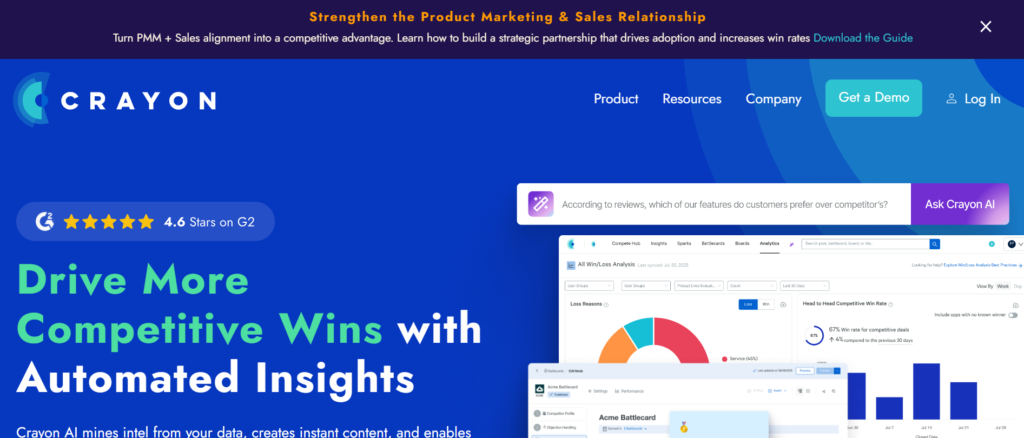
Crayon is widely recognised as one of the most powerful platforms among the Best Tools for Competitive Battle Cards. It focuses entirely on competitive intelligence and gives sales teams structured battle cards that update automatically when competitors change messaging, pricing, or product features.
Product marketing teams typically use Crayon to monitor competitors, create battle cards, and distribute insights across the sales organisation. Sales representatives can open these battle cards directly during calls, allowing them to respond quickly when prospects mention a competitor.
Crayon tracks competitor websites, product updates, press releases, customer reviews, and messaging changes. This constant monitoring keeps battle cards accurate and relevant. In many Crayon review discussions, teams highlight the platform’s ability to centralise competitor insights while making them easily accessible for revenue teams.
Companies comparing Crayon vs Klue or researching Crayon alternatives often choose Crayon because of its automation capabilities and strong competitive tracking engine.
Key Features
Crayon offers a set of tools designed to help sales and product marketing teams track competitors and organise insights into practical battle cards. These features support faster responses during sales conversations and keep competitive messaging consistent across the team.
Automated Competitor Monitoring
Crayon continuously monitors competitor websites, product pages, review platforms, and digital marketing channels. When competitors update pricing, launch features, or adjust messaging, the system captures those changes and alerts the team. This keeps battle cards updated without requiring manual research from marketing teams.
AI Battle Card Creation
Crayon assists product marketing teams by organising competitor insights into structured battle cards. These battle cards include positioning statements, objection responses, feature comparisons, and key talking points sales representatives can reference during calls. Many teams highlight this capability in a Crayon review when evaluating battle card software.
Sales Enablement Integrations
Crayon integrates with common sales platforms including Salesforce, Slack, and Highspot. This allows sales teams to access competitive battle cards directly within the tools they already use. When competitors appear during a sales conversation, reps can immediately pull up the relevant battle card.
Competitive Alerts and Updates
One feature frequently mentioned in Crayon pricing comparisons is its alert system. When a competitor changes product messaging, launches a feature, or releases new marketing material, Crayon sends alerts so product marketing teams can adjust positioning quickly.
Intelligence Dashboard
Crayon provides dashboards that summarise competitor movements across the market. Product marketing leaders can track which competitors are publishing new content, releasing product updates, or adjusting positioning. These dashboards make Crayon one of the most advanced platforms among the Best Tools for Competitive Battle Cards.
Pros and Cons
| Pros | Cons |
| Strong competitor monitoring | Higher cost for startups |
| Automated battle card updates | Learning curve for teams |
| Sales integrations available | Setup requires planning |
| Strong enterprise adoption | Smaller teams may prefer simpler tools |
Pricing
Crayon pricing typically starts around $500 per month depending on company size and intelligence monitoring requirements. Enterprise packages may increase depending on competitor tracking coverage and integrations.
Many teams evaluating Crayon pricing compare it against Crayon alternatives like Klue or Kompyte when deciding which competitive intelligence platform fits their sales enablement workflow.
Best for Revenue Teams Managing Competitive Deals
Crayon is particularly suited to organisations where competitive intelligence plays a critical role in sales conversations.
Best fit users include:
- Enterprise sales teams — need updated competitor messaging during deals
- Product marketing managers — responsible for battle card creation and competitor research
- Revenue operations teams — maintaining consistent sales messaging
- SaaS companies in competitive markets — facing multiple competitors during the sales cycle
Verdict: Crayon is one of the strongest platforms in the Best Tools for Competitive Battle Cards category because it combines competitor monitoring with structured battle card creation.
Best Alternate Tool
A strong alternative to Crayon is Klue, which focuses heavily on product marketing teams building detailed battle cards for sales organisations.
2. Klue
Klue is another strong platform frequently mentioned when discussing the Best Tools for Competitive Battle Cards. It focuses heavily on helping product marketing teams collect competitor intelligence and convert it into battle cards that sales teams can use during deals.
Many SaaS companies use Klue because it combines competitor monitoring, battle card creation, and sales enablement workflows in one platform. Product marketing teams gather insights from competitors and organise them into battle cards that sales teams can quickly reference during conversations with prospects.
Klue is also known for its strong internal collaboration features. Marketing teams can share competitor insights with sales, product, and leadership teams while maintaining one central knowledge base.
When researching a Klue review, many companies mention that the platform works particularly well for organisations with dedicated product marketing teams responsible for competitive intelligence. Businesses comparing Klue vs Crayon often look at how each platform manages competitor tracking and battle card distribution.
Key Features
Klue includes a range of features designed to help product marketing teams collect competitor insights and turn them into practical battle cards for sales teams. These features support competitor tracking, knowledge sharing, and battle card distribution across the organisation.
Competitor Intelligence Collection
Klue gathers information from competitor websites, social channels, product updates, and customer feedback platforms. This information is organised inside the platform so product marketing teams can monitor competitor activity and identify positioning changes.
Battle Card Creation
Klue allows teams to build detailed competitive battle cards that sales representatives can access during calls. These cards often include feature comparisons, pricing insights, objection responses, and key positioning messages.
Sales Team Distribution
Once battle cards are created, Klue distributes them to sales teams through integrations with CRM platforms and communication tools. This keeps sales representatives always having access to the latest competitor information during deal conversations.
Competitive Intelligence Hub
Klue acts as a central knowledge hub for competitive intelligence. Teams can store competitor insights, product comparisons, market analysis, and sales messaging inside one organised platform.
Collaboration Tools
Product marketing, sales, and leadership teams can collaborate directly within Klue. Teams share insights, comment on competitor developments, and update battle cards as new information becomes available.
Pros and Cons
| Pros | Cons |
| Strong battle card creation | Higher price tier |
| Designed for product marketing | Setup time required |
| Good competitor monitoring | May be complex for small teams |
| Useful sales integrations | Learning curve initially |
Pricing
Klue pricing generally starts around $750 per month, although final costs depend on company size and competitive monitoring requirements.
Companies often evaluate Klue pricing alongside Klue alternatives such as Crayon or Kompyte when selecting a competitive intelligence platform.
Best For Product Marketing Teams Running Competitive Programmes
Klue works particularly well for organisations that already have a structured competitive intelligence programme.
Best fit users include:
- Product marketing teams — managing competitor insights
- SaaS companies — facing strong market competition
- Sales organisations — needing structured battle cards
- Revenue leaders — aligning sales messaging across teams
Verdict: Klue remains one of the strongest entries in the Best Tools for Competitive Battle Cards category due to its product marketing focused design.
Best Alternate Tool
A strong alternative to Klue is Kompyte, which focuses heavily on automated competitor tracking and competitive intelligence alerts.
3. Kompyte
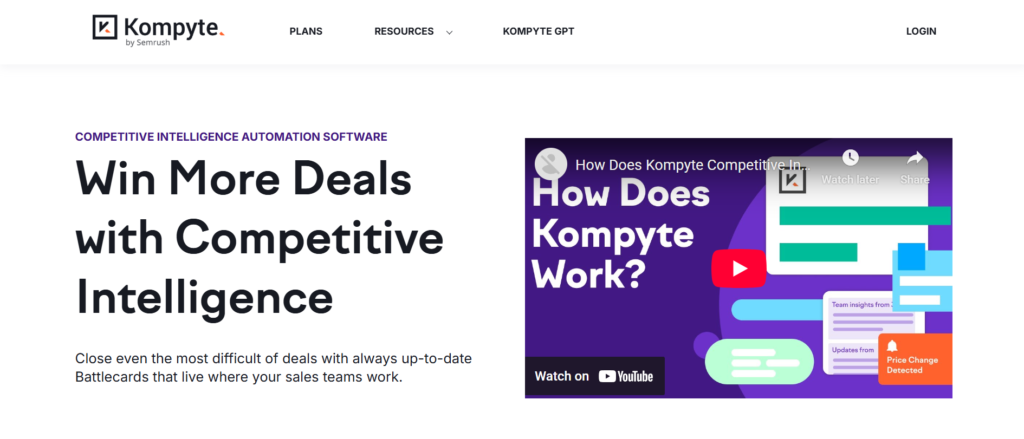
Kompyte is a competitive intelligence platform designed to track competitor activity and convert those insights into structured battle cards for sales teams. It is frequently mentioned among the Best Tools for Competitive Battle Cards because of its strong automation capabilities.
The platform continuously monitors competitor websites, product updates, marketing campaigns, and messaging changes. Product marketing teams can then organise this information into competitive battle cards that sales representatives can access during live conversations with prospects.
Many companies reviewing Kompyte review comparisons highlight how the platform reduces manual competitor research. Instead of manually checking competitor sites or announcements, Kompyte collects these updates automatically and presents them inside one competitive intelligence dashboard.
Businesses evaluating Kompyte vs Crayon or searching for Kompyte alternatives often compare how each platform handles automated competitor monitoring and battle card management.
Key Features
Kompyte includes a range of capabilities designed to automate competitive intelligence collection while supporting battle card creation for sales teams. These features allow organisations to monitor competitor changes and quickly update messaging for sales conversations.
Automated Competitor Tracking
Kompyte monitors competitor websites, pricing pages, product updates, and digital marketing campaigns. When competitors introduce new features or change messaging, the platform captures those updates automatically. Product marketing teams can then review these insights and update battle cards used by the sales team.
Battle Card Builder
Kompyte includes a battle card creation tool that allows product marketing teams to organise competitor insights into short, practical summaries. These battle cards often include feature comparisons, objection responses, positioning statements, and competitor weaknesses.
Competitive Intelligence Dashboard
The platform provides a central dashboard showing competitor movements across the market. Teams can review product launches, marketing campaigns, pricing changes, and positioning updates in one location.
Sales Enablement Integration
Kompyte integrates with common sales tools such as Salesforce, Slack, and other sales enablement platforms. This keeps battle cards and competitor insights accessible to sales representatives during customer conversations.
Competitive Alerts
When Kompyte detects competitor activity such as website updates, feature releases, or pricing changes, the system sends alerts to marketing and sales teams. These alerts allow teams to update battle cards quickly and keep messaging consistent.
Pros and Cons
| Pros | Cons |
| Automated competitor monitoring | Interface may feel complex |
| Strong competitive intelligence tools | Setup requires configuration |
| Useful battle card creation | Limited customisation for smaller teams |
| Sales integrations available | Enterprise features cost more |
Pricing
Kompyte pricing typically starts at around $300 per month, although pricing can vary depending on company size, number of competitors tracked, and integrations required.
Companies researching Kompyte pricing often compare it with Kompyte alternatives such as Klue and Crayon when evaluating competitive intelligence platforms.
Best For Teams Needing Automated Competitor Monitoring
Kompyte works well for organisations that want automated competitor tracking combined with battle card management.
Best fit users include:
- Product marketing teams — responsible for competitive intelligence
- Sales teams — dealing with competitor comparisons during deals
- SaaS companies — operating in competitive markets
- Revenue teams — needing updated competitor messaging
Verdict: Kompyte earns its place among the Best Tools for Competitive Battle Cards due to its automated competitor tracking and strong intelligence alerts.
Best Alternate Tool
A strong alternative to Kompyte is Highspot, which focuses on sales enablement while supporting battle card creation for competitive selling.
4. Highspot
Highspot is a sales enablement platform designed to organise sales content, training resources, and competitive battle cards in one system. Many revenue teams include it among the Best Tools for Competitive Battle Cards because it connects battle cards directly to the sales workflow.
Instead of storing battle cards in documents or internal knowledge bases, Highspot allows product marketing teams to create structured battle cards inside the platform. Sales representatives can access them during calls, presentations, or CRM workflows.
Highspot is widely used by large B2B sales organisations that want centralised access to competitive intelligence, sales messaging, and product information. In many Highspot review discussions, companies highlight the platform’s ability to organise sales content and competitive insights in a single workspace.
Businesses comparing Highspot vs Seismic or researching Highspot alternatives typically evaluate how each platform supports sales enablement, battle cards, and training content.
Key Features
Highspot provides several features designed to support sales enablement teams and product marketing managers who need to distribute battle cards across the organisation. These capabilities keep sales representatives always having relevant competitor information during sales conversations.
Battle Card Management
Highspot allows product marketing teams to create structured battle cards that include competitor positioning, feature comparisons, objection responses, and sales talking points. These battle cards can be updated easily and distributed across the sales organisation.
Sales Content Organisation
The platform acts as a central repository for sales resources such as product sheets, presentations, training materials, and competitive insights. Sales teams can quickly search for the information they need before or during a sales call.
CRM Integration
Highspot integrates with CRM platforms such as Salesforce, allowing sales representatives to access battle cards and sales resources directly from their CRM workspace. This reduces time spent searching for competitive information during deals.
Sales Coaching and Training
Highspot also includes sales training and coaching features. Sales leaders can create learning modules and track how well sales representatives understand competitive messaging and product positioning.
Engagement Analytics
Highspot provides analytics that show how sales teams use battle cards and content. Product marketing teams can see which battle cards are opened frequently and which ones influence deals.
Pros and Cons
| Pros | Cons |
| Strong sales enablement features | Pricing higher for small teams |
| Battle cards integrated with sales workflow | Setup may require planning |
| CRM integrations available | Advanced features cost more |
| Useful analytics dashboard | Learning curve for new users |
Pricing
Highspot pricing generally starts at around $100 per user per month, although enterprise packages vary depending on features, integrations, and company size.
Teams researching Highspot pricing often compare the platform with Highspot alternatives such as Seismic or Showpad when evaluating sales enablement tools.
Best For Large Sales Organisations Managing Sales Content
Highspot works particularly well for companies that need both sales enablement and competitive battle card management within the same platform.
Best fit users include:
- Enterprise sales teams — managing large libraries of sales content
- Product marketing managers — maintaining battle cards for sales teams
- Revenue operations teams — aligning messaging across departments
- B2B SaaS companies — handling competitive deals regularly
Verdict: Highspot stands out among the Best Tools for Competitive Battle Cards because it connects competitive intelligence with broader sales enablement workflows.
Best Alternate Tool
A strong alternative to Highspot is Guru, which focuses on knowledge management while supporting battle card distribution for sales teams.
5. Guru
Guru is a knowledge management platform used by many sales and product marketing teams to organise internal information, including competitive battle cards. While it is not purely a competitive intelligence tool, it still appears frequently in discussions about the Best Tools for Competitive Battle Cards because of its ability to store and distribute competitor insights across teams.
Instead of keeping battle cards scattered across documents or internal chats, Guru allows companies to organise competitor insights into structured cards. Sales representatives can quickly access these cards during sales calls or customer conversations.
One feature highlighted in many Guru review discussions is the platform’s browser extension. Sales representatives can view battle cards without leaving their CRM, email client, or sales tools. This keeps competitive information always accessible during deals.
Companies evaluating Guru vs Notion or researching Guru alternatives typically compare how each platform handles internal knowledge sharing and battle card organisation.
Key Features
Guru includes several capabilities designed to organise internal knowledge while allowing teams to build competitive battle cards that sales representatives can access instantly. These features make it easier for product marketing teams to maintain updated competitor insights.
Knowledge Card System
Guru organises information into small knowledge cards rather than long documents. Product marketing teams can create battle cards as individual knowledge cards containing competitor messaging, feature comparisons, and objection responses.
Browser Extension Access
Guru’s browser extension allows sales teams to access battle cards directly from tools they already use, including CRM platforms, email clients, and internal messaging tools. This removes the need to switch between applications during sales conversations.
Verification Workflow
Guru includes a verification system where subject matter experts confirm that information remains accurate. Product marketing teams can review battle cards regularly and mark them as verified to keep sales teams from using current competitor insights.
AI Knowledge Suggestions
Guru can suggest relevant knowledge cards when sales representatives search for information. When a rep searches for a competitor name, the platform recommends the corresponding battle card automatically.
Integrations with Workplace Tools
Guru integrates with tools such as Slack, Salesforce, and Google Workspace. These integrations allow teams to share battle cards and competitor insights across departments without leaving their workflow tools.
Pros and Cons
| Pros | Cons |
| Easy knowledge card system | Not dedicated CI platform |
| Simple battle card creation | Limited competitor tracking |
| Browser extension access | Advanced analytics limited |
| Strong integrations | Larger teams may need structure |
Pricing
Guru pricing typically starts at $18 per user per month, making it one of the more affordable platforms among the Best Tools for Competitive Battle Cards.
Companies evaluating Guru pricing often compare it with Guru alternatives such as Notion, Confluence, or ClickUp when choosing a knowledge management platform.
Best For Sales Teams Needing Simple Battle Card Access
Guru is particularly useful for companies that want an easy way to organise battle cards without implementing a full competitive intelligence platform.
Best fit users include:
- Sales teams — needing quick competitor answers during calls
- Product marketing teams — managing battle card knowledge bases
- Startups and scaleups — needing affordable tools
- Customer success teams — responding to competitor questions
Verdict: Guru earns its place in the Best Tools for Competitive Battle Cards category because it makes competitor insights accessible to sales teams without complex setup.
Best Alternate Tool
A strong alternative to Guru is Allego, which focuses on sales learning and enablement while supporting battle card distribution.
6. Allego
Allego is a revenue enablement platform focused on sales training, knowledge sharing, and competitive messaging. Many organisations include Allego among the Best Tools for Competitive Battle Cards because it connects competitive insights with sales coaching and training resources.
Instead of only storing battle cards, Allego combines competitive intelligence with sales readiness programmes. Product marketing teams build battle cards containing competitor positioning, feature comparisons, and objection responses, while sales managers train representatives on how to use that information during live conversations.
Many teams evaluating Allego review comparisons highlight its ability to connect competitive knowledge with sales performance training. Businesses researching Allego vs Highspot or Allego alternatives often compare how each platform supports sales learning and enablement.
Key Features
Allego includes several features designed to organise sales knowledge and competitive messaging while supporting battle card access during deals. These features make it easier for revenue teams to keep sales representatives informed about competitors.
Battle Card Library
Allego allows product marketing teams to build a library of competitive battle cards. These cards include competitor comparisons, messaging guidance, and objection responses that sales teams can review before or during sales calls.
Sales Learning and Coaching
Allego connects battle cards with training modules. Sales managers can create learning sessions that teach representatives how to position products against competitors and handle competitive objections during deals.
Mobile Access for Sales Teams
Sales representatives often work remotely or travel between client meetings. Allego provides mobile access so reps can review battle cards, sales messaging, and training materials directly from their phones.
Video Knowledge Sharing
One feature often highlighted in Allego review discussions is video knowledge sharing. Sales leaders and product marketing teams can record short explanations about competitors or positioning strategies and attach them to battle cards.
Sales Content Management
Allego acts as a central repository for sales content including presentations, training resources, competitor insights, and product information. Sales teams can search this library to find the information they need quickly.
Pros and Cons
| Pros | Cons |
| Strong sales training tools | Not dedicated CI platform |
| Mobile access for reps | Competitor monitoring limited |
| Video knowledge sharing | Advanced features cost more |
| Battle card storage included | Setup takes planning |
Pricing
Allego pricing generally starts at around $29 per user per month, although pricing can increase depending on company size and feature requirements.
Companies evaluating Allego pricing often compare the platform with Allego alternatives such as Highspot, Showpad, or Seismic when selecting a revenue enablement platform.
Best For Sales Teams Combining Training and Competitive Messaging
Allego works particularly well for organisations that want to combine competitive battle cards with sales coaching programmes.
Best fit users include:
- Sales managers — training teams on competitor positioning
- Revenue enablement leaders — maintaining sales knowledge resources
- B2B sales teams — handling competitive deals regularly
- Product marketing teams — sharing competitor insights with sales
Verdict: Allego earns a place among the Best Tools for Competitive Battle Cards because it connects competitive knowledge with sales training and coaching.
Best Alternate Tool
A strong alternative to Allego is Mediafly, which focuses on revenue enablement and sales content management while supporting competitive battle cards.
7. Mediafly
Mediafly is a revenue enablement platform used by sales and marketing teams to organise sales content, competitive insights, and customer engagement materials. Many organisations include it in discussions about the Best Tools for Competitive Battle Cards because it allows teams to manage battle cards alongside presentations, proposals, and sales resources.
The platform focuses on giving sales representatives quick access to competitive insights during the sales cycle. Product marketing teams can create battle cards containing competitor comparisons, positioning guidance, and objection responses. Sales teams then access these resources during meetings with prospects.
In many Mediafly review comparisons, companies highlight the platform’s ability to combine competitive intelligence with interactive sales content. Businesses researching Mediafly vs Highspot or reviewing Mediafly alternatives typically compare how each platform supports sales enablement and battle card management.
Key Features
Mediafly includes a set of features designed to support revenue enablement teams managing sales content and competitive battle cards. These capabilities keep sales representatives from accessing competitor insights when discussing deals with prospects.
Battle Card Creation
Mediafly allows product marketing teams to build battle cards containing competitor positioning, feature comparisons, pricing differences, and messaging guidance. These cards can be accessed by sales representatives during calls or meetings with potential customers.
Sales Content Library
The platform includes a central library where teams store sales presentations, brochures, case studies, product sheets, and competitive insights. Sales teams can search this library to locate the information they need during the sales cycle.
Interactive Sales Presentations
Mediafly enables teams to create interactive sales presentations that incorporate product messaging, competitor comparisons, and supporting materials. Sales representatives can use these presentations when explaining product value to potential buyers.
Customer Engagement Tracking
Mediafly tracks how prospects interact with shared content such as presentations or documents. This information allows sales teams to see which materials prospects review most often during the sales process.
CRM Integrations
Mediafly integrates with CRM platforms including Salesforce, allowing sales representatives to access battle cards and sales materials directly from their CRM dashboard.
Pros and Cons
| Pros | Cons |
| Strong sales content management | Pricing higher for small teams |
| Battle card support included | Competitor monitoring limited |
| Interactive presentations | Setup may require planning |
| CRM integrations available | Learning curve initially |
Pricing
Mediafly pricing typically starts at $50 per user per month, although enterprise packages vary depending on company size and required features.
Companies researching Mediafly pricing often compare the platform with Mediafly alternatives such as Showpad, Highspot, or Seismic when evaluating revenue enablement tools.
Best For Revenue Teams Managing Sales Content and Competitive Messaging
Mediafly works particularly well for organisations that want to manage battle cards alongside presentations and other sales materials.
Best fit users include:
- Sales teams — presenting products during competitive deals
- Product marketing managers — maintaining battle cards and messaging
- Revenue enablement leaders — organising sales content libraries
- B2B companies — requiring structured sales resources
Verdict: Mediafly earns a place among the Best Tools for Competitive Battle Cards because it combines battle card management with interactive sales content.
Best Alternate Tool
A strong alternative to Mediafly is Seismic, which focuses heavily on enterprise sales enablement and competitive battle card management.
8. Seismic

Seismic is a well known revenue enablement platform used by large organisations to manage sales content, training materials, and competitive battle cards. It is often included among the Best Tools for Competitive Battle Cards because it supports structured competitive messaging across enterprise sales teams.
Product marketing teams use Seismic to build competitive battle cards that include feature comparisons, competitor positioning, and objection responses. Sales representatives can access these battle cards during deals through integrations with CRM platforms and sales workflows.
In many Seismic review discussions, companies mention that the platform works particularly well for enterprise sales organisations that require strict control over messaging and sales content. Businesses comparing Seismic vs Highspot or researching Seismic alternatives often focus on how each platform supports sales enablement and competitive intelligence.
Key Features
Seismic provides a wide set of sales enablement features that allow organisations to manage competitive battle cards, sales materials, and training programmes from one platform. These capabilities support large sales teams working in competitive markets.
Battle Card Management
Seismic allows product marketing teams to create competitive battle cards that include product comparisons, competitor weaknesses, positioning statements, and responses to common objections. Sales representatives can access these battle cards during customer conversations.
Sales Content Management
The platform acts as a central repository for sales materials such as presentations, brochures, case studies, and competitor insights. Sales teams can quickly locate the content they need while preparing for meetings or responding to prospects.
CRM and Sales Tool Integration
Seismic integrates with CRM systems such as Salesforce and other sales platforms. These integrations allow sales representatives to access battle cards and sales materials without leaving their CRM workspace.
Sales Training and Learning
Seismic includes learning tools that allow sales leaders to train teams on competitive messaging, product positioning, and sales techniques. These training modules keep consistent messaging across the organisation.
Content Usage Analytics
Seismic provides analytics that show how sales teams use battle cards and sales materials. Product marketing teams can see which content is accessed frequently and which resources contribute to successful deals.
Pros and Cons
| Pros | Cons |
| Strong enterprise sales enablement | Pricing not public |
| Battle cards integrated with CRM | Setup can be complex |
| Useful analytics tools | Smaller teams may prefer simpler tools |
| Extensive sales content management | Requires training for new users |
Pricing
Seismic pricing is custom, depending on company size, required integrations, and enterprise feature requirements. Most organisations request a quote based on their sales enablement needs.
Companies researching Seismic pricing often compare the platform with Seismic alternatives such as Highspot, Showpad, or Mediafly when evaluating enterprise sales enablement tools.
Best For Enterprise Sales Organisations
Seismic works particularly well for large companies that require structured sales enablement processes and competitive messaging across multiple teams.
Best fit users include:
- Enterprise sales organisations — managing large sales teams
- Revenue enablement leaders — maintaining training programmes
- Product marketing managers — creating competitive battle cards
- B2B companies — operating in competitive markets
Verdict: Seismic remains one of the Best Tools for Competitive Battle Cards because it connects battle cards with enterprise level sales enablement systems.
Best Alternate Tool
A strong alternative to Seismic is Showpad, which focuses on sales content management and competitive battle card distribution for B2B sales teams.
9. Showpad
Showpad is a sales enablement platform that allows organisations to organise sales content, product information, and competitive battle cards in a single workspace. Many revenue teams include it among the Best Tools for Competitive Battle Cards because it connects competitive insights directly with sales presentations and training resources.
Product marketing teams often use Showpad to build battle cards containing competitor positioning, product comparisons, and objection responses. Sales representatives can access these battle cards while preparing for meetings or during discussions with prospects.
In many Showpad review discussions, companies highlight the platform’s ability to organise sales materials while maintaining consistent messaging across teams. Businesses comparing Showpad vs Seismic or reviewing Showpad alternatives often evaluate how each platform supports sales enablement and competitive intelligence distribution.
Key Features
Showpad includes several capabilities that support sales enablement teams managing competitive battle cards, product messaging, and sales resources. These features keep that sales representatives can quickly access competitor insights when needed.
Battle Card Management
Showpad allows product marketing teams to create battle cards that include competitor comparisons, feature differences, pricing insights, and objection responses. Sales representatives can access these cards while preparing for competitive conversations.
Sales Content Organisation
The platform includes a central content library where teams can store product presentations, case studies, brochures, and competitive information. Sales teams can search this library to locate relevant resources quickly.
Sales Training Tools
Showpad includes training modules that allow sales leaders to train representatives on product messaging and competitor positioning. These learning tools keep consistent messaging across the organisation.
Customer Engagement Tracking
Showpad tracks how prospects interact with shared sales materials. Sales teams can see which documents or presentations prospects view most frequently during the sales process.
CRM Integration
Showpad integrates with CRM systems such as Salesforce. Sales representatives can access battle cards and sales content directly from their CRM workflow.
Pros and Cons
| Pros | Cons |
| Strong sales enablement features | Pricing not publicly listed |
| Battle cards integrated with content | Competitor monitoring limited |
| Sales training modules included | Setup requires planning |
| CRM integrations available | Smaller teams may find it complex |
Pricing
Showpad pricing is typically custom, depending on company size, number of users, and selected features.
Companies researching Showpad pricing often compare the platform with Showpad alternatives such as Highspot, Seismic, or Mediafly when selecting sales enablement software.
Best For Sales Teams Managing Content and Competitive Messaging
Showpad works well for organisations that want to combine sales content management with battle card distribution.
Best fit users include:
- Sales teams — presenting product information during deals
- Product marketing teams — managing competitive messaging
- Revenue enablement leaders — organising sales resources
- B2B companies — handling complex sales cycles
Verdict: Showpad remains one of the Best Tools for Competitive Battle Cards because it combines battle card management with structured sales enablement.
Best Alternate Tool
A strong alternative to Showpad is Enable.us, which focuses on sales enablement and knowledge sharing while supporting competitive battle card access.
10. Enable.us
Enable.us is a sales enablement platform designed to organise sales knowledge, competitive insights, and training resources in one system. Many organisations include it among the Best Tools for Competitive Battle Cards because it provides a structured way for teams to share competitive messaging with sales representatives.
Product marketing teams use Enable.us to create battle cards that include competitor comparisons, positioning statements, and objection responses. These battle cards become part of a shared knowledge base that sales representatives can access before or during sales calls.
In several Enable.us review discussions, companies mention that the platform works well for teams that want a simple way to distribute competitive insights and sales messaging. Businesses researching Enable.us vs Showpad or comparing Enable.us alternatives often evaluate how each platform supports knowledge management and sales readiness.
Key Features
Enable.us includes several capabilities that support teams managing sales knowledge and competitive battle cards. These features make it easier for organisations to keep sales representatives informed about competitors and product positioning.
Battle Card Library
Enable.us allows product marketing teams to create battle cards containing competitor comparisons, feature differences, and responses to common objections. Sales representatives can review these cards when preparing for competitive deals.
Knowledge Base for Sales Teams
The platform acts as a knowledge hub where teams store sales playbooks, training materials, product information, and competitor insights. Sales representatives can search the knowledge base to find relevant information quickly.
Sales Training Modules
Enable.us includes training features that allow sales managers to teach teams how to respond to competitor questions and position products effectively during sales conversations.
Collaboration Tools
Teams across sales, marketing, and leadership can contribute to the knowledge base. Product marketing teams can update battle cards while sales teams share insights gathered from customer conversations.
CRM and Workplace Integrations
Enable.us integrates with tools such as CRM platforms and internal communication systems, allowing sales teams to access battle cards and knowledge resources within their workflow.
Pros and Cons
| Pros | Cons |
| Easy knowledge sharing | Limited competitor tracking |
| Battle card library included | Smaller ecosystem |
| Sales training tools | Advanced features limited |
| Collaboration features | Interface simpler than competitors |
Pricing
Enable.us pricing generally starts at $25 per user per month, depending on company size and feature requirements.
Companies researching Enable.us pricing often compare the platform with Enable.us alternatives such as Guru, Showpad, or Highspot when evaluating sales enablement tools.
Best For Sales Teams Building Internal Knowledge Bases
Enable.us works well for organisations that want a structured knowledge platform for sales messaging and competitive battle cards.
Best fit users include:
- Sales teams — preparing for competitive conversations
- Product marketing teams — maintaining battle cards
- Sales managers — training representatives on competitor positioning
- Increasing B2B companies — organising sales knowledge
Verdict: Enable.us earns a place among the Best Tools for Competitive Battle Cards because it allows teams to organise battle cards and sales knowledge in one shared workspace.
Best Alternate Tool
A strong alternative to Enable.us is Confluence, which many organisations use to build internal documentation and competitive battle card libraries.
11. Confluence
Confluence is a team documentation platform developed by Atlassian. While it is not built specifically for competitive intelligence, many organisations include it among the Best Tools for Competitive Battle Cards because it provides a structured environment for documenting competitor insights and sales messaging.
Product marketing teams often use Confluence to create battle card pages that include competitor comparisons, positioning guidance, feature differences, and objection responses. Sales teams can then access these pages while preparing for meetings or responding to competitive questions from prospects.
In many Confluence review discussions, companies highlight the platform’s flexibility. Teams can organise battle cards, competitive analysis, and product messaging within structured documentation spaces. Businesses researching Confluence vs Notion or comparing Confluence alternatives often focus on how each platform supports knowledge sharing and internal documentation.
Key Features
Confluence offers several features that allow teams to organise internal knowledge and competitive insights in a structured workspace. These capabilities make it possible to build battle card libraries for sales and marketing teams.
Structured Documentation Pages
Confluence allows teams to create pages for competitor analysis and battle cards. Each page can include sections for product comparisons, competitor weaknesses, pricing differences, and positioning messages.
Team Collaboration Tools
Product marketing teams, sales teams, and leadership can collaborate directly on battle card pages. Teams can comment, edit, and update information together, keeping that competitive insights remain accurate.
Template Library
Confluence provides templates that teams can use to structure battle cards and competitor analysis documents. These templates make it easier to maintain consistency across battle cards.
Integration with Atlassian Tools
Confluence integrates with other Atlassian products such as Jira and Trello. These integrations allow product teams and marketing teams to connect product development updates with competitive intelligence insights.
Searchable Knowledge Base
Sales representatives can search Confluence to locate battle cards and competitor information quickly. This makes it easier for sales teams to find relevant messaging before sales calls.
Pros and Cons
| Pros | Cons |
| Flexible documentation platform | Not dedicated CI software |
| Good team collaboration | Battle cards require manual updates |
| Template system available | Limited competitor tracking |
| Integrates with Atlassian tools | Setup depends on team structure |
Pricing
Confluence pricing typically starts at $5.75 per user per month, making it one of the more affordable platforms among the Best Tools for Competitive Battle Cards when used as a documentation solution.
Companies evaluating Confluence pricing often compare the platform with Confluence alternatives such as Notion, Coda, or Guru.
Best For Teams Managing Competitive Documentation
Confluence works particularly well for organisations that want a structured documentation platform to store competitive insights and battle cards.
Best fit users include:
- Product marketing teams — managing competitor analysis
- Sales teams — preparing for competitive sales conversations
- Marketing departments — maintaining messaging documentation
- Technology companies — already using Atlassian tools
Verdict: Confluence earns a place among the Best Tools for Competitive Battle Cards because it allows organisations to build structured battle card libraries within a shared documentation platform.
Best Alternate Tool
A strong alternative to Confluence is Notion, which many teams use to build flexible knowledge bases and battle card libraries.
12. Notion
Notion is widely used by startups, product marketing teams, and sales organisations to organise internal knowledge. Many companies include it among the Best Tools for Competitive Battle Cards because it allows teams to build structured competitor databases and battle card libraries without specialised competitive intelligence software.
Product marketing teams often use Notion to document competitor positioning, product comparisons, pricing insights, and objection responses. Sales representatives can open these battle cards directly from the workspace when preparing for meetings or responding to competitive questions.
In many Notion review discussions, users highlight the platform’s flexibility. Teams can organise battle cards as databases, pages, or linked documents depending on how their sales and marketing workflows operate. Businesses comparing Notion vs Confluence or researching Notion alternatives often evaluate which platform better supports knowledge management and internal documentation.
Key Features
Notion provides a range of features that allow teams to organise competitive intelligence, product messaging, and sales documentation within a flexible workspace. These capabilities make it possible to create battle card systems that sales teams can access quickly.
Battle Card Databases
Notion allows teams to create databases where each competitor has its own battle card page. These pages can include feature comparisons, competitor messaging, pricing differences, and objection responses.
Flexible Page Layouts
Teams can structure battle cards using headings, tables, checklists, and embedded content. Product marketing teams can organise competitor insights in a format that is easy for sales teams to read during calls.
Team Collaboration
Notion allows multiple team members to edit battle cards and competitor pages. Product marketing teams can update competitor insights while sales teams contribute feedback from customer conversations.
Searchable Knowledge Workspace
Sales representatives can quickly search the workspace to locate competitor battle cards or product information. This makes it easier to review competitive messaging before a sales meeting.
Integration with Workplace Tools
Notion integrates with tools such as Slack, Google Workspace, and project management systems. These integrations allow teams to connect battle cards with other internal resources.
Pros and Cons
| Pros | Cons |
| Highly flexible workspace | Not dedicated CI platform |
| Easy to build battle card databases | Competitor tracking manual |
| Good collaboration tools | Structure depends on team setup |
| Affordable pricing | Large teams may require organisation |
Pricing
Notion pricing generally starts at $10 per user per month, depending on workspace features and collaboration requirements.
Companies researching Notion pricing often compare the platform with Notion alternatives such as Confluence, Coda, or ClickUp when selecting a knowledge management tool.
Best For Startups and Product Marketing Teams
Notion works well for organisations that want a flexible platform for documenting competitor insights and battle cards.
Best fit users include:
- Startup teams — building competitive knowledge bases
- Product marketing teams — organising competitor research
- Sales teams — reviewing battle cards before sales calls
- Increasing SaaS companies — maintaining internal documentation
Verdict: Notion earns a place among the Best Tools for Competitive Battle Cards because it allows teams to build structured battle card libraries without specialised software.
Best Alternate Tool
A strong alternative to Notion is ClickUp, which combines project management with knowledge documentation and battle card organisation.
13. ClickUp
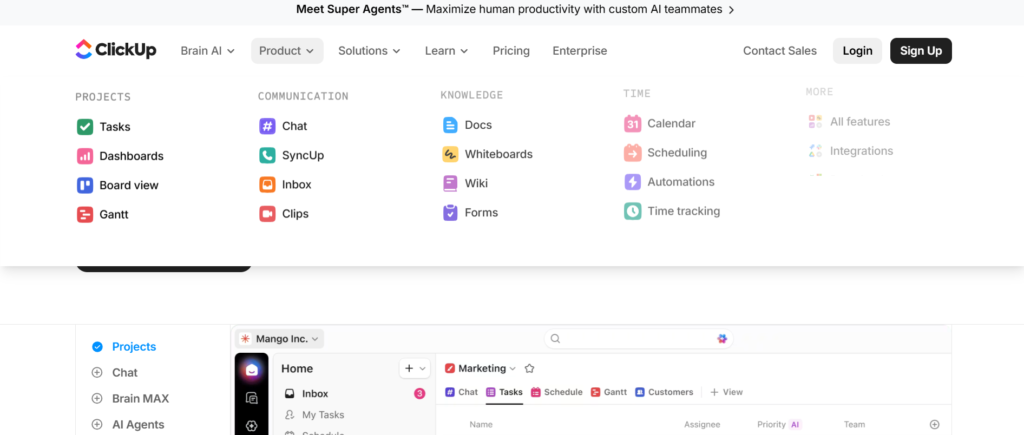
ClickUp is primarily known as a project management and work management platform, but many companies include it among the Best Tools for Competitive Battle Cards because it allows teams to organise competitor intelligence within structured documentation and task systems.
Product marketing teams often use ClickUp Docs to build battle cards that include competitor positioning, product comparisons, pricing insights, and objection responses. These documents can then be shared with sales teams preparing for competitive deals.
In many ClickUp review discussions, users highlight the platform’s ability to combine project management with internal knowledge documentation. Businesses comparing ClickUp vs Notion or researching ClickUp alternatives frequently evaluate how each tool supports documentation, collaboration, and knowledge sharing.
Key Features
ClickUp includes several capabilities that allow teams to organise internal knowledge and competitive insights within a collaborative workspace. These features make it possible to build battle card systems that support both sales and marketing teams.
ClickUp Docs for Battle Cards
ClickUp Docs allows product marketing teams to create structured documents for competitor battle cards. Each document can include feature comparisons, messaging guidance, pricing differences, and responses to competitor objections.
Organised Knowledge Spaces
Teams can organise battle cards into folders based on competitors, product categories, or market segments. This structure helps sales representatives locate the right battle card quickly before sales conversations.
Team Collaboration
ClickUp allows multiple team members to collaborate on battle card documents. Marketing teams can update competitor insights while sales teams add notes gathered from customer conversations.
Task and Knowledge Integration
One advantage of ClickUp is that tasks and documentation exist within the same workspace. Product marketing teams can assign tasks to update battle cards when competitors release new features or change pricing.
Powerful Search
Sales representatives can search across documents, tasks, and folders to locate competitor insights quickly. This helps sales teams review battle cards before entering competitive sales discussions.
Pros and Cons
| Pros | Cons |
| Combines documentation and tasks | Not dedicated CI platform |
| Flexible organisation system | Competitor monitoring manual |
| Good collaboration features | Interface may feel busy |
| Affordable pricing | Requires structure for battle cards |
Pricing
ClickUp pricing typically starts at $7 per user per month, making it one of the more affordable platforms among the Best Tools for Competitive Battle Cards when used for knowledge documentation.
Companies researching ClickUp pricing often compare the platform with ClickUp alternatives such as Notion, Coda, or Confluence.
Best For Teams Combining Project Management and Battle Cards
ClickUp works well for organisations that want to manage competitor insights alongside project workflows.
Best fit users include:
- Product marketing teams — maintaining competitive documentation
- Sales teams — reviewing battle cards before deals
- Startup companies — organising internal knowledge and tasks
- Marketing teams — tracking competitor updates
Verdict: ClickUp earns a place among the Best Tools for Competitive Battle Cards because it allows organisations to combine documentation, collaboration, and project management in one platform.
Best Alternate Tool
A strong alternative to ClickUp is Airtable, which many teams use to build structured competitor databases and battle card systems.
14. Airtable
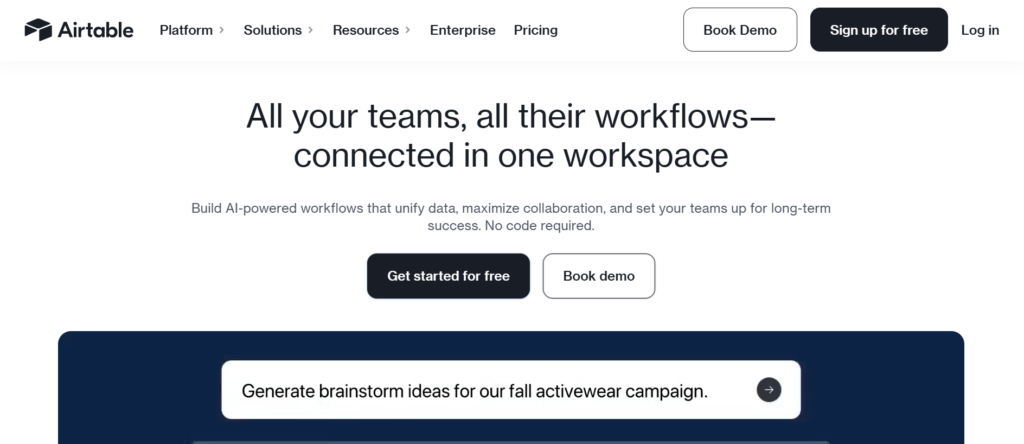
Airtable is a flexible database platform that many companies use to organise competitor intelligence and sales battle cards. It is often included among the Best Tools for Competitive Battle Cards because it allows teams to build structured competitor databases that sales and marketing teams can access easily.
Product marketing teams typically use Airtable to create records for each competitor. These records can include feature comparisons, pricing models, messaging notes, objection responses, and product positioning. Sales teams can then review these records as battle cards before entering competitive sales conversations.
In many Airtable review discussions, teams highlight the platform’s ability to combine spreadsheet style organisation with database features. Businesses comparing Airtable vs Notion or reviewing Airtable alternatives often evaluate how each platform handles structured data and internal knowledge management.
Key Features
Airtable includes several capabilities that allow organisations to build structured battle card systems and competitor intelligence databases. These features make it easier to organise competitive insights across teams.
Competitor Database Structure
Airtable allows teams to create tables where each competitor is stored as a record. These records can include fields such as pricing model, product features, strengths, weaknesses, and positioning notes.
Custom Battle Card Views
Teams can create different views of the same database depending on the audience. Product marketing teams may use detailed competitor analysis views, while sales teams access simplified battle card summaries.
Collaboration Across Teams
Airtable allows product marketing teams, sales teams, and leadership to collaborate on competitor records. Teams can update battle cards as new insights appear during sales conversations.
Linked Records and Data Relationships
Airtable allows teams to link competitors with products, sales deals, and market segments. This structure helps organisations analyse where specific competitors appear most often in deals.
Automation and Notifications
Airtable automations allow teams to create notifications when competitor records are updated. Sales teams can receive alerts when battle cards change or when new competitors are added to the database.
Pros and Cons
| Pros | Cons |
| Strong database structure | Not dedicated CI platform |
| Flexible battle card organisation | Competitor tracking manual |
| Good collaboration tools | Setup requires planning |
| Custom views available | Advanced automation limited |
Pricing
Airtable pricing typically starts at $20 per user per month, depending on the plan and collaboration requirements.
Companies researching Airtable pricing often compare the platform with Airtable alternatives such as Notion, ClickUp, or Coda when selecting a knowledge and data management platform.
Best For Teams Building Structured Competitor Databases
Airtable works well for organisations that want to maintain structured competitor intelligence databases and battle card systems.
Best fit users include:
- Product marketing teams — managing competitor data
- Sales teams — reviewing battle cards before sales calls
- Marketing departments — tracking competitor positioning
- SaaS companies — analysing competitive markets
Verdict: Airtable earns its place among the Best Tools for Competitive Battle Cards because it allows teams to organise competitor insights in structured databases that sales teams can access quickly.
Best Alternate Tool
A strong alternative to Airtable is Productboard, which many product marketing teams use to organise competitor insights alongside product planning.
15. Productboard
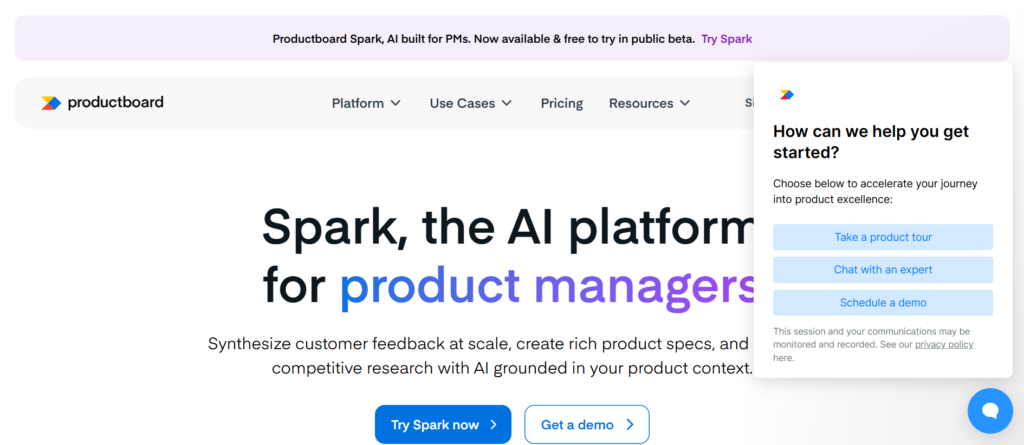
Productboard is primarily a product management platform, but many product marketing teams include it among the Best Tools for Competitive Battle Cards because it allows organisations to track competitors while organising product insights and feature comparisons.
Product teams and marketing teams often use Productboard to document competitor capabilities, product positioning, and feature gaps. These insights can then be converted into competitive battle cards that sales teams use during customer conversations.
In many Productboard review discussions, companies highlight how the platform connects product strategy with competitive intelligence. Businesses researching Productboard vs Airtable or comparing Productboard alternatives often focus on how each platform supports product research and competitor analysis.
Key Features
Productboard includes several capabilities that allow product marketing and product management teams to organise competitive insights and battle card information within a structured platform. These features support teams that manage both product planning and competitive messaging.
Competitor Insight Tracking
Productboard allows teams to record competitor product features, positioning strategies, and messaging differences. These insights are stored alongside product research so teams can analyse competitor capabilities when planning product updates.
Feature Comparison Documentation
Teams can document competitor features and compare them against their own product capabilities. These comparisons can then be converted into battle cards used by sales teams when prospects ask about competitor products.
Customer Feedback Integration
Productboard collects customer feedback from multiple channels including sales calls and support conversations. Product marketing teams can identify where competitors appear frequently in customer discussions.
Product Strategy Alignment
The platform connects competitor insights with product strategy planning. Product teams can review competitor strengths and weaknesses when prioritising product development decisions.
Team Collaboration
Product managers, marketing teams, and sales leaders can collaborate inside Productboard to update competitor insights and product messaging. This collaboration keeps battle card information remains accurate.
Pros and Cons
| Pros | Cons |
| Strong product insight tracking | Not dedicated battle card software |
| Useful feature comparison tools | Competitor monitoring manual |
| Good collaboration across teams | Pricing higher than simple tools |
| Connects product and competitor insights | Learning curve for new users |
Pricing
Productboard pricing generally starts at $25 per user per month, depending on plan features and team size.
Companies researching Productboard pricing often compare the platform with Productboard alternatives such as Airtable, Notion, or ClickUp when selecting tools for competitor documentation.
Best For Product Teams Tracking Competitors
Productboard works particularly well for organisations that want to connect competitor insights with product planning and messaging.
Best fit users include:
- Product marketing teams — documenting competitor analysis
- Product managers — comparing product capabilities
- Sales teams — referencing feature comparison battle cards
- SaaS companies — operating in competitive markets
Verdict: Productboard appears among the Best Tools for Competitive Battle Cards because it connects product intelligence with competitor analysis and sales messaging.
Best Alternate Tool
A strong alternative to Productboard is Slack Canvas, which many teams use to share internal knowledge and quick battle card summaries.
16. Slack Canvas
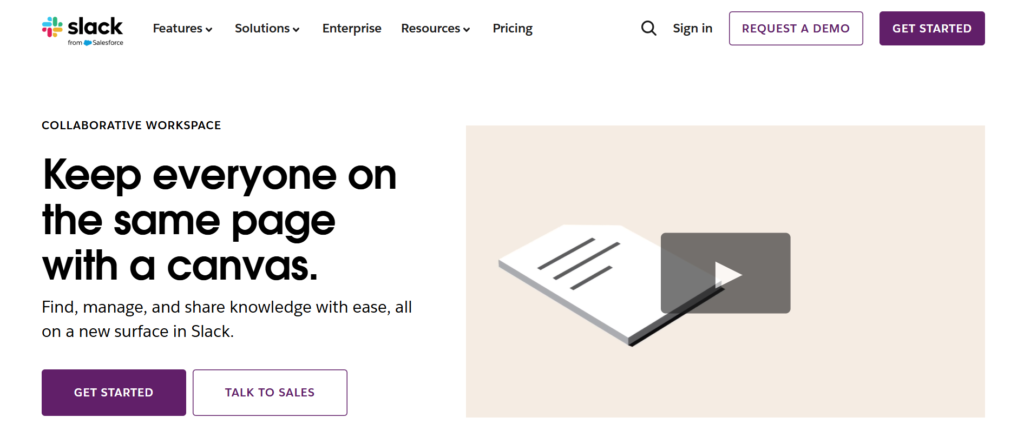
Slack Canvas is a collaboration feature inside Slack that allows teams to create shared documents directly within channels. Many organisations include it among the Best Tools for Competitive Battle Cards because it allows sales and marketing teams to store quick competitor summaries where conversations already happen.
Instead of searching through documentation tools, sales teams can access battle cards directly inside Slack channels. Product marketing teams often create Canvas pages containing competitor comparisons, product positioning notes, and objection responses.
In many Slack Canvas review discussions, teams mention that the feature works well for organisations that already rely heavily on Slack for internal communication. Companies comparing Slack Canvas vs Notion or researching Slack Canvas alternatives usually evaluate which tool works better for knowledge sharing and quick team access.
Key Features
Slack Canvas provides several capabilities that allow organisations to share competitive intelligence and battle cards directly inside communication channels. These features help sales teams access competitor insights quickly while discussing deals internally.
Channel Based Battle Cards
Teams can create Canvas pages within Slack channels where competitors battle cards are stored. Sales teams discussing deals inside the channel can open the battle card instantly without switching tools.
Quick Editing and Updates
Product marketing teams can update battle cards quickly inside Slack Canvas. Changes appear immediately for all team members, keeping competitive insights remain current.
Collaboration Within Conversations
Slack Canvas allows teams to discuss competitor insights directly beside the battle card content. Sales representatives can ask questions or add notes after customer calls.
Integration with Slack Workflows
Since Canvas is built into Slack, it works naturally with existing Slack workflows. Teams can link battle cards to deal channels, product channels, or competitive intelligence discussions.
Searchable Slack Knowledge
Sales teams can search Slack to find battle cards related to competitors or products. This allows quick access to messaging before entering a sales call.
Pros and Cons
| Pros | Cons |
| Accessible inside Slack | Limited formatting options |
| Easy collaboration | Not a full CI platform |
| Quick updates for battle cards | Organisation depends on channels |
| No extra software required | Limited analytics |
Pricing
Slack Canvas is included within Slack paid plans, which start at $8.75 per user per month.
Companies researching Slack Canvas pricing often compare the feature with Slack Canvas alternatives such as Notion, Confluence, or Guru for knowledge management.
Best For Teams That Manage Deals in Slack
Slack Canvas works well for organisations where sales conversations and deal collaboration happen inside Slack.
Best fit users include:
- Sales teams — discussing deals inside Slack channels
- Product marketing teams — sharing competitor insights quickly
- Startup teams — using Slack as the main collaboration tool
- Customer success teams — responding to competitor questions
Verdict: Slack Canvas appears among the Best Tools for Competitive Battle Cards because it allows teams to access competitor insights directly inside internal communication channels.
Best Alternate Tool
A strong alternative to Slack Canvas is Monday.com, which allows teams to organise competitive intelligence and battle cards within workflow boards.
17. Monday.com
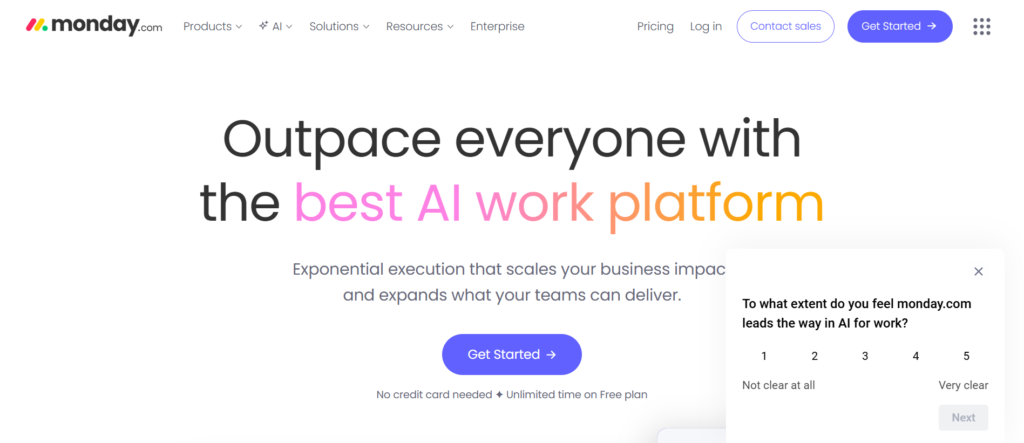
Monday.com is a work management platform widely used by marketing, sales, and product teams to organise workflows and internal knowledge. Many organisations include it among the Best Tools for Competitive Battle Cards because it allows teams to track competitors and organise battle cards inside structured boards.
Product marketing teams often use Monday.com to maintain boards where each competitor has its own entry. These entries can include feature comparisons, pricing information, product positioning, and objection responses. Sales teams can review these records before sales meetings where competitors may appear.
In many Monday.com review discussions, companies highlight the platform’s visual workflow boards and collaboration features. Businesses researching Monday.com vs ClickUp or comparing Monday.com alternatives often evaluate how each platform supports team collaboration and knowledge organisation.
Key Features
Monday.com includes several features that allow teams to organise competitor intelligence and battle card content inside structured workflows. These capabilities make it easier for product marketing and sales teams to manage competitive insights together.
Competitor Tracking Boards
Teams can create boards where each competitor appears as an item. These boards can include fields for product features, pricing models, messaging notes, and competitor strengths or weaknesses.
Custom Battle Card Fields
Monday.com allows teams to customise fields inside competitor records. Product marketing teams can include information such as feature comparisons, market positioning, and common objections raised during sales conversations.
Collaboration and Updates
Sales teams and marketing teams can collaborate directly inside boards. Team members can add notes, update competitor insights, and share information gathered from customer discussions.
Workflow Automation
Monday.com includes automation tools that allow teams to create alerts when competitor records are updated. Sales teams can receive notifications when battle card information changes.
Dashboard Reporting
The platform provides dashboards that summarise competitor insights and activity across boards. Marketing teams can review which competitors appear most often in sales discussions.
Pros and Cons
| Pros | Cons |
| Visual workflow boards | Not dedicated CI platform |
| Flexible custom fields | Competitor monitoring manual |
| Strong team collaboration | Setup depends on structure |
| Automation available | Advanced features cost more |
Pricing
Monday.com pricing typically starts at $10 per user per month, depending on the plan and features selected.
Companies researching Monday.com pricing often compare the platform with Monday.com alternatives such as ClickUp, Airtable, or Notion when selecting tools for knowledge management and workflow organisation.
Best For Teams Managing Competitive Insights Through Workflows
Monday.com works well for organisations that want to combine competitor documentation with project workflows.
Best fit users include:
- Product marketing teams — maintaining competitor databases
- Sales teams — reviewing battle cards before sales calls
- Marketing teams — tracking competitor positioning
- Increasing companies — organising internal knowledge systems
Verdict: Monday.com appears among the Best Tools for Competitive Battle Cards because it allows teams to organise competitor insights using flexible workflow boards.
Best Alternate Tool
A strong alternative to Monday.com is Trello, which some teams use to organise battle cards through simple visual boards.
18. Trello
Trello is a visual project management tool that many teams use to organise tasks, workflows, and internal knowledge. It also appears among the Best Tools for Competitive Battle Cards because it allows teams to organise competitor insights through simple board structures.
Product marketing teams often create Trello boards where each competitor appears as a card. These cards contain competitor positioning, feature comparisons, pricing insights, and objection responses. Sales teams can quickly review these cards before entering sales calls where competitors may be discussed.
In many Trello review discussions, users highlight how easy the platform is to set up. Businesses comparing Trello vs Monday.com or researching Trello alternatives often evaluate which tool works best for organising internal workflows and documentation.
Key Features
Trello includes several features that allow teams to organise competitor insights and battle cards using visual boards. These capabilities make it easy for teams to review competitor information quickly.
Competitor Battle Card Boards
Teams can create Trello boards dedicated to competitor intelligence. Each competitor can appear as a card containing battle card details such as feature comparisons, pricing models, and positioning notes.
Card Based Knowledge Organisation
Each Trello card can contain descriptions, checklists, attachments, and comments. Product marketing teams often use these cards to store competitor analysis and battle card messaging.
Lists for Competitive Categories
Boards can be divided into lists such as direct competitors, indirect competitors, and emerging competitors. This structure helps sales teams find relevant battle cards quickly.
Collaboration and Comments
Sales teams and marketing teams can comment directly on cards to share updates from sales calls. These comments often contain valuable insights about competitor positioning in the market.
Integrations and Power Ups
Trello supports integrations known as Power Ups. Teams can connect Trello with communication tools, file storage systems, and CRM platforms to manage battle cards more effectively.
Pros and Cons
| Pros | Cons |
| Very easy to use | Not dedicated CI software |
| Visual board organisation | Competitor tracking manual |
| Simple collaboration | Limited analytics |
| Quick setup | Structure depends on boards |
Pricing
Trello pricing typically starts at $5 per user per month, making it one of the lowest cost platforms among the Best Tools for Competitive Battle Cards when used as a documentation tool.
Companies evaluating Trello pricing often compare it with Trello alternatives such as Monday.com, ClickUp, or Notion.
Best For Small Teams Creating Simple Battle Cards
Trello works particularly well for teams that want a simple visual system for organising competitor insights.
Best fit users include:
- Startup teams — needing quick battle card organisation
- Product marketing teams — tracking competitor positioning
- Sales teams — reviewing battle cards before calls
- Small businesses — organising competitive intelligence
Verdict: Trello earns its place among the Best Tools for Competitive Battle Cards because it allows teams to organise competitor insights using simple visual boards.
Best Alternate Tool
A strong alternative to Trello is Google Workspace, which many teams use to create shared battle card documents and competitor analysis sheets.
19. Google Workspace
Tagline: Shared Documents and Sheets for Building Competitive Battle Cards
Google Workspace is widely used by companies to manage documents, spreadsheets, and team collaboration. Many organisations include it among the Best Tools for Competitive Battle Cards because it allows teams to create and share competitor analysis documents easily across departments.
Product marketing teams often create battle cards using Google Docs and competitor comparison tables using Google Sheets. These documents usually contain competitor messaging, feature comparisons, pricing notes, and objection responses. Sales teams can access these files from shared drives when preparing for sales conversations.
In many Google Workspace review discussions, teams highlight its simplicity and collaboration features. Businesses comparing Google Workspace vs Notion or researching Google Workspace alternatives often evaluate how each platform supports internal knowledge sharing.
Key Features
Google Workspace includes several tools that allow teams to organise competitor insights and build battle cards through shared documents and spreadsheets. These features allow product marketing and sales teams to collaborate easily.
Google Docs Battle Cards
Product marketing teams frequently create battle cards using Google Docs. These documents contain competitor positioning, feature comparisons, pricing notes, and objection responses that sales teams review before deals.
Google Sheets Competitor Comparisons
Teams often maintain competitor comparison tables inside Google Sheets. These tables include product features, pricing structures, strengths, and weaknesses for each competitor.
Shared Team Access
Google Workspace allows teams to store battle cards inside shared drives. Sales teams, marketing teams, and leadership can access these documents from anywhere.
Real Time Collaboration
Multiple team members can edit documents simultaneously. Product marketing teams can update battle cards while sales teams add insights from customer conversations.
Search Across Workspace
Sales representatives can search across Google Docs, Sheets, and Drive to locate competitor battle cards quickly before entering sales discussions.
Pros and Cons
| Pros | Cons |
| Easy collaboration | Not dedicated CI platform |
| Accessible from any device | Competitor monitoring manual |
| Familiar tools for teams | Organisation depends on folders |
| Low cost for businesses | Limited battle card automation |
Pricing
Google Workspace pricing generally starts at $6 per user per month, depending on the plan and storage requirements.
Companies evaluating Google Workspace pricing often compare it with Google Workspace alternatives such as Notion, Confluence, or Coda when selecting tools for knowledge management.
Best For Teams Using Shared Documents for Battle Cards
Google Workspace works particularly well for organisations that prefer simple document based systems for managing competitive insights.
Best fit users include:
- Product marketing teams — writing competitor analysis documents
- Sales teams — reviewing battle cards before meetings
- Marketing departments — maintaining competitive research
- Small and mid size companies — sharing internal documents
Verdict: Google Workspace remains one of the Best Tools for Competitive Battle Cards because it allows teams to create and share battle cards quickly using familiar tools.
Best Alternate Tool
A strong alternative to Google Workspace is Coda, which many teams use to build structured knowledge bases and competitive battle card systems.
20. Coda
Coda is a collaborative document platform that combines documents, spreadsheets, and databases into one workspace. Many companies include it among the Best Tools for Competitive Battle Cards because it allows teams to build structured competitor intelligence systems without needing specialised competitive intelligence software.
Product marketing teams often use Coda to create battle card documents that contain competitor positioning, feature comparisons, pricing insights, and objection responses. Sales teams can open these battle cards before sales calls or during competitive conversations with prospects.
In many Coda review discussions, users highlight its ability to combine structured databases with documentation pages. Businesses comparing Coda vs Notion or researching Coda alternatives often evaluate which platform works better for internal knowledge systems and competitor analysis.
Key Features
Coda includes several features that allow teams to organise competitive intelligence and battle card information inside flexible documents. These capabilities allow product marketing and sales teams to collaborate on competitor insights.
Battle Card Documents
Product marketing teams can create battle card documents inside Coda that include competitor messaging, feature comparisons, pricing differences, and responses to common objections raised during sales calls.
Structured Competitor Databases
Coda allows teams to create tables where each competitor appears as a record. These records can contain fields such as product features, pricing models, strengths, weaknesses, and market positioning.
Linked Data Between Pages
Coda allows teams to link competitor data across multiple pages. For example, competitor records can connect with product features or sales insights gathered from customer conversations.
Team Collaboration
Multiple team members can update competitor insights and battle cards inside the same document. Sales teams often add notes after competitive deals while marketing teams update positioning information.
Automation and Notifications
Coda automations allow teams to create alerts when competitor information changes. These notifications keeping sales teams always work with current battle card messaging.
Pros and Cons
| Pros | Cons |
| Flexible document database | Not dedicated CI platform |
| Structured competitor tables | Competitor tracking manual |
| Collaboration across teams | Setup requires planning |
| Automation available | Advanced features take time to learn |
Pricing
Coda pricing generally starts at $12 per user per month, depending on workspace features and collaboration requirements.
Companies researching Coda pricing often compare the platform with Coda alternatives such as Notion, Airtable, or Confluence when selecting a knowledge management platform.
Best For Teams Building Structured Battle Card Systems
Coda works well for organisations that want to combine documentation with structured competitor databases.
Best fit users include:
- Product marketing teams — maintaining competitor analysis
- Sales teams — reviewing battle cards before sales meetings
- Marketing teams — organising competitive intelligence
- SaaS companies — tracking competitors in evolving markets
Verdict: Coda completes this list of the Best Tools for Competitive Battle Cards because it allows teams to organise competitor insights, battle cards, and internal documentation inside one flexible workspace.
Best Alternate Tool
A strong alternative to Coda is Crayon, which focuses entirely on competitive intelligence and automated competitor monitoring.
Choosing the Right Tool for Competitive Battle Cards
Competitive sales conversations are becoming more complex. Prospects research multiple vendors, compare features, and ask detailed questions before making decisions. Sales teams that enter these conversations without clear competitor messaging often struggle to maintain control of the discussion.
The Best Tools for Competitive Battle Cards solve this problem by giving revenue teams structured access to competitor insights, product comparisons, and objection responses. Instead of searching through documents or internal chats, sales representatives can quickly review battle cards that explain how to position their product against competitors.
Some platforms focus entirely on competitive intelligence, such as Crayon, Klue, and Kompyte. Others focus on sales enablement and knowledge management, such as Highspot, Showpad, and Guru. There are also flexible workspace tools like Notion, Airtable, and Coda that allow teams to build their own battle card systems.
The right choice depends on your organisation’s needs. Large enterprise sales teams may prefer full competitive intelligence platforms. Increasing SaaS companies may prefer flexible knowledge tools that allow product marketing teams to maintain battle cards internally.
The most important factor is keeping that battle cards remain updated and accessible during sales conversations. When sales teams have clear competitor messaging available during deals, they can respond confidently and guide prospects toward the right decision.
Work with Pearl Lemon Sales for Competitive Sales Strategy
At Pearl Lemon Sales, we work with B2B companies that want stronger positioning during competitive sales conversations. Sales teams often struggle when prospects compare multiple vendors or raise competitor objections during calls. Our team focuses on building structured sales messaging, competitive positioning, and battle card frameworks that support sales representatives during live deals.
Our sales specialists analyse competitor positioning, product messaging, and common objections prospects raise during the buying process. From there, we develop practical battle card frameworks that sales teams can use during discovery calls, product demonstrations, and negotiation stages.
Pearl Lemon Sales also supports organisations with:
- outbound sales campaigns
- sales development team support
- B2B lead generation programmes
- sales process consulting
- revenue strategy
If your team regularly faces competitive questions during sales conversations, structured battle cards and clear positioning can significantly improve deal outcomes.
Frequently Asked Questions
What is a competitive battle card?
A competitive battle card is a short reference document used by sales teams during deals. It typically contains competitor comparisons, product positioning, pricing insights, and responses to common objections raised by prospects.
Why do sales teams use battle cards?
Sales teams use battle cards to respond quickly when prospects mention competitors. Instead of searching through documents, sales representatives can review competitor insights during a conversation and maintain consistent messaging.
Who creates competitive battle cards in a company?
Battle cards are usually created by product marketing teams or competitive intelligence specialists. These teams research competitors and organise insights into battle cards that sales teams can access during deals.
What information should a battle card include?
A typical battle card includes competitor strengths and weaknesses, product feature comparisons, pricing insights, positioning guidance, and responses to common objections raised during sales conversations.
How often should battle cards be updated?
Battle cards should be reviewed regularly because competitors frequently change messaging, pricing, and product features. Many companies update battle cards monthly or whenever major competitor changes occur.
What are the best tools for competitive battle cards?
Some of the Best Tools for Competitive Battle Cards include Crayon, Klue, Kompyte, Highspot, Showpad, and Seismic. Many teams also use knowledge platforms such as Notion, Airtable, or Coda to organise competitor insights.
Can small teams create battle cards without specialised software?
Yes. Many small companies create battle cards using tools such as Google Docs, Notion, or Airtable. These platforms allow teams to document competitor insights and share them internally.
How do battle cards improve sales performance?
Battle cards improve sales performance by giving sales representatives clear responses when competitors are mentioned. This helps sales teams maintain control of the conversation and highlight product advantages.
Are battle cards useful for marketing teams?
Yes. Marketing teams often use battle cards to align messaging across marketing campaigns, product positioning, and sales materials.
What is the difference between competitive intelligence and battle cards?
Competitive intelligence refers to the broader process of researching and analysing competitors. Battle cards are short summaries created from that research and used directly by sales teams during deals.