
If your sales team is missing targets, it’s rarely about effort. It’s about skill gaps, inconsistent coaching, and no structured training system. That’s exactly where the Best Sales Training Apps come in.
We reviewed dozens of platforms used by SDRs, account executives, sales managers, and agency owners worldwide, then narrowed it down to the top 20 that actually improve close rates, objection handling, and sales velocity.
Here’s something most teams overlook: companies with structured sales training see up to 353% ROI on training spend and 50% higher net sales per employee based on industry benchmarks. That’s execution, not theory.
This list is built for:
- Global sales teams scaling outbound
- Agencies managing international clients
- Freelancers closing high-ticket deals
- SaaS companies building repeatable revenue systems
If you’re serious about consistent performance, this is where you start.
What is a Sales Training App?
A sales training app is a digital platform designed to improve how sales professionals sell across different markets and industries. It combines onboarding, coaching, roleplay simulations, analytics, and performance tracking into one system.
Instead of random training sessions, these tools create:
- Structured learning paths for sales reps
- Call coaching and feedback loops
- AI-driven conversation analysis
- Centralised sales enablement resources
Why this matters:
In global markets, buyers are more informed and competition is tighter. Sales reps who rely on outdated scripts struggle to close deals.
Sales training apps solve that by:
- Improving objection handling across different buyer types
- Standardising messaging across global teams
- Reducing ramp-up time for new hires
- Increasing conversion rates across sales flow.
If you want predictable revenue, you need consistent sales behaviour. That’s what these tools enforce.
Quick Comparison Table for Best Sales Training Apps
To make this practical, we focused on what actually matters when choosing a sales training app: pricing, ease of adoption, AI capabilities, and core use case. These are the main decision factors for most teams investing in training platforms.
| Tool Name | Best For | Starting Price (USD) | Free Trial | Key Feature | Rating | Platform |
| MindTickle | Enterprise teams | $75/mo | Yes | Sales readiness | 4.7 | Web |
| Lessonly by Seismic | Onboarding | $50/mo | Yes | LMS + coaching | 4.6 | Web |
| Gong | Call analysis | $100/mo | No | AI insights | 4.8 | Web |
| Chorus | Revenue teams | $80/mo | Yes | Conversation intel | 4.7 | Web |
| SalesHood | Coaching | $45/mo | Yes | Peer learning | 4.5 | Web |
| Brainshark | Content training | $60/mo | Yes | Video coaching | 4.4 | Web |
| Showpad Coach | Sales coaching | $70/mo | Yes | AI roleplay | 4.6 | Web |
| Allego | Remote teams | $55/mo | Yes | Mobile learning | 4.5 | Web + Mobile |
| Qstream | Microlearning | $40/mo | Yes | Reinforcement | 4.3 | Mobile |
| Trainual | Small teams | $30/mo | Yes | SOP training | 4.6 | Web |
| LevelJump | Salesforce users | $65/mo | No | CRM integration | 4.4 | Web |
| EdApp | Mobile training | $0 | Yes | Free LMS | 4.5 | Mobile |
| SecondNature | AI roleplay | $90/mo | Yes | AI sales coach | 4.7 | Web |
| Spekit | In-app training | $25/mo | Yes | Just-in-time learning | 4.6 | Web |
| WorkRamp | LMS platform | $50/mo | Yes | Training academy | 4.5 | Web |
| Lessonly Practice | Roleplay | $55/mo | Yes | Practice scenarios | 4.6 | Web |
| Refract | Call coaching | $75/mo | Yes | Performance scoring | 4.5 | Web |
| ExecVision | Coaching insights | $85/mo | No | Call analytics | 4.4 | Web |
| SalesScreen | Gamification | $35/mo | Yes | Leaderboards | 4.3 | Web |
| Ambition | Performance tracking | $60/mo | Yes | KPI tracking | 4.5 | Web |
Best Sales Training Apps
Here’s the full list of the Best Sales Training Apps you should consider:
- MindTickle
- Lessonly by Seismic
- Gong
- Chorus
- SalesHood
- Brainshark
- Showpad Coach
- Allego
- Qstream
- Trainual
- LevelJump
- EdApp
- SecondNature
- Spekit
- WorkRamp
- Lessonly Practice
- Refract
- ExecVision
- SalesScreen
- Ambition
1: MindTickle
MindTickle stands out in the Best Sales Training Apps space because it doesn’t just train reps, it keeps them ready to sell in real scenarios.
If you go through any detailed MindTickle review, one thing becomes clear: this platform is built for execution, not theory. It’s widely used by enterprise sales teams that need consistency across regions and predictable performance from every rep.
When comparing MindTickle vs Gong, the difference is simple. Gong focuses on analysing calls. MindTickle focuses on preparing reps before they ever get on those calls.
Key Features
MindTickle’s feature set is built around one goal: turning average reps into consistent closers.
Sales Readiness Programmes
This is where MindTickle dominates. Instead of generic courses, it creates structured readiness paths tailored to your sales process. New hires follow a step-by-step journey from onboarding to live selling. This reduces ramp time and keeps every rep hits the same standard before speaking to prospects.
AI-Powered Coaching
MindTickle uses AI to analyse rep behaviour across training and real interactions. It highlights weaknesses like poor objection handling or weak value propositions. Managers then get clear coaching direction. This is why many MindTickle review comparisons rate its coaching higher than most alternatives.
Roleplay and Practice Simulations
Reps can practise real sales conversations through video-based simulations. Managers review submissions, score them, and give feedback. This builds confidence before reps handle actual prospects, which is critical for high-stakes deals.
Content Management System
All sales materials including scripts, pitch decks, and playbooks are stored in one place. This keep reps always use updated messaging. No more outdated PDFs or inconsistent pitches across the team.
Performance Analytics Dashboard
Managers get full visibility into rep progress, readiness scores, and skill gaps. You can quickly identify who is ready to sell and who needs more training. Compared to MindTickle alternatives, this reporting depth is a major advantage.
Pros & Cons
| Pros | Cons |
| Strong coaching framework | Expensive for small teams |
| Structured training paths | Requires onboarding time |
| Detailed analytics | Enterprise-focused |
| Scalable for large teams | Limited for freelancers |
Pricing
- Starts at $75 per user/month
- Custom pricing for enterprise plans
- Free trial available on request
MindTickle pricing is clearly positioned for companies serious about structured sales training, not casual users.
Best For Enterprise Teams Needing Sales Consistency
MindTickle is built for organisations that want control over how their sales team performs across multiple markets.
- Enterprise sales teams — Maintain consistent messaging
- Sales leaders — Track readiness and performance
- SaaS companies — Train large inbound and outbound teams
- Global organisations — Standardise sales processes
Verdict:
If inconsistency in your team is costing revenue, MindTickle gives you a system to fix it.
How to Use MindTickle to Build a Repeatable Sales System
Most teams only scratch the surface. The real advantage comes when you turn your best reps into training assets.
Record top-performing sales calls, convert them into modules, and make them mandatory training. Then combine this with roleplay simulations based on real objections.
This creates a loop where your best performance becomes your standard.
Verdict:
Used properly, MindTickle becomes the backbone of your sales process.
Best Alternative Tool
If you want something less complex, Showpad Coach is a solid alternative with similar coaching capabilities but easier implementation for mid-sized teams.
2: Lessonly by Seismic
Lessonly by Seismic is one of the most widely adopted tools in the Best Sales Training Apps category, especially for teams focused on onboarding and continuous learning.
If you read any detailed Lessonly by Seismic review, you’ll notice it’s built around simplicity and usability. Unlike heavy enterprise systems, this platform focuses on getting reps trained quickly without overwhelming them.
When comparing Lessonly by Seismic vs MindTickle, the main difference is clear. MindTickle is built for deep readiness programmes, while Lessonly is designed for fast onboarding and day-to-day coaching.
Key Features
Lessonly by Seismic focuses on making training easy to create, deliver, and track without friction.
Simple Lesson Builder
Lessonly allows managers to create structured training content without technical skills. You can build lessons using text, video, quizzes, and interactive elements. This makes it ideal for fast-moving sales teams that need to update messaging frequently without relying on external teams.
Practice and Coaching Workflows
Reps can practise pitches, objection handling, and demos directly inside the platform. Managers review submissions and provide feedback. This creates a continuous coaching loop instead of one-time training sessions, which is why many Lessonly by Seismic review comparisons highlight its coaching workflows.
Sales Enablement Integration
Lessonly integrates with Seismic’s sales enablement ecosystem, allowing reps to access training and content in one place. This reduces the gap between learning and execution, keeping reps can apply what they learn immediately in live sales situations.
Training Analytics and Reporting
Managers can track lesson completion, performance scores, and knowledge gaps. This helps identify which reps need support and which training materials are actually working. Compared to many Lessonly alternatives, the reporting is simple but effective.
Team Collaboration and Feedback
Teams can collaborate on training content and share feedback across departments. Sales leaders, enablement teams, and managers can all contribute, keeping training stays aligned with real sales challenges.
Pros & Cons
| Pros | Cons |
| Easy to use | Limited advanced AI |
| Fast onboarding setup | Less enterprise depth |
| Strong coaching tools | Reporting is basic |
| Great for teams | Not ideal for solo use |
Pricing
- Starts at $50 per user/month
- Custom pricing for larger teams
- Free trial available
Lessonly by Seismic pricing is more accessible compared to enterprise-heavy tools, making it a strong option for increasing teams.
Best For Teams Focused on Fast Sales Onboarding
Lessonly by Seismic is ideal for organisations that need to get reps productive quickly without complex systems.
- Increasing sales teams — Need quick onboarding systems
- Sales managers — Want simple coaching workflows
- SaaS companies — Training SDRs at scale
- Mid-sized businesses — Need structure without complexity
Verdict:
If your onboarding process is slow or inconsistent, Lessonly gives you a clean, structured way to fix it.
How to Use Lessonly to Reduce Ramp Time
Start by mapping your entire sales process into lessons. Break it down into:
- Product knowledge
- Objection handling
- Call frameworks
Then assign practice scenarios after each lesson.
Most teams skip this step:
Link lessons directly to real sales tasks. This keeps reps apply what they learn immediately instead of forgetting it.
Verdict:
Lessonly works best when training and execution are tightly connected.
Best Alternative Tool
If you need deeper analytics and AI-driven coaching, MindTickle is a strong alternative with more advanced readiness tracking.
3: Gong
Gong is one of the most powerful platforms in the Best Sales Training Apps category, built specifically for teams that want to improve performance using real sales conversations.
If you go through any in-depth Gong review, you’ll notice it’s not just a training tool. It’s a revenue intelligence platform that analyses calls, emails, and meetings to show exactly what works and what doesn’t.
When comparing Gong vs Chorus, both offer conversation intelligence. But Gong stands out with deeper analytics, deal insights, and forecasting capabilities. Many Gong alternatives focus only on training, while Gong connects training directly to revenue outcomes.
Key Features
Gong is built around one principle: your best sales data already exists inside your conversations. It simply turns that data into actionable insights.
AI Call Analysis and Transcription
Gong automatically records, transcribes, and analyses sales calls. It identifies patterns like talk-to-listen ratios, filler words, objection handling, and buying signals. This allows managers to see what top performers do differently and replicate those behaviours across the team. This is why most Gong review articles highlight its accuracy in conversation analysis.
Deal Intelligence and Sales Visibility
Gong doesn’t just analyse calls, it connects them to deals. It shows which deals are at risk, which ones are progressing, and why. Managers can see if key topics were discussed, if stakeholders are engaged, and if next steps are clear. Compared to many Gong alternatives, this feature directly ties training to revenue outcomes.
Sales Coaching and Feedback Tools
Managers can leave time-stamped feedback on calls, highlight key moments, and create coaching playlists. Instead of generic feedback, reps get specific guidance based on actual conversations. This creates a continuous improvement loop that improves performance over time.
Revenue Forecasting Insights
Gong uses historical deal data and conversation signals to predict revenue outcomes. It identifies patterns that lead to wins or losses, helping leaders make better forecasting decisions. This is especially valuable for teams managing large sales .
Integration with CRM and Sales Tools
Gong integrates with platforms like Salesforce, HubSpot, and Zoom. This keeps all data flows into one system, giving a complete view of sales performance. It reduces manual tracking and keeps everything aligned.
Pros & Cons
| Pros | Cons |
| Deep call insights | High pricing |
| Accurate analytics | Requires setup |
| Strong coaching tools | Enterprise focus |
| Revenue visibility | Not beginner-friendly |
Pricing
- Starts at $100 per user/month
- Custom pricing based on team size
- No standard free trial
Gong pricing reflects its position as a premium tool designed for revenue-focused teams.
Best For Revenue Teams Focused on Data-Backed Sales Performance
Gong is ideal for organisations that want to base decisions on actual sales conversations rather than assumptions.
- Enterprise sales teams — Need deal visibility
- Sales leaders — Want accurate forecasting
- SaaS companies — Managing complex Sales
- Revenue teams — Focused on improving win rates
Verdict:
If you want to know exactly why deals are won or lost, Gong gives you that clarity.
How to Use Gong to Improve Win Rates
Start by analysing your top-performing reps’ calls. Identify patterns such as:
- How they open conversations
- How they handle objections
- How they close deals
Then turn those insights into coaching sessions and training materials.
Most teams miss this:
Create playlists of winning calls and assign them to new reps. This builds a repeatable system based on proven performance.
Verdict:
Gong works best when you turn insights into structured coaching, not just reports.
Best Alternative Tool
If you want a similar platform with slightly simpler implementation, Chorus is a strong alternative with solid conversation intelligence features.
4: Chorus
Chorus is a strong contender in the Best Sales Training Apps space, especially for teams that want to turn everyday sales conversations into structured training and coaching opportunities.
If you read a detailed Chorus review, you’ll see it’s built around conversation intelligence, helping teams understand what top performers do differently and how to replicate that across the entire sales organisation.
When comparing Chorus vs Gong, both platforms offer deep call analysis. However, Chorus is often preferred by teams that want a balance between usability and insight without the heavier complexity found in some Gong alternatives.
Key Features
Chorus is designed to capture, analyse, and improve sales conversations at scale. Each feature is focused on turning real interactions into measurable performance improvements.
Conversation Recording and AI Transcription
Chorus automatically records sales calls, video meetings, and demos across platforms like Zoom and Microsoft Teams. It then transcribes every conversation with high accuracy, making it searchable and easy to review.
But the real advantage goes deeper. Chorus identifies key moments within calls such as pricing discussions, objections, competitor mentions, and decision-making signals. This allows managers to quickly jump to the most important parts of any conversation without listening to entire recordings.
For sales teams handling dozens or even hundreds of calls weekly, this feature alone saves hours of manual review time while keeping no critical insight is missed.
Conversation Intelligence and Insights
Chorus analyses patterns across thousands of conversations to highlight what works and what doesn’t. It tracks metrics such as talk ratios, engagement levels, keyword usage, and objection handling effectiveness.
This means you’re no longer guessing why deals are lost or won. Instead, you can clearly see which behaviours lead to success and which ones hurt conversion rates.
Many Chorus review comparisons point out that this feature helps teams move from opinion-based coaching to evidence-based decision-making, which is critical for scaling sales performance consistently.
Deal and Sales Visibility
Chorus connects conversation data directly to your sales. It shows how interactions impact deal progression, whether key stakeholders are involved, and if important topics were covered during calls.
Managers can quickly identify deals that are at risk due to lack of engagement or missing decision-makers. This allows for early intervention rather than reacting after deals are lost.
Compared to many Chorus alternatives, this level of sales visibility helps align sales training with actual revenue outcomes, not just theoretical improvements.
Coaching and Collaboration Tools
Chorus makes coaching highly specific and actionable. Managers can leave time-stamped comments on calls, highlight key moments, and share best practices across the team.
Reps can also learn by reviewing top-performing calls, creating a continuous learning loop inside the organisation. Instead of generic training sessions, coaching is based on real scenarios that reps face daily.
This feature is particularly valuable for remote teams where live coaching opportunities are limited.
CRM and Workflow Integration
Chorus integrates with major CRM systems like Salesforce and HubSpot, keeping that all conversation data is linked with deal records.
This removes the need for manual updates and keeps that insights from calls are reflected in sales tracking. It also keeps sales, marketing, and leadership teams aligned on what’s happening in the sales process.
For teams managing complex sales cycles, this integration creates a single source of truth for both training and performance tracking.
Pros & Cons
| Pros | Cons |
| Strong conversation insights | Pricing can be high |
| Easy to use interface | Requires call volume |
| Good coaching tools | Less advanced than Gong |
| Solid CRM integrations | Setup needed |
Pricing
- Starts at $80 per user/month
- Custom pricing for larger teams
- Free trial available
Chorus pricing sits between mid-range and enterprise tools, making it suitable for scaling teams.
Best For Sales Teams Focused on Improving Call Quality
Chorus is ideal for organisations that rely heavily on calls and want to improve performance through better conversations.
- Sales teams — Want to analyse real calls
- Sales managers — Need structured coaching insights
- SaaS companies — Running demos and discovery calls
- Remote teams — Require asynchronous coaching
Verdict:
If your sales performance depends on conversations, Chorus gives you the clarity to improve them consistently.
How to Use Chorus to Improve Sales Conversations
Start by identifying your top-performing reps and analysing their calls inside Chorus. Look for patterns in:
- Opening lines
- Questioning techniques
- Objection handling
- Closing strategies
Then create shared playlists of these calls and use them for team-wide training.
Most teams overlook this:
Tag common objections and build a library of winning responses. This turns Chorus into a living sales playbook based on actual performance.
Verdict:
Chorus becomes far more powerful when used as a coaching system rather than just a call recording tool.
Best Alternative Tool
If you need deeper analytics and forecasting features, Gong is a strong alternative with more advanced revenue intelligence capabilities..
5: SalesHood
SalesHood is a well-established platform in the Best Sales Training Apps category, designed for teams that want structured coaching combined with collaborative learning.
If you go through a detailed SalesHood review, one thing stands out. It focuses heavily on peer-to-peer learning and real-world coaching rather than just static training modules. This makes it highly effective for teams that want to scale knowledge across reps quickly.
When comparing SalesHood vs Lessonly or SalesHood alternatives, the key difference is its emphasis on collaborative coaching and shared best practices across the entire sales organisation.
Key Features
SalesHood is built to create a culture of continuous learning inside sales teams. Instead of relying only on managers, it allows top performers to contribute to training and coaching.
Collaborative Learning and Peer Coaching
SalesHood allows reps to learn not just from managers but from each other. Top-performing reps can upload winning pitches, call recordings, and strategies that others can study and replicate.
This creates a system where success is shared across the team rather than isolated. Over time, this builds a strong internal knowledge base that reflects what actually works in your sales process.
Many SalesHood review articles highlight this as a major advantage because it reduces dependency on formal training sessions and creates ongoing learning.
Guided Selling Frameworks
SalesHood provides structured frameworks that guide reps through each stage of the sales process. From prospecting to closing, reps follow defined steps that keep consistency in messaging and approach.
This is particularly valuable for teams dealing with complex sales cycles where missing a step can cost a deal. Compared to many SalesHood alternatives, these frameworks help standardise selling behaviour across the organisation.
Video Coaching and Practice Sessions
Reps can record practice pitches, demos, and responses to objections using video. Managers and peers can then review these recordings and provide detailed feedback.
This builds confidence and improves delivery before reps interact with actual prospects. Over time, reps refine their communication style and become more effective in real conversations.
Content Management and Sales Playbooks
SalesHood centralises all sales materials including scripts, presentations, and playbooks. This keeps that reps always have access to the latest information and messaging.
Instead of searching through emails or shared drives, everything is organised within the platform. This reduces confusion and improves consistency across the team.
Performance Tracking and Analytics
SalesHood provides insights into training completion, coaching effectiveness, and rep performance. Managers can track progress and identify areas where reps need improvement.
This allows for targeted coaching rather than general feedback, making training more effective and aligned with actual sales challenges.
Pros & Cons
| Pros | Cons |
| Strong peer learning | Interface can feel busy |
| Good coaching tools | Limited AI features |
| Structured frameworks | Setup takes effort |
| Content centralisation | Mid-level pricing |
Pricing
- Starts at $45 per user/month
- Custom pricing for larger teams
- Free trial available
SalesHood pricing is positioned for increasing teams that want structured training without enterprise-level costs.
Best For Teams That Want Collaborative Sales Training
SalesHood is ideal for organisations that want to build a learning culture where knowledge is shared across the team.
- Sales teams — Learn from top performers
- Sales managers — Encourage peer coaching
- SaaS companies — Standardise messaging
- Increasing businesses — Build internal training systems
Verdict:
If your team has strong performers but no system to share their knowledge, SalesHood turns that into a repeatable advantage.
How to Use SalesHood to Scale Winning Sales Behaviours
Start by identifying your top-performing reps and recording their best pitches, demos, and objection handling techniques.
Upload these into SalesHood and turn them into structured training modules. Then assign these modules to new and existing reps as part of ongoing training.
Most teams miss this:
Encourage reps to contribute regularly. The more content your team creates, the stronger your internal knowledge base becomes.
Verdict:
SalesHood works best when your team actively contributes, not just consumes training.
Best Alternative Tool
If you prefer a simpler onboarding-focused platform, Lessonly by Seismic is a strong alternative with easier setup and cleaner workflows.
6: Brainshark
Brainshark is a long-standing player in the Best Sales Training Apps space, known for combining content delivery with structured coaching and performance analysis.
If you read any in-depth Brainshark review, you’ll notice it’s heavily focused on helping teams deliver training through video while keeping reps actually understand and apply what they learn. Unlike lighter tools, Brainshark is built for organisations that need both scale and control.
When comparing Brainshark vs SalesHood or other Brainshark alternatives, the key difference is its strong emphasis on video-based training combined with readiness scoring.
Key Features
Brainshark focuses on making training measurable and repeatable, especially for teams managing large volumes of content and reps.
Video-Based Training and Content Delivery
Brainshark allows teams to create and distribute video-based training modules that reps can access anytime. These videos can include product walkthroughs, sales scripts, pitch demonstrations, and internal updates.
What makes this powerful is not just the content delivery but the ability to track engagement. Managers can see who watched the content, how much they consumed, and where they dropped off.
This keeps that training is not just delivered but actually consumed, which is a major gap in many traditional systems.
Readiness Scoring and Certification
Brainshark includes readiness assessments that test whether reps have understood the material. Reps must complete quizzes, simulations, or certifications before moving forward.
This creates accountability and keeps that reps prepared before engaging with prospects.
Many Brainshark review comparisons highlight this feature because it removes guesswork. Managers no longer have to assume reps are ready, they can see measurable proof.
Sales Coaching with Video Feedback
Reps can submit video recordings of their pitches, demos, or responses to objections. Managers then review these submissions and provide detailed feedback.
This allows for structured coaching that is based on actual performance rather than theory. Over time, reps refine their communication skills and become more confident in live sales situations.
Content Authoring and Management
Brainshark provides tools to create, organise, and update training content at scale. This is particularly useful for large organisations where content needs to be updated frequently.
Everything is stored in a central library, keeping reps always access the latest materials.
Compared to many Brainshark alternatives, this level of content control is a major advantage for enterprise teams.
Analytics and Performance Insights
Managers get access to detailed analytics showing training progress, engagement levels, and performance scores.
This helps identify which reps need additional support and which training materials are most effective. It also allows leadership to measure the impact of training on sales outcomes.
Pros & Cons
| Pros | Cons |
| Strong video training | Interface feels dated |
| Readiness tracking | Learning curve |
| Scalable for enterprises | Higher cost |
| Detailed analytics | Less intuitive |
Pricing
- Starts at $60 per user/month
- Custom enterprise pricing available
- Free trial available
Brainshark pricing is suited for organisations that need structured training at scale.
Best For Large Teams Focused on Structured Training
Brainshark is ideal for organisations that rely heavily on content-driven training and need to keep consistency across teams.
- Enterprise sales teams — Deliver training at scale
- Sales enablement teams — Manage content centrally
- Large organisations — Standardise onboarding
- Global teams — keep consistent messaging
Verdict:
If your training process relies heavily on content and structure, Brainshark gives you the control to manage it effectively.
How to Use Brainshark to Improve Sales Readiness
Start by converting your existing sales materials into video modules. Break down complex topics into short, focused lessons.
Then combine these with readiness assessments and certifications.
Most teams miss this:
Use analytics to identify which content is underperforming and refine it regularly. Training should evolve based on performance data.
Verdict:
Brainshark works best when content and performance tracking are tightly connected.
Best Alternative Tool
If you prefer a more modern interface with collaborative coaching, SalesHood is a strong alternative.
7: Showpad Coach
Showpad Coach is a premium option in the Best Sales Training Apps category, designed for teams that want advanced coaching combined with AI-driven practice.
A detailed Showpad Coach review shows that this platform focuses heavily on practice and feedback. It keeps reps don’t just learn concepts but actually apply them in realistic scenarios.
When comparing Showpad Coach vs MindTickle, Showpad is often preferred for its strong focus on coaching and roleplay simulations.
Key Features
Showpad Coach is built around improving sales performance through repeated practice and detailed feedback.
AI Roleplay Simulations
Showpad Coach uses AI to simulate real sales conversations. Reps can practise pitches, objection handling, and closing techniques in a controlled environment.
This allows reps to refine their approach before interacting with actual prospects.
The AI provides feedback on tone, structure, and messaging, making it a valuable tool for continuous improvement.
Video Coaching and Feedback
Reps record their responses and receive feedback from managers. This creates a structured coaching process where performance is reviewed and improved over time.
Managers can highlight specific moments and provide actionable guidance.
This feature is widely praised in Showpad Coach review comparisons for its effectiveness in improving communication skills.
Sales Readiness Tracking
Showpad Coach tracks how prepared each rep is based on their training and performance in simulations.
Managers can quickly identify who is ready to handle real sales interactions and who needs more practice.
This keeps that only well-prepared reps engage with prospects.
Integration with Sales Enablement Tools
The platform integrates with Showpad’s broader ecosystem, allowing seamless access to training and sales content.
This reduces friction between learning and execution.
Coaching Analytics and Insights
Managers get detailed insights into rep performance, including strengths, weaknesses, and improvement areas.
This allows for targeted coaching that improves results over time.
Pros & Cons
| Pros | Cons |
| Strong AI roleplay | Expensive |
| Detailed coaching | Setup required |
| Good analytics | Enterprise focus |
| High-quality feedback | Complex for beginners |
Pricing
- Starts at $70 per user/month
- Custom pricing available
- Free trial available
Showpad Coach pricing reflects its advanced coaching capabilities.
Best For Teams Focused on Practice and Coaching
Showpad Coach is ideal for organisations that want reps to practise before selling.
- Sales teams — Improve communication skills
- Sales managers — Deliver structured coaching
- SaaS companies — Train demo-heavy teams
- Enterprise teams — Standardise performance
Verdict:
If practice is missing from your training process, Showpad Coach fills that gap effectively.
How to Use Showpad Coach for Better Sales Conversations
Create roleplay scenarios based on real objections and sales situations your team faces.
Then require reps to complete these simulations regularly.
Most teams overlook this:
Use AI feedback to identify patterns and refine training content accordingly.
Verdict:
Showpad Coach becomes powerful when practice is continuous, not occasional.
Best Alternative Tool
If you want a similar platform with stronger readiness tracking, MindTickle is a solid alternative.
8: Allego
Allego is a mobile-first solution in the Best Sales Training Apps category, designed for remote and distributed sales teams.
If you check any Allego review, you’ll see that its main strength is accessibility. It allows reps to learn, practise, and collaborate from anywhere.
When comparing Allego vs Brainshark, Allego stands out with its mobile-first approach and flexibility.
Key Features
Allego focuses on making training accessible and continuous, especially for remote teams.
Mobile Learning Experience
Allego allows reps to access training content on their mobile devices. This makes it easier for reps to learn during downtime, travel, or between meetings.
This flexibility increases training completion rates and keeps reps engaged.
Video-Based Coaching
Reps can record videos, share them with managers, and receive feedback. This creates a continuous coaching loop regardless of location.
Managers can review and respond asynchronously, making it ideal for remote teams.
Content Sharing and Collaboration
Teams can share best practices, successful pitches, and insights across the platform.
This creates a collaborative learning environment where knowledge is shared continuously.
Offline Access
Allego allows reps to download content and access it offline. This is useful for teams working in areas with limited connectivity.
Analytics and Reporting
Managers can track engagement, performance, and training progress.
This helps identify gaps and improve training effectiveness.
Pros & Cons
| Pros | Cons |
| Mobile-friendly | Limited advanced AI |
| Great for remote teams | Less enterprise depth |
| Easy content sharing | Reporting is basic |
| Flexible learning | UI can improve |
Pricing
- Starts at $55 per user/month
- Custom pricing available
- Free trial available
Best For Remote and Distributed Sales Teams
Allego is ideal for teams that operate across different locations and need flexible training.
- Remote sales teams — Learn on the go
- Field sales reps — Access content anytime
- Managers — Coach asynchronously
- Global teams — Maintain consistency
Verdict:
If your team is not office-based, Allego provides the flexibility needed for consistent training.
How to Use Allego for Continuous Learning
Encourage reps to record and share successful pitches regularly.
Build a library of these videos and make them part of ongoing training.
Most teams miss this:
Use mobile notifications to keep training consistent.
Verdict:
Allego works best when learning becomes part of daily routines.
Best Alternative Tool
If you need deeper analytics and structured training, Brainshark is a strong alternative.
9: Qstream
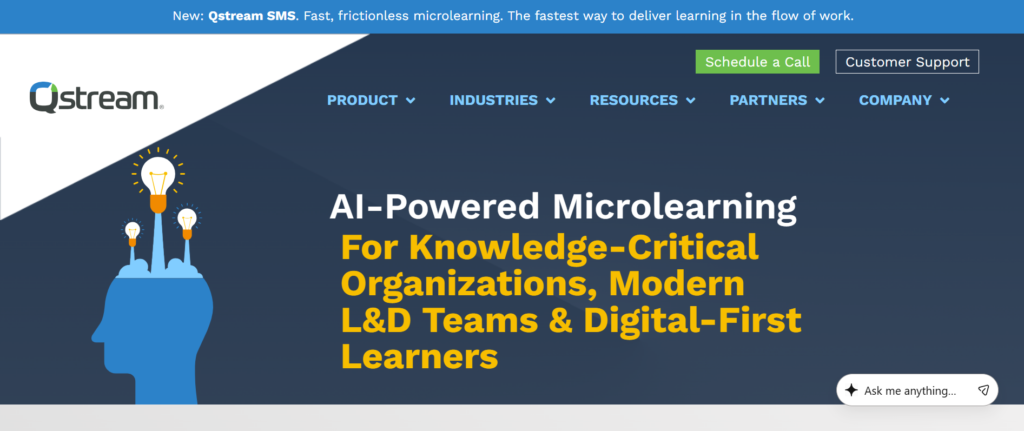
Qstream is a unique option in the Best Sales Training Apps list, focusing on microlearning and reinforcement rather than traditional training.
A detailed Qstream review shows that it uses short, repeated learning sessions to improve retention and performance.
Key Features
Microlearning Modules
Qstream delivers short training sessions that reps can complete quickly. This keeps engagement high and prevents information overload.
Spaced Repetition Learning
The platform reinforces knowledge over time by repeating key concepts.
This improves retention and keep reps remember what they learn.
Scenario-Based Training
Reps are tested with real sales scenarios, improving decision-making skills.
Performance Analytics
Managers can track progress and identify knowledge gaps.
Mobile Accessibility
Qstream is designed for mobile use, making learning convenient.
Pros & Cons
| Pros | Cons |
| High engagement | Limited deep training |
| Mobile-friendly | Not full LMS |
| Easy to use | Basic features |
| Good retention | Limited customisation |
Pricing
- Starts at $40 per user/month
- Free trial available
Best For Teams Focused on Knowledge Retention
- Sales teams — Reinforce learning
- Managers — Track retention
- Remote teams — Mobile training
- Increasing teams — Maintain consistency
Verdict:
Qstream is best used alongside other training tools.
How to Use Qstream Effectively
Use it to reinforce key concepts after training sessions.
Verdict:
It works as a reinforcement layer, not a standalone system.
Best Alternative Tool
EdApp is a strong alternative for mobile learning.
10: Trainual
Trainual is a practical tool in the Best Sales Training Apps category, designed for small to mid-sized teams that need structured processes.
A Trainual review shows it focuses on documenting processes and turning them into training systems.
Key Features
Process Documentation
Trainual allows you to document sales processes step by step.
Training Modules
Convert processes into structured lessons.
Onboarding Automation
New hires follow a clear training path.
Knowledge Base
All company knowledge is stored in one place.
Progress Tracking
Managers can track completion and performance.
Pros & Cons
| Pros | Cons |
| Easy setup | Limited advanced features |
| Affordable | Basic analytics |
| Great for small teams | Not enterprise-ready |
| Clear structure | Limited AI |
Pricing
- Starts at $30 per user/month
- Free trial available
Best For Small Teams Needing Structure
- Startups — Build processes
- Small sales teams — Standardise training
- Founders — Document workflows
- Agencies — Train new hires
Verdict:
Trainual is ideal for teams that need clarity and structure.
How to Use Trainual to Build Sales Systems
Document your entire sales process and turn it into training modules.
Verdict:
Trainual works best when processes are clearly defined.
Best Alternative Tool
WorkRamp is a strong alternative for more advanced LMS features.
11: LevelJump

LevelJump is a specialised platform in the Best Sales Training Apps category, built specifically for teams that operate heavily on Salesforce. Unlike general training tools, LevelJump integrates directly into your CRM, making training part of your daily sales workflow rather than a separate activity.
If you go through a detailed LevelJump review, you’ll notice that its biggest strength is alignment. It connects sales training, coaching, and performance tracking directly with data inside Salesforce.
When comparing LevelJump vs MindTickle or other LevelJump alternatives, the key distinction is clear. Most tools sit outside your CRM. LevelJump works inside it. That changes how teams train and execute.
Key Features
LevelJump is built to remove the gap between training and execution by embedding learning directly into the sales environment.
Native Salesforce Integration and Workflow Alignment
LevelJump operates directly with Salesforce, which means reps don’t need to switch between platforms to access training or coaching.
This has a major impact on adoption. Instead of asking reps to log into another system, training becomes part of their existing workflow. Managers can assign learning paths, track progress, and measure impact without leaving the CRM.
This tight integration also keeps that training is directly linked to deal activity. You’re not just tracking who completed a lesson, you’re seeing how that training affects movement and revenue outcomes.
Many LevelJump review insights highlight this as a major advantage over standalone platforms.
Data-Driven Coaching Based on Sales Activity
LevelJump allows managers to coach reps based on actual sales data rather than assumptions. You can identify reps who are struggling with specific stages of the sales and assign targeted training to address those gaps.
This creates a highly personalised coaching experience. Instead of generic feedback, reps receive guidance that is directly relevant to their current deals.
Over time, this improves performance across the entire team because coaching is tied to real challenges, not hypothetical scenarios.
Structured Learning Paths CRM
Training programmes are built by Salesforce and aligned with your sales process. This means reps follow learning paths that match how they actually sell.
From onboarding to advanced selling techniques, everything is structured and easy to follow. This reduces confusion and keeps consistency across the team.
Compared to many LevelJump alternatives, this level of alignment between training and execution is a key differentiator.
Performance Tracking and Impact Measurement
LevelJump provides detailed reporting on how training affects sales performance. Managers can track metrics such as deal progression, win rates, and rep productivity alongside training completion.
This allows leadership to measure the true impact of training initiatives. Instead of guessing whether training works, you have clear data to support decisions.
This feature is especially valuable for organisations that need to justify training investments.
Certification and Sales Readiness Validation
Reps must complete certifications before moving to certain stages of the sales process. This keeps that only qualified reps handle critical deals.
It also creates accountability within the team. Reps know they need to meet certain standards before progressing, which improves overall performance.
Pros & Cons
| Pros | Cons |
| Deep Salesforce integration | Requires Salesforce |
| Data-driven coaching | Limited outside CRM |
| Strong reporting | Setup complexity |
| Aligns training with Sales | Not for small teams |
Pricing
- Starts at $65 per user/month
- Custom pricing for enterprise teams
- No standard free trial
LevelJump pricing is designed for organisations already invested in Salesforce.
Best For Salesforce-Driven Sales Teams Needing Alignment
LevelJump is ideal for companies where Salesforce is the centre of all sales operations and training needs to align directly with it.
- Salesforce users — Train CRM
- Sales managers — Coach using sales data
- Enterprise teams — Align training with revenue
- SaaS companies — Improve deal execution
Verdict:
If your team lives inside Salesforce, LevelJump keeps training happens there too, making it far more effective.
How to Use LevelJump to Improve Sales Performance
Start by analysing your Salesforce. Identify stages where deals frequently stall or fail.
Then create targeted training modules LevelJump that address those specific issues.
Most teams miss this:
Link certifications to sales stages. Only allow reps to progress deals after completing relevant training. This keeps quality control across your sales process.
Verdict:
LevelJump becomes powerful when training is directly tied to deal progression, not treated as a separate activity.
Best Alternative Tool
If you need a platform that works outside Salesforce with broader flexibility, MindTickle is a strong alternative.
12: EdApp
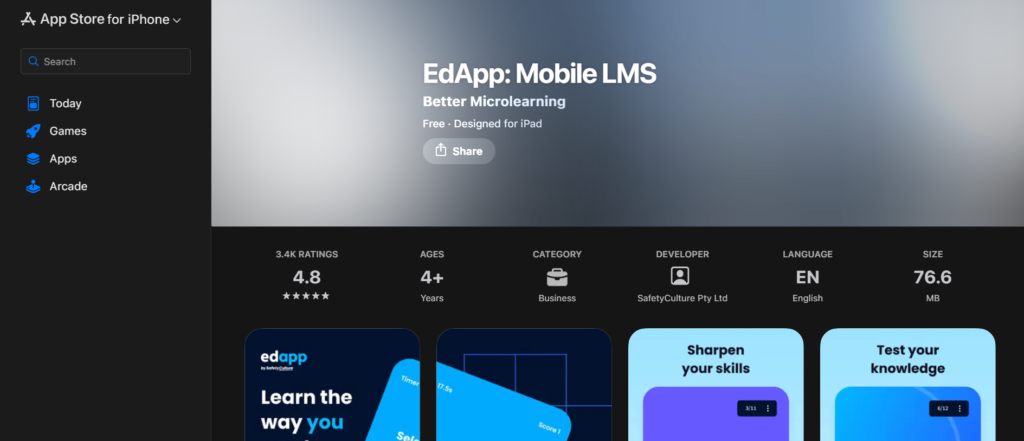
EdApp is one of the most accessible tools in the Best Sales Training Apps category, designed for teams that want fast, mobile-first training without complex setup or high costs.
If you read a detailed EdApp review, you will notice that its biggest strength is simplicity combined with engagement. It allows teams to deploy training quickly while keeping reps consistently involved through short, interactive lessons.
When comparing EdApp vs Qstream or other EdApp alternatives, the key difference is that EdApp combines microlearning with a full learning management system, making it more flexible for different types of teams.
Key Features
EdApp is designed to deliver short, focused training experiences that fit into a sales rep’s daily workflow without disrupting productivity.
Mobile-First Learning Experience Designed for Modern Sales Teams
EdApp is built primarily for mobile devices, allowing sales reps to complete training modules from anywhere. Whether they are travelling, between meetings, or working remotely, they can access lessons instantly.
This flexibility significantly increases training completion rates. Reps are more likely to engage with content when it fits naturally into their day rather than requiring dedicated time blocks.
The platform interface is clean and intuitive, which reduces onboarding friction and keeps that even non-technical users can navigate the system with ease.
Microlearning Modules That Improve Knowledge Retention
Instead of long, overwhelming courses, EdApp breaks training into short modules focused on one concept at a time. This approach reduces information overload and improves retention.
Each lesson typically includes a mix of text, visuals, and quizzes, keeping that reps stay engaged throughout the learning process.
Many EdApp review insights highlight that this method leads to better recall during real sales conversations, especially when dealing with objections or product positioning.
Ready-Made Course Library for Quick Deployment
EdApp includes a built-in course library covering topics such as sales techniques, communication skills, and customer interactions.
This allows teams to get started immediately without building everything from scratch. You can also customise these courses to align with your specific sales process and messaging.
Compared to many EdApp alternatives, this feature significantly reduces the time required to launch a training programme.
Gamification Features to Increase Engagement
EdApp includes elements such as quizzes, leaderboards, and rewards that encourage participation.
Sales teams are naturally competitive, and these features tap into that mindset. Reps are more likely to complete training when there is an element of competition involved.
Over time, this leads to higher engagement and more consistent learning across the team.
Analytics and Performance Tracking
Managers can track lesson completion rates, quiz scores, and engagement metrics. This provides visibility into how well the team is progressing and where additional support is needed.
While not as advanced as enterprise-level tools, the analytics are clear and actionable, making it easy to identify gaps.
Pros & Cons
| Pros | Cons |
| Free plan available | Limited advanced features |
| Mobile-first design | Basic reporting |
| Easy to set up | Less enterprise depth |
| Engaging microlearning | Limited customisation |
Pricing
- Free plan available
- Paid plans range from $0 to $30 per user/month
- Free trial included
EdApp pricing makes it one of the most cost-effective tools in this category.
Best For Teams That Need Simple, Scalable Training Without High Costs
EdApp is ideal for organisations that want to implement training quickly without investing heavily in complex systems.
- Small sales teams — Need affordable training solutions
- Remote teams — Require mobile accessibility
- Startups — Want quick deployment
- Agencies — Train distributed teams
Verdict:
If you need a straightforward training platform that your team will actually use consistently, EdApp is a strong choice.
How to Use EdApp to Build Consistent Sales Habits
Assign short daily or weekly lessons focused on specific skills such as objection handling or product positioning.
Most teams overlook this:
Combine microlearning with immediate quizzes to reinforce knowledge and improve retention.
Verdict:
EdApp works best when training is frequent, focused, and integrated into daily routines.
Best Alternative Tool
If you need stronger reinforcement through spaced repetition, Qstream is a solid alternative.
13: SecondNature
SecondNature is one of the most advanced tools in the Best Sales Training Apps category, designed specifically for AI-driven roleplay and conversation practice.
A detailed SecondNature review shows that it focuses entirely on preparing reps for real conversations through simulation, rather than traditional training methods.
When comparing SecondNature vs Showpad Coach or other SecondNature alternatives, the main advantage is its highly realistic AI conversation engine.
Key Features
SecondNature is built to replicate real sales interactions, allowing reps to practise repeatedly without risk.
AI-Powered Sales Roleplay That Simulates Real Buyer Behaviour
SecondNature uses artificial intelligence to create realistic buyer personas that respond dynamically during conversations.
Reps can practise handling objections, answering questions, and guiding discussions just as they would in real calls.
This creates a safe environment where reps can make mistakes and learn without affecting actual deals.
Many SecondNature review comparisons highlight how realistic these simulations feel, making them highly effective for skill development.
Real-Time Feedback That Accelerates Skill Improvement
After each roleplay session, the platform provides immediate feedback on performance. This includes analysis of tone, clarity, structure, and effectiveness.
Reps can quickly identify areas for improvement and refine their approach in subsequent sessions.
This fast feedback loop is one of the key reasons SecondNature is effective for improving sales communication.
Custom Scenario Creation Based on Real Sales Challenges
Managers can create scenarios tailored to their specific sales process. These can include common objections, pricing discussions, or complex deal situations.
This keeps that training is directly relevant and aligned with real-world challenges faced by the team.
Compared to many SecondNature alternatives, this level of customisation allows for highly targeted training.
Performance Tracking and Skill Development Insights
Managers can track progress over time, identifying improvements in specific skills and overall performance.
This allows for more focused coaching and keeps that training leads to measurable results.
Integration with Existing Sales Training Systems
SecondNature can be integrated into broader sales training workflows, making it part of a complete enablement strategy.
Pros & Cons
| Pros | Cons |
| Realistic AI simulations | High pricing |
| Immediate feedback | Learning curve |
| Strong skill development | Requires setup |
| Custom scenarios | Not beginner-friendly |
Pricing
- Starts at $90 per user/month
- Custom pricing available
- Free trial available
Best For Teams That Want High-Quality Practice Before Live Selling
SecondNature is ideal for organisations that prioritise practice as a core part of training.
- Sales teams — Improve conversation skills
- Managers — Run structured simulations
- SaaS companies — Train demo-heavy roles
- Enterprise teams — Standardise communication
Verdict:
If your team struggles during live conversations, SecondNature provides a controlled environment to improve performance.
How to Use SecondNature to Build Sales Confidence
Create scenarios based on your most common objections and difficult conversations.
Require reps to complete these simulations regularly and review their feedback.
Most teams miss this:
Use performance data to adjust training focus and address recurring weaknesses.
Verdict:
SecondNature delivers the most value when practice is consistent and aligned with real sales situations.
Best Alternative Tool
If you prefer a mix of human coaching and structured practice, Showpad Coach is a strong alternative.
14: Spekit
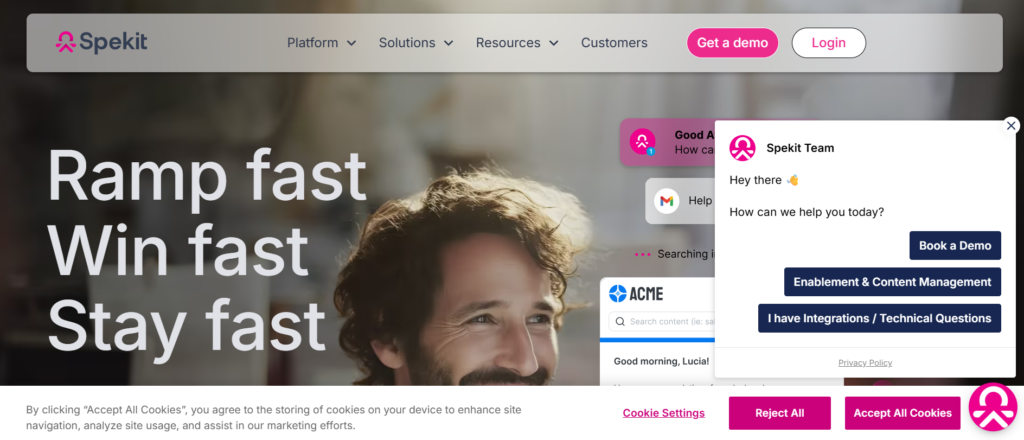
Spekit is a unique entry in the Best Sales Training Apps list because it delivers training directly inside the tools your team already uses.
A Spekit review shows that it focuses on delivering knowledge exactly when reps need it, rather than through scheduled training sessions.
Key Features
Spekit is designed to remove friction from training by embedding learning into daily workflows.
In-App Guidance That Reduces Workflow Disruption
Spekit integrates with platforms like Salesforce and displays training content directly within the interface.
Reps can access guidance without leaving their workflow, which reduces interruptions and improves productivity.
This keeps that learning happens in context, making it more relevant and easier to apply.
Centralised Knowledge Base for Sales Content
All sales materials such as scripts, playbooks, and product information are stored in a central system.
Reps can quickly access this information when needed, keeping accuracy during live interactions.
Just-in-Time Learning for Immediate Application
Spekit provides information at the exact moment it is needed, such as during a call or while updating CRM data.
This improves accuracy and reduces errors, especially for new reps.
Easy Content Creation and Updates
Managers can create and update content quickly without technical expertise.
This keeps that training materials remain current and aligned with sales strategies.
Usage Analytics and Knowledge Tracking
Spekit tracks how content is used and identifies gaps in knowledge.
This allows teams to refine training based on actual usage patterns.
Pros & Cons
| Pros | Cons |
| In-app learning | Limited deep training |
| Easy to use | Not a full LMS |
| Quick setup | Basic analytics |
| Reduces friction | Limited structure |
Pricing
- Starts at $25 per user/month
- Free trial available
Best For Teams That Need Instant Access to Sales Knowledge
- Sales teams — Access information quickly
- Managers — Provide real-time guidance
- SaaS companies — Improve CRM usage
- Increasing teams — Reduce mistakes
Verdict:
Spekit is ideal for teams that need quick answers during work rather than long training sessions.
How to Use Spekit to Improve Sales Execution
Embed key sales processes directly into your CRM using Spekit.
Most teams overlook this:
Regularly update content to reflect changes in messaging and strategy.
Verdict:
Spekit works best as a support layer alongside structured training tools.
Best Alternative Tool
If you need structured training programmes, Trainual is a strong alternative.
15: WorkRamp
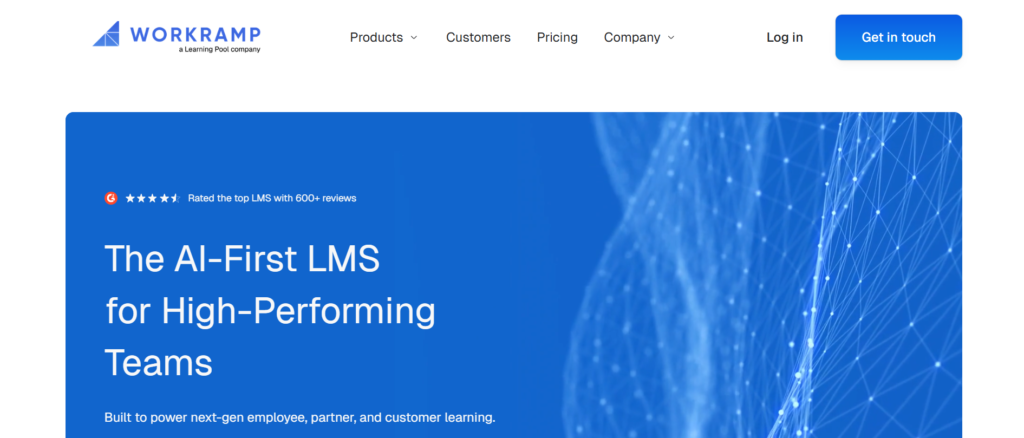
WorkRamp is a flexible and scalable platform in the Best Sales Training Apps category, designed for organisations that want to build structured training programmes.
A detailed WorkRamp review shows that it supports onboarding, continuous training, and even customer education within a single system.
Key Features
WorkRamp is designed to support long-term training strategies rather than one-time learning sessions.
Training Academy Builder for Structured Learning Paths
WorkRamp allows organisations to create full training academies with structured learning paths for different roles.
This includes onboarding programmes, advanced training, and certifications.
Reps follow a clear progression, which keeps consistency across the team.
Course Creation with Multimedia Content
Managers can build courses using videos, quizzes, assignments, and interactive content.
This keeps training engaging and keeps that reps fully understand the material.
Certification and Assessment System
Reps must complete assessments to demonstrate their understanding before progressing.
This creates accountability and keeps readiness.
Advanced Reporting and Analytics
WorkRamp provides detailed insights into training performance and effectiveness.
Managers can track completion rates, performance scores, and engagement levels.
External Training for Customers and Partners
WorkRamp can also be used to train customers and partners, extending its value beyond internal teams.
Pros & Cons
| Pros | Cons |
| Scalable LMS | Requires setup |
| Strong reporting | Learning curve |
| Flexible use cases | Mid to high pricing |
| Supports external training | Complex for beginners |
Pricing
- Starts at $50 per user/month
- Custom pricing available
- Free trial available
Best For Organisations Building Long-Term Training Systems
- Enterprise teams — Build structured academies
- SaaS companies — Train customers and teams
- Sales managers — Standardise onboarding
- Increasing teams — Scale training programmes
Verdict:
If you want a complete training system that increases with your team, WorkRamp is a strong option.
How to Use WorkRamp to Build a Sales Training System
Start by creating structured learning paths for each role in your sales team.
Most teams miss this:
Use certifications to keep reps meet standards before handling important deals.
Verdict:
WorkRamp delivers the most value when training is structured and continuously improved.
16: Lessonly Practice
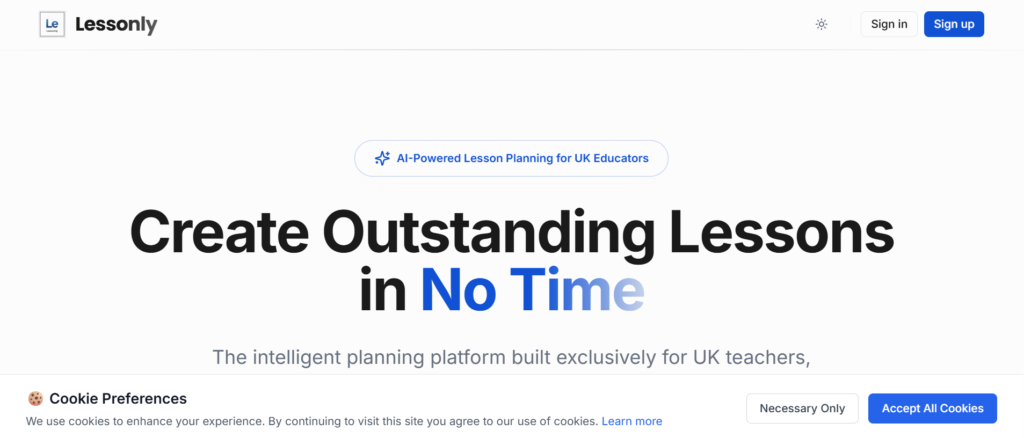
Lessonly Practice, part of the Seismic ecosystem, is a specialised tool in the Best Sales Training Apps category focused entirely on practice, roleplay, and skill reinforcement.
If you go through a detailed Lessonly Practice review, you’ll see that it is not a full LMS like Lessonly itself. Instead, it is built specifically for helping reps practise real sales conversations and improve delivery through repetition and feedback.
When comparing Lessonly Practice vs SecondNature or other Lessonly Practice alternatives, the key difference is its balance between human coaching and structured roleplay workflows rather than fully AI-driven simulations.
Key Features
Lessonly Practice is designed to improve how reps communicate, present, and handle objections through consistent practice and feedback loops.
Structured Roleplay Scenarios for Real Sales Situations
Lessonly Practice allows managers to create detailed roleplay scenarios based on actual sales conversations. These scenarios can include prospect objections, product questions, pricing discussions, and closing situations.
Reps record their responses and submit them for review. This creates a controlled environment where mistakes can be corrected before they happen in real deals.
The value here is consistency. Every rep practises the same scenarios, keeping alignment across the team. Many Lessonly Practice review insights highlight this as a key advantage for scaling teams.
Video-Based Coaching with Detailed Feedback
Managers can review submitted roleplays and provide time-stamped feedback. This allows them to point out exactly where a rep performed well or struggled.
Instead of general advice, reps receive precise coaching based on their actual performance. Over time, this leads to measurable improvement in communication skills.
This feature is particularly useful for teams that rely heavily on demos, presentations, and discovery calls.
Skill Development Tracking and Progress Monitoring
Lessonly Practice tracks how reps improve over time. Managers can see progress across different skills such as objection handling, pitch delivery, and closing techniques.
This allows for targeted coaching rather than one-size-fits-all training.
Compared to many Lessonly Practice alternatives, this structured tracking keeps that training leads to visible results.
Integration with Sales Training Ecosystem
Since it is part of Seismic, Lessonly Practice integrates seamlessly with Lessonly and other training tools. This allows teams to combine learning and practice into a single workflow.
Reps can learn a concept in Lessonly and then practise it immediately in Lessonly Practice.
This reduces the gap between theory and execution.
Scalable Coaching Workflows for Teams
Managers can assign roleplay exercises to multiple reps at once and review them efficiently. This makes it possible to coach large teams without losing quality.
For organisations scaling quickly, this feature keeps that training consistent.
Pros & Cons
| Pros | Cons |
| Strong roleplay system | Limited AI automation |
| Detailed coaching feedback | Requires manager involvement |
| Easy integration with Lessonly | Not standalone LMS |
| Scalable for teams | Setup required |
Pricing
- Starts at $55 per user/month
- Custom pricing available
- Free trial available
Lessonly Practice pricing is suitable for teams that prioritise coaching and skill development.
Best For Teams Focused on Improving Sales Conversations Through Practice
Lessonly Practice is ideal for organisations that want reps to practise consistently and improve communication skills over time.
- Sales teams — Improve pitch delivery
- Sales managers — Provide structured coaching
- SaaS companies — Train demo and discovery calls
- Increasing teams — Standardise communication
Verdict:
If your reps know what to say but struggle with how to say it, Lessonly Practice fixes that gap through repetition and feedback.
How to Use Lessonly Practice to Improve Sales Performance
Start by identifying common objections and challenging scenarios your team faces.
Create roleplay exercises around these situations and assign them regularly.
Most teams miss this:
Review roleplays in team sessions and highlight best responses. This creates shared learning across the organisation.
Verdict:
Lessonly Practice becomes highly effective when practice is consistent and tied to real sales challenges.
Best Alternative Tool
If you want AI-driven simulations instead of manual roleplay reviews, SecondNature is a strong alternative.
17: Refract
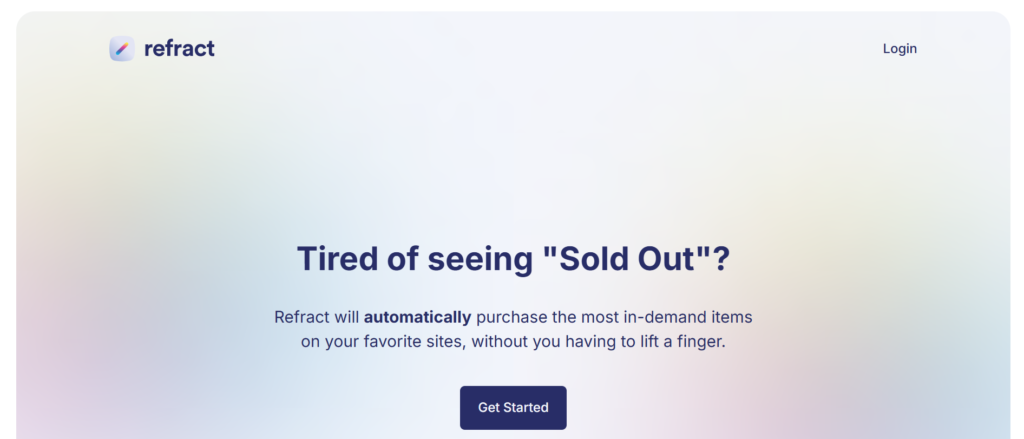
Refract is a focused tool in the Best Sales Training Apps category, designed specifically for analysing sales conversations and improving rep performance through structured coaching.
If you read a detailed Refract review, you will notice that it is built for teams that rely heavily on calls and want to improve quality through measurable insights. Unlike broader platforms, Refract specialises in call coaching and performance scoring.
When comparing Refract vs Gong or other Refract alternatives, the main difference is its simplicity and focus on coaching rather than full revenue intelligence systems.
Key Features
Refract is built to help sales teams improve by analysing conversations and turning insights into coaching actions.
Call Recording and Detailed Conversation Analysis
Refract records sales calls and analyses them to identify patterns in communication. It highlights areas such as talk time, questioning techniques, objection handling, and engagement levels.
This allows managers to understand exactly how reps are performing during real interactions. Instead of relying on assumptions, coaching is based on actual data.
The ability to break down conversations into measurable components makes it easier to identify what top performers are doing differently.
Performance Scoring and Benchmarking
Refract assigns scores to calls based on predefined criteria. This creates a clear benchmark for performance across the team.
Managers can compare reps and identify who is excelling and who needs improvement.
This structured scoring system keeps that coaching consistent and aligned with business goals.
Targeted Coaching and Feedback Tools
Managers can leave feedback directly on specific parts of a call. This makes coaching highly precise and actionable.
Reps receive clear guidance on what to improve, rather than general comments.
Over time, this leads to steady improvement in communication skills and confidence.
Call Library for Training and Best Practices
Refract allows teams to build a library of recorded calls that can be used for training purposes.
Top-performing calls can be shared with the team, creating a learning resource based on real success.
This helps standardise best practices across the organisation.
Integration with CRM and Sales Tools
Refract integrates with CRM systems and communication tools, keeping that all data is connected.
This keeps training aligned with sales activity and overall sales performance.
Pros & Cons
| Pros | Cons |
| Strong call analysis | Limited broader features |
| Clear performance scoring | Not full LMS |
| Easy coaching workflows | Less advanced AI |
| Good for call-heavy teams | Setup required |
Pricing
- Starts at $75 per user/month
- Custom pricing available
- Free trial available
Best For Teams That Rely on Sales Calls for Revenue
Refract is ideal for organisations where calls are a major part of the sales process.
- Sales teams — Improve call quality
- Sales managers — Deliver structured coaching
- SaaS companies — Optimise demos and discovery calls
- Increasing teams — Standardise communication
Verdict:
If your sales process depends on conversations, Refract gives you the clarity needed to improve performance.
How to Use Refract to Improve Sales Conversations
Start by analysing top-performing calls and identifying patterns.
Then use these insights to coach the rest of the team.
Most teams overlook this:
Create a scoring framework that reflects your ideal sales behaviour and use it consistently.
Verdict:
Refract works best when coaching is consistent and based on clear benchmarks.
Best Alternative Tool
If you need deeper analytics and revenue insights, Gong is a strong alternative.
18: ExecVision
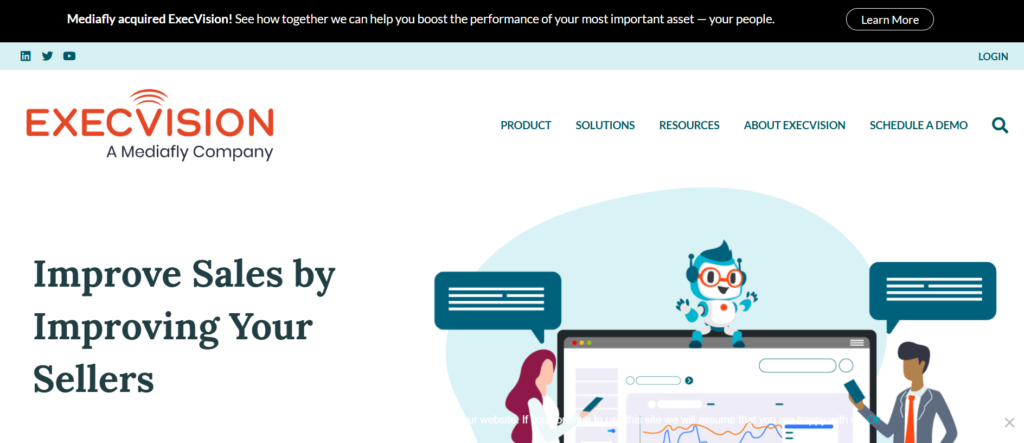
ExecVision is a specialised tool in the Best Sales Training Apps space, focused on extracting coaching insights from sales conversations.
A detailed ExecVision review shows that it is designed for teams that want to improve performance through targeted coaching rather than broad analytics.
When comparing ExecVision vs Chorus or other ExecVision alternatives, the key difference is its strong focus on coaching workflows and actionable insights.
Key Features
ExecVision is built to turn conversations into coaching opportunities that improve rep performance.
Conversation Intelligence with Coaching Focus
ExecVision analyses sales calls to identify key moments that can be used for coaching.
It highlights areas such as missed opportunities, strong responses, and areas where reps struggled.
This allows managers to focus on what matters most during coaching sessions.
Coaching Playlists and Learning Paths
Managers can create playlists of call segments that demonstrate best practices.
These playlists can be used as training material for the entire team.
This creates a structured learning system based on real interactions.
Feedback and Coaching Workflows
ExecVision allows managers to provide feedback directly within the platform.
Reps can review this feedback and apply it in future calls.
This creates a continuous improvement loop.
Performance Tracking and Insights
Managers can track improvements over time and identify trends in performance.
This helps keep that coaching efforts lead to measurable results.
Integration with Sales Tools
ExecVision integrates with CRM systems and communication platforms, keeping data is connected.
Pros & Cons
| Pros | Cons |
| Strong coaching focus | Limited broader features |
| Easy to use | Less advanced analytics |
| Good feedback tools | Not full LMS |
| Effective for training | Requires call volume |
Pricing
- Starts at $85 per user/month
- Custom pricing available
- No standard free trial
Best For Teams Focused on Coaching and Skill Improvement
ExecVision is ideal for organisations that prioritise coaching as a core part of their sales strategy.
- Sales managers — Deliver targeted coaching
- Sales teams — Improve communication
- SaaS companies — Analyse conversations
- Increasing teams — Build coaching systems
Verdict:
If your focus is improving rep performance through coaching, ExecVision provides the tools to do it effectively.
How to Use ExecVision to Improve Sales Performance
Identify key moments in calls and turn them into coaching material.
Most teams miss this:
Use playlists to train new hires quickly using real examples.
Verdict:
ExecVision delivers the most value when coaching is structured and consistent.
Best Alternative Tool
If you want a broader conversation intelligence platform, Chorus is a strong alternative.
19: SalesScreen
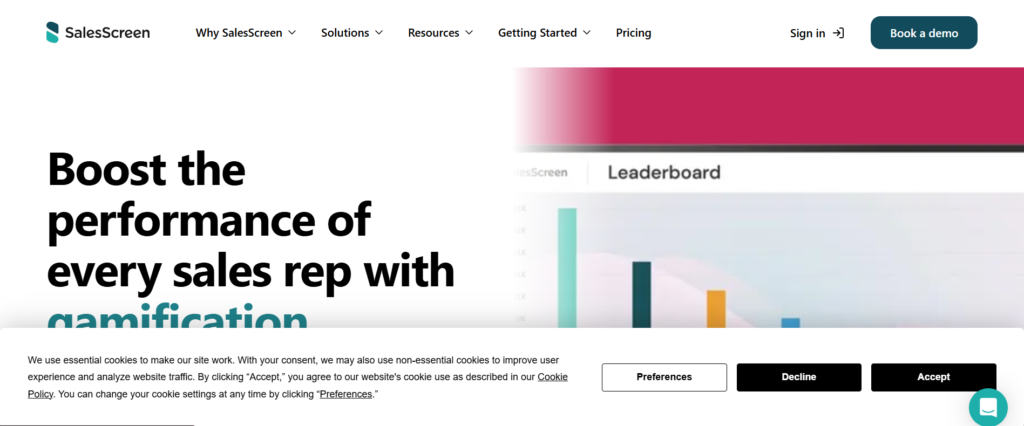
SalesScreen is a unique tool in the Best Sales Training Apps category, focusing on gamification and motivation.
A SalesScreen review shows that it is designed to make sales performance more engaging through competition and rewards.
Key Features
SalesScreen is built to keep sales teams motivated while reinforcing performance behaviours.
Gamification and Leaderboards
SalesScreen uses leaderboards, competitions, and rewards to motivate reps.
This creates a competitive environment that encourages higher performance.
Performance Tracking and Visibility
Managers can track key metrics such as calls, meetings, and deals.
This provides visibility into team performance.
Coaching Integration
SalesScreen includes coaching features that allow managers to guide reps.
Recognition and Rewards System
Top performers are recognised and rewarded, which improves morale.
Integration with Sales Tools
The platform integrates with CRM systems to track performance automatically.
Pros & Cons
| Pros | Cons |
| High engagement | Limited training depth |
| Motivates teams | Not full LMS |
| Easy to use | Basic analytics |
| Good visibility | Needs active use |
Pricing
- Starts at $35 per user/month
- Free trial available
Best For Teams That Need Motivation and Engagement
- Sales teams — Increase activity levels
- Managers — Track performance
- Increasing teams — Build culture
- Agencies — Improve productivity
Verdict:
If your team lacks motivation, SalesScreen introduces a competitive element that drives activity.
How to Use SalesScreen to Improve Team Performance
Set clear goals and create competitions around them.
Most teams overlook this:
Combine gamification with coaching for better results.
Verdict:
SalesScreen works best when combined with structured training tools.
Best Alternative Tool
If you need deeper performance tracking, Ambition is a strong alternative.
20: Ambition
Ambition is a powerful platform in the Best Sales Training Apps category, designed to track performance, manage KPIs, and improve accountability.
A detailed Ambition review shows that it focuses on performance visibility and coaching rather than traditional training modules.
Key Features
Ambition is built to keep that sales teams stay accountable and focused on key performance metrics.
KPI Tracking and Performance Dashboards
Ambition provides real-time dashboards that track sales metrics such as calls, meetings, and revenue.
This gives managers full visibility into team performance.
Coaching and Accountability Tools
Managers can set goals, track progress, and provide coaching based on performance data.
This keeps that reps stay aligned with targets.
Gamification and Motivation Features
Ambition includes gamification elements to keep reps engaged.
Forecasting and Reporting
The platform provides insights into performance trends and future outcomes.
Integration with CRM Systems
Ambition integrates with CRM platforms to keep data accuracy.
Pros & Cons
| Pros | Cons |
| Strong KPI tracking | Limited training content |
| Good dashboards | Setup required |
| Motivational features | Not full LMS |
| Scalable system | Learning curve |
Pricing
- Starts at $60 per user/month
- Custom pricing available
- Free trial available
Best For Teams Focused on Performance Tracking and Accountability
- Sales managers — Track KPIs
- Sales teams — Stay accountable
- SaaS companies — Monitor sales flow
- Increasing teams — Improve discipline
Verdict:
If you want full visibility into sales performance, Ambition provides a structured system to manage it.
How to Use Ambition to Improve Sales Results
Set clear KPIs and track them consistently.
Most teams miss this:
Use dashboards during team meetings to review performance and identify gaps.
Verdict:
Ambition is most effective when performance tracking is part of daily operations.
Best Alternative Tool
If you want a more gamified experience, SalesScreen is a strong alternative.
Choosing the Best Sales Training Apps for Your Team
You’ve now seen the full breakdown of the Best Sales Training Apps available right now. Each platform solves a different problem, whether it’s onboarding, coaching, roleplay, analytics, or performance tracking.
The key takeaway is simple:
- If your issue is inconsistent messaging, tools like MindTickle or SalesHood give structure
- If your reps struggle on calls, Gong, Chorus, or Refract provide clarity
- If practice is missing, SecondNature or Showpad Coach fill that gap
- If you need simple onboarding, Lessonly or Trainual are strong options
- If your focus is performance tracking, Ambition or SalesScreen keep teams accountable
Most teams fail not because they lack tools, but because they don’t implement a system. The right tool, used consistently, becomes your internal sales engine.
Pick one based on your current bottleneck and start using it this week.
Ready to Fix Your Sales Process with Us
If you want more than just tools and need a system that actually improves results, Pearl Lemon Sales provides hands-on support tailored to your sales process.
We focus on:
- Sales training programmes built around your offers
- Call coaching and objection handling frameworks
- Outbound and inbound sales strategy
- Sales team performance tracking and optimisation
Instead of relying on generic training, we build systems based on how your team sells and where deals are being lost.
Whether you are scaling a SaaS company, running an agency, or closing high-ticket services, we help you create a repeatable sales process that delivers consistent results.
Book a call and see exactly where your sales process is breaking and how to fix it.
FAQs
1. What are the best sales training apps for beginners?
For beginners, tools like Lessonly, Trainual, and EdApp are ideal because they are easy to set up and focus on structured onboarding.
2. Which sales training apps are best for enterprise teams?
MindTickle, Brainshark, and Gong are strong choices for enterprise teams due to their advanced features and scalability.
3. Do sales training apps actually improve performance?
Yes, when used correctly. The key is consistent usage combined with coaching and real-world application.
4. What is the difference between sales training and sales enablement tools?
Sales training focuses on improving skills, while enablement tools provide resources and content to support selling.
5. Are AI sales training apps worth it?
AI-based tools like Gong and SecondNature provide deeper insights and realistic practice, making them valuable for teams focused on performance improvement.
6. How much do sales training apps cost?
Prices typically range from $25 to $100 per user per month, depending on features and team size.
7. Which app is best for call coaching?
Gong, Chorus, and Refract are among the best for analysing and improving sales calls.
8. Can small businesses use sales training apps?
Yes, tools like EdApp, Trainual, and Spekit are suitable for small teams with limited budgets.
9. How long does it take to see results from sales training apps?
Most teams start seeing improvements within a few weeks if the tools are used consistently.
10. What should I look for when choosing a sales training app?
Focus on your main need: onboarding, coaching, analytics, or performance tracking. Choose a tool that directly addresses that gap.