
Sales teams across the UK face the same pressure every quarter. Too many accounts clustered in one patch. Underworked reps in another. Missed revenue because territories were set years ago and never reviewed. That is exactly why sales territory management tools have become non-negotiable for revenue teams.
We reviewed dozens of sales territory management tools, compared features, pricing, and real usage across UK sales teams, then narrowed it down to the platforms that actually support territory planning, account allocation, and rep performance tracking. This guide is built for sales directors, revenue ops managers, and field sales leaders who need control, fairness, and predictable coverage across the UK.
Industry data shows that balanced territories can raise sales productivity by over 10 percent and reduce rep churn by nearly 15 percent when workload equality is maintained. Yet many UK businesses still rely on spreadsheets to manage complex sales regions. This list exists to fix that problem using modern sales territory management software.
What Is Sales Territory Management
Sales territory management is the process of dividing accounts, regions, or customer segments among sales reps based on rules such as geography, deal size, industry, or revenue potential. Proper sales territory management tools allow teams to:
- Allocate accounts fairly across the UK
- Plan coverage using postcode or regional mapping
- Adjust territories when headcount or demand shifts
- Track performance by territory rather than just by rep
For UK sales teams covering multiple regions, structured territory planning prevents overlap, missed accounts, and internal disputes. Modern sales territory management software connects territory rules directly to CRM data so updates do not require manual rework.
Quick Comparison Table of Sales Territory Management Tools (20 Tools)
The comparison below focuses on what UK sales leaders usually care about when assessing sales territory management tools. Territory planning accuracy, CRM alignment, pricing clarity, trial access, and practical territory control at scale.
| Tool | Best For | Starting Price | Free Trial | Key Feature |
| Salesforce Maps | Enterprise sales | Custom | No | Native CRM mapping |
| MapAnything | Field sales teams | Custom | No | Visual territories |
| Badger Maps | Mobile sales reps | £ | Yes | Route planning |
| AlignMix | Revenue operations | ££ | No | Territory modelling |
| Spotio | Door to door sales | £ | Yes | Area assignment |
| Zoho Territory Management | SMB teams | £ | Yes | Rule based territories |
| Freshsales | Growing sales teams | £ | Yes | Built in CRM |
| Plecto | Sales performance | £ | Yes | Territory dashboards |
| QCommission | Commission planning | ££ | No | Territory pay rules |
| SalesRabbit | Field sales | £ | Yes | Map driven selling |
| Geopointe | Salesforce users | ££ | No | Geo mapping |
| Clari | Revenue forecasting | £££ | No | Territory analytics |
| Anaplan | Enterprise planning | £££ | No | Scenario planning |
| RepMove | B2B sales reps | £ | Yes | CRM map sync |
| Mapline | Territory mapping | £ | Yes | Custom boundaries |
| eSpatial | Territory design | ££ | Yes | Area balancing |
| Loxo | Sales teams | £ | Yes | Territory tracking |
| HubSpot Territories | Inbound sales | £ | Yes | CRM based rules |
| Pipedrive Territories | Small teams | £ | Yes | Deal assignment |
| InsightSquared | Revenue analytics | ££ | No | Territory reporting |
List of tools
- Salesforce Maps
- MapAnything
- Badger Maps
- AlignMix
- Spotio
- Zoho Territory Management
- Freshsales
- Plecto
- QCommission
- SalesRabbit
- Geopointe
- Clari
- Anaplan
- RepMove
- Mapline
- eSpatial
- Loxo
- HubSpot Territories
- Pipedrive Territories
- InsightSquared
1. Salesforce Maps
Tagline: Territory planning and field execution inside Salesforce
Overview
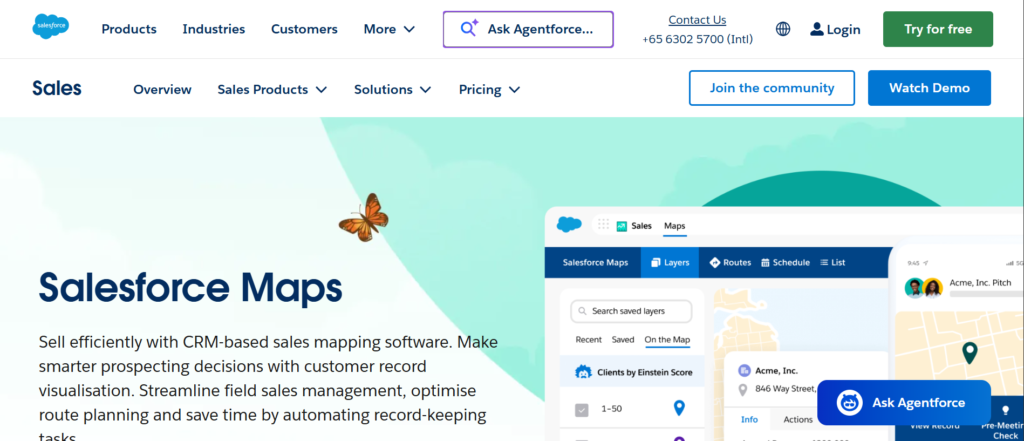
Salesforce Maps is designed for UK sales organisations that already rely on Salesforce as their central CRM and need tighter control over territory structure, account coverage, and field execution. Rather than operating as a separate mapping system, Salesforce Maps works directly within Salesforce, allowing sales operations teams to plan, adjust, and monitor territories using live CRM data.
For UK enterprises managing national or regional sales teams, territory sprawl becomes a serious issue over time. Accounts accumulate unevenly, reps inherit outdated regions, and managers lose visibility into true coverage. Salesforce Maps addresses this by making territories visual, rule driven, and connected to real activity data.
In many Salesforce Maps reviews, UK revenue leaders point to reduced account overlap, clearer rep ownership, and stronger regional accountability after adoption. The platform is commonly used in industries such as B2B SaaS, medical sales, manufacturing, and professional services where postcode accuracy and regional coverage matter.
Key Features
Salesforce Maps centres on territory clarity, CRM alignment, and field level execution.
Each feature supports structured sales coverage across the UK without external tools.
Territory Visualisation
Salesforce Maps displays accounts, leads, and opportunities on interactive maps tied directly to Salesforce records. Sales managers can view UK territories by postcode, region, or custom boundaries and immediately see where coverage is strong or thin.
This visual layer allows faster territory reviews during quarterly planning and helps prevent regions becoming overloaded as new accounts enter the progress.
Native Salesforce Integration
Because Salesforce Maps operates inside Salesforce, every territory change reflects instantly across account ownership, reporting, forecasting, and activity tracking. There is no syncing delay and no duplication of records.
This tight integration is a major factor in Salesforce Maps vs standalone territory tools comparisons, particularly for UK teams already committed to Salesforce workflows.
Route and Visit Planning
Field sales reps can plan daily and weekly visits directly from their assigned territories. Routes are created using live account data, helping reduce unnecessary travel and improve visit frequency across UK regions.
All visit activity flows back into Salesforce, giving managers a clear picture of rep coverage and effort by territory.
Rule Based Territory Assignment
Territories can be assigned using geographic rules, revenue thresholds, account attributes, or custom Salesforce fields. This allows revenue operations teams to adjust territory logic as headcount, market focus, or product strategy changes.
These rules reduce manual intervention and help maintain fairness across sales teams.
Territory Performance Reporting
Salesforce Maps enables performance tracking at territory level rather than only by rep. Managers can compare progress, activity, and revenue across UK regions, supporting more accurate forecasting and capacity planning.
Pros & Cons
| Pros | Cons |
| Operates inside Salesforce | Salesforce licence required |
| Strong UK mapping accuracy | Higher cost tier |
| Live CRM data sync | Setup requires planning |
| Scales to large teams | Limited use outside Salesforce |
Pricing
Salesforce Maps pricing is provided through Salesforce and varies based on edition, number of users, and feature access. It is generally positioned for mid market and enterprise sales teams.
In Salesforce Maps pricing discussions, it is rarely chosen by small teams but commonly adopted by UK organisations with established Salesforce deployments.
Best For UK Enterprise Sales Teams Using Salesforce
Salesforce Maps is best suited to:
- National UK sales teams with regional coverage
- Revenue operations teams managing complex territories
- Field sales organisations needing mapped account visibility
- Leadership teams reviewing performance by region
Sales teams already using Salesforce typically choose this over Salesforce Maps alternatives due to reduced operational friction.
Territory Planning Tip
Before annual planning, export territory performance by region and compare activity volume against revenue output. This often reveals hidden workload imbalance across UK territories that standard rep reports miss.
Best Alternate Tool
AlignMix is frequently assessed in Salesforce Maps vs AlignMix comparisons when teams require deeper scenario modelling outside Salesforce.
2. MapAnything
Tagline: Visual territory control for account based and field sales teams
Overview
MapAnything is used by UK sales organisations that require clear geographic visibility across accounts, prospects, and sales regions. It is particularly common in teams where territory ownership is closely linked to physical location, postcode coverage, and field activity rather than purely account attributes.
The platform is strongly associated with Salesforce environments and is often selected by sales operations teams that want to improve territory clarity without relying on spreadsheets or static maps. In many MapAnything reviews, UK users highlight faster territory adjustments, fewer ownership disputes, and improved understanding of regional coverage.
MapAnything is well suited to organisations with growing sales teams where territories change regularly due to hiring, restructuring, or shifts in market focus.
Key Features
MapAnything focuses on visual territory design and ongoing territory maintenance.
Each feature supports sales leaders who manage regional coverage across the UK.
Interactive Territory Mapping
Sales managers can view accounts, leads, and opportunities plotted across interactive maps. Territories can be drawn, resized, or reassigned using visual controls, allowing fast updates when coverage gaps appear.
This is particularly valuable for UK sales teams managing postcode driven territories across cities and counties.
Salesforce Integration
MapAnything connects directly with Salesforce, keeping territory assignments reflect immediately within CRM. Account ownership, activity history, and reporting remain aligned without manual syncing.
This tight connection is frequently mentioned in MapAnything vs alternatives evaluations by Salesforce focused teams.
Territory Balancing Tools
Managers can assess territory workload based on account count, revenue value, or custom Salesforce fields. This allows regions to be adjusted when workloads become uneven across reps.
Balancing territories reduces burnout and supports fair quota allocation across UK sales teams.
Field Rep Territory Visibility
Reps can see their assigned territories and nearby accounts while working in the field. This supports better daily planning and reduces missed visit opportunities.
Field visibility is often cited as a strong point in MapAnything reviews.
Custom Data Layers
MapAnything allows additional data layers to be overlaid onto maps, such as performance metrics or account status. This helps managers review territory quality rather than relying on surface level metrics.
Pros & Cons
| Pros | Cons |
| Strong visual territory control | Salesforce dependency |
| Easy territory adjustments | Limited forecasting tools |
| Clear UK postcode mapping | Premium pricing |
| Fast adoption | Less rule based planning |
Pricing
MapAnything pricing is provided on request and varies based on Salesforce configuration and user numbers. It is generally positioned for mid sized and enterprise UK sales teams rather than small startups.
Best For UK Sales Teams Needing Visual Territory Control
MapAnything is well suited when:
- Territories are primarily geography based
- Sales teams operate across multiple UK regions
- Field visibility matters more than modelling
- Salesforce is already central to operations
Verdict: MapAnything works well for teams that want clear territory visuals and quick adjustments without complex planning layers.
Territory Planning Tip
Review territory density using revenue overlays before reallocating regions. This helps avoid creating territories that look balanced by size but are uneven in opportunity value.
Best Alternate Tool
Salesforce Maps is commonly compared in MapAnything vs Salesforce Maps discussions for teams fully embedded in Salesforce.
3. Badger Maps
Tagline: Territory visibility and route planning for field sales teams
Overview
Badger Maps is built for UK sales organisations where reps spend the majority of their time in the field rather than behind a desk. It focuses on helping salespeople understand their territories clearly, plan daily activity efficiently, and reduce wasted travel time across wide geographic regions.
Unlike enterprise territory planning platforms that prioritise modelling and forecasting, Badger Maps concentrates on execution. It is widely adopted by outside sales teams, account managers, and regional reps who manage large patches across cities, towns, and rural areas in the UK.
In Badger Maps reviews, UK users consistently mention better daily planning, improved visit coverage, and stronger control over rep movement across assigned territories. It is often chosen when leadership wants better field productivity without introducing heavy operational complexity.
Key Features
Badger Maps is designed around rep usability and territory clarity.
Each feature supports consistent execution across assigned UK regions.
Territory Assignment and Visibility
Sales managers can assign territories using geographic boundaries or account groupings. Reps see only their assigned territories, which removes confusion around ownership and prevents overlap between neighbouring regions.
This clarity is particularly important for UK teams managing dense urban areas alongside large rural patches.
Route Planning and Scheduling
Badger Maps automatically generates efficient routes based on account locations within a territory. Reps can plan daily schedules that reduce travel time and increase the number of quality visits completed.
This feature is frequently cited in Badger Maps vs alternatives discussions where route planning is a deciding factor.
CRM Synchronisation
The platform integrates with major CRMs, allowing account data, notes, and activity to remain consistent. Updates made in the field reflect back in CRM without manual entry later in the day.
This reduces admin workload and improves data quality across sales operations.
Mobile First Interface
Badger Maps is built specifically for mobile use. Reps can access territory maps, account details, and routes directly from their phones or tablets while travelling between appointments.
The interface supports quick decision making without relying on laptops.
Activity and Coverage Tracking
Sales managers can review rep activity by territory, including visits completed and areas covered. This supports performance discussions based on actual field behaviour rather than assumptions.
Pros & Cons
| Pros | Cons |
| Strong field usability | Limited planning depth |
| Built in route planning | Less suited to enterprise |
| Quick rep adoption | Basic analytics |
| Mobile focused | Minimal scenario modelling |
Pricing
Badger Maps pricing is publicly available and billed per user per month. It is generally affordable for small and mid sized UK field sales teams.
Best For UK Field Sales Teams Covering Large Regions
Badger Maps fits teams where:
- Reps are travelling daily
- Territories cover wide geographic areas
- Visit efficiency matters
- Mobile access is essential
Verdict: Badger Maps suits execution focused sales teams that need territory clarity and daily route control rather than advanced planning.
Field Execution Tip
Encourage reps to review territory maps weekly rather than daily to plan clusters of visits across UK regions more effectively
Best Alternate Tool
SalesRabbit is often compared in Badger Maps vs SalesRabbit evaluations for outside sales teams.
4. AlignMix
Tagline: Scenario based territory design for revenue operations teams
Overview
AlignMix is designed for UK revenue operations and sales strategy teams that treat territory planning as a structured planning exercise rather than a reactive task. It is most often used in organisations where territory changes impact quotas, compensation, and forecasting accuracy.
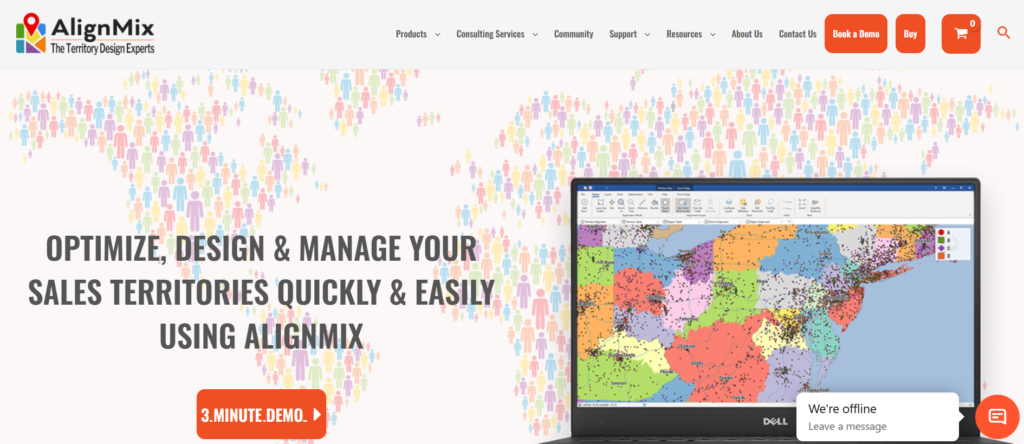
Unlike rep focused tools, AlignMix allows teams to model multiple territory scenarios before committing changes to CRM. This makes it particularly valuable during annual planning cycles, mergers, or rapid increase phases.
AlignMix reviews often reference reduced risk during territory redesigns and improved confidence in executive level planning decisions.
Key Features
AlignMix prioritises planning accuracy and controlled rollout.
Each feature supports informed territory decisions before execution.
Scenario Modelling
Revenue teams can build multiple territory scenarios using different assumptions. This allows leadership to compare outcomes before selecting a final structure.
Scenario modelling reduces guesswork during UK territory redesigns.
Workload and Revenue Balancing
Territories can be balanced based on revenue potential, account volume, or workload metrics. This supports fair rep assignment and quota distribution.
Balancing helps reduce churn among overworked regions.
CRM Integration
AlignMix connects with leading CRMs, allowing approved territory plans to sync once finalised. This separation of planning and execution reduces errors.
Impact Analysis
Teams can assess how territory changes affect quotas, coverage, and headcount requirements. This supports clearer communication with leadership.
Change Tracking
All changes are logged and documented. This creates transparency across planning cycles and supports audit requirements.
Pros & Cons
| Pros | Cons |
| Strong planning control | Less rep focused |
| Scenario comparisons | No route planning |
| Fair territory allocation | Higher learning curve |
| Good executive visibility | Premium pricing |
Pricing
AlignMix pricing is available on request and typically reflects enterprise planning needs. It is less common among smaller UK teams.
Best For UK Revenue Operations and Sales Strategy Teams
AlignMix suits organisations where:
- Territories change regularly
- Planning accuracy affects compensation
- Executive visibility is required
- CRM driven sales models exist
Verdict: AlignMix works best when territory planning is treated as a formal revenue process.
Planning Tip
Use historical territory performance to validate scenario assumptions before executive review.
Best Alternate Tool
Anaplan is often reviewed in AlignMix vs Anaplan planning discussions
5. Spotio
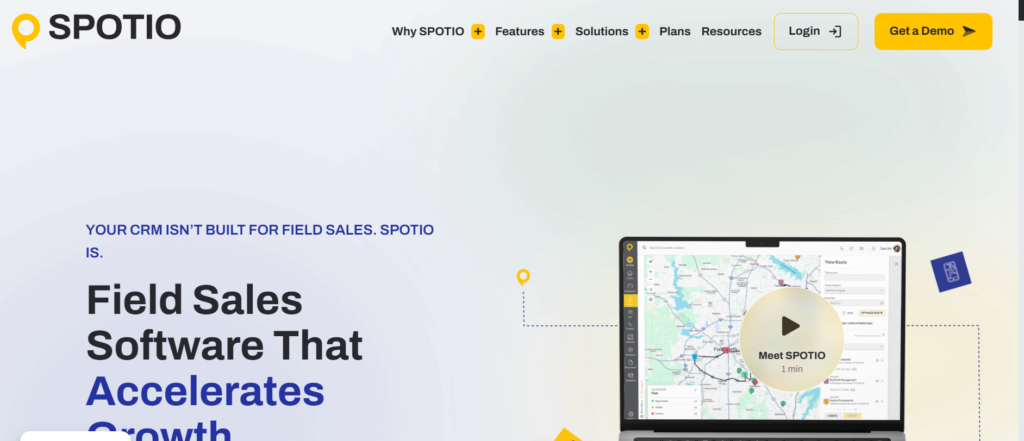
Tagline: Area based territory control for outside sales teams
Overview
Spotio is widely used by UK sales teams operating in door to door, field marketing, and outside sales roles. It focuses on territory ownership, rep accountability, and consistent area coverage rather than detailed forecasting.
Spotio reviews often mention quick setup and ease of adoption, particularly for teams onboarding large numbers of reps across changing areas
Key Features
Spotio centres on simple territory execution.
Each feature supports coverage discipline across assigned areas.
Area Based Territory Assignment
Managers can draw territories directly on maps and assign them to reps. This works well for postcode or neighbourhood based selling.
Coverage Tracking
Managers can see which areas have been visited and which remain untouched. This prevents gaps across UK territories.
Mobile Rep Tools
Reps access territories, notes, and activity tracking from mobile devices during field work.
Team Performance Views
Territory performance can be reviewed by area, allowing managers to compare results across regions.
Rapid Deployment
Spotio can be rolled out quickly without complex configuration.
Pros & Cons
| Pros | Cons |
| Easy adoption | Limited planning depth |
| Strong field focus | Less CRM driven |
| Clear area ownership | Basic analytics |
| Fast setup | Not enterprise focused |
Pricing
Spotio pricing is subscription based and varies by team size. It is accessible for many UK field sales teams.
Best For UK Door to Door and Outside Sales Teams
Spotio suits teams where:
- Sales is face to face
- Territories change frequently
- Fast onboarding is required
- Mobile execution matters
Verdict: Spotio supports disciplined field coverage without planning complexity.
Best Alternate Tool
Badger Maps is often assessed in Spotio vs Badger Maps comparisons.
6. Zoho Territory Management
Tagline: Rule based territory assignment inside Zoho CRM
Overview
Zoho Territory Management is part of the Zoho CRM ecosystem and is designed for UK sales teams that require structured territory assignment without investing in enterprise level planning software. It is commonly used by small to mid sized organisations that want clear ownership rules, scalable territory logic, and centralised control inside their CRM.
UK businesses using Zoho often grow quickly across regions, and manual territory assignment becomes difficult to manage. Zoho Territory Management addresses this by allowing sales operations teams to define territories based on geography, account attributes, or deal values while keeping everything within a single system.
In Zoho Territory Management reviews, UK users frequently mention improved clarity around account ownership and fewer internal disputes once rule based assignment is implemented.
Key Features
Zoho Territory Management focuses on structured assignment and CRM consistency.
Each feature supports predictable territory control for growing sales teams.
Rule Based Territory Definition
Territories can be defined using criteria such as postcode, industry, deal size, or account type. This allows sales leaders to enforce consistent assignment logic across the UK.
Rules reduce manual intervention and prevent territories becoming unbalanced over time.
Automatic Account Assignment
Once rules are configured, accounts and leads are automatically assigned to the correct territory. This is particularly useful for inbound sales teams managing high lead volume.
Automatic assignment keeps no account is left unowned.
Territory Hierarchies
Zoho allows territories to be structured hierarchically. Managers can view performance at national, regional, and local levels across the UK.
This supports reporting and managerial oversight.
CRM Native Reporting
Territory performance can be tracked using Zoho CRM reports and dashboards. Sales leaders can review progress and activity by territory rather than by individual alone.
Change Management Controls
Territory rules can be updated centrally, allowing changes to cascade without manual reassignment of every account.
Pros & Cons
| Pros | Cons |
| Built into Zoho CRM | Limited visual mapping |
| Clear rule enforcement | Less suited to field sales |
| Affordable pricing | Basic planning tools |
| Easy setup | Smaller ecosystem |
Pricing
Zoho Territory Management is included in higher tier Zoho CRM plans. Pricing is transparent and positioned for small to mid sized UK sales teams.
Best For UK SMB Sales Teams Using Zoho CRM
Zoho Territory Management fits teams where:
- Sales is CRM centric
- Territories follow clear rules
- Budget control matters
- Inbound leads require structure
Verdict: Zoho Territory Management provides structured territory control without enterprise complexity.
Territory Setup Tip
Review territory rules quarterly to keep new account types are not misassigned as the business grows.
Best Alternate Tool
Freshsales is often compared in Zoho Territory Management vs Freshsales discussions.
7. Freshsales
Tagline: Built in territory management for fast growing sales teams
Overview
Freshsales includes territory management as part of its broader CRM platform. It is widely used by UK sales teams that want territory control without adding specialist software or managing complex integrations.
Freshsales is often adopted by growing organisations that need to move beyond manual assignment but are not yet operating at enterprise scale. In Freshsales reviews, UK users frequently cite ease of use and fast setup as deciding factors.
Key Features
Freshsales focuses on simplicity and speed.
Each feature supports consistent territory ownership as teams expand.
Territory Based Assignment
Sales managers can define territories using geography, deal value, or custom rules. Accounts and leads are automatically routed to the correct reps.
This prevents delays in follow up and reduces admin work.
Sales progress Visibility
Territory performance can be viewed directly within the progress. Managers can assess regional strength across the UK without exporting data.
Automation Rules
Assignment rules update dynamically as records change. This keeps territory ownership current without manual oversight.
Reporting and Dashboards
Freshsales dashboards allow territory level tracking of deals, revenue, and activity. This supports regular performance reviews.
Quick Deployment
Territory management can be activated quickly without lengthy configuration cycles.
Pros & Cons
| Pros | Cons |
| Easy to deploy | Limited advanced planning |
| Integrated CRM | Basic mapping |
| Clear assignment rules | Less suited to field sales |
| Affordable tiers | Fewer custom controls |
Pricing
Freshsales pricing is tier based and transparent. Territory management features are available on mid and upper tier plans.
Best For UK Growing Sales Teams Needing Fast Structure
Freshsales works well when:
- Teams are scaling quickly
- CRM simplicity matters
- Assignment delays cause revenue loss
- Budget constraints exist
Verdict: Freshsales offers dependable territory management for teams prioritising speed and clarity.
Territory Management Tip
Use deal value thresholds to separate enterprise and SMB territories early to avoid future reassignment issues.
Best Alternate Tool
Zoho Territory Management is often reviewed in Freshsales vs Zoho comparisons.
8. Plecto

Tagline: Territory visibility through performance dashboards
Overview
Plecto approaches territory management from a performance visibility perspective rather than assignment logic. It is used by UK sales leaders who want live insight into territory results rather than complex planning tools.
Plecto integrates with multiple CRMs and data sources, allowing teams to visualise territory performance on dashboards displayed across offices or accessed remotely.
Key Features
Plecto focuses on visibility and accountability.
Each feature supports transparent territory performance tracking.
Territory Based Dashboards
Sales leaders can create dashboards that show revenue, progress, and activity by territory. This supports regular performance reviews.
Live Data Updates
Dashboards update in real time, keeping teams informed without manual reporting.
CRM Integrations
Plecto connects with popular CRMs, keeping territory data reflects current performance.
Team Visibility
Performance screens encourage accountability and friendly competition across territories.
Custom Metrics
Teams can track metrics that matter most to their sales model.
Pros & Cons
| Pros | Cons |
| Strong visual reporting | Not a planning tool |
| Live performance tracking | No territory assignment |
| Easy integrations | Limited execution tools |
| Motivational dashboards | Requires clean data |
Pricing
Plecto pricing is subscription based and varies by users and integrations.
Best For UK Sales Leaders Focused on Territory Performance
Plecto suits teams where:
- Visibility matters more than planning
- Performance tracking drives behaviour
- CRM data is reliable
- Teams value transparency
Verdict: Plecto complements territory tools rather than replacing them.
Reporting Tip
Display territory dashboards during weekly sales meetings to reinforce accountability.
Best Alternate Tool
InsightSquared is often considered in Plecto vs InsightSquared comparisons.
9. QCommission

Tagline: Territory driven commission and incentive planning
Overview
QCommission is used by UK organisations where territory structure directly affects commission and incentive plans. It focuses on aligning territory ownership with compensation accuracy.
Rather than managing territories for coverage alone, QCommission keeps commission calculations reflect territory changes correctly.
Key Features
QCommission connects territories to compensation logic.
Each feature supports accurate incentive management.
Territory Based Commission Rules
Commissions can be calculated based on territory ownership rather than individual deals alone.
Integration with Sales Systems
QCommission integrates with CRM and ERP platforms to pull territory and deal data.
Audit and Compliance Controls
All changes are logged, supporting transparency and dispute resolution.
Scenario Testing
Teams can test compensation outcomes before implementing territory changes.
Reporting and Statements
Reps receive clear commission statements linked to territory performance.
Pros & Cons
| Pros | Cons |
| Accurate commission tracking | Not a coverage tool |
| Strong audit control | Setup complexity |
| Territory aligned incentives | Finance involvement needed |
| Reduces disputes | Narrow use case |
Pricing
QCommission pricing is provided on request and reflects enterprise compensation needs.
Best For UK Sales Teams with Complex Commission Structures
QCommission fits organisations where:
- Territories affect pay
- Disputes are common
- Compliance matters
- Finance oversight is required
Verdict: QCommission keeps territory changes do not break compensation logic.
Compensation Tip
Align territory changes with commission periods to avoid retroactive adjustments.
Best Alternate Tool
Xactly is often reviewed in QCommission vs Xactly comparisons.
10. SalesRabbit
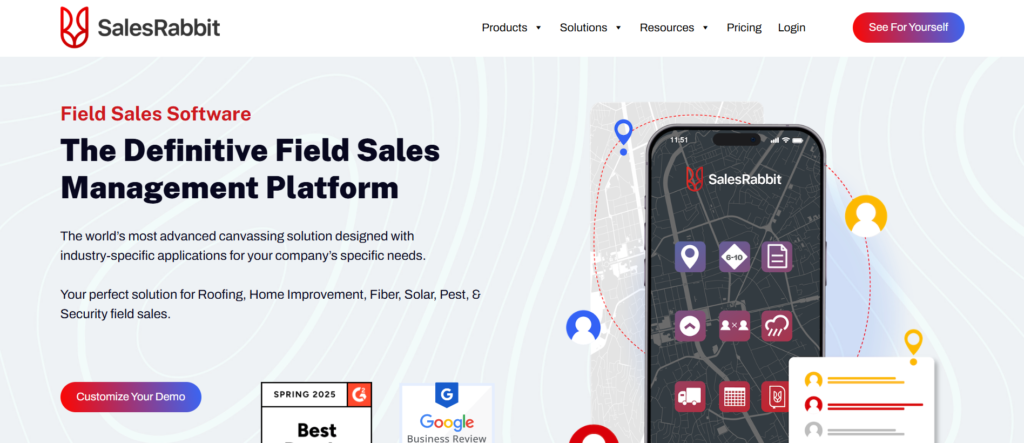
Tagline: Territory execution for outside sales teams
Overview
SalesRabbit is widely adopted by UK outside sales teams that operate door to door or manage geographically defined territories. It focuses on execution, rep accountability, and consistent area coverage.
SalesRabbit reviews often mention improved rep discipline and clearer area ownership after implementation.
Key Features
SalesRabbit prioritises field execution.
Each feature supports consistent territory coverage.
Territory Mapping
Managers can assign clear territories using map based tools. Reps see defined boundaries.
Activity Tracking
Visits and interactions are tracked by area, supporting coverage reviews.
Mobile First Access
Reps operate entirely from mobile devices while in the field.
Team Oversight
Managers monitor progress across territories without micromanagement.
Fast Onboarding
New reps can be deployed quickly into assigned areas.
Pros & Cons
| Pros | Cons |
| Strong field focus | Limited planning |
| Clear area ownership | Basic reporting |
| Mobile friendly | Not enterprise focused |
| Quick setup | Minimal forecasting |
Pricing
SalesRabbit pricing is subscription based and varies by feature set and team size.
Best For UK Outside and Door to Door Sales Teams
SalesRabbit works best when:
- Sales activity is location driven
- Teams are field based
- Coverage discipline matters
- Mobile tools are required
Verdict: SalesRabbit supports consistent execution across defined sales territories.
11. Geopointe
Tagline: Advanced geographic territory control for Salesforce users
Overview
Geopointe is a Salesforce focused mapping and territory management tool used by UK sales organisations that require deeper geographic intelligence layered directly onto CRM data. It is often selected by teams that already use Salesforce Maps or MapAnything but need additional geographic precision, demographic overlays, or spatial analysis capabilities.
UK sales teams managing complex regional boundaries, travel heavy territories, or postcode sensitive coverage often adopt Geopointe to gain better insight into where accounts are located and how territories perform geographically. In Geopointe reviews, users frequently mention improved territory clarity and stronger planning confidence during regional realignments.
Geopointe is particularly relevant for organisations selling into regulated industries, public sector, healthcare, or logistics where geographic accuracy plays a direct role in revenue coverage.
Key Features
Geopointe focuses on geographic intelligence layered on CRM data.
Each feature supports informed territory planning and regional analysis.
Advanced Territory Mapping
Geopointe allows sales teams to create territories using highly precise geographic boundaries. Territories can be defined by postcode, radius, or custom drawn areas across the UK.
This level of precision supports accurate coverage in densely populated or highly regulated regions.
Demographic and Data Overlays
Sales leaders can overlay demographic, census, or custom datasets onto maps. This helps identify high value regions and assess territory potential beyond surface level metrics.
Salesforce Native Operation
Geopointe runs directly inside Salesforce, keeping all mapping and territory data remains connected to live CRM records. This reduces reconciliation work and reporting errors.
Proximity and Distance Analysis
Sales teams can analyse distance between reps and accounts, helping optimise territory layouts for travel efficiency and response time.
Territory Performance Insights
Geopointe supports territory level reporting that connects geographic data with progress and revenue outcomes.
Pros & Cons
| Pros | Cons |
| High geographic precision | Salesforce only |
| Strong data overlays | Higher cost |
| CRM native | Learning curve |
| UK postcode accuracy | Not rep focused |
Pricing
Geopointe pricing is available on request and varies based on Salesforce edition and feature access. It is positioned for mid market and enterprise UK teams.
Best For UK Salesforce Teams Needing Geographic Precision
Geopointe is ideal when:
- Territories require postcode accuracy
- Geographic analysis impacts sales strategy
- Salesforce is central to operations
- Regional planning requires depth
Verdict: Geopointe suits organisations where geography directly affects revenue outcomes.
Geographic Planning Tip
Use demographic overlays during annual planning to validate whether territory revenue targets align with market potential.
Best Alternate Tool
Salesforce Maps is often reviewed in Geopointe vs Salesforce Maps discussions.
12. Clari

Tagline: Territory performance insight through revenue intelligence
Overview
Clari is primarily known as a revenue intelligence platform, but it plays a significant role in territory management by providing visibility into territory level progress health and forecasting accuracy. UK sales organisations often use Clari alongside CRM systems to understand how territories perform rather than how they are assigned.
Clari is commonly adopted by revenue leadership teams who want to monitor territory outcomes, identify risk, and improve forecasting confidence across regions. In Clari reviews, UK users frequently highlight improved visibility into territory progress gaps and performance trends.
Key Features
Clari focuses on insight and forecasting rather than assignment.
Each feature supports territory level revenue oversight.
Territory Based Forecasting
Clari allows forecasts to be reviewed by territory, region, or segment. This helps leadership identify underperforming areas early.
Progres Risk Analysis
The platform highlights deals at risk within each territory, supporting proactive intervention by managers.
CRM Data Consolidation
Clari consolidates CRM data into a single view, keeping territory performance reflects live progress activity.
Executive Reporting
Revenue leaders can review territory trends without manual spreadsheet work.
Trend Analysis
Historical data supports identification of long term territory strengths and weaknesses.
Pros & Cons
| Pros | Cons |
| Strong forecasting insight | No territory assignment |
| Executive visibility | Requires clean CRM data |
| Territory trend analysis | Premium pricing |
| Revenue focus | Not field oriented |
Pricing
Clari pricing is provided on request and reflects enterprise revenue intelligence use cases.
Best For UK Revenue Leaders Monitoring Territory Outcomes
Clari suits organisations where:
- Forecast accuracy matters
- Territory health needs monitoring
- Executive visibility is required
- CRM data maturity exists
Verdict: Clari complements territory tools by focusing on results rather than structure.
Forecasting Tip
Review territory forecasts weekly to spot declining activity before revenue impact appears.
Best Alternate Tool
InsightSquared is often assessed in Clari vs InsightSquared comparisons.
13. Anaplan
Tagline: Enterprise level territory and capacity planning
Overview
Anaplan is an enterprise planning platform used by large UK organisations where territory planning intersects with finance, headcount, and strategic increase initiatives. It is not a sales only tool but is frequently used for territory modelling at executive level.
UK enterprises adopt Anaplan when territory decisions affect hiring plans, compensation budgets, and long term revenue strategy. In Anaplan reviews, users often mention improved alignment between sales, finance, and operations.
Key Features
Anaplan focuses on strategic planning across departments.
Each feature supports long range territory decisions.
Territory Scenario Planning
Teams can model multiple territory structures and assess impact across revenue, cost, and capacity.
Cross Functional Alignment
Sales territory plans can be aligned with finance and workforce planning models.
Advanced Analytics
Anaplan supports deep analysis using large datasets, suitable for national UK coverage.
Change Simulation
Executives can test territory changes before approving investment or hiring.
Governance and Controls
Role based access keeps planning data integrity.
Pros & Cons
| Pros | Cons |
| Enterprise planning depth | Complex setup |
| Finance alignment | High cost |
| Scenario modelling | Not rep focused |
| Strategic visibility | Requires expertise |
Pricing
Anaplan pricing is enterprise based and provided on request.
Best For UK Enterprises with Complex Territory Planning Needs
Anaplan fits organisations where:
- Territory planning affects finance
- Headcount modelling is required
- Executive oversight is critical
- Long term strategy drives decisions
Verdict: Anaplan supports territory planning at strategic level rather than operational execution.
Planning Tip
Use Anaplan outputs to guide CRM territory changes rather than replacing CRM tools.
Best Alternate Tool
AlignMix is often compared in Anaplan vs AlignMix evaluations.
14. RepMove
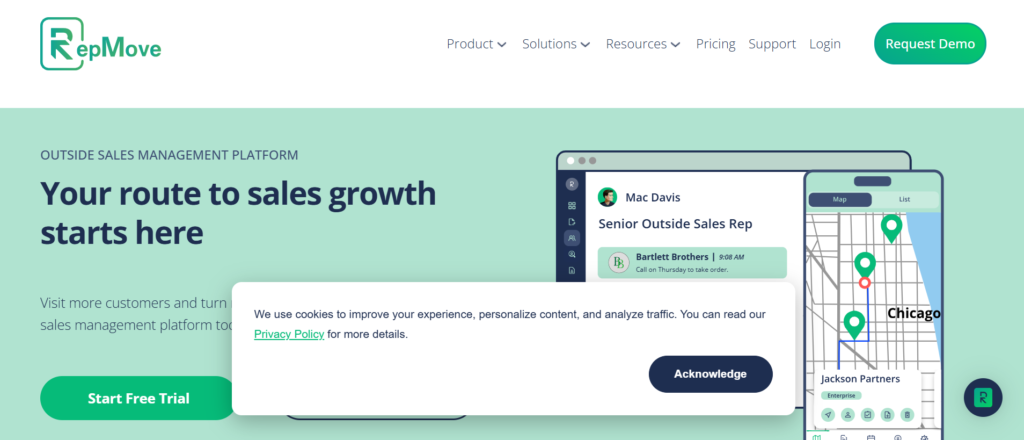
Tagline: Map based territory management for B2B sales teams
Overview
RepMove is designed for UK B2B sales teams that want visual territory management without enterprise complexity. It is commonly used by teams that operate regionally and require straightforward mapping tied to CRM records.
RepMove reviews often reference ease of use and quick deployment, particularly for teams transitioning away from spreadsheets.
Key Features
RepMove focuses on clarity and usability.
Each feature supports practical territory control.
Visual Territory Mapping
Territories are created and adjusted using interactive maps, supporting postcode based coverage.
CRM Integration
RepMove syncs with popular CRMs, keeping account ownership aligned.
Territory Balancing
Managers can review workload distribution across territories.
Field Visibility
Reps can view territories while planning visits.
Reporting Tools
Basic territory performance reporting supports reviews.
Pros & Cons
| Pros | Cons |
| Easy to use | Limited advanced planning |
| Visual clarity | Smaller ecosystem |
| Fast setup | Basic analytics |
| CRM compatible | Less enterprise support |
Pricing
RepMove pricing is subscription based and accessible for many UK teams.
Best For UK B2B Sales Teams Needing Simple Territory Maps
RepMove suits teams where:
- Territories are region based
- Visual clarity matters
- Setup time is limited
- CRM integration is required
Verdict: RepMove offers practical territory mapping without complexity.
Best Alternate Tool
Mapline is often reviewed in RepMove vs Mapline comparisons.
15. Mapline

Tagline: Flexible mapping and territory design for sales teams
Overview
Mapline is a general purpose mapping platform used by UK sales teams that want flexible territory design without being locked into a single CRM ecosystem. It is often used by organisations with mixed systems or custom workflows.
Mapline reviews frequently mention adaptability and ease of creating territories across varied datasets.
Key Features
Mapline prioritises flexibility.
Each feature supports custom territory workflows.
Custom Territory Creation
Territories can be drawn manually or generated from data uploads.
Data Import Options
Sales teams can upload spreadsheets, CRM exports, or databases to create maps.
Visual Performance Analysis
Territory performance can be reviewed using colour coding and filters.
Collaboration Tools
Teams can share maps internally for planning discussions.
Export and Reporting
Maps and territory data can be exported for presentations.
Pros & Cons
| Pros | Cons |
| Flexible data sources | Limited CRM depth |
| Easy territory creation | Manual updates |
| Visual clarity | Not sales specific |
| Accessible pricing | Less automation |
Pricing
Mapline offers tiered pricing with entry level plans suitable for small UK teams.
Best For UK Sales Teams Needing Flexible Mapping
Mapline fits organisations where:
- Multiple data sources exist
- CRM is not central
- Custom workflows are required
- Visual planning matters
Verdict: Mapline works well for teams needing adaptable territory maps without CRM dependency.
16. eSpatial

Tagline: Structured territory design and workload balancing
Overview
eSpatial is a dedicated territory design and mapping platform used by UK sales organisations that need structured, repeatable territory creation supported by data rather than intuition. It is frequently adopted by sales operations teams responsible for balancing workload, revenue potential, and geographic coverage across growing sales teams.
Unlike tools that prioritise daily rep execution, eSpatial is focused on territory design quality. UK companies often adopt eSpatial during periods of expansion, restructuring, or when territory fairness becomes a concern across regions.
In eSpatial reviews, users regularly reference improved confidence in territory decisions and clearer justification for territory changes during leadership reviews.
Key Features
eSpatial focuses on data supported territory design.
Each feature supports balanced and defensible territory structures.
Territory Design Engine
eSpatial allows territories to be created using rules based on geography, revenue potential, or account volume. This supports consistent territory layouts across the UK.
Designs can be adjusted iteratively before being finalised.
Workload Balancing
The platform analyses workload distribution across territories, highlighting imbalances that could affect performance or rep retention.
Balancing reduces the risk of uneven opportunity distribution.
Map Based Visualisation
Territories are displayed on interactive maps with postcode level clarity, supporting UK specific planning needs.
Data Integration
Sales data can be imported from CRM systems or spreadsheets, allowing flexibility in planning workflows.
Export and Sync Options
Finalised territories can be exported or synced into CRM systems for execution.
Pros & Cons
| Pros | Cons |
| Strong design focus | Less rep execution |
| Balanced territory logic | Setup time required |
| UK geographic accuracy | Not CRM native |
| Clear planning visuals | Planning focused |
Pricing
eSpatial pricing is subscription based and varies by team size and feature access.
Best For UK Sales Operations Teams Designing Territories
eSpatial fits organisations where:
- Territory fairness is critical
- Design quality matters
- Planning occurs centrally
- Execution tools already exist
Verdict: eSpatial supports structured territory design where balance and justification matter.
Design Tip
Use historical performance data alongside workload metrics to validate territory equity.
Best Alternate Tool
AlignMix is often assessed in eSpatial vs AlignMix evaluations.
17. Loxo
Tagline: Territory tracking within outbound sales workflows
Overview
Loxo is primarily a sales engagement platform but includes territory tracking capabilities that support outbound and prospecting focused sales teams in the UK. It is commonly used by recruitment firms, B2B sales teams, and agencies where outbound coverage needs structure across regions.
UK teams using Loxo often focus on territory ownership for prospecting discipline rather than complex geographic planning. Loxo reviews frequently highlight improved accountability during outbound campaigns.
Key Features
Loxo integrates territory awareness into outreach workflows.
Each feature supports controlled outbound coverage.
Territory Ownership Tracking
Reps can be assigned ownership over defined account or prospect groups aligned to regions.
This prevents duplication during outbound activity.
CRM and Data Sync
Loxo integrates with CRM systems, keeping territory ownership aligns with contact and account records.
Prospecting Workflows
Territory assignments influence prospect lists and outreach sequences.
Activity Monitoring
Managers can review outbound activity by territory to keep consistent coverage.
Team Visibility
Clear ownership reduces overlap across UK outbound teams.
Pros & Cons
| Pros | Cons |
| Strong outbound focus | Limited geographic mapping |
| Easy rep adoption | Not a planning tool |
| Outreach alignment | Smaller territory scope |
| Accountability driven | Prospecting centric |
Pricing
Loxo pricing is subscription based and varies by feature tier.
Best For UK Outbound Sales and Recruitment Teams
Loxo suits teams where:
- Prospecting drives revenue
- Territory ownership prevents overlap
- Outreach discipline matters
- CRM integration is required
Verdict: Loxo supports territory control within outbound execution rather than territory design.
Prospecting Tip
Assign territories before launching campaigns to prevent duplicate outreach across regions.
Best Alternate Tool
HubSpot Territories is often reviewed in Loxo vs HubSpot discussions.
18. HubSpot Territories
Tagline: Territory based lead and account routing inside HubSpot
Overview
HubSpot Territories is part of HubSpot CRM and is used by UK sales teams that want simple territory assignment tied to inbound and outbound workflows. It is most common among growing sales teams that prioritise lead routing speed and ownership clarity.
HubSpot Territories reviews often reference reduced response time and clearer account ownership after implementation.
Key Features
HubSpot Territories focuses on assignment clarity.
Each feature supports predictable routing and ownership.
Territory Based Lead Routing
Leads are routed automatically based on territory rules, keeping fast follow up.
Account Ownership Logic
Accounts are assigned using geographic or attribute based rules.
CRM Native Reporting
Territory performance is visible through HubSpot dashboards.
Automation Rules
Routing rules update dynamically as records change.
Sales progress Views
Managers can assess territory performance directly within progress.
Pros & Cons
| Pros | Cons |
| Simple setup | Limited advanced planning |
| Strong inbound routing | Basic mapping |
| CRM native | Less field focused |
| Affordable | Smaller enterprises |
Pricing
Territory features are available on higher tier HubSpot plans.
Best For UK Inbound Focused Sales Teams
HubSpot Territories fits teams where:
- Lead speed matters
- CRM simplicity is valued
- Inbound drives increase
- Territory logic is basic
Verdict: HubSpot Territories offers reliable assignment for inbound driven sales teams.
Routing Tip
Use postcode rules for UK coverage to prevent misrouted leads.
Best Alternate Tool
Freshsales is often compared in HubSpot vs Freshsales evaluations.
19. Pipedrive Territories
Tagline: Lightweight territory assignment for deal driven sales teams
Overview
Pipedrive Territories is used by UK sales teams that operate with simple deal progress and need clear ownership without operational overhead. It suits smaller teams that want territory clarity without enterprise tooling.
Pipedrive Territories reviews often highlight ease of use and fast adoption.
Key Features
Pipedrive Territories prioritises simplicity.
Each feature supports clear ownership.
Deal Based Territory Assignment
Deals can be assigned based on territory logic.
Visual progress Management
Territory performance can be reviewed inside progress.
Automation Support
Rules update deal ownership automatically.
CRM Simplicity
Minimal configuration reduces admin effort.
Reporting Views
Basic territory reporting supports reviews.
Pros & Cons
| Pros | Cons |
| Easy to use | Limited planning |
| Fast setup | Basic analytics |
| Clear deal ownership | Not field oriented |
| Affordable | Small team focus |
Pricing
Territory features are available on advanced Pipedrive plans.
Best For UK Small Sales Teams Using Pipedrive
Pipedrive Territories suits teams where:
- Simplicity matters
- Deal ownership is key
- Teams are small
- Speed is prioritised
Verdict: Pipedrive Territories provides straightforward ownership without complexity.
Setup Tip
Define territories early to avoid deal reassignment later.
Best Alternate Tool
Zoho Territory Management is often assessed in Pipedrive vs Zoho discussions.
20. InsightSquared
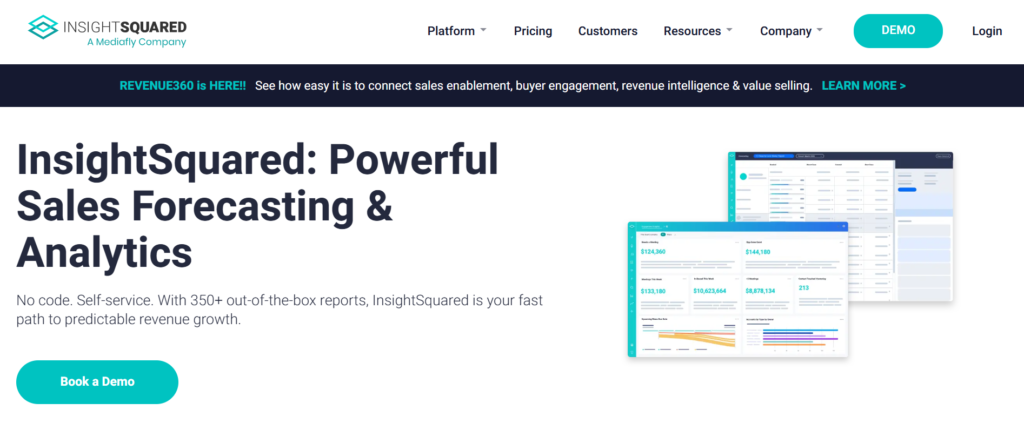
Tagline: Territory performance analytics and forecasting insight
Overview
InsightSquared is a sales analytics platform used by UK organisations to analyse territory performance, progress health, and forecasting accuracy. It does not assign territories but plays a critical role in understanding how territories perform.
InsightSquared reviews frequently reference improved territory insight and clearer performance reporting.
Key Features
InsightSquared focuses on analysis and reporting.
Each feature supports performance visibility.
Territory Level Analytics
Sales leaders can review revenue and progress by territory.
Forecasting Accuracy Tools
Forecasts can be segmented by region.
CRM Integration
Data sync keeps accurate reporting.
Trend Identification
Historical trends highlight territory strengths.
Executive Dashboards
Leadership receives clear territory insights.
Pros & Cons
| Pros | Cons |
| Deep analytics | No assignment |
| Forecast clarity | Requires clean data |
| Executive reporting | Premium pricing |
| Territory insight | Not execution focused |
Pricing
InsightSquared pricing is provided on request and reflects analytics depth.
Best For UK Sales Leaders Focused on Territory Results
InsightSquared fits organisations where:
- Performance insight matters
- Forecasting drives decisions
- Territory health is monitored
- CRM maturity exists
Verdict: InsightSquared complements territory tools by focusing on outcomes rather than structure.
Final Thoughts on Sales Territory Management for UK Businesses
Choosing the right sales territory management tool is not about picking the most popular name or the longest feature list. It is about clarity, control, and consistency across how your sales team works day to day. Across these twenty tools, one pattern is clear. UK sales teams that define territories properly experience fewer internal conflicts, better regional coverage, and stronger forecasting confidence.
Some platforms focus on territory design and planning, others focus on field execution, and several focus on performance visibility and revenue insight. The strongest results come when territory structure matches how your sales team actually sells, whether that is field based, inbound led, outbound driven, or enterprise account focused.
This is where pearllemonSales comes into the picture. From the first territory audit to ongoing optimisation, we work with sales leaders to align territory logic with commercial reality. That includes territory mapping, CRM configuration, rule definition, reporting structure, and ongoing reviews as teams scale. The goal is simple. Every rep knows what they own. Every manager knows where performance stands. Every region is covered with intent rather than habit.
Conclusion
Sales territory management is not a one time setup. It is an operational discipline. Markets shift, teams grow, customer behaviour changes, and territories that worked last year rarely stay balanced for long. The tools covered in this guide give sales leaders the technical foundation to manage that complexity, but technology alone does not fix broken territory logic.
Effective territory management requires clear strategy, disciplined processes, and regular review cycles. When those elements are in place, territory tools stop being admin systems and start becoming revenue control systems.
At pearllemonSales, we support UK businesses through every stage of that process. From selecting the right sales territory management software to implementing it correctly and reviewing performance over time, our focus is on building territory structures that support sustainable revenue increase , rep retention, and predictable outcomes.
Frequently Asked Questions
1. What is sales territory management and why does it matter?
Sales territory management is the process of assigning accounts, leads, or regions to sales reps based on defined rules. It matters because poor territory design leads to uneven workloads, missed opportunities, and internal disputes.
2. How often should sales territories be reviewed?
Most UK sales teams should review territories quarterly at a minimum. High increase teams or field sales organisations may need monthly reviews during expansion phases.
3. Do small sales teams need territory management tools?
Yes. Even small teams benefit from clear ownership rules. Early structure prevents confusion as the team grows and reduces rework later.
4. Are CRM built in territory tools enough?
CRM native tools work well for basic territory assignment and reporting. Teams with complex geography, frequent changes, or compensation dependency often need specialist tools alongside CRM.
5. How do territories affect sales forecasting?
Territories directly influence progress distribution and quota accuracy. Poorly balanced territories distort forecasts and create false performance signals.
6. What is the difference between territory planning and territory execution?
Territory planning focuses on design and balance. Territory execution focuses on how reps work within assigned areas. Many teams require tools for both.
7. How do field sales teams manage large UK regions effectively?
Field teams benefit from mapping tools, route planning, and activity tracking to keep coverage without excessive travel.
8. Can territory changes impact commission accuracy?
Yes. Territory changes can affect commission attribution. Compensation systems should be aligned with territory logic to avoid disputes.
9. When should a business redesign its territories?
Redesign is recommended after major hiring changes, market expansion, mergers, or sustained performance imbalance across regions.
10. How can pearllemonSales support territory management?
pearllemonSales helps businesses design, implement, and refine territory structures, select suitable tools, configure CRM rules, and establish review frameworks that scale with increase.