
Sales teams often struggle with consistency. One representative follows a structured process, another improvises during calls, and another relies on scattered notes or personal documents. Over time this creates inconsistent messaging, slower onboarding for new hires, and missed opportunities during sales conversations.
This is why companies invest in the Best Sales Playbook Software. These platforms give sales organisations a central system where messaging, deal stages, discovery questions, and objection responses are documented clearly. Instead of guessing what to say during calls, sales representatives can follow a structured playbook designed by leadership and product marketing teams.
Industry research highlights the impact of structured sales processes. CSO Insights reports that organisations with formal sales enablement programmes see 49% higher win rates, while Gartner research shows that companies using structured sales playbooks can increase quota attainment by more than 15%. Because of these benefits, the Best Sales Playbook Software has become a key tool for revenue teams that want predictable sales execution.
This guide is designed for sales leaders, revenue operations teams, SaaS founders, and product marketing managers who want to build a repeatable sales process. After reviewing dozens of platforms used by modern sales organisations, we identified the Best Sales Playbook Software tools that support onboarding, playbook management, sales training, and deal guidance.
What Is Sales Playbook Software?
Sales playbook software is a platform that documents and distributes a company’s sales strategy to its revenue team. Instead of relying on informal training or scattered documents, organisations create structured playbooks that guide sales representatives through every stage of the sales process.
A typical sales playbook contains prospecting scripts, discovery questions, product positioning, competitor comparisons, objection handling responses, and negotiation strategies. The Best Sales Playbook Software keeps this information organised in a way that sales representatives can access quickly during real conversations with prospects.
Product marketing teams and sales leaders usually create and maintain the playbook, while sales representatives use it daily when handling leads and managing deals. Many platforms integrate with CRM systems so that playbook guidance appears automatically during specific deal stages.
Modern playbook platforms also include onboarding programmes for new hires, sales training modules, analytics on playbook usage, and AI recommendations during sales calls. For organisations that want consistent messaging across large sales teams, the Best Sales Playbook Software becomes an essential part of their sales enablement strategy.
Quick Comparison Table for the Best Sales Playbook Software
Sales leaders evaluating playbook platforms usually care about pricing, CRM integrations, onboarding features, and how easily playbooks can be accessed during deals. The columns below highlight the most important decision factors when comparing the Best Sales Playbook Software.
| Tool | Best For | Starting Price | Free Trial | CRM Integration | G2 Rating |
| Highspot | Enterprise sales enablement | $100/month | Yes | Yes | 4.5 |
| Seismic | Large sales teams | Custom | Yes | Yes | 4.6 |
| Showpad | Sales content playbooks | Custom | Yes | Yes | 4.5 |
| Allego | Sales learning programmes | $29/month | Yes | Yes | 4.3 |
| Guru | Knowledge based playbooks | $18/month | Yes | Yes | 4.7 |
| Spekit | In app playbooks | $25/month | Yes | Yes | 4.6 |
| Mindtickle | Sales readiness training | Custom | Yes | Yes | 4.5 |
| Mediafly | Revenue enablement | $50/month | Yes | Yes | 4.4 |
| Notion | Flexible playbook workspace | $10/month | Yes | Limited | 4.6 |
| Confluence | Documentation playbooks | $5.75/month | Yes | Limited | 4.5 |
| ClickUp | Workflow playbooks | $7/month | Yes | Limited | 4.7 |
| Airtable | Structured playbook databases | $20/month | Yes | Limited | 4.6 |
| Coda | Knowledge playbook docs | $12/month | Yes | Limited | 4.7 |
| Monday.com | Sales workflow boards | $10/month | Yes | Limited | 4.6 |
| Trello | Simple playbook boards | $5/month | Yes | Limited | 4.5 |
| Salesforce Enablement | CRM integrated playbooks | $25/month | Yes | Native | 4.4 |
| HubSpot Sales Hub | Sales process guidance | $20/month | Yes | Native | 4.5 |
| Outreach | Sales engagement playbooks | $100/month | Yes | Yes | 4.4 |
| Salesloft | Deal execution playbooks | Custom | Yes | Yes | 4.4 |
| Gong | AI guided playbooks | Custom | Yes | Yes | 4.7 |
1. Highspot
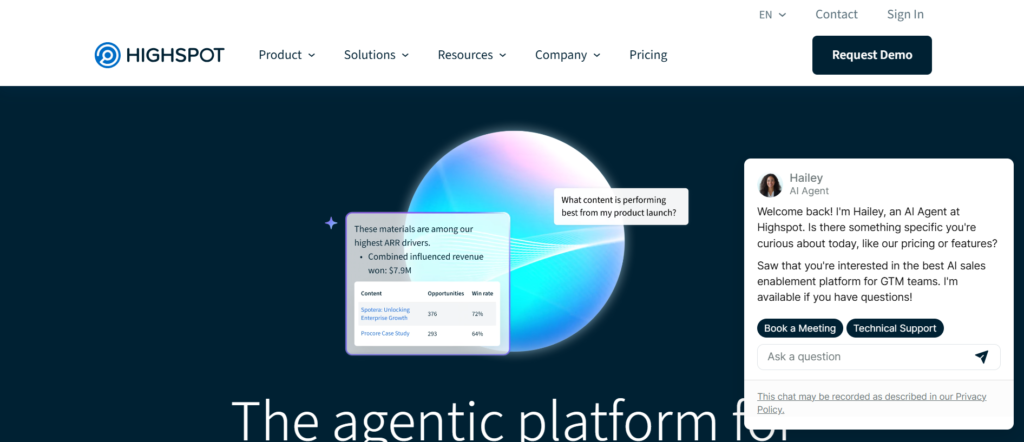
Highspot is widely recognised as one of the Best Sales Playbook Software platforms for enterprise sales teams that want structured deal guidance and organised sales content. The platform combines sales playbooks, training materials, and sales content management in a single system that supports both onboarding and active deal execution.
Sales leaders and product marketing teams typically use Highspot to build playbooks that guide representatives through the entire sales process. These playbooks include discovery call questions, messaging frameworks, product positioning, and objection responses. Sales representatives can access this information directly during calls, ensuring that messaging remains consistent across the organisation.
Highspot is particularly valuable for companies with large sales teams that need clear documentation for onboarding and deal execution. Many organisations comparing Highspot vs Seismic or evaluating Highspot alternatives focus on how each platform supports playbook adoption across revenue teams.
Key Features
Highspot includes several features designed to help organisations build and distribute sales playbooks while supporting training and deal execution. These capabilities keep sales representatives have clear guidance during customer conversations.
Sales Playbook Creation
Highspot allows sales leaders to create structured playbooks that guide representatives through prospecting, discovery calls, product demonstrations, and closing stages. These playbooks include messaging frameworks, competitor positioning, and objection handling strategies.
Sales Content Management
The platform acts as a central library for sales resources including presentations, product sheets, case studies, and training materials. Sales representatives can quickly find relevant materials while preparing for meetings with prospects.
CRM Integration
Highspot integrates with CRM systems such as Salesforce. This integration allows sales representatives to access playbook guidance directly within their CRM while managing deals and opportunities.
Sales Training and Onboarding
Highspot includes training modules that allow companies to onboard new sales representatives using structured learning programmes. These modules often include playbook walkthroughs and messaging guidance.
Analytics and Content Insights
The platform provides analytics showing how sales teams use playbooks and content. Sales leaders can identify which resources contribute to successful deals and adjust playbooks accordingly.
Pros and Cons
| Pros | Cons |
| Strong sales enablement platform | Higher pricing for small teams |
| Structured playbook management | Setup may require planning |
| CRM integrations available | Learning curve for new users |
| Sales training features included | Advanced features cost more |
Pricing
Highspot pricing generally starts at $100 per user per month, although enterprise packages vary depending on company size and integrations.
Companies researching Highspot pricing often compare the platform with Highspot alternatives such as Seismic, Showpad, or Allego when selecting sales enablement tools.
Best For Enterprise Sales Teams Managing Complex Deals
Highspot works particularly well for organisations that require structured playbooks across large sales teams.
Best fit users include:
- Enterprise sales teams — managing complex sales cycles
- Revenue enablement leaders — maintaining sales playbooks
- Product marketing teams — documenting messaging frameworks
- B2B SaaS companies — scaling sales organisations
Verdict: Highspot stands out among the Best Sales Playbook Software platforms because it combines structured playbooks with training, sales content management, and CRM integration.
Best Alternate Tool
A strong alternative to Highspot is Seismic, which also focuses on enterprise sales enablement and structured sales playbooks.
2. Seismic

Seismic is a well known platform in the sales enablement category and frequently appears on lists of the Best Sales Playbook Software for enterprise organisations. The platform focuses on helping revenue teams organise sales content, training resources, and structured sales playbooks in a single system.
Sales leaders and product marketing teams often build detailed playbooks in Seismic that guide representatives through every stage of the sales process. These playbooks usually include prospecting messaging, discovery questions, competitive positioning, product explanations, and objection responses. Because Seismic integrates with CRM platforms, sales representatives can view these playbooks directly while managing deals.
Many organisations researching a Seismic review highlight the platform’s ability to manage large libraries of sales content while keeping messaging consistent across teams. Companies comparing Seismic vs Highspot or evaluating Seismic alternatives typically focus on how each platform supports playbook adoption across large sales organisations.
Key Features
Seismic includes several capabilities designed to support sales enablement teams building structured playbooks for revenue organisations. These features keep sales representatives able to access playbook guidance while working on deals.
Sales Playbook Management
Seismic allows organisations to build detailed sales playbooks that guide representatives through prospecting, qualification, product demonstrations, and closing stages. These playbooks include messaging frameworks, competitor positioning notes, and structured call guidance.
Sales Content Library
The platform provides a central repository for sales materials such as presentations, case studies, product sheets, and competitor insights. Sales teams can access these resources when preparing for meetings with prospects.
CRM Integration
Seismic integrates with CRM systems including Salesforce. This allows playbook recommendations and sales resources to appear directly within the sales workflow while representatives manage opportunities.
Sales Training and Coaching
Seismic includes training features that help organisations onboard new sales representatives. Sales leaders can create training programmes that guide new hires through the company’s sales playbook.
Content Performance Analytics
The platform provides analytics that show how sales teams use playbooks and content. Sales leaders can review which resources are used during successful deals and refine playbooks accordingly.
Pros and Cons
| Pros | Cons |
| Strong enterprise sales enablement | Pricing not publicly listed |
| Structured playbook management | Implementation may take time |
| CRM integrations available | Learning curve for teams |
| Extensive sales content library | May be complex for small teams |
Pricing
Seismic pricing is typically custom, depending on company size, number of users, and required integrations.
Companies researching Seismic pricing often compare the platform with Seismic alternatives such as Highspot, Showpad, or Allego when evaluating sales enablement platforms.
Best For Large Revenue Teams with Structured Sales Processes
Seismic works particularly well for organisations that require detailed playbooks across large sales teams.
Best fit users include:
- Enterprise sales organisations — managing large revenue teams
- Revenue enablement leaders — building structured playbooks
- Product marketing teams — documenting sales messaging
- B2B companies — operating in competitive markets
Verdict: Seismic is one of the Best Sales Playbook Software platforms for companies that need structured playbooks integrated with enterprise sales enablement systems.
Best Alternate Tool
A strong alternative to Seismic is Showpad, which also focuses on sales enablement and structured playbook distribution.
3. Showpad
Showpad is a sales enablement platform designed to organise sales content, training materials, and structured playbooks within a single system. It is frequently listed among the Best Sales Playbook Software because it allows revenue teams to deliver consistent messaging while guiding representatives through the sales process.
Sales leaders and product marketing teams typically create playbooks inside Showpad that outline discovery questions, product positioning, competitor comparisons, and objection responses. Sales representatives can access these playbooks when preparing for meetings or during live customer conversations.
Many organisations reading a Showpad review highlight how the platform combines playbook guidance with sales content and training resources. Businesses comparing Showpad vs Seismic or researching Showpad alternatives often focus on how each platform supports sales enablement and structured playbook adoption.
Key Features
Showpad provides several capabilities that allow organisations to build and distribute sales playbooks while supporting training and deal preparation. These features help sales teams follow a consistent sales process.
Sales Playbook Creation
Showpad allows teams to build structured playbooks that guide representatives through prospecting, discovery calls, product demonstrations, and closing stages. These playbooks include messaging guidance, product explanations, and competitor positioning.
Sales Content Management
The platform includes a central library where organisations store sales presentations, case studies, brochures, and product information. Sales representatives can quickly access the right materials before meetings with prospects.
Sales Training and Coaching
Showpad includes learning tools that allow sales leaders to train representatives on messaging and product positioning. New hires can learn the company’s playbook during onboarding programmes.
CRM and Sales Tool Integration
Showpad integrates with CRM platforms such as Salesforce. These integrations allow sales representatives to access playbooks and sales content while managing deals.
Content Engagement Tracking
Showpad tracks how prospects interact with shared content such as presentations or documents. Sales teams can see which materials prospects review during the sales process.
Pros and Cons
| Pros | Cons |
| Strong sales enablement platform | Pricing not publicly listed |
| Structured playbook management | Setup may require planning |
| CRM integrations available | May be complex for small teams |
| Sales training tools included | Advanced features require configuration |
Pricing
Showpad pricing is typically custom, depending on company size, number of users, and selected features.
Companies researching Showpad pricing often compare the platform with Showpad alternatives such as Highspot, Seismic, or Allego when evaluating sales enablement platforms.
Best For Sales Teams Managing Content and Playbooks
Showpad works particularly well for organisations that want to manage sales playbooks alongside sales content and training programmes.
Best fit users include:
- Sales teams — preparing for product demonstrations
- Revenue enablement leaders — maintaining structured playbooks
- Product marketing teams — documenting messaging frameworks
- B2B companies — managing complex sales cycles
Verdict: Showpad remains one of the Best Sales Playbook Software platforms because it combines structured playbooks, training tools, and sales content management in one system.
Best Alternate Tool
A strong alternative to Showpad is Allego, which focuses on sales learning programmes and playbook distribution.
4. Allego
Allego is a revenue enablement platform that combines sales training, coaching, and structured playbooks in one system. It is often included among the Best Sales Playbook Software because it focuses on helping sales teams learn and apply playbook guidance during real customer conversations.
Sales leaders typically use Allego to document playbooks that guide representatives through prospecting, discovery calls, product positioning, and closing strategies. These playbooks can include messaging frameworks, competitor comparisons, and responses to common objections raised by prospects.
Many organisations reading an Allego review highlight how the platform connects playbooks with sales training and coaching programmes. Companies comparing Allego vs Showpad or researching Allego alternatives often evaluate how each platform supports sales readiness and structured playbook adoption.
Key Features
Allego provides several capabilities designed to help organisations build structured playbooks while supporting sales training and knowledge sharing. These features keep sales representatives understand and apply the company’s sales strategy.
Sales Playbook Library
Allego allows sales leaders to build playbooks that outline prospecting strategies, discovery questions, product positioning, and closing techniques. Sales representatives can review these playbooks while preparing for sales calls.
Sales Training Programmes
The platform includes structured learning modules that teach sales representatives how to use playbooks effectively. New hires can learn messaging frameworks and sales techniques during onboarding.
Video Knowledge Sharing
One feature frequently mentioned in Allego review discussions is video knowledge sharing. Sales leaders and top performers can record short videos explaining how they handle objections or run discovery calls.
Mobile Access for Sales Teams
Sales representatives can access playbooks and training resources directly from their mobile devices. This is particularly useful for field sales teams preparing for client meetings.
CRM and Sales Tool Integration
Allego integrates with CRM platforms and other sales tools. Sales representatives can access playbook guidance without leaving their sales workflow.
Pros and Cons
| Pros | Cons |
| Combines playbooks with training | Competitor intelligence limited |
| Strong onboarding tools | Pricing higher than basic tools |
| Mobile access available | Setup requires planning |
| Video coaching features | May be complex for small teams |
Pricing
Allego pricing typically starts at $29 per user per month, although pricing may vary depending on company size and selected features.
Companies researching Allego pricing often compare the platform with Allego alternatives such as Showpad, Seismic, or Highspot when evaluating revenue enablement platforms.
Best For Sales Teams Focused on Training and Playbooks
Allego works particularly well for organisations that want to combine sales training programmes with structured playbooks.
Best fit users include:
- Sales managers — coaching sales teams
- Revenue enablement leaders — building structured training programmes
- Product marketing teams — documenting messaging frameworks
- B2B sales organisations — scaling revenue teams
Verdict: Allego earns a place among the Best Sales Playbook Software platforms because it combines sales learning programmes with structured playbook guidance.
Best Alternate Tool
A strong alternative to Allego is Guru, which focuses on knowledge based playbooks and quick access to sales messaging.
5. Guru
Guru is a knowledge management platform widely used by sales teams to store internal documentation, product information, and structured sales playbooks. It is frequently listed among the Best Sales Playbook Software because it allows teams to organise playbooks into small knowledge cards that are easy for sales representatives to access during conversations with prospects.
Sales leaders and product marketing teams usually create playbook cards that include discovery questions, competitor positioning, objection responses, and messaging frameworks. These cards are stored inside Guru and can be accessed directly within tools that sales representatives already use.
Many organisations reading a Guru review highlight the platform’s ability to deliver playbook guidance exactly when sales teams need it. Companies comparing Guru vs Notion or researching Guru alternatives often evaluate how each platform supports knowledge sharing and sales playbook management.
Key Features
Guru includes several capabilities designed to organise internal knowledge while delivering sales playbook guidance directly within sales workflows. These features help sales teams access messaging frameworks quickly.
Knowledge Card Playbooks
Guru organises information into small knowledge cards rather than long documents. Each card can represent a playbook section such as discovery questions, product messaging, or competitor positioning.
Browser Extension Access
Guru offers a browser extension that allows sales representatives to view playbook cards directly within their CRM, email tools, or other sales platforms. This reduces time spent searching for information during deals.
Verification System
Guru includes a verification workflow where subject matter experts review and approve playbook content regularly. This keeps sales teams always using accurate messaging and updated product information.
AI Powered Knowledge Suggestions
Guru suggests relevant playbook cards when sales representatives search for information. When a rep searches for a competitor or product feature, Guru recommends the most relevant playbook guidance.
Integrations with Sales Tools
Guru integrates with platforms such as Salesforce, Slack, and Google Workspace. These integrations allow playbook guidance to appear directly inside the tools sales teams use daily.
Pros and Cons
| Pros | Cons |
| Simple playbook card system | Limited advanced analytics |
| Easy integration with sales tools | Competitor intelligence limited |
| Fast access through browser extension | Larger teams may need strong organisation |
| Verification workflow for accuracy | Not a full sales enablement suite |
Pricing
Guru pricing generally starts at $18 per user per month, depending on the features and number of users.
Companies researching Guru pricing often compare the platform with Guru alternatives such as Notion, Confluence, or Spekit when selecting knowledge management platforms for sales playbooks.
Best For Sales Teams That Need Quick Access to Playbooks
Guru works particularly well for organisations that want simple and accessible playbooks inside everyday sales tools.
Best fit users include:
- Sales teams — accessing messaging during live calls
- Product marketing teams — maintaining playbook content
- Revenue enablement leaders — organising internal knowledge
- Increasing SaaS companies — scaling sales teams
Verdict: Guru is one of the Best Sales Playbook Software platforms for teams that want fast access to playbook guidance without complex setup.
Best Alternate Tool
A strong alternative to Guru is Spekit, which focuses on delivering playbook guidance directly inside CRM workflows.
6. Spekit
Spekit is designed to deliver sales playbooks directly inside the tools sales teams already use. It is often listed among the Best Sales Playbook Software because it provides real time guidance within CRM platforms rather than requiring representatives to open separate documentation systems.
Sales leaders and revenue operations teams usually build playbooks in Spekit that include discovery questions, messaging frameworks, product positioning, and objection handling strategies. Instead of searching for these playbooks manually, sales representatives see guidance appear directly within their CRM interface.
Many organisations reading a Spekit review highlight how the platform supports sales productivity by reducing the time required to find playbook information. Companies comparing Spekit vs Guru or researching Spekit alternatives often focus on how each tool delivers playbook guidance within daily sales workflows.
Key Features
Spekit includes several capabilities designed to provide just in time playbook guidance to sales teams. These features keep representatives receiving the right messaging during specific stages of the sales process.
In App Playbook Guidance
Spekit delivers playbook content directly inside CRM systems such as Salesforce. When a sales representative views a deal or lead record, the relevant playbook guidance appears automatically.
Embedded Sales Training
Spekit allows organisations to embed training resources directly inside playbooks. New sales representatives can learn messaging frameworks and discovery questions while working inside the CRM.
Sales Process Documentation
Revenue operations teams can document the entire sales process in Spekit, including prospecting steps, qualification frameworks, and closing strategies. This keeps consistent sales execution across the organisation.
Knowledge Search and Recommendations
Sales representatives can search the Spekit knowledge base to find specific playbook sections. The system also suggests relevant guidance based on the activity the sales rep is performing.
Integration with Sales Platforms
Spekit integrates with CRM platforms and sales tools. These integrations allow playbook guidance to appear inside the same interface where sales representatives manage deals.
Pros and Cons
| Pros | Cons |
| Playbooks appear inside CRM | Requires CRM integration |
| Strong onboarding support | Limited content management features |
| Easy for sales teams to access | May require configuration |
| Useful for sales process guidance | Smaller ecosystem than competitors |
Pricing
Spekit pricing generally starts at $25 per user per month, depending on the features and number of users.
Companies researching Spekit pricing often compare the platform with Spekit alternatives such as Guru, Highspot, or Seismic when selecting playbook software.
Best For Sales Teams Using CRM Driven Workflows
Spekit works particularly well for organisations that want playbook guidance to appear directly inside CRM workflows.
Best fit users include:
- Sales teams managing deals inside CRM systems
- Revenue operations teams documenting the sales process
- Sales enablement leaders improving onboarding programmes
- SaaS companies scaling outbound sales teams
Verdict: Spekit earns a place among the Best Sales Playbook Software platforms because it delivers playbook guidance exactly when sales representatives need it.
Best Alternate Tool
A strong alternative to Spekit is Mindtickle, which focuses on sales readiness and structured playbook training.
7. Mindtickle
Mindtickle is a sales readiness and enablement platform designed to improve how sales teams learn and apply structured playbooks. It is often included among the Best Sales Playbook Software because it combines training programmes, playbook guidance, and performance tracking within a single system.
Sales leaders and revenue enablement teams typically build structured playbooks inside Mindtickle that guide representatives through prospecting, discovery calls, product demonstrations, and deal closing strategies. These playbooks are often combined with training programmes so that new sales hires can learn messaging frameworks before engaging with prospects.
Many organisations reading a Mindtickle review highlight how the platform connects sales training with real sales execution. Companies comparing Mindtickle vs Allego or researching Mindtickle alternatives often evaluate how each platform supports sales readiness and playbook adoption.
Key Features
Mindtickle includes several capabilities designed to train sales teams while ensuring they follow structured sales playbooks during deals. These features help organisations maintain consistent messaging across revenue teams.
Sales Playbook Management
Mindtickle allows companies to create detailed playbooks covering prospecting strategies, discovery frameworks, competitor positioning, and objection responses. Sales representatives can access these playbooks when preparing for meetings.
Sales Readiness Training
One of Mindtickle’s core capabilities is sales readiness training. Organisations can create learning programmes that teach sales representatives how to apply playbook guidance in real sales scenarios.
Coaching and Performance Feedback
Sales managers can review call recordings and provide coaching based on playbook execution. This helps teams improve how they apply sales messaging during conversations with prospects.
Interactive Learning Modules
Mindtickle includes interactive learning modules where sales representatives practise product messaging and objection handling. These exercises help reinforce the company’s playbook strategy.
Sales Performance Analytics
The platform provides analytics that show how well sales teams follow playbook guidance. Sales leaders can identify areas where representatives need additional training.
Pros and Cons
| Pros | Cons |
| Strong sales readiness training | Pricing not publicly listed |
| Combines playbooks with coaching | Setup may require planning |
| Useful analytics and feedback tools | Smaller teams may find it complex |
| Interactive learning modules | Implementation can take time |
Pricing
Mindtickle pricing is typically custom, depending on company size, number of users, and feature requirements.
Companies researching Mindtickle pricing often compare the platform with Mindtickle alternatives such as Allego, Seismic, or Highspot when evaluating sales enablement platforms.
Best For Organisations Focused on Sales Training and Readiness
Mindtickle works particularly well for companies that want to combine structured playbooks with sales coaching and training programmes.
Best fit users include:
- Sales enablement leaders managing onboarding programmes
- Sales managers coaching representatives
- Revenue operations teams documenting sales processes
- Enterprise sales organisations scaling teams
Verdict: Mindtickle earns its place among the Best Sales Playbook Software platforms because it combines structured playbooks with sales readiness training and coaching.
Best Alternate Tool
A strong alternative to Mindtickle is Mediafly, which focuses on revenue enablement and structured sales playbook distribution.
8. Mediafly
Mediafly is a revenue enablement platform that helps organisations manage sales playbooks, presentations, training resources, and customer engagement materials in one system. It is frequently included among the Best Sales Playbook Software because it connects playbook guidance with the sales content teams use during meetings and product demonstrations.
Sales leaders and product marketing teams often build playbooks inside Mediafly that guide representatives through discovery calls, product positioning, competitor comparisons, and deal closing strategies. Sales representatives can review these playbooks before meetings or while presenting solutions to prospects.
Many organisations reading a Mediafly review highlight the platform’s ability to combine playbook guidance with interactive sales content. Companies comparing Mediafly vs Showpad or researching Mediafly alternatives often focus on how each platform supports revenue enablement and sales messaging.
Key Features
Mediafly includes several capabilities that allow organisations to organise sales playbooks alongside sales materials and presentations. These features help sales teams apply playbook guidance during real customer conversations.
Sales Playbook Management
Mediafly allows companies to create playbooks that outline prospecting strategies, discovery questions, product positioning, and negotiation guidance. Sales representatives can review these playbooks when preparing for sales conversations.
Interactive Sales Presentations
The platform allows teams to create interactive presentations that incorporate product messaging and playbook guidance. Sales representatives can present these materials while following structured messaging frameworks.
Sales Content Library
Mediafly includes a central library where organisations store sales resources such as case studies, brochures, product sheets, and competitor insights. Sales teams can quickly access these materials before meetings.
Customer Engagement Tracking
Mediafly tracks how prospects interact with shared presentations or documents. Sales representatives can see which materials prospects review during the buying process.
CRM Integration
Mediafly integrates with CRM systems such as Salesforce. This allows sales teams to access playbooks and sales materials while managing deals inside their CRM workflow.
Pros and Cons
| Pros | Cons |
| Combines playbooks with sales content | Pricing higher than simple tools |
| Interactive presentations included | Competitor intelligence limited |
| CRM integrations available | Setup requires planning |
| Customer engagement tracking | Advanced features require configuration |
Pricing
Mediafly pricing generally starts at $50 per user per month, depending on company size and required features.
Companies researching Mediafly pricing often compare the platform with Mediafly alternatives such as Showpad, Seismic, or Highspot when evaluating revenue enablement tools.
Best For Revenue Teams Managing Sales Presentations and Playbooks
Mediafly works particularly well for organisations that want to combine structured playbooks with sales presentations and content management.
Best fit users include:
- Sales teams presenting solutions during product demonstrations
- Revenue enablement leaders maintaining structured playbooks
- Product marketing teams documenting messaging frameworks
- B2B organisations managing complex sales cycles
Verdict: Mediafly earns a place among the Best Sales Playbook Software platforms because it connects playbook guidance with the sales materials used during customer meetings.
Best Alternate Tool
A strong alternative to Mediafly is Notion, which many companies use to build flexible sales playbook documentation systems.
9. Notion
Notion is widely used by startups, product marketing teams, and sales organisations as a flexible workspace for documenting internal knowledge. It frequently appears among the Best Sales Playbook Software because teams can build structured sales playbooks without needing complex sales enablement platforms.
Sales leaders often use Notion to document prospecting frameworks, discovery call questions, messaging guidelines, competitor positioning, and objection responses. These playbooks can be organised into pages and databases that sales representatives can easily access when preparing for sales conversations.
Many organisations reading a Notion review highlight the platform’s flexibility. Companies comparing Notion vs Confluence or researching Notion alternatives often focus on how each platform supports knowledge management and internal documentation for revenue teams.
Key Features
Notion includes several capabilities that allow organisations to organise sales playbooks, internal documentation, and product messaging within a collaborative workspace. These features help sales teams access playbook guidance quickly.
Structured Sales Playbook Pages
Notion allows teams to create detailed playbook pages covering prospecting strategies, discovery frameworks, product messaging, and negotiation guidance. Sales representatives can browse these pages when preparing for meetings.
Database Driven Playbooks
Teams can build databases that organise playbook sections by deal stage, product category, or competitor type. This structure allows sales representatives to locate relevant playbook guidance quickly.
Team Collaboration
Notion allows multiple team members to edit and update playbooks simultaneously. Product marketing teams can update messaging while sales teams contribute insights from customer conversations.
Knowledge Search
Sales representatives can search across the workspace to find specific playbook sections. This feature makes it easier to locate discovery questions or messaging guidance before a sales call.
Integration with Workplace Tools
Notion integrates with tools such as Slack, Google Workspace, and project management platforms. These integrations allow teams to connect playbooks with other internal resources.
Pros and Cons
| Pros | Cons |
| Highly flexible documentation platform | Not dedicated sales enablement software |
| Easy collaboration across teams | Playbook updates require manual management |
| Affordable pricing | Competitor intelligence limited |
| Custom databases and pages | Larger teams require structure |
Pricing
Notion pricing typically starts at $10 per user per month, depending on the plan and collaboration features.
Companies researching Notion pricing often compare the platform with Notion alternatives such as Confluence, Coda, or ClickUp when choosing a knowledge management tool.
Best For Startups and increasing Sales Teams
Notion works particularly well for organisations that want flexible documentation tools to build their own sales playbook systems.
Best fit users include:
- Startup sales teams creating their first playbooks
- Product marketing teams documenting messaging frameworks
- Sales leaders organising internal knowledge
- Increasing SaaS companies scaling revenue teams
Verdict: Notion earns its place among the Best Sales Playbook Software platforms because it allows teams to build structured playbooks using a flexible workspace.
Best Alternate Tool
A strong alternative to Notion is Confluence, which many organisations use to manage structured internal documentation and sales playbooks.
10. Confluence
Confluence is a documentation platform developed by Atlassian that many organisations use to organise internal knowledge, including sales playbooks. It is often included among the Best Sales Playbook Software because it allows teams to build structured documentation that sales representatives can easily access.
Sales leaders and product marketing teams usually create playbook pages inside Confluence that include discovery questions, product positioning, competitor comparisons, objection responses, and deal stage guidance. These pages can be organised within knowledge spaces so sales teams can quickly find the relevant playbook information.
Many organisations reading a Confluence review highlight the platform’s ability to maintain structured documentation across teams. Companies comparing Confluence vs Notion or researching Confluence alternatives often evaluate how each platform supports internal knowledge management and playbook organisation.
Key Features
Confluence includes several features that allow organisations to organise sales playbooks, training materials, and internal documentation in a structured workspace. These capabilities help sales teams follow consistent messaging and processes.
Structured Playbook Pages
Confluence allows teams to create detailed pages for each part of the sales playbook. These pages can include discovery questions, messaging frameworks, product information, and objection handling strategies.
Template Based Playbooks
The platform offers templates that help organisations create consistent playbook formats. Teams can build templates for discovery calls, product demonstrations, and negotiation strategies.
Team Collaboration
Multiple team members can collaborate on playbook documentation. Product marketing teams, sales managers, and leadership can update messaging or add new insights gathered from customer conversations.
Integration with Atlassian Tools
Confluence integrates with Atlassian products such as Jira and Trello. These integrations allow teams to connect product development insights with sales messaging and playbook updates.
Searchable Knowledge Base
Sales representatives can search the Confluence workspace to find playbook sections quickly. This helps them review discovery questions or competitor positioning before sales meetings.
Pros and Cons
| Pros | Cons |
| Strong documentation structure | Not dedicated sales enablement software |
| Template system for playbooks | Competitor intelligence limited |
| Good collaboration features | Playbook updates require manual work |
| Integrates with Atlassian tools | Setup depends on team organisation |
Pricing
Confluence pricing generally starts at $5.75 per user per month, depending on the selected plan and number of users.
Companies researching Confluence pricing often compare the platform with Confluence alternatives such as Notion, Coda, or Guru when choosing knowledge management tools.
Best For Teams Managing Internal Documentation
Confluence works particularly well for organisations that want a structured documentation system for sales playbooks and internal knowledge.
Best fit users include:
- Product marketing teams documenting sales messaging
- Sales leaders building structured playbooks
- Marketing departments maintaining internal documentation
- Technology companies already using Atlassian tools
Verdict: Confluence remains one of the Best Sales Playbook Software options for organisations that want structured documentation and collaboration for sales playbooks.
Hidden Tip: Create Playbook Templates for Each Deal Stage
Many organisations create standard templates inside Confluence for each stage of the sales process such as prospecting, discovery, proposal, and closing. This keeps playbook guidance consistent across the company.
Best Alternate Tool
A strong alternative to Confluence is ClickUp, which combines documentation with workflow management and playbook organisation.
11. ClickUp
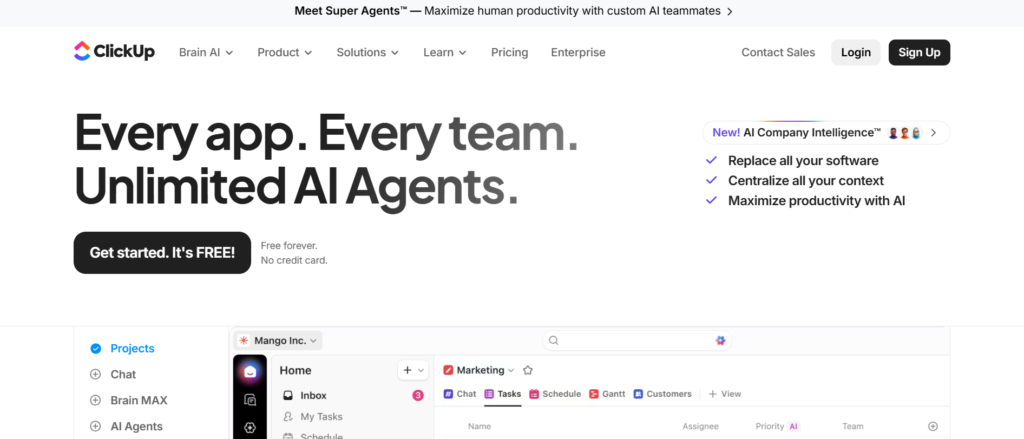
ClickUp is a work management and collaboration platform that many companies use to organise internal documentation and workflows. It is frequently included among the Best Sales Playbook Software because it allows teams to manage sales playbooks alongside tasks, workflows, and project management systems.
Sales leaders and product marketing teams often use ClickUp Docs to document sales playbooks that include prospecting frameworks, discovery questions, product messaging, and objection responses. These playbooks can be linked with tasks so that sales teams update messaging whenever competitors change positioning or new product features are released.
Many organisations reading a ClickUp review highlight the platform’s ability to combine documentation with workflow management. Companies comparing ClickUp vs Notion or researching ClickUp alternatives often evaluate how each tool supports collaboration and playbook organisation.
Key Features
ClickUp includes several capabilities that allow teams to organise sales playbooks alongside workflows and internal documentation. These features help sales teams maintain consistent messaging while coordinating tasks across departments.
Playbook Documentation with ClickUp Docs
ClickUp Docs allows teams to create detailed sales playbooks covering prospecting strategies, discovery frameworks, product positioning, and negotiation guidance. Sales representatives can review these documents before sales meetings.
Organised Knowledge Spaces
Teams can organise playbooks into folders and spaces based on product categories, deal stages, or sales processes. This structure helps sales representatives quickly locate the right playbook section.
Task and Documentation Integration
One of ClickUp’s advantages is that documentation and tasks exist within the same system. Product marketing teams can assign tasks to update playbooks when product features change or competitor messaging evolves.
Team Collaboration
Multiple team members can collaborate on playbook documents. Sales teams often contribute insights gathered from customer conversations while marketing teams update messaging frameworks.
Search and Knowledge Access
ClickUp allows sales representatives to search across documents, tasks, and folders to locate playbook information quickly when preparing for sales conversations.
Pros and Cons
| Pros | Cons |
| Combines playbooks with workflow management | Not dedicated sales enablement software |
| Flexible documentation system | Competitor intelligence limited |
| Good collaboration features | Interface may feel complex |
| Affordable pricing | Requires structured organisation |
Pricing
ClickUp pricing generally starts at $7 per user per month, depending on the selected plan and collaboration features.
Companies researching ClickUp pricing often compare the platform with ClickUp alternatives such as Notion, Coda, or Confluence when selecting tools for internal documentation and playbook management.
Best For Teams Managing Playbooks and Workflows Together
ClickUp works particularly well for organisations that want to combine playbook documentation with project management workflows.
Best fit users include:
- Product marketing teams maintaining sales messaging
- Sales leaders organising playbook documentation
- Marketing teams tracking messaging updates
- Increasing SaaS companies scaling internal processes
Verdict: ClickUp earns a place among the Best Sales Playbook Software platforms because it allows organisations to manage sales playbooks and internal workflows in one collaborative system.
Hidden Tip: Assign Tasks for Playbook Updates
Many companies create ClickUp tasks that remind teams to review and update playbooks regularly. This keeps that sales messaging remains accurate as products and competitors evolve.
Best Alternate Tool
A strong alternative to ClickUp is Airtable, which allows teams to organise playbook frameworks using structured databases.
12. Airtable
Airtable is a flexible database platform that many organisations use to manage structured information such as product data, marketing campaigns, and internal documentation. It is frequently included among the Best Sales Playbook Software because it allows teams to organise playbooks using database style structures rather than traditional documents.
Sales leaders and product marketing teams often build Airtable bases where each record represents a part of the sales playbook. These records may include prospecting frameworks, discovery questions, product positioning, objection responses, and competitor comparisons. Sales representatives can filter or search these records to find the playbook guidance they need during sales conversations.
Many organisations reading an Airtable review highlight the platform’s ability to combine spreadsheet style organisation with database functionality. Companies comparing Airtable vs Notion or researching Airtable alternatives often evaluate how each platform supports structured documentation and internal knowledge systems.
Key Features
Airtable includes several capabilities that allow teams to build structured sales playbooks and organise messaging frameworks in database format. These features help sales teams locate relevant playbook guidance quickly.
Structured Playbook Databases
Airtable allows teams to create tables where each entry represents a section of the sales playbook. These entries may include prospecting scripts, discovery frameworks, objection responses, and negotiation strategies.
Custom Playbook Fields
Teams can add custom fields to playbook records such as deal stage, product category, competitor type, or messaging framework. This allows sales representatives to filter playbooks based on their specific needs.
Multiple Views for Sales Teams
Airtable provides different views of the same data including grid views, lists, and kanban boards. Sales teams can choose the view that helps them review playbook information most effectively.
Collaboration and Updates
Product marketing teams, sales managers, and revenue leaders can collaborate on Airtable playbooks by updating records and adding new insights gathered from sales conversations.
Automation and Notifications
Airtable automation tools allow organisations to notify teams when playbook records change. Sales representatives can receive alerts when new messaging or playbook updates are added.
Pros and Cons
| Pros | Cons |
| Structured database organisation | Not dedicated sales enablement software |
| Flexible views for playbooks | Competitor intelligence limited |
| Strong collaboration features | Setup requires planning |
| Automation options available | Large teams require strong structure |
Pricing
Airtable pricing generally starts at $20 per user per month, depending on the selected plan and collaboration features.
Companies researching Airtable pricing often compare the platform with Airtable alternatives such as Notion, Coda, or ClickUp when selecting tools for internal documentation and playbook management.
Best For Teams That Prefer Database Style Playbooks
Airtable works particularly well for organisations that want to organise sales playbooks using structured databases rather than traditional documents.
Best fit users include:
- Product marketing teams organising messaging frameworks
- Sales leaders documenting sales processes
- Revenue operations teams managing structured knowledge
- Increasing SaaS companies scaling sales playbooks
Verdict: Airtable earns its place among the Best Sales Playbook Software platforms because it allows teams to manage playbook frameworks through structured databases.
Hidden Tip: Create Deal Stage Filters
Many organisations create Airtable filters so sales representatives can view playbook guidance based on the stage of the deal such as prospecting, discovery, proposal, or closing.
Best Alternate Tool
A strong alternative to Airtable is Coda, which allows teams to combine structured data with flexible documentation for sales playbooks.
13. Coda
Coda is a collaborative workspace that combines documents, spreadsheets, and structured databases within a single platform. Many companies include it among the Best Sales Playbook Software because it allows teams to build flexible playbooks that combine written guidance with structured sales data.
Sales leaders and product marketing teams often create playbook documents inside Coda that include prospecting frameworks, discovery call questions, product positioning, objection responses, and competitor comparisons. These playbooks can be linked with structured tables that organise messaging by deal stage, product category, or customer segment.
Many organisations reading a Coda review highlight the platform’s ability to combine documentation and structured data in one workspace. Companies comparing Coda vs Notion or researching Coda alternatives often evaluate how each platform supports knowledge management and internal documentation for revenue teams.
Key Features
Coda provides several capabilities that allow organisations to organise sales playbooks using both documentation and structured data. These features make it easier for sales teams to locate the right guidance when preparing for deals.
Playbook Documents
Coda allows teams to create detailed playbook documents that cover prospecting strategies, discovery frameworks, messaging guidelines, and negotiation approaches. Sales representatives can review these documents before meetings.
Structured Playbook Tables
The platform supports database style tables where each entry represents a section of the sales playbook. Teams can include fields such as deal stage, product category, and messaging framework.
Linked Data Between Pages
Coda allows teams to connect different pieces of information across documents and tables. Playbook sections can link directly to product information, competitor analysis, or customer insights.
Collaboration and Updates
Multiple team members can edit and update playbooks in Coda. Product marketing teams often update messaging while sales representatives contribute feedback gathered from customer conversations.
Automation and Notifications
Coda automations allow organisations to create alerts when playbook sections are updated. Sales teams receive notifications when new messaging or playbook guidance becomes available.
Pros and Cons
| Pros | Cons |
| Combines documents with databases | Not dedicated sales enablement software |
| Flexible playbook organisation | Competitor intelligence limited |
| Strong collaboration features | Setup requires planning |
| Automation available | Learning curve for new users |
Pricing
Coda pricing generally starts at $12 per user per month, depending on workspace features and collaboration requirements.
Companies researching Coda pricing often compare the platform with Coda alternatives such as Notion, Airtable, or Confluence when selecting tools for playbook documentation.
Best For Teams Building Flexible Playbook Systems
Coda works particularly well for organisations that want to combine documentation with structured sales playbook data.
Best fit users include:
- Product marketing teams documenting messaging frameworks
- Sales leaders building structured playbooks
- Revenue operations teams organising internal knowledge
- SaaS companies scaling sales processes
Verdict: Coda earns its place among the Best Sales Playbook Software platforms because it combines flexible documentation with structured playbook databases.
Hidden Tip: Build a Playbook Dashboard
Many companies create a Coda dashboard that summarises playbook sections by deal stage. Sales representatives can review prospecting, discovery, and closing guidance from a single dashboard.
Best Alternate Tool
A strong alternative to Coda is Monday.com, which allows teams to organise playbook guidance through structured workflow boards.
14. Monday.com
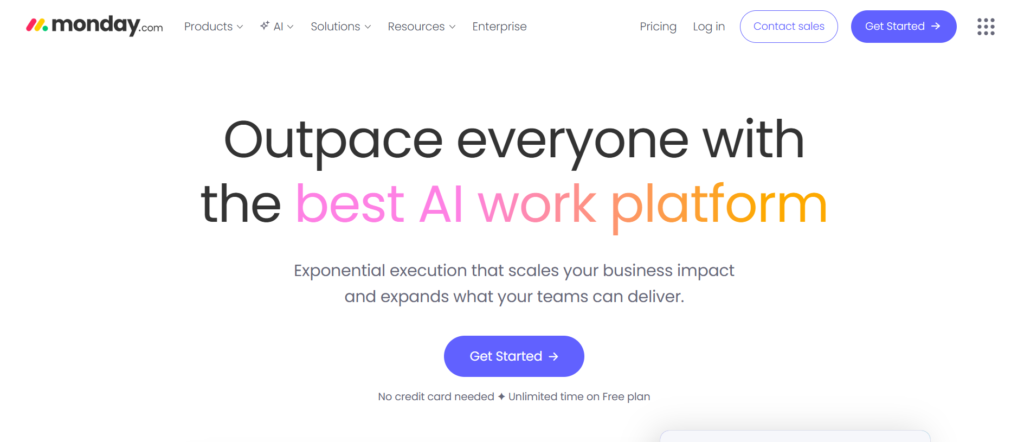
Monday.com is a work management platform that many organisations use to organise projects, workflows, and internal documentation. It is often included among the Best Sales Playbook Software because it allows teams to manage sales processes, playbook guidance, and messaging frameworks within structured boards.
Sales leaders and revenue operations teams often create boards inside Monday.com where each item represents a section of the sales playbook. These items can include prospecting strategies, discovery questions, product messaging, competitor comparisons, and closing frameworks. Sales representatives can review these boards before engaging with prospects or while preparing for sales meetings.
Many organisations reading a Monday.com review highlight the platform’s visual workflow structure. Companies comparing Monday.com vs ClickUp or researching Monday.com alternatives often focus on how each tool supports collaboration and process management for revenue teams.
Key Features
Monday.com includes several capabilities that allow organisations to organise sales playbooks and internal sales processes using workflow boards. These features help sales teams maintain consistent messaging during deals.
Sales Playbook Workflow Boards
Monday.com allows teams to create boards that represent different parts of the sales playbook. Each board item may contain prospecting scripts, discovery questions, messaging frameworks, or negotiation strategies.
Custom Fields for Playbook Data
Teams can create custom fields inside boards such as deal stage, product category, messaging type, or competitor references. This helps sales representatives filter playbook information easily.
Collaboration Across Teams
Sales teams, marketing teams, and revenue operations leaders can collaborate inside Monday.com boards. Teams can update messaging frameworks and add insights gathered from sales calls.
Automation for Playbook Updates
Monday.com automation tools allow organisations to notify teams when playbook entries are updated. Sales representatives receive alerts when new messaging or process guidance is added.
Visual Dashboards
The platform includes dashboards that summarise sales processes and playbook data. Sales leaders can monitor how teams follow sales frameworks across deals.
Pros and Cons
| Pros | Cons |
| Visual workflow organisation | Not dedicated sales enablement software |
| Customisable playbook fields | Competitor intelligence limited |
| Strong collaboration features | Setup requires planning |
| Automation and dashboards | Advanced features cost more |
Pricing
Monday.com pricing generally starts at $10 per user per month, depending on the selected plan and features.
Companies researching Monday.com pricing often compare the platform with Monday.com alternatives such as ClickUp, Notion, or Airtable when selecting workflow tools for sales teams.
Best For Teams Managing Sales Processes with Workflows
Monday.com works particularly well for organisations that want to combine playbook guidance with workflow management.
Best fit users include:
- Sales leaders organising sales processes
- Revenue operations teams managing workflows
- Product marketing teams documenting messaging frameworks
- Increasing SaaS companies scaling revenue teams
Verdict: Monday.com earns its place among the Best Sales Playbook Software platforms because it allows organisations to manage sales playbooks through structured workflow boards.
Hidden Tip: Create Boards for Each Deal Stage
Many companies create separate Monday.com boards for prospecting, discovery, proposal, and closing stages. Sales representatives can review the relevant playbook guidance based on the stage of the deal.
Best Alternate Tool
A strong alternative to Monday.com is Trello, which provides simple visual boards for organising sales playbooks.
15. Trello
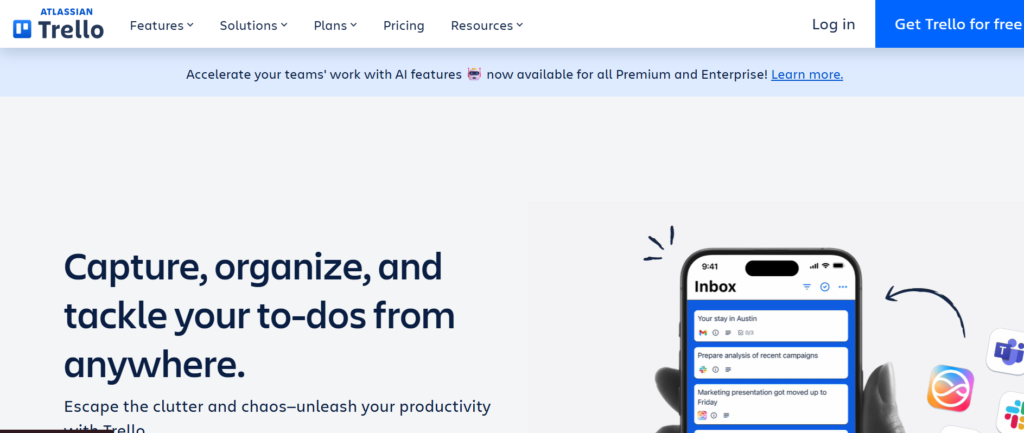
Trello is a visual project management tool that many teams use to organise workflows, tasks, and internal documentation. It also appears among the Best Sales Playbook Software because it allows organisations to structure sales playbooks using simple boards, lists, and cards.
Sales leaders and product marketing teams often create Trello boards where each list represents a stage of the sales process such as prospecting, discovery, proposal, and closing. Each card contains playbook guidance such as discovery questions, messaging frameworks, objection responses, and competitor positioning.
Many organisations reading a Trello review highlight the platform’s simplicity and ease of use. Companies comparing Trello vs Monday.com or researching Trello alternatives often focus on how each platform supports workflow management and team collaboration.
Key Features
Trello includes several capabilities that allow teams to organise sales playbooks and messaging frameworks through visual boards. These features help sales representatives review playbook guidance quickly.
Visual Playbook Boards
Trello allows teams to create boards where each list represents a stage of the sales process. Cards inside those lists contain playbook guidance such as prospecting strategies, discovery frameworks, and closing techniques.
Card Based Playbook Sections
Each Trello card can contain detailed information including descriptions, checklists, attachments, and comments. Product marketing teams often store messaging frameworks and objection responses inside these cards.
Lists for Sales Stages
Teams can organise lists based on different parts of the sales playbook such as lead generation, qualification, product demonstrations, and negotiation strategies.
Collaboration and Comments
Sales teams can collaborate by commenting on cards and adding notes after sales calls. These insights help update playbooks based on real customer interactions.
Power Ups and Integrations
Trello offers integrations known as Power Ups. These allow teams to connect Trello boards with CRM systems, communication tools, and file storage platforms.
Pros and Cons
| Pros | Cons |
| Simple visual interface | Not dedicated sales enablement software |
| Easy for teams to adopt | Competitor intelligence limited |
| Quick setup for playbooks | Limited analytics |
| Good collaboration features | Large teams may need structure |
Pricing
Trello pricing typically starts at $5 per user per month, depending on the selected plan and features.
Companies researching Trello pricing often compare the platform with Trello alternatives such as Monday.com, ClickUp, or Notion when selecting workflow tools.
Best For Small Teams Creating Simple Sales Playbooks
Trello works particularly well for organisations that want a simple system to organise sales playbooks visually.
Best fit users include:
- Startup sales teams building their first playbooks
- Sales leaders organising deal stage frameworks
- Product marketing teams documenting messaging
- Small businesses managing sales workflows
Verdict: Trello remains one of the Best Sales Playbook Software options for teams that prefer simple visual boards to organise playbook guidance.
Hidden Tip: Use Labels for Messaging Categories
Many teams use Trello labels to categorise playbook content such as discovery questions, competitor messaging, or closing techniques. This helps sales representatives locate the right guidance quickly.
Best Alternate Tool
A strong alternative to Trello is Salesforce Enablement, which provides CRM integrated playbooks for revenue teams.
16. Salesforce Enablement
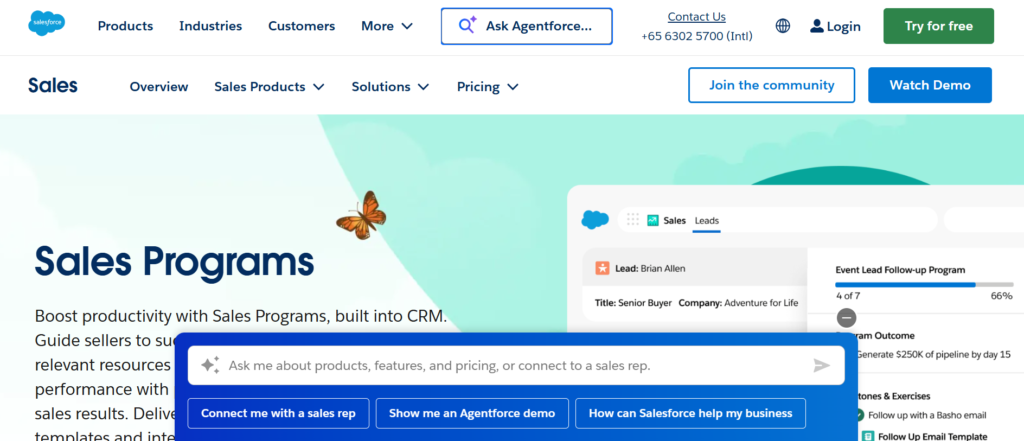
Salesforce Enablement is a feature within the Salesforce ecosystem designed to guide sales representatives through structured sales processes. It is frequently listed among the Best Sales Playbook Software because it integrates directly with CRM workflows, allowing sales teams to access playbook guidance while managing deals.
Sales leaders and revenue operations teams typically build playbooks inside Salesforce Enablement that outline prospecting strategies, discovery questions, product positioning, competitor comparisons, and closing techniques. Because the platform is integrated with Salesforce CRM, playbook guidance appears during specific deal stages.
Many organisations reading a Salesforce Enablement review highlight the advantage of keeping playbook guidance directly inside the CRM environment. Companies comparing Salesforce Enablement vs Spekit or researching Salesforce Enablement alternatives often focus on how each tool supports guided selling inside CRM systems.
Key Features
Salesforce Enablement includes several capabilities designed to help organisations create structured playbooks and deliver guidance directly within CRM workflows. These features keep sales representatives receiving the right messaging during each stage of the sales process.
CRM Based Playbooks
Salesforce Enablement allows organisations to create playbooks that are integrated directly within Salesforce. Sales representatives can view guidance such as discovery questions and product messaging while managing opportunities.
Deal Stage Guidance
Playbook recommendations can appear automatically during different stages of the sales flow. This keeps representatives following the correct messaging during prospecting, qualification, proposal, and closing phases.
Sales Training Programmes
Salesforce Enablement includes learning modules that help organisations onboard new sales representatives. These programmes often include walkthroughs of the company’s sales playbook and messaging frameworks.
Performance Tracking
Sales leaders can track how well sales representatives follow playbook guidance during deals. This data helps organisations refine their sales processes and improve playbook adoption.
Integration with Salesforce Tools
Since the platform is built within Salesforce, it integrates seamlessly with other Salesforce features including CRM records, dashboards, and analytics tools.
Pros and Cons
| Pros | Cons |
| Native Salesforce integration | Requires Salesforce CRM |
| Guided selling features | Setup can be complex |
| Playbooks inside deal workflows | Pricing increases with CRM plans |
| Useful training modules | Less flexible outside Salesforce |
Pricing
Salesforce Enablement pricing typically starts at $25 per user per month, depending on the Salesforce plan and additional features.
Companies researching Salesforce Enablement pricing often compare the platform with Salesforce Enablement alternatives such as Spekit, Highspot, or Seismic.
Best For Teams Already Using CRM
Salesforce Enablement works particularly well for organisations that manage their sales entirely within Salesforce.
Best fit users include:
- Sales teams managing deals inside Salesforce
- Revenue operations teams documenting sales processes
- Sales enablement leaders building guided playbooks
- Enterprise organisations using Salesforce infrastructure
Verdict: Salesforce Enablement is one of the Best Sales Playbook Software platforms for organisations that want playbook guidance integrated directly within their CRM system.
Best Alternate Tool
A strong alternative to Salesforce Enablement is HubSpot Sales Hub, which offers CRM based playbooks and guided selling workflows.
17. HubSpot Sales Hub
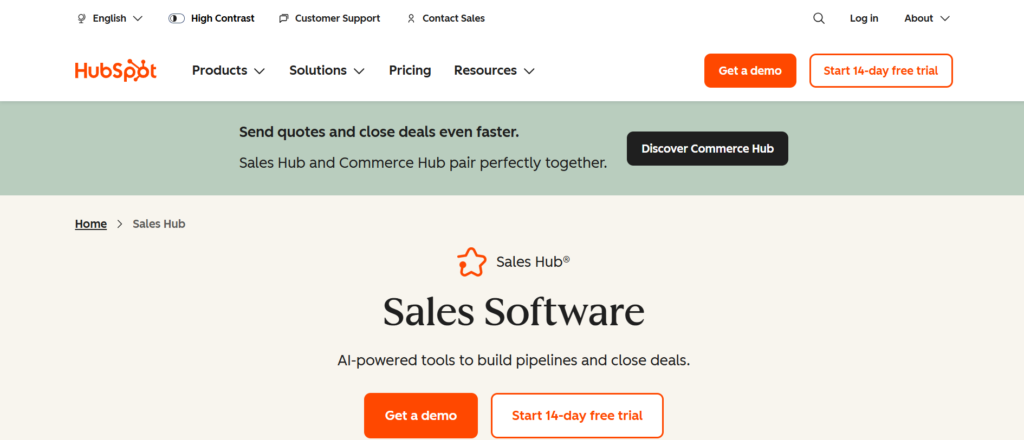
HubSpot Sales Hub is a CRM and sales engagement platform that includes built in playbooks designed to guide sales representatives during conversations with prospects. It is often listed among the Best Sales Playbook Software because it allows organisations to embed playbook guidance directly into their sales and CRM workflows.
Sales leaders and product marketing teams usually create playbooks inside HubSpot that include discovery questions, qualification frameworks, product positioning, competitor comparisons, and objection responses. These playbooks appear directly within contact or deal records, allowing sales representatives to follow structured guidance while interacting with prospects.
Many organisations reading a HubSpot Sales Hub review highlight the advantage of having sales playbooks integrated with CRM data. Companies comparing HubSpot Sales Hub vs Salesforce Enablement or researching HubSpot Sales Hub alternatives often focus on how each platform supports guided selling and sales process management.
Key Features
HubSpot Sales Hub includes several capabilities that help organisations create structured sales playbooks and deliver guidance directly inside CRM workflows. These features help sales teams follow consistent processes when managing deals.
CRM Integrated Playbooks
HubSpot allows teams to build playbooks that appear directly inside contact and deal records. Sales representatives can access discovery questions, messaging guidance, and objection responses during live conversations.
Guided Sales Process
Playbooks can be structured around the sales so that representatives follow the correct process during prospecting, qualification, product demonstrations, and closing stages.
Sales Activity Tracking
HubSpot tracks emails, calls, and meeting activity within the CRM. Sales leaders can analyse these interactions to see how representatives apply playbook messaging.
Deal Sales Management
The platform provides visual dashboards that help sales teams manage deals and track progress across different stages of the sales process.
Integration with HubSpot Marketing Tools
HubSpot Sales Hub integrates with marketing automation and customer relationship management features within the HubSpot ecosystem. This allows marketing insights to inform sales playbooks.
Pros and Cons
| Pros | Cons |
| CRM integrated playbooks | Advanced features require higher plans |
| Easy for teams to adopt | Less advanced enablement features |
| Visual sales flow tools | Limited customisation in basic plans |
| Strong marketing integration | Scaling costs increase |
Pricing
HubSpot Sales Hub pricing generally starts at $20 per user per month, depending on the selected plan and features.
Companies researching HubSpot Sales Hub pricing often compare the platform with HubSpot Sales Hub alternatives such as Salesforce Enablement, Outreach, or Salesloft when selecting CRM based playbook tools.
Best For Teams Using HubSpot CRM
HubSpot Sales Hub works particularly well for organisations that manage their entire sales inside HubSpot.
Best fit users include:
- Sales teams managing deals in HubSpot
- Revenue operations teams building structured sales processes
- Marketing teams aligning messaging with sales playbooks
- Increasing SaaS companies scaling inbound sales
Verdict: HubSpot Sales Hub is one of the Best Sales Playbook Software platforms for organisations that want playbook guidance embedded within their CRM workflow.
Best Alternate Tool
A strong alternative to HubSpot Sales Hub is Outreach, which focuses on sales engagement workflows and structured playbooks for outbound sales teams.
18. Outreach
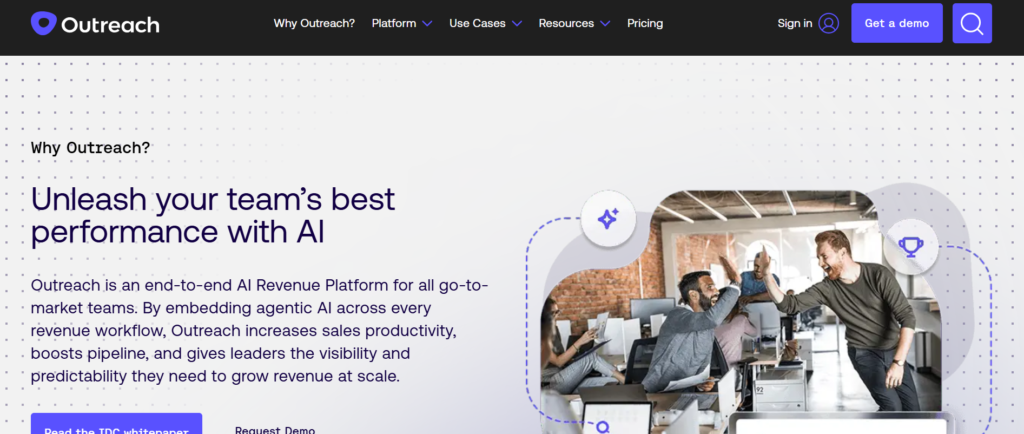
Tagline: Sales Engagement Platform with Structured Sales Playbooks
Outreach is a sales engagement platform designed to help revenue teams manage outreach campaigns, deal workflows, and structured sales processes. It is frequently included among the Best Sales Playbook Software because it allows organisations to combine playbooks with outbound sales sequences and management.
Sales leaders often create playbooks inside Outreach that guide representatives through prospecting, discovery calls, product positioning, and negotiation stages. These playbooks can be linked with automated outreach sequences so sales representatives follow consistent messaging when contacting prospects.
Many organisations reading an Outreach review highlight the platform’s ability to connect sales engagement with structured playbook execution. Companies comparing Outreach vs Salesloft or researching Outreach alternatives often evaluate how each platform supports outbound sales teams and guided selling workflows.
Key Features
Outreach includes several capabilities that allow organisations to combine sales playbooks with outreach automation and management. These features help sales teams follow consistent messaging during outbound campaigns and deal conversations.
Sales Playbook Guidance
Outreach allows organisations to create structured playbooks that guide representatives through prospecting, qualification, product demonstrations, and closing strategies. Sales teams can review these playbooks before interacting with prospects.
Automated Outreach Sequences
The platform enables teams to build email and call sequences that follow playbook messaging. This keeps consistent communication during outbound prospecting campaigns.
Sales Activity Tracking
Outreach tracks sales activities such as calls, emails, and meetings. Sales leaders can review these interactions to analyse how well representatives apply playbook messaging.
Sales Flow and Deal Management
The platform includes management tools that allow teams to track opportunities and deal progress across different sales stages.
CRM Integration
Outreach integrates with CRM platforms such as Salesforce and HubSpot. These integrations keep sales playbooks and engagement workflows remain aligned with sales data.
Pros and Cons
| Pros | Cons |
| Strong sales engagement features | Pricing higher than simple tools |
| Structured outreach sequences | Setup requires configuration |
| CRM integrations available | Learning curve for new users |
| Useful analytics and reporting | Best suited for outbound teams |
Pricing
Outreach pricing typically starts at $100 per user per month, depending on company size and selected features.
Companies researching Outreach pricing often compare the platform with Outreach alternatives such as Salesloft, HubSpot Sales Hub, or Salesforce Enablement when selecting sales engagement tools.
Best For Outbound Sales Teams
Outreach works particularly well for organisations that run structured outbound prospecting programmes.
Best fit users include:
- Sales development teams running outbound campaigns
- Revenue operations teams managing sales engagement workflows
- B2B companies scaling outbound sales strategies
- Enterprise sales teams managing large prospect sales
Verdict: Outreach earns a place among the Best Sales Playbook Software platforms because it combines structured playbooks with automated sales engagement workflows.
Best Alternate Tool
A strong alternative to Outreach is Salesloft, which also focuses on outbound sales engagement and structured playbook execution.
19. Salesloft
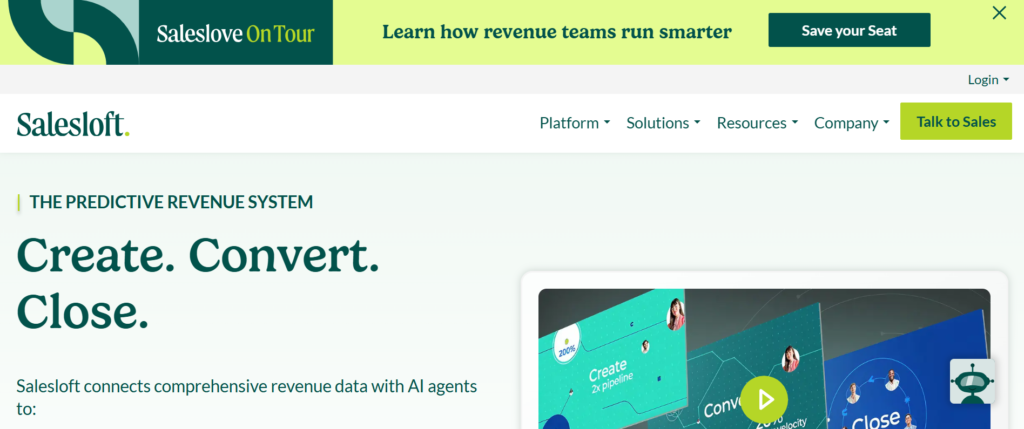
Tagline: Revenue Engagement Platform with Guided Sales Playbooks
Salesloft is a revenue engagement platform built to help sales teams manage prospecting activities, deal communication, and structured sales processes. It is often included among the Best Sales Playbook Software because it allows organisations to combine sales playbooks with outbound engagement workflows and management.
Sales leaders frequently build playbooks inside Salesloft that guide representatives through prospecting conversations, discovery calls, product positioning, and negotiation stages. These playbooks are often connected with outreach sequences so sales representatives follow consistent messaging when engaging prospects.
Many organisations reading a Salesloft review highlight the platform’s ability to connect sales engagement with structured playbook execution. Companies comparing Salesloft vs Outreach or researching Salesloft alternatives often evaluate how each platform supports outbound sales teams and structured communication workflows.
Key Features
Salesloft includes several capabilities that allow organisations to manage playbooks alongside sales engagement activities. These features help sales teams follow structured messaging while managing outbound campaigns and deal conversations.
Sales Playbook Guidance
Salesloft allows companies to create playbooks that outline prospecting frameworks, discovery questions, product messaging, and objection responses. Sales representatives can review these playbooks when preparing for calls with prospects.
Automated Outreach Sequences
The platform supports automated outreach sequences that combine emails, calls, and social touchpoints. These sequences often follow messaging frameworks defined in the sales playbook.
Conversation Intelligence
Salesloft includes conversation intelligence tools that analyse sales calls and meetings. Sales leaders can review how representatives apply playbook messaging during customer conversations.
Visibility
The platform includes continuous management dashboards that allow sales teams to track opportunities across different stages of the sales process.
CRM Integration
Salesloft integrates with CRM platforms such as Salesforce and HubSpot. These integrations keep that playbook guidance and engagement activities remain connected to deal records.
Pros and Cons
| Pros | Cons |
| Strong outbound engagement tools | Pricing not publicly listed |
| Useful conversation analytics | Setup may require configuration |
| CRM integrations available | Best suited for outbound teams |
| Structured sales workflows | Learning curve for new users |
Pricing
Salesloft pricing is typically custom, depending on company size, number of users, and required features.
Companies researching Salesloft pricing often compare the platform with Salesloft alternatives such as Outreach, HubSpot Sales Hub, or Salesforce Enablement when selecting sales engagement platforms.
Best For Outbound Sales and Revenue Engagement Teams
Salesloft works particularly well for organisations that run structured outbound sales programmes and want consistent messaging across prospecting activities.
Best fit users include:
- Sales development teams managing outbound prospecting
- Revenue operations teams analysing sales engagement data
- Enterprise sales organisations scaling outreach campaigns
- B2B companies running structured prospecting programmes
Verdict: Salesloft remains one of the Best Sales Playbook Software platforms for organisations that combine structured playbooks with outbound engagement workflows.
Hidden Tip: Analyse Call Data to Improve Playbooks
Many companies use Salesloft conversation intelligence to review sales calls and identify where playbook messaging works best. These insights can be used to refine playbooks and improve sales performance.
Best Alternate Tool
A strong alternative to Salesloft is Gong, which focuses on AI powered sales intelligence and guided selling playbooks.
20. Gong
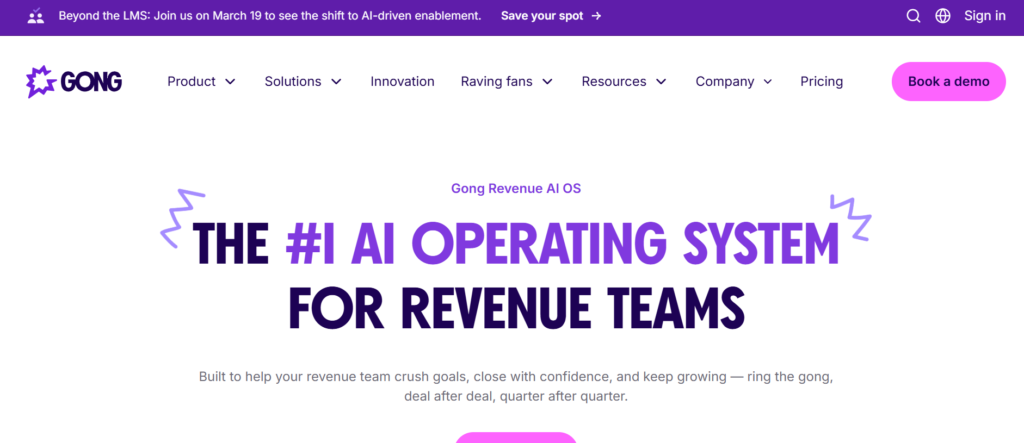
Gong is a revenue intelligence platform designed to analyse sales conversations and provide guidance to sales teams based on real deal data. It is frequently listed among the Best Sales Playbook Software because it uses AI analysis of sales calls, meetings, and emails to improve how teams apply playbook messaging.
Sales leaders and revenue operations teams often use Gong to study successful deals and identify patterns in sales conversations. These insights are then turned into structured playbooks that guide representatives during prospecting, discovery calls, product demonstrations, and negotiation stages.
Many organisations reading a Gong review highlight how the platform connects conversation intelligence with playbook guidance. Companies comparing Gong vs Salesloft or researching Gong alternatives often focus on how each platform supports data driven sales coaching and playbook improvement.
Key Features
Gong includes several capabilities that allow organisations to analyse sales conversations and convert those insights into structured playbook guidance. These features help revenue teams refine messaging based on real customer interactions.
AI Powered Conversation Analysis
Gong analyses sales calls, meetings, and emails to identify patterns in successful deals. Sales leaders can review which messaging approaches work best during conversations with prospects.
Sales Playbook Insights
The platform allows organisations to convert insights from sales conversations into playbook guidance. Teams can document discovery questions, objection responses, and product positioning based on real deal outcomes.
Call Recording and Review
Gong records and stores sales calls so teams can review conversations and identify messaging improvements. Sales managers often use these recordings for coaching sessions.
Sales Performance Analytics
The platform provides analytics that show how sales representatives perform during calls and meetings. These insights help organisations refine playbook messaging and sales strategies.
CRM and Sales Tool Integration
Gong integrates with CRM platforms and other sales tools. These integrations allow conversation insights and playbook updates to remain aligned with deal data.
Pros and Cons
| Pros | Cons |
| Strong conversation intelligence | Pricing not publicly listed |
| AI insights for playbook improvement | Requires call data integration |
| Useful coaching and analytics | Setup requires configuration |
| CRM integrations available | Focuses more on analysis than documentation |
Pricing
Gong pricing is typically custom, depending on company size, number of users, and required features.
Companies researching Gong pricing often compare the platform with Gong alternatives such as Salesloft, Outreach, or Seismic when evaluating sales intelligence platforms.
Best For Data Driven Sales Organisations
Gong works particularly well for companies that want to improve sales playbooks using insights from real customer conversations.
Best fit users include:
- Sales leaders analysing deal conversations
- Revenue operations teams improving sales processes
- Sales managers coaching representatives
- Enterprise sales organisations scaling revenue teams
Verdict: Gong completes this list of the Best Sales Playbook Software platforms because it combines AI driven sales intelligence with insights that strengthen sales playbooks.
Hidden Tip: Use Conversation Data to Update Playbooks
Many organisations review Gong conversation analytics regularly to identify patterns in successful deals. These insights are then used to update sales playbooks with proven messaging frameworks.
Final Thoughts on Choosing the Best Sales Playbook Software
Sales teams perform best when every representative follows a consistent process. When messaging, discovery questions, and objection responses vary from one representative to another, deals become harder to close and onboarding new hires takes longer. This is why many companies invest in the Best Sales Playbook Software to organise their sales processes in a structured way.
Platforms such as Highspot, Seismic, and Showpad provide enterprise level sales enablement systems where playbooks guide representatives during each stage of the sales cycle. Tools like Guru, Spekit, and Notion allow organisations to build flexible knowledge bases that sales teams can access quickly. Meanwhile, platforms such as Outreach, Salesloft, and Gong combine playbooks with sales engagement and conversation intelligence.
The right solution depends on how your organisation manages its revenue operations. Larger teams often prefer structured sales enablement platforms, while smaller companies may choose flexible documentation tools to create their own playbooks.
What matters most is ensuring that your sales team has clear guidance when speaking with prospects. When playbooks are accessible, updated regularly, and aligned with your sales strategy, representatives can handle objections confidently and move deals forward more effectively.
Building Effective Sales Playbooks for Scalable Revenue Growth
At Pearl Lemon Sales, we work with B2B companies that want structured sales processes, stronger messaging, and predictable revenue growth. Many organisations struggle because their sales teams rely on inconsistent scripts, scattered documentation, or outdated playbooks.
Our team helps companies design practical sales playbooks that support every stage of the sales process. We analyse your sales funnel, identify the most common objections prospects raise, and document proven messaging frameworks that your sales team can follow.
Pearl Lemon Sales provides support in areas such as:
- outbound sales development
- B2B lead generation campaigns
- sales process consulting
- discovery call frameworks
- objection handling strategies
- competitive sales positioning
By building structured playbooks and aligning them with your sales strategy, your team can approach every conversation with clarity and confidence.
Frequently Asked Questions About Sales Playbook Software
What is sales playbook software?
Sales playbook software is a platform that documents a company’s sales strategy and messaging frameworks. It helps sales representatives follow a structured approach during prospecting, discovery calls, product demonstrations, and closing stages.
Why do companies use sales playbooks?
Companies use sales playbooks to keep consistent messaging across sales teams. Playbooks guide representatives through discovery questions, objection responses, and product positioning during conversations with prospects.
Who creates sales playbooks in an organisation?
Sales playbooks are usually created by sales leaders, product marketing teams, and revenue operations specialists. These teams document messaging frameworks and sales processes that representatives follow during deals.
What should a sales playbook include?
A typical sales playbook includes prospecting scripts, discovery questions, product messaging, competitor comparisons, objection responses, and negotiation strategies.
Can small businesses use sales playbook software?
Yes. Small businesses often use tools such as Notion, ClickUp, or Airtable to create structured playbooks without needing enterprise sales enablement platforms.
How often should sales playbooks be updated?
Sales playbooks should be reviewed regularly because products, competitors, and customer expectations change. Many companies update playbooks quarterly or whenever messaging changes.
What are the benefits of sales playbook software?
The Best Sales Playbook Software helps sales teams maintain consistent messaging, improve onboarding for new hires, and follow structured sales processes during deals.
Do sales playbooks improve sales performance?
Yes. Structured playbooks help representatives handle objections, qualify prospects more effectively, and guide conversations toward closing deals.
What is the difference between sales enablement tools and playbook software?
Sales enablement tools often include training resources, content libraries, and analytics. Sales playbook software focuses specifically on documenting messaging frameworks and sales processes.
How do playbooks support new sales hires?
Playbooks provide structured guidance for new sales representatives. Instead of learning through trial and error, new hires can follow documented discovery questions, messaging frameworks, and clo