
Your sales team is not losing deals because of pricing.They are losing deals because proposals take too long, look inconsistent, lack clarity, or arrive without follow-up visibility.And when that happens, competitors slip in quietly.That is why proposal software for sales teams has moved from “nice to have” to mission critical.
The right proposal software for sales teams allows you to:
- Build branded proposals in minutes
- Automate pricing tables and approvals
- Track client engagement in real time
- Collect electronic signatures instantly
- Standardise messaging across your sales process
Instead of guessing whether a prospect opened your document, you know. Instead of manually editing Word files, you deploy approved templates. Instead of chasing signatures, contracts close digitally.
We reviewed dozens of proposal management platforms, analysed proposal automation capabilities, tested sales document tracking features, and compared pricing structures to shortlist the 20 best proposal software for sales teams in 2026.
If revenue matters this quarter, this page matters.
Schedule a consultation to assess your current proposal process and identify where deals are stalling.
What Is Proposal Software for Sales Teams?
Proposal software for sales teams is a digital sales enablement platform that allows organisations to create, send, track, and manage sales proposals and quotes from one central system.
At its core, proposal management software replaces:
- Manual document creation
- Static PDF attachments
- Email-based approval chains
- Spreadsheet pricing calculations
With:
- Proposal automation
- CRM integrations
- Quote generation tools
- E-signature software
- Real-time analytics
- Workflow approval routing
In practical terms, proposal software for sales teams shortens sales cycles and improves close rates by reducing friction at the proposal stage.
According to research from Salesforce, high-performing sales organisations are more than twice as likely to use automation tools within their sales process. Meanwhile, HubSpot data shows that sales reps spend only around 34% of their time actively selling, with the rest absorbed by administrative tasks.
Proposal automation directly addresses that imbalance.
If proposals are still being built manually inside Word or PowerPoint, revenue is being delayed.
Book a call to audit your current sales proposal workflow.
Quick Comparison Table: Best Proposal Software for Sales Teams 2026
These metrics matter because proposal software must reduce friction, not add operational complexity.
Here is a high-level comparison of the top platforms:
| Tool | Best For | Starting Price | Free Trial | Key Feature | Rating |
| PandaDoc | Mid-size sales teams | £19/mo | Yes | CPQ integration | 4.7 |
| Proposify | Structured proposals | £39/mo | Yes | Content library | 4.6 |
| Qwilr | Visual web proposals | £29/mo | Yes | Page-style format | 4.5 |
| DocuSign CLM | Enterprise contracts | Custom | Demo | Contract lifecycle | 4.4 |
| GetAccept | Sales engagement | £25/mo | Yes | Video proposals | 4.6 |
| Better Proposals | Increasing teams | £19/mo | Yes | Interactive pricing | 4.7 |
| Nusii | Simple proposals | £19/mo | Yes | Clean interface | 4.5 |
| Bidsketch | Small teams | £29/mo | Yes | Fee tables | 4.3 |
| RFPIO | RFP responses | Custom | Demo | AI answer library | 4.4 |
| Loopio | Enterprise RFP | Custom | Demo | Knowledge base | 4.5 |
| HoneyBook | Service sales | £16/mo | Yes | CRM built-in | 4.4 |
| QuoteWerks | Complex quoting | Custom | Demo | ERP sync | 4.3 |
| Conga | Salesforce users | Custom | Demo | Document automation | 4.4 |
| Freshsales Docs | CRM users | Included | Yes | Native sync | 4.3 |
| Zoho CRM Proposals | Zoho ecosystem | Included | Yes | CRM integration | 4.2 |
| Scoro | Agencies | £22/mo | Yes | Project sync | 4.4 |
| Oneflow | Contract editing | £15/mo | Yes | Live editing | 4.5 |
| Ignition | Recurring services | £29/mo | Yes | Payment capture | 4.6 |
| DealHub | CPQ heavy deals | Custom | Demo | Guided selling | 4.5 |
| Revv | Startups | £8/mo | Yes | API access | 4.3 |
Top Proposal Software for Sales Teams
- PandaDoc
- Proposify
- Qwilr
- DocuSign CLM
- GetAccept
- Better Proposals
- Nusii
- Bidsketch
- RFPIO
- Loopio
- HoneyBook
- QuoteWerks
- Conga
- Freshsales Docs
- Zoho CRM Proposals
- Scoro
- Oneflow
- Ignition
- DealHub
- Revv
1. PandaDoc
Create, Send and Track Sales Proposals in One Place
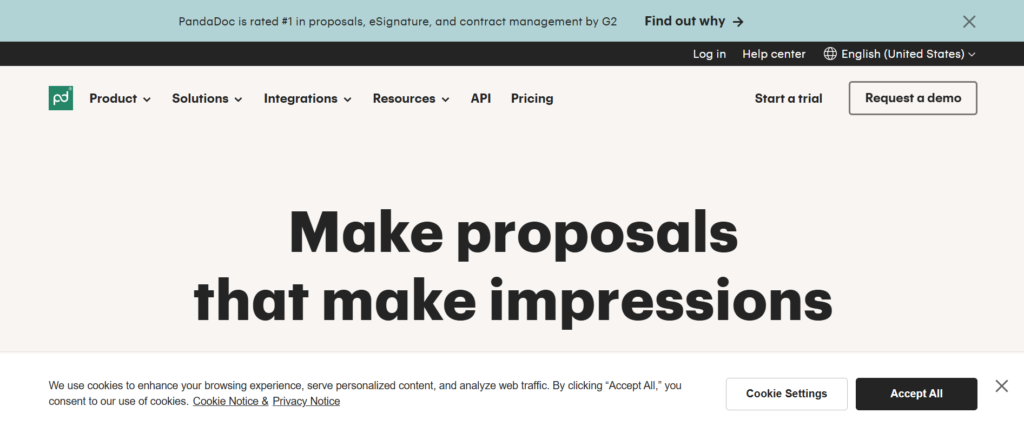
PandaDoc is one of the most widely adopted platforms in the proposal software for sales teams category. With over 50,000 customers globally and strong ratings across G2 and Capterra, it is positioned as an all-in-one proposal automation and CPQ solution.
If your team wants proposal creation, quote generation, document tracking, and e-signatures inside a single workflow, PandaDoc consistently appears at the top of comparison lists.
When reviewing PandaDoc vs Proposify or evaluating PandaDoc alternatives, the discussion usually centres around pricing flexibility, CPQ depth, and CRM integrations.
Schedule a consultation if your sales proposals are still manually built and slowing revenue flow.
Key Features
PandaDoc includes a full suite of proposal automation, CPQ, document tracking, and e-signature tools designed to reduce manual admin inside the sales cycle. Below are the five features that make PandaDoc stand out in the proposal software for sales teams category.
Drag-and-Drop Proposal Builder
PandaDoc allows sales teams to create branded proposals using a block-based editor. Templates can include pricing tables, case studies, testimonials, and embedded media. This reduces time spent formatting documents and keeps brand consistency across the progress. In most PandaDoc review discussions, usability is one of the strongest selling points.
CPQ and Pricing Tables
The built-in Configure Price Quote functionality allows reps to select products, apply discounts, and calculate totals automatically. This reduces pricing errors and removes the need for spreadsheets. When comparing PandaDoc pricing with competitors, the CPQ layer is often a key deciding factor for structured sales environments.
Real-Time Proposal Tracking
Sales reps receive alerts when a prospect opens, views, or comments on a proposal. You can see which sections were viewed longest. This type of sales document tracking supports better follow-up timing and more accurate forecasting.
CRM Integrations
PandaDoc integrates with Salesforce, HubSpot, Pipedrive and other major CRM platforms. Proposal data syncs directly with deal records, reducing manual entry and maintaining visibility. In PandaDoc vs DocuSign comparisons, integration depth is frequently highlighted.
E-Signature and Approval Workflows
Legally binding electronic signatures are built in. Approval workflows can be configured for finance or legal review before proposals are sent, supporting governance and compliance in structured sales teams.
Pros and Cons
| Pros | Cons |
| Strong CPQ tools | Pricing tiers can scale quickly |
| Easy-to-use editor | Advanced features need higher plans |
| Wide CRM integrations | Reporting depth varies by tier |
| Real-time tracking | Learning curve for complex workflows |
Pricing
PandaDoc pricing typically includes:
- Essentials: From around £19 per user per month
- Business: From around £49 per user per month
- Enterprise: Custom pricing
A free trial is available. Enterprise tiers include advanced reporting, API access, and enhanced automation.
When assessing PandaDoc pricing, consider integration requirements and approval workflow needs before selecting a plan.
Best for Sales Teams Managing High Proposal Volume
PandaDoc is particularly suitable where proposal turnaround time directly impacts revenue velocity.
- Increasing sales teams managing multiple active deals
- Organisations requiring CPQ functionality
- Teams needing CRM-integrated proposal automation
- Sales operations requiring approval workflows
If proposals are sent daily and require structured pricing logic, PandaDoc aligns well with that demand.
Verdict:
PandaDoc is a strong contender in the proposal software for sales teams space when speed, automation, and integration matter more than visual flair.
Practical Tip: Use Engagement Analytics to Improve Close Rates
Many teams underuse PandaDoc’s tracking insights. When a prospect repeatedly views the pricing section but ignores case studies, adjust follow-up messaging to address cost concerns directly.
Tracking engagement patterns across deals can reveal friction points in your proposal structure.
Best Alternative Tool
If visual presentation and web-style proposals are more important than structured CPQ tools, Qwilr is often compared in PandaDoc vs Qwilr discussions.
2. Proposify
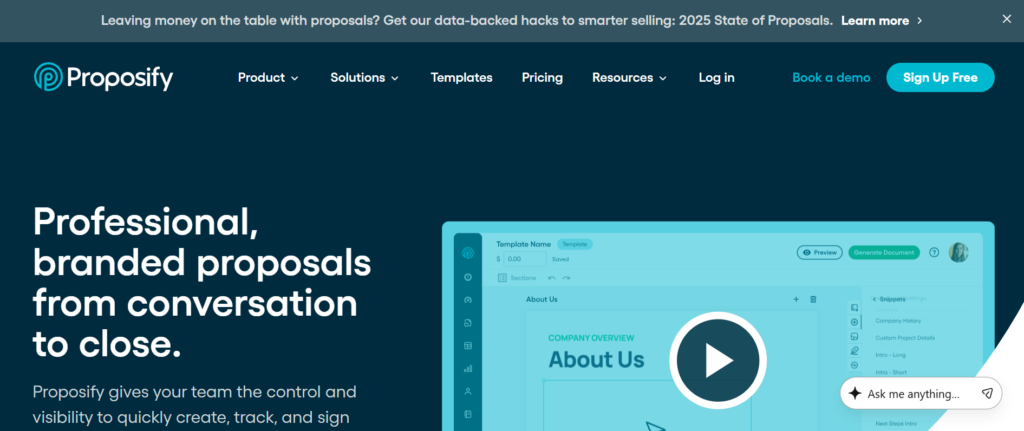
Proposify positions itself as structured proposal software for sales teams that require tighter content control and approval oversight. It is widely adopted by organisations that send detailed sales proposals and want visibility into performance metrics across the sales process.
When comparing Proposify vs PandaDoc, the key difference usually comes down to governance, content management depth, and reporting structure. Proposify pricing also reflects its focus on mid-market and scaling teams.
If proposal compliance, brand consistency, and approval tracking are becoming operational issues, this platform deserves attention.
Schedule a consultation to evaluate whether structured proposal workflows would improve your close rates.
Key Features
Proposify combines proposal automation with content governance, analytics, and structured approval workflows. Below are the five features that consistently stand out in Proposify review discussions.
Centralised Content Library
Proposify allows sales teams to store approved sections, pricing blocks, case studies, and legal clauses in a central content library. This prevents outdated messaging from being reused and keeps proposals stay consistent across the organisation. For sales leaders reviewing Proposify alternatives, this feature is often a primary differentiator.
Template Locking and Role Permissions
Admins can lock specific sections of proposals to prevent unauthorised edits. Role-based permissions keep that only approved personnel modify pricing or contractual language. In structured sales environments, this reduces risk and maintains governance standards.
Advanced Proposal Tracking
Proposify provides detailed engagement analytics, showing when proposals are opened, how long they are viewed, and which sections receive attention. These insights inform follow-up timing and allow sales teams to refine proposal structure over time.
Automated Approval Workflows
Before proposals are sent, they can be routed through pre-set approval chains involving finance, legal, or management. This is particularly useful where discounting rules or compliance requirements apply.
CRM and Sales Stack Integrations
Proposify integrates with major CRM systems and accounting tools. Deal data can auto-populate into proposals, reducing manual data entry and supporting proposal automation across the sales cycle.
Pros and Cons
| Pros | Cons |
| Strong content governance | Higher starting price |
| Detailed analytics | Less flexible design than some competitors |
| Approval workflows built-in | Advanced features on higher tiers |
| Structured user permissions | Limited CPQ compared to some rivals |
Pricing
Proposify pricing typically includes:
- Team Plan: From around £39 per user per month
- Business Plan: From around £65 per user per month
- Custom Enterprise plans available
A free trial is available. Enterprise tiers include advanced reporting, API access, and deeper workflow customisation.
When evaluating Proposify pricing, consider approval complexity and reporting requirements rather than just monthly cost.
Best for Sales Teams Requiring Proposal Governance and Approval Control
Proposify fits structured sales environments where compliance and brand consistency matter.
- Teams requiring locked templates and strict content control
- Organisations with multi-level proposal approvals
- Sales operations focused on proposal performance metrics
- Revenue teams managing complex pricing sign-offs
If proposal errors, discounting issues, or compliance gaps are causing friction, Proposify offers stronger structural control than many alternatives.
Verdict:
Proposify stands out in the proposal software for sales teams market when governance, structured approvals, and performance visibility are priorities.
Practical Tip: Use Section Analytics to Refine Messaging
Analyse which proposal sections consistently receive low engagement. Rework or shorten those blocks. Over time, this improves proposal readability and can positively influence close rates.
Best Alternative Tool
If stronger CPQ functionality and pricing automation are priorities, PandaDoc is frequently compared in Proposify vs PandaDoc evaluations.
3. Qwilr
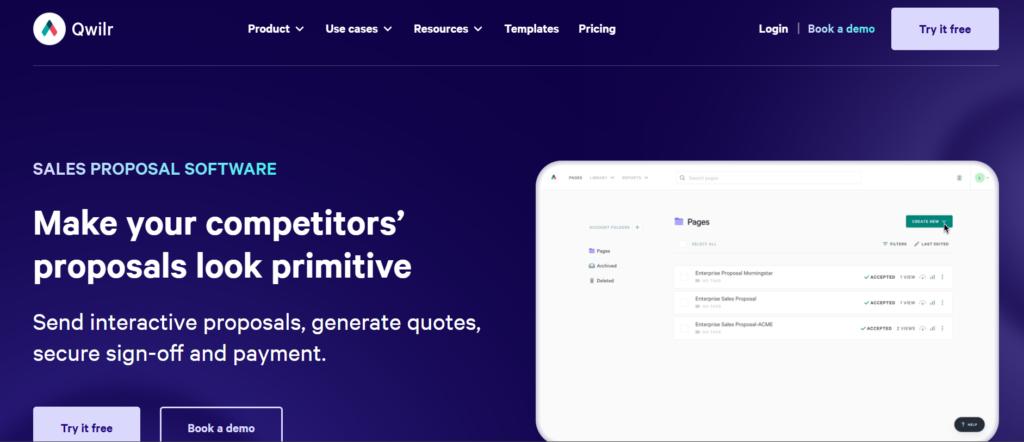
Qwilr takes a different approach to proposal software for sales teams. Instead of static PDFs, Qwilr creates interactive, web-based proposal pages. These proposals feel more like microsites than documents.
In Qwilr review discussions, the platform is frequently praised for design flexibility and buyer experience. When comparing Qwilr vs PandaDoc or Qwilr vs Proposify, the primary difference lies in presentation style and visual engagement rather than strict workflow governance.
If first impressions and buyer experience matter heavily in your sales process, Qwilr positions itself as a strong contender.
Schedule a consultation if your current proposals feel outdated and fail to hold buyer attention.
Key Features
Qwilr combines visual presentation with proposal automation and digital signatures. Below are the five core features that make it stand out in the proposal software for sales teams category.
Interactive Web-Based Proposals
Instead of sending attachments, Qwilr generates secure web links. These proposals include interactive pricing tables, embedded video, animations, and collapsible sections. This format often increases engagement compared to static PDF proposals and is a frequent highlight in Qwilr review comparisons.
Interactive Pricing Blocks
Sales reps can create pricing tables where buyers toggle options and see totals update instantly. This is useful for modular service packages or tiered product offerings. While not a full CPQ engine, it provides strong pricing flexibility.
Real-Time Analytics and Notifications
Qwilr tracks when a proposal is viewed, how long it is reviewed, and which sections receive the most attention. Sales reps receive instant alerts, enabling timely follow-up. Proposal tracking remains a core requirement in modern proposal software for sales teams.
Template and Brand Customisation
Design templates are highly customisable. Fonts, colours, layout blocks, and branding elements can be adjusted to match company standards. Teams seeking visually strong proposals often prioritise this capability when comparing Qwilr alternatives.
Integrations and Payment Collection
Qwilr integrates with CRM systems, accounting platforms, and payment gateways. Clients can sign and pay directly within the proposal page, reducing friction at the closing stage.
Pros and Cons
| Pros | Cons |
| Strong visual presentation | Limited deep CPQ |
| Interactive pricing | Less structured approval control |
| Easy sharing via link | Design-heavy setup initially |
| Built-in payment options | Reporting less granular than some enterprise tools |
Pricing
Qwilr pricing typically includes:
- Business Plan: From around £29 per user per month
- Enterprise Plan: Custom pricing
Free trials are available. Enterprise tiers include advanced integrations and security features.
When evaluating Qwilr pricing, consider whether visual impact is a priority compared to structured governance tools.
Best for Sales Teams Focused on Buyer Experience and Visual Impact
Qwilr aligns well with organisations that compete heavily on presentation quality.
- Sales teams selling creative, marketing, or design services
- Technology firms wanting modern digital proposals
- Teams using tiered pricing models
- Organisations prioritising client experience
If deals hinge on presentation and clarity rather than strict compliance controls, Qwilr fits naturally.
Verdict:
Qwilr stands out within proposal software for sales teams where visual engagement and interactive pricing drive differentiation.
Practical Tip: Use Video Introductions Strategically
Embedding a short personalised video at the top of a Qwilr proposal can increase engagement time. Sales teams that combine proposal automation with humanised messaging often see stronger response rates.
Best Alternative Tool
If structured content governance and approval workflows are required, Proposify is often compared in Qwilr vs Proposify evaluations.
4. DocuSign CLM
DocuSign CLM extends beyond basic proposal software for sales teams. It focuses on contract lifecycle management, making it particularly relevant for enterprise sales environments with legal oversight and compliance requirements.
When evaluating DocuSign CLM vs PandaDoc or DocuSign CLM alternatives, the conversation usually centres around enterprise contract control rather than front-end design flexibility.
If your proposals regularly convert into legally complex contracts requiring multiple stakeholders, DocuSign CLM provides deeper contract governance.
Schedule a consultation to review whether contract complexity is slowing your sales cycle.
Key Features
DocuSign CLM combines document automation with enterprise-grade contract lifecycle tools. Below are the five core features relevant to proposal software for sales teams.
Contract Lifecycle Management
DocuSign CLM manages contracts from drafting through negotiation, approval, execution, and renewal. For organisations handling large-scale commercial agreements, this keeps every stage is recorded and auditable.
Automated Workflow Routing
Contracts and proposals can be routed automatically through predefined approval chains. This reduces delays caused by manual review processes and supports compliance standards.
Clause Library and Version Control
Pre-approved clauses can be stored and reused, reducing risk from outdated language. Version tracking keeps transparency across revisions, which is critical in regulated industries.
CRM and ERP Integrations
DocuSign CLM integrates deeply with Salesforce and other enterprise systems. Proposal data syncs with CRM progress and ERP systems, maintaining full commercial visibility.
Advanced Security and Compliance
Enterprise-grade security controls, audit trails, and regulatory compliance features make this platform suitable for highly regulated sectors.
Pros and Cons
| Pros | Cons |
| Enterprise-grade governance | Higher cost |
| Deep compliance controls | Complex implementation |
| Advanced workflow automation | Less focused on visual design |
| Strong CRM integration | May exceed needs of small teams |
Pricing
DocuSign CLM pricing is typically custom and based on enterprise requirements. Demonstrations are provided before final quotes.
Costs vary depending on integration depth, workflow configuration, and user volume.
Best for Sales Teams Managing Complex Enterprise Contracts
DocuSign CLM aligns best where legal, procurement, and finance stakeholders are heavily involved.
- Enterprise sales teams
- Organisations operating in regulated sectors
- Companies requiring strict contract compliance
- Teams managing renewals and long-term agreements
If contracts require layered approvals and audit trails, DocuSign CLM provides deeper infrastructure than lightweight proposal automation tools.
Verdict:
DocuSign CLM fits organisations where contract governance outweighs visual design needs.
Practical Tip: Map Approval Bottlenecks Before Implementation
Before deploying DocuSign CLM, audit your current approval chain. Identify where deals stall and configure workflow routing accordingly.
Best Alternative Tool
If proposal creation speed and CPQ functionality are higher priorities than contract lifecycle depth, PandaDoc is often considered as an alternative.
5. GetAccept
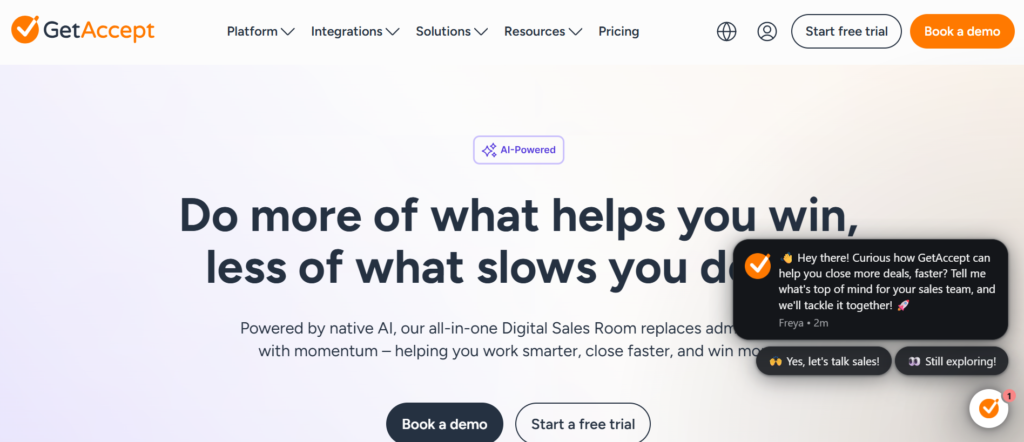
GetAccept blends proposal software for sales teams with sales engagement tools. It combines document tracking, video messaging, chat, and e-signatures within a single interface.
In GetAccept review discussions, engagement features often stand out. When comparing GetAccept vs PandaDoc, the conversation typically focuses on engagement capabilities versus structured CPQ functionality.
If follow-up timing and buyer interaction are central to your sales strategy, GetAccept offers a distinctive model.
Schedule a consultation if proposals are being sent without visibility into buyer interaction.
Key Features
GetAccept integrates proposal automation with buyer engagement tools. Below are five core features that define its value within proposal software for sales teams.
Proposal Tracking with Engagement Insights
GetAccept provides detailed insights into when proposals are opened, shared, or revisited. Notifications enable sales reps to follow up at optimal moments.
Embedded Video Messaging
Sales reps can record personalised video introductions directly within proposals. This adds a human layer to digital proposals and can increase buyer engagement.
Live Chat Inside Proposals
Buyers can ask questions directly within the proposal interface. This reduces back-and-forth email threads and speeds clarification.
E-Signature Integration
Legally binding signatures are built in, allowing deals to close within the same environment.
CRM and Sales Automation Integrations
GetAccept integrates with major CRM systems, enabling data synchronisation and automated workflow triggers.
Pros and Cons
| Pros | Cons |
| Strong engagement tools | Limited deep CPQ |
| Video and chat features | Pricing tiers vary by features |
| Real-time tracking | Less structured governance than some rivals |
| Built-in e-signatures | Design flexibility moderate |
Pricing
GetAccept pricing generally starts around £25 per user per month, with higher tiers including expanded engagement features and integrations.
Free trials are available. Enterprise pricing varies based on feature set and user count.
Best for Sales Teams Focused on Engagement and Follow-Up
GetAccept fits teams that prioritise interaction during the proposal stage.
- Sales teams requiring strong follow-up timing
- Organisations incorporating video into sales processes
- Teams wanting proposal engagement analytics
- Companies combining document and engagement workflows
If proposals are frequently sent but response timing is inconsistent, GetAccept offers tools to tighten follow-up discipline.
Verdict:
GetAccept stands out in the proposal software for sales teams space when engagement and interaction are central to closing strategy.
Practical Tip: Combine Video with Section Tracking
Use engagement analytics to identify which section receives the most views, then video follow-up messages around that topic to address buyer concerns directly.
Best Alternative Tool
If structured content governance and deeper approval workflows are required, Proposify is commonly evaluated as an alternative.
6. Better Proposals
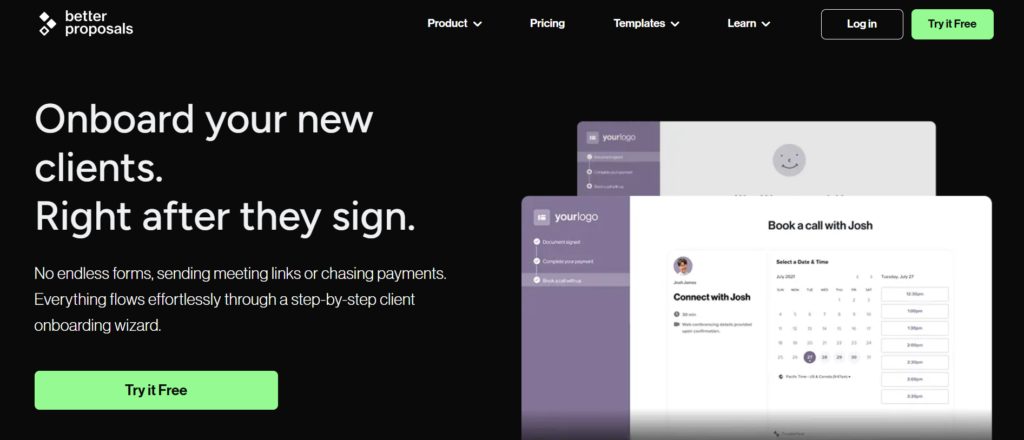
Better Proposals is positioned as a conversion-focused proposal software for sales teams that want simplicity without sacrificing performance. It is particularly known for its ready-made templates and conversion-tested layouts.
In Better Proposals review comparisons, the platform is often highlighted for ease of use and quick setup. When comparing Better Proposals vs PandaDoc, the distinction usually centres around simplicity versus deeper CPQ and workflow functionality.
If your sales team needs structured proposal automation without enterprise complexity, this platform warrants serious consideration.
Schedule a consultation to review whether simplified proposal workflows would improve turnaround time.
Key Features
Better Proposals combines usability with conversion-focused structure. Below are five features that frequently stand out in Better Proposals review discussions.
Conversion-Tested Templates
Better Proposals offers professionally structured templates designed to guide buyers logically through problem, solution, pricing, and signature. This reduces decision friction and supports stronger close rates. For sales teams without internal design resources, this is a practical advantage.
Interactive Pricing Tables
Pricing tables automatically calculate totals and allow optional add-ons. Clients can select additional services and see updated pricing instantly. While not as deep as enterprise CPQ systems, it covers most mid-market requirements.
Proposal Tracking and Analytics
Sales reps receive alerts when proposals are opened or viewed. Engagement metrics show how long prospects spend on each section. This insight informs better follow-up timing and messaging.
E-Signature and Payment Collection
Electronic signatures are built in, along with Stripe integration for immediate payment collection. For service-based sales, collecting payment at the signature stage can reduce post-close delays.
CRM Integrations
Better Proposals integrates with CRM systems and project management tools. While integration depth is lighter than some enterprise platforms, it covers common workflows effectively.
Pros and Cons
| Pros | Cons |
| Easy to set up | Limited enterprise governance |
| Conversion-focused layouts | Less advanced CPQ |
| Built-in payment capture | Fewer complex workflow tools |
| Affordable entry pricing | Reporting depth moderate |
Pricing
Better Proposals pricing typically starts around £19 per user per month for entry-level plans. Higher tiers include advanced branding and integrations.
A free trial is available. Pricing increases with feature access and user volume.
When comparing Better Proposals pricing against competitors, it generally sits below enterprise-focused platforms.
Best for Sales Teams Needing Simplicity with Strong Presentation
Better Proposals suits organisations that prioritise speed and structure.
- Sales teams with limited internal design resources
- Service-based companies requiring payment at signature
- Increasing teams wanting straightforward proposal automation
- Organisations seeking predictable pricing
If complexity has slowed proposal creation, this platform provides clarity and control without over-engineering.
Verdict:
Better Proposals is a practical option in the proposal software for sales teams category where simplicity and structured layouts matter more than deep contract governance.
Practical Tip: Use Add-On Pricing to Increase Deal Value
Structure pricing tables to include optional add-ons. Buyers often select additional services when presented clearly within the proposal interface.
Best Alternative Tool
If stronger content governance and approval controls are required, Proposify is often compared as an alternative.
7. Nusii
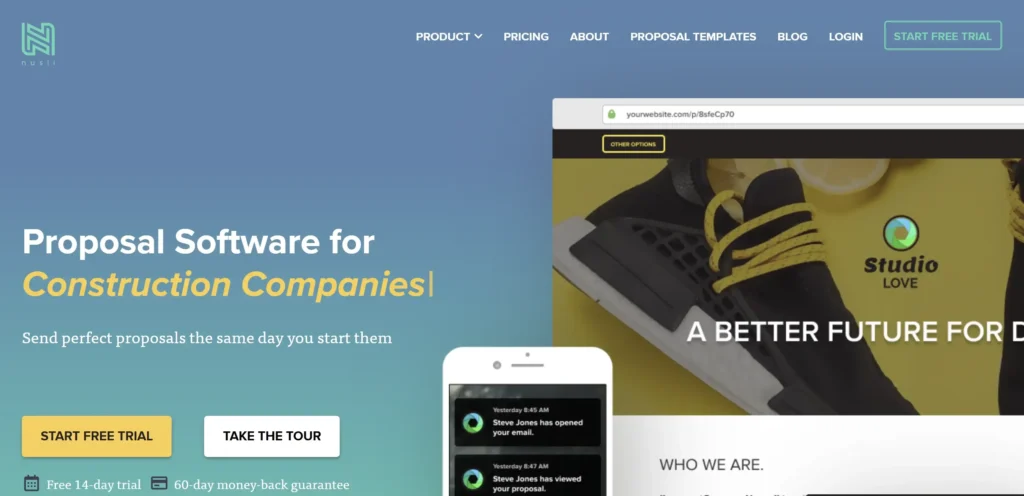
Nusii focuses on simplicity. It strips proposal creation back to essentials, making it one of the more minimal platforms within the proposal software for sales teams market.
In Nusii review discussions, usability and clean design are frequently highlighted. When comparing Nusii vs Better Proposals, the difference usually lies in template depth and pricing flexibility.
If your sales process does not require heavy automation layers, Nusii may be sufficient.
Schedule a consultation to assess whether simplified proposal workflows would reduce admin overhead.
Key Features
Nusii offers core proposal automation tools without excessive complexity.
Clean Proposal Builder
The interface is straightforward, allowing sales reps to build proposals quickly without design distraction. Templates are structured and easy to customise.
Content Reuse Blocks
Frequently used sections can be saved and reused across proposals. This keeps consistency and reduces repetitive drafting.
Proposal Tracking
Basic engagement tracking shows when proposals are opened and viewed. This supports follow-up timing without complex analytics dashboards.
E-Signature Support
Electronic signatures are integrated directly into the platform, enabling contracts to be signed within the same workflow.
Basic CRM Integrations
Nusii integrates with common CRM systems, although integration depth is lighter than enterprise platforms.
Pros and Cons
| Pros | Cons |
| Very easy to use | Limited advanced analytics |
| Affordable pricing | Minimal workflow automation |
| Clean design | No advanced CPQ |
| Quick setup | Fewer enterprise features |
Pricing
Nusii pricing typically starts around £19 per user per month. Plans scale based on features and team size.
Free trials are available.
Best for Sales Teams Seeking Simplicity and Quick Deployment
Nusii fits organisations that value clarity over complexity.
- Small to mid-size sales teams
- Service businesses sending straightforward proposals
- Teams without complex approval chains
- Organisations prioritising quick onboarding
If proposal requirements are simple and turnaround speed matters more than advanced analytics, Nusii offers a balanced solution.
Verdict:
Nusii is a lightweight contender in the proposal software for sales teams category, suitable where simplicity is the priority.
Practical Tip: Standardise Sections Early
Define reusable content blocks early in implementation. This keeps proposal messaging consistent across deals.
Best Alternative Tool
If interactive pricing and conversion-focused templates are needed, Better Proposals is often evaluated as an alternative.
8. Bidsketch
Simple Proposal Automation with Structured Pricing Controls
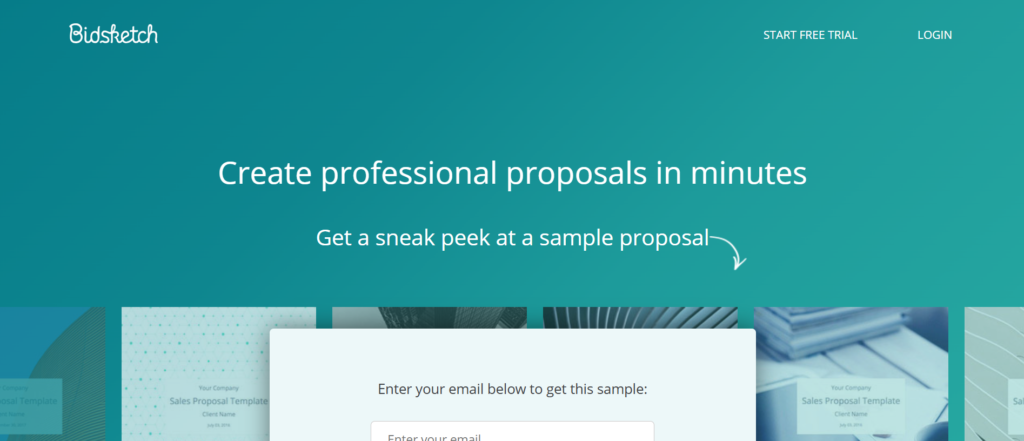
Bidsketch has been in the proposal software market for years and remains a steady option within the proposal software for sales teams category. It focuses on structured proposals, fee tables, and controlled pricing presentation rather than advanced contract lifecycle management.
In Bidsketch review comparisons, the platform is often described as practical and functional. When comparing Bidsketch vs Better Proposals, the distinction usually lies in design presentation and automation depth.
If your sales team requires structured pricing tables and clear proposal layouts without heavy enterprise overhead, Bidsketch may be sufficient.
Schedule a consultation to evaluate whether structured pricing controls could improve proposal consistency.
Key Features
Bidsketch centres on proposal creation, structured pricing, and performance tracking. Below are the five core features that define its role within proposal software for sales teams.
Fee Table Management
Bidsketch allows sales reps to create itemised fee tables with optional add-ons and recurring pricing options. This provides clarity for buyers while reducing manual pricing errors. It is not a full CPQ engine, but it covers most mid-level quoting needs.
Content Reuse and Templates
Sections such as scope of work, service descriptions, and terms can be saved and reused. This keeps proposal consistency and shortens drafting time.
Proposal Tracking
The platform includes engagement notifications so sales reps know when a proposal is opened or reviewed. While analytics are not highly detailed, they provide enough insight for structured follow-up.
Electronic Signatures
Built-in e-signature functionality allows proposals to convert directly into signed agreements without additional tools.
Basic CRM Integration
Bidsketch connects with selected CRM systems, allowing some automation in populating proposal details.
Pros and Cons
| Pros | Cons |
| Clear pricing structure | Limited advanced automation |
| Easy to learn | Fewer deep integrations |
| Built-in e-signatures | Basic analytics |
| Affordable plans | Not suited for complex enterprise deals |
Pricing
Bidsketch pricing typically begins around £29 per user per month. Plans scale depending on features and team size.
Free trials are available. Pricing remains competitive compared to many enterprise-focused proposal software for sales teams.
Best for Sales Teams Focused on Structured Pricing and Simplicity
Bidsketch suits organisations that prioritise clarity in pricing.
- Service-based sales teams
- Agencies requiring structured scope documentation
- Small to mid-size sales departments
- Organisations with straightforward approval workflows
If your primary requirement is clear pricing presentation rather than deep automation, Bidsketch fits comfortably.
Verdict:
Bidsketch remains a stable option in the proposal software for sales teams market where structured fee tables and straightforward workflows are sufficient.
Practical Tip: Use Optional Line Items to Increase Deal Size
Present add-on services as optional selections within fee tables. Buyers often choose upgrades when pricing is clearly structured and easy to understand.
Best Alternative Tool
If stronger visual presentation and interactive pricing are priorities, Better Proposals is commonly compared as an alternative.
9. RFPIO
Enterprise RFP Response Management with Knowledge Intelligence
RFPIO, now widely recognised in the RFP automation category, operates at the more advanced end of the proposal software for sales teams spectrum. It is designed specifically for organisations responding to complex RFPs, security questionnaires, due diligence documents, and structured procurement processes.
If your sales cycle includes lengthy RFP submissions with hundreds of technical, compliance, or legal questions, RFPIO is built for that environment.
In RFPIO review discussions, the platform is frequently described as a knowledge management engine rather than just proposal automation software. When comparing RFPIO vs Loopio, the debate usually centres on AI response suggestions, workflow control, and knowledge base scalability.
This is not lightweight proposal software for sales teams. It is infrastructure for high-stakes enterprise selling.
Schedule a consultation if RFP turnaround time is constraining pipeline velocity.
Key Features
RFPIO combines RFP automation, AI-powered response management, and knowledge governance into a single system. Below are five core features that define its position in the proposal software for sales teams category.
AI-Powered Answer Library
RFPIO stores approved responses inside a central knowledge library. When new RFP questions arrive, the system suggests pre-approved answers using AI matching. This dramatically reduces response drafting time.
For sales teams responding to frequent RFPs with overlapping compliance questions, this function alone can reclaim dozens of hours per submission.
Collaboration and Task Assignment
Complex RFPs require input from legal, IT, product, finance, and sales. RFPIO assigns tasks to subject matter experts with deadlines and tracking visibility.
This prevents bottlenecks and reduces reliance on email chains for coordination.
Version Control and Audit Tracking
Each response update is logged. Approved answers are tagged and tracked. This supports governance and ensures outdated information is not reused accidentally.
In regulated industries, version tracking is not optional. It is mandatory.
Workflow Automation
RFPIO allows configurable workflows for review, approval, and submission stages. Teams can standardise RFP response processes, reducing inconsistency across submissions.
When evaluating RFPIO pricing, workflow customisation often becomes a key factor in enterprise discussions.
Integrations with CRM and Document Systems
RFPIO integrates with Salesforce, Microsoft Dynamics, Google Drive, and other platforms. This allows deal data and supporting documentation to sync seamlessly into response workflows.
For proposal software for sales teams operating within structured CRM pipelines, this integration prevents duplication.
Pros and Cons
| Pros | Cons |
| Strong AI answer matching | Higher enterprise cost |
| Deep collaboration tools | Complex onboarding |
| Structured workflow control | Overkill for small teams |
| Knowledge governance strength | Focused heavily on RFP use |
Pricing
RFPIO pricing is typically customised based on organisation size, user count, and workflow complexity.
Enterprise demos are required before pricing is finalised. Costs are generally positioned at the mid-to-high enterprise range.
When comparing RFPIO alternatives, evaluate the volume of RFP submissions per quarter. If your team handles only occasional RFPs, lighter proposal automation tools may suffice.
Best for Sales Teams Managing High-Volume or High-Complexity RFPs
RFPIO aligns best where RFP submissions are central to revenue generation.
- Enterprise sales teams
- Organisations operating in regulated sectors
- Technology firms responding to security questionnaires
- Companies with dedicated bid management teams
If RFP response quality and turnaround speed directly affect contract awards, RFPIO provides structured control.
Verdict:
RFPIO is specialised proposal software for sales teams operating within formal procurement processes. It is less about presentation and more about structured knowledge management.
Practical Tip: Audit Your Existing RFP Archive Before Implementation
Before onboarding RFPIO, collect past RFP responses and centralise approved answers. A clean knowledge base accelerates AI matching accuracy and reduces manual corrections.
Best Alternative Tool
Loopio is commonly compared in RFPIO vs Loopio evaluations, particularly for enterprise bid teams.
10. Loopio
Loopio competes directly with RFPIO in the enterprise RFP and proposal automation market. It focuses on centralising knowledge, reducing repetitive drafting, and enabling collaborative proposal workflows.
Within the proposal software for sales teams landscape, Loopio is often selected by organisations with mature bid management functions.
When comparing Loopio vs RFPIO, discussions usually focus on AI suggestion quality, collaboration UX, and reporting structure.
If your sales process regularly includes large procurement submissions or multi-department collaboration, Loopio offers structured governance.
Schedule a consultation to evaluate whether knowledge centralisation could reduce RFP turnaround time.
Key Features
Loopio combines knowledge management, proposal automation, and structured collaboration. Below are five features that define its strength in proposal software for sales teams.
Centralised Content Library
Loopio stores approved responses inside a searchable knowledge repository. Each entry is tagged by topic, owner, and review date.
This keeps responses remain current and aligned with product updates, compliance standards, and pricing policies.
For sales teams responding to repetitive technical questions, this function significantly reduces drafting effort.
AI-Supported Response Suggestions
When uploading a new RFP or questionnaire, Loopio automatically suggests relevant answers from the knowledge base.
This reduces manual searching and accelerates completion. AI suggestions can be edited and approved before submission.
In Loopio review discussions, this feature is frequently cited as a major time saver.
Structured Collaboration Workflows
Tasks can be assigned to subject matter experts across departments. Deadlines and progress tracking keep visibility across the submission process.
This replaces fragmented email coordination with structured workflow management.
Reporting and Performance Analytics
Loopio provides insight into RFP turnaround time, content usage, and response efficiency. Sales leaders can assess where delays occur and adjust processes accordingly.
For organisations tracking bid performance, this reporting layer adds operational clarity.
Integration Capabilities
Loopio integrates with CRM systems, cloud storage platforms, and communication tools. This allows document imports, deal syncing, and collaborative editing.
For proposal software for sales teams operating in structured enterprise environments, integration depth supports operational consistency.
Pros and Cons
| Pros | Cons |
| Strong knowledge management | Enterprise pricing |
| AI-assisted response drafting | Implementation effort required |
| Clear collaboration workflows | Focused primarily on RFP use |
| Detailed reporting | May exceed needs of small teams |
Pricing
Loopio pricing is customised based on user count, workflow configuration, and integration requirements.
Enterprise demos are typically required. Costs align with mid-to-high enterprise software budgets.
When evaluating Loopio pricing against alternatives, consider the financial impact of delayed RFP submissions and duplicated work hours.
Best for Sales Teams with Dedicated Bid or Proposal Departments
Loopio is suited for structured enterprise sales operations.
- Organisations responding to frequent procurement submissions
- Teams with multiple subject matter contributors
- Sales operations tracking RFP performance metrics
- Companies requiring centralised knowledge governance
If RFP responses form a core revenue channel, Loopio offers operational control and structured visibility.
Verdict:
Loopio stands as a specialised solution within proposal software for sales teams operating in formal procurement and enterprise bidding environments.
Practical Tip: Assign Content Owners for Each Knowledge Category
Define clear ownership for each response category within the knowledge library. This keeps updates remain current and reduces outdated content risk.
Best Alternative Tool
RFPIO is often evaluated alongside Loopio in enterprise RFP discussions.
11. HoneyBook
HoneyBook is positioned slightly differently within the proposal software for sales teams category. It blends proposal creation with CRM functionality, invoicing, and client management tools.
While it is often associated with service businesses, HoneyBook has evolved into a broader platform for managing proposals, contracts, and payments inside one ecosystem.
In HoneyBook review discussions, users frequently highlight the benefit of having proposals, invoicing, and client communication connected. When comparing HoneyBook vs Better Proposals, the difference typically centres on CRM depth versus pure proposal presentation.
If your current workflow involves juggling multiple tools for proposals, invoicing, and follow-up, consolidation may be worth evaluating.
Schedule a consultation to assess whether combining CRM and proposal workflows would reduce operational friction.
Key Features
HoneyBook combines proposal automation with client management functionality. Below are five core features relevant to proposal software for sales teams.
Built-In CRM Functionality
HoneyBook includes tracking, client communication logs, and task management. This allows proposals to sit directly within the broader sales process rather than operating as a standalone tool.
For teams without a full enterprise CRM, this can reduce system fragmentation.
Proposal and Contract Templates
The platform provides structured templates for proposals and contracts. Content can be customised while maintaining consistent structure and branding.
Reusable sections reduce drafting time and support proposal standardisation.
Payment Collection and Invoicing
HoneyBook integrates payment processing and invoicing directly within proposals. Once signed, invoices can be issued automatically.
For service-based sales models, this shortens the gap between agreement and revenue recognition.
Workflow Automation
Automated reminders and task triggers can be configured to maintain proposal follow-up discipline. This reduces manual chasing.
Engagement Tracking
HoneyBook includes basic proposal tracking features so sales teams can see when proposals are opened and signed.
Pros and Cons
| Pros | Cons |
| CRM and proposals combined | Not built for complex enterprise deals |
| Payment collection integrated | Limited advanced CPQ |
| Easy setup | Analytics less detailed |
| Good for service businesses | Governance controls lighter |
Pricing
HoneyBook pricing typically starts around £16 per user per month, depending on annual billing options.
Free trials are available. Higher tiers unlock additional automation and reporting capabilities.
When comparing HoneyBook pricing against other proposal software for sales teams, it often represents strong value where CRM consolidation is desired.
Best for Sales Teams Wanting CRM and Proposal Tools in One System
HoneyBook suits organisations looking for operational simplicity.
- Service-based companies
- Increasing sales teams without enterprise CRM
- Organisations collecting payment at contract stage
- Teams seeking reduced software stack complexity
If managing multiple disconnected systems is slowing down proposals, HoneyBook offers practical consolidation.
Verdict:
HoneyBook sits within the proposal software for sales teams market as a hybrid CRM-proposal solution rather than a pure enterprise automation platform.
Practical Tip: Automate Follow-Up Reminders
Configure automatic reminders for unsigned proposals. Consistent follow-up often influences close rates more than proposal formatting.
Best Alternative Tool
If structured proposal governance is required without CRM consolidation, Proposify may be a stronger fit.
12. QuoteWerks
QuoteWerks operates more heavily in the CPQ and advanced quoting segment of proposal software for sales teams. It is particularly relevant for organisations with product catalogues, hardware pricing structures, or integration requirements with accounting systems.
In QuoteWerks review discussions, the platform is often praised for depth in quoting logic. When comparing QuoteWerks vs DealHub, the primary distinction usually lies in integration architecture and pricing model.
If pricing complexity is a core challenge in your sales cycle, QuoteWerks deserves close analysis.
Schedule a consultation to assess whether structured CPQ logic could reduce pricing errors.
Key Features
QuoteWerks centres on advanced quote generation and integration flexibility.
Advanced Product Configuration
The platform allows complex product bundles, discount logic, and pricing rules to be pre-configured. This reduces manual adjustments during proposal creation.
For sales teams dealing with multi-SKU deals, this control is essential.
Integration with ERP and Accounting Systems
QuoteWerks integrates with accounting software and ERP systems. This keeps pricing data aligned with financial records and reduces duplication.
For organisations managing inventory, this integration supports operational consistency.
Quote Templates and Branding
While primarily a quoting engine, QuoteWerks also supports branded proposal templates that can be converted into client-ready documents.
Approval Routing
Discount thresholds and pricing adjustments can trigger internal approval workflows before quotes are finalised.
Reporting and Analytics
Sales leaders can track quote conversion rates and pricing performance, supporting revenue analysis.
Pros and Cons
| Pros | Cons |
| Strong CPQ functionality | Interface less modern |
| ERP integration depth | Setup requires configuration |
| Approval controls | Visual design moderate |
| Suitable for product-heavy sales | Not ideal for lightweight service proposals |
Pricing
QuoteWerks pricing is typically customised depending on deployment model and integration requirements.
Demonstrations are recommended before final cost evaluation.
Best for Sales Teams Managing Complex Product Pricing
QuoteWerks aligns well with product-driven sales operations.
- Hardware and IT resellers
- Distributors with inventory integration
- Sales teams handling multi-SKU pricing
- Organisations requiring ERP synchronisation
If pricing errors or manual configuration are slowing deal flow, QuoteWerks provides structured logic control.
Verdict:
QuoteWerks is strong within proposal software for sales teams where CPQ depth outweighs presentation needs.
Practical Tip: Define Discount Threshold Policies Early
Configure discount approval triggers clearly during implementation to prevent margin erosion.
Best Alternative Tool
DealHub is often evaluated alongside QuoteWerks for CPQ-heavy sales processes.
13. Conga
Conga is widely recognised within Salesforce-centric environments. It focuses on document automation, contract generation, and proposal creation within the Salesforce ecosystem.
In Conga review discussions, integration depth with Salesforce is the defining factor. When comparing Conga vs DocuSign CLM, the focus often shifts between document generation and full contract lifecycle management.
If Salesforce is the backbone of your revenue operation, Conga integrates tightly into that workflow.
Schedule a consultation to review whether deeper Salesforce integration would reduce proposal turnaround time.
Key Features
Conga combines document automation with Salesforce-native architecture.
Salesforce Document Generation
Proposals can be generated directly from Salesforce records using pre-built templates. Data auto-populates from opportunity fields.
This reduces manual duplication and keeps data consistency.
Clause and Template Management
Conga allows structured storage of approved clauses and templates, supporting compliance and standardisation.
Workflow Automation
Approval routing can be configured within Salesforce, maintaining operational continuity.
Contract Lifecycle Extensions
Conga also offers contract management extensions for organisations requiring deeper governance.
Reporting and Analytics
Because it operates within Salesforce, reporting aligns directly with opportunity and revenue data.
Pros and Cons
| Pros | Cons |
| Deep Salesforce integration | Requires Salesforce environment |
| Strong document automation | Enterprise pricing |
| Template control | Implementation complexity |
| Alignment with CRM data | Less suited outside Salesforce |
Pricing
Conga pricing is generally customised based on modules selected and Salesforce licensing.
Enterprise evaluation is recommended.
Best for Sales Teams Operating Entirely Within Salesforce
Conga is particularly effective when Salesforce is the core system.
- Salesforce-driven sales teams
- Enterprise organisations
- Teams requiring tight CRM alignment
- Companies needing structured document automation
If proposals are created manually outside Salesforce, Conga can centralise that workflow.
Verdict:
Conga fits within proposal software for sales teams where Salesforce integration is the priority.
Practical Tip: Clean CRM Data Before Deployment
Keep opportunity fields structured properly before enabling automated document generation.
Best Alternative Tool
DocuSign CLM may be evaluated where contract lifecycle management is required beyond document automation.
14. Freshsales Docs
Freshsales Docs is part of the Freshworks ecosystem and integrates directly with the Freshsales CRM platform.
Within proposal software for sales teams, it offers lightweight proposal creation embedded inside CRM workflows.
When comparing Freshsales Docs vs Zoho CRM Proposals, the decision typically rests on broader CRM ecosystem preference.
Key Features
Freshsales Docs focuses on CRM-synchronised proposal creation.
Proposal Creation from CRM Data
Opportunities inside Freshsales can generate proposals using pre-set templates.
E-Signature Support
Digital signatures are built in, allowing agreements to close within the CRM environment.
Basic Workflow Automation
Automated reminders and task triggers can support follow-up discipline.
Template Customisation
Templates can be branded and reused across deals.
Reporting Integration
Proposal performance data aligns with CRM reporting.
Pros and Cons
| Pros | Cons |
| CRM-native integration | Limited advanced CPQ |
| Easy setup | Not enterprise-focused |
| Cost-effective | Basic analytics |
| Built-in e-signature | Limited governance tools |
Pricing
Freshsales Docs is typically included within certain Freshsales CRM tiers. Pricing depends on the overall CRM subscription level.
Best for Sales Teams Using Freshsales CRM
Freshsales Docs fits teams already embedded within the Freshworks ecosystem.
- Small to mid-size sales teams
- Organisations seeking CRM-proposal alignment
- Teams wanting minimal additional software
- Businesses prioritising cost control
If CRM-native simplicity is sufficient, this option remains practical.
Verdict:
Freshsales Docs is functional proposal software for sales teams seeking CRM integration without separate systems.
Practical Tip: Align CRM Stages with Proposal Triggers
Set proposal generation to trigger automatically when opportunities reach a defined stage.
Best Alternative Tool
Zoho CRM Proposals are often compared within CRM-integrated environments.
15. Zoho CRM Proposals
Zoho CRM Proposals integrates proposal generation directly inside the Zoho CRM platform.
Within proposal software for sales teams, it offers a cost-effective and integrated option for organisations already operating within Zoho’s ecosystem.
When comparing Zoho CRM Proposals vs Freshsales Docs, integration alignment and broader CRM functionality often determine selection.
Schedule a consultation to assess whether CRM-native proposal automation aligns with your operational structure.
Key Features
Zoho CRM Proposals centres on CRM integration and document automation.
Proposal Templates Linked to CRM Fields
Proposal documents can auto-populate using contact, deal, and pricing data stored in Zoho CRM.
Workflow and Approval Controls
Basic approval routing can be configured within CRM workflows.
E-Signature Integration
Zoho Sign integrates directly for contract execution.
Reporting Alignment
Proposal performance metrics align with CRM reporting dashboards.
Ecosystem Integration
Because it sits within the Zoho environment, it connects with Zoho Books, Zoho Projects, and other modules.
Pros and Cons
| Pros | Cons |
| Strong ecosystem integration | Limited standalone use |
| Cost-effective | Not built for complex enterprise deals |
| Easy CRM alignment | Moderate design flexibility |
| Built-in e-signature | Basic analytics |
Pricing
Zoho CRM Proposals is generally included within certain Zoho CRM subscription tiers. Pricing varies based on CRM plan level.
Best for Sales Teams Operating Within Zoho CRM
Zoho CRM Proposals fits organisations fully embedded in Zoho.
- Increasing sales teams
- Companies using Zoho Books and Projects
- Organisations seeking cost control
- Teams wanting unified CRM-proposal workflows
If Zoho CRM is central to operations, using its built-in proposal functionality avoids system fragmentation.
Verdict:
Zoho CRM Proposals is a practical choice within proposal software for sales teams when CRM-native integration is the priority.
16. Scoro
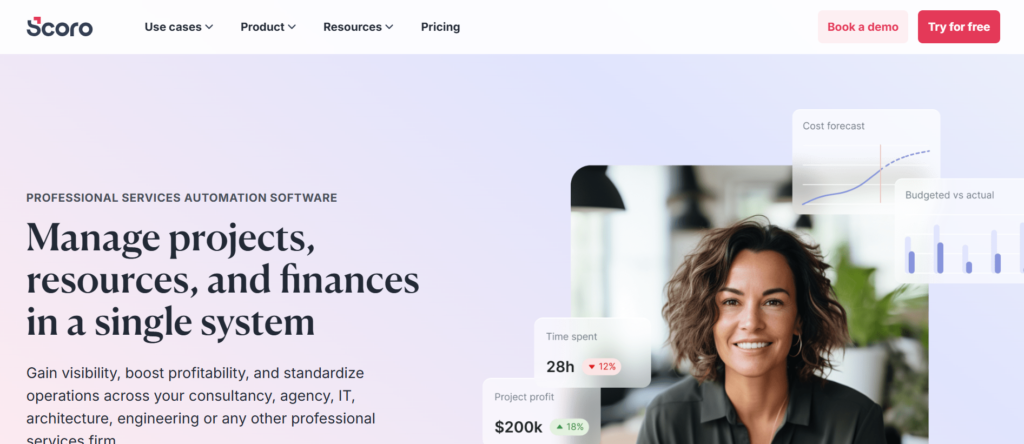
Scoro sits at the intersection of proposal software for sales teams and project management. Unlike standalone proposal automation tools, Scoro connects proposals directly to budgeting, resource planning, and delivery workflows.
This makes it particularly relevant for organisations where sales, operations, and finance must remain tightly aligned.
In Scoro review comparisons, the platform is frequently described as a business management system rather than just proposal software. When evaluating Scoro vs Better Proposals or Scoro vs PandaDoc, the central question becomes integration depth across departments.
If your proposals frequently convert into complex projects requiring resource allocation and budget control, Scoro deserves detailed consideration.
Schedule a consultation to review whether connecting proposals to delivery workflows would improve operational visibility.
Key Features
Scoro combines proposal creation with project, financial, and resource management tools. Below are five features that position it uniquely within proposal software for sales teams.
Proposal and Quote Generation Linked to Budgets
Scoro allows sales teams to create structured quotes and proposals that link directly to project budgets. Once a deal is approved, data flows into project planning automatically.
This prevents manual duplication between sales and operations and keeps pricing assumptions align with delivery capacity.
For organisations managing margin-sensitive projects, this alignment reduces financial risk.
Resource Planning and Capacity Forecasting
Because proposals connect to resource planning, teams can forecast workload impact before deals close.
Sales leaders can assess whether taking on a project will strain available resources or require additional hiring. This type of cross-functional visibility is rare in standard proposal software for sales teams.
Financial Tracking and Profitability Analysis
Scoro includes cost tracking, expense management, and profitability reporting. Once a proposal converts into a project, financial performance can be monitored against the original quoted value.
This allows sales and finance teams to analyse margin performance over time and refine pricing strategy.
Workflow and Approval Controls
Internal approvals can be configured before proposals are finalised. Budget thresholds, discount policies, and project scope validation can all be structured inside the system.
This supports governance without requiring a separate contract lifecycle platform.
CRM and Ecosystem Integrations
Scoro integrates with CRM systems, accounting tools, and communication platforms. This keeps proposals aligned with broader and financial reporting.
Within proposal software for sales teams, integration with delivery systems is Scoro’s strongest differentiator.
Pros and Cons
| Pros | Cons |
| Strong sales-to-delivery alignment | More complex than lightweight tools |
| Financial tracking included | Higher learning curve |
| Resource forecasting capability | Pricing above entry-level platforms |
| Project management integration | May exceed needs of small teams |
Pricing
Scoro pricing typically starts around £22 per user per month for basic plans, with advanced business management features available on higher tiers.
Enterprise configurations are customised based on workflow requirements and integration depth.
When evaluating Scoro pricing, consider the cost of disconnected systems across sales, finance, and operations.
Best for Sales Teams Managing Project-Based Revenue
Scoro aligns particularly well with organisations where proposals convert directly into structured project work.
- Agencies delivering retainer and project-based services
- Consultancy firms managing billable hours
- Professional services organisations
- Companies requiring margin visibility post-sale
If your proposal stage is disconnected from delivery and finance tracking, Scoro closes that gap.
Verdict:
Scoro stands out in the proposal software for sales teams market where operational integration matters more than standalone document automation.
Practical Tip: Align Proposal Templates with Project Milestones
Structure proposal templates to mirror delivery milestones. When the deal closes, those milestones can automatically transfer into project planning, reducing onboarding time.
Best Alternative Tool
If you require strong proposal automation without project management complexity, Better Proposals or PandaDoc may provide a more focused solution.
17. Oneflow
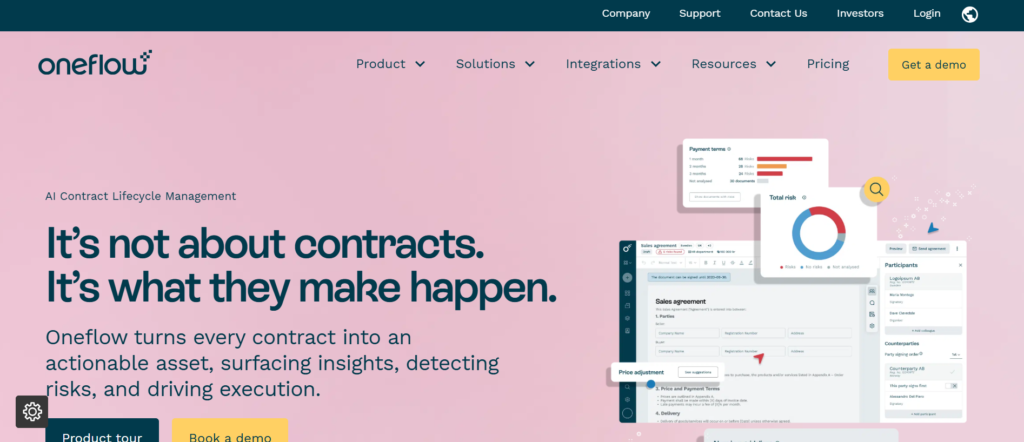
Oneflow approaches proposal software for sales teams from a contract-first perspective. Instead of sending static documents, Oneflow allows live, editable proposals that both parties can adjust in real time before signing.
In Oneflow review comparisons, flexibility and collaborative editing are often highlighted. When analysing Oneflow vs PandaDoc, the main difference lies in contract interactivity versus structured CPQ functionality.
If your deals involve negotiation on scope, pricing, or terms before signature, Oneflow introduces a more collaborative workflow.
Schedule a consultation if negotiation cycles are delaying contract execution.
Key Features
Oneflow combines document generation, collaboration, and digital signatures inside a unified platform.
Live Editable Contracts
Unlike traditional PDF proposals, Oneflow documents remain editable until both parties finalise terms. Edits are tracked and version-controlled.
This reduces the back-and-forth exchange of revised attachments and keeps all negotiation inside one environment.
Built-In E-Signature
Legally binding signatures are embedded directly in the workflow. Once both sides agree on edits, signing occurs immediately within the same interface.
Dynamic Pricing Tables
Pricing tables can be adjusted during negotiation without regenerating entire documents. This is useful for structured but flexible deals.
Automated Reminders and Follow-Up
Oneflow allows automated reminders for unsigned contracts. This maintains follow-up discipline without manual chasing.
CRM Integrations
The platform integrates with Salesforce, HubSpot, and other CRM systems, syncing proposal data with deal records.
Pros and Cons
| Pros | Cons |
| Live contract editing | Less advanced CPQ depth |
| Strong collaboration features | Pricing higher than entry tools |
| Built-in e-signature | Governance lighter than CLM platforms |
| CRM integrations | Learning curve for negotiation setup |
Pricing
Oneflow pricing generally starts around £15 per user per month for entry tiers. Advanced plans increase based on automation and integration features.
Enterprise plans are customised.
Best for Sales Teams Managing Negotiation-Heavy Deals
Oneflow aligns well where contract revisions are common.
- Sales teams negotiating service scopes
- Organisations with custom pricing discussions
- Teams requiring collaborative contract editing
- Companies wanting to reduce version confusion
If negotiation delays are affecting deal velocity, Oneflow offers structured collaboration.
Verdict:
Oneflow is a distinctive option within proposal software for sales teams where live contract collaboration matters more than static document automation.
Practical Tip: Pre-Approve Editable Sections
Define which proposal sections can be edited externally and which remain locked. This balances flexibility with control.
Best Alternative Tool
If stronger CPQ or structured proposal templates are required, PandaDoc may be evaluated as an alternative.
18. Ignition
Ignition positions itself within proposal software for sales teams by combining proposals, engagement letters, and recurring billing workflows.
It is particularly suited to organisations operating on retainer models or subscription-based services.
In Ignition review discussions, recurring payment automation is frequently cited. When comparing Ignition vs HoneyBook, the distinction typically centres on recurring revenue sophistication.
If your proposals frequently convert into ongoing billing agreements, Ignition integrates financial continuity into the process.
Schedule a consultation to assess whether linking proposals directly to recurring billing would stabilise cash flow
Key Features
Ignition blends proposal automation with subscription billing management.
Engagement Letter Templates
Ignition provides structured templates for proposals and engagement letters. These are commonly used in consultancy and advisory services.
Recurring Payment Automation
Once a proposal is signed, recurring invoices can be generated automatically. This reduces administrative overhead and maintains billing consistency.
Payment Collection at Signature
Clients can enter payment details during signing. This reduces delays between agreement and first invoice.
Approval and Discount Controls
Internal controls can be configured for pricing approvals before proposals are sent.
Accounting Integrations
Ignition integrates with accounting platforms, keeping financial records synchronised.
Pros and Cons
| Pros | Cons |
| Strong recurring billing | Not designed for enterprise CPQ |
| Payment at signature | Limited design flexibility |
| Good for retainers | Less suited to product-heavy sales |
| Accounting integration | Analytics moderate |
Pricing
Ignition pricing generally starts around £29 per user per month, with higher tiers for advanced billing automation.
Free trials are often available.
Best for Sales Teams Operating on Retainers or Subscriptions
Ignition suits organisations with predictable recurring revenue models.
- Consultancy firms
- Advisory services
- Subscription-based service providers
- Teams needing integrated billing workflows
If proposals convert into long-term billing relationships, Ignition maintains financial continuity.
Verdict:
Ignition stands out in proposal software for sales teams focused on recurring revenue stability.
Practical Tip: Align Proposal Duration with Billing Cycles
Keep contract duration aligns with automated billing cycles to prevent revenue gaps.
Best Alternative Tool
If CRM-native integration is preferred without recurring billing emphasis, HoneyBook may be considered.
19. DealHub
DealHub operates at the enterprise end of proposal software for sales teams. It combines CPQ functionality, guided selling, and contract management inside a unified platform.
In DealHub review discussions, advanced pricing configuration is frequently highlighted. When comparing DealHub vs QuoteWerks, the conversation typically focuses on guided selling automation versus ERP integration depth.
If pricing logic and structured sales guidance are central to your revenue strategy, DealHub offers substantial control.
Schedule a consultation to assess whether guided selling automation would reduce pricing errors.
Key Features
DealHub blends CPQ logic with proposal automation.
Advanced CPQ Engine
DealHub allows complex product configurations, pricing rules, and discount policies to be pre-defined.
This reduces manual pricing adjustments and enforces margin protection.
Guided Selling Workflows
Sales reps are guided through structured question flows that determine product combinations and pricing logic.
This is particularly useful for large product catalogues.
Contract and Proposal Generation
Once configuration is complete, DealHub generates structured proposals and contracts automatically.
Approval Routing
Discount thresholds and pricing overrides trigger approval workflows before documents are finalised.
CRM Integration
Deep integration with Salesforce keeps proposals aligned with data.
Pros and Cons
| Pros | Cons |
| Strong CPQ capabilities | Enterprise-level pricing |
| Guided selling automation | Implementation complexity |
| Approval governance | Overkill for small teams |
| Salesforce integration | Learning curve |
Pricing
DealHub pricing is customised based on CPQ requirements, integration depth, and user count.
Enterprise demonstrations are recommended.
Best for Sales Teams Managing Complex Product Catalogues
DealHub aligns with organisations where pricing logic is highly structured.
- Technology companies
- SaaS platforms with modular pricing
- Enterprise sales teams
- Organisations requiring margin protection controls
If manual pricing decisions are creating inconsistencies, DealHub provides structured governance.
Verdict:
DealHub fits within proposal software for sales teams where CPQ automation is a central operational requirement.
Practical Tip: Map Pricing Dependencies Before Setup
Document product dependencies clearly before configuring guided selling workflows.
Best Alternative Tool
QuoteWerks may be evaluated where ERP integration is more critical than guided selling logic.
20. Revv
Revv positions itself as an accessible option within proposal software for sales teams. It combines document automation, e-signature functionality, and API integration at a lower entry price point.
In Revv review discussions, affordability and flexibility are often highlighted. When comparing Revv vs PandaDoc, the discussion usually centres around cost versus advanced automation depth.
If budget constraints are a consideration but digital proposal workflows are still required, Revv may provide a balanced option.
Schedule a consultation to review whether lightweight automation would still support revenue targets.
Key Features
Revv provides essential proposal automation tools without enterprise overhead.
Template-Based Proposal Creation
Sales reps can build proposals from reusable templates. Content blocks can be standardised and reused across deals.
E-Signature Integration
Legally binding signatures are built in, eliminating the need for separate tools.
API Access
Revv offers API access, allowing organisations to integrate proposal workflows into custom systems.
Workflow Automation
Basic approval routing and automated reminders are available.
CRM Integrations
Revv integrates with common CRM platforms, supporting data synchronisation.
Pros and Cons
| Pros | Cons |
| Affordable pricing | Limited enterprise governance |
| API flexibility | Less advanced CPQ |
| Built-in e-signature | Reporting moderate |
| Quick setup | Fewer guided selling tools |
Pricing
Revv pricing typically starts around £8 per user per month for entry-level plans, making it one of the more cost-accessible options in proposal software for sales teams.
Higher tiers unlock advanced automation and integration capabilities.
Best for Sales Teams Seeking Cost-Effective Automation
Revv fits organisations that need structured proposal workflows without enterprise cost.
- Startups
- Increasing sales teams
- Budget-conscious organisations
- Teams requiring API flexibility
If the priority is moving away from manual proposal drafting without significant software investment, Revv provides a practical entry point.
Verdict:
Revv offers accessible proposal software for sales teams that require automation fundamentals without enterprise complexity.
Final Thoughts on the Best Proposal Software for Sales Teams in 2026
At Pearl Lemon Sales, we see proposal software for sales teams as a core part of the revenue engine, not just an admin tool. The right platform removes friction, protects margins, and gives visibility into buyer behaviour. When pricing approvals delay progress, proposals go untracked, or CRM data sits disconnected, deals slow down and forecasting becomes unreliable.
Across the platforms reviewed, some focus heavily on CPQ and pricing governance, others specialise in RFP management and structured collaboration, while several integrate tightly with CRM systems or billing workflows. The best choice depends on where your sales process is breaking down.
Start by identifying the bottleneck. Is pricing complexity slowing negotiations? Are approvals creating internal delays? Is engagement tracking missing once proposals are sent? Select the proposal software for sales teams that addresses that specific weakness rather than chasing the longest feature list.
Schedule a consultation with Pearl Lemon Sales to assess your current proposal workflow and implement a system that supports consistent, scalable revenue visibility.
Frequently Asked Questions
1. What is proposal software for sales teams?
Proposal software for sales teams is a digital platform used to create, send, track, and manage sales proposals. It replaces manual documents with structured templates, automated pricing tables, CRM integrations, and built-in e-signature functionality.
2. How does proposal software improve close rates?
It reduces delays, standardises pricing, and provides visibility into buyer engagement. When sales teams can see when a proposal is opened and which sections are reviewed, follow-up becomes more timely and relevant.
3. Is proposal software different from CPQ software?
Yes. CPQ software focuses on configuring products and calculating pricing. Proposal software for sales teams includes presentation, document tracking, approvals, and digital signing. Some platforms combine both.
4. Do small sales teams need proposal software?
Even small teams benefit from structured templates and automated pricing. Manual proposals increase errors and consume time that could be spent on active selling.
5. Can proposal software integrate with CRM systems?
Most modern platforms integrate with CRM systems such as Salesforce, HubSpot, or Zoho. This keeps proposal data aligned with reporting and reduces manual data entry.
6. How much does proposal software typically cost?
Pricing ranges from under £10 per user per month for entry-level tools to customised enterprise pricing for advanced CPQ and contract lifecycle platforms. Cost depends on feature depth and integration needs.
7. What features should be prioritised?
Key features include template management, automated pricing tables, approval workflows, engagement tracking, CRM integration, and electronic signatures. The priority depends on where friction exists in your sales process.
8. Is proposal tracking really necessary?
Yes. Tracking shows when a proposal is viewed and how buyers interact with it. This supports better follow-up timing and improves forecasting accuracy.
9. Can proposal software support enterprise RFP submissions?
Some platforms, such as RFPIO and Loopio, are designed specifically for RFP automation and structured collaboration. Lightweight tools may not provide sufficient knowledge management for complex bids.
10. How do we choose the right platform?
Start by identifying bottlenecks in your current proposal workflow. Whether it is pricing complexity, approval delays, CRM misalignment, or negotiation revisions, the correct proposal software for sales teams should address that specific issue rather than simply offering more features.