If your outbound progress feels slow or inconsistent, the issue is rarely volume. It is coordination. Most teams still rely on single-channel campaigns when buyers are spread across email, LinkedIn, phone, and social touchpoints. The best multi-channel outreach platforms solve this by letting revenue teams plan, execute, and measure outreach from one system.
We reviewed dozens of multi-channel outreach platforms used by B2B sales teams, agencies, recruiters, and founders. This list focuses on tools that support email outreach, LinkedIn sequences, calling, task automation, analytics, and CRM sync without bloated workflows. If you run outbound in Britain across sales development, lead generation, or recruitment, this breakdown is written for how teams here actually work.
Industry data from recent SaaS sales benchmarks shows response rates increase by over 30 percent when three or more channels are combined in a structured sequence. That alone explains why multi-channel outreach platforms are no longer optional for growth teams.
What Is a Multi-Channel Outreach Platform?
A multi-channel outreach platform is software that allows teams to contact prospects across several channels from one interface. These channels usually include email, LinkedIn actions, phone calls, SMS, and task reminders.
Instead of sending emails from one tool, logging LinkedIn messages manually, and calling from a separate dialler, outreach platforms centralise the process. Sequences are built once, then executed step by step with timing rules, personalisation fields, and reporting.
For businesses operating across Britain, this matters because compliance, working hours, and buyer behaviour vary by sector. A structured system keeps outreach consistent while still allowing manual steps where judgement is required.
Quick Comparison Table of Multi-Channel Outreach Platforms
The table below focuses on criteria that matter most when choosing multi-channel outreach platforms: supported channels, pricing entry point, CRM compatibility, and reporting depth. These are the areas that directly affect adoption and ROI.
| Tool | Best For | Channels | Starting Price | CRM Sync |
| Salesloft | Enterprise SDR teams | Email, phone, tasks | £125 per user | Salesforce |
| Outreach | Large sales teams | Email, phone, tasks | £120 per user | Salesforce |
| Apollo | SMB outbound | Email, LinkedIn | £39 per user | HubSpot |
| Lemlist | Personalised outreach | Email, LinkedIn | £49 per user | HubSpot |
| Reply.io | Agencies | Email, LinkedIn, calls | £60 per user | Multiple |
| Smartlead | Cold email scale | £29 per user | Webhooks | |
| Instantly | High volume senders | £30 per user | CSV | |
| Klenty | Sales teams | Email, calls | £50 per user | Salesforce |
| Waalaxy | LinkedIn outreach | LinkedIn, email | £25 per user | Built-in |
| Yesware | Email tracking | £15 per user | Salesforce |
Top Multi-Channel Outreach Platforms
Below is the curated list of the best multi-channel outreach platforms based on feature depth, usability, and suitability for teams operating in Britain.
- Salesloft
- Outreach
- Apollo
- Lemlist
- Reply.io
- Smartlead
- Instantly
- Klenty
- Waalaxy
- Yesware
- Woodpecker
- Snov.io
- Mixmax
- QuickMail
- Mailshake
- PersistIQ
- LaGrowthMachine
- Skylead
- Zopto
- HubSpot Sales Hub
1. Salesloft
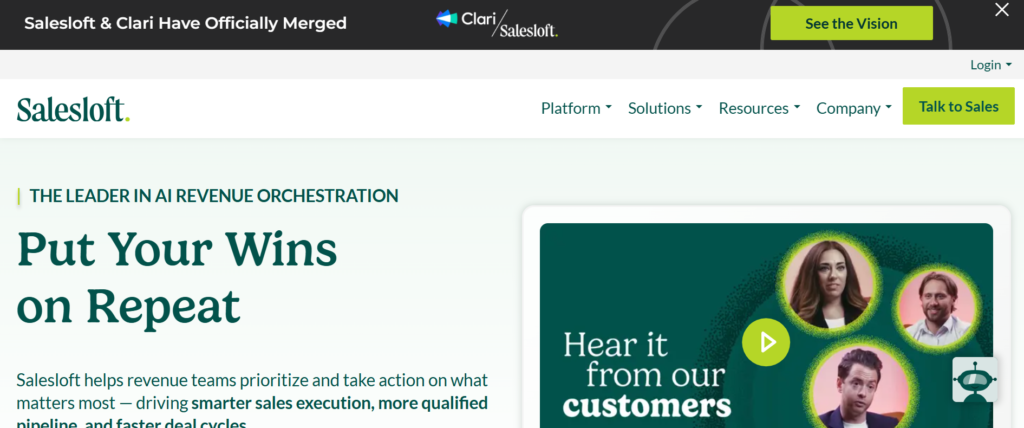
Tagline: Revenue workflow software for structured outbound teams
Overview
Salesloft is a well-established multi-channel outreach platform built for sales teams that rely on consistent outbound activity across email, calls, and task-based follow-ups. It is commonly used by mid-sized and large organisations that already operate with a defined sales development structure and require visibility across rep activity.
For teams working across Britain, Salesloft is typically adopted when leadership needs clarity on what reps are doing each day and how that activity connects to progress movement. It prioritises process adherence, performance tracking, and manager oversight rather than experimentation or lightweight workflows.
Key Features
Salesloft’s feature set is designed around repeatable outbound execution. Each feature supports control, visibility, and accountability across multi-channel outreach. Below is a breakdown of the most important capabilities and how they are used in practice.
Cadence-Based Multi-Channel Sequences
Cadences in Salesloft act as structured outreach sequences that combine email steps, call tasks, and manual actions. Each cadence follows a defined order and timing, which reps work through daily from a single task queue.
This approach is particularly effective for teams where inconsistency between reps leads to uneven results. By enforcing cadence rules, Salesloft keeps prospects receive consistent follow-up regardless of which rep owns the account.
Email Tracking and Engagement Signals
Salesloft tracks email opens, clicks, and replies automatically. These engagement signals influence rep task priorities, helping teams focus attention on prospects who are showing signs of interest.
Managers can also analyse subject lines, templates, and reply rates across cadences, making it easier to identify what messaging performs best with specific audiences.
Built-In Calling and Call Management
Salesloft includes a native dialler that supports click-to-call, voicemail drops, call recording, and automatic logging. Calls are linked directly to contact and account records, reducing admin work for reps.
Recorded calls are frequently used for coaching sessions, quality reviews, and onboarding new hires, especially in regulated or high-value sales environments.
Salesforce-Centred Data Sync
Salesloft is designed to sit tightly alongside Salesforce. Activities sync automatically, keeping that emails, calls, and tasks are visible within CRM records without manual updates.
This level of integration allows revenue leaders to connect outreach activity with progress stages, opportunity creation, and closed deals using existing Salesforce reports.
Performance and Coaching Analytics
Managers can view activity metrics, engagement trends, and conversion data at both rep and team level. Call recordings and email performance are often used during structured coaching sessions.
This makes Salesloft suitable for organisations that take a measured approach to sales improvement rather than relying on individual rep instincts.
Pros and Cons
| Pros | Cons |
| Strong Salesforce alignment | Higher starting price |
| Clear activity visibility | Requires onboarding effort |
| Scales well for teams | Less suitable for solo users |
| Reliable call tracking | Heavy for email-only needs |
Pricing
Salesloft pricing is sold on a per-user basis.
- Starting price: £125 per user per month
- Advanced plans increase based on analytics, support, and security requirements
There is no free plan. Trials are typically offered during the sales process.
Best For Structured SDR Teams Using Salesforce
Salesloft is best suited for teams that already have an outbound framework in place and need consistent execution.
Ideal users include:
- Sales development teams with five or more reps
- Organisations reporting outreach activity to leadership
- Businesses using Salesforce as their system of record
Verdict:
Salesloft works best when outbound discipline matters more than flexibility. It rewards teams that value structure, measurement, and repeatable performance.
Practical Outreach Tip
Use separate cadences for inbound leads and cold outbound prospects. Combining them reduces clarity in reporting and makes it harder to identify where responses are coming from.
Best Alternate Tool
- Outreach for teams comparing enterprise-grade sales engagement platforms
2. Outreach
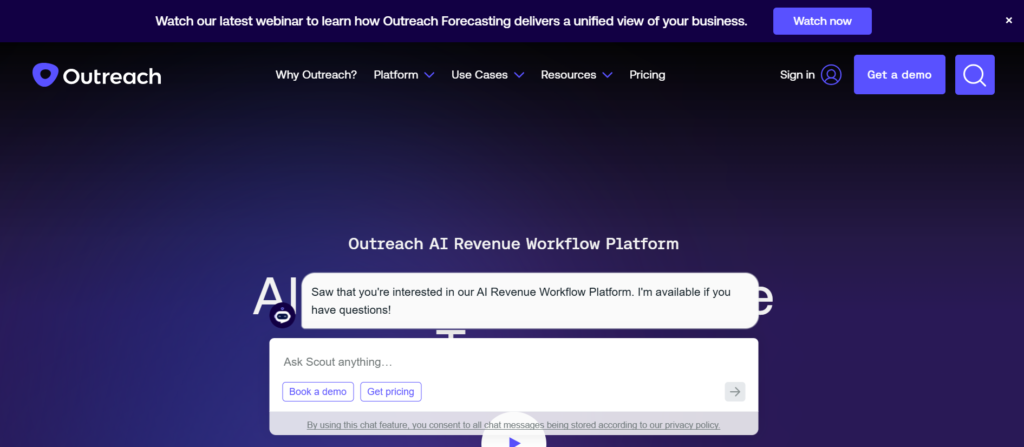
Tagline: Sales engagement platform built for revenue teams that require visibility and control
Overview
Outreach is a multi-channel outreach platform designed for organisations where outbound activity must align closely with progress, forecasting, and revenue reporting. It is commonly used by larger sales teams with defined roles across sales development, account executives, and management.
For teams operating across Britain, Outreach is often selected when leadership needs a clear link between rep activity and deal progression. Unlike tools that focus mainly on sending messages, Outreach places strong emphasis on how outreach actions influence opportunities, stages, and outcomes within the sales cycle.
This platform is not designed for ad-hoc outreach. It is intended for teams that already have structured sales motions and want those motions executed consistently across the entire organisation.
Key Features
Outreach’s feature set is focused on connecting outbound execution with revenue impact. Each core capability supports planning, execution, and review at scale.
Sequence-Based Multi-Channel Outreach
Outreach uses sequences to organise outreach across email, call tasks, and manual actions. Each sequence defines the order, timing, and type of activity a rep must complete.
This approach keeps prospects receive consistent follow-ups and reduces variation between reps. Managers can deploy standard sequences across teams while still allowing personalisation at message level.
Opportunity-Centred Activity Tracking
One of Outreach’s defining features is its focus on opportunities rather than just contacts. Outreach links outreach activity directly to opportunity records, allowing teams to see which actions influence stage movement.
This is particularly valuable for complex sales cycles where multiple stakeholders are involved and activity needs to be measured beyond first reply.
Call Management and Conversation Recording
Outreach includes a built-in calling system with automatic call logging and recording. Calls are attached to relevant records, making it easier for managers to review conversations during coaching sessions.
This supports quality control and keeps outreach conversations are documented without relying on manual notes.
Revenue Intelligence and Forecast Alignment
Outreach provides analytics that connect rep activity with progress metrics. Managers can analyse which sequences contribute to meetings booked, opportunities created, and deals progressed.
This allows leadership teams to evaluate outreach effectiveness in the context of revenue rather than surface-level engagement signals.
Team Performance and Workflow Visibility
Outreach dashboards provide insight into rep workloads, overdue tasks, and sequence performance. This helps managers intervene early when activity drops or sequences underperform.
For distributed teams, this visibility supports consistent execution across locations and time zones.
Pros and Cons
| Pros | Cons |
| Strong revenue reporting | Higher cost |
| Opportunity-level insight | Longer onboarding |
| Scales for large teams | Overkill for small teams |
| Detailed activity tracking | Requires defined processes |
Pricing
Outreach pricing is typically sold on a per-user basis with tiered plans.
- Starting price: £120 per user per month
- Higher tiers add advanced analytics and enterprise support
Free plans are not available. Trials are usually part of the sales process.
Best For Enterprise and Upper Mid-Market Sales Teams
Outreach is most effective when used by teams that already operate with formal sales processes.
Ideal use cases include:
- Sales teams with dedicated SDR and AE roles
- Organisations with complex deal cycles
- Revenue leaders requiring forecasting alignment
Verdict:
Outreach is built for scale and accountability. It works best when outbound activity must be measured against revenue outcomes rather than simple engagement.
Practical Outreach Tip
Create separate sequences for early-stage prospecting and late-stage opportunity follow-ups. Combining them makes it harder to understand which activities influence deal progression.
Best Alternate Tool
- Salesloft for teams comparing enterprise-grade outreach platforms
3. Apollo
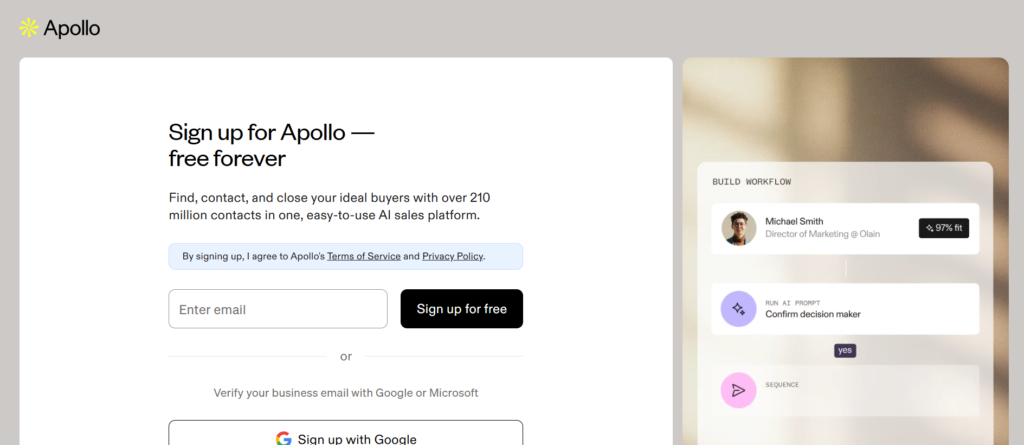
Tagline: Prospecting and multi-channel outreach in one system
Overview
Apollo is a multi-channel outreach platform combined with a large B2B contact database, making it a common choice for small to mid-sized teams that want prospecting and outbound execution inside one product. Rather than relying on separate tools for data, email outreach, and reporting, Apollo brings these workflows together in a single interface.
For teams operating across Britain, Apollo is often adopted when budgets are controlled and speed matters. It allows sales teams, founders, and agencies to move from lead discovery to first contact without switching systems. This makes it especially useful for early-stage outbound programmes or teams without dedicated operations support.
Apollo is not positioned as an enterprise engagement platform. Its strength lies in accessibility, data availability, and rapid campaign setup.
Key Features
Apollo’s features are designed to remove friction from outbound prospecting while still supporting multi-channel outreach at scale.
Built-In B2B Contact Database
Apollo includes access to a large database of business contacts with filters for job title, company size, industry, and location. Users can build lead lists directly inside the platform without importing data from external providers.
This reduces setup time and allows teams to test new markets or segments quickly without committing to separate data contracts.
Email and LinkedIn-Based Sequences
Apollo supports multi-step sequences that combine email steps with LinkedIn tasks. Reps can schedule follow-ups, reminders, and connection requests from one workflow.
While LinkedIn actions are task-based rather than automated, this approach reduces account risk and keeps outreach compliant with platform limits.
Email Personalisation and Templates
Users can create reusable email templates with dynamic fields pulled from contact data. Personalisation tokens allow messages to reference job roles, companies, or locations without manual edits.
This makes Apollo suitable for teams that want basic personalisation without complex setup.
Engagement Tracking and Reply Management
Apollo tracks opens, clicks, and replies across campaigns. Replies are centralised in a shared inbox view, allowing teams to manage conversations without switching tools.
This helps smaller teams stay organised as outbound volume increases.
CRM Integrations and Data Export
Apollo integrates with common CRMs such as HubSpot and Salesforce. Contacts and activity can be synced automatically or exported as needed.
For teams migrating between systems, this flexibility reduces dependency on rigid workflows.
Pros and Cons
| Pros | Cons |
| Built-in lead data | Data accuracy varies |
| Affordable entry price | Limited enterprise controls |
| Quick campaign setup | Reporting less advanced |
| Suitable for small teams | Basic LinkedIn execution |
Pricing
Apollo pricing is tiered by feature access and usage limits.
- Starting price: £39 per user per month
- Free plan available with limited credits
Higher tiers increase export limits and automation options.
Best For SMB Teams and Early-Stage Outbound
Apollo is best suited to teams that need prospecting and outreach combined.
Ideal users include:
- Small sales teams without data providers
- Founders running outbound themselves
- Agencies testing new client segments
Verdict:
Apollo offers strong value when speed and cost matter more than complex reporting.
Practical Outreach Tip
Use Apollo’s saved searches to refresh lead lists weekly. This keeps outreach relevant and avoids recycling the same prospects too frequently.
Best Alternate Tool
- Snov.io for teams comparing data-first outreach platforms
4. Lemlist
Tagline: Personalised multi-channel outreach focused on replies
Overview
Lemlist is a multi-channel outreach platform built around personalisation and reply-focused campaigns. It is widely used by agencies, consultants, and sales teams that prioritise message quality over raw sending volume.
In Britain, Lemlist is often chosen by teams working in competitive niches where generic outreach performs poorly. Rather than relying on heavy automation, Lemlist encourages thoughtful messaging supported by visual and text-based personalisation.
Lemlist is not designed for rigid enterprise workflows. It is intended for teams that value creative control and hands-on outreach execution.
Key Features
Lemlist’s feature set centres on making outbound messages feel human while still supporting multi-channel coordination.
Advanced Email Personalisation Options
Lemlist allows users to personalise emails using dynamic text, images, and custom fields. Images can be generated dynamically with prospect names, company logos, or role-specific messaging.
This level of personalisation is commonly used to improve reply rates in crowded inboxes.
Multi-Channel Sequences with Manual Control
Lemlist supports sequences that combine email steps with LinkedIn tasks. LinkedIn actions are manual, keeping outreach remains deliberate rather than automated.
This suits teams that want to maintain control over social interactions while still following a structured plan.
Deliverability and Warm-Up Tools
Lemlist includes built-in email warm-up features to support inbox placement. This helps new domains and accounts establish sending reputation gradually.
For agencies managing multiple clients, this reduces the risk of account issues caused by sudden volume increases.
Campaign-Level Performance Tracking
Users can track opens, replies, and campaign performance from a central dashboard. Reporting focuses on reply behaviour rather than surface-level metrics.
This aligns well with teams measuring success by conversations started rather than emails sent.
Team Collaboration and Client Separation
Lemlist allows teams to separate campaigns, inboxes, and assets. This is useful for agencies running outreach on behalf of multiple clients.
Pros and Cons
| Pros | Cons |
| Strong personalisation | Limited calling features |
| Focus on replies | Less suitable for enterprise |
| Built-in warm-up | Reporting not CRM-centric |
| Good for agencies | Manual LinkedIn steps |
Pricing
Lemlist pricing is based on user seats and feature access.
- Starting price: £49 per user per month
- Higher plans add team features and advanced options
Free trials are available on paid plans.
Best For Agencies and Reply-Focused Teams
Lemlist works best when outreach quality matters more than scale.
Ideal users include:
- Agencies running client campaigns
- Consultants prospecting high-value accounts
- Sales teams in competitive niches
Verdict:
Lemlist suits teams that want control over messaging and value thoughtful outreach over volume.
Practical Outreach Tip
Rotate multiple inboxes per campaign to maintain steady sending while keeping daily volume per inbox low.
Best Alternate Tool
- Reply.io for teams needing stronger multi-channel automation
6. Smartlead
Tagline: Cold email infrastructure for controlled volume and deliverability
Overview
Smartlead is a multi-channel outreach platform with a strong emphasis on cold email scale, inbox management, and deliverability control. It is commonly used by outbound teams, agencies, and lead generation operators who manage multiple inboxes and need consistent sending performance without relying on manual processes.
For teams working across Britain, Smartlead is often selected when outbound volume increases to a point where inbox health becomes a risk. Rather than focusing on complex CRM workflows or heavy reporting layers, Smartlead concentrates on the mechanics of email outreach at scale, making sure messages reach inboxes rather than spam folders.
Smartlead is not positioned as a full sales engagement platform. Its role is clear: provide reliable cold email execution with multi-inbox control and campaign stability.
Key Features
Smartlead’s features are built to support high-volume cold email campaigns while maintaining control over sending behaviour, inbox reputation, and campaign structure.
Multi-Inbox and Domain Management
Smartlead allows users to connect and manage multiple email inboxes within a single workspace. Campaigns can be distributed evenly across inboxes, reducing sending load per account and lowering deliverability risk.
This is particularly useful for agencies or teams running outbound on behalf of multiple brands, where inbox isolation and reputation management are critical.
Centralised Cold Email Campaigns
Users can build cold email campaigns that automatically rotate sending across connected inboxes. Campaign logic controls daily send limits, delays, and follow-up timing.
This removes the need to manually track which inbox is sending what volume, allowing campaigns to scale without increasing operational overhead.
Email Warm-Up and Reputation Control
Smartlead includes built-in warm-up functionality that sends and receives low-risk emails between managed inboxes. This helps new domains establish sending patterns gradually.
For teams launching new outbound domains, this reduces the risk of early inbox placement issues that can damage long-term performance.
Reply Detection and Inbox Routing
Replies from prospects are detected automatically and removed from follow-up sequences. Replies are routed back to the original sending inbox, keeping conversations natural and manageable.
This keeps prospects are not contacted after replying, protecting sender reputation and maintaining proper communication flow.
API and Webhook Access
Smartlead provides API and webhook access for teams that want to connect cold email activity with internal systems or external tools. This allows technical teams to build custom workflows around outreach data.
This flexibility appeals to advanced users who prefer infrastructure-style tools rather than fixed workflows.
Pros and Cons
| Pros | Cons |
| Strong deliverability focus | Email-only platform |
| Multi-inbox scaling | No native calling |
| Suitable for agencies | Limited CRM reporting |
| Warm-up included | Manual LinkedIn handling |
Pricing
Smartlead pricing is based on active inbox usage rather than seat count.
- Starting price: £29 per month
- Higher tiers increase inbox limits and sending capacity
This pricing model makes it attractive for teams running many inboxes with a small number of operators.
Best For Cold Email Teams Managing Multiple Inboxes
Smartlead is best suited to users who care primarily about inbox health and sending reliability.
Ideal users include:
- Lead generation agencies
- Cold email specialists
- Teams managing outbound across multiple domains
Verdict:
Smartlead is a strong choice when cold email volume increases and inbox control becomes the priority rather than CRM workflows.
Practical Outreach Tip
Limit each inbox to conservative daily sending caps and rely on Smartlead’s inbox rotation to scale volume safely over time.
Best Alternate Tool
- Instantly for teams comparing email-only outreach platforms with similar volume goals
7. Instantly
Tagline: Cold email platform built for volume control and inbox safety
Overview
Instantly is a multi-channel outreach platform focused almost entirely on cold email execution at scale. It is widely used by outbound teams, agencies, and solo operators who need to send large volumes of cold emails while maintaining inbox stability across multiple accounts.
For teams operating across Britain, Instantly is often chosen when cold email is the primary acquisition channel and simplicity matters more than layered sales workflows. Unlike enterprise engagement platforms, Instantly avoids complex CRM logic and instead concentrates on sending infrastructure, inbox rotation, and campaign control.
Instantly works best when email is the core outreach method and LinkedIn or calling are handled separately or manually.
Key Features
Instantly’s feature set is designed around high-volume cold email delivery while reducing the operational effort required to manage inboxes, domains, and follow-ups.
Multi-Inbox Rotation System
Instantly allows users to connect multiple inboxes and rotate sending automatically across them. Each inbox operates within defined daily limits, spreading volume evenly and protecting sender reputation.
This is particularly useful for teams that need to scale outreach without increasing risk at the inbox level.
Centralised Campaign Management
Campaigns in Instantly are created once and distributed across connected inboxes. Follow-ups are automated based on reply behaviour, keeping prospects are not contacted unnecessarily after responding.
This removes manual monitoring and reduces the chance of sending errors during large campaigns.
Built-In Email Warm-Up
Instantly includes automated email warm-up, where inboxes send and receive low-risk messages internally. This helps maintain sender reputation over time.
For teams onboarding new inboxes frequently, this feature reduces setup effort and shortens ramp-up periods.
Reply Detection and Auto-Pause Logic
Replies are detected automatically and removed from active sequences. This prevents follow-up emails from being sent to engaged prospects.
Maintaining this control is critical for protecting domain reputation and maintaining professional communication standards.
Simple Analytics for Campaign Monitoring
Instantly provides campaign-level reporting showing sent emails, replies, and basic engagement trends. While reporting is not CRM-centric, it is sufficient for monitoring email performance at scale.
This suits teams focused on reply generation rather than progress attribution.
Pros and Cons
| Pros | Cons |
| Strong inbox rotation | Email-only platform |
| Simple setup | Limited reporting depth |
| Warm-up included | No native CRM sync |
| Suitable for volume | No calling or LinkedIn |
Pricing
Instantly pricing is based on user access rather than inbox count.
- Starting price: £30 per user per month
- Higher tiers increase campaign limits and inbox capacity
This makes Instantly cost-effective for teams managing many inboxes under a small number of users.
Best For High-Volume Cold Email Campaigns
Instantly is best suited to teams where cold email is the primary outreach channel.
Ideal users include:
- Lead generation agencies
- Solo outbound operators
- Startups testing outbound at scale
Verdict:
Instantly is effective when volume, simplicity, and inbox safety matter more than complex sales workflows.
Practical Outreach Tip
Separate prospect lists by domain group and rotate sending days to avoid predictable patterns that can affect inbox placement.
Best Alternate Tool
- Smartlead for teams comparing email-first platforms with advanced inbox controls
8. Klenty
Tagline: Sales engagement software for outbound teams that rely on calls and email
Overview
Klenty is a multi-channel outreach platform built primarily for sales teams that combine email outreach with consistent calling activity. It is commonly used by organisations where outbound prospecting follows a clear daily routine and where phone conversations still play a central role in booking meetings and qualifying leads.
For teams operating across Britain, Klenty is often selected by sales managers who want reps focused on execution rather than tool switching. The platform is structured around daily task queues that guide reps through calls, emails, and follow-ups in a defined order. This makes it suitable for teams that value predictability and rep accountability over experimentation.
Klenty integrates closely with Salesforce and similar CRMs, making it a practical choice for teams that already have established reporting and progress processes.
Key Features
Klenty’s features are designed to keep outbound activity organised and measurable, especially for teams where calling is as important as email.
Task-Based Multi-Channel Sequences
Klenty uses sequences to organise outreach steps across email sends, call tasks, and manual follow-ups. Reps are presented with a daily task list that removes ambiguity around what needs to be done next.
This structure helps sales managers keep that no prospect is neglected and that follow-ups happen on schedule.
Built-In Calling with Automatic Logging
Klenty includes a native calling system that allows reps to place calls directly from the platform. Calls are logged automatically against the relevant CRM records, reducing admin work and keeping activity data accurate.
Call outcomes can be tracked and reviewed, which supports ongoing performance management.
Email Automation and Templates
Email templates in Klenty support personalisation fields and sequence-based automation. Emails are sent according to defined schedules, with follow-ups triggered automatically if no reply is received.
This keeps consistent messaging while still allowing reps to adjust copy when needed.
CRM Synchronisation and Activity Tracking
Klenty syncs outreach activity with Salesforce and other CRMs, linking emails, calls, and tasks to leads and contacts. This provides managers with visibility into how outreach contributes to progress creation.
Accurate activity tracking also supports forecasting and rep performance reviews.
Analytics and Rep Performance Reporting
Managers can view reports on call volume, email activity, reply rates, and task completion. These insights help identify performance gaps and coaching opportunities across the team.
Pros and Cons
| Pros | Cons |
| Strong calling focus | Less suited for email-only |
| Clear task workflows | Interface feels rigid |
| CRM-friendly | Limited LinkedIn actions |
| Good for SDR teams | Setup required upfront |
Pricing
Klenty pricing is based on user seats and feature access.
- Starting price: £50 per user per month
- Higher tiers include advanced reporting and integrations
Free trials are typically available on request.
Best For Call-Driven Sales Teams
Klenty is best suited to teams where outbound calling remains a primary channel.
Ideal users include:
- SDR teams booking meetings by phone
- Sales managers enforcing daily activity targets
- Organisations using Salesforce as a core system
Verdict:
Klenty fits teams that want clear daily execution across calls and email without unnecessary complexity.
Practical Outreach Tip
Group call tasks by industry or region within sequences. This keeps conversations focused and improves rep confidence during call blocks.
Best Alternate Tool
- Salesloft for teams needing deeper analytics across multiple channels
9. Waalaxy
Tagline: LinkedIn-first outreach platform for structured prospecting
Overview
Waalaxy is a multi-channel outreach platform built primarily around LinkedIn prospecting, with email used as a secondary follow-up channel. It is widely used by sales teams, recruiters, founders, and consultants who rely on LinkedIn as their main source of outbound conversations.
For teams working across Britain, Waalaxy is often adopted when LinkedIn response rates outperform cold email or when the target audience is more active on professional networks than in inboxes. The platform is designed to guide users through LinkedIn-based outreach in a structured way without requiring complex sales operations infrastructure.
Waalaxy is not positioned as an enterprise sales engagement system. Its strength lies in simplicity, LinkedIn workflow clarity, and accessibility for smaller teams.
Key Features
Waalaxy’s features focus on making LinkedIn outreach repeatable while keeping campaign setup straightforward and manageable.
LinkedIn-Centred Outreach Sequences
Waalaxy sequences are designed around LinkedIn actions such as connection requests, follow-up messages, profile visits, and message replies. These actions are combined into predefined workflows that users can customise based on their outreach goals.
This structure helps users maintain consistency while avoiding random or irregular LinkedIn activity.
Email Follow-Ups Linked to LinkedIn Actions
Once a LinkedIn connection is established, Waalaxy allows users to follow up via email if an address is available. This creates a simple multi-channel flow where LinkedIn initiates the conversation and email reinforces it.
This approach works well in industries where LinkedIn acceptance rates are high but message replies are inconsistent.
Campaign Templates for Common Use Cases
Waalaxy includes pre-built campaign templates for prospecting, recruitment, partnerships, and event outreach. These templates reduce setup time and provide guidance for users new to outbound.
Templates can be adjusted to suit different audiences or objectives.
Activity Limits and Safety Controls
The platform includes daily limits on LinkedIn actions to reduce the risk of account restrictions. Users are guided to operate within recommended activity thresholds.
This is especially important for teams managing personal LinkedIn accounts rather than company-owned profiles.
Simple Reporting and Campaign Tracking
Waalaxy provides visibility into connection rates, message replies, and campaign progress. Reporting focuses on LinkedIn-specific outcomes rather than progress attribution.
This suits users measuring success by conversations started rather than revenue metrics.
Pros and Cons
| Pros | Cons |
| LinkedIn-focused workflows | Limited calling features |
| Easy setup | Reporting not CRM-level |
| Suitable for small teams | Email features basic |
| Built-in safety limits | Less control for large teams |
Pricing
Waalaxy pricing is based on feature access and campaign volume.
- Starting price: £25 per user per month
- Higher tiers add advanced sequences and team features
A free plan is available with limited functionality.
Best For LinkedIn-First Outreach Teams
Waalaxy is best suited to users who rely heavily on LinkedIn for prospecting.
Ideal users include:
- Consultants sourcing leads on LinkedIn
- Recruiters engaging candidates
- Founders running outbound personally
Verdict:
Waalaxy works well when LinkedIn is the main channel and simplicity is preferred over complex reporting.
Practical Outreach Tip
Personalise connection request notes based on recent activity or role changes to improve acceptance rates.
Best Alternate Tool
- LaGrowthMachine for teams needing stronger multi-channel coordination across social and email
10. Yesware
Tagline: Email-focused outreach and activity tracking for sales teams
Overview
Yesware is a multi-channel outreach platform with a strong emphasis on email execution and visibility rather than full outbound automation. It is commonly used by sales teams that operate primarily from Gmail or Outlook and want clearer insight into how prospects interact with their messages.
For teams working across Britain, Yesware is often adopted when outbound relies heavily on one-to-one email communication rather than large-scale sequences. It suits environments where relationship-led selling matters and where reps are expected to manage their own conversations rather than follow rigid workflows.
Yesware does not aim to replace a full sales engagement platform. Instead, it strengthens email outreach by adding tracking, reporting, and light automation directly into existing inbox workflows.
Key Features
Yesware’s features are designed to give sales teams better visibility into email performance while keeping workflows familiar and inbox-based.
Email Tracking and Engagement Visibility
Yesware tracks when emails are opened, links are clicked, and attachments are viewed. These signals are shown directly within the user’s inbox, allowing reps to time follow-ups based on prospect behaviour.
This visibility helps reps prioritise responses without relying on guesswork.
Email Templates and Personalised Sends
Users can create reusable email templates that support personalisation fields. Templates are commonly used for first-touch outreach and follow-ups while still allowing manual edits before sending.
This suits teams that want consistency in messaging without losing control over tone and content.
CRM Activity Logging
Yesware logs sent emails, replies, and engagement data directly into connected CRMs such as Salesforce. This reduces manual data entry and keeps records accurate.
Managers benefit from clearer activity reporting without requiring reps to change how they send emails.
Reporting on Email Effectiveness
Yesware provides reports on email usage, response rates, and engagement trends by rep, team, or template. These insights help sales leaders understand which messages resonate with prospects.
Reporting is designed for email performance analysis rather than full progress attribution.
Calendar and Meeting Insights
Yesware tracks meeting bookings linked to email outreach, giving teams insight into which conversations lead to scheduled calls.
This adds another layer of context to email engagement metrics.
Pros and Cons
| Pros | Cons |
| Simple inbox integration | Email-first only |
| Clear engagement signals | Limited automation |
| CRM-friendly | Not a full outreach platform |
| Easy rep adoption | No LinkedIn or calling |
Pricing
Yesware pricing is based on user seats.
- Starting price: £15 per user per month
- Higher tiers add advanced reporting and admin controls
Free trials are typically available.
Best For Email-Led Sales Teams
Yesware is best suited to teams that rely on personalised email communication rather than automated sequences.
Ideal users include:
- Account executives managing active deals
- Sales teams using Gmail or Outlook
- Organisations wanting email insight without workflow changes
Verdict:
Yesware fits teams that want stronger email visibility while keeping outreach personal and controlled.
Practical Outreach Tip
Use engagement alerts to follow up within a short window after an email is opened. Timing responses closely often increases reply likelihood.
Best Alternate Tool
- Mixmax for teams comparing inbox-based email outreach tools
11. Woodpecker

Tagline: Cold email outreach software built around follow-up consistency
Overview
Woodpecker is a multi-channel outreach platform primarily focused on cold email, with supporting LinkedIn task reminders to maintain consistent prospect follow-up. It is widely used by B2B sales teams, consultants, and agencies that sell considered services rather than impulse products.
For teams working across Britain, Woodpecker is often adopted when outbound performance issues are not caused by poor messaging, but by inconsistent follow-ups. Many sales teams send a first email and then move on too quickly. Woodpecker is designed to solve that exact problem by enforcing structured follow-up until a prospect replies.
Woodpecker does not attempt to be an all-in-one sales engagement system. Instead, it focuses on doing cold email properly, with careful timing, controlled sending behaviour, and clear reply handling.
Key Features
Woodpecker’s feature set is centred on persistence, clarity, and operational discipline. Each feature exists to make sure prospects are contacted the right way without overcomplicating workflows.
Follow-Up Sequences That Stop on Reply
Woodpecker automatically continues follow-ups until a prospect replies. Once a reply is detected, the sequence pauses immediately, preventing further messages from being sent.
This keeps prospects are not contacted unnecessarily and protects sender reputation while maintaining persistence.
Personalised Cold Email at Scale
Users can personalise emails using custom fields such as role, company name, industry, or location. Personalisation is applied across initial emails and follow-ups, keeping messaging relevant throughout the sequence.
This is particularly useful for service-based outreach where relevance matters more than volume.
LinkedIn Task Reminders Within Sequences
While Woodpecker does not automate LinkedIn actions, it allows LinkedIn follow-up tasks to be added to sequences. Reps are prompted when it is time to send a connection request or message manually.
This supports simple multi-channel coordination without introducing automation risks.
Conditional Campaign Logic
Woodpecker supports conditional paths within campaigns based on reply type. Prospects can move into different follow-up flows depending on how they respond.
This allows teams to handle interested replies, objections, and neutral responses differently without manual intervention.
Deliverability Safeguards and Sending Controls
The platform enforces daily sending limits and spacing between emails. These controls reduce the likelihood of inbox placement issues, especially for newer domains.
Woodpecker is often chosen by teams without deep deliverability expertise because it builds safe sending practices into the system.
Pros and Cons
| Pros | Cons |
| Strong follow-up discipline | No native calling |
| Simple campaign setup | Limited reporting depth |
| Safe sending controls | Not built for high volume |
| Suitable for services | Basic CRM analytics |
Pricing
Woodpecker pricing is based on user seats.
- Starting price: £39 per user per month
- Higher tiers include advanced conditions and integrations
Free trials are available with limited sending capacity.
Best For Service-Based Cold Email Outreach
Woodpecker is best suited to teams where follow-up consistency is more important than sending volume.
Ideal users include:
- B2B service providers
- Consultants and coaches
- Agencies running outbound for clients
- Small sales teams without sales operations support
Verdict:
Woodpecker is effective when outbound success depends on staying present in the inbox without overwhelming prospects.
Practical Outreach Tip
Write follow-up emails that introduce new context rather than repeating the first message. Woodpecker’s sequence structure makes this easy to manage.
Best Alternate Tool
- Lemlist for teams that want stronger creative personalisation alongside follow-ups
12. Snov.io
Tagline: Lead sourcing and multi-channel outreach combined in one system
Overview
Snov.io is a multi-channel outreach platform that combines lead generation, email verification, and outbound execution within a single environment. It is commonly used by small to mid-sized sales teams, agencies, and consultants who want to manage prospect discovery and outreach without relying on multiple disconnected tools.
For teams operating across Britain, Snov.io is often selected when outbound programmes are still developing and budgets need to be controlled carefully. Instead of paying separately for contact data, verification, and outreach software, Snov.io brings these capabilities together in a way that reduces operational friction.
Snov.io is not designed for rigid enterprise sales workflows. Its strength lies in accessibility, flexibility, and breadth of features rather than deep reporting or strict process enforcement.
Key Features
Snov.io’s features are built to support the full outbound lifecycle, from finding prospects to managing replies, without requiring advanced technical setup.
Built-In Lead Finder and Prospecting Tools
Snov.io provides tools to find business contacts based on company, role, industry, and location. Users can build prospect lists directly within the platform or extract leads from websites and professional profiles.
This reduces dependency on third-party data providers and speeds up list-building for new campaigns.
Email Verification and Data Hygiene
Before sending emails, Snov.io verifies addresses to reduce bounce rates. Verified contacts are flagged automatically, helping teams protect sender reputation.
This is particularly useful for teams that source leads from multiple channels and want to avoid deliverability issues caused by poor data quality.
Multi-Step Email Outreach Sequences
Snov.io supports email sequences with automated follow-ups based on reply behaviour. Emails are sent according to defined schedules, ensuring consistent outreach without manual tracking.
Sequences are easy to set up and modify, making them suitable for teams experimenting with different messaging approaches.
LinkedIn Task Reminders
While Snov.io does not automate LinkedIn actions, it allows users to add LinkedIn follow-up tasks to outreach sequences. These reminders prompt reps to send connection requests or messages manually.
This enables basic multi-channel coordination without introducing platform risk.
Campaign Analytics and Reply Tracking
Users can track opens, replies, and overall campaign performance from a central dashboard. Reporting focuses on outreach activity rather than revenue attribution.
This level of insight is sufficient for teams measuring success by conversations started.
Pros and Cons
| Pros | Cons |
| Lead data included | Reporting is basic |
| Email verification built in | Limited calling features |
| Affordable pricing | Not enterprise-grade |
| Easy to use | LinkedIn actions manual |
Pricing
Snov.io pricing is credit-based, depending on usage and feature access.
- Starting price: £30 per user per month
- Free tier available with limited credits
Higher plans increase prospecting and sending limits.
Best For Budget-Conscious Outbound Teams
Snov.io is best suited to teams that want prospecting and outreach together at a manageable cost.
Ideal users include:
- Small B2B sales teams
- Agencies managing multiple client campaigns
- Consultants sourcing their own leads
Verdict:
Snov.io works well when simplicity and cost control matter more than advanced reporting or rigid workflows.
Practical Outreach Tip
Use Snov.io’s email verification on every imported list, even if contacts come from trusted sources. This protects domain reputation over time.
Best Alternate Tool
- Apollo for teams comparing all-in-one prospecting and outreach platforms
13. Mixmax
Tagline: Email-focused outreach and scheduling for relationship-led sales
Overview
Mixmax is a multi-channel outreach platform that centres almost entirely on email communication, with supporting features for scheduling, tracking, and light automation. It is commonly used by account executives, consultants, and sales teams that prioritise direct, one-to-one conversations rather than high-volume prospecting.
For teams operating across Britain, Mixmax is often adopted in environments where outbound success depends on timing, relevance, and relationship-building rather than aggressive sequencing. Instead of forcing users into rigid workflows, Mixmax works directly inside Gmail, allowing reps to manage outreach without leaving their inbox.
Mixmax is not intended to replace full sales engagement platforms. Its role is to improve how email outreach is written, sent, tracked, and followed up, especially for teams handling active conversations and deal progression.
Key Features
Mixmax’s features are built to support personalised email outreach while reducing manual effort around scheduling, tracking, and follow-ups.
Email Tracking and Engagement Visibility
Mixmax tracks when emails are opened, links are clicked, and attachments are viewed. These engagement signals appear directly inside Gmail, giving reps immediate context on prospect interest.
This visibility helps salespeople decide when to follow up and which conversations require priority attention.
Email Scheduling and Send-Time Control
Users can schedule emails to be sent at specific times based on recipient time zones. This keeps messages arrive during working hours, which is especially useful when contacting prospects across different regions.
Scheduled sending also helps reps plan outreach in advance without relying on reminders or drafts.
Reusable Templates and Snippets
Mixmax allows users to create templates and snippets for common outreach scenarios such as introductions, follow-ups, and meeting confirmations. These templates support personalisation fields while remaining editable before sending.
This balances consistency with flexibility, making it easier to maintain tone while saving time.
Built-In Meeting Scheduling Links
Mixmax includes scheduling links that allow prospects to book meetings directly from an email. Available times sync with the user’s calendar automatically.
This reduces back-and-forth emails and shortens the time between interest and booked calls.
CRM Logging and Activity Sync
Emails sent through Mixmax can be logged automatically into connected CRMs such as Salesforce. Engagement data is attached to contact and opportunity records.
This keeps CRM data accurate without requiring reps to change how they work.
Pros and Cons
| Pros | Cons |
| Works inside Gmail | Email-only focus |
| Strong scheduling tools | No calling features |
| Easy rep adoption | Limited automation |
| Clear engagement tracking | Not built for SDR scale |
Pricing
Mixmax pricing is based on user seats and feature access.
- Starting price: £29 per user per month
- Higher tiers include advanced reporting and admin controls
Free trials are typically available.
Best For Relationship-Led Sales and Account Management
Mixmax is best suited to teams that rely on thoughtful email communication rather than automated outreach.
Ideal users include:
- Account executives managing live deals
- Consultants selling high-value services
- Sales teams using Gmail as their primary workspace
Verdict:
Mixmax fits teams that want better visibility and control over email outreach without adopting heavy sales engagement systems.
Practical Outreach Tip
Use Mixmax scheduling links only after a prospect shows interest. Sending them too early can reduce reply quality.
Best Alternate Tool
- Yesware for teams comparing inbox-based email tracking platforms
14. QuickMail
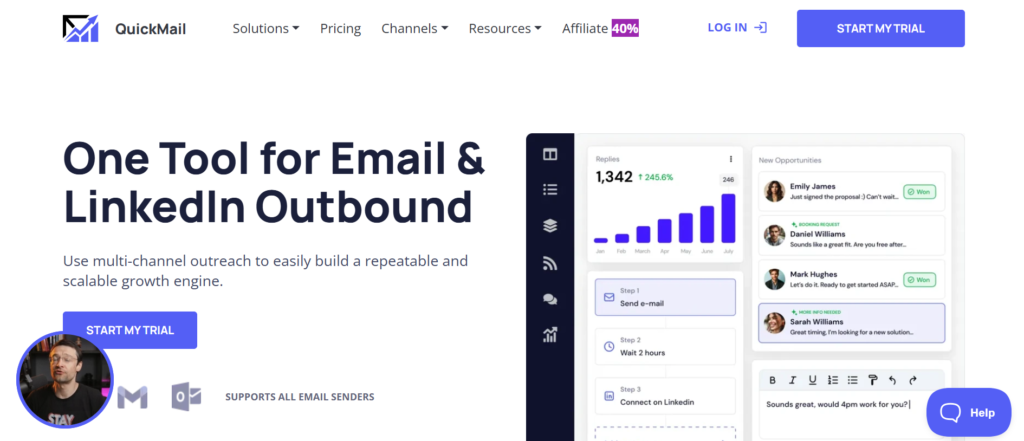
Tagline: Cold email software built for inbox control and sending discipline
Overview
QuickMail is a multi-channel outreach platform focused almost entirely on cold email execution, inbox reputation management, and sending control. It is commonly used by technically minded outbound teams, agencies, and consultants who understand that inbox placement has a direct impact on response rates.
For teams operating across Britain, QuickMail is often introduced when cold email campaigns begin to suffer from declining responses or inconsistent inbox placement. Rather than adding more messages or increasing volume, these teams need better control over how emails are sent, from which inboxes, and at what pace.
QuickMail does not attempt to manage complex sales workflows or CRM-heavy processes. Its role is specific and deliberate: keeps cold emails are sent in a controlled, predictable manner that reduces risk while maintaining consistency.
Key Features
QuickMail’s feature set revolves around sending behaviour, inbox safety, and campaign reliability.
Multi-Inbox Sending and Rotation
QuickMail allows users to connect multiple inboxes and distribute campaign sending across them evenly. Each inbox operates within strict daily limits defined by the user.
This approach reduces pressure on individual inboxes and supports steady campaign execution over long periods.
Conditional Follow-Up Rules
Follow-ups in QuickMail are controlled by clear conditions. When a reply is detected, the sequence stops immediately. Users can also define rules based on opens or lack of engagement.
This keeps prospects are not contacted unnecessarily and helps maintain a professional communication standard.
Sending Schedule and Throttling Controls
QuickMail provides granular control over sending times, delays between messages, and daily volume. These settings help teams align outreach with working hours and avoid sudden spikes in activity.
Such control is especially useful when managing campaigns across different regions or industries.
Deliverability Monitoring and Alerts
The platform provides indicators related to inbox health and sending behaviour. While not a diagnostic tool, these signals help users spot issues early before campaigns suffer.
This visibility is often valued by teams running long-term outbound programmes.
Integration and Workflow Connectivity
QuickMail integrates with tools such as Zapier, allowing outreach activity to be connected to CRMs or internal systems.
This flexibility suits teams that want simple infrastructure rather than rigid workflows.
Pros and Cons
| Pros | Cons |
| Strong inbox control | Email-only focus |
| Clear sending rules | No calling features |
| Suitable for agencies | Reporting is minimal |
| Reliable follow-ups | Learning curve for beginners |
Pricing
QuickMail pricing is based on user access.
- Starting price: £49 per user per month
- Higher tiers add advanced automation and support
A trial is available on request.
Best For Teams Focused on Inbox Health
QuickMail suits users who understand that sending behaviour directly affects results.
Ideal users include:
- Lead generation agencies
- Technical outbound specialists
- Consultants running long-term campaigns
Verdict:
QuickMail is effective when inbox safety and sending consistency matter more than feature breadth.
Practical Outreach Tip
Keep follow-up spacing irregular rather than fixed. Small timing variations help messages feel less automated.
Best Alternate Tool
- Smartlead for teams wanting inbox rotation with simpler setup
15. Mailshake
Tagline: Outreach software for small teams building outbound foundations
Overview
Mailshake is a multi-channel outreach platform designed for small teams and early-stage businesses starting outbound activity. It combines email outreach with basic calling support and campaign collaboration features.
For teams across Britain, Mailshake is often selected when outbound efforts are moving beyond manual emails but do not yet require enterprise-grade systems. It provides structure without overwhelming users with configuration or technical requirements.
Mailshake focuses on helping teams stay organised, follow up consistently, and track basic performance as outbound programmes mature.
Key Features
Mailshake’s features are built to support early outbound growth without unnecessary complexity.
Email Sequences With Follow-Up Logic
Mailshake allows users to create email sequences with automated follow-ups based on reply behaviour. Messages are sent according to defined schedules, helping teams stay consistent.
This reduces reliance on reminders and spreadsheets.
Basic Calling and Task Management
Mailshake includes calling functionality and call task tracking. While not as advanced as dedicated diallers, this supports simple phone outreach alongside email.
This suits teams where calling supports email rather than gains the entire process.
Team Collaboration and Shared Campaigns
Campaigns, templates, and prospect lists can be shared across users. This supports consistency when multiple people are involved in outreach.
Managers can review campaign activity without micromanaging individual inboxes.
Performance Tracking and Reporting
Mailshake provides visibility into sends, replies, and engagement trends. Reporting focuses on campaign-level activity rather than revenue metrics.
This level of insight is sufficient for teams refining messaging and cadence.
Pros and Cons
| Pros | Cons |
| Easy to adopt | Limited advanced controls |
| Suitable for small teams | Calling is basic |
| Shared templates | Reporting is surface-level |
| Clear follow-up handling | Not built for scale |
Pricing
Mailshake pricing is based on user seats.
- Starting price: £46 per user per month
- Higher plans add team features and analytics
Trials are commonly available.
Best For Small Teams Starting Outbound
Mailshake works best for teams building early outbound habits.
Ideal users include:
- Startups testing outbound
- Small agencies
- Sales teams with limited operations support
Verdict:
Mailshake provides structure without complexity for teams learning outbound fundamentals.
Practical Outreach Tip
Limit daily sending during early campaigns and increase gradually as reply quality improves.
Best Alternate Tool
- Woodpecker for teams focused on follow-up discipline
16. PersistIQ

Tagline: Outbound execution software for SDR-driven teams
Overview
PersistIQ is a multi-channel outreach platform designed for sales development teams that rely heavily on structured email outreach supported by CRM workflows. It is commonly used by organisations where SDRs manage large prospect lists and require clear daily execution.
For teams operating across Britain, PersistIQ is often introduced when outbound activity needs more consistency and when CRM data accuracy becomes a concern. The platform is closely aligned with Salesforce and similar systems, making it suitable for sales teams with defined reporting requirements.
PersistIQ does not focus on inbox rotation or LinkedIn automation. Its strength lies in structured execution and CRM alignment.
Key Features
PersistIQ’s features support repeatable outbound execution with an emphasis on visibility and data accuracy.
Email Sequences Aligned With CRM Records
PersistIQ sequences are built around CRM data, ensuring emails are tied directly to leads and contacts. Activity is logged automatically, keeping records up to date.
This supports accurate reporting without manual updates.
Task Queues for Daily Execution
Reps are guided through daily task lists that include email sends and follow-ups. This removes uncertainty around what to work on next.
Managers can review task completion to identify performance gaps.
Personalised Email Templates
Templates support dynamic fields pulled from CRM data. Reps can personalise messages while maintaining consistency across campaigns.
This suits teams selling structured offers to defined segments.
Reporting and Activity Visibility
PersistIQ provides reports showing outreach volume, replies, and task completion. These reports help managers evaluate activity levels across the team.
While reporting is not revenue-centric, it supports outbound oversight.
Pros and Cons
| Pros | Cons |
| Strong CRM alignment | Email-focused only |
| Clear task structure | No inbox rotation |
| Suitable for SDR teams | Limited social channels |
| Reliable activity logging | Interface feels dated |
Pricing
PersistIQ pricing is based on user seats.
- Starting price: £75 per user per month
- Advanced tiers include enhanced reporting
Trials may be available on request.
Best For SDR Teams Requiring Structure
PersistIQ fits teams that value execution clarity and CRM accuracy.
Verdict:
PersistIQ supports disciplined outbound when consistency and reporting accuracy are priorities.
17. LaGrowthMachine
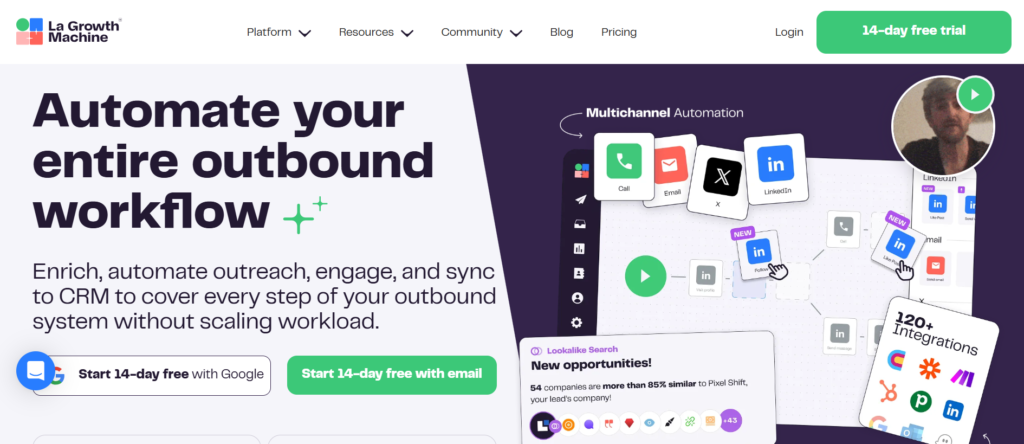
Tagline: Social-led outreach platform connecting email and professional networks
Overview
LaGrowthMachine is a multi-channel outreach platform built around the idea that outbound conversations often start on social platforms and mature through email. It is commonly used by founders, consultants, agencies, and small sales teams that rely on relationship-based prospecting rather than transactional outreach.
For teams operating across Britain, LaGrowthMachine is frequently adopted when LinkedIn engagement plays a significant role in lead generation and when email alone fails to create sufficient response. The platform coordinates actions across email and social channels in a single flow, reducing manual tracking.
LaGrowthMachine is not designed for high-volume SDR teams. Its value lies in orchestrating thoughtful, cross-channel interactions that feel natural rather than automated.
Key Features
LaGrowthMachine focuses on connecting social activity with email follow-up in a structured but flexible way.
Cross-Channel Outreach Scenarios
Users can build scenarios that combine profile views, connection requests, messages, and email follow-ups. Each step follows a defined order, allowing conversations to progress gradually.
This structure supports outreach that feels contextual rather than abrupt.
Contact Enrichment and Data Sync
LaGrowthMachine enriches contacts by finding email addresses linked to social profiles. This allows users to move conversations from social platforms into email without manual research.
This is especially useful for consultants sourcing leads directly from LinkedIn.
Visual Campaign Builder
Campaigns are created using a visual flow builder, making it easier to understand how prospects move between steps.
This clarity helps teams avoid overly complex outreach paths.
Team and Campaign Segmentation
Users can separate campaigns by audience, offer, or client. This is particularly useful for agencies managing outreach for multiple brands.
Each campaign maintains its own activity and performance data.
Basic Reporting and Activity Monitoring
LaGrowthMachine provides visibility into connection rates, replies, and campaign progression. Reporting focuses on interaction outcomes rather than progress metrics.
Pros and Cons
| Pros | Cons |
| Strong social focus | Not built for large teams |
| Natural outreach flows | Limited calling features |
| Visual campaign logic | Reporting is basic |
| Suitable for consultants | Lower sending volume |
Pricing
LaGrowthMachine pricing is seat-based.
- Starting price: £60 per user per month
Higher plans increase campaign capacity and enrichment limits.
Best For Relationship-Driven Prospecting
LaGrowthMachine works best when outreach relies on gradual engagement.
Verdict:
A solid choice for teams that prioritise social interaction before email follow-up.
Practical Outreach Tip
View a prospect’s profile before sending a connection request. This small action often increases acceptance rates.
Best Alternate Tool
- Waalaxy for LinkedIn-first outreach with simpler flows
18. Skylead
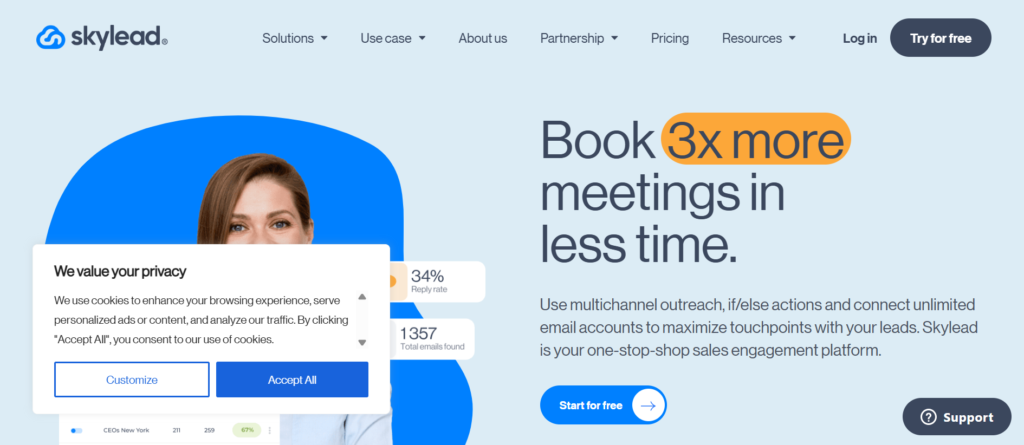
Tagline: LinkedIn and email outreach platform for controlled scale
Overview
Skylead is a multi-channel outreach platform designed for teams that want to scale LinkedIn outreach while maintaining structured email follow-ups. It is commonly used by agencies and sales teams that rely on LinkedIn as a primary acquisition channel.
For teams across Britain, Skylead is often introduced when manual LinkedIn prospecting becomes time-consuming and inconsistent. The platform provides structure around outreach actions while maintaining limits designed to reduce account risk.
Skylead sits between lightweight LinkedIn tools and enterprise engagement platforms, offering scale without excessive complexity.
Key Features
Skylead’s features are designed to coordinate LinkedIn activity with email follow-up in a controlled manner.
LinkedIn Action Sequencing
Skylead allows users to sequence LinkedIn actions such as connection requests, follow-up messages, and profile interactions.
Actions are spaced automatically, reducing the need for manual scheduling.
Email Follow-Ups Linked to Social Activity
Once a LinkedIn connection is made, Skylead can trigger email follow-ups. This creates continuity across channels.
This approach supports longer conversations rather than single-touch outreach.
Account Safety Controls
The platform includes activity limits and pacing rules designed to reduce the likelihood of LinkedIn restrictions.
These controls are particularly valuable for agencies managing multiple client accounts.
Campaign Monitoring and Reply Tracking
Users can monitor connection rates, replies, and progression through sequences. Reporting is centred on engagement rather than revenue.
Pricing
Best For Teams Scaling LinkedIn Outreach
Verdict:
Skylead suits teams that want more control over LinkedIn-based outreach without enterprise complexity.
Best Alternate Tool
- LaGrowthMachine for more relationship-led campaigns
19. Zopto
Tagline: Account-based LinkedIn outreach platform
Overview
Zopto is a multi-channel outreach platform built specifically for account-based LinkedIn prospecting. It is commonly used by B2B sales teams targeting defined account lists rather than broad audiences.
For teams operating across Britain, Zopto is often adopted when outreach must align with account-based sales strategies and when targeting senior decision-makers.
Zopto requires LinkedIn Sales Navigator and is designed for teams that already use account segmentation.
Key Features
Zopto’s features support structured LinkedIn prospecting at account level.
Account-Based Campaign Management
Users can organise outreach around accounts rather than individual leads. This supports coordinated engagement across multiple stakeholders.
LinkedIn Message Automation
Zopto automates connection requests and follow-up messages within defined limits.
This reduces manual workload while maintaining sequence structure.
Team Collaboration Features
Campaigns can be shared across users, allowing teams to coordinate outreach across accounts.
Analytics for LinkedIn Activity
Reporting focuses on connection acceptance and reply behaviour.
Pricing
- Starting price: £165 per user per month
Best For Account-Based LinkedIn Outreach
Verdict:
Zopto fits teams running LinkedIn-driven account-based sales strategies.
Best Alternate Tool
- Skylead for lower-cost LinkedIn outreach
20. HubSpot Sales Hub
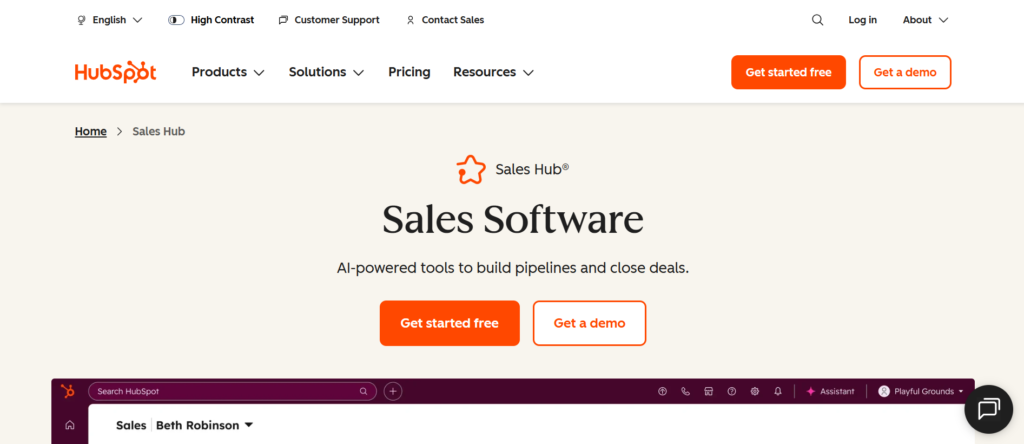
Tagline: CRM-led outreach and sales activity management
Overview
HubSpot Sales Hub is a sales engagement platform built around CRM-driven outreach. It is commonly used by teams that want email outreach, calling, and activity tracking tightly connected to customer data.
For teams across Britain, HubSpot Sales Hub is often adopted when CRM adoption is high and when outreach needs to align closely with deal management.
Sales Hub is not a cold outreach specialist tool. It works best when outreach supports ongoing sales processes rather than high-volume prospecting.
Key Features
Email Tracking and Sequences
Users can send tracked emails and create basic sequences tied to CRM records.
Calling and Activity Logging
Calls and emails are logged automatically, keeping records complete.
Deal and progress Visibility
Outreach activity is visible alongside deals, providing context for sales conversations.
Pricing
Best For CRM-Centred Sales Teams
Verdict:
HubSpot Sales Hub suits teams that want outreach connected directly to CRM workflows.
Strategic Takeaways for Selecting the Right Multi-Channel Outreach Platform
Choosing from the best multi-channel outreach platforms is less about feature volume and more about operational fit. Across all twenty tools covered, a clear pattern emerges. Teams that prioritise structure, reporting, and accountability lean towards enterprise-grade systems, while teams that value flexibility, speed, and message control favour lighter platforms.
For organisations running outbound across Britain, the most effective results usually come from aligning the tool with how sales actually happens internally. If outbound is driven by SDR teams with daily targets and management oversight, platforms with task queues, CRM alignment, and coaching visibility perform better. If outbound relies on founders, consultants, or agencies managing conversations personally, tools that support thoughtful sequencing and controlled follow-ups tend to deliver stronger response quality.
Another important consideration is channel dominance. Some teams win through email persistence, others through LinkedIn-led engagement, and some through call-heavy workflows. The strongest results come from selecting a platform that reinforces your primary channel while supporting secondary touchpoints without adding friction.
The platforms covered in this guide represent a wide spectrum, from infrastructure-focused email systems to CRM-led engagement suites. The right choice is the one that fits your current outbound maturity, not necessarily the one with the longest feature list.
Final Guidance for Teams Planning Multi-Channel Outreach at Scale
Reaching decision-makers today requires more than persistence. It requires coordination, timing, and a clear understanding of how different channels work together. The tools covered in this guide show that there is no single “best” option for every organisation. The strongest results come from aligning the outreach platform with how your sales process already operates, not forcing your team to adapt to software that does not match reality.
For many organisations across Britain, the challenge is not a lack of activity but a lack of structure. Emails go out, LinkedIn messages are sent, calls are made, yet conversations remain inconsistent. This is where the right multi-channel outreach platform creates order. It introduces rhythm to follow-ups, clarity to responsibilities, and visibility into what is actually working.
At pearl lemon sales, outbound strategy is approached from this exact perspective. Tool selection is treated as a supporting decision, not the strategy itself. The focus stays on message relevance, channel sequencing, and execution discipline. When those elements are aligned, the platform becomes a multiplier rather than a crutch.
Teams that take the time to match their outbound goals with the right outreach system tend to see more predictable conversations, cleaner progress, and fewer wasted touches. Whether you are running a founder-led outbound effort, managing an SDR team, or overseeing client campaigns, the goal remains the same: consistent conversations with the right prospects, at the right time, through the right channels.
Frequently Asked Questions
1. What makes a platform truly multi-channel?
A multi-channel outreach platform allows teams to coordinate outreach across more than one communication method, typically email, LinkedIn actions, calls, and task-based follow-ups. The key factor is coordination. Messages should follow a logical sequence rather than operating as isolated activities.
2. Are multi-channel outreach platforms suitable for small teams?
Yes, many platforms are built specifically for small teams and solo operators. The key is choosing tools that do not require heavy setup or complex reporting layers. Platforms with simple sequences and inbox-based workflows tend to work best for smaller teams.
3. How important is CRM integration?
CRM integration matters most when outreach activity needs to be reported, reviewed, or tied to progress outcomes. Teams that rely on forecasting, deal tracking, or performance reviews benefit from tight CRM alignment. For early-stage outbound, CRM integration is helpful but not always essential.
4. Should email volume be prioritised over personalisation?
Volume alone rarely delivers sustainable results. Platforms that support controlled sending and relevant follow-ups usually outperform those focused purely on scale. Personalisation does not need to be complex, but messages should remain context-aware.
5. Is LinkedIn automation risky?
LinkedIn-based outreach always carries some level of account risk. Platforms that rely on manual LinkedIn tasks or enforce strict activity limits generally reduce this risk. Teams should prioritise tools that encourage realistic daily activity levels.
6. How many inboxes should be used for cold email?
This depends on campaign volume and deliverability practices. Many teams use multiple inboxes with conservative daily limits rather than pushing high volume through a single account. Platforms with inbox rotation features simplify this approach.
7. Can one platform handle both sales and recruitment outreach?
Some platforms can support both, but messaging, cadence length, and channels often differ. Recruitment outreach tends to rely more on LinkedIn and personalised follow-ups, while sales outreach may involve longer email sequences.
8. How long should an outreach sequence last?
Most effective sequences run between 10 and 21 days, depending on audience and channel mix. Shorter sequences suit inbound or warm prospects, while longer sequences are often required for cold outbound.
9. What metrics should be reviewed regularly?
Reply rates, positive response rates, and conversation starts are more useful than open rates alone. Teams should also review follow-up completion to keep sequences are executed as planned.
10. When should a team switch platforms?
A switch usually becomes necessary when the current tool no longer supports team size, reporting needs, or channel mix. Frequent manual workarounds are often a signal that the platform no longer fits.