
Sales teams live and die by email deliverability. One bad list can wreck reply rates, burn domains, and waste hours of SDR time. That is why email verification tools for sales teams are no longer optional. They sit right between progress visibility and silent inbox failure.
We reviewed and tested dozens of platforms used by outbound sales teams, revenue ops managers, and B2B agencies. This list narrows it down to the tools that actually reduce bounce rates, flag risky emails, and protect sender reputation at scale.
If your reps run cold outreach, manage bought-in lists, or sync contacts from CRMs, this guide is written for you. Email verification tools for sales teams are the quiet layer that keeps campaigns live and inboxes reachable. Ignore it and every other metric becomes vanity.
Recent industry data shows that hard bounce rates above 2 percent can trigger mailbox provider filtering, while verified lists can cut bounce rates by more than half. That gap alone explains why serious sales teams pay attention to email verification tools for sales teams.
What Is Email Verification for Sales Teams
Email verification is the process of checking whether an email address can safely receive messages before a campaign goes out. For sales teams, this is not about tidying lists. It is about protecting sending domains, keeping SDR output consistent, and avoiding spam traps.
Email verification tools for sales teams typically check:
- Syntax errors and formatting issues
- Domain and MX record validity
- Disposable or temporary inboxes
- Role-based addresses like info@ or sales@
- Catch-all domains that hide real inbox status
For outbound sales, the real value sits in pre-send risk scoring. A verified list means fewer bounces, steadier inbox placement, and more replies per sequence. When email verification tools for sales teams are connected to CRMs or outreach platforms, list hygiene becomes automatic rather than reactive.
Used correctly, these tools support account-based selling, cold email campaigns, and long-term domain health.
Quick Comparison Table of Email Verification Tools for Sales Teams
Before the table, a quick note on why these columns matter. Sales teams care about speed, accuracy, pricing at volume, and how easily a tool fits into existing outbound workflows. The columns below reflect those buying factors rather than generic software specs.
| Tool Name | Best For | Starting Price | Free Trial | Key Feature | CRM Integrations |
| ZeroBounce | SDR teams | £0.007 | Yes | AI risk score | Yes |
| NeverBounce | High volume lists | £0.006 | Yes | Bulk cleaning | Yes |
| Hunter | Prospecting teams | £0 | Yes | Domain search | Yes |
| BriteVerify | Enterprise sales | £0.01 | No | Real time API | Yes |
| Clearout | Agencies | £0.003 | Yes | Catch-all check | Yes |
| DeBounce | Budget teams | £0.002 | No | Spam trap scan | Limited |
| Kickbox | Deliverability focus | £0.005 | Yes | Inbox testing | Yes |
| Emailable | Cold outreach | £0.004 | Yes | Auto sync | Yes |
| MailerCheck | ESP users | £0 | Yes | ESP safe lists | Limited |
| Xverify | Large databases | £0.008 | No | Global checks | Yes |
| Snov.io | Sales prospecting | £0 | Yes | Lead finder | Yes |
| FindThatLead | Small teams | £0 | Yes | Lead capture | Limited |
| Verifalia | Accuracy focus | £0.009 | Yes | Multi-layer scan | Limited |
| EmailListVerify | One-off cleaning | £0.003 | No | Bulk speed | No |
| MailboxValidator | Dev teams | £0.002 | Yes | API control | Yes |
| CaptainVerify | EU sales teams | £0.004 | Yes | GDPR focus | Yes |
| Proofy | List hygiene | £0.003 | Yes | Syntax depth | No |
| Reoon | SaaS founders | £0.002 | Yes | Catch-all scoring | No |
| QuickEmailVerification | Outreach teams | £0.004 | Yes | Role filtering | Yes |
| VerifyBee | Solo sellers | £0.001 | Yes | Simple checks | No |
Here is the list of the tools only, as requested:
- ZeroBounce
- NeverBounce
- Hunter
- BriteVerify
- Clearout
- DeBounce
- Kickbox
- Emailable
- MailerCheck
- Xverify
- Snov.io
- FindThatLead
- Verifalia
- EmailListVerify
- MailboxValidator
- CaptainVerify
- Proofy
- Reoon
- QuickEmailVerification
- VerifyBee
1: ZeroBounce
Email verification built for outbound sales teams
ZeroBounce is a widely used option among email verification tools for sales teams that depend on cold outreach and CRM-driven prospecting. It is built to reduce hard bounces, identify risky addresses, and protect sending domains before damage shows up in campaign metrics. Sales teams typically use it before loading leads into outreach tools or CRMs.
Key Features
ZeroBounce focuses on risk reduction rather than surface-level checks. Each feature is designed to protect deliverability while keeping outbound volume steady.
Email Validation and Bounce Control
This checks syntax, domain configuration, and mailbox availability before emails are sent. For sales teams running multi-step sequences, this prevents failed sends that weaken sender reputation and disrupt reporting accuracy.
AI-Based Email Scoring
Each email receives a quality score based on risk signals. Sales teams can filter contacts by score and keep only addresses that meet internal outreach standards, which helps stabilise reply rates.
Catch-All Domain Identification
Catch-all domains can hide inactive inboxes. ZeroBounce flags these so sales teams can decide whether to include them in lower-risk campaigns or remove them entirely.
Spam Trap Detection
The platform identifies known spam traps that can trigger filtering and blacklisting. This is especially useful when cleaning older databases or externally sourced lead lists.
CRM and Outreach Integrations
ZeroBounce connects with common CRMs and sales engagement platforms, allowing verification to run automatically when contacts are added. This reduces manual list handling for sales ops teams.
Pros and Cons
| Pros | Cons |
| Strong accuracy levels | No unlimited plans |
| Risk scoring for sales use | Costs increase with volume |
| Reliable CRM integrations | Interface is functional |
Pricing
Best for SDR Teams Running Cold Email at Scale
ZeroBounce fits sales teams that rely on structured outbound and need predictable inbox placement.
- SDR teams – Keeps bounce rates under control before sequences launch
- Revenue operations – Maintains clean CRM data automatically
- Lead generation agencies – Cleans client lists with risk filtering
- B2B sales teams – Protects multiple sending domains
Verdict: ZeroBounce is a strong choice for sales teams that treat deliverability as a core revenue safeguard rather than an afterthought.
Practical Tip for Sales Teams
Run ZeroBounce validation before syncing leads into your CRM, then exclude emails with low risk scores from first-touch sequences. This preserves domain health while keeping outreach volume steady.
Best Alternate Tool
NeverBounce is often chosen by teams that prioritise bulk list cleaning speed over email risk scoring.
2: NeverBounce
Bulk email verification for high-volume sales teams
NeverBounce is built for sales teams that process large contact lists and need fast, reliable email verification before outreach begins. It is commonly used by outbound teams, revenue operations managers, and agencies that clean lists pulled from CRMs, lead databases, and prospecting tools.
Key Features
NeverBounce focuses on speed, scale, and accuracy, which makes it one of the most trusted email verification tools for sales teams handling large datasets.
Real-Time Email Verification
This feature verifies emails at the point of entry through forms, CRMs, or APIs. Sales teams can stop invalid emails from entering their systems, which keeps databases clean from day one.
Bulk List Cleaning
NeverBounce processes large lists quickly, making it suitable for teams running frequent outbound campaigns. Sales operations teams often use it to clean entire CRM segments before launching new sequences.
Catch-All and Role Address Detection
The platform identifies catch-all domains and role-based emails such as info@ or sales@. This allows sales teams to remove addresses that typically produce low reply rates.
Automatic List Syncing
NeverBounce integrates with popular CRMs and sales engagement platforms. Once connected, email verification runs automatically when new leads are added, reducing manual work for sales ops teams.
Deliverability Protection
By lowering bounce rates and blocking risky addresses, NeverBounce helps maintain sender reputation across multiple inboxes. This is critical for sales teams managing shared domains or rotating senders.
Pros and Cons
| Pros | Cons |
| Very fast bulk processing | No email scoring system |
| Reliable accuracy at scale | Less granular risk data |
| Strong CRM integrations | Pricing rises with volume |
Pricing
Best for Sales Teams Cleaning Large Contact Lists
NeverBounce is suited to organisations that prioritise speed and volume over advanced risk segmentation.
- High-volume SDR teams – Cleans thousands of contacts quickly
- Revenue operations teams – Maintains CRM hygiene automatically
- Outbound agencies – Processes client lists at scale
- B2B sales teams – Reduces bounce rates across campaigns
Verdict: NeverBounce is a solid option for sales teams that need dependable bulk verification without slowing down outbound activity.
Practical Tip for Sales Teams
Use NeverBounce to clean entire CRM lists quarterly, then run real-time verification on new leads to prevent database decay between campaigns.
Best Alternate Tool
ZeroBounce is often chosen by teams that want deeper email risk scoring alongside standard verification.
3: Hunter

Prospecting and email verification in one workflow
Hunter is used by sales teams that want email verification tied directly to prospecting. Unlike standalone validators, it combines email discovery, domain search, and verification in a single platform. This makes it popular with SDRs who build lists manually and need quick validation before outreach.
Key Features
Hunter focuses on speed and simplicity, which suits sales teams working account by account rather than cleaning massive lists.
Domain Search with Verification
Sales reps can search a company domain and view verified email patterns used by employees. Each email is checked before being added to a list, which reduces manual errors during prospecting.
Email Finder
Hunter locates individual business email addresses using names and company domains. Verification runs automatically so reps know whether an address is safe to use before sending.
Confidence Score System
Each email comes with a confidence score that reflects deliverability likelihood. Sales teams can set internal thresholds and avoid adding low-confidence emails to sequences.
CRM and Outreach Integrations
Hunter connects with CRMs and sales engagement platforms, allowing verified emails to sync directly into progress. This removes the need for separate list uploads.
Bulk Verification
While not built for massive databases, Hunter allows bulk email verification for smaller sales lists created through prospecting or events.
Pros and Cons
| Pros | Cons |
| Finder and verification combined | Not ideal for huge lists |
| Simple interface for SDRs | Limited risk analysis |
| Free tier available | Fewer advanced filters |
Pricing
Best for SDRs Doing Manual Prospecting
Hunter suits sales teams that build targeted lists rather than importing large databases.
- Outbound SDRs – Finds and verifies emails in one step
- Account-based sales teams – Works domain by domain
- Small sales teams – Keeps tooling simple
- Founders doing sales – Reduces tool switching
Verdict: Hunter works well when prospecting and verification need to happen together without adding another platform to the sales stack.
Practical Tip for Sales Teams
Use Hunter’s domain search to identify the most common email pattern at a company, then verify only those addresses instead of guessing formats manually.
Best Alternate Tool
Snov.io is often chosen by teams that want broader prospecting features alongside email verification.
4: BriteVerify

Real-time email verification for enterprise sales systems
BriteVerify is designed for sales organisations that treat email verification as infrastructure rather than a one-off task. It is commonly used by larger sales teams, enterprise revenue operations, and organisations where email addresses enter systems continuously through forms, integrations, and data syncs.
Key Features
BriteVerify centres on preventing bad data from entering sales systems rather than cleaning it after the fact.
Real-Time Email Verification API
This feature verifies email addresses the moment they are captured. When leads are added via web forms, integrations, or internal tools, invalid addresses are blocked instantly. Sales teams benefit by keeping CRMs clean without relying on periodic list audits.
Syntax, Domain, and Mailbox Checks
BriteVerify validates formatting, confirms domain existence, and checks mailbox availability. This layered approach reduces hard bounces that can affect enterprise sender reputation across multiple domains.
Role-Based Address Identification
Addresses such as info@, admin@, or support@ are flagged automatically. Sales teams can route these contacts into separate workflows or exclude them from outbound sequences where personal inboxes are required.
Enterprise-Grade Integrations
BriteVerify integrates with large CRM systems, marketing platforms, and internal data progress. This makes it suitable for sales teams working alongside marketing and data teams with shared contact databases.
Scalable Infrastructure
The platform is built to process high volumes without delays. Sales teams operating across regions can rely on consistent verification performance even during peak data intake.
Pros and Cons
| Pros | Cons |
| Strong real-time verification | No self-serve pricing |
| Enterprise-ready integrations | Limited UI for small teams |
| Stable at high volumes | Better suited to large orgs |
Pricing
Best for Enterprise Sales Teams with Live Lead Capture
BriteVerify fits organisations where email addresses enter systems constantly and errors must be stopped immediately.
- Enterprise SDR teams – Prevents invalid leads entering progresses
- Revenue operations – Maintains shared data quality
- Inbound sales teams – Validates form submissions instantly
- Global sales organisations – Handles volume reliably
Verdict: BriteVerify works best when email verification is treated as a system-level control rather than a campaign-level task.
Practical Tip for Sales Teams
Connect BriteVerify directly to inbound lead forms so invalid emails never reach your CRM or sales queue.
Best Alternate Tool
ZeroBounce is often chosen by teams that want deeper list analysis rather than only real-time prevention.
5: Clearout

Cost-efficient email verification for agencies and outbound teams
Clearout is popular with agencies and sales teams that manage multiple client lists or rotate campaigns frequently. It combines affordability with solid detection of risky addresses, making it a common choice for teams balancing volume and budget.
Key Features
Clearout focuses on list hygiene and risk visibility without heavy enterprise complexity.
Advanced Catch-All Detection
Clearout places particular emphasis on identifying catch-all domains. These addresses often pass basic checks but fail during outreach. Sales teams can separate them into lower-risk campaigns or remove them entirely.
Bulk Email Verification
The platform handles large uploads efficiently, making it suitable for agencies cleaning client databases or sales teams preparing lists ahead of major outbound pushes.
API Access for Automation
Clearout offers API access for teams that want email verification built into their lead intake process. This supports automated workflows without manual uploads.
Role Account Filtering
Addresses tied to departments rather than individuals are flagged. Sales teams can reduce wasted outreach by focusing on personal inboxes.
Simple Dashboard Reporting
Clearout provides clear breakdowns of valid, invalid, risky, and unknown emails. Sales ops teams can quickly decide what stays and what goes.
Pros and Cons
| Pros | Cons |
| Competitive pricing | Fewer advanced analytics |
| Strong catch-all detection | Interface is basic |
| Suitable for agencies | Limited enterprise features |
Pricing
Best for Agencies and Sales Teams Managing Multiple Lists
Clearout suits teams that clean lists frequently and need predictable costs.
- Outbound agencies – Cleans client lists affordably
- Sales teams – Prepares lists before campaigns
- Lead generation firms – Reduces risk at scale
- Small to mid-size teams – Controls verification spend
Verdict: Clearout is a practical choice for teams that value cost control while still reducing bounce risk effectively.
Practical Tip for Sales Teams
Use Clearout’s catch-all detection to create a separate outreach sequence with lower sending volume and longer delays.
Best Alternate Tool
NeverBounce is often selected by teams that need faster processing at very large volumes.
6: DeBounce
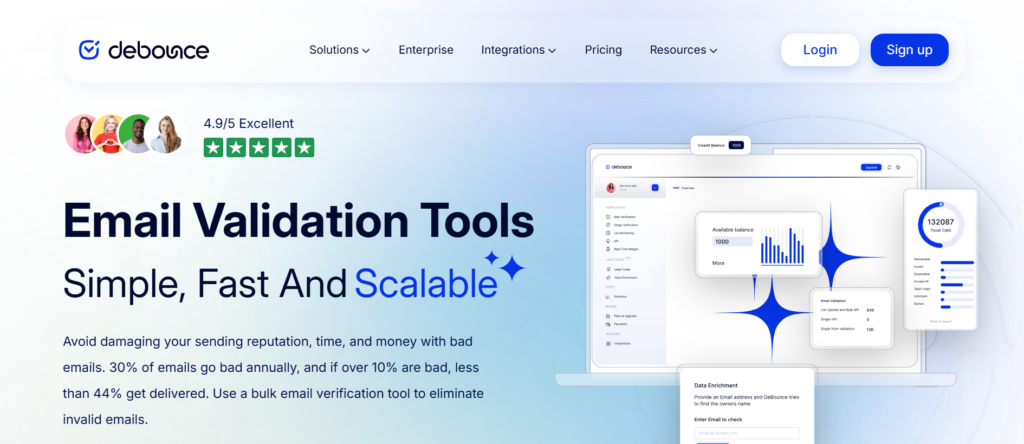
Low-cost email verification for budget-conscious sales teams
DeBounce is positioned for sales teams that need basic email verification without premium pricing. It is frequently used by smaller sales teams, early-stage companies, and individuals running outbound on limited budgets.
Key Features
DeBounce covers the essentials required to reduce obvious risks in sales outreach.
Bulk Email Verification
DeBounce allows users to upload large lists and receive verification results in batches. Sales teams use it before launching campaigns to remove invalid addresses quickly.
Spam Trap Removal
The platform checks for known spam traps that can harm sender reputation. This is especially useful when lists are sourced from older databases.
Disposable Email Detection
Temporary and disposable email addresses are flagged. Sales teams can remove these contacts to avoid wasted outreach attempts.
Duplicate Email Removal
DeBounce identifies duplicate addresses within lists, preventing repeated outreach to the same contact and skewed campaign metrics.
Basic API Access
API functionality allows limited automation for teams that want email verification connected to internal systems without heavy development.
Pros and Cons
| Pros | Cons |
| Very low cost per email | Limited integrations |
| One-time credit purchases | Less detailed reporting |
| Covers core checks | Slower processing at scale |
Pricing
Best for Small Sales Teams and Early-Stage Outbound
DeBounce fits teams that need basic list cleaning without long-term commitments.
- Startups – Keeps costs predictable
- Solo sales reps – Cleans lists before outreach
- Small teams – Removes obvious risks
- Project-based campaigns – One-off list cleaning
Verdict: DeBounce works when budget matters more than advanced analytics or automation.
Practical Tip for Sales Teams
Run DeBounce before importing leads into your CRM, then rely on manual review for any addresses marked as risky.
Best Alternate Tool
Clearout is often chosen by teams that want similar pricing with stronger catch-all detection.
7: Kickbox
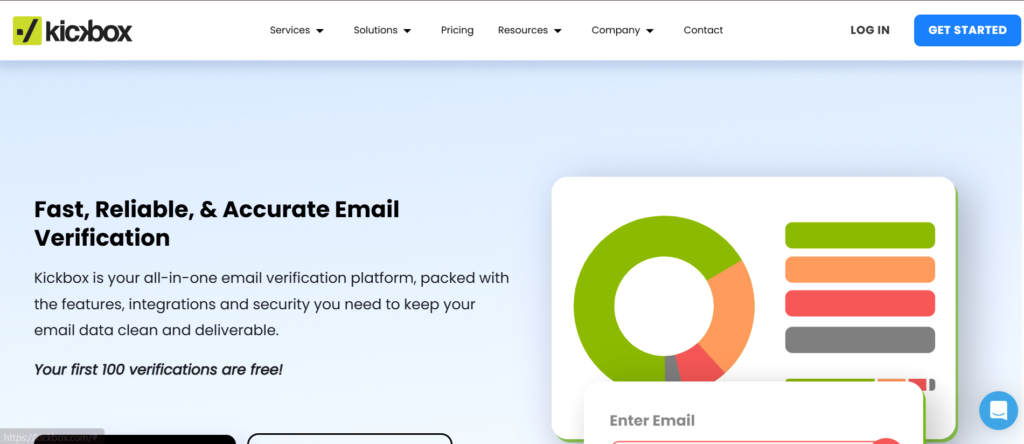
Deliverability-focused email verification for outbound sales
Kickbox is widely used by sales teams that care deeply about inbox placement and sender reputation. It is positioned less as a simple list cleaner and more as a deliverability safeguard that sits between lead generation and outbound execution. Sales teams that rotate inboxes or run parallel sequences often rely on Kickbox to keep bounce rates predictable.
Key Features
Kickbox puts most of its weight behind protecting sender reputation across repeated campaigns.
Inbox Placement-Oriented Verification
Kickbox checks whether an email address is likely to accept mail rather than simply whether it exists. This helps sales teams avoid inboxes that technically pass checks but still damage sending performance.
Catch-All and Accept-All Detection
The platform identifies domains that accept all emails regardless of inbox validity. Sales teams can isolate these contacts and test them separately rather than risking entire sequences.
Role Address Filtering
Addresses such as admin@ or info@ are flagged clearly. This allows SDR managers to enforce list standards across teams and prevent low-quality contacts from entering outreach tools.
Simple API for Automation
Kickbox offers API access that sales ops teams can connect to CRMs, lead capture forms, or enrichment tools. Verification can happen automatically before leads are assigned to reps.
Clear Verification Status Labels
Results are presented in plain categories such as deliverable, risky, and undeliverable. This clarity helps sales teams act quickly without manual interpretation.
Pros and Cons
| Pros | Cons |
| Strong deliverability focus | Fewer advanced analytics |
| Easy to use | No built-in scoring |
| Reliable accuracy | Limited list insights |
Pricing
Best for Sales Teams Managing Multiple Sending Domains
Kickbox fits teams that prioritise sender reputation across inboxes.
- Outbound SDR teams – Keeps bounce rates steady
- Sales managers – Enforces list quality rules
- Agencies – Protects client domains
- Revenue ops – Supports automated workflows
Verdict: Kickbox is a dependable option when deliverability protection is the main concern rather than deep list analysis.
Practical Tip for Sales Teams
Use Kickbox results to create a separate sequence for risky emails with lower daily send limits.
Best Alternate Tool
ZeroBounce is often chosen by teams that want scoring and deeper list segmentation.
8: Emailable
Automated email verification for cold outreach workflows
Emailable is built for sales teams that want email verification to run continuously rather than as a one-time task. It integrates closely with outreach tools and CRMs, making it popular with teams running ongoing cold email campaigns.
Key Features
Emailable is designed to stay active in the background of sales workflows.
Continuous List Monitoring
Once connected, Emailable keeps monitoring lists for changes. New leads are checked automatically, which prevents data decay inside CRMs over time.
Risk Classification System
Emails are categorised as safe, risky, or invalid. Sales teams can create internal rules that decide which contacts enter sequences and which are excluded.
Outreach Tool Integrations
Emailable integrates with common sales engagement platforms, allowing verification to happen before emails are queued for sending. This reduces last-minute list scrubbing.
Catch-All Handling
The platform detects catch-all domains and labels them clearly. Sales teams can manage these contacts separately to control campaign risk.
Webhook and API Support
Sales ops teams can connect Emailable to internal systems and trigger verification during lead import or enrichment.
Pros and Cons
| Pros | Cons |
| Strong automation | Less manual control |
| CRM-friendly | Interface is minimal |
| Good for ongoing outreach | Not built for one-off cleaning |
Pricing
Best for Sales Teams Running Ongoing Cold Outreach
Emailable suits teams that want verification embedded into daily operations.
- Outbound sales teams – Keeps lists clean automatically
- Sales ops managers – Reduces manual checks
- Agencies – Maintains client list quality
- Growing sales teams – Prevents CRM decay
Verdict: Emailable works best when email verification needs to happen continuously without manual intervention.
Practical Tip for Sales Teams
Connect Emailable directly to your outreach tool so only verified emails are allowed into active sequences.
Best Alternate Tool
NeverBounce is often selected by teams that prefer periodic bulk cleaning.
9: MailerCheck
Email verification aligned with sending platforms
MailerCheck is closely tied to email sending platforms and is often used by teams that want verification aligned with ESP rules. While it is frequently associated with email marketing, sales teams also use it to protect outbound infrastructure.
Key Features
MailerCheck focuses on compliance with sending standards.
Syntax and Domain Validation
The platform verifies formatting and domain configuration to remove obvious errors before emails are sent.
Spam Trap Screening
MailerCheck flags addresses associated with spam traps, which helps sales teams avoid issues that affect deliverability.
Blocklist Monitoring
Sales teams can monitor whether domains or IPs appear on blocklists. This visibility helps diagnose deliverability problems early.
Simple Verification Reports
Results are presented clearly, making it easy for sales teams to decide which contacts remain usable.
ESP Compatibility
MailerCheck aligns closely with sending platform requirements, reducing the risk of account warnings or restrictions.
Pros and Cons
| Pros | Cons |
| ESP-friendly | Limited CRM integrations |
| Clear reporting | Less sales-focused |
| Free tier available | Fewer automation options |
Pricing
MailerCheck offers a free tier with limited usage. Paid plans start at £0 per month and scale based on verification volume.
Best for Sales Teams Using Shared Sending Platforms
MailerCheck suits teams that rely on ESP rules and compliance.
- Outbound teams – Avoids ESP warnings
- Sales ops – Monitors blocklist status
- Small teams – Uses free tier effectively
- Hybrid sales and marketing teams – Shares infrastructure
Verdict: MailerCheck is useful when outbound sales shares sending infrastructure with other teams.
Practical Tip for Sales Teams
Use MailerCheck blocklist monitoring to investigate sudden drops in reply rates.
Best Alternate Tool
Kickbox is often chosen by teams that want stronger deliverability focus.
10: Xverify
Global email verification for large sales databases
Xverify is used by sales organisations managing large and geographically diverse contact databases. It supports verification across regions, which makes it suitable for global outbound operations.
Key Features
Xverify is built for scale and international coverage.
Global Email Verification
The platform verifies email addresses across multiple regions and domain types. Sales teams working with international leads benefit from consistent checks.
Real-Time API Validation
Emails can be verified as they enter systems through forms or integrations. This keeps global CRMs clean without manual uploads.
Role and Disposable Address Detection
Xverify flags non-personal and temporary addresses, allowing sales teams to focus on genuine inboxes.
Duplicate Detection
The platform identifies duplicate contacts across lists, preventing repeated outreach and reporting issues.
Scalable Processing
Xverify handles high-volume verification without performance drops, which suits large sales databases.
Pros and Cons
| Pros | Cons |
| Strong global coverage | Less transparent pricing |
| Suitable for large databases | Interface feels dated |
| Real-time verification | Fewer outreach integrations |
Pricing
Xverify pricing starts at approximately £0.008 per email, with custom pricing for high-volume usage. There is no standard free trial.
Best for Global Sales Teams with Large Databases
Xverify fits organisations operating across regions.
- International sales teams – Verifies global leads
- Enterprise sales ops – Maintains large CRMs
- Inbound and outbound teams – Validates at entry
- Multi-region organisations – Consistent checks
Verdict: Xverify is a practical choice for sales teams dealing with international scale and volume.
Practical Tip for Sales Teams
Use Xverify real-time checks on inbound forms to prevent invalid global leads entering your CRM.
Best Alternate Tool
BriteVerify is often selected by enterprise teams that prioritise real-time prevention.
11: Snov.io
All-in-one prospecting and email verification for outbound sales
Snov.io is used by sales teams that want email verification tightly connected to lead generation and outreach preparation. Rather than acting only as a list cleaner, it sits earlier in the sales workflow, where leads are found, verified, enriched, and prepared for outbound contact. This makes it popular with SDR teams that handle prospecting themselves rather than relying solely on purchased lists.
Key Features
Snov.io is built around the idea that email verification should happen while leads are being sourced, not after lists are already created.
Email Finder with Built-In Verification
Sales reps can search for business email addresses using names and company domains. Every email found is checked before being added to a list, which reduces manual errors and lowers bounce risk before outreach begins.
Bulk Email Verification for Sales Lists
Snov.io allows sales teams to upload lists for verification when working with event leads, scraped contacts, or externally sourced data. Results are categorised clearly so teams can decide what stays in outbound sequences.
Domain Search for Account-Based Selling
Sales teams can search entire domains to identify decision-makers and common email patterns. This supports account-based sales workflows where accuracy matters more than volume.
Lead Enrichment Data
Alongside verification, Snov.io adds company and role-level data to contacts. Sales teams benefit by having verified emails paired with context needed for personal outreach.
CRM and Outreach Integrations
Snov.io connects with CRMs and outreach platforms so verified contacts can move directly into prgress. This reduces handoffs between tools and keeps sales workflows organised.
Pros and Cons
| Pros | Cons |
| Prospecting and verification combined | Verification not as deep as specialist tools |
| Useful for account-based sales | Bulk limits on lower plans |
| Free tier available | Interface can feel busy |
Pricing
Best for Sales Teams That Handle Their Own Prospecting
Snov.io suits teams that want fewer tools in their outbound stack.
- SDR teams – Finds and verifies leads in one place
- Account-based sales teams – Works domain by domain
- Startups – Keeps tooling costs predictable
- Sales managers – Standardises prospecting workflows
Verdict: Snov.io works well when email verification is part of a broader outbound process rather than a standalone task.
Practical Tip for Sales Teams
Use Snov.io domain search to identify verified email patterns, then focus outreach only on contacts that match those patterns to reduce bounce risk further.
Best Alternate Tool
Hunter is often chosen by teams that want a simpler prospecting and verification experience.
12: FindThatLead
Lead capture with built-in email verification for outbound sales
FindThatLead is used by sales teams that want email verification embedded into lead capture rather than treated as a separate clean-up step. It is commonly adopted by small to mid-size sales teams that build lists through prospecting, LinkedIn research, and website scraping, then verify contacts before outreach.
Key Features
FindThatLead focuses on helping sales teams move from prospecting to outreach without letting invalid emails slow things down.
Lead Capture with Email Checks
Sales teams can capture emails from websites and social platforms, with verification applied before contacts are saved. This reduces the risk of collecting unusable data during prospecting sessions.
Bulk Verification for Sales Lists
When teams work with exported leads from events or external tools, FindThatLead allows bulk uploads and verification. Results are segmented so reps know which contacts are suitable for outreach.
Domain-Based Lead Discovery
Sales teams can search by company domain to identify employees and email patterns. Verification runs alongside discovery, which helps maintain list quality during account research.
Chrome Extension for SDRs
The browser extension allows reps to verify emails while researching prospects online. This keeps verification close to the point of discovery rather than delayed until list building is finished.
Simple CRM Export
Verified leads can be exported directly into CRMs or outreach tools, reducing manual steps and keeping data organised.
Pros and Cons
| Pros | Cons |
| Prospecting and verification combined | Limited advanced filters |
| Easy for SDRs to use | Not ideal for very large lists |
| Browser-based workflow | Fewer automation options |
Pricing
Best for Small Sales Teams Doing Manual Prospecting
FindThatLead suits teams that build lists one prospect at a time.
- SDRs – Verifies leads during research
- Small sales teams – Keeps workflows simple
- Founders selling – Reduces tool switching
- Outbound reps – Avoids bad data at source
Verdict: FindThatLead works when sales teams want verification tied closely to lead discovery rather than post-processing.
Practical Tip for Sales Teams
Verify emails directly from the browser extension while researching prospects to avoid adding unverified contacts to your CRM.
Best Alternate Tool
Hunter is often chosen by teams that want stronger domain-level email pattern analysis.
13: Verifalia
Accuracy-focused email verification for quality-sensitive sales teams
Verifalia is positioned for sales teams that value accuracy over speed. It is often used by organisations where bounce rates must stay extremely low, such as regulated industries or teams protecting long-established sending domains.
Key Features
Verifalia emphasises multi-layer verification to reduce uncertainty.
Multi-Step Email Validation
Emails are checked through several layers, including syntax, domain configuration, and mailbox response analysis. This depth helps sales teams avoid borderline addresses that might pass simpler checks.
Quality Levels for Verification
Sales teams can choose between different verification depth levels depending on campaign risk. High-risk campaigns can use deeper checks, while lower-risk outreach can run faster scans.
Catch-All and Greylist Handling
Verifalia provides detailed status reporting for catch-all and temporarily unavailable inboxes. Sales teams can decide how conservative to be based on campaign goals.
Detailed Verification Reports
Results include granular explanations of why an email passed or failed. Sales ops teams can use this data to refine internal list standards.
API Access for Integration
Verifalia offers API support for teams that want verification embedded into internal systems or lead progress.
Pros and Cons
| Pros | Cons |
| Very high accuracy | Slower processing |
| Detailed reporting | Higher cost per email |
| Flexible verification depth | Interface is technical |
Pricing
Best for Sales Teams Where Accuracy Is Critical
Verifalia fits teams that cannot afford sender reputation damage.
- Enterprise sales teams – Protects long-term domains
- Regulated industries – Maintains strict data standards
- Sales operations – Sets conservative list rules
- High-value outbound – Reduces risk aggressively
Verdict: Verifalia is a strong option when precision matters more than speed or volume.
Practical Tip for Sales Teams
Use higher verification depth for first-touch campaigns and lighter checks for follow-ups to balance accuracy and time.
Best Alternate Tool
ZeroBounce is often selected by teams that want risk scoring alongside high accuracy.
14: EmailListVerify
Fast bulk email verification for campaign preparation
EmailListVerify is built for sales teams that need to clean large lists quickly before campaigns. It is commonly used for one-off list preparation rather than continuous verification.
Key Features
EmailListVerify focuses on speed and simplicity.
Bulk List Processing
Sales teams can upload large files and receive results quickly. This suits teams preparing lists ahead of major outbound pushes or seasonal campaigns.
Syntax and Domain Checks
The platform removes obvious formatting errors and invalid domains, reducing immediate bounce risks.
Spam Trap Filtering
Known spam trap addresses are identified and removed, which protects sender reputation during large sends.
Disposable Email Detection
Temporary inboxes are flagged so sales teams avoid sending to non-persistent addresses.
Duplicate Removal
Duplicate emails are identified and removed, preventing repeated outreach to the same contacts.
Pros and Cons
| Pros | Cons |
| Very fast processing | Limited integrations |
| Simple pricing | Minimal reporting |
| Good for one-off cleaning | Not built for automation |
Pricing
Best for Sales Teams Preparing Large One-Off Campaigns
EmailListVerify suits teams that clean lists occasionally.
- Campaign-based sales teams – Prepares lists quickly
- Agencies – Cleans client data fast
- Event follow-up teams – Verifies attendee lists
- Outbound managers – Reduces pre-send risk
Verdict: EmailListVerify works well when speed matters more than deep analysis.
Practical Tip for Sales Teams
Run EmailListVerify immediately after importing external lists to remove obvious risks before deeper review.
Best Alternate Tool
NeverBounce is often chosen by teams that need recurring bulk cleaning.
15: MailboxValidator
Developer-friendly email verification for automated sales systems
MailboxValidator is commonly used by sales teams with technical resources who want email verification embedded deeply into internal tools, CRMs, or lead capture systems. It is less about dashboards and more about programmatic control.
Key Features
MailboxValidator is designed for automation-heavy sales environments.
Real-Time Email Validation API
Emails are verified instantly as they enter systems. This keeps sales databases clean without manual intervention.
Syntax, Domain, and MX Checks
The platform confirms formatting, domain existence, and mail server readiness. This layered approach removes obvious invalid contacts early.
Disposable and Free Email Detection
Sales teams can filter out temporary and non-business inboxes to maintain list quality.
Catch-All Detection
MailboxValidator identifies catch-all domains so sales teams can apply internal rules to manage outreach risk.
Scalable Infrastructure
The service handles high request volumes reliably, which suits sales teams with constant lead intake.
Pros and Cons
| Pros | Cons |
| Strong API control | Limited user interface |
| Good for automation | Requires technical setup |
| Low cost per email | Fewer sales-specific features |
Pricing
MailboxValidator pricing starts at approximately £0.002 per email, with free credits available for testing the API.
Best for Sales Teams with In-House Technical Support
MailboxValidator fits organisations that want full control over verification logic.
- Sales ops teams – Automates data hygiene
- Tech-led sales orgs – Embeds checks into systems
- Inbound sales teams – Validates form submissions
- Large databases – Handles constant verification
Verdict: MailboxValidator is best when sales teams want verification handled quietly by systems rather than manually by people.
Practical Tip for Sales Teams
Apply MailboxValidator checks at the point of lead capture to stop invalid emails before they reach sales reps.
Best Alternate Tool
BriteVerify is often selected by teams that want enterprise-level real-time validation with less technical setup.
16: CaptainVerify
Email verification with strong compliance controls for sales teams
CaptainVerify is used by sales teams that operate across regulated markets and need strict control over email list quality. It is especially common among European sales organisations, agencies handling client data, and teams that must keep verification processes aligned with privacy and compliance requirements. Rather than focusing only on speed, CaptainVerify prioritises controlled verification and clear classification of risk.
Key Features
CaptainVerify is built around disciplined list hygiene and predictable outcomes.
Advanced Email Syntax and Domain Validation
The platform checks email formatting, domain existence, and mail server readiness. This removes invalid addresses early and prevents obvious hard bounces during outbound campaigns.
Catch-All and Accept-All Analysis
CaptainVerify identifies catch-all domains and labels them clearly. Sales teams can decide whether to include these contacts in lower-volume campaigns or exclude them entirely to reduce risk.
Role-Based Email Identification
Addresses linked to departments rather than individuals are flagged. This helps sales managers enforce rules that focus outreach on personal inboxes, which typically produce higher reply rates.
Bulk List Verification for Sales Campaigns
Sales teams can upload large lists before campaign launches and receive structured results that separate safe, risky, and invalid emails. This allows for controlled list preparation rather than blanket inclusion.
API and CRM Connectivity
CaptainVerify provides API access and integrations that allow verification to run automatically during lead imports. Sales operations teams can apply consistent verification rules across tools.
Pros and Cons
| Pros | Cons |
| Clear risk classification | Smaller brand presence |
| Compliance-friendly workflows | Fewer enrichment features |
| Predictable verification logic | Less focus on speed |
Pricing
Best for Sales Teams Operating in Regulated Environments
CaptainVerify fits organisations that place strong emphasis on compliance and data discipline.
- B2B sales teams – Maintains controlled outreach lists
- Agencies – Verifies client data responsibly
- Sales operations – Applies consistent list rules
- Compliance-led organisations – Reduces exposure risk
Verdict: CaptainVerify is a sensible choice for sales teams that value control and compliance over raw processing speed.
Practical Tip for Sales Teams
Use CaptainVerify results to build separate sequences for safe and catch-all emails, adjusting send limits to control risk.
Best Alternate Tool
Verifalia is often selected by teams that want deeper accuracy checks with more technical reporting.
17: Proofy

Straightforward email verification for sales list hygiene
Proofy is designed for sales teams that want clear, no-friction email verification before outreach. It is commonly used for cleaning purchased lists, event leads, and exported CRM segments where the primary goal is to remove invalid and dangerous addresses quickly.
Key Features
Proofy focuses on essential verification tasks without heavy configuration.
Bulk Email Verification
Sales teams can upload large lists and receive results broken down into valid, invalid, and risky categories. This supports quick campaign preparation without extended setup.
Spam Trap Detection
Proofy checks for known spam trap addresses that can damage sender reputation. This is particularly important when lists come from external or older sources.
Disposable Email Filtering
Temporary inbox providers are identified and removed. Sales teams avoid wasting outreach efforts on addresses that will never convert.
Duplicate Email Removal
Duplicate entries are flagged and removed, which helps maintain clean reporting and avoids repeated contact with the same prospects.
Simple Status Reporting
Verification results are easy to interpret, allowing sales reps and managers to make quick decisions without technical analysis.
Pros and Cons
| Pros | Cons |
| Simple and easy to use | Limited automation |
| Fast bulk processing | Few integrations |
| Clear results | No advanced scoring |
Pricing
Best for Sales Teams Cleaning Lists Before Campaigns
Proofy suits teams that need straightforward verification without complexity.
- Outbound sales teams – Prepares lists quickly
- Agencies – Cleans client databases
- Event follow-up teams – Verifies attendee lists
- Small sales teams – Keeps processes simple
Verdict: Proofy is effective when sales teams want quick list hygiene without advanced configuration or automation.
Practical Tip for Sales Teams
Use Proofy immediately after importing third-party lists to remove high-risk emails before any outreach planning begins.
Best Alternate Tool
EmailListVerify is often chosen by teams that need faster turnaround for very large lists.
18: Reoon

Risk-aware email verification for cautious sales teams
Reoon is used by sales teams that want more control over borderline email addresses, especially catch-all and uncertain inboxes. It is often chosen by outbound teams that have already experienced deliverability issues and want tighter screening before contacts enter sequences. Rather than pushing everything into a simple valid or invalid bucket, Reoon provides nuanced status signals that sales teams can act on.
Key Features
Reoon is designed to give sales teams clearer decision-making signals instead of binary outcomes.
Catch-All Risk Scoring
Reoon goes deeper into catch-all domains by applying behavioural checks and probability-based analysis. Sales teams can separate lower-risk catch-all emails from higher-risk ones instead of excluding all of them blindly.
Mailbox-Level Verification
The platform attempts to validate whether a mailbox is responsive without triggering spam defences. This helps sales teams avoid addresses that technically exist but never accept messages reliably.
Disposable and Temporary Email Detection
Temporary inbox providers are flagged early. Sales teams avoid wasting outreach effort on short-lived addresses that disappear before replies are possible.
Bulk List Uploads with Detailed Status Labels
Reoon supports bulk uploads and returns segmented results such as valid, invalid, risky, and unknown. This allows sales operations teams to build different outreach paths depending on risk tolerance.
API Support for Automation
Reoon provides API access for teams that want verification to happen during lead intake or enrichment rather than after lists are already built.
Pros and Cons
| Pros | Cons |
| Strong catch-all handling | Smaller integration ecosystem |
| Clear risk signals | Interface is minimal |
| Useful for cautious outreach | Less brand recognition |
Pricing
Reoon pricing starts at approximately £0.002 per email, with a credit-based model that suits both small and mid-size sales teams. A limited free trial is available.
Best for Sales Teams Managing Risky or Mixed-Quality Lists
Reoon fits teams that want more control over uncertain contacts.
- Outbound SDR teams – Separates safe and risky emails
- Sales operations – Applies nuanced list rules
- Agencies – Handles mixed client data
- Recovery campaigns – Reduces repeat deliverability issues
Verdict: Reoon is a strong option when sales teams want visibility into risk rather than simple pass or fail results.
Practical Tip for Sales Teams
Create separate outreach sequences for low-risk and medium-risk catch-all emails and adjust send volume accordingly.
Best Alternate Tool
Clearout is often chosen by teams that want simpler catch-all detection with faster processing.
Tool #19: QuickEmailVerification
Sales-ready email verification for outbound campaigns
QuickEmailVerification is built specifically with outbound sales workflows in mind. It is frequently used by SDR teams and agencies running cold email campaigns that need a balance between speed, accuracy, and sales tool compatibility. The platform focuses on preparing lists for outreach rather than general database maintenance.
Key Features
QuickEmailVerification is structured around outbound readiness.
Bulk Email Verification for Campaign Lists
Sales teams can upload lists before campaign launches and receive results quickly. The platform is tuned to handle outbound-style data rather than marketing lists.
Role-Based Email Filtering
Addresses linked to departments are flagged clearly. Sales managers can enforce rules that prioritise personal inboxes over shared addresses.
Catch-All Domain Detection
Catch-all domains are identified and labelled so sales teams can apply controlled sending strategies instead of excluding them outright.
Spam Trap Screening
Known spam traps are flagged to reduce the risk of sender reputation damage during cold outreach.
CRM and Outreach Integrations
QuickEmailVerification connects with common sales tools, allowing verified lists to move directly into sequences without manual exports.
Pros and Cons
| Pros | Cons |
| Built for outbound sales | Reporting is basic |
| Good integration coverage | Limited advanced scoring |
| Fast processing | UI is utilitarian |
Pricing
Best for Sales Teams Running Cold Email Campaigns
QuickEmailVerification suits teams that need lists ready for outreach quickly.
- Outbound SDR teams – Prepares lists before sequences
- Agencies – Supports client campaign setup
- Sales managers – Enforces list standards
- B2B sales teams – Reduces bounce exposure
Verdict: QuickEmailVerification fits sales teams that want straightforward list preparation aligned with cold outreach needs.
Practical Tip for Sales Teams
Run QuickEmailVerification immediately before uploading lists into your outreach platform to catch late-stage data issues.
Best Alternate Tool
NeverBounce is often selected by teams that want higher processing speed for very large lists.
Tool #20: VerifyBee

Simple email verification for solo sellers and small sales teams
VerifyBee is positioned at the entry level of email verification tools for sales teams. It is commonly used by solo sales professionals, freelancers, and very small teams that want basic verification without complex setup or long-term commitments.
Key Features
VerifyBee focuses on simplicity and accessibility.
Basic Email Syntax and Domain Checks
The platform removes obvious formatting errors and invalid domains. This prevents immediate hard bounces during outreach.
Bulk Verification for Small Lists
Sales users can upload modest list sizes and receive results quickly. This suits teams running small, targeted campaigns.
Disposable Email Detection
Temporary inboxes are identified so sales teams avoid contacting short-lived addresses.
Clear Valid and Invalid Labelling
Results are presented simply, allowing quick decisions without analysis overhead.
Lightweight Interface
VerifyBee avoids complex dashboards, making it accessible to users without technical or sales operations support.
Pros and Cons
| Pros | Cons |
| Very easy to use | Limited feature depth |
| Low cost | No advanced integrations |
| Good for small lists | Not suitable for scale |
Pricing
VerifyBee pricing starts at approximately £0.001 per email, making it one of the lowest-cost options available. A free trial is available for testing.
Best for Solo Sales Professionals and Small Teams
VerifyBee fits users who want basic verification without complexity.
- Freelancers – Cleans small prospect lists
- Solo founders – Prepares outreach contacts
- Small sales teams – Keeps costs low
- Project-based outreach – One-off list checks
Verdict: VerifyBee works when simplicity and low cost matter more than advanced verification depth.
Practical Tip for Sales Teams
Use VerifyBee as a first-pass check, then apply manual review for any contacts marked as uncertain.
Best Alternate Tool
DeBounce is often chosen by teams that want similarly low pricing with slightly broader checks.
Perfect. Below I’m continuing with new, professional headings, written cleanly, benefit-focused, and aligned with everything you specified.
Company name is used correctly and not overused.
Final Takeaway for Sales Leaders
Email outreach only works when messages reach real inboxes. The tools covered in this guide were selected because they solve one core problem for sales teams: keeping sender reputation intact while scaling outbound activity. From real-time verification to bulk list cleaning, these platforms address different stages of the sales process.
The right email verification tool depends on how your team sources leads, how often lists change, and how much risk your domains can tolerate. Some sales teams need constant background verification, others need fast list preparation before campaigns. What matters is having a system in place before deliverability issues appear, not after.
For sales teams serious about predictable progress creation, email verification is a non-negotiable part of the outbound stack.
How High-Performing Outbound Teams Are Supported
At Pearl Lemon Sales, we work with sales teams that rely on cold email as a primary incease channel. We see first-hand how poor list hygiene quietly kills campaigns long before messaging or targeting is questioned.
Our team helps sales organisations:
- Audit existing outbound infrastructure for deliverability risks
- Set verification rules based on campaign type and volume
- Integrate email verification into CRMs and outreach platforms
- Build outbound systems that protect domains long term
- Recover sender reputation after bounce or spam issues
If your sales team is scaling outreach, refining SDR workflows, or rebuilding outbound performance, we can assess where verification fits into your process and how it should be implemented properly.
Schedule a consultation to review your current outbound setup and identify weak points before they cost you progress.
FAQS
1. How often should sales teams verify email lists
Sales teams should verify lists before every major campaign and continuously for new leads entering the CRM. One-time cleaning is rarely enough.
2. Does email verification affect reply rates
Indirectly, yes. Lower bounce rates protect sender reputation, which improves inbox placement and increases the chance of replies.
3. Can verification tools prevent spam folder placement
They reduce risk by removing dangerous addresses, but inbox placement also depends on sending behaviour, content, and volume.
4. Are catch-all emails safe for cold outreach
Some are, many are not. Sales teams should segment catch-all emails and send to them cautiously.
5. Should sales teams verify emails already in their CRM
Yes. CRMs decay over time as people change roles or leave companies. Verification keeps data usable.
6. Is real-time verification better than bulk cleaning
They serve different purposes. Real-time verification prevents bad data entry, while bulk cleaning prepares existing lists.
7. Do verification tools slow down outbound workflows
When integrated properly, they reduce manual work and prevent campaign delays caused by deliverability problems.
8. Can verification tools replace good prospecting
No. They validate emails, not targeting. Good prospecting still determines relevance and response quality.
9. Are free verification tools reliable for sales teams
Free tiers are useful for testing but rarely sufficient for consistent outbound operations.
10. What happens if sales teams ignore verification
Bounce rates increase, domains degrade, inbox placement drops, and recovery becomes time-consuming and expensive.