Startups in the UK face intense competition for leads, customers and investment. Choosing the best CRM tools for startups in the UK isn’t just a nice-to-have it determines whether you can scale sales predictably, automate follow-ups and track customer data centrally.
After testing dozens of CRM platforms and talking with founders across London, Manchester and Edinburgh, we’ve distilled the top CRM tools that help UK startups:
- Close more deals without extra staff
- Systemise follow-ups and workflows
- Increase conversion rates on inbound leads
- Get powerful reporting for fast decision-making
This list is for startup founders, early sales teams and bootstrapped tech ventures who need a practical CRM that increases with them.
In fact, studies show that CRM adoption increases sales productivity by up to 29% and improves sales conversions by 41% critical increase when every lead matters.
What Is a CRM and Why It Matters for UK Startups
CRM stands for Customer Relationship Management. At its core, a CRM tool:
- Captures leads and customer interactions
- Tracks deals and sales Workflow
- Automates follow-up tasks like email and reminders
- Provides dashboards for performance data
For UK startups, CRM is essential because:
- You can stop leads from slipping through the cracks.
- You build repeatable processes that venture capitalists love to see.
- You reduce manual admin, letting your team focus on selling.
Whether you’re based in London, Birmingham, Leeds or Glasgow, a CRM to startups helps you scale without chaos.
Quick Comparison Table: Best CRM Tools for Startups in the UK (2026)
The columns below focus on what UK startup founders usually care about most when choosing CRM software: use case, starting price in GBP where possible, free trial access, and a defining feature that affects daily sales work.
| CRM Tool | Best For | Starting Price | Free Trial | Key Feature |
| HubSpot CRM | Early-stage startups | £0 | Yes | Free core CRM |
| Salesforce Essentials | Scaling startups | £20/user | Yes | Deep customisation |
| Pipedrive | Sales-led teams | £10/user | Yes | Visual Workflow |
| Zoho CRM | Budget-conscious teams | £12/user | Yes | Workflow automation |
| Freshsales | Inside sales teams | £15/user | Yes | AI lead scoring |
| Agile CRM | All-in-one needs | £8.99/user | Yes | Email + CRM |
| Insightly | CRM + projects | £29/user | Yes | Project tracking |
| Copper CRM | Google Workspace users | £19/user | Yes | Native Gmail sync |
| Close CRM | High-volume calling | £49/user | Yes | Built-in dialler |
| Capsule CRM | UK small businesses | £14/user | Yes | Simple contact views |
| Monday Sales CRM | Ops-focused startups | £10/user | Yes | Custom workflows |
| Keap | Service startups | £129 | Yes | Automation-first |
| Nimble CRM | Social selling | £19/user | Yes | Contact enrichment |
| Less Annoying CRM | Solo founders | £15/user | Yes | Flat pricing |
| Bitrix24 | Team collaboration | £0 | Yes | CRM + intranet |
| SugarCRM | Data-heavy sales | £40/user | Yes | Reporting depth |
| Creatio CRM | Process-driven teams | £25/user | Yes | No-code workflows |
| Odoo CRM | ERP users | £0 | Yes | Modular apps |
| Streak CRM | Gmail-first teams | £0 | Yes | Inbox Workflow |
| Zendesk Sell | Support-led sales | £19/user | Yes | Ticket to deal sync |
Best CRM Tools for Startups in the UK (Full List)
Here are the 20 CRM platforms included in this guide, selected based on pricing flexibility, usability, scalability, and adoption among UK startups:
- HubSpot CRM
- Salesforce Essentials
- Pipedrive
- Zoho CRM
- Freshsales
- Agile CRM
- Insightly CRM
- Copper CRM
- Close CRM
- Capsule CRM
- Monday Sales CRM
- Keap
- Nimble CRM
- Less Annoying CRM
- Bitrix24
- SugarCRM
- Creatio CRM
- Odoo CRM
- Streak CRM
- Zendesk Sell
1: HubSpot CRM
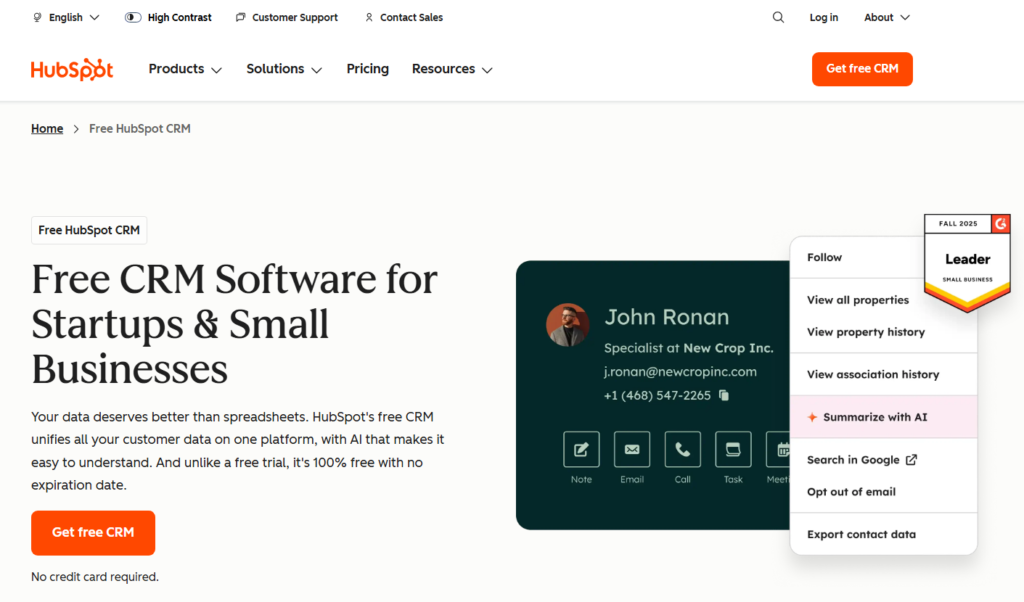
HubSpot CRM is one of the most widely used platforms among startups in the UK because it removes cost barriers while still covering the fundamentals of sales, marketing, and customer tracking. Early-stage founders, small sales teams, and SaaS startups often start here to organise leads without adding friction or overhead.
This HubSpot CRM review focuses on how it performs for UK startups that need structure quickly without committing budget upfront.
Key Features
HubSpot CRM includes a set of core sales and marketing features designed for UK startups that need visibility across leads, deals, and customer activity without complex setup. Each feature below focuses on reducing admin while keeping sales activity organised and traceable.
Contact and Deal Management
HubSpot CRM centralises contacts, companies, and deals in one interface. Every email, call, note, and task is logged automatically, which helps startups avoid manual admin. This matters when founders are selling while juggling operations and funding conversations.
Email Tracking and Notifications
Users can see when prospects open emails or click links. This allows sales teams to follow up at the right moment rather than guessing timing. Many UK startups report higher reply rates simply by acting on these notifications.
Marketing and Sales Alignment
Unlike many CRM tools, HubSpot connects marketing forms, landing pages, and email campaigns directly to the CRM. Leads move from inbound to sales without handoffs. This is useful for startups running lean teams across Expansion and sales.
Reporting Dashboards
HubSpot provides pre-built dashboards for Workflow value, deal velocity, and activity tracking. Founders can see what is happening without setting up reports. For investors or board updates, this saves time.
Integrations Ecosystem
HubSpot connects with tools UK startups already use such as Gmail, Outlook, Slack, Stripe, and Zoom. This reduces context switching and keeps workflows consistent.
Pros & Cons
| Pros | Cons |
| Free core CRM | Paid tiers rise quickly |
| Easy onboarding | Limited custom reports on free plan |
| Strong integrations | Advanced workflows cost extra |
Pricing
- Free CRM: £0
- Starter plans: from around £15 per user per month
- Higher tiers scale based on contacts and features
Pricing increases as automation and reporting needs Expansion, so it suits startups planning gradual expansion.
Best For UK Startups Starting from Zero
HubSpot CRM is suited to UK startups that are still defining their sales process and need immediate visibility without complex setup or upfront spend. It works best when founders and small teams are handling sales themselves and need structure quickly.
Ideal users include:
- SaaS founders building their first sales process
- Service startups managing inbound enquiries
- Early teams without dedicated sales operations
Verdict:
HubSpot CRM works well when speed and clarity matter more than complex configuration. Many startups use it as their first system, then decide later whether to expand or migrate.
Practical Tip for UK Teams
Use HubSpot forms on your website to feed leads straight into Workflow with automated follow-up emails. This setup often replaces separate form builders and saves monthly spend.
Best Alternate Tool
Pipedrive is often compared in HubSpot CRM vs Pipedrive discussions, especially when teams prefer a sales-only focus rather than marketing features.
2: Salesforce Essentials
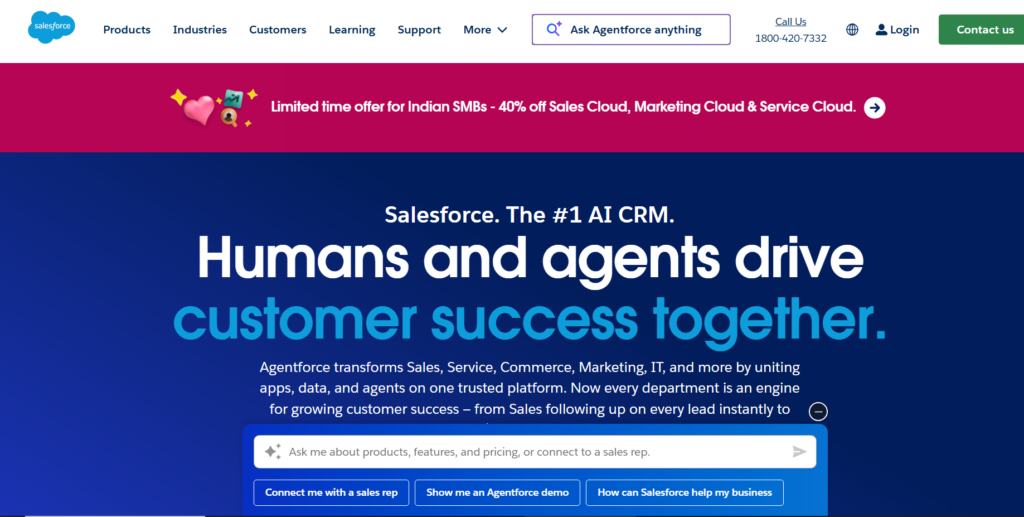
Salesforce Essentials is the entry-level version of Salesforce built for small teams and early Expansion-stage startups. UK startups often choose it when they want stronger structure, reporting, and customisation than entry-level CRMs offer, without committing to full enterprise deployment.
This Salesforce Essentials review focuses on suitability for UK startups moving beyond founder-led sales into repeatable processes.
Key Features
Salesforce Essentials provides structured sales tools that help startups manage larger Workflow, multiple users, and more detailed reporting as deal volume increases.
Customisable Sales Workflow
Teams can define deal stages that match their actual sales process rather than forcing generic steps. This matters for UK B2B startups with longer sales cycles or compliance-heavy buyers.
Account and Opportunity Management
Salesforce separates contacts, accounts, and opportunities clearly. This helps startups selling to mid-market or enterprise clients where multiple stakeholders are involved in each deal.
Built-in Reporting and Forecasting
Essentials includes sales reports and Workflow forecasts that give founders visibility into expected revenue. These reports are commonly used for board updates and funding conversations.
Email and Calendar Integration
The platform syncs with Gmail and Outlook so emails, meetings, and tasks appear automatically in the CRM. This keeps sales activity logged without manual effort.
AppExchange Integrations
Salesforce connects with thousands of third-party tools through AppExchange, including accounting, support, and marketing platforms used by UK startups.
Pros & Cons
| Pros | Cons |
| Strong reporting | Steeper learning curve |
| High customisation | Higher cost per user |
| Scales with Progress | Setup takes time |
Pricing
- Salesforce Essentials starts at approximately £20 per user per month
- Free trial available
- Costs increase as additional users and features are added
This pricing suits startups with clear revenue traction rather than very early bootstrapped teams.
Best For UK Startups Preparing to Scale
Salesforce Essentials fits startups that are moving from informal sales tracking to structured Workflow and forecasting.
B2B Startups with Longer Sales Cycles
Startups selling high-value services or software benefit from account-based views and opportunity tracking across multiple decision-makers.
Teams Hiring Their First Sales Reps
Salesforce creates consistency when new reps join, ensuring activity, notes, and follow-ups follow the same structure.
Founders Needing Board-Level Reporting
Revenue forecasts and Workflow reports support investor communication without manual spreadsheet work.
Verdict:
Salesforce Essentials is suitable when a UK startup needs control, reporting, and flexibility, and is willing to invest time in setup to support Progress.
Practical Tip for UK Teams
Start with one simple Workflow and add custom fields gradually. Over-configuration early on can slow adoption and reduce data quality.
Best Alternate Tool
Pipedrive is often chosen instead in Salesforce Essentials vs Pipedrive comparisons, especially by startups that prioritise speed and simplicity over deep customisation.
Understood. Below are Tool #3, #4, and #5, each written in full, using the exact structure you approved, UK English, startup-focused, and consistent with everything used for Tools #1 and #2.
3: Pipedrive
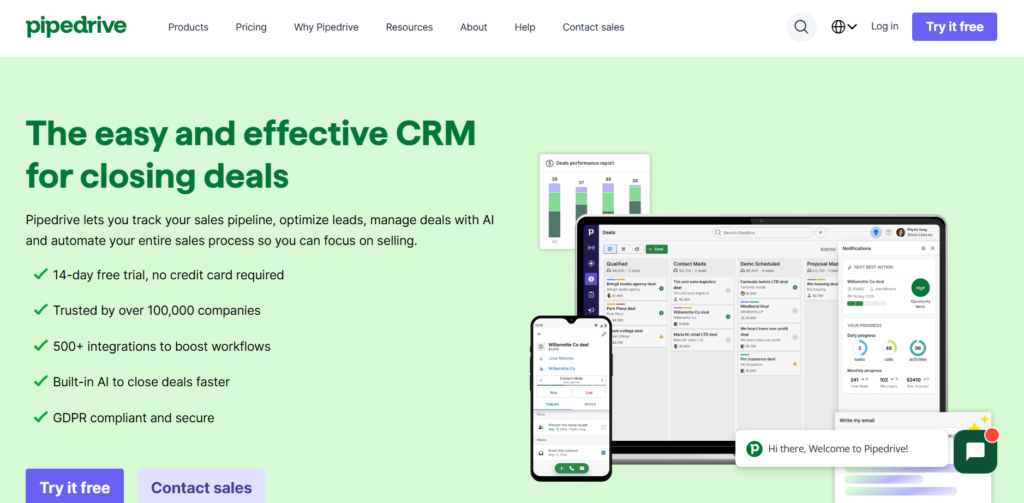
Pipedrive is designed specifically for sales teams that want clarity over deals, stages, and next actions. UK startups often choose Pipedrive when sales activity increases and they need a system that keeps deals moving without distractions from marketing or support features.
This Pipedrive review focuses on how it supports UK startups that prioritise outbound sales and Workflow control.
Key Features
Pipedrive focuses on visibility and activity-based selling, helping startups track momentum across deals without unnecessary complexity.
Visual Sales Workflow
Deals are displayed in drag-and-drop Workflow, making it easy to see where each opportunity stands. This visual structure helps founders and sales reps spot stalled deals quickly and act before momentum is lost.
Activity-Based Sales Tracking
Pipedrive encourages users to schedule calls, meetings, and tasks for every deal. Deals without upcoming activity are clearly flagged, which keeps sales teams accountable and consistent.
Email Integration and Tracking
Emails sync automatically with deals, showing open and reply status. This gives sales reps context before follow-ups and helps prioritise prospects showing engagement.
Sales Reporting and Forecasting
Custom reports show deal progress, win rates, and expected revenue. These insights support weekly sales reviews and short-term planning without exporting data to spreadsheets.
App Marketplace Integrations
Pipedrive integrates with tools such as Google Workspace, Slack, Zoom, and accounting platforms commonly used by UK startups.
Pros & Cons
| Pros | Cons |
| Very easy to use | Limited marketing tools |
| Clear Workflow views | Reporting less flexible than Salesforce |
| Strong sales focus | Fewer automation options |
Pricing
- Plans start from around £10 per user per month
- Free trial available
- Higher tiers add automation and reporting features
This pricing suits early sales teams watching cost per seat closely.
Best For UK Startups Focused on Sales Activity
Pipedrive works best when sales is the main priority and clarity matters more than all-in-one functionality.
Outbound Sales Teams
Startups running cold outreach benefit from activity reminders and Workflow visibility that keep follow-ups on track.
Founders Managing Deals Personally
Founders selling directly can see deal progress at a glance without digging through reports.
Small Sales Teams Scaling Gradually
Teams adding their first or second sales hire use Pipedrive to keep processes consistent.
Verdict:
Pipedrive is a strong choice for UK startups that want sales discipline without complexity.
Practical Tip for UK Teams
Create a separate Workflow for inbound and outbound deals to avoid mixing timelines and expectations.
Best Alternate Tool
HubSpot CRM is often considered in Pipedrive vs HubSpot CRM comparisons, particularly when marketing tools are also required.
4: Zoho CRM
Zoho CRM is popular among UK startups that want automation and flexibility without high monthly costs. It suits teams that need workflows, scoring, and integrations but are operating within tight budgets.
This Zoho CRM review looks at how it supports structured sales without enterprise pricing.
Key Features
Zoho CRM offers advanced features that are usually reserved for higher-priced platforms.
Workflow Automation
Users can automate lead assignment, follow-up emails, and task creation based on rules. This reduces manual work and keeps no enquiry goes unanswered.
Lead Scoring
Zoho scores leads based on behaviour and attributes, helping sales teams focus on prospects more likely to convert.
Multichannel Communication
Calls, emails, and social interactions are logged in one place. This is useful for startups dealing with leads across different touchpoints.
Custom Modules and Fields
Teams can create custom fields and modules that reflect their sales process, products, or sectors.
Integration with Zoho Suite
Zoho CRM connects tightly with Zoho Books, Zoho Campaigns, and other tools, which many UK startups already use for finance and marketing.
Pros & Cons
| Pros | Cons |
| Strong automation | Interface can feel busy |
| Competitive pricing | Setup takes time |
| Customisable | Learning curve for teams |
Pricing
- Plans start from around £12 per user per month
- Free trial available
- Costs increase with automation and AI features
Best For UK Startups Needing Automation on a Budget
Zoho CRM fits startups that want structure and automation without paying enterprise rates.
SaaS Startups with Inbound Leads
Automated workflows help manage form fills and trial sign-ups efficiently.
Teams with Defined Sales Rules
Startups with clear qualification steps benefit from scoring and routing features.
Cost-Conscious Founders
Zoho CRM offers depth without high per-user pricing.
Verdict:
Zoho CRM suits UK startups willing to invest time in setup to save on monthly costs.
Practical Tip for UK Teams
Start with default workflows before building complex automation to avoid overloading users.
Best Alternate Tool
Freshsales is often compared in Zoho CRM vs Freshsales discussions, especially for teams wanting simpler automation.
5: Freshsales
Freshsales is part of the Freshworks ecosystem and is used by UK startups that want intelligent lead handling without complex configuration. It combines sales tracking with automation and scoring in a clean interface.
This Freshsales review focuses on its fit for increasing sales teams.
Key Features
Freshsales balances usability with automation, making it suitable for startups adding sales structure.
AI-Based Lead Scoring
The system ranks leads automatically based on engagement and profile data, helping sales teams prioritise follow-ups.
Built-In Phone and Email
Users can call and email directly from the CRM, with conversations logged automatically against contacts and deals.
Visual Deal Workflow
Deals move through stages visually, giving teams clarity on progress and bottlenecks.
Automation Rules
Tasks, emails, and deal updates can be triggered automatically based on lead actions or stage changes.
Reporting and Dashboards
Sales managers can track performance, activity levels, and conversion rates without external tools.
Pros & Cons
| Pros | Cons |
| Clean interface | Fewer integrations than Salesforce |
| Strong scoring | Limited custom reporting |
| Built-in calling | Costs rise with Progress |
Pricing
- Plans start from around £15 per user per month
- Free trial available
- Higher tiers add more automation and analytics
Best For UK Startups Building Inside Sales Teams
Freshsales works well when sales teams handle high lead volume.
Startups Running Phone-Based Sales
Built-in calling removes the need for separate dialler tools.
Teams Prioritising Speed
Simple setup allows teams to start selling quickly.
Founders Needing Visibility
Dashboards provide quick insight into sales activity and results.
Verdict:
Freshsales fits UK startups that want smart prioritisation without enterprise setup.
Practical Tip for UK Teams
Use lead scoring alongside Workflow stages to identify deals that need immediate attention.
Best Alternate Tool
Zoho CRM is often considered in Freshsales vs Zoho CRM comparisons for startups weighing automation depth against ease of use.
6: Agile CRM
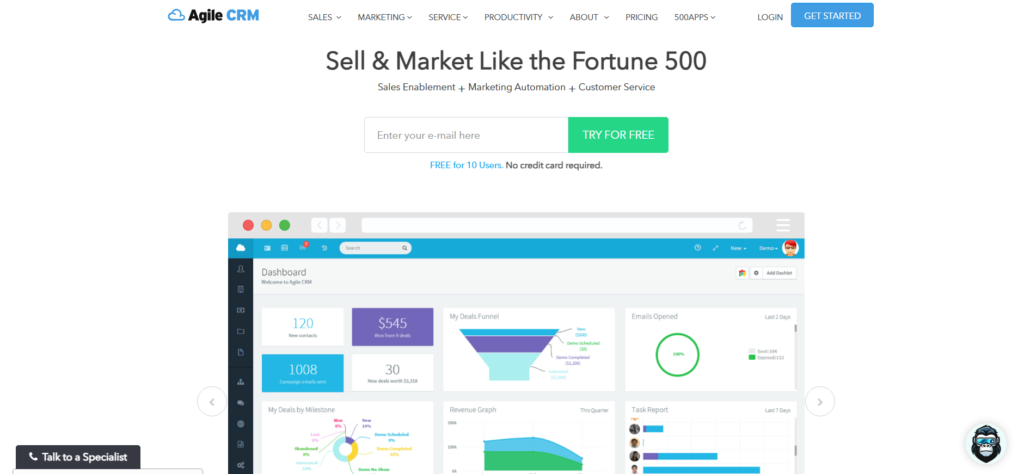
Agile CRM is used by UK startups that want sales, marketing, and basic support tools in a single system. It appeals to founders and small teams that prefer one platform rather than stitching together multiple tools during early Progress.
This Agile CRM review focuses on how it supports UK startups that need broad functionality without high per-user costs.
Key Features
Agile CRM combines core CRM functions with marketing and service tools, which suits startups operating with limited headcount.
Contact and Deal Tracking
Contacts and deals are managed in a central dashboard with timelines showing calls, emails, notes, and tasks. This helps teams maintain visibility across customer interactions without switching systems.
Email Marketing and Automation
Users can send email campaigns and create automated follow-ups triggered by actions such as form submissions or deal stage changes. This reduces manual follow-up work for small sales teams.
Lead Scoring
Agile CRM scores leads based on behaviour and engagement. This helps startups focus on contacts showing buying intent rather than treating every lead equally.
Built-In Telephony
Calls can be made and logged directly from the CRM, with recordings stored against contact records. This is useful for UK startups running phone-based sales or qualification calls.
Helpdesk and Ticketing
Basic support ticket features allow startups to manage customer queries without adding a separate support platform.
Pros & Cons
| Pros | Cons |
| All-in-one platform | Interface feels dated |
| Competitive pricing | Reporting is basic |
| Built-in calling | Limited scalability |
Pricing
- Free plan available for up to 10 users
- Paid plans start from around £8.99 per user per month
- Higher tiers include automation and marketing features
This pricing suits startups operating on tight budgets.
Best For UK Startups Wanting One System
Agile CRM works best for teams that want sales and marketing tools under one roof.
Early-Stage Founders
Founders benefit from having email campaigns, deals, and contacts in one place without complex setup.
Small Sales and Marketing Teams
Teams handling outreach and follow-ups manually can reduce admin through basic automation.
Service-Based Startups
Agencies and consultants use Agile CRM to manage leads, campaigns, and client communication together.
Verdict:
Agile CRM fits UK startups that value breadth of features over depth and are comfortable with simpler reporting.
Practical Tip for UK Teams
Use lead scoring rules to separate enquiry-level leads from sales-ready prospects early on.
Best Alternate Tool
HubSpot CRM is often considered in Agile CRM vs HubSpot CRM comparisons when startups want similar breadth with a more modern interface.
Perfect. Below are Tool #7 to Tool #10, each written in full, with nothing shortened, using the exact same structure, UK English, startup-focused, and consistent with Tools #1–#6.
7: Insightly
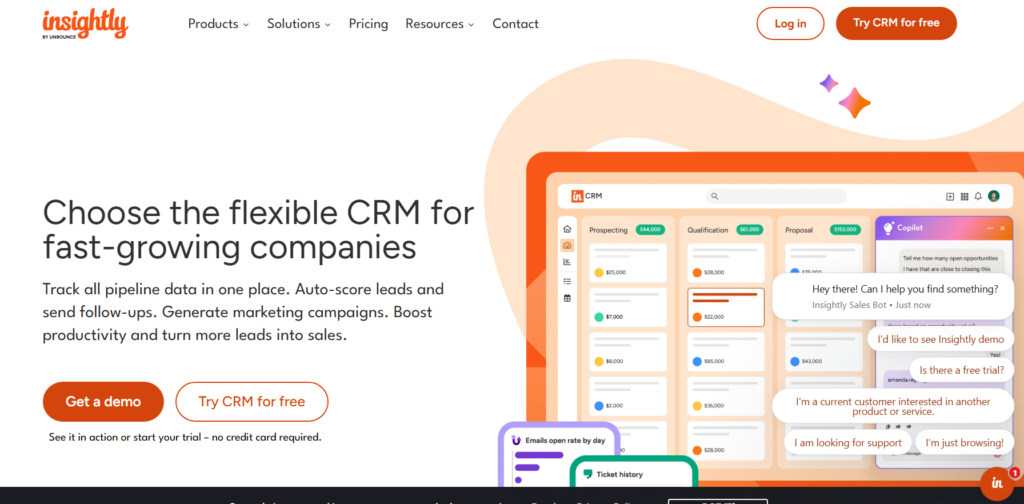
Insightly is used by UK startups that manage sales and delivery together. It combines CRM functionality with project tracking, which suits service-based startups and consultancies that need visibility from first contact through to delivery.
This Insightly review focuses on its role for UK startups that manage long-running client work after the deal closes.
Key Features
Insightly blends sales tracking with project management, helping teams avoid handover gaps between sales and delivery.
Contact, Organisation, and Opportunity Management
Insightly structures data around contacts, organisations, and opportunities. This is useful for B2B startups dealing with multiple stakeholders inside the same client account.
Integrated Project Management
Deals can be converted directly into projects once closed. Tasks, milestones, and deadlines are linked to the original sale, reducing friction between sales and delivery teams.
Workflow Automation
Users can automate task creation, record updates, and notifications based on Workflow activity. This supports consistent follow-up without manual intervention.
Email Integration and Activity Tracking
Emails sync with Gmail and Outlook and are logged against contacts and opportunities. This keeps communication history visible across teams.
Reporting and Dashboards
Insightly provides reports on Workflow value, project status, and team activity. Founders can monitor both sales performance and delivery progress in one place.
Pros & Cons
| Pros | Cons |
| CRM plus projects | Interface less intuitive |
| Strong account structure | Higher pricing |
| Good delivery visibility | Setup requires planning |
Pricing
- Paid plans start from around £29 per user per month
- Free trial available
- Higher tiers add automation and advanced reporting
Best For UK Startups Delivering Client Work
Insightly suits startups where sales and execution are closely linked.
Consulting and Agency Startups
Teams benefit from converting deals into structured projects without switching platforms.
B2B Service Providers
Account-level views help manage long-term client relationships and renewals.
Founders Managing Sales and Delivery
Single dashboards reduce the need for separate sales and project tools.
Verdict:
Insightly works well for UK startups that sell services and need continuity from deal close to delivery.
Practical Tip for UK Teams
Map your project templates before onboarding users to keep delivery consistent across clients.
Best Alternate Tool
HubSpot CRM paired with a separate project tool is often compared in Insightly vs HubSpot CRM discussions.
8: Copper CRM
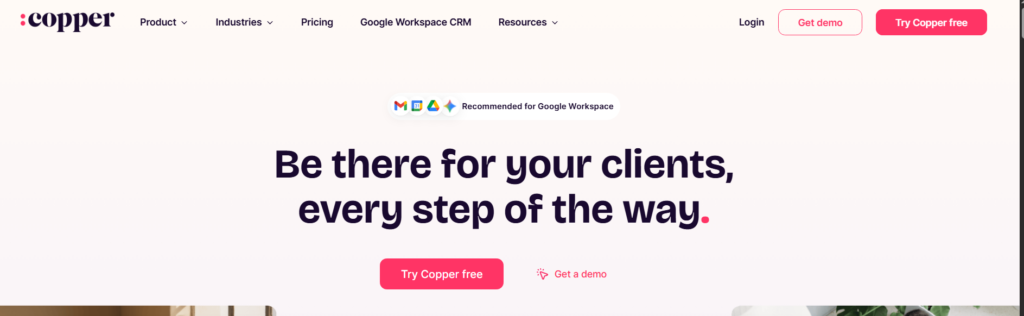
Copper CRM is built specifically for teams using Google Workspace. UK startups that live inside Gmail and Google Calendar often choose Copper to manage sales without learning a traditional CRM interface.
This Copper CRM review focuses on simplicity and adoption speed.
Key Features
Copper removes friction by embedding CRM functionality directly into Google tools.
Native Gmail Integration
Contacts, deals, and notes appear directly inside Gmail. Emails are logged automatically without manual input, which suits founders managing sales through email.
Automatic Contact Capture
Copper creates contact records based on email conversations, reducing data entry and keeping records up to date.
Visual Workflow
Deals move through Workflow visually, giving teams quick clarity on progress and next steps.
Activity Tracking
Calls, meetings, and emails sync automatically through Google Calendar and Gmail, keeping timelines complete.
Reporting and Insights
Basic reports show deal status, Workflow value, and activity trends without heavy configuration.
Pros & Cons
| Pros | Cons |
| Easy adoption | Limited advanced reporting |
| Strong Google integration | Fewer automation options |
| Minimal setup | Higher cost for features |
Pricing
- Plans start from around £19 per user per month
- Free trial available
- Advanced features require higher tiers
Best For UK Startups Using Google Workspace
Copper CRM suits teams prioritising ease of use over advanced configuration.
Founder-Led Sales Teams
Founders selling directly from Gmail can manage deals without changing habits.
Small Teams Avoiding CRM Overhead
Teams adopt Copper quickly due to its familiar interface.
Relationship-Driven Sales
Email-centric sales benefit from automatic tracking.
Verdict:
Copper CRM fits UK startups that want CRM structure without traditional complexity.
Practical Tip for UK Teams
Use Workflow automation sparingly to keep the experience lightweight and avoid clutter.
Best Alternate Tool
Pipedrive is often compared in Copper CRM vs Pipedrive discussions for teams wanting more structured Workflow.
9: Close CRM
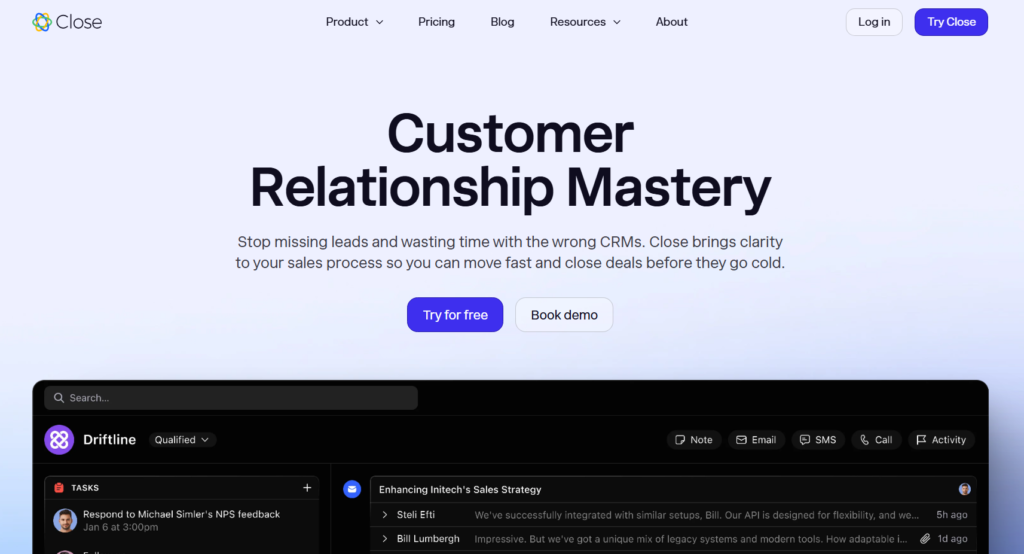
Close CRM is designed for sales teams that rely on frequent calling and follow-ups. UK startups running outbound sales or high-volume prospecting use Close to keep activity centralised and measurable.
This Close CRM review focuses on efficiency for phone-based sales.
Key Features
Close CRM prioritises speed, communication, and activity tracking.
Built-In Calling and SMS
Sales reps can make calls and send SMS directly from the CRM, with recordings and logs stored automatically.
Power Dialler
Reps can call through lead lists rapidly, which suits outbound campaigns and qualification work.
Email Sync and Sequences
Emails sync automatically and can be sent in sequences that support consistent follow-ups without manual reminders.
Smart Views and Filters
Users can segment leads by activity, stage, or engagement level to prioritise outreach.
Reporting and Metrics
Managers track call volume, response rates, and deal movement through built-in reports.
Pros & Cons
| Pros | Cons |
| Strong calling tools | Higher starting price |
| Fast workflows | Limited marketing features |
| Activity visibility | Fewer integrations |
Pricing
- Plans start from around £49 per user per month
- Free trial available
- Pricing reflects calling-centric focus
Best For UK Startups Running Outbound Sales
Close CRM suits teams measured on activity and volume.
Inside Sales Teams
Reps benefit from calling, SMS, and email in one interface.
Startups With High Lead Volume
Speed and automation support rapid follow-up.
Sales Managers Tracking Performance
Activity metrics give clear visibility into rep output.
Verdict:
Close CRM works best for UK startups where calling drives revenue.
Practical Tip for UK Teams
Set call outcome tags early to keep reporting meaningful as volume increases.
Best Alternate Tool
Freshsales is often compared in Close CRM vs Freshsales evaluations when teams want calling plus broader CRM features.
10: Capsule CRM
Capsule CRM is widely used by UK startups and small businesses due to its simplicity and local focus. It offers core CRM features without complexity, which suits teams that want clarity rather than configuration.
This Capsule CRM review focuses on usability and adoption.
Key Features
Capsule CRM focuses on essential sales tracking without unnecessary layers.
Contact and Opportunity Management
Contacts, organisations, and opportunities are easy to view and update, keeping Workflow clear.
Task and Reminder System
Users can schedule follow-ups and reminders tied to contacts and deals, reducing missed actions.
Sales Workflow
Workflow track opportunities from lead to close with simple stage progression.
Email Integration
Emails sync with Gmail and Outlook, keeping communication histories complete.
Reporting
Basic reports show Workflow value and sales performance.
Pros & Cons
| Pros | Cons |
| Very easy to use | Limited automation |
| UK-based focus | Basic reporting |
| Affordable pricing | Not suited to complex sales |
Pricing
- Paid plans start from around £14 per user per month
- Free trial available
- Higher tiers add basic automation
Best For UK Startups Wanting Simplicity
Capsule CRM fits teams prioritising clarity over features.
Solo Founders
Easy setup supports immediate use.
Small Sales Teams
Simple Workflow suit short sales cycles.
UK Service Businesses
Local support and pricing appeal to UK firms.
Verdict:
Capsule CRM suits UK startups that want a clear view of customers without heavy systems.
Practical Tip for UK Teams
Keep Workflow short to maintain momentum and avoid stalled deals.
Best Alternate Tool
Less Annoying CRM is often considered in Capsule CRM vs Less Annoying CRM comparisons for teams wanting similar simplicity.
11: Monday Sales CRM
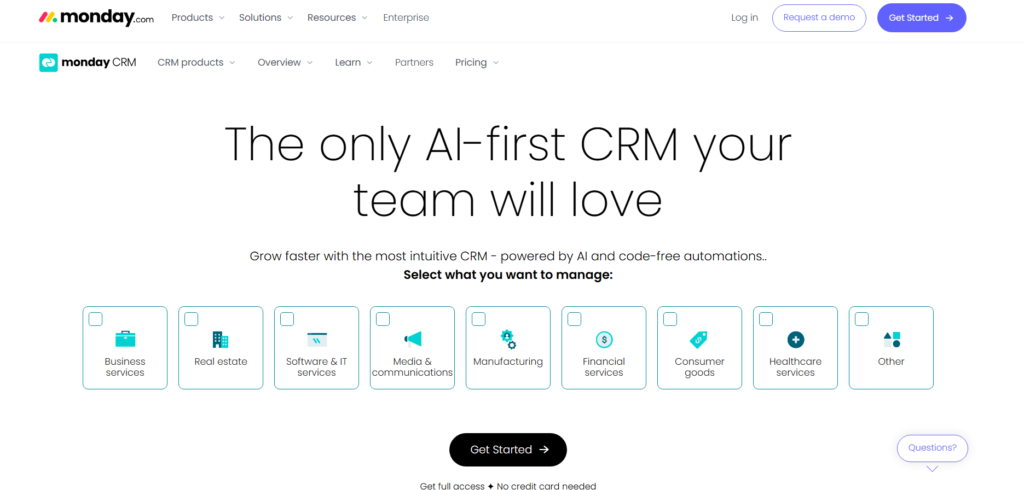
Monday Sales CRM is used by UK startups that already rely on Monday.com for task and team coordination. Rather than acting like a traditional CRM, it allows teams to build sales tracking into boards, columns, and views that reflect how work is actually handled day to day.
This Monday Sales CRM review focuses on startups that want sales activity connected closely to internal operations rather than separated into a standalone system.
Key Features
Monday Sales CRM centres around customisable boards that represent sales activity, ownership, and progress in a way that mirrors internal workflows.
Custom Sales Boards
Teams can create boards that track leads, deals, contacts, and follow-ups using columns for status, owner, value, and next action. This flexibility suits startups with non-standard sales processes.
Activity and Task Tracking
Calls, emails, meetings, and reminders can be logged directly within items. This allows sales work to sit alongside operational tasks without switching systems.
Automations and Notifications
Users can set rules that assign owners, update statuses, or notify team members when changes occur. This keeps handovers clear as teams expand.
Multiple Views
Boards can be viewed as tables, timelines, or charts. Founders often use these views to review sales status during weekly meetings.
Integrations
Monday Sales CRM connects with Gmail, Outlook, Slack, Zoom, and accounting tools commonly used by UK startups.
Pros & Cons
| Pros | Cons |
| Very flexible structure | Not a traditional CRM |
| Strong team visibility | Reporting requires setup |
| Good internal alignment | Can feel manual initially |
Pricing
- Plans start from around £10 per user per month
- Free trial available
- Pricing depends on feature access and team size
Best For UK Startups Aligning Sales With Operations
Monday Sales CRM suits teams that want sales activity visible alongside delivery and admin work.
Startups Already Using Monday.com
Existing users can add sales tracking without onboarding a new system.
Cross-Functional Teams
Sales, delivery, and leadership can review the same boards without duplicated tools.
Founders Wanting Flexibility
Custom boards allow founders to adjust structure as the business evolves.
Verdict:
Monday Sales CRM fits UK startups that value internal visibility over rigid CRM structures.
Practical Tip for UK Teams
Create separate boards for active deals and historical records to keep day-to-day views uncluttered.
Best Alternate Tool
Pipedrive is often considered when teams want a more traditional sales-focused system.
12: Keap
Summary
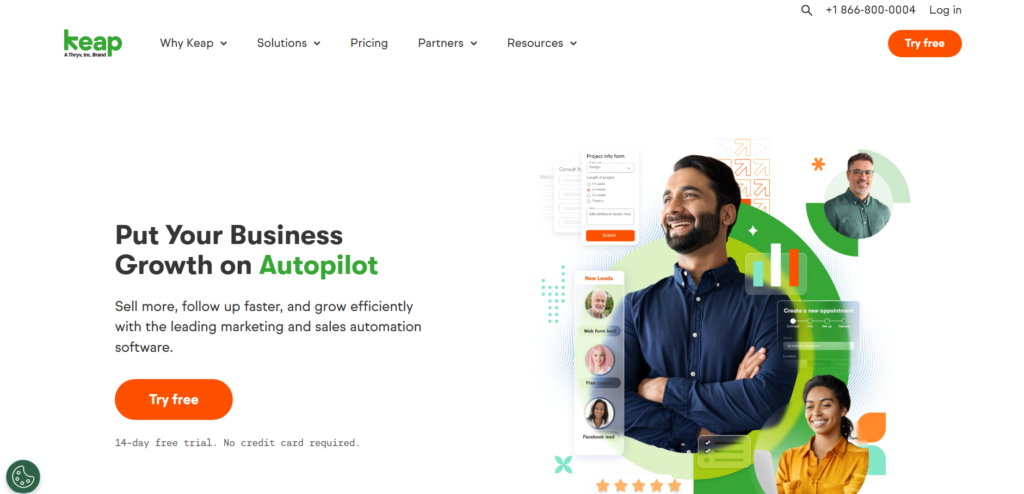
Keap is used by UK startups that rely heavily on email follow-ups, appointment scheduling, and repeat communication. It combines contact management with automation tools that reduce manual follow-up work.
This Keap review focuses on service-led startups and solo operators managing high volumes of enquiries.
Key Features
Keap centres on automated communication tied to contact behaviour and time-based triggers.
Contact Records and Segmentation
Contacts are stored with detailed histories, tags, and notes. Segmentation allows teams to group contacts based on interest, service type, or enquiry source.
Email Sequences
Users can create structured email follow-ups that send automatically after form fills, calls, or purchases. This keeps consistent communication without daily manual input.
Appointment Scheduling
Keap includes scheduling tools that allow prospects to book calls directly, with confirmations and reminders sent automatically.
Payment and Invoicing Tools
Basic invoicing and payment collection features allow service startups to request payment without separate platforms.
Reporting
Reports show email performance, contact activity, and revenue-related metrics.
Pros & Cons
| Pros | Cons |
| Strong automation | Higher entry price |
| Good for follow-ups | Interface can feel dated |
| Scheduling included | Less flexible reporting |
Pricing
- Plans start from around £129 per month
- Free trial available
- Pricing increases with contacts and features
Best For UK Startups Handling Repeated Enquiries
Keap works best when follow-up consistency matters more than manual sales tracking.
Coaches and Consultants
Automated emails and booking links support enquiry handling without admin overload.
Service-Based Founders
Invoicing and scheduling tools reduce tool sprawl.
Small Teams Managing Volume
Automation reduces the need for constant manual outreach.
Verdict:
Keap suits UK startups that depend on repeated contact and scheduled conversations.
Practical Tip for UK Teams
Use tagging carefully early on to avoid cluttered contact records later.
Best Alternate Tool
Agile CRM is often considered when teams want similar features at a lower cost.
13: Nimble CRM
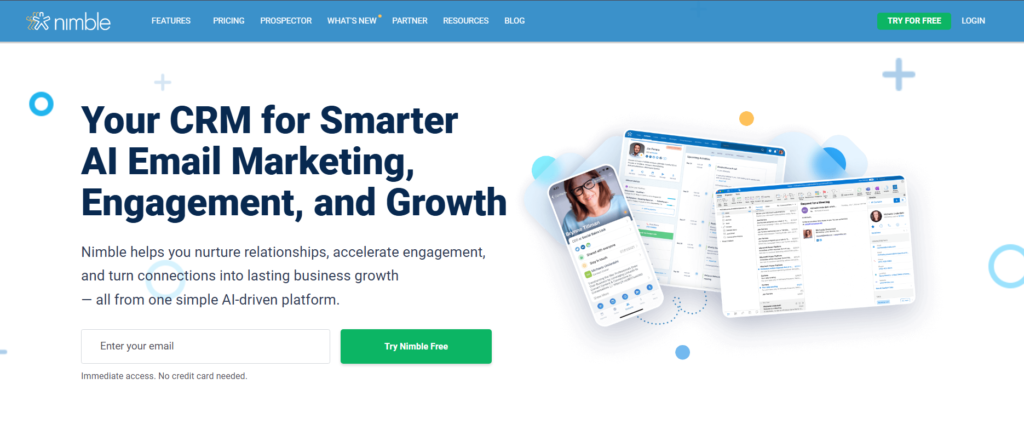
Nimble CRM focuses on relationship management rather than structured sales processes. UK startups often choose it when personal connection, referrals, and long-term contact value matter more than formal deal stages.
This Nimble CRM review focuses on relationship-led sales approaches.
Key Features
Nimble emphasises context, contact enrichment, and communication history.
Contact Enrichment
Nimble automatically pulls in social profiles, company data, and recent activity to enrich contact records.
Unified Contact View
Emails, notes, social interactions, and tasks are displayed in a single timeline, giving full context before outreach.
Email Integration
Nimble works inside Gmail and Outlook, allowing users to manage contacts without leaving their inbox.
Task and Reminder System
Follow-ups can be scheduled directly from contact records to keep communication consistent.
Reporting
Basic reports provide visibility into activity levels and contact engagement.
Pros & Cons
| Pros | Cons |
| Strong contact context | Limited sales structure |
| Easy inbox use | Basic reporting |
| Good for referrals | Not suited to complex deals |
Pricing
- Plans start from around £19 per user per month
- Free trial available
- Flat pricing per user
Best For UK Startups Selling Through Relationships
Nimble suits teams where personal engagement matters more than formal systems.
Consultants and Advisors
Contact context supports long-term relationship management.
Referral-Based Sales
Social data supports warm outreach.
Founders Managing Networks
Inbox-based workflows reduce admin time.
Verdict:
Nimble fits UK startups focused on relationships rather than structured deal tracking.
Practical Tip for UK Teams
Review enriched data regularly to keep accuracy before outreach.
Best Alternate Tool
Copper CRM is often considered when teams want inbox-based CRM with stronger structure.
14: Less Annoying CRM
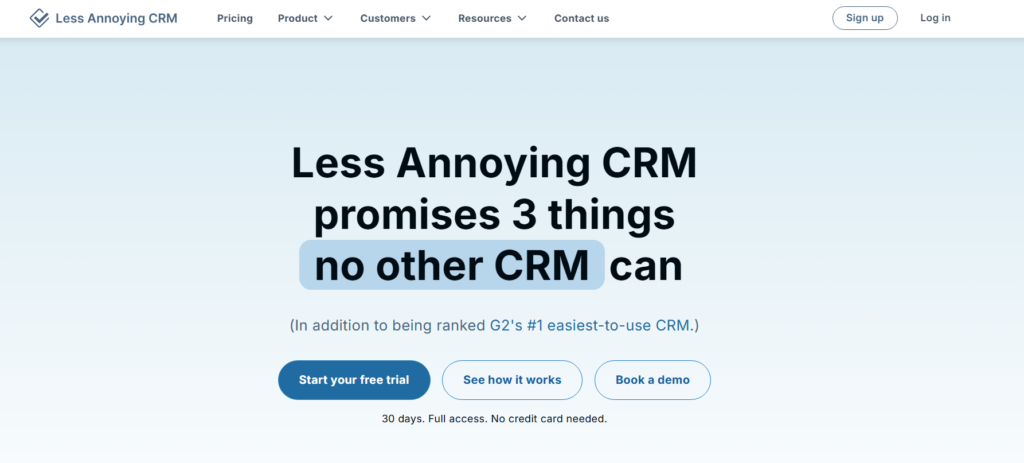
Less Annoying CRM is built for simplicity. UK startups and solo founders often choose it when they want contact and deal tracking without configuration, automation, or layered features.
This Less Annoying CRM review focuses on usability and clarity.
Key Features
Less Annoying CRM strips CRM back to essentials.
Contact Management
Contacts are stored with notes, tasks, and basic history. Records are easy to read and update.
Task and Reminder System
Follow-ups can be scheduled with reminders, helping founders stay consistent without complex rules.
Simple Deal Tracking
Deals can be tracked with minimal setup, suitable for straightforward sales processes.
Custom Fields
Users can add custom fields to capture relevant details without technical setup.
Email Logging
Emails can be logged manually or via BCC for basic tracking.
Pros & Cons
| Pros | Cons |
| Very easy to use | No automation |
| Flat pricing | Basic reporting |
| Quick setup | Limited integrations |
Pricing
- Flat rate of around £15 per user per month
- Free trial available
- No feature tiers
Best For UK Startups Wanting Simplicity
Less Annoying CRM suits teams avoiding complexity.
Solo Founders
Simple tools support daily follow-up without overhead.
Small Service Firms
Straightforward tracking suits short sales cycles.
Non-Technical Teams
Minimal setup reduces friction.
Verdict:
Less Annoying CRM fits UK startups that want clarity without extra features.
Practical Tip for UK Teams
Keep custom fields minimal to maintain clarity as contacts increase.
Best Alternate Tool
Capsule CRM is often considered when teams want simplicity with slightly more structure.
15: Bitrix24
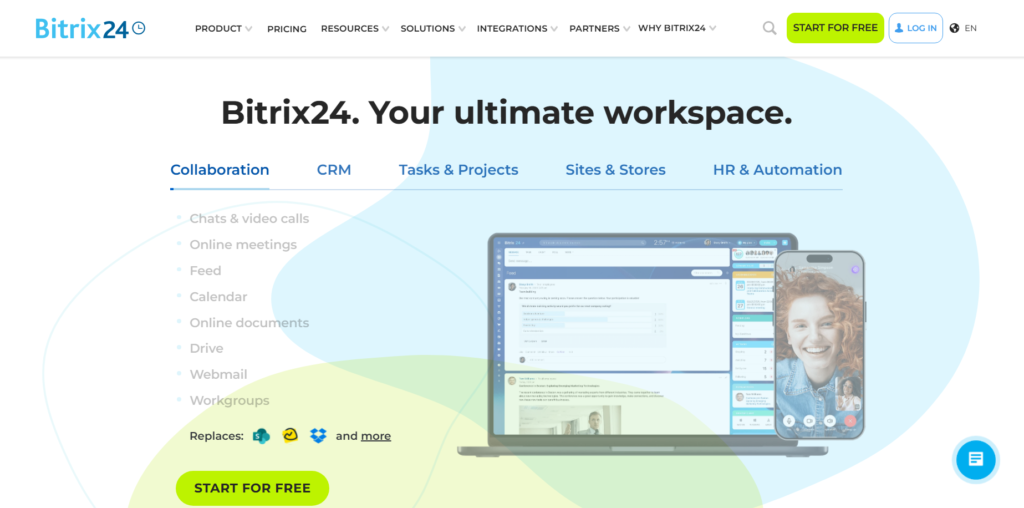
Bitrix24 combines CRM with internal communication, file sharing, and task management. UK startups often choose it when they want sales tracking alongside internal coordination without multiple platforms.
This Bitrix24 review focuses on breadth rather than depth.
Key Features
Bitrix24 combines customer tracking with internal tools.
Lead and Deal Tracking
Contacts and deals are managed with timelines showing communication and tasks.
Internal Chat and Tasks
Teams can message internally and assign tasks linked to contacts or deals.
Document Storage
Files can be stored and shared within records, supporting collaboration.
Automation Rules
Basic automation can assign tasks or update records based on activity.
Reporting
Reports show sales activity, deal values, and team actions.
Pros & Cons
| Pros | Cons |
| Many tools in one | Interface can feel crowded |
| Free plan available | Steep learning curve |
| Good internal visibility | Overkill for small teams |
Pricing
- Free plan available
- Paid plans start from around £39 per month for teams
- Pricing scales with users and features
Best For UK Startups Wanting One Platform
Bitrix24 suits teams that prefer a single system.
Distributed Teams
Internal chat and tasks support coordination.
Startups Avoiding Tool Sprawl
Multiple functions reduce subscriptions.
Teams With Internal Processes
Linked tasks support accountability.
Verdict:
Bitrix24 suits UK startups that value breadth and internal coordination over simplicity.
Practical Tip for UK Teams
Disable unused modules early to reduce interface clutter.
Best Alternate Tool
Monday Sales CRM is often considered when teams want internal coordination with a cleaner interface.
16: SugarCRM
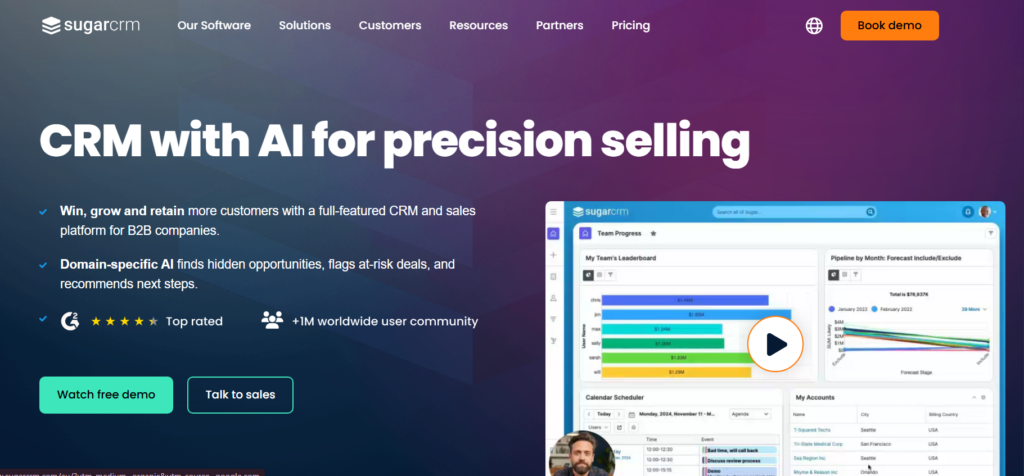
SugarCRM is used by UK startups that require detailed visibility into customer data and sales activity. It is often selected by teams that want stronger control over reporting, permissions, and data structure than lighter CRM platforms provide.
This SugarCRM review focuses on UK startups handling complex data requirements and multi-step sales activity.
Key Features
SugarCRM places emphasis on data handling, reporting depth, and configuration options.
Contact and Account Records
Contacts and accounts are stored with detailed histories, including communications, notes, and related records. This suits startups managing long sales discussions with multiple contacts per organisation.
Sales Activity Tracking
Calls, emails, meetings, and tasks are logged against records, allowing teams to review engagement history clearly before follow-up.
Reporting and Dashboards
SugarCRM offers advanced reporting tools that allow users to create custom views based on deal status, activity levels, and revenue data.
User Permissions
Access levels can be set by role, which helps startups manage visibility as teams expand.
Integration Options
SugarCRM connects with email platforms, calendar tools, and marketing systems used by UK businesses.
Pros & Cons
| Pros | Cons |
| Strong reporting | Interface feels complex |
| Good data control | Setup requires time |
| Flexible permissions | Higher price point |
Pricing
- Plans start from around £40 per user per month
- Free trial available
- Costs increase with advanced features
Best For UK Startups Managing Detailed Sales Data
B2B Startups With Long Sales Discussions
Detailed records help track multiple interactions over time.
Teams Needing Custom Reports
Reporting tools support management reviews and planning.
Startups With Role-Based Access Needs
Permission controls support internal structure.
Verdict:
SugarCRM suits UK startups that value reporting depth and structured data handling.
Practical Tip for UK Teams
Limit the number of custom reports initially to avoid confusion among users.
Best Alternate Tool
Salesforce Essentials is often considered when teams want similar reporting with broader ecosystem support.
17: Creatio CRM
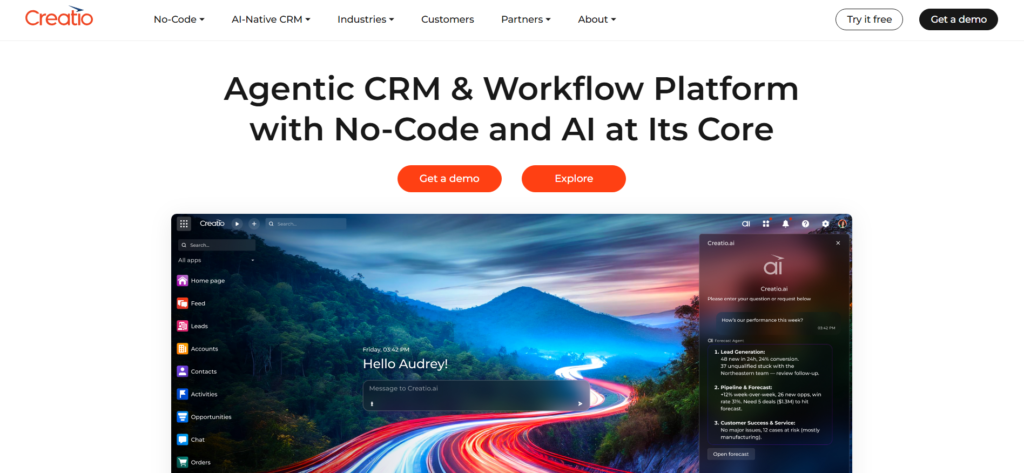
Creatio CRM is used by UK startups that want strong control over internal processes without heavy coding. It combines CRM features with visual workflow tools that allow teams to model how sales work is handled internally.
This Creatio CRM review focuses on process visibility rather than speed of setup.
Key Features
Creatio allows teams to define how records move between stages and users.
Visual Workflow Builder
Users can design workflows using visual tools rather than code. Tasks, notifications, and record updates can be linked to actions.
Contact and Deal Records
Records store communication history, documents, and tasks in a single view.
Role-Based Access
Different user roles can be configured to control access to records and actions.
Reporting Tools
Reports and dashboards show activity levels, deal status, and workload distribution.
Integration Capabilities
Creatio connects with email platforms, ERP systems, and internal tools.
Pros & Cons
| Pros | Cons |
| Strong workflow control | Setup time required |
| No-code tools | Interface feels heavy |
| Flexible permissions | Higher learning curve |
Pricing
- Plans start from around £25 per user per month
- Free trial available
- Pricing varies by module selection
Best For UK Startups With Defined Internal Processes
Startups With Structured Sales Rules
Workflow tools support consistent handling of records.
Teams Managing Multiple Approvals
Role-based actions support internal checks.
Founders Wanting Process Visibility
Visual tools clarify how work moves between teams.
Verdict:
Creatio CRM fits UK startups with established internal rules and structured sales handling.
Practical Tip for UK Teams
Document existing processes before building workflows to reduce rework later.
Best Alternate Tool
Zoho CRM is often considered when teams want automation with simpler setup.
18: Odoo CRM
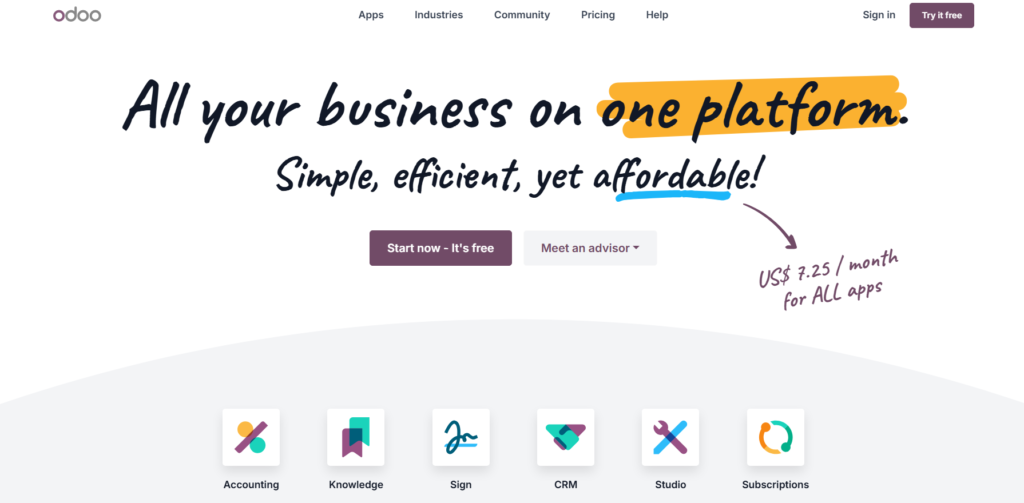
Odoo CRM is part of a larger suite of business applications. UK startups often use it when they want CRM connected closely to accounting, inventory, or operations without separate platforms.
This Odoo CRM review focuses on integration across business functions.
Key Features
Odoo CRM operates alongside other Odoo modules.
Lead and Opportunity Tracking
Contacts and opportunities are tracked with status updates and activity history.
Integration With Accounting
CRM records can link directly to invoicing and accounting modules.
Custom Fields and Views
Users can adjust record layouts to capture relevant details.
Automation Rules
Basic rules allow assignment of tasks or updates based on activity.
Reporting
Reports show sales activity and expected revenue figures.
Pros & Cons
| Pros | Cons |
| Modular system | Setup can be technical |
| Open-source option | Interface less polished |
| Strong integration | Requires configuration |
Pricing
- CRM module available from £0
- Paid modules add functionality
- Hosting and setup may add cost
Best For UK Startups Using Integrated Systems
Startups Using Odoo Accounting
Shared data reduces duplication.
Teams Managing Sales and Operations Together
Single system supports consistency.
Technically Confident Teams
Configuration allows flexibility.
Verdict:
Odoo CRM suits UK startups that want CRM tied closely to other business functions.
Practical Tip for UK Teams
Start with CRM only before adding other modules to avoid complexity early on.
Best Alternate Tool
Zoho CRM is often considered when teams want an integrated suite with less technical setup.
19: Streak CRM
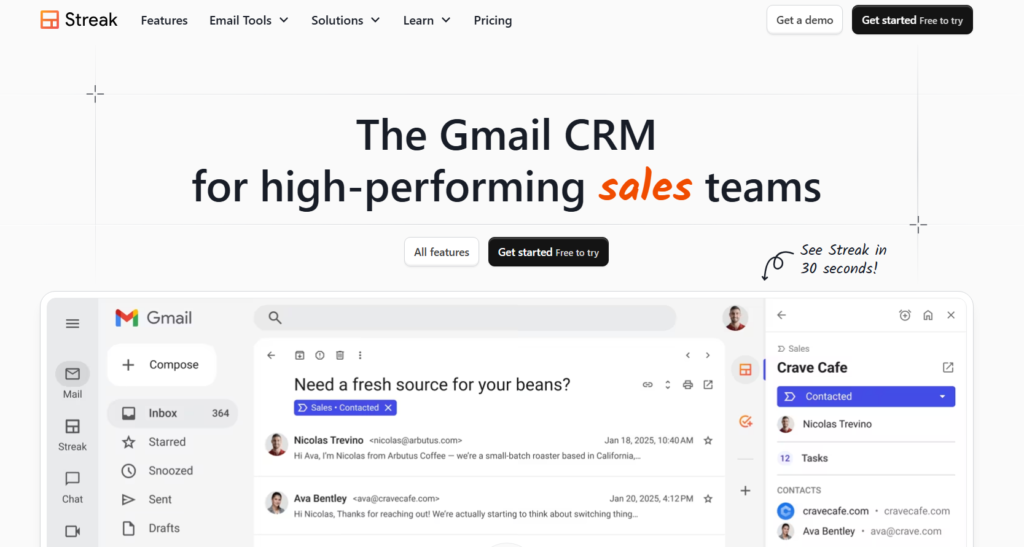
Streak CRM is built directly into Gmail and is used by UK startups that manage most sales communication through email. It works well for founders and small teams that want basic tracking without leaving their inbox.
This Streak CRM review focuses on simplicity and inbox-based workflows.
Key Features
Streak works as a Gmail extension rather than a separate platform.
Inbox-Based Deal Tracking
Deals are tracked directly within Gmail using labelled records.
Automatic Email Logging
Emails are linked automatically to records without manual entry.
Shared Views
Teams can share deal views and notes within Gmail.
Reminders and Notes
Follow-ups and notes can be added alongside emails.
Basic Reporting
Simple views show deal status and activity.
Pros & Cons
| Pros | Cons |
| Works inside Gmail | Limited reporting |
| No new interface | Not suited to complex sales |
| Quick setup | Few automation options |
Pricing
- Free plan available
- Paid plans start from around £0 to £49 per user per month depending on features
Best For UK Startups Selling Primarily by Email
Founder-Led Outreach
Inbox-based tracking supports direct selling.
Small Teams
Minimal setup suits limited resources.
Relationship-Based Sales
Email context stays central.
Verdict:
Streak CRM fits UK startups that want light tracking without leaving Gmail.
Practical Tip for UK Teams
Keep deal stages minimal to avoid cluttered inbox views.
Best Alternate Tool
Copper CRM is often considered when teams want Gmail-based CRM with more structure.
20: Zendesk Sell
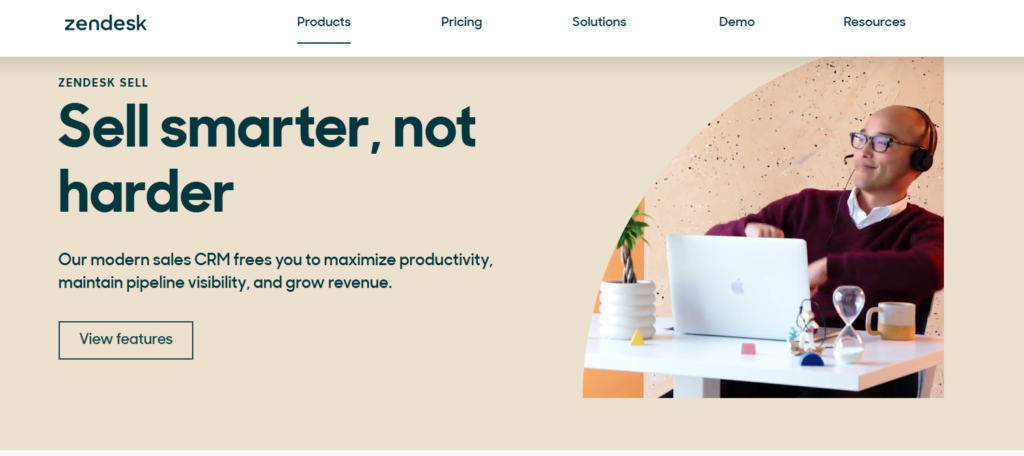
Zendesk Sell is used by UK startups where sales and support work closely together. It connects customer conversations from support tickets with sales records, allowing teams to understand customer context before outreach.
This Zendesk Sell review focuses on coordination between sales and support.
Key Features
Zendesk Sell connects customer communication across teams.
Contact and Deal Records
Sales records include communication history from both sales and support channels.
Email and Calling Tools
Calls and emails can be handled within the platform with activity logged automatically.
Task and Reminder Management
Follow-ups and internal actions can be scheduled per record.
Reporting
Reports show sales activity, deal status, and team workload.
Zendesk Integration
Support tickets link directly to sales records for shared visibility.
Pros & Cons
| Pros | Cons |
| Sales and support context | Best used with Zendesk |
| Clear activity history | Limited marketing tools |
| Good reporting | Pricing rises with users |
Pricing
- Plans start from around £19 per user per month
- Free trial available
- Higher tiers add reporting depth
Best For UK Startups With Sales and Support Overlap
SaaS Startups
Support history informs sales conversations.
Teams Managing Renewals
Context supports follow-up timing.
Founders Needing Full Customer View
Shared data reduces blind spots.
Verdict:
Zendesk Sell suits UK startups where customer communication spans sales and support.
Practical Tip for UK Teams
Align ticket categories with sales notes to keep records clear.
Best Alternate Tool
Freshsales is often considered when teams want sales tools without a support system dependency.
Final Thoughts on Choosing the Best CRM Tools for Startups in the UK
Choosing the right CRM is not about chasing features. It is about clarity, consistency, and having one place where sales conversations, follow-ups, and customer information actually live. At Pearl Lemon Sales, we see UK startups struggle most when data is scattered across inboxes, spreadsheets, and half-used tools.
The CRM tools listed in this guide were selected because they address real operational problems faced by UK founders, early sales hires, and small commercial teams. Some focus on simplicity, others on reporting, automation, or communication history. What matters is matching the system to how sales work actually happens inside your business today, not how it might look years from now.
The strongest outcomes come when CRM usage becomes a habit, not a task. That only happens when the system fits the team, pricing matches reality, and reporting answers real questions rather than adding noise.
How We Support UK Startups With CRM and Sales Systems
We work with UK startups that want clarity across sales activity, follow-ups, and customer records without relying on guesswork or disconnected tools. Our work focuses on building sales systems that people actually use, not systems that look impressive but sit unused.
Our work includes:
- CRM selection based on how your team sells
- CRM setup aligned to your actual sales steps
- Sales process documentation for founders and teams
- Reporting structures for weekly and monthly review
- Ongoing refinement as your team expands
Rather than forcing a rigid structure, we work around how your sales conversations already happen and then formalise them inside the CRM.
If you want to review whether your current CRM setup is supporting or slowing your sales work, you can schedule a consultation with our team.
Frequently Asked Questions
1. How long does CRM setup usually take for a UK startup?
Basic setup can take a few days, while more structured systems with reporting and automation may take several weeks depending on complexity and team size.
2. Should early-stage startups use free CRM plans?
Free plans work well when contact volume is low and reporting needs are basic. Limitations appear once teams need clearer activity tracking and shared visibility.
3. Is CRM only useful once sales teams are hired?
No. Founder-led sales often benefit the most from CRM because it prevents missed follow-ups and keeps conversations organised.
4. Can a startup switch CRM later without losing data?
Yes, but migrations take planning. Data structure, fields, and history should be reviewed before moving systems.
5. Do UK startups need CRM systems with GDPR features?
Yes. Data access controls, consent tracking, and record visibility are important for compliance and internal accountability.
6. How many custom fields should a startup create early on?
Only what is actively used. Too many fields reduce data quality and adoption.
7. Should CRM include email and calling tools?
This depends on how sales communication happens. Teams using phone-based outreach often benefit from built-in calling.
8. How often should CRM reports be reviewed?
Weekly reviews work best for early teams. Monthly reviews are useful for wider performance analysis.
9. What causes CRM adoption to fail?
Over-complication, unclear ownership, and lack of routine usage are the most common reasons.
10. Can CRM reporting support investor updates?
Yes. Clear activity and revenue reports often replace manual spreadsheet reporting.