
As a financial advisor, managing client relationships and data efficiently is key to building trust and growing your business. With the increasing demand for personalised financial services, keeping track of client interactions, communications, and portfolios can become overwhelming without the right tools. That’s where Customer Relationship Management (CRM) systems come into play.
The best CRMs for financial advisors allow you to streamline your processes, maintain detailed records, track meetings, manage follow-ups, and keep that client interactions are handled professionally and promptly. Whether you’re an independent advisor or part of a larger firm, selecting the right CRM can make a significant impact on your efficiency and client satisfaction.
This list highlights the top CRMs customized for financial advisors, with features designed to help you stay organised, maintain compliance, and deliver exceptional client service.
What Are the Best CRMs for Financial Advisors?
Selecting the right CRM (Customer Relationship Management) system is a crucial step for financial advisors looking to enhance client relationships, improve organisational efficiency, and ultimately grow their business. CRMs customized for financial advisory firms provide essential tools to manage client data, track interactions, automate follow-ups, and keep compliance with industry regulations.
The best CRMs for financial advisors offer key features such as seamless integration with financial planning tools, secure communication channels, workflow automation, and detailed reporting to aid in client management and financial advice delivery. These systems help financial advisors streamline their processes, maintain a high level of client service, and make informed decisions based on client data and interactions.
Below, we explore some of the top CRM solutions that are specifically designed to address the unique needs of financial advisors:
- Wealthbox CRM: An intuitive and simple CRM that’s ideal for small financial advisory practices looking for easy-to-use tools without overwhelming complexity.
- Redtail CRM: A highly customisable CRM with robust integrations, suitable for mid-sized to large advisory firms needing comprehensive client management and reporting features.
- Salesforce Financial Services Cloud: A scalable CRM solution for large firms with extensive customisation, analytics, and client management tools.
- AdvisorEngine: An all-in-one platform that combines CRM functionality with financial planning and portfolio management tools, making it ideal for modern financial advisory firms.
- Junxure CRM: A CRM focused on workflow management and client tracking, ideal for advisors looking to improve organisation and task management within their practice.
These CRMs offer a range of features and pricing structures, meaning that no matter the size or requirements of your advisory firm, you’ll find a solution to streamline your client management process. By choosing the right CRM, you can keep more efficient workflows, better compliance, and more satisfied clients.
Comparison Table: Top 20 CRMs for Financial Advisors
| CRM Tool | Best For | Starting Price | Free Trial | Rating |
| Wealthbox CRM | Small practices looking for simplicity | £40/month | Yes | 4.5/5 |
| Redtail CRM | Customisation and integrations for mid-to-large firms | £40/month | Yes | 4.7/5 |
| Salesforce Financial Services Cloud | Large firms needing a scalable solution | £150/month | No | 4.8/5 |
| AdvisorEngine | All-in-one solution with portfolio management | Custom | Yes | 4.6/5 |
| Junxure CRM | Workflow management and client tracking | £45/month | Yes | 4.4/5 |
| Morningstar Office | Investment management and research | £100/month | Yes | 4.3/5 |
| Zoho CRM | Affordable solution for small to mid-sized firms | £12/month | Yes | 4.5/5 |
| HubSpot CRM | General CRM with integration capabilities | Free | Yes | 4.7/5 |
| NexJ CRM | High-end CRM for large advisory practices | Custom | No | 4.2/5 |
| eMoney Advisor | Financial planning integration | Custom | Yes | 4.5/5 |
| WealthCare Advisors | Financial planning and client communication | Custom | Yes | 4.5/5 |
| Financial Planning Software by MoneyGuidePro | Goal-based financial planning tools | Custom | Yes | 4.6/5 |
| Praemium | Investment management and reporting | Custom | Yes | 4.4/5 |
| Xplan CRM | Financial planning and reporting for advisors | Custom | Yes | 4.6/5 |
| Intelliflo | Compliance-focused CRM for large advisory firms | Custom | No | 4.7/5 |
| Salesforce Essentials | Small to medium firms looking for flexibility | £25/month | Yes | 4.5/5 |
| Insightly | Affordable, easy-to-use CRM for growing practices | £15/month | Yes | 4.4/5 |
| Breezeful CRM | Focus on secure client data management | Custom | No | 4.3/5 |
| CashFlow Manager | Cash management and financial reporting | £20/month | Yes | 4.2/5 |
| ClientLook | CRM with focus on relationship building | £40/month | Yes | 4.5/5 |
Best CRMs for Financial Advisors
- Wealthbox CRM
- Redtail CRM
- Salesforce Financial Services Cloud
- AdvisorEngine
- Junxure CRM
- Morningstar Office
- Zoho CRM
- HubSpot CRM
- NexJ CRM
- eMoney Advisor
- WealthCare Advisors
- Financial Planning Software by MoneyGuidePro
- Praemium
- Xplan CRM
- Intelliflo
- Salesforce Essentials
- Insightly
- Breezeful CRM
- CashFlow Manager
- ClientLook
1. Wealthbox CRM
Overview:
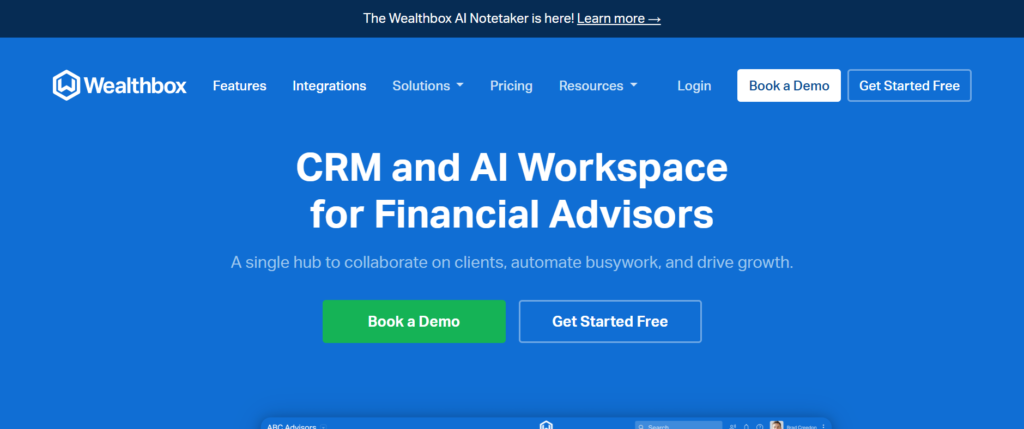
Wealthbox CRM is a highly intuitive platform designed with financial advisors in mind. It offers a user-friendly interface and straightforward functionality, making it ideal for smaller practices or those looking for simplicity without sacrificing essential CRM features. This tool focuses on helping financial advisors efficiently manage their client relationships, organise communications, and streamline administrative tasks.
Key Features:
- Task and Workflow Management: Stay on top of important client interactions, deadlines, and follow-ups with easy-to-manage tasks and workflows.
- Client and Contact Management: Keep track of all client information, including meeting notes, financial data, and personal preferences.
- Secure Messaging: Communicate securely with clients through Wealthbox’s built-in messaging platform, keeping all correspondence within one system.
- Integration with Financial Tools: Seamlessly integrate with popular financial planning and portfolio management software to keep client data connected across platforms.
- Customizable Dashboards: Organise your dashboard to fit your business needs, whether it’s tracking new clients, overdue tasks, or upcoming meetings.
Pros:
- User-Friendly Interface: Wealthbox is known for its simplicity and clean design, making it easy for users to navigate without steep learning curves.
- Affordable Pricing: A budget-friendly option, particularly suitable for solo advisors or small practices looking to manage their clients effectively.
- Excellent Customer Support: Wealthbox offers strong customer support, with resources such as guides and live chat available to help when needed.
Cons:
- Limited Advanced Customisation: While it’s great for small practices, larger firms or those with complex needs may find the customisation options somewhat limiting.
- Fewer Advanced Features: Compared to some other CRMs, Wealthbox lacks some advanced features like in-depth analytics or highly sophisticated reporting.
Pricing:
Wealthbox CRM starts from £40 per user/month, making it an affordable solution for smaller firms or individual financial advisors.
Best For:
Small financial advisory practices or independent advisors who need a straightforward, cost-effective CRM solution with essential features for client management.
Unique Tip:
Leverage Wealthbox’s workflow automation to reduce the time spent on repetitive tasks. Set up recurring tasks for regular check-ins with clients, ensuring you stay connected and proactive without needing to manually track every action.
Verdict:
Wealthbox CRM offers a perfect balance of ease-of-use, functionality, and affordability, making it an excellent choice for small financial advisory firms seeking a straightforward, no-frills CRM.
2. Redtail CRM
Overview:
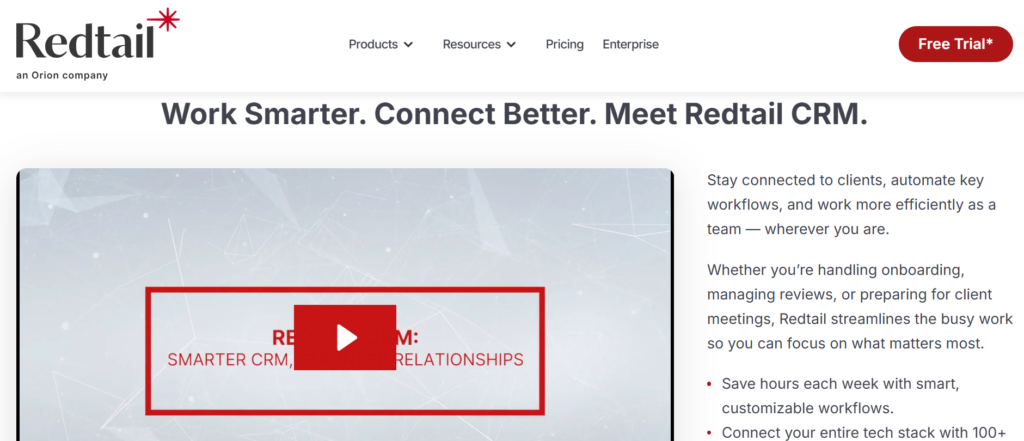
Redtail CRM is a highly flexible and robust CRM designed specifically for financial advisors. Known for its customisation options and comprehensive integration capabilities, Redtail is ideal for mid-sized to large firms that require a more powerful system to manage complex client relationships and workflows. Its cloud-based platform is widely used across the financial services industry and integrates with a broad range of other tools used by financial advisors.
Key Features:
- Customisable Client Management: Redtail allows you to tailor client records and workflows, making it easy to track client information, interactions, and financial goals according to your firm’s specific needs.
- Integrated Financial Tools: Seamlessly integrates with a variety of financial planning, portfolio management, and back-office tools, enabling you to manage all client information in one place.
- Task and Activity Tracking: Organise and monitor tasks and activities, set reminders, and track deadlines to keep you never miss a critical follow-up or client meeting.
- Document Management: Store and manage important client documents securely within the system, ensuring easy access and organisation.
- Reporting and Analytics: Generate custom reports on client data, activities, and business metrics to help you make informed decisions and maintain compliance.
Pros:
- Highly Customisable: Redtail’s customisation options are perfect for advisors who need flexibility in how they track and manage client relationships.
- Strong Integrations: Integrates well with financial planning software, portfolio management systems, and custodians, reducing the need for manual data entry.
- Comprehensive Support and Training: Redtail provides excellent customer support, as well as a library of training materials, making it easier for users to maximise the system’s potential.
Cons:
- Learning Curve: Given its extensive customisation options and range of features, Redtail may take some time to learn, especially for those new to CRMs or coming from simpler platforms.
- Interface Can Be Overwhelming: While the interface is feature-rich, it may feel cluttered to users who prefer a more minimalist design.
Pricing:
Redtail CRM starts from £40 per user/month, offering an affordable solution for firms that need a feature-rich CRM without breaking the bank.
Best For:
Mid-sized financial advisory firms or teams that need a CRM capable of handling a larger client base with specific customisation and integration needs.
Unique Tip:
Take full advantage of Redtail’s reporting capabilities to create customized client performance reports. This can be especially useful when preparing for quarterly reviews or annual meetings, allowing you to provide detailed insights into a client’s financial status.
Verdict:
Redtail CRM is an excellent choice for firms looking for a flexible, comprehensive CRM solution that can scale with their business. With its robust integrations, customisation options, and support resources, it is ideal for larger advisory firms or those requiring more advanced features.
3. Salesforce Financial Services Cloud
Overview:
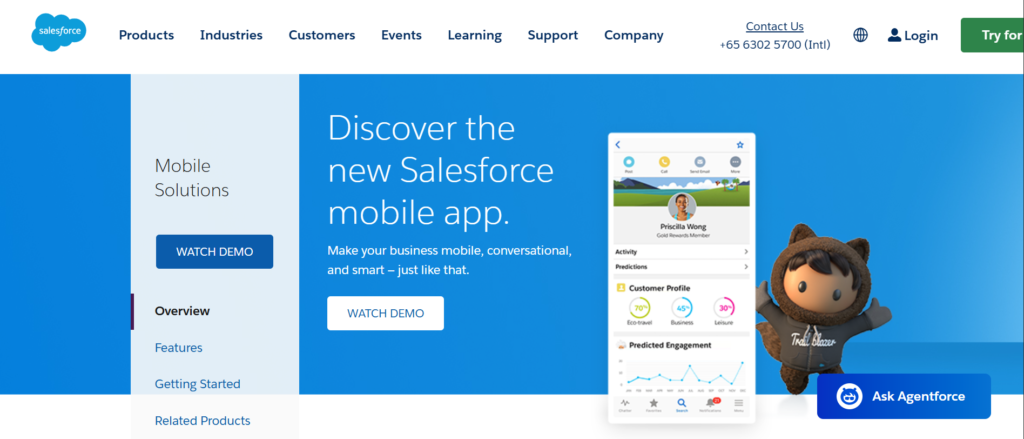
Salesforce Financial Services Cloud is a powerful, enterprise-level CRM designed specifically for financial services firms. It offers comprehensive tools to manage client relationships, streamline business processes, and gain deeper insights into client needs. It’s ideal for larger firms or those looking to deeply integrate their CRM with other business systems. Salesforce provides a fully scalable solution that can grow with your firm.
Key Features:
- 360-Degree Client View: Get a complete view of each client, including their financial accounts, goals, and communication history, all in one place.
- Advanced Reporting and Analytics: Salesforce’s robust reporting tools allow you to generate detailed reports and track client progress, helping you make informed decisions.
- Customisable Dashboards: Create dashboards that show the most important client data and metrics, customized to your needs.
- Collaboration Tools: Salesforce allows seamless collaboration among your team members with built-in messaging, document sharing, and task management.
- Integration Capabilities: Connect seamlessly with a wide variety of financial tools, including portfolio management, financial planning software, and other enterprise applications.
Pros:
- Highly Customisable: Salesforce offers an unparalleled level of customisation, allowing you to build the exact CRM experience that suits your firm’s processes.
- Scalable Solution: Perfect for large firms or growing practices that need a CRM that can scale with their business.
- Strong Analytics and Reporting: Salesforce’s analytics tools offer in-depth insights that can help improve decision-making and business strategies.
Cons:
- High Cost: Salesforce is typically more expensive than other CRM options, which may not make it suitable for smaller firms with tighter budgets.
- Complex Setup: The level of customisation can make the setup process more complicated and time-consuming.
Pricing:
Pricing starts at £150 per user/month, which can vary based on customisation and the size of your firm.
Best For:
Large financial advisory firms or enterprises looking for an advanced CRM with extensive customisation and integration capabilities.
Unique Tip:
Utilise Salesforce’s powerful reporting tools to automate client communication, creating monthly or quarterly reports that are automatically sent to clients, saving time on routine updates.
Verdict:
Salesforce Financial Services Cloud is a top-tier CRM solution for large financial firms that need robust analytics, extensive customisation, and seamless integration with other business systems. While it comes with a hefty price tag, its features make it well worth considering for larger operations.
4. AdvisorEngine
Overview:
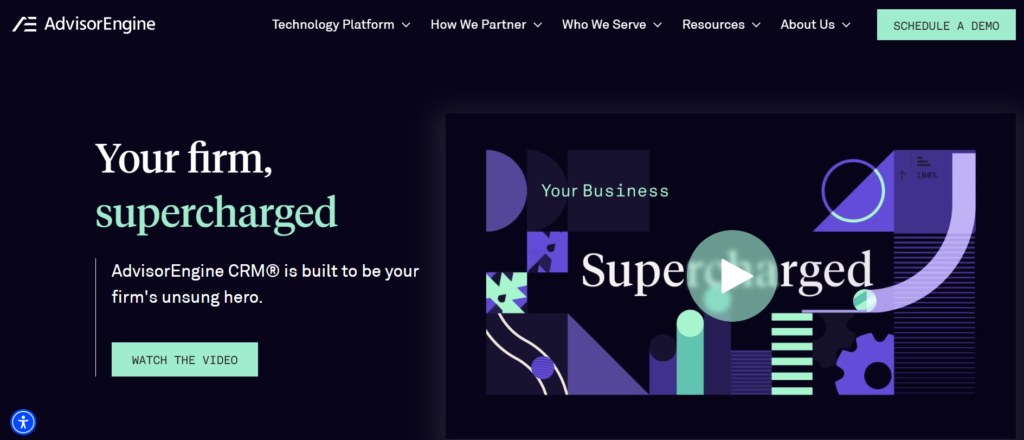
AdvisorEngine is an all-in-one CRM designed for financial advisors, combining CRM functionality with portfolio management and financial planning tools. It’s designed for modern advisory firms that want to simplify their workflows and have everything in one platform. AdvisorEngine’s easy-to-use interface and powerful features make it a great option for firms looking to manage client relationships and portfolios together.
Key Features:
- Comprehensive Client Management: Track all interactions, financial data, and client goals in one centralised location.
- Portfolio Management: Integrated portfolio management features allow you to track and manage clients’ investments and provide personalised advice.
- Financial Planning Tools: Built-in financial planning tools help you assess and create strategies customized to each client’s financial goals.
- Automated Client Communications: Automate key client communication, such as portfolio updates and performance reports, to stay on top of client interactions without the manual effort.
- Integration with Financial Tools: AdvisorEngine integrates with a variety of third-party tools, ensuring that you can work within your existing tech stack.
Pros:
- All-in-One Solution: AdvisorEngine provides a complete package, combining CRM, financial planning, and portfolio management in a single platform.
- Easy-to-Use Interface: The platform is known for its user-friendly interface, making it simple for financial advisors to get started quickly.
- Strong Client Communication Features: Automate important client updates, making it easier to keep clients informed without spending extra time.
Cons:
- Pricing: AdvisorEngine can be pricey, making it a better fit for firms with a larger client base or higher revenue.
- Complex Setup for Some Features: Some of the more advanced financial planning features require setup time and training.
Pricing:
Custom pricing, based on the size and needs of the firm.
Best For:
Financial advisory firms looking for a comprehensive, all-in-one solution for client management, portfolio tracking, and financial planning.
Unique Tip:
Take advantage of AdvisorEngine’s client communication features by automating your quarterly portfolio reviews. This will keep clients are consistently updated without requiring manual effort from your team.
Verdict:
AdvisorEngine is an excellent choice for firms looking for an all-in-one platform to manage clients, portfolios, and financial planning. Its comprehensive features make it ideal for modern advisory firms, though it may be too costly for smaller practices.
5. Junxure CRM
Overview:
Junxure CRM is a comprehensive solution customized for financial advisors that offers powerful features for managing clients, workflows, and tasks. With a focus on increasing productivity and ensuring efficient communication, Junxure is suitable for both individual advisors and larger advisory firms. Its robust customisation capabilities allow it to adapt to various business models.
Key Features:
- Task and Workflow Management: Automate tasks and workflows, ensuring that you never miss important deadlines or follow-ups.
- Customisable Dashboards: Create custom dashboards that display relevant client data and business metrics.
- Client Communication Tools: Store and manage all client communications, including emails, meeting notes, and documents, in one central location.
- Integration with Financial Software: Junxure integrates well with financial planning tools, ensuring seamless data flow between your CRM and other systems.
- Document Management: Securely store and organise client documents within the CRM, making it easy to access important information when needed.
Pros:
- Customisable Workflows: Junxure’s ability to tailor workflows to your firm’s specific needs is one of its strongest features.
- Powerful Task Management: keep that all tasks and deadlines are managed efficiently, helping you maintain organisation and client service.
- Affordable Pricing: Compared to other CRM platforms with similar features, Junxure’s pricing is more accessible for smaller firms.
Cons:
- Outdated User Interface: While functional, Junxure’s user interface may feel dated to some users, especially when compared to more modern CRMs.
- Learning Curve: The extensive features and customisation options can require some time to learn.
Pricing:
Starting from £45 per user/month.
Best For:
Financial advisors who need a CRM focused on workflow management, task tracking, and integration with financial planning tools.
Unique Tip:
Utilise Junxure’s workflow automation to keep track of regular client tasks, such as annual portfolio reviews or quarterly check-ins. This can help keep your advisory team organised and reduce time spent on manual tracking.
Verdict:
Junxure CRM is ideal for advisors looking to improve organisation and client communication. Its customisation and workflow management tools are strong, though the user interface may feel outdated for those used to more modern designs.
6. Morningstar Office
Overview:
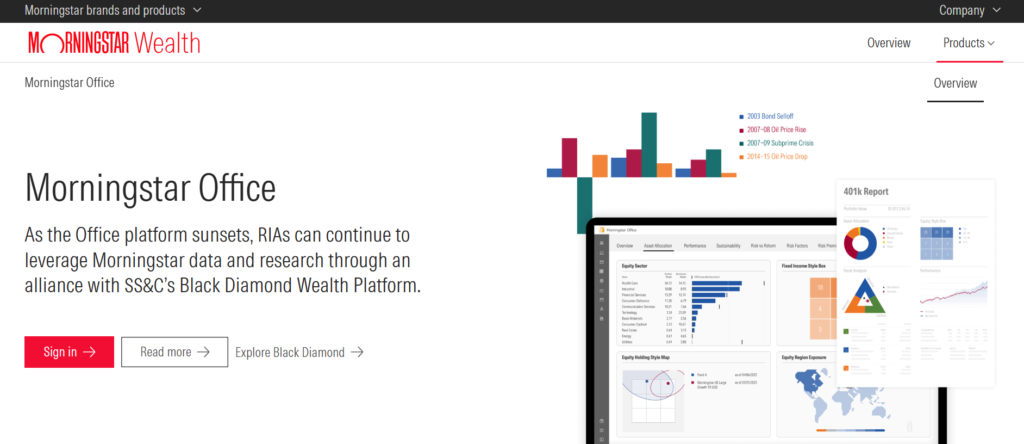
Morningstar Office is a CRM and portfolio management tool built specifically for investment advisors. It combines client relationship management with in-depth portfolio analytics and reporting, providing advisors with all the tools they need to manage their clients’ financial needs effectively. It is particularly well-suited for firms that focus on investments and need a high level of financial data integration.
Key Features:
- Portfolio Management: Manage and track client portfolios with integrated tools that provide performance analytics and detailed reports.
- Client Relationship Management: Track all client interactions and keep records of meetings, emails, and other communications.
- Investment Research: Access Morningstar’s comprehensive research library to inform your client’s investment strategies.
- Custom Reporting: Create custom reports customized to your clients’ needs, allowing you to provide clear, actionable insights.
Pros:
- Comprehensive Investment Tools: Morningstar Office offers in-depth investment tracking and research, making it a great choice for investment-focused advisors.
- Custom Reporting Features: Ability to generate customized client reports keeps that clients receive personalised insights.
- User-Friendly Interface: Known for a relatively easy-to-use interface, even for new users.
Cons:
- Limited CRM Features: While it excels in portfolio management, Morningstar Office’s CRM capabilities may not be as robust as other platforms.
- High Pricing: The platform is more expensive than some other CRMs, making it more suitable for larger firms.
Pricing:
Starting from £100 per user/month.
Best For:
Advisory firms that focus on investment management and need detailed portfolio analytics and reporting.
Unique Tip:
Make use of Morningstar’s comprehensive research tools to provide clients with investment recommendations backed by industry-leading data.
Verdict:
Morningstar Office is perfect for advisors who need robust portfolio management and reporting tools alongside basic CRM functionality. However, its cost and specialised focus may make it less suitable for firms with broader needs.
7. Zoho CRM
Overview:
Zoho CRM is a versatile and affordable solution for financial advisors looking for a simple yet effective platform. It provides an easy-to-use interface with powerful features that allow you to track client interactions, automate tasks, and manage sales progress. It’s a great option for smaller firms or those just starting to implement a CRM system.
Key Features:
- Lead and Deal Management: Track leads and client deals through an intuitive sales progress, helping you manage client relationships from initial contact through to conversion.
- Automation Tools: Automate client communication, task assignments, and reminders to keep timely follow-ups and smooth processes.
- Analytics and Reporting: Get insights into client data and business performance with Zoho’s built-in analytics tools.
- Email Integration: Integrate email accounts with the CRM, making it easier to track and manage client communications.
- Customization Options: Customise Zoho CRM to fit the specific needs of your firm, from fields and layouts to reports and workflows.
Pros:
- Affordable: Zoho CRM is a cost-effective solution for small to mid-sized financial advisory firms.
- Ease of Use: The platform’s user-friendly interface is easy to navigate, even for users with little CRM experience.
- Flexible Features: The ability to customise Zoho CRM allows you to tailor the platform to your firm’s specific requirements.
Cons:
- Limited Advanced Features: Zoho CRM may lack some of the advanced features found in more specialised financial advisory CRMs.
- Support Issues: Some users have reported slower response times from customer support.
Pricing:
Starting from £12 per user/month.
Best For:
Smaller financial advisory firms or independent advisors looking for a budget-friendly CRM solution.
Unique Tip:
Take advantage of Zoho’s workflow automation to keep follow-up tasks, such as scheduling client reviews or sending portfolio updates, are completed on time.
Verdict:
Zoho CRM is an excellent choice for financial advisors who need an affordable, user-friendly platform to manage client relationships and automate key processes. While it may lack some advanced features, it’s a great option for those on a budget.
8. HubSpot CRM
Overview:
HubSpot CRM is a widely used, free CRM platform that offers a robust set of features to financial advisors. It’s designed to simplify client management, marketing, and sales processes while integrating seamlessly with other HubSpot tools. HubSpot CRM is ideal for financial advisors who need an easy-to-use CRM with powerful automation and reporting capabilities.
Key Features:
- Contact Management: Easily track client interactions, meeting notes, emails, and communications in one place.
- Progress Management: Use a visual progress to track clients and prospects, making it easy to manage your sales and advisory processes.
- Email Tracking and Automation: Automate email sequences and track client email interactions to improve communication efficiency.
- Reporting and Analytics: HubSpot CRM provides a detailed dashboard with insightful reports that help you understand your client engagement and sales activities.
- Seamless Integration: Integrates with other HubSpot tools, as well as a variety of third-party applications, to create a more comprehensive workflow.
Pros:
- Free Plan Available: HubSpot CRM’s free version provides many features suitable for small firms or individual advisors.
- User-Friendly: The interface is intuitive and easy to navigate, making it ideal for those new to CRM systems.
- Strong Integration Options: HubSpot integrates well with a range of other software, making it easy to incorporate into your existing workflows.
Cons:
- Limited Features on Free Plan: While the free version is robust, some features, such as advanced reporting, are locked behind paid plans.
- Limited Financial Planning Tools: HubSpot CRM is more focused on general client management and may not have the in-depth financial features that financial advisors need.
Pricing:
Free plan available. Paid plans start from £45 per user/month.
Best For:
Small financial advisory firms or independent advisors who need a cost-effective CRM with basic features, plus the ability to scale with paid plans.
Unique Tip:
Utilise HubSpot’s marketing automation tools to nurture leads and stay in touch with clients. Set up automated email sequences to send updates on market changes or portfolio performance.
Verdict:
HubSpot CRM is perfect for financial advisors seeking a user-friendly and cost-effective CRM. While it doesn’t offer deep financial planning tools, it excels in client management and integration capabilities.
9. NexJ CRM
Overview:
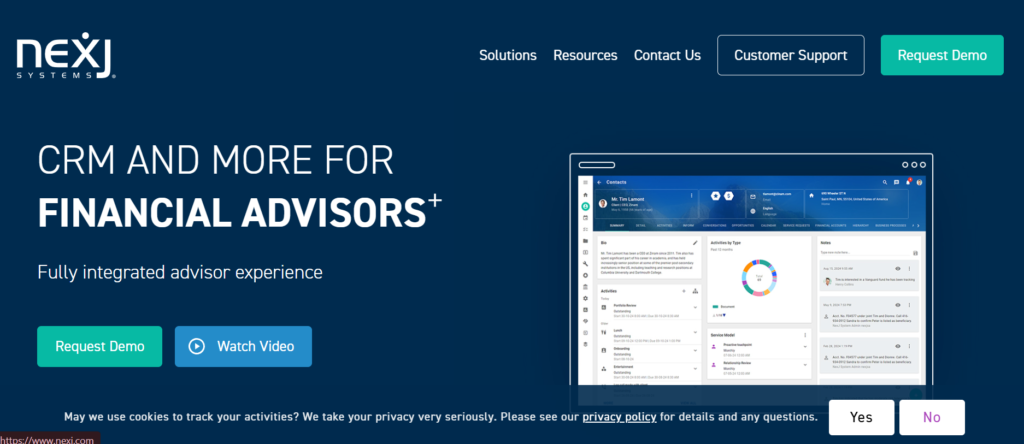
NexJ CRM is an enterprise-level CRM solution designed specifically for financial services. It helps firms manage client relationships, improve engagement, and maintain regulatory compliance. NexJ offers a sophisticated platform that combines CRM with data analytics, making it ideal for larger firms or those with more complex client management needs.
Key Features:
- 360-Degree Client View: Access a comprehensive view of client interactions, financial data, and preferences all in one place.
- Integrated Financial Data: NexJ CRM allows for seamless integration with financial planning and portfolio management tools, providing a complete financial picture.
- Advanced Analytics: In-depth analytics tools help advisors assess client behaviour, identify opportunities, and make informed decisions.
- Client Segmentation: Segment clients based on various criteria, enabling personalised engagement and targeted marketing efforts.
- Compliance Features: Built with compliance in mind, NexJ helps firms maintain industry standards and regulations.
Pros:
- Enterprise-Level Solution: Suitable for large firms that need a comprehensive CRM solution with advanced capabilities.
- Strong Integration: Integrates well with a wide variety of financial tools, making it easy to manage all aspects of client relationships.
- Advanced Data and Analytics: Provides valuable insights to help improve client relationships and gain business success.
Cons:
- High Cost: NexJ CRM is more expensive than other solutions, making it more appropriate for larger firms.
- Complex Implementation: Due to its sophisticated features, implementation can take time and may require dedicated resources.
Pricing:
Custom pricing based on firm size and requirements.
Best For:
Large advisory firms or enterprises looking for a robust, highly integrated CRM with advanced data analytics and compliance tools.
Unique Tip:
Use NexJ’s advanced analytics to identify trends in client behaviour and proactively address any concerns before they become major issues.
Verdict:
NexJ CRM is a powerful CRM for large firms that require a comprehensive solution to manage client relationships and keep compliance. However, it may be out of reach for smaller firms due to its high cost.
10. eMoney Advisor

Overview:
eMoney Advisor is a CRM that combines comprehensive client management with powerful financial planning tools. It’s particularly well-suited for financial advisors who need to integrate financial planning with client relationship management. eMoney Advisor helps firms keep track of clients’ financial goals, provide real-time data, and keep they’re meeting their objectives.
Key Features:
- Financial Planning Tools: Built-in financial planning capabilities allow you to create and track clients’ financial goals and investment strategies.
- Client Portal: Offers clients a secure, interactive portal where they can view their financial plans, portfolios, and documents.
- Real-Time Data: Provides access to real-time financial data, so clients can stay informed of their financial progress.
- Document Management: Secure document sharing and storage within the CRM keeps that all client documents are organised and easily accessible.
- Reporting and Analytics: Create detailed reports for clients that track their financial goals, portfolios, and any other critical data points.
Pros:
- Comprehensive Financial Planning Tools: eMoney Advisor excels at integrating financial planning and CRM, allowing you to manage both in one platform.
- Client Portal: Provides clients with a secure portal where they can access key information, making it easier to communicate and collaborate.
- Real-Time Access to Data: Having up-to-date financial information helps you provide timely advice and stay on top of client needs.
Cons:
- Expensive: eMoney Advisor can be on the pricier side, making it less ideal for smaller firms or independent advisors.
- Learning Curve: The platform’s extensive features may require time to learn, especially for advisors new to financial planning tools.
Pricing:
Custom pricing based on firm size and features required.
Best For:
Financial advisors who need an integrated solution for both CRM and financial planning, especially for firms with a higher client volume.
Unique Tip:
Take advantage of eMoney Advisor’s real-time data capabilities to keep clients updated on their portfolios and provide timely financial advice when needed.
Verdict:
eMoney Advisor is an excellent choice for firms looking for a CRM that integrates financial planning tools with client relationship management. While it’s an investment, its comprehensive features make it ideal for firms that focus on delivering detailed, customized financial advice.
11. WealthCare Advisors

Overview:
WealthCare Advisors offers a comprehensive suite of tools for financial advisors, focusing on financial planning and client engagement. This CRM is designed to help advisors provide detailed, goal-oriented financial planning, offering a high level of personalisation and ease of use.
Key Features:
- Financial Goal Tracking: WealthCare Advisors helps track and manage clients’ financial goals, making it easier to monitor progress and suggest adjustments.
- Client Portal: Clients can access their financial information securely, including goal progress, portfolio performance, and planning documents.
- Comprehensive Financial Planning: Helps advisors provide in-depth financial plans, including budgeting, investment strategies, retirement planning, and more.
- Document Management: Securely store and share financial documents within the platform, ensuring easy access for both advisors and clients.
Pros:
- Strong Focus on Financial Planning: Ideal for advisors who want to provide detailed and personalised financial planning.
- Easy-to-Use: Simple interface that doesn’t overwhelm users, making it easy to get started.
- Comprehensive Client Engagement: The client portal encourages active client participation in their financial planning.
Cons:
- Limited CRM Features: It’s a bit focused on financial planning, so its CRM capabilities are somewhat secondary compared to more comprehensive CRMs.
- Pricing: WealthCare Advisors tends to be on the more expensive side.
Pricing:
Custom pricing based on the size of the firm.
Best For:
Advisory firms focused on providing goal-based financial planning for clients, especially those who prefer a deeper level of client engagement.
Unique Tip:
Leverage the financial goal tracking features to automate quarterly reviews with clients, ensuring that they’re regularly updated on their progress and any necessary adjustments.
Verdict:
WealthCare Advisors is excellent for firms prioritising financial planning. It might not be ideal for firms needing advanced CRM functionality, but it’s a solid option for those focused on providing detailed, goal-oriented services.
12. Financial Planning Software by MoneyGuidePro

Overview:
MoneyGuidePro is an advanced financial planning software that integrates CRM functions, making it a great choice for advisors focused on long-term, goal-based financial planning. It’s designed to simplify the financial planning process and improve client interactions.
Key Features:
- Comprehensive Financial Planning Tools: Provides tools to create, track, and adjust detailed financial plans.
- Client Interaction Tracking: Helps track client communications and interactions within the system.
- Goal-Based Planning: Allows advisors to set, track, and manage client goals, providing actionable insights for adjustments.
- Customisable Reports: Generate detailed, customisable financial reports for clients to monitor their financial journey.
Pros:
- Integrated Financial Planning: Focuses on helping financial advisors provide detailed, goal-based advice.
- Easy-to-Use: Simplifies the financial planning process, making it accessible to advisors with varying levels of experience.
- Flexible Reports: Customisable reporting options that can cater to different client needs.
Cons:
- Pricing: On the expensive side, particularly for smaller practices.
- Limited CRM Features: It’s primarily a financial planning tool, so its CRM capabilities may not be as robust as other options.
Pricing:
Custom pricing based on the size of the firm.
Best For:
Advisors focused on creating long-term financial plans with detailed, goal-based strategies for their clients.
Unique Tip:
Use MoneyGuidePro’s goal-based features to create personalised, long-term financial strategies for each client. This will help you position your firm as a trusted partner in their financial journey.
Verdict:
MoneyGuidePro is a fantastic tool for financial advisors who want to focus on goal-based financial planning. While its CRM features are limited, its planning capabilities make it a top choice for firms prioritising detailed financial advice.
13. Praemium

Overview:
Praemium is an integrated portfolio management and CRM system designed for financial advisors. It provides a range of investment tools and client management features, making it easier for firms to track investments, manage portfolios, and engage clients.
Key Features:
- Integrated Portfolio Management: Praemium allows advisors to manage portfolios, track performance, and make adjustments directly within the system.
- Client Relationship Management: Manage client data, track interactions, and monitor ongoing communications.
- Reporting and Analytics: Provides detailed investment reports and analytics to share with clients, helping them stay informed about their portfolio performance.
- Document Storage: Securely store and manage client documents, ensuring they’re easily accessible when needed.
Pros:
- Investment-Focused: Great for advisors who manage investment portfolios and need robust portfolio tracking tools.
- Client Engagement: The platform’s reporting tools and client management features enhance advisor-client communication.
- Comprehensive Reporting: Detailed reports help you keep clients informed and engaged.
Cons:
- Specialised Focus: Primarily designed for investment advisors, so it may not have all the features needed for firms that focus more on financial planning.
- Learning Curve: Some users may find it difficult to navigate due to its specialised features.
Pricing:
Custom pricing based on firm needs.
Best For:
Advisory firms that manage client investments and need a CRM system with integrated portfolio management and reporting.
Unique Tip:
Use Praemium’s reporting tools to create personalised investment performance reviews for clients, ensuring they feel confident in the performance of their portfolios.
Verdict:
Praemium is ideal for investment-focused financial advisory firms. While it’s excellent for portfolio management, it may not suit firms that require a more comprehensive CRM with a wider range of features.
14. Xplan CRM

Overview:
Xplan is a comprehensive CRM and financial planning platform that offers an integrated solution for managing clients, portfolios, and financial plans. It’s used by many financial advisory firms around the world for its all-in-one approach.
Key Features:
- Financial Planning Tools: Xplan’s integrated tools allow advisors to create detailed financial plans, including retirement, investment, and estate planning.
- Client Management: Centralised client information allows advisors to manage relationships and track communication.
- Workflow Management: Organise tasks, appointments, and deadlines with Xplan’s workflow tools.
- Customisable Reports: Generate custom financial reports customized to each client’s specific needs.
Pros:
- Comprehensive Financial Planning: Offers a wide range of tools for financial planning, making it a great choice for firms that focus on providing holistic advice.
- Customisation: Xplan’s customisation options allow it to be customized to the specific needs of the advisory firm.
- Strong Integration: Integrates well with other financial tools and platforms.
Cons:
- Expensive: Xplan can be quite costly, making it more suitable for larger firms with a greater budget.
- Complex to Set Up: Due to its range of features, it may take time to implement and customise effectively.
Pricing:
Custom pricing based on firm size and requirements.
Best For:
Advisory firms looking for an all-in-one solution for client management, financial planning, and portfolio tracking.
Unique Tip:
Take advantage of Xplan’s integrated financial planning tools to create comprehensive plans that include multiple aspects of a client’s financial life. This will help you provide more value in your advisory services.
Verdict:
Xplan is a powerful and comprehensive tool for firms that need both CRM and financial planning capabilities. While it’s expensive and has a steep learning curve, it’s perfect for larger advisory firms that need an all-in-one solution.
15. Intelliflo
Overview:
Intelliflo is a CRM system focused on financial advisors, offering tools that help manage client relationships, improve efficiency, and keep regulatory compliance. It provides a flexible platform for managing both client data and workflow processes.
Key Features:
- Client Management: Easily track client information, interactions, and meeting notes, all in one place.
- Workflow Management: Automate tasks, reminders, and follow-ups, ensuring that nothing slips through the cracks.
- Regulatory Compliance: Helps keep that all client interactions and documentation are compliant with relevant financial regulations.
- Custom Reporting: Generate custom reports that offer insight into client data, interactions, and business performance.
Pros:
- Focus on Compliance: Intelliflo’s strong compliance features make it ideal for firms that need to adhere to financial regulations.
- Customisable Workflow: The platform’s workflow management tools allow you to automate and streamline your processes.
- Scalable Solution: Suitable for both small and large firms due to its scalability.
Cons:
- Limited Financial Planning Tools: While Intelliflo offers solid CRM features, its financial planning tools are not as advanced as some other platforms.
- User Interface: The platform can feel a bit outdated, which might affect the user experience.
Pricing:
Custom pricing based on the firm’s needs.
Best For:
Firms that require a CRM solution with strong compliance and workflow management features, but don’t need in-depth financial planning tools.
Unique Tip:
Leverage Intelliflo’s workflow automation to streamline your client onboarding process and reduce administrative overhead.
Verdict:
Intelliflo is a great CRM for firms that focus on compliance and client relationship management. While it’s not as feature-rich in financial planning, it’s an excellent option for firms that need a straightforward CRM solution with compliance features.
16. Salesforce Essentials
Overview:
Salesforce Essentials is a scaled-down version of Salesforce’s powerful CRM platform, designed for small to medium-sized businesses. It provides essential CRM functionalities, such as client tracking, sales progress management, and integration with other tools.
Key Features:
- Client and Contact Management: Easily track and manage client information, interactions, and follow-up tasks.
- Sales progress Management: Visualise your sales progress and track client progress through different stages.
- Reporting and Analytics: Salesforce Essentials offers basic reporting features to help advisors track performance and client engagement.
- Mobile Access: Access your CRM data on the go with Salesforce’s mobile app.
Pros:
- User-Friendly Interface: Easy to use, even for those new to CRM systems.
- Scalability: Salesforce Essentials can grow with your firm, offering the option to scale up to more advanced Salesforce products as needed.
- Strong Integrations: Integrates with a wide range of tools, including other Salesforce products and third-party applications.
Cons:
- Basic Features: While Salesforce Essentials is affordable, it lacks some of the more advanced features of Salesforce’s full suite.
- Pricing Can Add Up: While the initial cost is low, the costs can increase as you add more features or users.
Pricing:
Starting at £25 per user/month.
Best For:
Small to medium-sized firms looking for an affordable yet scalable CRM solution.
Unique Tip:
Use Salesforce Essentials’ progress management tools to track new clients and prospects, ensuring timely follow-ups and optimising client acquisition efforts.
Verdict:
Salesforce Essentials is an excellent choice for small firms or growing practices. It provides solid CRM features at an affordable price and can scale as your business grows.
17. Insightly
Overview:
Insightly is a cloud-based CRM designed for businesses that need to manage both client relationships and projects. It offers robust project management features, making it an ideal choice for advisory firms that need to track both client data and ongoing projects.
Key Features:
- Client Relationship Management: Track client information and interactions across multiple channels.
- Project Management: Insightly integrates project management tools, so you can track client projects, goals, and deadlines.
- Reporting and Analytics: Generate detailed reports on client data, project status, and business performance.
- Task Management: Organise tasks and workflows to keep nothing is overlooked.
Pros:
- Project Management Integration: Perfect for advisory firms that manage ongoing client projects alongside relationships.
- Ease of Use: The platform is intuitive and easy to set up, making it accessible for businesses new to CRM systems.
- Affordable Pricing: Insightly offers competitive pricing for smaller firms or independent advisors.
Cons:
- Limited Financial Tools: While it offers strong CRM and project management features, it lacks specialised financial planning tools.
- Customisation Limits: The level of customisation may not be sufficient for firms with more complex needs.
Pricing:
Starting at £15 per user/month.
Best For:
Advisory firms that need both CRM and project management tools to track client projects and interactions.
Unique Tip:
Use Insightly’s project management tools to track financial planning projects and keep that all milestones and deadlines are met.
Verdict:
Insightly is an affordable CRM solution for firms that require project management capabilities in addition to client relationship management. However, it may not be the best fit for firms looking for in-depth financial planning tools.
18. Breezeful CRM

Overview:
Breezeful CRM is focused on security and simplifying client management processes for financial advisors. Its primary feature is client data security, making it ideal for firms that need to keep compliance with industry regulations and securely manage client information.
Key Features:
- Data Security: Focus on encryption and secure storage of sensitive client data.
- Client Management: Track all client communications and data in one place.
- Regulatory Compliance: Built-in compliance tools to help firms adhere to industry regulations.
- Document Management: Securely store and share documents with clients.
Pros:
- Strong Security Features: Perfect for firms that handle sensitive financial data and need to comply with regulatory requirements.
- Ease of Use: Simple and intuitive design for easy navigation.
Cons:
- Limited Functionality: Lacks some of the more advanced CRM features found in larger platforms.
- No Financial Planning Tools: It’s more of a general CRM and doesn’t offer specialised financial planning tools.
Pricing:
Custom pricing based on the size of the firm.
Best For:
Firms that need a CRM focused on security and compliance, particularly in highly regulated environments.
Unique Tip:
Use Breezeful CRM’s secure document sharing capabilities to facilitate easy and compliant communication with clients about sensitive financial topics.
Verdict:
Breezeful CRM is a solid choice for firms needing enhanced security features and regulatory compliance, but it may not offer the advanced features required by firms focused on financial planning.
19. CashFlow Manager
Overview:
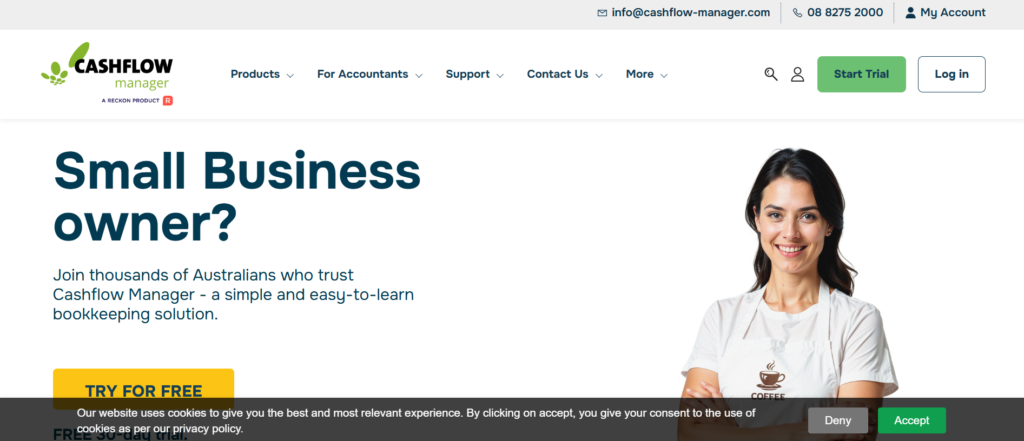
CashFlow Manager is a financial management and CRM tool designed to help firms track client finances and expenses. It offers budgeting, cash flow tracking, and reporting features, making it useful for financial advisors that help clients manage day-to-day finances.
Key Features:
- Cash Flow Tracking: Monitor and manage clients’ income and expenses.
- Budgeting Tools: Create budgets for clients to help them stay on track with financial goals.
- Expense Reporting: Generate reports that show where clients’ money is being spent.
- Client Data Management: Track important client details and financial data in one place.
Pros:
- Simple Financial Management Tools: Ideal for clients who need help managing everyday finances.
- Affordable: Very cost-effective, especially for smaller practices or independent advisors.
Cons:
- Limited Advanced Features: CashFlow Manager lacks the advanced financial planning and portfolio management tools found in other CRMs.
- Not for Larger Firms: More suitable for smaller firms or those that focus on basic financial management.
Pricing:
Starting at £20 per month.
Best For:
Advisory firms that focus on helping clients manage personal finances and budgeting.
Unique Tip:
Use CashFlow Manager’s expense tracking features to help clients set realistic budgeting goals, making it easier for them to stay on track with their financial objectives.
Verdict:
CashFlow Manager is an excellent, budget-friendly tool for advisors focusing on everyday financial management and cash flow tracking. However, it may not be suitable for firms that need more comprehensive financial planning tools.
20. ClientLook

Overview:
ClientLook is a CRM built for financial advisors, with a focus on relationship management and business development. It integrates client data with other financial systems to give advisors a clear view of client interactions and business performance.
Key Features:
- Client Interaction Tracking: Track all client interactions, including emails, meetings, and calls.
- Business Development Tools: Tools designed to help grow and develop client relationships over time.
- Document Management: Store important documents related to clients, including financial reports, statements, and legal documents.
- Integration with Financial Tools: Seamlessly integrates with financial software like portfolio management systems and planning tools.
Pros:
- Strong Client Relationship Tools: Perfect for advisors who want to focus on building strong, long-term relationships with clients.
- Easy-to-Use Interface: Simple design and workflow that makes the platform easy to navigate.
- Affordable: Reasonably priced for smaller firms and independent advisors.
Cons:
- Limited Financial Planning Tools: ClientLook is focused more on client management than financial planning.
- Basic Reporting: Reporting tools are less advanced compared to other more specialised platforms.
Pricing:
Starting at £40 per month.
Best For:
Advisory firms that focus on managing and developing strong client relationships.
Unique Tip:
Leverage ClientLook’s business development tools to help deepen your client relationships by scheduling regular check-ins and progress reviews.
Verdict:
ClientLook is a great CRM for financial advisors who want to manage relationships and improve client engagement. However, it may not offer the more advanced features needed by firms focused on financial planning.
Conclusion: Empowering Your Financial Advisory Practice with the Right CRM
Choosing the right CRM for your financial advisory practice is more than just a tool for client management—it’s an integral part of your business strategy. By utilising the best CRMs, such as Wealthbox CRM, Redtail CRM, and Salesforce Financial Services Cloud, you can improve client relationships, streamline your operations, and keep your firm’s continued success.
Remember to look for a CRM that not only meets your immediate needs but also allows you to scale as your practice expands. Whether you’re just starting out or managing a large firm, there’s a CRM solution that can help you manage clients, increase efficiency, and stay ahead of the competition.
Choosing Pearl Lemon Sales CRM for Your Financial Advisory Firm
At Pearl Lemon Sales, we understand that financial advisors face unique challenges when it comes to managing client relationships, ensuring regulatory compliance, and streamlining business processes. That’s why our CRM solutions are designed with financial professionals in mind, offering the tools you need to manage client data, enhance communication, and optimise your workflow—all while keeping sensitive information secure.
By choosing Pearl Lemon Sales CRM, you can access a comprehensive, user-friendly system that integrates with financial planning tools, provides automated client communications, and keeps you’re always in compliance with industry standards. Whether you’re an independent advisor or part of a larger firm, our CRM solutions can scale with your business, helping you focus on what truly matters—delivering excellent service and sound financial advice to your clients.
If you’re looking to streamline your practice, improve client relationships, and grow your advisory firm, Pearl Lemon Sales CRM is the perfect partner for your business. Our team is committed to providing the support and resources you need to get the most out of our platform, ensuring you achieve your firm’s goals efficiently and effectively.
Frequently Asked Questions
1. What makes this CRM solution ideal for financial advisors?
This CRM solution is customized specifically for financial advisors, with features designed to manage client relationships, streamline financial planning, and keep compliance with industry regulations. It allows advisors to easily manage portfolios, track communications, and automate tasks.
2. How does the CRM help financial advisors stay compliant with regulations?
The CRM keeps compliance by offering secure data management, audit trails, and integration with financial tools that adhere to industry standards. It also features automatic reminders for regulatory tasks, helping financial advisors maintain compliance effortlessly.
3. Can this CRM integrate with my existing financial tools?
Yes, the CRM integrates seamlessly with a wide range of financial planning and portfolio management tools, allowing advisors to manage client data and financial plans in one place, reducing the need for manual data entry.
4. Is this CRM suitable for small financial advisory firms?
Absolutely the CRM is scalable, offering a range of features that cater to both small and large firms. Smaller practices benefit from its intuitive interface, affordability, and core CRM functionalities, while larger firms can take advantage of advanced features and customisation options.
5. How does this CRM improve client communication for financial advisors?
The CRM helps financial advisors maintain regular and secure communication with clients through automated email workflows, secure messaging platforms, and client portals. Advisors can send personalised reports, track communication history, and keep timely follow-ups.
6. Does this CRM offer task and workflow management?
Yes, this CRM includes robust task and workflow management features, allowing advisors to set reminders, automate recurring tasks, and track client meetings and follow-ups, ensuring that nothing is missed and administrative burdens are reduced.
7. Can I track client goals and progress using this CRM?
Yes, this CRM offers tools to track client goals, financial milestones, and portfolio performance. Advisors can create custom financial plans and monitor progress toward each client’s specific objectives, making it easier to adjust strategies when necessary.
8. How secure is my data with this CRM?
Data security is a top priority with this CRM. It uses industry-standard encryption and secure data storage to keep that all client information is protected. Advisors can trust that sensitive financial data is stored safely and complies with data protection regulations.
9. Can I generate reports using this CRM?
Yes, the CRM allows financial advisors to generate detailed reports on client activities, portfolio performance, and overall business metrics. These reports can be customised to meet the needs of each client or for internal business reviews.
10. How easy is it to implement this CRM in my firm?
This CRM is designed to be easy to implement with minimal disruption to your practice. It offers user-friendly interfaces, straightforward setup guides, and dedicated support to keep a smooth transition and quick adoption.