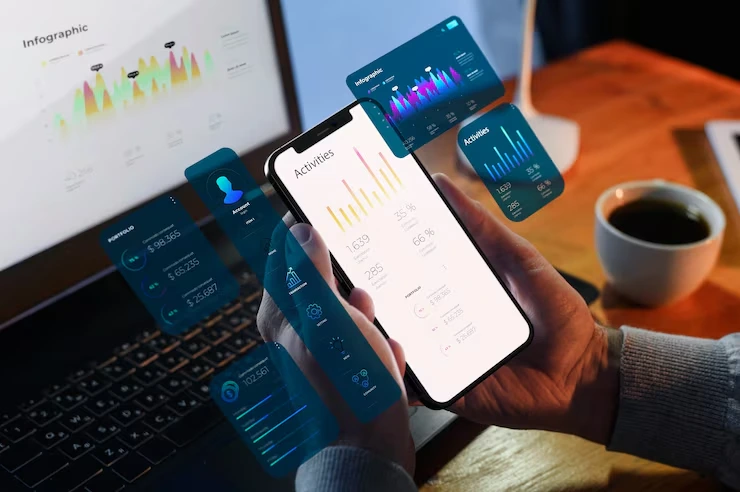
In the fast-paced world of sales, staying connected with customers and managing relationships efficiently is crucial for success. For modern salespeople, having the right CRM (Customer Relationship Management) mobile app can make a significant difference in productivity. A CRM mobile app allows sales professionals to manage leads, track interactions, monitor sales progress, and access key customer data, all from the palm of their hand.
Whether you’re managing a small team or working independently, the right mobile CRM can streamline your processes, helping you close deals faster and stay ahead of the competition. But with so many options available, how do you know which one is the best fit for your needs? In this guide, we’ll explore some of the top CRM mobile apps that are customized to support salespeople in 2026.
What Are the Best CRM Mobile Apps for Salespeople?
In the competitive world of sales, staying organised and connected is key to success. A CRM (Customer Relationship Management) system is the foundation for building stronger relationships with clients, streamlining communication, and automating workflows. With salespeople always on the move, CRM mobile apps have become a necessity for accessing crucial information and managing customer relationships from anywhere.
The best CRM mobile apps not only allow salespeople to track leads and sales opportunities in real-time, but also offer integrations with email, calendars, social media, and other tools that help sales teams stay connected. Additionally, features like automated reminders, task management, and reporting tools are built into these apps to make sales processes more efficient.
When selecting a CRM mobile app, it’s important to consider your business size, budget, and the specific needs of your sales process. Some CRMs are customized for large enterprises, while others are designed to be more cost-effective for smaller teams. The best CRM apps will allow you to easily manage customer data, track conversations, set reminders for follow-ups, and even analyse your sales performance on the go.
Here, we’ll compare 20 of the most popular CRM mobile apps for salespeople in 2026. From well-known giants like Salesforce to emerging players like Zoho and Pipedrive, these tools are all designed to help you stay organised and productive while out in the field.
Comparison Table: 20 Best CRM Mobile Apps for Salespeople in 2026
| CRM App | Best For | Starting Price | Free Trial? | Rating |
| Salesforce Mobile | Large teams, enterprises, customisation | £25/user/month | Yes | 4.5/5 |
| HubSpot CRM | Small to medium-sized businesses, ease of use | Free (basic), £38/user/month (paid plans) | Yes | 4.7/5 |
| Zoho CRM | SMBs, budget-friendly, customisation | Free for 3 users, £10/user/month (paid) | Yes | 4.4/5 |
| Pipedrive | Salespeople needing simple progress management | £12/user/month | Yes | 4.3/5 |
| Freshsales | Teams looking for AI-powered insights | £12/user/month | Yes | 4.6/5 |
| Microsoft Dynamics 365 | Large teams, enterprise-level CRM | £40/user/month | Yes | 4.4/5 |
| Insightly | Small businesses, project management | Free for 2 users, £8/user/month (paid) | Yes | 4.2/5 |
| Monday.com | Teams seeking project and CRM integration | £8/user/month | Yes | 4.5/5 |
| Nimble | SMBs, contact management | £14.99/user/month | Yes | 4.3/5 |
| Copper CRM | Teams using Google Workspace | £19/user/month | Yes | 4.6/5 |
| SugarCRM | Customisation and automation for enterprises | £39/user/month | Yes | 4.2/5 |
| Apptivo CRM | SMBs, affordable CRM solutions | Free for 1 user, £8/user/month (paid) | Yes | 4.1/5 |
| Close CRM | Sales teams focusing on productivity | £25/user/month | Yes | 4.4/5 |
| Zendesk Sell | Sales teams requiring a unified platform | £19/user/month | Yes | 4.3/5 |
| Vtiger CRM | Sales and marketing integration | Free for 3 users, £9/user/month (paid) | Yes | 4.3/5 |
| Bitrix24 | Teams needing all-in-one collaboration | Free for 12 users, £15/user/month (paid) | Yes | 4.1/5 |
| Progress Deals | Sales teams need deal tracking | £25/user/month | Yes | 4.3/5 |
| Streak CRM | Salespeople working within Gmail | Free for basic, £15/user/month (paid) | Yes | 4.2/5 |
| Agile CRM | SMBs looking for simplicity and efficiency | Free for 10 users, £7.99/user/month (paid) | Yes | 4.0/5 |
| Flowlu CRM | Small businesses needing financial integration | £24/user/month | Yes | 4.1/5 |
Here’s a list of the 20 Best CRM Mobile Apps for Salespeople in 2026:
- Salesforce Mobile
- HubSpot CRM
- Zoho CRM
- Pipedrive
- Freshsales
- Microsoft Dynamics 365
- Insightly
- Monday.com
- Nimble
- Copper CRM
- SugarCRM
- Apptivo CRM
- Close CRM
- Zendesk Sell
- Vtiger CRM
- Bitrix24
- progressDeals
- Streak CRM
- Agile CRM
- Flowlu CRM
1. Salesforce Mobile
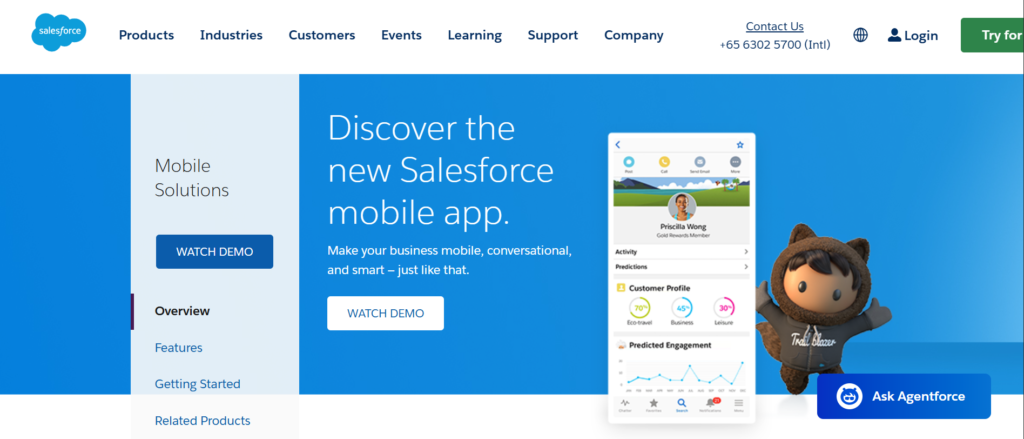
Salesforce is one of the most widely recognised names in CRM software, and its mobile app extends the power of Salesforce to your smartphone or tablet. This CRM platform offers a suite of tools designed to help salespeople manage their leads, track opportunities, and gain insights into their sales processes. Salesforce’s mobile app is ideal for larger teams or enterprises that require a highly customisable CRM solution.
Key Features
- Customisable Dashboards: Salespeople can create dashboards that provide a snapshot of their most important metrics, helping them stay on top of deals and customer interactions.
- Real-Time Updates: Get instant updates on deals and customer interactions so you can respond quickly and make informed decisions.
- Integration with Popular Apps: Salesforce integrates seamlessly with Gmail, Office 365, and other commonly used apps, providing a streamlined workflow.
- AI and Automation: Salesforce uses AI-powered tools like Einstein to automate tasks, making it easier to manage customer relationships without the need for constant manual input.
- Sales Forecasting and Reporting: The mobile app allows for detailed sales reporting and forecasting, giving you a clear view of your sales progress and performance.
Pros & Cons
| Pros | Cons |
| Customisable to fit business needs | Can be overwhelming for new users |
| Access to powerful features on mobile | High cost for small teams or individuals |
| Advanced AI-driven insights | Steep learning curve for full use |
| Excellent integration with other tools | Expensive for smaller businesses |
Pricing
Salesforce Mobile starts at £25 per user per month for the Essentials plan, with additional costs for higher-tier features like AI-driven insights and advanced analytics.
Best For
Salesforce is best suited for larger teams or enterprises that need a scalable CRM solution with extensive customisation options. Its powerful features and integrations are a perfect fit for organisations with complex sales processes.
Unique Tip/Hack
Leverage Salesforce’s AI-powered features like Einstein to automate follow-up reminders and customer interactions, saving you time on routine tasks.
Verdict
Salesforce Mobile is a robust CRM solution ideal for enterprises looking for advanced features and customisation. If your sales team needs detailed reporting, forecasting, and AI-powered insights, Salesforce is a top choice, though it may not be the most budget-friendly option for smaller businesses.
2. HubSpot CRM
Overview
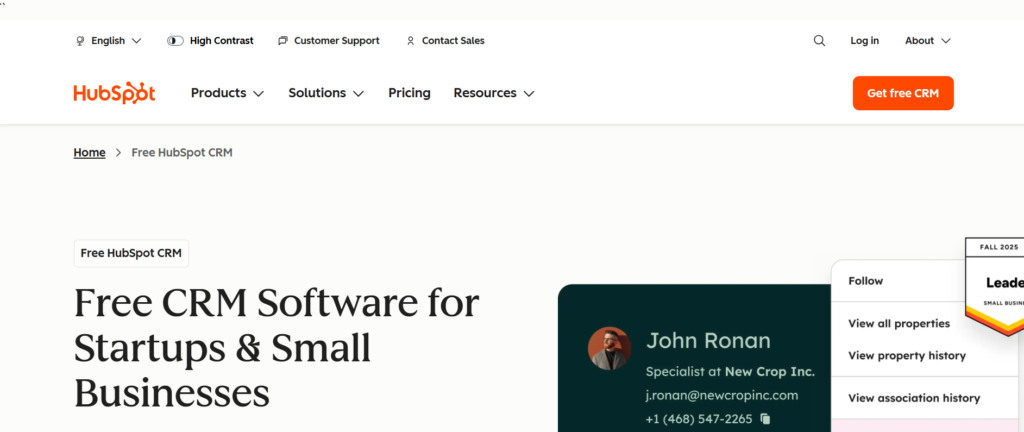
HubSpot CRM is a highly intuitive platform designed to make customer relationship management accessible for businesses of all sizes. With its mobile app, HubSpot enables salespeople to manage contacts, track deals, and monitor sales activities on the go. HubSpot is particularly popular for its user-friendly interface and the fact that its core CRM is free, making it a great starting point for small businesses or individual salespeople.
Key Features
- Deal Tracking: Easily track your deals across various stages and move them through the sales funnel with minimal effort.
- Email Integration: HubSpot CRM syncs seamlessly with email platforms, helping you keep track of your communication and schedule follow-ups directly from the app.
- Contact Management: Store and organise your contacts with rich detail, so you can access all your customer information in one place.
- Task Reminders: Set reminders for follow-ups, appointments, and meetings to keep nothing falls through the cracks.
- Reporting Tools: HubSpot provides easy-to-understand reports to track sales performance and progress towards goals.
Pros & Cons
| Pros | Cons |
| Free version available for basic features | Paid plans can get expensive as you scale |
| Easy to use and intuitive interface | Some advanced features are limited to paid versions |
| Great for individual salespeople and small teams | Lacks some customisation options compared to other CRMs |
| Strong integration with other HubSpot tools | Some reporting features are basic in the free version |
Pricing
HubSpot CRM offers a free version with essential features. Paid plans start at £38 per user per month, which includes additional tools like advanced reporting, marketing automation, and customisable workflows.
Best For
HubSpot CRM is ideal for small to medium-sized businesses or individual salespeople who need a simple, efficient tool for managing customer relationships. Its free plan makes it a great option for teams just starting to build their CRM.
Unique Tip/Hack
Use HubSpot’s email tracking feature to monitor when a contact opens your email. This gives you valuable insight into when to follow up and what content might interest them most.
3. Zoho CRM
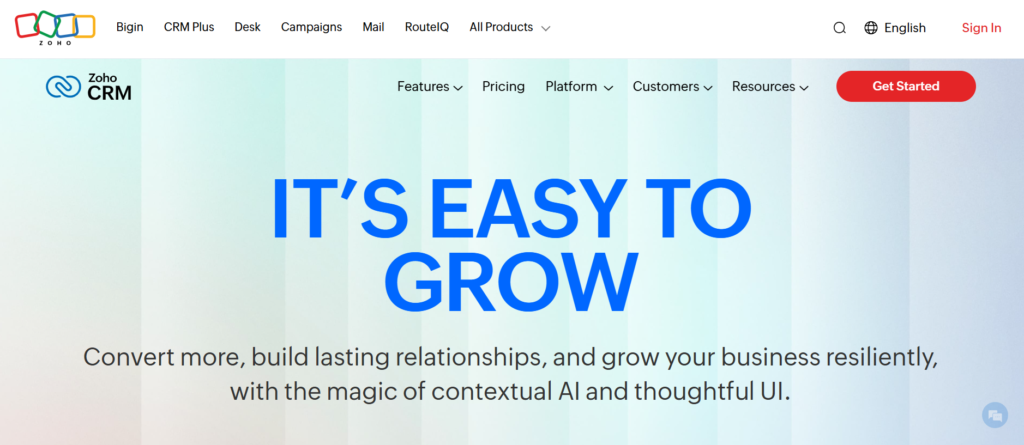
Zoho CRM is a highly flexible platform, offering a range of features for managing customer relationships, automating sales processes, and gaining insights into your sales activities. With its mobile app, Zoho keeps that sales teams can access and update important customer information, monitor activities, and manage tasks while on the move. Zoho is an excellent choice for businesses looking for affordability without sacrificing important features.
Key Features
- Lead and Contact Management: Keep track of leads, contacts, and deals with detailed profiles, making it easy to follow up at the right time.
- Automation: Automate routine tasks like sending follow-up emails or scheduling meetings, saving valuable time in your day.
- Multichannel Communication: Communicate with customers via email, phone, and social media all from within the CRM.
- Sales Forecasting: Get insights into future sales and predict performance based on past data.
- Advanced Analytics: Zoho offers detailed reporting and dashboards to track sales progress and team performance.
Pros & Cons
| Pros | Cons |
| Affordable pricing for small businesses | User interface can be overwhelming for beginners |
| Highly customisable to suit business needs | Some advanced features are locked behind higher-tier plans |
| Strong automation and reporting tools | Limited third-party integrations in lower-tier plans |
| Excellent customer support | Can feel slow with large datasets |
Pricing
Zoho CRM offers a free version for up to 3 users. Paid plans start at £10 per user per month, with additional features such as sales forecasting, custom workflows, and AI-driven analytics.
Best For
Zoho CRM is best for small to medium-sized businesses that require a cost-effective CRM with customisation options. It’s also suitable for teams that need automation to save time on repetitive tasks.
Unique Tip/Hack
Take advantage of Zoho’s workflow automation to set up custom triggers, such as sending an email when a lead moves to a specific stage in your sales process. This keeps you’re always following up at the right time without manual effort.
Verdict
Zoho CRM offers excellent value for money, with a robust set of features for small businesses looking to manage customer relationships and automate tasks. While it may have a bit of a learning curve, its pricing and capabilities make it a strong contender for teams that need an adaptable CRM solution.
4. Pipedrive
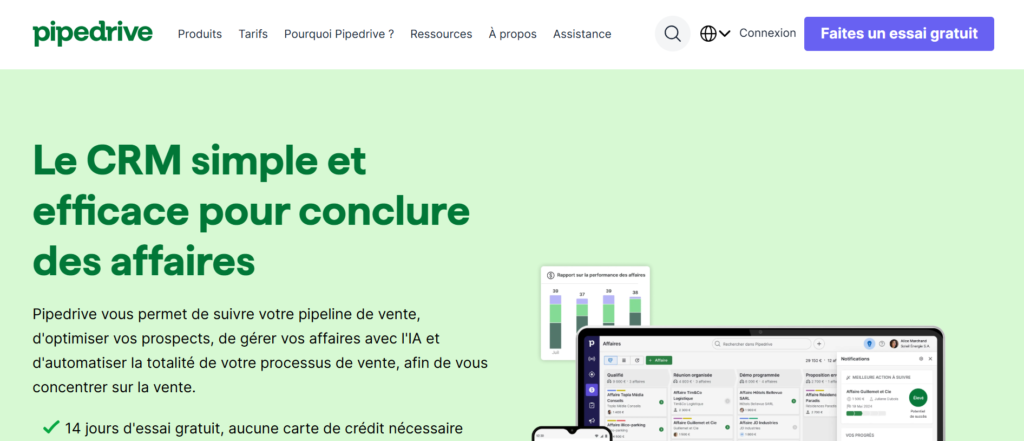
Pipedrive is a straightforward CRM platform designed with sales teams in mind. Its mobile app makes it easy for salespeople to keep track of deals, monitor progress, and stay organised while on the go. Pipedrive stands out for its simplicity, making it a great choice for individual salespeople or smaller teams that need a CRM that’s easy to navigate and implement. It focuses heavily on deal management and offers a visual interface to track every step of the sales process.
Key Features
- Visual Sales progress: A clear, visual representation of your sales stages that helps you track deals at a glance.
- Activity Reminders: Pipedrive helps you stay on top of important activities with reminders for follow-ups and meetings.
- Customisable Fields: You can add custom fields to suit your specific business needs, making it adaptable to your workflow.
- Email Integration: Pipedrive syncs with your email to help you manage customer communication and set reminders for follow-up.
- Advanced Reporting: Track your sales activities with detailed reports to analyse performance and identify areas for improvement.
Pros & Cons
| Pros | Cons |
| Simple and user-friendly interface | Limited customisation options for reporting in lower-tier plans |
| Great for small teams and individual salespeople | Some advanced features are only available in higher-priced plans |
| Excellent for deal management | Lacks some features of more advanced CRMs (e.g., advanced automation) |
| Affordable pricing for small businesses | Can feel basic for large organisations |
Pricing
Pipedrive offers a free trial, with paid plans starting at £12 per user per month. Higher-tier plans offer more advanced features, such as reporting and customisable workflows.
Best For
Pipedrive is ideal for small sales teams or individual salespeople who need a simple, visual tool to manage their deals and stay organised. It’s especially useful for sales teams that focus heavily on managing their sales process and deal flow.
Unique Tip/Hack
Use Pipedrive’s Smart Contact Data to pull in relevant information about a lead or customer from social media profiles or other sources. This helps to personalise your communication and increase the chances of closing a deal.
Verdict
Pipedrive is an excellent choice for those who prefer simplicity over a complicated CRM system. Its intuitive interface and focus on deal management make it perfect for small teams or solo salespeople. While it may lack some of the more advanced features of larger CRM platforms, its affordability and ease of use make it a top contender for sales teams seeking a straightforward CRM.
5. Freshsales
Freshsales by Freshworks is a robust CRM designed to help sales teams organise leads, track customer interactions, and streamline the sales process. With its mobile app, salespeople can access customer data, update deals, and communicate with clients all from their mobile device. Freshsales offers a wide range of features, including AI-driven insights, workflow automation, and a visual sales progress, making it suitable for teams of all sizes.
Key Features
- Lead Scoring: Freshsales allows you to prioritise leads based on their potential, helping you focus on the most promising opportunities.
- Sales Analytics: Get valuable insights into your sales performance with advanced analytics and reports.
- AI-Powered Insights: Use AI to analyse your sales data and gain actionable insights on how to improve your sales strategy.
- Customisable Workflows: Automate repetitive tasks and set up custom workflows to simplify your sales process.
- In-App Calling and Email: Communicate with clients directly through the app, saving time and keeping everything organised in one place.
Pros & Cons
| Pros | Cons |
| AI-powered features for smarter decision-making | Some features require a higher-tier plan |
| Customisable workflows and automation | Steep learning curve for new users |
| Built-in calling and email functions | Reporting can be too basic for larger teams |
| Strong support and easy integration with other Freshworks tools | Limited integration with non-Freshworks apps |
Pricing
Freshsales offers a free version for small teams with basic features. Paid plans start at £12 per user per month, with additional features such as AI insights, custom workflows, and advanced reporting.
Best For
Freshsales is great for sales teams looking for a CRM that combines simplicity with advanced features like AI-powered insights and automation. It’s particularly useful for medium-sized businesses that need a robust CRM to manage leads and opportunities efficiently.
Unique Tip/Hack
Use Freshsales’ AI-powered lead scoring to focus on high-potential leads first. This will help you optimise your time and increase the chances of closing more deals.
Verdict
Freshsales is a powerful CRM that combines AI features and customisation with an easy-to-use interface. While its pricing is competitive, it may not be the best fit for large enterprises due to its limitations in advanced reporting and integrations. However, for medium-sized teams or businesses looking for an affordable, feature-rich CRM, Freshsales is an excellent choice.
6. Microsoft Dynamics 365
Microsoft Dynamics 365 is a powerful CRM solution designed for enterprises and large sales teams that require a comprehensive tool to manage customer interactions, sales, and marketing. With its mobile app, salespeople can access customer data, track sales activities, and automate tasks while on the go. The platform integrates well with other Microsoft products, making it a natural choice for teams already using tools like Office 365, Outlook, and Teams.
Key Features
- Sales Automation: Automate repetitive tasks and workflows to reduce administrative work for sales teams.
- Advanced Analytics: Use built-in AI and analytics tools to gain insights into sales performance and customer behaviour.
- Customer Data Management: Consolidate customer information from multiple sources to create a centralised database.
- Seamless Integration: Integrates seamlessly with Microsoft tools like Excel, Outlook, and Teams, making it easy to maintain your workflow.
- Multi-Channel Support: Communicate with customers through multiple channels, including email, social media, and phone, directly within the CRM.
Pros & Cons
| Pros | Cons |
| Deep integration with Microsoft tools | Can be complex and overwhelming for new users |
| Advanced analytics and AI tools | High cost for small teams or businesses |
| Great for large teams and enterprises | Requires a steep learning curve for full utilisation |
| Excellent security features | May not be as user-friendly as other CRMs for smaller businesses |
Pricing
Microsoft Dynamics 365 starts at £40 per user per month for the Sales Professional plan. Additional features and advanced capabilities are available with higher-tier plans, which can be more expensive.
Best For
Microsoft Dynamics 365 is ideal for larger organisations or sales teams that need an enterprise-grade CRM solution with extensive customisation and integration options. It is particularly beneficial for companies already using Microsoft Office 365 or other Microsoft products.
Unique Tip/Hack
Take advantage of Dynamics 365’s AI and analytics tools to forecast sales and identify trends in your customer data. This can help you focus efforts on areas that are most likely to bring in results.
Verdict
Microsoft Dynamics 365 is a robust CRM that caters well to large teams and enterprises with complex sales processes. However, due to its complexity and price, it may not be the best fit for smaller businesses. For organisations already embedded in the Microsoft ecosystem, this CRM offers seamless integration and powerful features.
7. Insightly
Insightly is a CRM platform designed to help businesses of all sizes manage customer relationships, sales processes, and projects. The mobile app allows sales teams to access important customer data, track projects, and communicate with clients while away from the office. It is a solid choice for teams that require both CRM and project management features in one platform.
Key Features
- Project Management: Insightly combines CRM functionality with project management, allowing sales teams to manage both customer interactions and ongoing projects.
- Lead and Opportunity Management: Easily track leads, manage contacts, and monitor deals through a simple interface.
- Customisable Dashboards: Set up personalised dashboards to view the most relevant sales and customer information at a glance.
- Task and Reminder System: Stay on top of follow-ups and deadlines with task management and reminder features.
- Advanced Reporting: Generate detailed reports on sales activities, customer interactions, and project progress.
Pros & Cons
| Pros | Cons |
| Combines CRM and project management | The interface can feel cluttered at times |
| Customisable and flexible | Reporting features can be limited in lower-tier plans |
| Great for teams that manage projects alongside sales | Limited integrations with third-party apps |
| Affordable pricing for small teams | Can be too basic for larger organisations |
Pricing
Insightly offers a free plan for up to 2 users. Paid plans start at £8 per user per month, with additional features such as project management, advanced reporting, and custom fields available in higher-tier plans.
Best For
Insightly is best suited for small to medium-sized businesses or sales teams that need both CRM and project management functionality. Its ease of use and affordable pricing make it an excellent option for smaller teams.
Unique Tip/Hack
Leverage Insightly’s task and reminder system to keep track of project deadlines and sales follow-ups in one place. This keeps that you stay on top of both customer interactions and project deliverables without missing anything important.
Verdict
Insightly is a great option for businesses that need both CRM and project management tools in one platform. While it may not be as feature-rich as some other CRMs, it offers excellent value for money and is perfect for smaller teams or businesses looking to combine sales and project management.
8. Monday.com
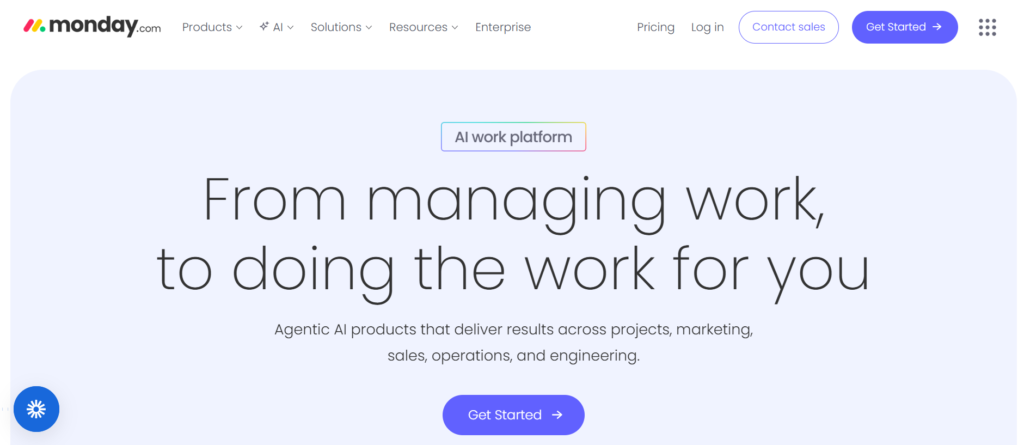
Monday.com is a versatile work management platform that doubles as a CRM, making it easy for sales teams to manage customer relationships and collaborate on projects. The mobile app helps salespeople track their tasks, communicate with team members, and manage leads and deals while on the move. Monday.com’s flexibility makes it a great choice for teams that require a project management CRM solution.
Key Features
- Customisable Workflows: Design workflows that suit your sales process, allowing for easy task assignment and progress tracking.
- Sales Lead Tracking: Keep track of your leads, manage customer data, and stay on top of your sales opportunities.
- Collaboration Tools: Communicate with your team directly within the platform and keep everyone on the same page.
- Visual Dashboards: View your sales progress with easy-to-read, visual dashboards that highlight key metrics.
- Automation: Automate repetitive tasks like follow-up reminders and task assignments to streamline your workflow.
Pros & Cons
| Pros | Cons |
| Highly customisable and flexible | Can be overwhelming due to its variety of features |
| Excellent collaboration features | Some advanced features require higher-tier plans |
| Great for project management and CRM | More expensive than basic CRMs |
| Easy-to-use interface | Not as focused on deep sales analytics |
Pricing
Monday.com starts at £8 per user per month. Higher-tier plans offer advanced reporting, automation, and integrations with other tools.
Best For
Monday.com is ideal for teams that need a CRM that integrates seamlessly with project management features. It’s perfect for sales teams who also work on collaborative projects and need to manage both customer relationships and tasks in one platform.
Unique Tip/Hack
Use Monday.com’s automation features to set up automatic follow-up reminders, task assignments, or deal status updates to keep your sales process moving without manual effort.
Verdict
Monday.com is a great solution for teams that need both CRM functionality and project management tools. It’s highly customisable and easy to use, but it can get more expensive as you add more advanced features. If you’re looking for an all-in-one platform for managing sales and projects, Monday.com is an excellent choice.
9. Nimble
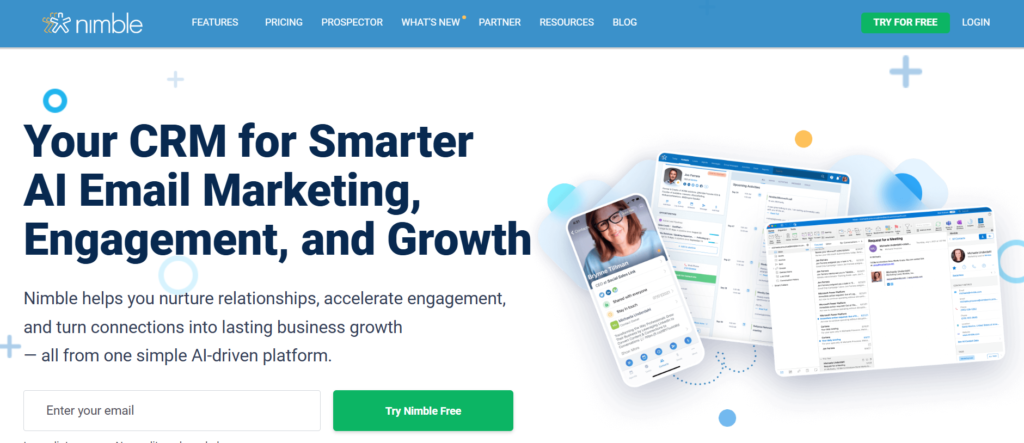
Nimble is a simple yet effective CRM tool designed for small businesses and individual salespeople who want to manage relationships and grow their network. The mobile app allows users to track their interactions with leads and customers, integrate social media contacts, and manage follow-ups seamlessly. Nimble is particularly useful for those who rely heavily on social media for building relationships and maintaining communication.
Key Features
- Social Media Integration: Nimble integrates with social media platforms like LinkedIn, Twitter, and Facebook, allowing you to manage contacts and interactions from one place.
- Contact Management: Easily organise and manage contact information, including email addresses, phone numbers, and social media profiles.
- Email Tracking: Get notified when someone opens your email, making it easier to follow up at the right time.
- Task Management: Set reminders for follow-ups, meetings, and deadlines so you never miss an opportunity.
- Sales Insights: Nimble provides basic sales reporting, helping you track progress and performance.
Pros & Cons
| Pros | Cons |
| Great for managing social media contacts | Lacks advanced features for larger sales teams |
| User-friendly interface | Limited reporting capabilities in lower plans |
| Affordable pricing | Some advanced integrations require higher-tier plans |
| Efficient for small businesses | May not scale well for large organisations |
Pricing
Nimble offers a 14-day free trial. Paid plans start at £14.99 per user per month.
Best For
Nimble is best for small businesses and individual salespeople who rely on social media to build relationships and manage contacts. It’s a simple, affordable CRM with all the necessary features for those looking to stay organised while managing their network.
Unique Tip/Hack
Leverage Nimble’s social media integration to automatically update contact details and interactions from social media channels. This will help you personalise your outreach and stay connected with leads in a more meaningful way.
Verdict
Nimble is a great CRM for individuals and small businesses who want an easy-to-use tool that integrates well with social media. While it may not have the depth of features seen in larger CRMs, its simplicity and affordability make it an excellent choice for those focusing on relationship-building.
10. Copper CRM
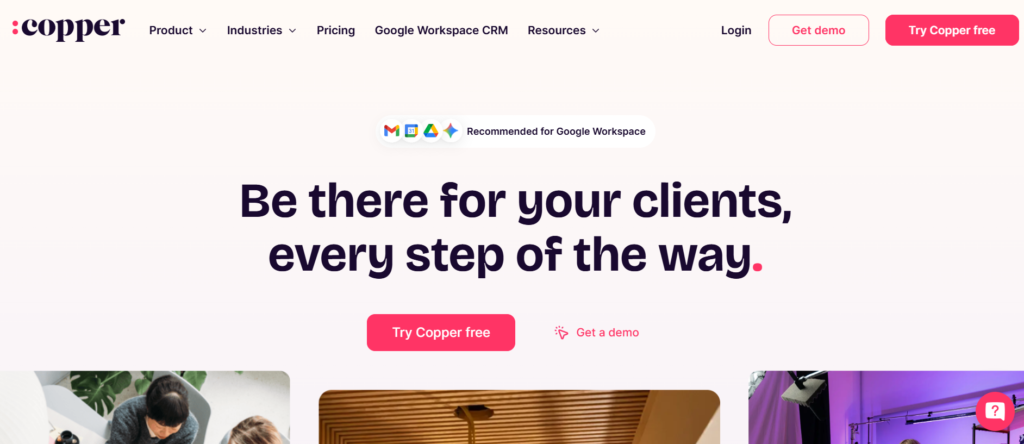
Copper CRM is built specifically for teams using Google Workspace (formerly G Suite), making it the perfect choice for businesses already embedded in Google’s ecosystem. The mobile app provides easy access to customer data, email interactions, and sales tasks. Copper integrates deeply with Google tools like Gmail, Calendar, and Google Drive, allowing sales teams to work seamlessly within the apps they already use.
Key Features
- Google Integration: Copper integrates directly with Gmail, Google Calendar, Google Drive, and other Google tools, allowing you to access customer emails, manage calendar events, and share documents within the CRM.
- Customisable Dashboards: Track your sales and team performance with dashboards that can be customised to suit your needs.
- Progress Management: Manage leads and opportunities through your sales stages, tracking all relevant details in one place.
- Automation: Set up automated workflows and notifications to streamline repetitive tasks.
- Sales Forecasting: Use historical data to predict future sales and adjust strategies accordingly.
Pros & Cons
| Pros | Cons |
| Seamless integration with Google Workspace | Expensive compared to other CRM solutions |
| Great for teams already using Google tools | Some customisation options require a higher-tier plan |
| Strong sales forecasting capabilities | Steep learning curve for full utilisation |
| Excellent for managing email-based communication | Limited integrations outside of the Google ecosystem |
Pricing
Copper CRM starts at £19 per user per month for the Basic plan, with higher-tier plans offering additional features like custom reporting and advanced integrations.
Best For
Copper CRM is ideal for businesses already using Google Workspace and looking for a seamless integration between their email, calendar, and CRM system. It’s a good fit for teams that need strong progress management and sales forecasting.
Unique Tip/Hack
Take advantage of Copper’s Google integration by linking your Gmail directly to your CRM to track emails, appointments, and attachments without having to switch between apps.
Verdict
Copper CRM is perfect for sales teams that use Google Workspace extensively and need a CRM that integrates deeply with Gmail and other Google tools. Its seamless integration and focus on sales forecasting make it a solid choice for businesses that need robust CRM features in a familiar environment.
11. SugarCRM
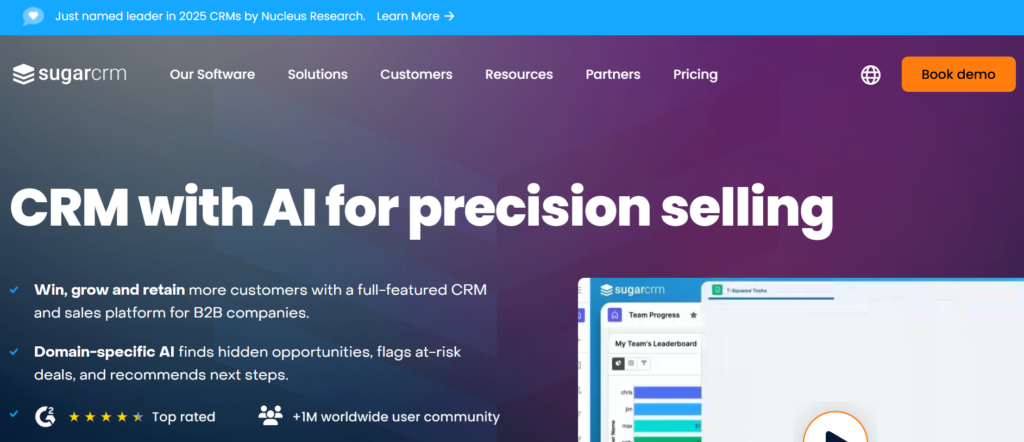
SugarCRM is a highly customisable CRM platform that provides advanced features for managing sales, marketing, and customer support. The mobile app allows sales teams to manage customer interactions, track deals, and access important data while on the move. SugarCRM is particularly suited for businesses that need a flexible CRM solution with powerful automation and customisation capabilities.
Key Features
- Customisation: SugarCRM allows for a high level of customisation, making it suitable for businesses with unique needs.
- Sales Automation: Automate repetitive tasks, such as follow-up emails and data entry, to save time and improve productivity.
- Advanced Reporting: Generate detailed reports on sales performance, customer interactions, and team activities.
- Collaboration Tools: Communicate with your team in real-time and share important updates or documents directly within the CRM.
- Lead and Opportunity Management: Track leads, monitor deals, and manage customer relationships through a centralised platform.
Pros & Cons
| Pros | Cons |
| Highly customisable for unique business needs | Can be difficult to set up for small teams |
| Great for advanced reporting and analytics | Higher-tier plans can be expensive |
| Strong automation and workflow tools | Interface can be complex for new users |
| Scalable solution for growing teams | Limited mobile features compared to other CRMs |
Pricing
SugarCRM starts at £39 per user per month. Higher-tier plans offer more advanced features like AI-powered insights and additional customisation options.
Best For
SugarCRM is best suited for medium to large businesses that need a highly flexible CRM solution with powerful automation and reporting features. Its ability to adapt to complex business processes makes it a good fit for growing sales teams.
Unique Tip/Hack
Leverage SugarCRM’s advanced reporting features to track sales trends and gain insights into team performance. Use these reports to fine-tune your sales strategy and identify high-performing areas.
Verdict
SugarCRM is a powerful CRM for businesses that require a high level of customisation and advanced reporting. While it may not be the easiest CRM for smaller businesses to set up, its flexibility and scalability make it a great option for larger teams or organisations with complex needs.
12. Apptivo CRM
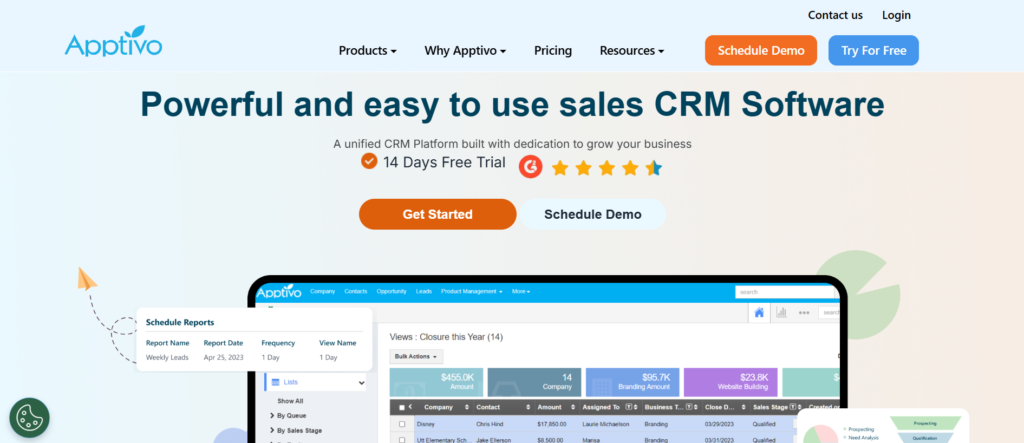
Apptivo CRM is an affordable solution designed for small to medium-sized businesses looking for a simple yet effective way to manage customer relationships. The mobile app allows salespeople to track leads, manage contacts, and stay on top of their sales activities while on the go. Apptivo stands out for its wide range of features at a competitive price point, making it a solid choice for businesses that need a cost-effective CRM solution.
Key Features
- Lead and Contact Management: Easily manage your leads and contacts, with the ability to track all interactions and data related to each customer.
- Sales Activity Tracking: Stay on top of your sales activities, including tasks, meetings, and follow-ups, with an intuitive interface.
- Customisable Dashboards: Set up dashboards that display the key metrics that matter most to your business.
- Task Management: Create and assign tasks, set reminders, and keep that follow-ups are never missed.
- Integrated Email: Send and track emails directly from within the app to streamline communication.
Pros & Cons
| Pros | Cons |
| Affordable pricing for small businesses | Lacks some advanced features found in higher-priced CRMs |
| Customisable to fit business needs | The user interface can feel outdated |
| Great for small teams | Some integrations require additional setup |
| Strong task and activity tracking | Reporting features can be basic compared to larger CRMs |
Pricing
Apptivo offers a free plan for 1 user, with paid plans starting at £8 per user per month. Higher-tier plans offer advanced features like custom fields, reporting, and automation.
Best For
Apptivo is best for small businesses that need a simple, affordable CRM solution with the flexibility to customise features to suit their needs. It’s particularly useful for teams looking to manage leads and sales activities without the complexity of larger CRM systems.
Unique Tip/Hack
Take advantage of Apptivo’s task management features to keep track of all the key steps in your sales process. Setting up automatic reminders keeps that follow-ups are completed on time, improving sales efficiency.
Verdict
Apptivo offers excellent value for small businesses seeking a straightforward CRM at an affordable price. While it may lack some advanced features found in larger CRMs, it’s a solid option for businesses looking to streamline their sales activities without breaking the bank.
13. Close CRM
Close CRM is a robust platform designed for sales teams that want to increase their productivity and manage customer relationships effectively. It offers powerful features for managing leads, automating workflows, and keeping track of sales activities. Close CRM integrates well with various communication tools, including calling and emailing, allowing sales teams to manage everything from one platform.
Key Features
- Built-In Calling: Close CRM includes built-in calling features, allowing salespeople to make and log calls directly from the CRM.
- Sales Automation: Automate repetitive tasks such as sending follow-up emails, setting reminders, and moving leads through the sales process.
- Lead Management: Track leads from initial contact through to closing, ensuring no opportunities slip through the cracks.
- Task and Activity Tracking: Stay on top of sales activities with real-time updates, activity logs, and task management features.
- Custom Reporting: Generate detailed reports to analyse sales performance, team activity, and progress health.
Pros & Cons
| Pros | Cons |
| Built-in calling and email features | Higher price point compared to other CRMs |
| Excellent for managing leads and activities | Can be overwhelming for small teams or solo users |
| Strong automation tools | Lacks some advanced marketing features |
| Customisable reporting options | Reporting features may need improvement for large teams |
Pricing
Close CRM starts at £25 per user per month. More advanced plans offer additional features like custom reporting, higher levels of automation, and integrations with third-party tools.
Best For
Close CRM is ideal for sales teams that rely on heavy communication with leads and customers, particularly those looking for integrated calling and task management features. It’s a great fit for teams that need to automate repetitive tasks and manage their activities in one place.
Unique Tip/Hack
Use Close CRM’s built-in calling to directly log calls and manage communication with clients, ensuring you never miss a follow-up and can track all interactions.
Verdict
Close CRM is a powerful tool for sales teams that rely on communication and lead management. Its built-in calling feature and strong task automation set it apart from other CRMs, making it ideal for teams that want to streamline their sales processes and communication in one platform.
14. Zendesk Sell
Zendesk Sell is a CRM solution built for sales teams that need a simple, user-friendly tool to manage customer relationships and sales activities. The mobile app allows salespeople to track deals, manage contacts, and stay organised on the go. It integrates seamlessly with other Zendesk products, making it a good choice for companies already using Zendesk for customer support.
Key Features
- Deal Tracking: Track your deals through every stage of the sales process, from lead generation to closing.
- Email Integration: Sync your email accounts with Zendesk Sell to keep all communications organised and accessible.
- Task Management: Organise tasks and set reminders for follow-ups, calls, and meetings to stay on top of your sales activities.
- Reporting: Generate reports to gain insights into your sales progress, activity, and team performance.
- Custom Fields: Customise the CRM to fit your team’s specific needs with fields tailored to your sales process.
Pros & Cons
| Pros | Cons |
| Simple and easy-to-use interface | Some advanced features require higher-tier plans |
| Great for small to medium-sized teams | Lacks some advanced automation features |
| Seamless integration with Zendesk support tools | Reporting features could be more detailed |
| Strong customer support features | Pricing can become expensive for larger teams |
Pricing
Zendesk Sell starts at £19 per user per month, with higher-tier plans offering additional features like custom reporting, advanced task management, and more integrations.
Best For
Zendesk Sell is ideal for small to medium-sized teams that need a simple, intuitive CRM that integrates well with customer support tools. It’s perfect for sales teams looking for a streamlined approach to managing deals and tasks.
Unique Tip/Hack
Utilise Zendesk Sell’s custom fields to tailor the CRM to your team’s specific needs. This allows you to capture the most relevant data for each lead and deal without overcomplicating the system.
Verdict
Zendesk Sell is a great CRM solution for small to medium-sized sales teams looking for a simple, user-friendly tool to manage their sales activities. Its integration with Zendesk’s support tools adds value for companies already using Zendesk, although the pricing may become a factor for larger teams.
15. Vtiger CRM
Vtiger CRM is an all-in-one solution designed to help businesses manage sales, marketing, and customer support activities. The mobile app offers easy access to customer data, sales progress, and interactions. With its simple yet effective design, Vtiger CRM is suitable for small to medium-sized businesses that need an affordable, integrated solution to manage customer relationships, all within one platform.
Key Features
- Lead and Contact Management: Organise your leads and contacts with custom fields, detailed records, and the ability to track every interaction.
- Sales Automation: Automate routine tasks like sending follow-up emails, reminders, and task assignments to streamline sales processes.
- Email Marketing: Run email campaigns and track responses directly from within the CRM, helping you nurture customer relationships.
- Reporting and Dashboards: Use built-in reports and dashboards to monitor sales performance, progress health, and team progress.
- Multi-Channel Support: Vtiger integrates with email, chat, and social media, allowing you to communicate with customers across different platforms.
Pros & Cons
| Pros | Cons |
| Affordable pricing for small businesses | Some advanced features are locked behind higher-tier plans |
| Multi-channel support and integration | Interface can feel cluttered at times |
| Sales and marketing tools in one platform | Reporting features could be more detailed |
| Great customer support | Customisation options are limited in lower plans |
Pricing
Vtiger CRM offers a free plan for up to 3 users. Paid plans start at £9 per user per month, which includes additional features like advanced reporting, automation, and custom workflows.
Best For
Vtiger CRM is ideal for small to medium-sized businesses looking for an integrated CRM solution that combines sales, marketing, and customer support. Its affordability and multi-channel capabilities make it a great option for businesses that need an all-in-one tool.
Unique Tip/Hack
Leverage Vtiger’s email marketing features to nurture leads and send personalised campaigns directly from the CRM. This will help you keep prospects engaged and increase the chances of conversion.
Verdict
Vtiger CRM is a great option for businesses looking for an affordable, all-in-one solution that combines CRM functionality with marketing and customer support features. While it may not be as customisable as some other CRMs, its affordability and ease of use make it a solid choice for small businesses.
16. Bitrix24
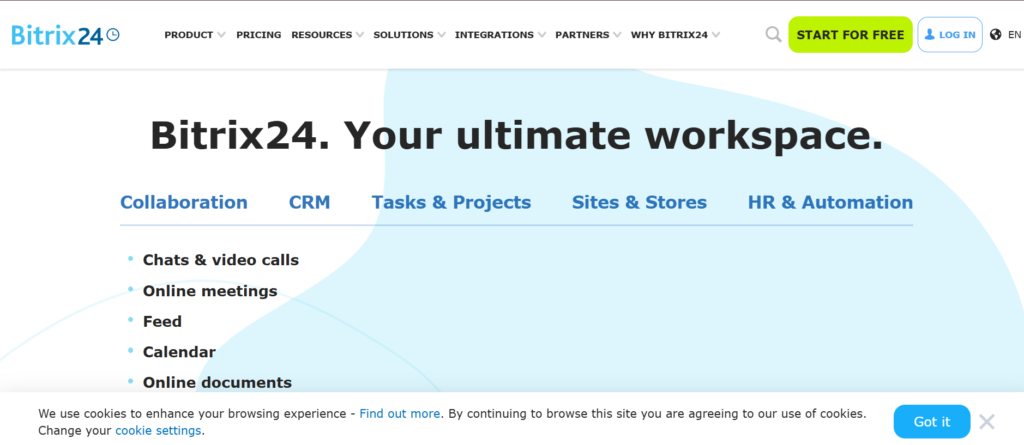
Bitrix24 is a comprehensive business management platform that includes CRM functionality, project management tools, communication features, and more. The mobile app lets you manage your leads, tasks, communications, and team collaboration, all from one central location. Bitrix24 is a great choice for businesses looking for an integrated platform that combines CRM, project management, and internal communication tools.
Key Features
- CRM and Sales Automation: Manage leads, track deals, and automate repetitive tasks like follow-ups and notifications.
- Team Collaboration: Use built-in chat, video calls, and task management features to collaborate effectively with your team.
- Custom Workflows: Design workflows that suit your sales process, with automation tools to keep smooth operations.
- Document Management: Store and manage documents within the platform, with the ability to share files across teams.
- Reporting: Generate sales and performance reports to track key metrics and make informed decisions.
Pros & Cons
| Pros | Cons |
| Offers a wide range of features | Can be overwhelming for small businesses due to its complexity |
| Great for team collaboration | Some features require additional setup |
| Affordable pricing for all features | The user interface can be difficult to navigate for new users |
| Strong project management features | Limited integrations with some third-party apps |
Pricing
Bitrix24 offers a free plan with limited features. Paid plans start at £15 per user per month, with higher-tier plans offering more advanced features like custom fields, reports, and integrations.
Best For
Bitrix24 is ideal for businesses that need a complete platform for managing customer relationships, collaborating with teams, and managing projects. It’s especially useful for growing businesses that need a comprehensive solution to handle multiple aspects of their operations.
Unique Tip/Hack
Take advantage of Bitrix24’s team collaboration tools to keep everyone on the same page with internal chat, video calls, and task management. This can help improve communication and productivity across your team.
Verdict
Bitrix24 is an excellent choice for businesses looking for a CRM with a wide range of additional features, including project management and internal communication tools. While it may be more complex than other CRMs, its affordability and comprehensive nature make it a top choice for growing businesses.
17.progressDeals
ProgressDeals is a CRM designed to help small sales teams stay organised and manage their sales processes effectively. The mobile app allows users to track deals, manage contacts, and schedule activities, all in an easy-to-use interface.ProgressDeals is perfect for businesses looking for a no-fuss CRM solution with solid functionality and a user-friendly design.
Key Features
- Deal Tracking: Easily track deals through each stage of the sales process, ensuring no opportunity is missed.
- Customisable Dashboards: Set up personalised dashboards to view sales performance and key metrics at a glance.
- Contact and Lead Management: Organise your leads and contacts with detailed information and interaction history.
- Task Management: Create tasks and set reminders to stay on top of follow-ups, meetings, and deadlines.
- Reporting: Generate sales reports to monitor team performance and track progress towards targets.
Pros & Cons
| Pros | Cons |
| Easy to use and intuitive interface | Limited customisation options for reporting |
| Great for small teams | Lacks some advanced automation features |
| Excellent customer support | Reporting features could be more advanced |
| Affordable pricing | No integrated email tracking or communication features |
Pricing
ProgressDeals offers a 14-day free trial. Paid plans start at £25 per user per month, with higher-tier plans providing additional features like advanced reporting and customisable fields.
Best For
ProgressDeals is best for small teams or individual salespeople who need a straightforward CRM without the complexity of larger systems. It’s particularly suited for businesses that need an easy-to-use CRM with solid deal tracking and reporting features.
Unique Tip/Hack
Use ProgressDeals’ task management features to set up reminders for follow-ups and key actions. This will keep your sales process on track and keep no opportunities are missed.
Verdict
ProgressDeals is a simple and effective CRM for small sales teams that need to manage leads and track deals without the complexity of larger platforms. Its affordability and ease of use make it a strong choice for businesses that want a straightforward, no-frills CRM.
18. Streak CRM
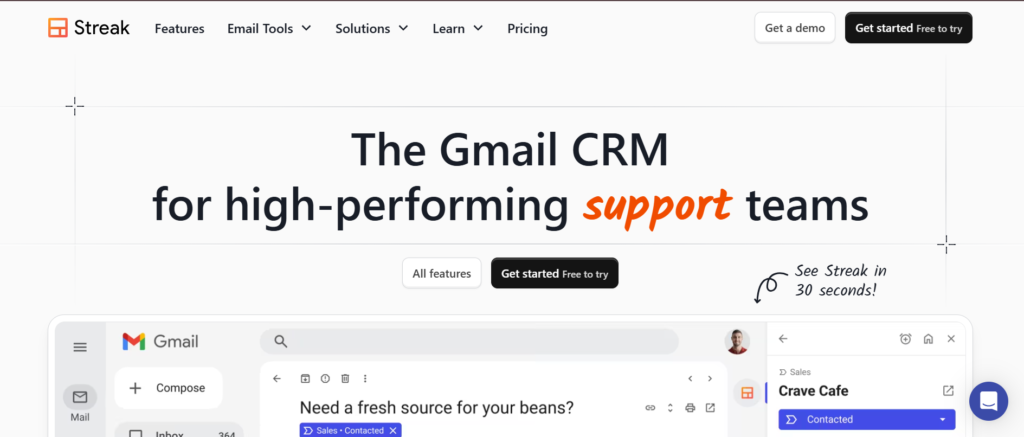
Streak CRM is a CRM tool built directly into Gmail, making it an ideal solution for salespeople who rely on email communication and want a seamless experience within their inbox. The mobile app allows users to track deals, manage contacts, and update their CRM directly from Gmail. Streak is especially useful for individuals or small sales teams that want to manage their CRM without leaving their email interface.
Key Features
- Built into Gmail: Streak is fully integrated into Gmail, allowing you to manage your sales progress, contacts, and emails all in one place.
- Customisable progress: Create custom progress to manage different types of deals, leads, or projects.
- Email Tracking: Track email opens and responses, giving you insight into how engaged your contacts are.
- Task Management: Set reminders for follow-ups and meetings to stay organised.
- Collaboration Tools: Share progress and update records with your team directly within Gmail.
Pros & Cons
| Pros | Cons |
| Fully integrated with Gmail | Limited functionality for teams larger than a few people |
| Easy to use and set up | Lacks advanced reporting features |
| Great for email-centric salespeople | Not as feature-rich as other standalone CRMs |
| Affordable pricing | Customisation options can be limited |
Pricing
Streak CRM offers a free plan for individuals with basic features. Paid plans start at £15 per user per month, with more advanced features like email tracking, reporting, and custom progress available in higher plans.
Best For
Streak CRM is best for salespeople who work primarily within Gmail and want a simple, easy-to-use CRM that integrates directly with their inbox. It’s ideal for small sales teams or individual salespeople who focus on email communication and need basic CRM functionality.
Unique Tip/Hack
Leverage Streak’s email tracking to monitor how your leads engage with your emails. This will help you know the best time to follow up and tailor your outreach accordingly.
Verdict
Streak CRM is a great tool for email-focused salespeople who want a CRM integrated directly within Gmail. While it may not be as feature-rich as larger CRMs, its simplicity and ease of use make it a solid choice for smaller teams or individuals.
19. Agile CRM
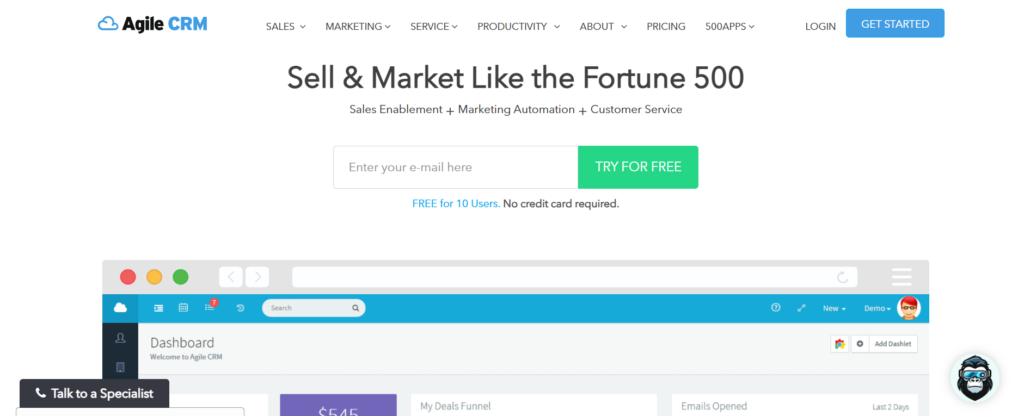
Agile CRM is an affordable CRM designed for small businesses and startups. It offers a suite of tools for managing contacts, sales, and marketing efforts. The mobile app provides access to all your CRM data, including leads, deals, and activities, while offering simple automation features to save time on repetitive tasks.
Key Features
- Lead Management: Organise and manage leads with detailed contact information and interaction history.
- Email Automation: Automate follow-up emails, reminders, and marketing campaigns.
- Sales Tracking: Track deals and sales progress, keeping everything organised in one place.
- Integrations: Integrates with popular tools like Gmail, Mailchimp, and Zapier for additional functionality.
- Customisable Dashboards: View key metrics and reports through customisable dashboards.
Pros & Cons
| Pros | Cons |
| Affordable for small businesses | Limited integrations in lower-tier plans |
| Simple to use and navigate | Lacks some advanced features like AI or deep analytics |
| Great for email automation | Can be too basic for larger teams or enterprises |
| Solid basic CRM features | Reporting features could be more detailed |
Pricing
Agile CRM offers a free plan for up to 10 users. Paid plans start at £7.99 per user per month, offering additional features like advanced email automation and reporting.
Best For
Agile CRM is perfect for small businesses or startups looking for an affordable CRM with basic features and easy-to-use automation tools. It’s a great option for teams that need to manage leads and sales without a complicated system.
Unique Tip/Hack
Use Agile CRM’s email automation to set up sequences that automatically send follow-ups based on triggers. This can save time and keep leads engaged without manual effort.
Verdict
Agile CRM is an affordable, user-friendly CRM for small businesses and startups that need basic features without a hefty price tag. While it lacks some advanced functionalities, its simplicity and automation capabilities make it an excellent choice for growing teams.
20. Flowlu CRM
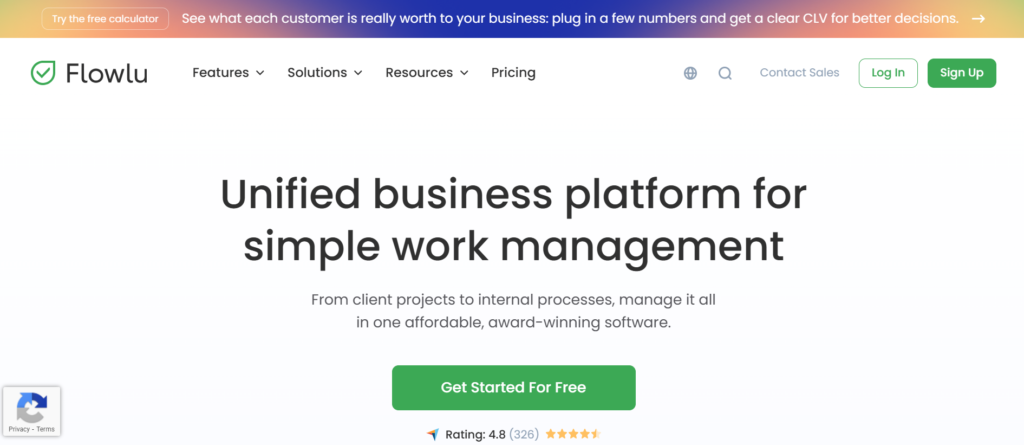
Flowlu is an all-in-one business management platform that includes CRM functionality, project management tools, invoicing, and more. The mobile app helps salespeople manage customer relationships, track deals, and stay on top of their tasks while on the go. Flowlu is a great option for businesses that want an integrated platform for managing both their CRM and project workflows.
Key Features
- CRM and Project Management: Manage leads, deals, and customer relationships alongside projects and tasks.
- Invoicing: Create and send invoices directly from the CRM.
- Team Collaboration: Collaborate with your team on tasks and projects, with features for task assignment and progress tracking.
- Time Tracking: Track time spent on client projects or sales tasks.
- Reporting: Use built-in reports to track sales progress, team performance, and customer data.
Pros & Cons
| Pros | Cons |
| All-in-one platform with CRM and project management | Can be overwhelming for small businesses with simple needs |
| Affordable pricing for a wide range of features | Some advanced features require higher-tier plans |
| Great for collaboration and team management | The interface can be cluttered at times |
Pricing
Flowlu offers a free plan with basic features. Paid plans start at £24 per user per month, with more advanced features like invoicing, time tracking, and custom workflows available in higher plans.
Best For
Flowlu is best for businesses that need an all-in-one platform for managing customer relationships, projects, and invoicing. It’s especially useful for teams that want to combine CRM functionality with other business management tools.
Unique Tip/Hack
Use Flowlu’s invoicing feature to send professional invoices directly from the CRM. This helps streamline the sales process and keeps that billing is managed within the same system.
Verdict
Flowlu is a versatile platform ideal for businesses that need a comprehensive solution for managing both customer relationships and project workflows. Its all-in-one nature and affordability make it a great choice for businesses looking to simplify operations.
Wrap-Up: Choosing the Right CRM Mobile App for Your Sales Team
Selecting the right CRM mobile app is critical for improving productivity, streamlining sales processes, and maintaining strong relationships with customers. From Salesforce’s advanced features to the simplicity of Agile CRM, there is a solution for every business size and need. Whether you’re a large enterprise or a small team, these CRM apps can help sales professionals stay organised and efficient while managing leads, opportunities, and customer communications on the go.
At Pearl Lemon Sales, we understand that choosing the right CRM can make all the difference in achieving your sales goals. We encourage you to assess your team’s needs and the CRM’s features to find the perfect match for your business.
Frequently Asked Questions
1. What is the best CRM for small businesses?
The best CRM for small businesses depends on their specific needs, but options like HubSpot CRM and Agile CRM are great choices for their simplicity and affordable pricing. Both offer strong features for managing contacts and sales processes without being overwhelming.
2. How do CRM mobile apps improve sales efficiency?
CRM mobile apps allow salespeople to access customer data, track deals, and manage communications while on the move. This enables real-time updates, better organisation, and a more streamlined sales process, which ultimately leads to quicker response times and improved customer interactions.
3. Can CRM mobile apps integrate with other tools?
Yes, most CRM mobile apps, like Salesforce and Microsoft Dynamics 365, offer integration capabilities with popular tools such as email platforms, social media, calendar apps, and other business tools. This keeps seamless workflows across various systems.
4. Are CRM apps expensive?
The cost of CRM apps varies depending on the features and plan. There are free versions available (such as HubSpot CRM and Zoho CRM) that work well for smaller teams. Paid versions, such as Salesforce Mobile, can be pricier but offer more advanced functionality suited to larger teams and enterprises.
5. How do I choose the right CRM for my business?
To choose the right CRM, assess your business size, budget, and specific sales needs. If you need basic contact management, start with free CRM solutions like HubSpot CRM. For larger teams or those needing advanced features, explore options like Salesforce or Microsoft Dynamics 365.