
If you are still managing agreements in shared drives, email threads and spreadsheets, you are bleeding time and margin.
Missed renewal dates. Unapproved redlines. Procurement bottlenecks. Compliance risk. Legal firefighting.
The right contract management tools change that. They give your legal team, procurement department and commercial managers control over the full contract lifecycle from drafting and approval to eSignature, renewal tracking and reporting.
We have reviewed dozens of contract lifecycle management platforms, tested workflows, compared contract automation features and analysed pricing models. Below are the 20 best contract management tools for 2026, distilled for in-house counsel, procurement leads, finance directors, SaaS founders and operations managers who want tighter governance and cleaner audit trails.
Industry data makes the case clear:
- The World Commerce and Contracting Association reports that poor contract management can cost organisations up to 9 percent of annual revenue.
- A Deloitte study found that high-performing procurement teams are 2.5 times more likely to use contract lifecycle management software than low-performing peers.
If you are serious about risk mitigation, supplier management and commercial visibility, this list is for you.
What Is Contract Management Software
Contract management software, often called contract lifecycle management software or CLM, is a system that centralises, automates and tracks contracts across their entire lifecycle.
That includes:
- Contract drafting and clause libraries
- Internal approval workflows
- Version control and redlining
- eSignature integration
- Obligation management
- Renewal alerts
- Contract analytics and reporting
For increasing companies, contract management tools are not just admin systems. They are revenue protection systems.
Without proper contract lifecycle management:
- Sales cycles slow down due to approval delays
- Procurement teams lose visibility on supplier terms
- Legal departments spend hours searching for clauses
- Finance teams miss price escalation triggers
With the right contract management tools, you gain:
- Standardised templates
- Faster turnaround times
- Clear audit trails
- Better compliance with internal policies
- Stronger supplier and customer governance
Now let us compare the top platforms.
Quick Comparison Table of the Best Contract Management Tools
When selecting contract management tools, buyers typically care about pricing transparency, workflow automation, eSignature capability, reporting depth and scalability. The table below focuses on those decision factors.
| Tool | Best For | Starting Price | Free Trial | Key Feature | Rating |
| DocuSign | eSignature + CLM | £10 per user pm | Yes | CLM + eSign | 4.7 |
| PandaDoc | Sales contracts | £19 per user pm | Yes | Proposal automation | 4.6 |
| Ironclad | In-house legal | £500+ per month | No | Workflow engine | 4.7 |
| Juro | SaaS teams | £59 per user pm | Yes | Browser-based CLM | 4.6 |
| ContractWorks | SMEs | £600 per year | Yes | Fast deployment | 4.8 |
| Concord | SMB teams | £17 per user pm | Yes | Unlimited eSign | 4.7 |
| Agiloft | Custom workflows | £45 per user pm | Yes | No-code automation | 4.6 |
| Icertis | Enterprise CLM | £1,000+ per month | No | AI insights | 4.5 |
| Coupa | Procurement | £549 per month | No | Spend + contracts | 4.4 |
| SAP Ariba | Large procurement | £500+ per month | No | Supplier network | 4.3 |
| Zoho Contracts | Budget teams | £20 per user pm | Yes | Zoho ecosystem | 4.5 |
| GetAccept | Revenue teams | £25 per user pm | Yes | Deal tracking | 4.6 |
| LinkSquares | Contract analytics | £600+ per month | No | AI extraction | 4.6 |
| Evisort | AI repository | £700+ per month | No | AI search | 4.7 |
| Gatekeeper | Vendor management | £875 per month | Yes | Supplier portal | 4.6 |
| ContractSafe | Simple storage | £299 per month | Yes | Smart search | 4.9 |
| Outlaw | Built-in editor | £100 per user pm | Yes | Word-style editor | 4.5 |
| Precisely | Compliance focus | £750+ per month | No | Governance tools | 4.4 |
| Onit | Legal ops | £600+ per month | No | Legal workflow | 4.5 |
| Conga | Revenue ops | £20 per user pm | No | CPQ + CLM | 4.4 |
Top Contract Management Tools for 2026
- DocuSign
- PandaDoc
- Ironclad
- Juro
- ContractWorks
- Concord
- Agiloft
- Icertis
- Coupa
- SAP Ariba
- Zoho Contracts
- GetAccept
- LinkSquares
- Evisort
- Gatekeeper
- ContractSafe
- Outlaw
- Precisely
- Onit
- Conga
1. DocuSign
When businesses evaluate contract management tools, DocuSign is usually first on the shortlist. Known originally for eSignature, it has expanded into full contract lifecycle management software used by legal, procurement and revenue teams worldwide.
For organisations already using DocuSign eSignature, upgrading to DocuSign CLM creates tighter control across drafting, approvals, execution and renewal management.
In most DocuSign review discussions, the emphasis is clear. Scale, compliance and workflow governance.
Key Features
DocuSign combines digital signature capability with structured contract lifecycle management software. It is designed for organisations handling high contract volumes across multiple departments.
Intelligent Agreement Workflows
Rule-based approval routing keeps contracts move automatically to legal, finance or senior management based on value thresholds or risk classification. This reduces internal email traffic and shortens approval cycles without sacrificing oversight.
Centralised Contract Repository
All agreements are stored in a searchable digital repository with structured metadata. Teams can filter by contract type, renewal date, jurisdiction or counterparty.
This turns contract management tools into searchable intelligence systems rather than static archives.
Clause Library and Template Governance
Pre-approved clauses prevent inconsistent legal language. Sales and procurement teams work from controlled templates, reducing redline chaos and legal review time.
When comparing DocuSign vs PandaDoc, this governance layer is often a deciding factor for legal teams.
AI Contract Analytics
DocuSign Insight uses AI to identify non-standard clauses, missing language and potential compliance gaps across large contract portfolios.
This is particularly valuable for audits, regulatory reviews and M&A due diligence exercises.
CRM and ERP Integrations
Native integrations with Salesforce, SAP and Microsoft platforms allow contracts to be generated and tracked without switching systems.
For organisations evaluating contract management tools tied to revenue operations, this connectivity matters.
Pros and Cons
| Pros | Cons |
| Strong compliance framework | Higher enterprise pricing |
| Scalable for global teams | Implementation can be complex |
| Advanced workflow automation | May exceed SME needs |
| Deep integrations | Add-ons increase cost |
Pricing
DocuSign pricing depends on features and user count:
- Personal plan: £10 per user per month
- Standard plan: £25 per user per month
- Business Pro: £40 per user per month
- DocuSign CLM: Typically £500+ per month depending on configuration
Implementation and integration fees may apply for enterprise rollouts.
When reviewing contract management tools, always assess total cost including onboarding and CRM integration.
Best For Large Organisations Managing High Contract Volume
DocuSign works best for:
- In-house legal teams overseeing 1,000+ agreements annually
- Procurement departments managing supplier risk
- Revenue teams integrating contracts into CRM workflows
- Finance leaders requiring audit-ready documentation
If compliance and cross-department governance are priorities, DocuSign remains a dominant force in contract lifecycle management software.
Verdict
For enterprise-scale contract management tools with strong compliance architecture, DocuSign remains a benchmark platform.
Practical Tip for Procurement Teams
Use value-based approval routing tied to spend thresholds. Contracts above defined limits automatically route to senior review, reducing exposure while keeping routine agreements moving efficiently.
Best Alternate Tool
If your primary focus is legal workflow collaboration rather than enterprise integrations, Ironclad is often considered in DocuSign vs Ironclad comparisons.
2. PandaDoc
If DocuSign dominates the compliance conversation, PandaDoc dominates the revenue conversation.
Among modern contract management tools, PandaDoc positions itself at the intersection of proposal software, document automation and contract lifecycle management software. It is heavily adopted by SaaS companies, marketing agencies, consultancies and sales-driven organisations that want contracts signed quickly without losing control.
In many PandaDoc review discussions, the recurring theme is speed. Faster document creation. Faster approvals. Faster signatures.
But speed without structure is dangerous. PandaDoc balances both.
Key Features
PandaDoc is designed to reduce friction in the contract process while maintaining visibility for legal and finance teams. It blends proposal management with structured contract workflows, making it attractive for commercial teams.
Smart Content Library
PandaDoc allows teams to store pre-approved clauses, pricing tables and branded content blocks. Sales reps can drag and drop approved sections into proposals and agreements without rewriting language.
This reduces legal review cycles and keeps messaging consistent. In most PandaDoc review feedback, users cite the content library as a primary time saver.
Interactive Pricing Tables
Unlike traditional contract management tools, PandaDoc includes dynamic pricing tables that calculate totals, apply discounts and allow optional add-ons within the contract itself.
For SaaS and subscription businesses, this reduces errors between proposals and final agreements. It also creates clearer audit trails between quoted and signed pricing.
Workflow Approvals
You can configure internal approval chains based on discount percentage, deal size or contract type. Contracts exceeding predefined thresholds automatically route to finance or legal.
When comparing PandaDoc vs DocuSign, PandaDoc’s strength lies in balancing commercial flexibility with governance.
Built-In eSignature
PandaDoc includes legally binding eSignature functionality across all paid plans. There is no need for third-party integration for basic execution.
For smaller businesses comparing contract management tools on price, this bundling can significantly reduce software spend.
CRM Integrations
PandaDoc integrates with Salesforce, HubSpot and other CRM systems. Sales teams can generate contracts directly from opportunity records, pulling in client data automatically.
This reduces manual input errors and maintains alignment between progress and executed agreements.
Pros and Cons
| Pros | Cons |
| Strong sales functionality | Less complex legal workflows |
| Affordable entry pricing | Enterprise customisation limited |
| Built-in eSignature | Not ideal for heavy compliance sectors |
| Easy onboarding | Advanced reporting add-ons |
Pricing
PandaDoc pricing is transparent compared to many contract management tools:
- Free eSignature plan: £0
- Essentials: £19 per user per month
- Business: £49 per user per month
- Enterprise: Custom pricing
Compared with DocuSign pricing, PandaDoc can be more cost-effective for small to mid-sized teams focused primarily on sales contracts.
Best For Revenue Teams Closing High-Volume Deals
PandaDoc is well suited for:
- SaaS founders managing subscription agreements
- Sales teams issuing high volumes of proposals
- Agencies selling recurring service contracts
- Start-ups without a dedicated legal department
It is less suited to highly regulated industries requiring layered compliance workflows and complex obligation tracking.
Verdict
If your priority is reducing sales friction while maintaining structured contract management, PandaDoc is a strong contender among contract management tools.
Practical Tip for Sales Operations
Create conditional pricing templates for different buyer personas. This allows reps to generate customised proposals without altering core contract terms. It reduces legal review cycles and shortens sales velocity without sacrificing oversight.
Best Alternate Tool
If your organisation prioritises deeper legal workflow automation over sales functionality, Ironclad is often evaluated in PandaDoc vs Ironclad comparisons.
3. Ironclad
If PandaDoc is built for sales velocity, Ironclad is built for legal command.
Among enterprise-grade contract management tools, Ironclad is known for deep workflow configuration, structured approvals and visibility across the entire contract lifecycle. It is widely adopted by in-house legal teams at technology companies, financial services firms and high-growth enterprises where contract risk is taken seriously.
In most Ironclad review discussions, one point is repeated. It gives legal teams control without turning them into bottlenecks.
Key Features
Ironclad focuses on governance, collaboration and structured contract lifecycle management software. It is designed to reduce ad hoc processes and replace email-based contract reviews with centralised workflows.
Workflow Designer
Ironclad’s no-code workflow builder allows legal teams to design structured contract intake processes. Business users answer guided questions and the platform generates the appropriate agreement type.
This reduces unnecessary back-and-forth and keeps contracts follow internal policy before reaching legal review.
Smart Intake Forms
Instead of sales or procurement emailing legal directly, users submit requests through structured intake forms. The system routes contracts based on risk profile, contract type or deal value.
This is one reason Ironclad vs DocuSign comparisons often favour Ironclad for legal operations teams.
Redlining and Collaboration
Ironclad enables in-platform redlining, version control and internal commenting. Legal and commercial teams collaborate inside a centralised workspace rather than across scattered documents.
For organisations reviewing contract management tools for legal efficiency, this feature is critical.
Clause Library and Playbooks
Legal teams can embed playbooks directly into workflows, offering guidance on fallback positions and acceptable language variations.
This reduces junior team dependency on senior counsel while maintaining structured review standards.
Reporting and Contract Analytics
Ironclad provides reporting dashboards that track contract cycle time, approval delays and bottlenecks by department.
In many Ironclad review analyses, visibility into turnaround metrics is highlighted as a major operational advantage.
Pros and Cons
| Pros | Cons |
| Legal-first design | Higher cost |
| Strong workflow automation | Steeper learning curve |
| Clear contract visibility | Less sales-focused features |
| Enterprise-grade reporting | Implementation required |
Pricing
Ironclad pricing is typically enterprise-based:
- Core platform: £500+ per month
- Advanced enterprise plans: Custom pricing
- Implementation services: Additional cost
Compared to lighter contract management tools, Ironclad requires greater upfront configuration but delivers deeper workflow structure.
Best For In-House Legal Teams Seeking Governance and Structure
Ironclad works particularly well for:
- Legal departments managing complex commercial contracts
- Regulated industries requiring structured review processes
- Technology firms handling rapid contract volume growth
- Organisations formalising legal operations
If you are evaluating contract management tools for compliance and internal accountability rather than sales enablement, Ironclad is a strong option.
Verdict
For legal-driven contract lifecycle management software with strong governance architecture, Ironclad remains one of the most structured platforms available.
Practical Tip for Legal Operations
Build separate workflows for NDAs, MSAs and supplier agreements. This avoids routing low-risk contracts through unnecessary approval layers while maintaining structured oversight for high-value deals.
Best Alternate Tool
If you require stronger AI-powered clause extraction across legacy contracts, Evisort is often compared in Ironclad vs Evisort evaluations.
4. Juro
Juro positions itself differently from traditional contract management tools. It is browser-based, collaborative and designed for fast-moving SaaS and technology companies that want contracts created, negotiated and signed without switching between Word, PDF and email.
In many Juro review discussions, the standout benefit is simplicity. It removes document chaos and keeps the entire contract lifecycle inside one platform.
Where Ironclad is structured and enterprise-heavy, Juro focuses on usability and speed with governance built in.
Key Features
Juro blends document editor functionality with structured contract lifecycle management software. It is particularly effective for businesses managing recurring subscription contracts, commercial agreements and high-volume NDAs.
In-Browser Contract Editor
Juro includes a Word-style editor directly in the browser. Teams draft, edit and negotiate contracts without exporting files.
This reduces version control issues and keeps everyone works from a single live document. In many Juro review comparisons, this is considered a major usability advantage over PDF-based systems.
Template Automation
Legal teams create dynamic templates with conditional logic. Users answer guided questions and the contract populates automatically.
This reduces drafting time and keep contracts align with internal standards. For organisations comparing contract management tools on efficiency, template automation is central.
Real-Time Collaboration
Internal stakeholders and counterparties can comment and suggest edits directly within the platform. Version history is tracked automatically.
This reduces email-based negotiation chains and creates a clean audit trail across the contract lifecycle.
Approval Workflows
Juro allows approval routing based on deal value or contract type. Finance and legal approvals are triggered automatically once predefined conditions are met.
When comparing Juro vs PandaDoc, Juro often appeals more to legal teams due to stronger governance controls.
Native Integrations
Juro integrates with Salesforce, HubSpot, Slack and HR systems. Contracts can be generated directly from CRM data, reducing manual duplication.
For SaaS businesses, this tight connection between revenue systems and contract management tools improves operational clarity.
Pros and Cons
| Pros | Cons |
| Intuitive browser editor | Limited deep enterprise features |
| Strong SaaS focus | May not suit regulated sectors |
| Quick implementation | Fewer AI analytics tools |
| Transparent pricing | Less complex reporting |
Pricing
Juro pricing is structured per user:
- Essentials: £59 per user per month
- Growth: Custom pricing
- Enterprise: Custom pricing
Compared to enterprise-heavy contract management tools, Juro is more accessible for scaling businesses without extensive implementation cycles.
Best For SaaS and Technology Companies Managing Recurring Contracts
Juro works particularly well for:
- SaaS founders issuing subscription agreements
- Revenue teams managing recurring commercial contracts
- HR teams handling employment agreements
- Technology firms seeking simple but controlled workflows
If your organisation prefers ease of use with built-in governance rather than complex enterprise configuration, Juro is a strong candidate among contract management tools.
Verdict
Juro balances usability and structure. For high-growth technology companies seeking practical contract lifecycle management software without enterprise overhead, it offers strong value.
Practical Tip for Subscription Businesses
Use conditional template logic to automatically adjust renewal clauses based on contract length. This keeps commercial terms consistent while reducing manual editing errors across recurring agreements.
Best Alternate Tool
If your organisation requires deeper AI contract analysis across large legacy contract portfolios, LinkSquares is often reviewed alongside Juro.
5. ContractWorks
Not every organisation needs a heavy enterprise CLM rollout.
Many mid-sized businesses simply need contract management tools that centralise agreements, track renewals and provide clear visibility without a six-month implementation project.
That is where ContractWorks sits.
In most ContractWorks review discussions, users highlight speed of deployment and ease of use. It is designed for organisations that want structured contract lifecycle management software without extensive configuration.
Key Features
ContractWorks focuses on practical contract control rather than layered enterprise customisation. It is particularly strong in document storage, alerts and access control.
Centralised Secure Repository
All contracts are stored in a structured digital vault with permission-based access. Users can search by keyword, contract type, counterparty or expiry date.
For companies previously relying on shared drives, this alone changes operational clarity. It removes version confusion and reduces time spent locating agreements.
Automated Renewal Alerts
Missed renewals are one of the most common financial leaks in organisations without proper contract management tools.
ContractWorks allows users to configure automated email alerts well in advance of renewal deadlines. This provides procurement and finance teams with sufficient time to renegotiate terms.
OCR and Document Search
Optical character recognition enables full-text search across scanned agreements. Even legacy PDF contracts become searchable.
For organisations transitioning from manual storage systems, this is a major efficiency gain.
Role-Based Permissions
Access controls keep sensitive contracts are visible only to authorised users. Legal, finance and procurement teams can define structured visibility levels.
This reduces risk exposure while maintaining collaboration.
Audit Trail Tracking
Every document upload, edit and user action is logged. This provides clear accountability and internal oversight.
In many ContractWorks review comparisons, this audit capability is valued by finance departments and compliance teams.
Pros and Cons
| Pros | Cons |
| Fast implementation | Limited advanced AI |
| User-friendly interface | Less complex workflow logic |
| Affordable pricing tiers | Not ideal for global enterprise |
| Strong search capability | Fewer CRM integrations |
Pricing
ContractWorks pricing is structured by contract volume:
- Basic: £600 per year
- Standard: £1,500 per year
- Professional: Custom pricing
Compared to enterprise contract management tools, this pricing is attractive for SMEs seeking structured oversight without enterprise overhead.
Best For Mid-Sized Businesses Seeking Quick Implementation
ContractWorks is ideal for:
- Increasing companies formalising contract storage
- Finance teams requiring renewal visibility
- Operations managers replacing shared drives
- Legal teams needing searchable archives
If your priority is rapid deployment and practical control rather than deep workflow automation, ContractWorks is a solid option.
Verdict
Among contract management tools designed for simplicity and speed, ContractWorks offers strong value for mid-sized organisations.
Practical Tip for Finance Teams
Create renewal categories based on contract value. Configure earlier alerts for high-value agreements to provide sufficient renegotiation time and prevent automatic rollovers.
Best Alternate Tool
If you require deeper workflow automation and approval routing, Agiloft is often evaluated as a stronger alternative.
6. Concord
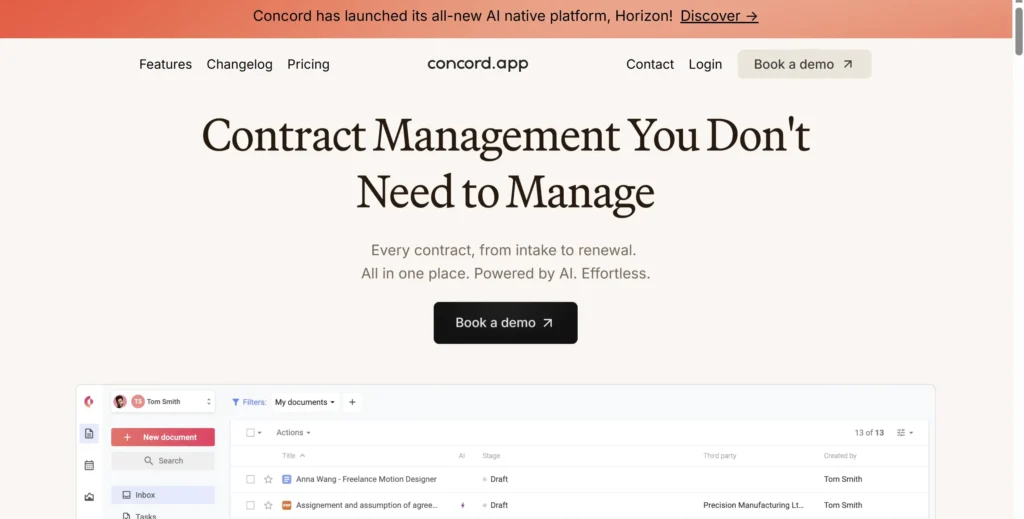
Concord positions itself as accessible contract lifecycle management software for small and mid-sized teams.
Unlike enterprise-focused contract management tools, Concord emphasises transparency and affordability while still offering core CLM capabilities.
In most Concord review discussions, users mention ease of onboarding and unlimited eSignature as strong selling points.
Key Features
Concord balances usability with structured governance. It works particularly well for commercial teams issuing moderate contract volumes.
Unlimited eSignature
All paid plans include unlimited legally binding eSignatures. There are no per-document charges.
For organisations comparing Concord vs DocuSign on cost, this bundling can significantly reduce expenditure.
Contract Creation and Editing
Users can draft and edit contracts directly within the platform. Version control is automatically maintained.
This eliminates confusion around document iterations and improves collaboration.
Approval Workflows
Concord allows conditional approval chains. Contracts above certain values can require finance or legal sign-off before execution.
This keeps governance without overcomplicating the process.
Contract Repository and Search
Executed agreements are stored in a structured, searchable repository. Filters include status, contract type and renewal date.
For small teams transitioning from email-based systems, this creates immediate clarity.
Reporting Dashboard
Concord provides dashboards that display contract status, pending approvals and upcoming renewals.
This enables leadership to maintain visibility across the contract lifecycle.
Pros and Cons
| Pros | Cons |
| Transparent pricing | Limited enterprise customisation |
| Unlimited eSignature | Fewer AI analytics tools |
| Easy onboarding | Basic reporting depth |
| Suitable for SMEs | Limited global compliance modules |
Pricing
Concord pricing includes:
- Starter: £17 per user per month
- Business: £49 per user per month
- Enterprise: Custom pricing
For budget-conscious organisations evaluating contract management tools, Concord offers predictable costs
Best For Small to Mid-Sized Teams Seeking Cost Control
Concord works well for:
- Marketing agencies issuing service contracts
- Start-ups formalising agreement tracking
- Sales teams handling moderate deal volume
- HR teams managing employment contracts
If affordability and ease of use are priorities, Concord is worth strong consideration.
Verdict
Concord delivers practical contract lifecycle management software at accessible price points, making it competitive among entry-level contract management tools.
Practical Tip for increasing Teams
Standardise three to five core templates and restrict editing permissions. This maintains consistency as your contract volume increases.
Best Alternate Tool
If you require more complex workflow logic and custom database structures, Agiloft offers deeper configuration.
7. Agiloft

Agiloft is frequently described as one of the most configurable contract management tools available.
It is built for organisations that require customised approval logic, database structuring and integration across multiple systems.
In most Agiloft review discussions, the defining theme is flexibility.
Key Features
Agiloft provides contract lifecycle management software with extensive customisation capabilities.
No-Code Workflow Builder
Users can configure approval chains, conditional logic and escalation paths without writing code.
This makes it attractive to organisations that want structured governance but lack internal development resources.
Custom Data Fields and Database Structure
Agiloft allows users to create detailed metadata fields tied to contract obligations, risk classifications and compliance requirements.
For heavily regulated industries, this level of granularity is essential.
Advanced Reporting and Dashboards
Dashboards can be configured to track contract cycle time, renewal risk and obligation fulfilment.
Leadership teams can extract performance metrics directly from the system.
Integration Flexibility
Agiloft integrates with CRM, ERP and procurement platforms through APIs.
When comparing Agiloft vs Ironclad, organisations often evaluate based on customisation depth versus out-of-the-box usability.
Obligation Tracking
Users can track contractual obligations and assign responsibility to departments or individuals.
This converts contract management tools into operational accountability systems.
Pros and Cons
| Pros | Cons |
| Deep customisation | Requires setup time |
| Strong reporting tools | Steeper learning curve |
| Flexible integrations | May exceed SME needs |
| Obligation tracking | Implementation cost |
Pricing
Agiloft pricing typically starts around:
- £45 per user per month
- Enterprise configurations: Custom pricing
Compared with lighter contract management tools, Agiloft requires more configuration but supports complex organisational needs.
Best For Regulated Industries and Large Enterprises
Agiloft is well suited for:
- Healthcare organisations
- Financial services firms
- Global procurement teams
- Enterprises with layered approval hierarchies
If structured governance and custom database control are priorities, Agiloft is a strong contender.
Verdict
Agiloft offers depth and flexibility rarely matched among contract management tools.
Practical Tip for Compliance Teams
Build obligation tracking fields tied to regulatory frameworks. Assign automated reminders to responsible departments to reduce compliance risk.
Best Alternate Tool
If you prefer stronger AI-based contract analysis with less configuration complexity, Icertis is frequently considered.
8. Icertis
Icertis is positioned squarely in the enterprise tier of contract management tools.
It is designed for multinational organisations managing large contract portfolios across jurisdictions, currencies and regulatory frameworks.
In most Icertis review analyses, users highlight its AI-driven contract intelligence capabilities.
Key Features
Icertis provides contract lifecycle management software focused on data extraction, compliance and enterprise governance.
AI Contract Intelligence
Icertis uses AI to extract clauses, analyse risk exposure and identify deviations from approved standards across large contract repositories.
For enterprises managing thousands of agreements, this creates visibility that manual review cannot achieve.
Global Compliance Management
The platform supports multi-language contracts, jurisdiction-specific clauses and regulatory alignment.
This is particularly valuable for global organisations.
Revenue and Spend Visibility
Icertis connects contract data to revenue recognition and procurement systems, allowing leadership to monitor financial exposure tied to contractual terms.
Complex Workflow Automation
Approval routing can be configured across departments, regions and business units.
For organisations evaluating contract management tools at scale, workflow depth is critical.
Enterprise Integrations
Icertis integrates with SAP, Oracle and other ERP platforms, embedding contract data into operational systems.
Pros and Cons
| Pros | Cons |
| Strong AI analytics | High cost |
| Enterprise scalability | Long implementation cycle |
| Global compliance tools | Requires internal resources |
| Deep ERP integrations | Overkill for SMEs |
Pricing
Icertis pricing is enterprise-based:
- Typical entry: £1,000+ per month
- Large enterprise deployments: Custom pricing
Implementation projects can involve additional consultancy fees.
Best For Multinational Enterprises Managing Complex Portfolios
Icertis is best suited for:
- Global corporations with multi-jurisdiction contracts
- Procurement teams managing high-value supplier agreements
- Enterprises requiring detailed compliance oversight
- Organisations undergoing digital transformation initiatives
If scale, AI intelligence and enterprise integration are priorities, Icertis stands among the most advanced contract management tools available.
Verdict
For large organisations requiring deep contract intelligence and structured governance, Icertis is a top-tier solution.
Understood. I will go deeper, expand the analysis, add more operational context, include stronger comparisons inside each section, and make each tool significantly more detailed.
Here are Tools 9 to 12 in expanded format.
9. Coupa
Coupa is not just one of the contract management tools on the market. It is a full business spend management platform that includes contract lifecycle management as part of a broader procurement ecosystem.
This distinction matters.
Where tools like Juro or Concord focus primarily on contracts themselves, Coupa ties contract data directly to spend analytics, supplier management and procurement workflows. That makes it particularly attractive for organisations where procurement governance and cost control are priorities.
In many Coupa review evaluations, the central theme is financial visibility.
Key Features
Coupa integrates contract lifecycle management software with procurement operations. This creates a closed-loop environment between agreements and actual expenditure.
Contract and Spend Alignment
Contracts created in Coupa are directly linked to purchase orders, invoices and supplier transactions.
This means procurement teams can compare negotiated terms against actual spending behaviour. If a supplier is billing above contracted rates, the discrepancy becomes visible.
Most contract management tools do not provide this depth of financial linkage.
Supplier Risk Management
Coupa includes supplier onboarding workflows, compliance documentation tracking and risk scoring mechanisms.
When evaluating contract management tools from a procurement perspective, supplier governance is often overlooked. Coupa brings this into the core workflow.
Automated Approval Controls
Purchase requests and contracts follow structured approval chains based on value thresholds and risk categories.
This keeps procurement policy enforcement without manual oversight.
Spend Analytics Dashboard
Executives gain access to dashboards tracking:
- Spend by supplier
- Contract utilisation rates
- Maverick spending outside approved agreements
- Renewal exposure
For finance leaders, this integration is powerful.
Global Compliance and Policy Enforcement
Coupa supports multi-currency environments, tax handling and regulatory reporting frameworks.
For multinational procurement teams, this level of structure is essential.
Pros and Cons
| Pros | Cons |
| Strong spend visibility | Complex implementation |
| Procurement integration | Higher cost |
| Supplier risk tracking | Not ideal for small teams |
| Global scalability | Requires training |
Pricing
Coupa pricing typically starts at:
- £549 per month for smaller deployments
- Enterprise pricing: Custom
Implementation services often involve additional consultancy costs.
Compared to lighter contract management tools, Coupa represents a broader operational investment rather than a simple contract repository solution.
Best For Procurement-Driven Organisations Focused on Spend Control
Coupa works particularly well for:
- Large procurement departments
- Finance-led organisations
- Enterprises managing global supplier networks
- Companies with strict purchasing controls
If your primary objective is aligning contract terms with actual expenditure behaviour, Coupa offers capabilities beyond standard contract lifecycle management software.
Verdict
For organisations where procurement governance and financial oversight are priorities, Coupa stands apart from typical contract management tools.
Practical Tip for Procurement Leaders
Use contract utilisation reporting to identify suppliers whose invoiced rates differ from negotiated pricing. This creates negotiation leverage during renewal discussions.
Best Alternate Tool
If your organisation requires a broader supplier marketplace network, SAP Ariba is often evaluated alongside Coupa.
10. SAP Ariba
SAP Ariba operates at the intersection of procurement software and contract lifecycle management.
Unlike many contract management tools, SAP Ariba connects organisations to a large global supplier network while embedding contract governance into sourcing workflows.
In many SAP Ariba review analyses, scale and supplier connectivity dominate the conversation.
Key Features
SAP Ariba focuses on procurement-led contract lifecycle management software designed for enterprise environments.
Integrated Sourcing and Contract Creation
Sourcing events, supplier bids and negotiated agreements are connected within a single workflow.
Contracts are generated directly from sourcing outcomes, reducing administrative duplication.
Global Supplier Network
SAP Ariba connects buyers with a vast network of suppliers.
This is particularly useful for multinational enterprises conducting cross-border procurement.
Few contract management tools operate within such a broad supplier ecosystem.
Compliance Controls
Built-in compliance tracking keeps supplier documentation, certifications and policy adherence are monitored continuously.
For regulated industries, this structured oversight is critical.
Spend and Contract Visibility
Executives can view dashboards tying contracts to sourcing performance and supplier reliability.
This shifts contract lifecycle management from static documentation to strategic oversight.
ERP Integration
As part of the SAP ecosystem, Ariba integrates directly with SAP ERP systems.
For organisations already using SAP, this integration reduces data silos.
Pros and Cons
| Pros | Cons |
| Global supplier access | Enterprise complexity |
| Strong sourcing integration | High implementation cost |
| ERP connectivity | Long onboarding cycle |
| Procurement governance | Not SME friendly |
Pricing
SAP Ariba pricing typically begins at:
- £500+ per month for smaller modules
- Enterprise deployments: Custom pricing
Implementation projects are often extensive and resource-intensive.
Best For Global Enterprises with Structured Procurement Operations
SAP Ariba suits:
- Multinational corporations
- Enterprises already using SAP ERP
- Procurement-led organisations
- Companies conducting high-volume sourcing events
If supplier network access and procurement governance matter more than lightweight usability, SAP Ariba deserves consideration among contract management tools.
Verdict
For large-scale procurement integration, SAP Ariba offers capabilities beyond basic contract lifecycle management software.
Practical Tip for Strategic Sourcing Teams
Use supplier performance data from sourcing events to inform renewal negotiations. Contract data becomes more powerful when paired with performance metrics.
Best Alternate Tool
Coupa is often evaluated in SAP Ariba vs Coupa comparisons when organisations focus on spend analytics depth.
11. Zoho Contracts
Zoho Contracts is part of the wider Zoho software suite, making it attractive to organisations already using Zoho CRM, Zoho Books or Zoho Projects.
Among entry-level contract management tools, Zoho Contracts offers structured functionality at accessible pricing.
In many Zoho Contracts review discussions, value for money is the central theme.
Key Features
Zoho Contracts combines document management, approval workflows and eSignature integration.
Contract Authoring and Templates
Users create dynamic templates with clause libraries and conditional logic.
For small to mid-sized teams, this provides structured drafting without enterprise complexity.
Automated Workflows
Approval routing is configurable based on contract value or department.
While not as advanced as Agiloft or Ironclad, it provides sufficient governance for increasing teams.
Obligation Tracking
Zoho Contracts includes obligation management functionality, enabling users to track deliverables and deadlines.
This converts contract management tools into operational monitoring systems.
Integration with Zoho Ecosystem
Contracts can pull data directly from Zoho CRM and sync with accounting systems.
This tight ecosystem integration reduces duplication.
Reporting and Renewal Alerts
Users receive notifications for upcoming expiries and can track contract status across dashboards.
Pros and Cons
| Pros | Cons |
| Affordable pricing | Limited enterprise features |
| Zoho ecosystem integration | Basic AI capabilities |
| Easy setup | Not ideal for global enterprise |
| Good for SMEs | Fewer advanced analytics |
Pricing
Zoho Contracts pricing starts at:
Enterprise pricing available on request.
Compared to higher-end contract management tools, Zoho provides cost-effective access to structured CLM functionality.
Best For Small to Mid-Sized Businesses Using Zoho Products
Zoho Contracts works best for:
- SMEs already on Zoho CRM
- Start-ups formalising contract governance
- Budget-conscious teams
- Businesses managing moderate contract volumes
If your organisation operates within the Zoho ecosystem, integration advantages are significant.
Verdict
Zoho Contracts offers practical contract lifecycle management software at an accessible price point.
Practical Tip for Zoho Users
Automate CRM-triggered contract creation when deals reach proposal stage. This reduces manual contract drafting and improves progress alignment.
Best Alternate Tool
If you require more advanced workflow configuration outside the Zoho ecosystem, Concord may be worth comparing.
12. GetAccept
GetAccept blends contract management tools with sales enablement capabilities. It is designed for revenue teams that want to track buyer engagement before contracts are signed.
Unlike legal-first platforms, GetAccept focuses on commercial performance.
Key Features
GetAccept integrates contract lifecycle management software with deal tracking and buyer analytics.
Engagement Tracking
Sales teams can see when prospects open, view or comment on contracts.
This creates visibility into buyer behaviour during negotiation stages.
Built-In eSignature
Like PandaDoc, GetAccept includes digital signature capability within the platform.
Video Messaging Integration
Sales reps can embed personalised video introductions within contract documents.
This differentiates proposals during competitive sales cycles.
CRM Synchronisation
GetAccept integrates with Salesforce and HubSpot, allowing contracts to be generated directly from opportunity records.
Analytics Dashboard
Revenue teams gain insight into contract engagement metrics and signature timelines.
This provides visibility into sales bottlenecks.
Pros and Cons
| Pros | Cons |
| Sales engagement visibility | Limited legal governance depth |
| Easy CRM integration | Not enterprise CLM focused |
| Video messaging feature | Fewer compliance tools |
| Strong for SaaS | Limited procurement features |
Pricing
GetAccept pricing starts at:
- £25 per user per month
- Enterprise: Custom pricing
Compared with heavier contract management tools, GetAccept is positioned more as a sales enablement platform.
Best For Revenue Teams Focused on Deal Velocity
GetAccept is well suited for:
- SaaS sales teams
- Agencies closing recurring contracts
- Revenue operations managers
- Businesses tracking deal engagement
If commercial velocity is your primary objective, GetAccept adds sales insight not typically found in traditional contract lifecycle management software.
Verdict
For revenue-driven organisations seeking visibility into buyer engagement during contract negotiation, GetAccept provides a different angle among contract management tools.
13. LinkSquares
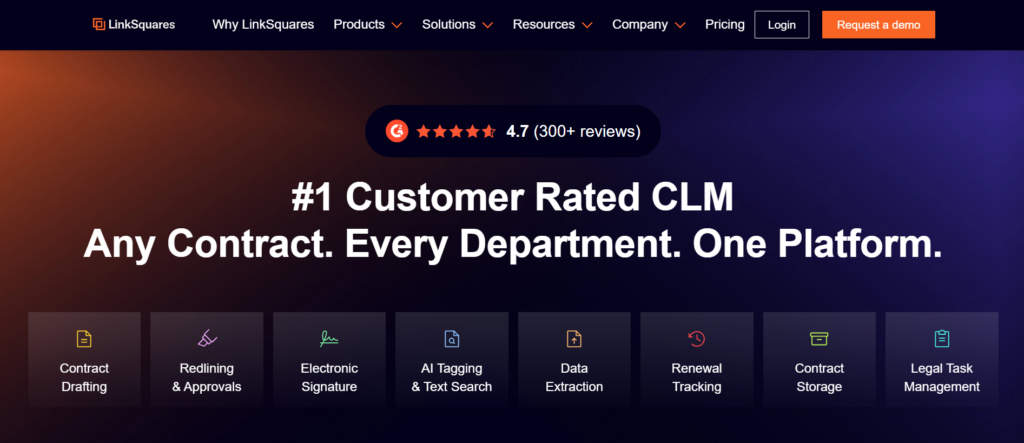
LinkSquares is frequently discussed in conversations about AI-driven contract management tools. Unlike workflow-heavy platforms, its core strength lies in analysing executed agreements and extracting structured data from them.
If your legal team is sitting on thousands of legacy contracts stored across shared drives, email archives and outdated repositories, LinkSquares addresses that problem directly.
In most LinkSquares review breakdowns, the focus is on visibility. Not just storage. Not just execution. Visibility into what your contracts actually say.
Key Features
LinkSquares provides contract lifecycle management software with strong AI-powered data extraction and analytics. It is particularly effective for organisations looking to understand existing contractual exposure rather than solely managing new contracts.
AI Clause Extraction
LinkSquares scans uploaded agreements and automatically extracts:
- Key dates
- Indemnity clauses
- Liability caps
- Termination provisions
- Auto-renewal language
- Governing law clauses
For organisations evaluating contract management tools after a compliance scare or audit, this capability is critical.
Manual review of hundreds of contracts is not scalable. AI-based extraction dramatically reduces that burden.
Post-Signature Intelligence
Many contract management tools focus heavily on drafting and execution. LinkSquares focuses on what happens after signature.
Its dashboards provide insight into:
- Contracts expiring within specific timeframes
- Agreements lacking standard compliance language
- Contracts containing non-standard liability caps
- Vendor agreements without termination flexibility
For legal operations teams, this creates strategic oversight rather than reactive management.
Advanced Search Capabilities
Search functionality goes beyond simple keyword matching. Users can search by clause type, risk category or financial exposure.
In LinkSquares vs Ironclad comparisons, LinkSquares often wins on deep post-signature analytics rather than workflow control.
Integration with CLM Systems
LinkSquares integrates with platforms like DocuSign and Salesforce. This allows new contracts to be ingested automatically into the analytics engine.
For organisations already using other contract management tools, LinkSquares can function as an intelligence layer on top.
Legal Reporting Dashboards
Dashboards provide data visualisation around:
- Contract cycle time
- Risk distribution
- Renewal exposure
- Counterparty concentration
This level of reporting appeals strongly to General Counsel and CFOs.
Pros and Cons
| Pros | Cons |
| Strong AI analytics | Less drafting functionality |
| Excellent legacy contract review | Not a full workflow replacement |
| Clear dashboards | Enterprise pricing |
| Scales well for large portfolios | Requires initial data ingestion |
Pricing
LinkSquares pricing typically begins around:
- £600+ per month
- Enterprise plans: Custom pricing
Implementation may include initial contract ingestion services.
Compared with entry-level contract management tools, LinkSquares is positioned as an intelligence solution rather than a basic repository.
Best For Legal Teams Needing Visibility Across Large Contract Portfolios
LinkSquares is particularly suitable for:
- Enterprises conducting compliance audits
- Companies preparing for acquisition
- Legal departments managing thousands of legacy agreements
- Organisations lacking structured clause oversight
If your primary challenge is understanding risk exposure across existing contracts, LinkSquares offers analytical depth beyond many contract lifecycle management software platforms.
Verdict
For post-signature intelligence and risk analytics, LinkSquares stands out among AI-driven contract management tools.
Practical Tip for General Counsel
Run a liability cap analysis across your top 50 revenue-generating contracts. Identify deviations from standard language and prioritise renegotiation strategy before renewal.
Best Alternate Tool
If you require AI extraction combined with deeper workflow functionality, Evisort is often compared in LinkSquares vs Evisort discussions.
14. Evisort
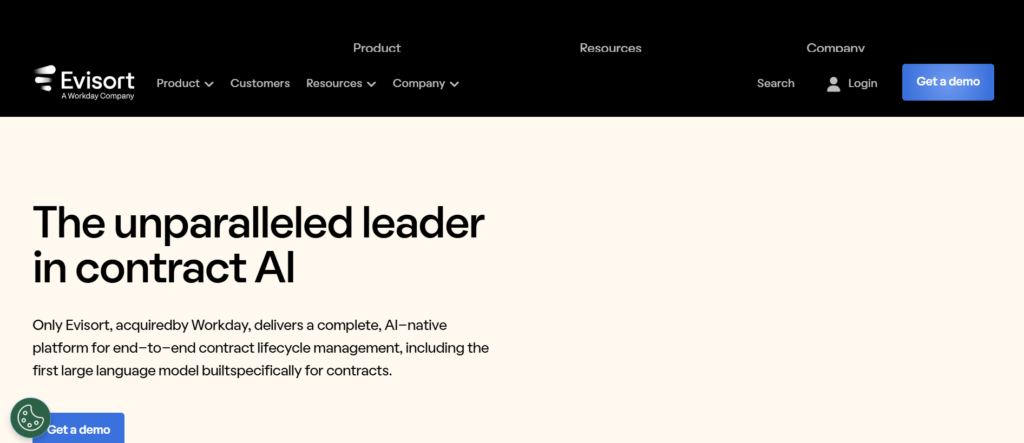
Evisort is frequently described as AI-first contract lifecycle management software. It was built around machine learning from inception, rather than layering AI onto legacy architecture.
Among advanced contract management tools, Evisort positions itself as both a repository and an intelligence engine.
In most Evisort review analyses, automation depth is the core theme.
Key Features
Evisort combines contract storage, AI extraction and workflow routing into a unified platform.
Automated Contract Ingestion
Evisort automatically scans email inboxes, shared drives and cloud storage systems to locate and ingest contracts.
For organisations that have contracts scattered across multiple systems, this automation is powerful.
Few contract management tools provide automated discovery at this level.
AI Metadata Tagging
Once ingested, Evisort’s AI extracts structured metadata including:
- Renewal dates
- Governing law
- Termination clauses
- Financial obligations
- Indemnity exposure
This metadata feeds dashboards and reporting modules.
Risk Scoring
Evisort assigns risk scores to agreements based on deviations from standard clause libraries.
Legal teams can prioritise review efforts accordingly.
In Evisort vs LinkSquares comparisons, Evisort often stands out for integrating AI analytics with active workflow capabilities.
Workflow Automation
Users can configure approval processes for new contracts, keeping alignment between legal, finance and procurement.
This moves Evisort beyond analytics-only positioning.
Integration with Enterprise Systems
Evisort integrates with Salesforce, Workday and ERP systems, embedding contract data into operational workflows.
Pros and Cons
| Pros | Cons |
| Strong AI capabilities | Higher pricing tier |
| Automated contract discovery | Enterprise-focused |
| Risk scoring features | Implementation time |
| Workflow plus analytics | Not SME oriented |
Pricing
Evisort pricing typically starts at:
- £700+ per month
- Enterprise deployments: Custom pricing
As with many advanced contract management tools, onboarding may involve structured implementation planning.
Best For Enterprises Seeking AI-Driven Contract Oversight
Evisort suits:
- Legal departments managing large portfolios
- Enterprises with decentralised contract storage
- Companies undergoing compliance audits
- Businesses integrating contract data into analytics strategies
If artificial intelligence and automation are priorities, Evisort represents one of the more advanced contract lifecycle management software options available.
Verdict
For AI-native contract intelligence with workflow integration, Evisort is a strong enterprise contender.
Practical Tip for Risk Teams
Use AI deviation analysis to identify contracts lacking updated regulatory clauses. Prioritise amendments ahead of renewal periods.
Best Alternate Tool
If your organisation prefers analytics focused primarily on executed agreements rather than workflow depth, LinkSquares may be sufficient.
15. Gatekeeper
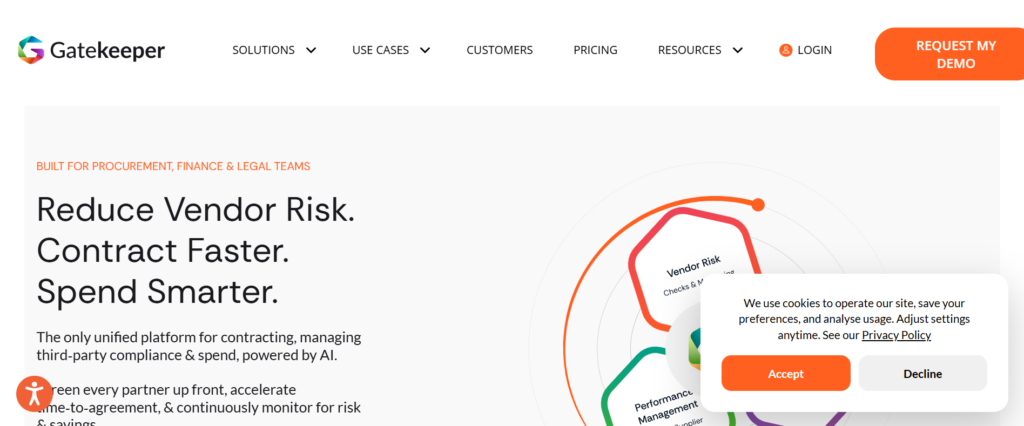
Gatekeeper stands apart from many contract management tools by combining contract lifecycle management with vendor management functionality.
Rather than focusing purely on drafting and execution, Gatekeeper emphasises supplier relationship oversight.
In many Gatekeeper review discussions, procurement alignment is highlighted as a core advantage.
Key Features
Gatekeeper blends contract management software with vendor tracking and compliance monitoring.
Vendor Portal Access
Suppliers can access a structured portal to upload documentation, update details and maintain compliance records.
This reduces administrative back-and-forth and improves data accuracy.
Supplier Risk Monitoring
Gatekeeper tracks insurance certificates, compliance documents and renewal dates.
Procurement teams gain visibility into vendor risk exposure.
Contract Repository and Alerts
Like other contract management tools, Gatekeeper includes searchable storage and renewal notifications.
However, its strength lies in connecting contracts to vendor profiles.
Custom Approval Workflows
Users configure approval routing based on supplier category or contract value.
This keeps high-risk vendor agreements from receiving appropriate oversight.
Spend Tracking Integration
Gatekeeper can integrate spend data alongside contract terms, enabling procurement analysis.
Pros and Cons
| Pros | Cons |
| Strong vendor governance | Less AI analytics depth |
| Supplier portal functionality | Enterprise pricing |
| Good procurement alignment | Implementation required |
| Clear renewal tracking | Not sales-focused |
Pricing
Gatekeeper pricing typically starts at:
- £875 per month
- Enterprise: Custom pricing
Compared to simpler contract management tools, Gatekeeper focuses heavily on procurement governance.
Best For Procurement Teams Managing Supplier Risk
Gatekeeper works well for:
- Procurement-led organisations
- Enterprises managing large vendor networks
- Companies requiring supplier compliance tracking
- Businesses with recurring vendor renewals
If supplier governance and vendor oversight are priorities, Gatekeeper provides stronger alignment than many traditional contract lifecycle management software platforms.
Verdict
For organisations where supplier management and contract governance intersect, Gatekeeper offers strong structural alignment.
Practical Tip for Procurement
Categorise suppliers by risk tier and configure approval depth accordingly. High-risk vendors should trigger extended review protocols.
Best Alternate Tool
If financial spend analytics are a greater priority than vendor portal functionality, Coupa may be more suitable.
16. ContractSafe
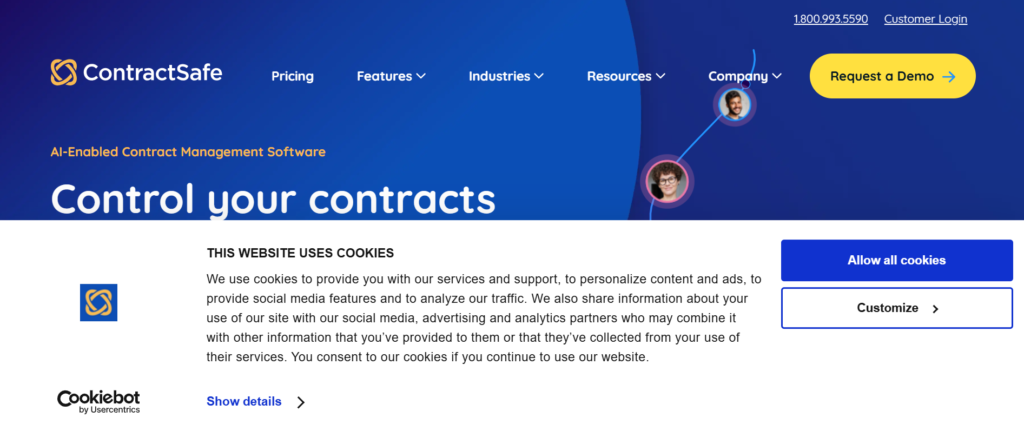
ContractSafe focuses on simplicity.While many contract management tools emphasise AI or workflow automation, ContractSafe positions itself as an easy-to-use contract repository with strong search and alert capabilities.
In most ContractSafe review summaries, usability is the central theme.
Key Features
ContractSafe delivers contract lifecycle management software designed primarily around storage, search and alerts.
Smart Search Engine
The platform indexes contract content, enabling users to search by clause, date or keyword.
For teams previously reliant on manual folder structures, this dramatically improves efficiency.
Automated Renewal Reminders
Users receive alerts before contract expiry dates, reducing accidental renewals.
Missed renewal management is one of the most common weaknesses in organisations lacking structured contract management tools.
Unlimited User Access
Unlike many competitors, ContractSafe allows unlimited users without complex per-user pricing tiers.
This makes it accessible for cross-department visibility.
Secure Cloud Storage
Contracts are stored securely with encryption and structured access controls.
Easy Onboarding
Implementation is typically rapid, with minimal configuration required.
Pros and Cons
| Pros | Cons |
| Very user-friendly | Limited workflow automation |
| Strong search | No advanced AI analysis |
| Transparent pricing | Not enterprise-heavy |
| Quick setup | Basic reporting |
Pricing
ContractSafe pricing starts at:
Higher tiers available based on contract volume.
Compared with more advanced contract management tools, ContractSafe prioritises usability over complexity.
Best For Small to Mid-Sized Businesses Seeking Simple Contract Control
ContractSafe is ideal for:
- Growing SMEs replacing spreadsheets
- Operations teams centralising agreements
- HR departments storing employment contracts
- Companies needing renewal alerts without enterprise overhead
If your organisation needs structured storage and reminders rather than advanced automation, ContractSafe offers practical value.
Verdict
For straightforward contract lifecycle management software focused on repository and alerts, ContractSafe remains a popular choice.
Excellent. Now we continue with Tools 17 to 20 in full depth, maintaining strong detail, positioning, operational context and buyer insight.
17. Outlaw
Outlaw differentiates itself from many contract management tools by focusing heavily on in-platform drafting and negotiation. Rather than treating contracts as static documents uploaded after creation, Outlaw enables teams to draft, collaborate and execute agreements inside one system from start to finish.
In most Outlaw review breakdowns, the conversation centres around workflow clarity and document collaboration.
Outlaw is particularly appealing to businesses that want a structured contract lifecycle management software solution without relying on Microsoft Word as the primary drafting environment.
Key Features
Outlaw blends document editing, approval routing and execution within a centralised contract management system.
Built-In Word-Style Editor
Outlaw provides a browser-based contract editor that mimics traditional word processing tools while maintaining structured version control.
This eliminates confusion caused by multiple Word attachments circulating via email. All edits are tracked and stored centrally.
For organisations comparing Outlaw vs Juro, both offer browser-native editing. However, Outlaw emphasises structured workflow tracking alongside drafting.
Structured Approval Workflows
Contracts can be routed automatically based on value thresholds, department ownership or contract category.
Approval chains are visible in real time, providing transparency around bottlenecks.
Among contract management tools, visibility into pending approvals reduces internal friction between legal, finance and sales.
Clause Library and Template Control
Legal teams can create reusable templates and clause banks, keeping consistent language across commercial agreements.
This is particularly valuable for organisations managing recurring service contracts or subscription agreements.
Version History and Audit Trails
Every edit is timestamped and attributed to a specific user. This creates accountability and simplifies internal audit reviews.
For organisations operating under compliance requirements, this documentation trail matters.
eSignature Integration
Outlaw includes integrated digital signature capability, allowing contracts to move directly from negotiation to execution.
This keeps the entire contract lifecycle within one platform.
Pros and Cons
| Pros | Cons |
| Integrated drafting tools | Less advanced AI analytics |
| Clear workflow tracking | Not enterprise-heavy |
| Suitable for mid-sized teams | Limited supplier management |
| Transparent editing history | Implementation required |
Pricing
Outlaw pricing typically begins at:
- £100 per user per month
- Enterprise pricing available upon request
Compared with entry-level contract management tools, Outlaw sits in the mid-market range, offering deeper drafting capability without full enterprise complexity.
Best For Mid-Sized Businesses Wanting Structured Drafting Control
Outlaw is particularly suitable for:
- Service-based businesses issuing repeat contracts
- SaaS companies managing subscription agreements
- Legal teams wanting centralised drafting control
- Operations leaders reducing email-based negotiation
If your organisation struggles with version control and fragmented document editing, Outlaw addresses that issue directly.
Verdict
For organisations prioritising centralised drafting and workflow clarity, Outlaw delivers solid contract lifecycle management software functionality without enterprise overhead.
Practical Tip for Legal Teams
Build pre-approved fallback clauses directly into templates. This reduces negotiation friction and shortens review cycles during redlining.
Best Alternate Tool
If your organisation requires more AI-based clause analytics rather than drafting emphasis, LinkSquares may be worth evaluating.
18. Precisely
Precisely is often associated with data governance and compliance management. While not purely a contract management vendor, its solutions intersect with contract lifecycle management in environments where regulatory control and data accuracy are priorities.
In many Precisely review discussions, compliance oversight and structured data governance take centre stage.
This makes it particularly relevant for regulated industries.
Key Features
Precisely supports contract management tools by strengthening data control and regulatory alignment.
Data Quality Monitoring
Precisely keeping contract-related data flowing through enterprise systems remains consistent and validated.
For financial institutions and healthcare providers, inaccurate contract data can lead to regulatory breaches.
Compliance Alignment
The platform supports regulatory frameworks requiring strict data governance.
Organisations subject to industry regulations benefit from structured oversight mechanisms.
Integration with Enterprise Systems
Precisely integrates with ERP and CRM platforms, keeping contract metadata aligns with operational systems.
This reduces discrepancies between contractual obligations and system-recorded terms.
Risk and Audit Support
The platform supports audit preparation by maintaining structured records and compliance documentation.
For heavily regulated organisations, this layer complements contract lifecycle management software.
Data Lineage Tracking
Precisely tracks where contract-related data originates and how it moves across systems.
This improves accountability and audit readiness.
Pros and Cons
| Pros | Cons |
| Strong compliance focus | Not pure CLM platform |
| Enterprise governance | Complex implementation |
| ERP integration | Higher cost |
| Data validation | Overkill for SMEs |
Pricing
Precisely pricing typically begins around:
- £750+ per month
- Enterprise deployments: Custom pricing
It is best viewed as a governance supplement to other contract management tools.
Best For Regulated Enterprises Requiring Strict Data Governance
Precisely works well for:
- Financial institutions
- Insurance providers
- Healthcare organisations
- Enterprises under heavy regulatory scrutiny
If regulatory data integrity is central to your contract management strategy, Precisely provides a strong compliance layer.
Verdict
While not a traditional CLM platform, Precisely strengthens contract governance in compliance-heavy environments.
Practical Tip for Compliance Officers
Map contractual obligations to system-recorded data points. Use data validation to keep financial and liability terms match executed agreements.
Best Alternate Tool
If your primary focus is full contract lifecycle management rather than data governance, Icertis may be more appropriate.
19. Onit
Onit is widely known within legal operations circles. It provides enterprise legal management solutions, including contract lifecycle management software.
Among contract management tools targeting corporate legal departments, Onit positions itself as part of a broader legal operations framework.
In most Onit review evaluations, scalability and structured legal workflow stand out.
Key Features
Onit integrates contract management with legal service request tracking and operational reporting.
Legal Workflow Automation
Contract requests can be submitted through structured intake portals and routed according to internal legal policies.
This reduces ad hoc email submissions and improves workload visibility.
Contract Repository and Analytics
Executed agreements are stored centrally with metadata tracking and reporting functionality.
Leadership can track contract volume, review time and departmental bottlenecks.
Matter Management Integration
Onit integrates contract workflows with broader legal matter management systems.
This provides a holistic view of legal workload.
Budget and Spend Tracking
Legal departments can align contract activity with budget tracking modules.
For General Counsel managing cost control, this integration is valuable.
Enterprise Integration
Onit integrates with ERP and HR systems to align contracts with organisational data.
Pros and Cons
| Pros | Cons |
| Strong legal operations focus | Enterprise pricing |
| Integrated matter management | Complex onboarding |
| Scalable architecture | Less SME-friendly |
| Detailed reporting | Requires configuration |
Pricing
Onit pricing typically begins around:
- £600+ per month
- Enterprise configurations: Custom pricing
It is positioned for larger organisations rather than small businesses.
Best For Corporate Legal Departments Seeking Operational Structure
Onit is ideal for:
- In-house legal teams managing high contract volumes
- Enterprises formalising legal operations
- Organisations tracking legal budget allocation
- Companies integrating contract and matter management
If legal operations maturity is your objective, Onit provides structured oversight beyond basic contract management tools.
Verdict
For enterprise legal departments, Onit offers structured contract lifecycle management within a broader legal operations ecosystem.
Practical Tip for Legal Operations Managers
Use intake tracking data to measure average contract turnaround times by department. Identify bottlenecks and adjust approval routing accordingly.
Best Alternate Tool
If your focus is AI-based contract intelligence rather than matter management integration, Evisort may be more suitable.
20. Conga
Conga sits at the intersection of revenue operations and contract lifecycle management software.
Unlike legal-first platforms, Conga aligns contracts with CPQ systems, billing processes and revenue recognition workflows.
In most Conga review discussions, revenue visibility is the central theme.
Key Features
Conga integrates contract management tools with revenue lifecycle processes.
CPQ and Contract Integration
Quotes generated in CPQ systems can flow directly into contract templates.
This reduces discrepancies between pricing proposals and executed agreements.
Automated Contract Generation
Templates dynamically populate using CRM and pricing data.
For sales-driven organisations, this reduces drafting time and human error.
Renewal and Amendment Tracking
Conga tracks contract renewals, upsells and amendments tied to subscription agreements.
This is particularly valuable for SaaS and subscription-based businesses.
Revenue Reporting Alignment
Contract data feeds revenue recognition systems, aligning finance and sales reporting.
Few contract management tools integrate revenue tracking this tightly.
Salesforce Integration
Conga integrates deeply with Salesforce, making it attractive for Salesforce-centric organisations.
Pros and Cons
| Pros | Cons |
| Strong revenue alignment | Complex implementation |
| CPQ integration | Enterprise pricing |
| Good for SaaS | Less procurement focus |
| Salesforce-native options | Requires configuration |
Pricing
Conga pricing typically begins around:
- £20 per user per month for basic modules
- Enterprise packages: Custom pricing
Costs increase depending on CPQ and revenue management integrations.
Best For Revenue Operations and Salesforce-Centric Businesses
Conga works particularly well for:
- SaaS companies managing subscription contracts
- Revenue operations teams aligning sales and finance
- Salesforce-based organisations
- Businesses requiring CPQ and contract integration
If revenue visibility and billing alignment matter more than standalone legal governance, Conga provides strong contract lifecycle management software integration.
Verdict
For organisations aligning contracts with revenue processes, Conga stands apart from traditional contract management tools.
Best Contract Management Tools 2026 for Smarter Control and Reduced Risk
Contracts either protect your margin or quietly erode it.There is no middle ground.Across this guide, we analysed 20 leading contract management tools, from enterprise-grade contract lifecycle management software to agile mid-market platforms. Now the real question is not which tool looks impressive on paper.
It is this, which contract management tools align with your operational structure, risk profile and revenue model?
At Pearl Lemon Sales, we work with scaling businesses, procurement leaders and revenue teams who reach a tipping point. Spreadsheets stop working. Email chains become dangerous. Renewals get missed. Legal review slows sales. Procurement lacks supplier visibility.
That is when contract management tools move from “nice to have” to operational necessity.
Frequently Asked Questions
1. What is the difference between contract management tools and contract lifecycle management software?
Contract management tools often refer to broader platforms. Contract lifecycle management software specifically covers drafting, negotiation, execution and renewal phases.
2. How long does CLM implementation typically take?
SME platforms may deploy within weeks. Enterprise platforms like Icertis or SAP Ariba may require several months.
3. Can contract management tools integrate with Salesforce?
Yes. Platforms such as Conga, PandaDoc, Juro and DocuSign integrate directly with Salesforce.
4. Are AI contract analytics necessary for mid-sized businesses?
Not always. AI extraction becomes more valuable when managing large legacy contract portfolios.
5. How much do contract management tools cost?
Pricing ranges from £17 per user per month for entry-level platforms to £1,000+ per month for enterprise solutions.
6. What risks do companies face without structured contract management?
Common risks include missed renewals, inconsistent clause language, compliance exposure and slow approval cycles.
7. Is procurement-specific contract software different from sales-focused CLM?
Yes. Procurement platforms often integrate spend management and supplier governance features.
8. Can CLM improve audit readiness?
Yes. Structured repositories and audit trails simplify compliance reviews.
9. What industries benefit most from contract lifecycle management software?
Technology, financial services, healthcare, manufacturing and professional services all benefit significantly.
10. How do we know which platform is right for us?
The answer depends on contract volume, compliance requirements, integration needs and internal governance structure.