
Sales inboxes are crowded. Prospects skim. Replies are rare. That is exactly why choosing the right cold email tools for salespeople matters more than ever.
We analysed dozens of cold outreach platforms used daily by SDRs, account executives, founders, and B2B sales teams. The goal was simple. Find tools that actually support outbound sales work without unnecessary complexity.
This guide on the best cold email tools for salespeople is written for people who send volume, care about reply rates, and need clear visibility across campaigns. Whether you are booking meetings yourself or managing a sales team, these cold email tools for salespeople are built to support real outbound workflows in 2026.
Used properly, modern cold email software can reduce manual follow ups, manage sender reputation, and keep progress active without relying on vanity metrics.
What Is Cold Email Software
Cold email software is built to send personalised outbound emails at scale while protecting deliverability and tracking replies.
Unlike standard email clients, cold email tools for salespeople include:
- Automated follow up logic
- Reply and interest detection
- Domain and inbox warm up
- Basic CRM style lead tracking
- Campaign level analytics
For salespeople, cold email tools act as the control centre for outbound prospecting. They reduce admin work and make outreach repeatable across teams.
Quick Comparison Table: Cold Email Tools for Salespeople
The columns below focus on what salespeople actually care about when choosing cold email tools: outbound volume control, deliverability safeguards, ease of use, and pricing entry point.
| Tool Name | Best For | Starting Price | Free Trial | Key Feature |
| Instantly | High volume outbound | £30 per month | Yes | Inbox rotation |
| Lemlist | Personalised outreach | £39 per month | Yes | Image personalisation |
| Woodpecker | B2B sales teams | £29 per month | Yes | Reply detection |
| Smartlead | Agencies and SDR teams | £33 per month | Yes | Multi inbox logic |
| Reply.io | Multi step sequences | £60 per month | Yes | Email plus LinkedIn |
| Apollo.io | Data plus outreach | £49 per month | Yes | Built in lead data |
| Mailshake | Sales campaigns | £47 per month | Yes | Simple sequencing |
| Outreach | Enterprise sales | Custom pricing | Demo | Advanced workflows |
| Salesloft | Revenue teams | Custom pricing | Demo | Cadence tracking |
| Yesware | Email tracking | £15 per month | Yes | Open tracking |
| GMass | Gmail based outreach | £19 per month | Yes | Native Gmail sending |
| QuickMail | Deliverability focus | £49 per month | Yes | Auto warm up |
| Snov.io | Prospecting plus email | £30 per month | Yes | Email finder |
| Hunter Campaigns | Simple campaigns | £34 per month | Yes | Domain verification |
| Mixmax | Small sales teams | £24 per month | Yes | Scheduling links |
| Klenty | SDR automation | £50 per month | Demo | CRM syncing |
| Overloop | Outbound sales | £79 per month | Yes | Visual progress |
| PersistIQ | Outbound sequences | £49 per month | Yes | Task automation |
| Gong Engage | Revenue intelligence | Custom pricing | Demo | Call insights |
| Close | CRM plus outreach | £49 per month | Yes | Built in dialler |
Complete List of the 20 Best Cold Email Tools for Salespeople
Here is the same list presented cleanly for fast scanning and jump linking later in the article.
- Instantly
- Lemlist
- Woodpecker
- Smartlead
- Reply.io
- Apollo.io
- Mailshake
- Outreach
- Salesloftu
- Yesware
- GMass
- QuickMail
- Snov.io
- Hunter Campaigns
- Mixmax
- Klenty
- Overloop
- PersistIQ
- Gong Engage
- Close
1. Instantly
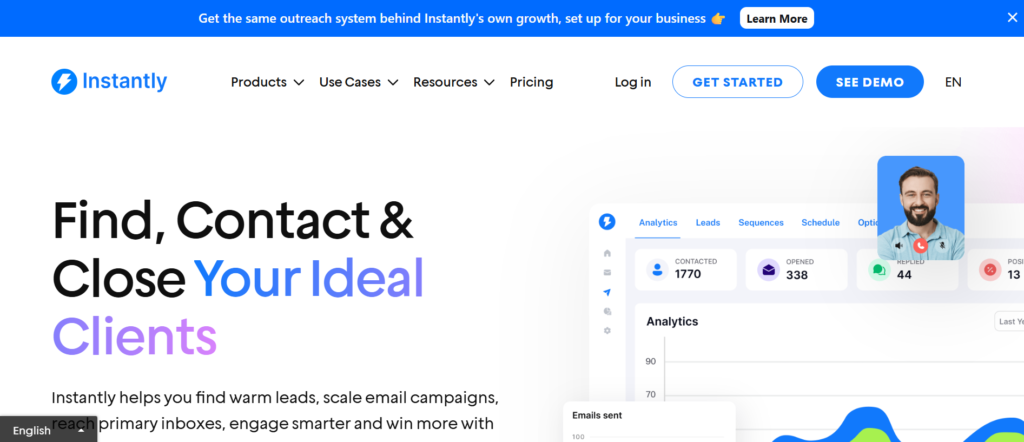
Tagline: High-Volume Cold Email Without Inbox Burnout
Summary
Instantly is one of the most widely used cold email tools for salespeople who rely on scale. It is built for outbound reps, founders, and SDR teams sending thousands of emails per month across multiple inboxes.
What separates Instantly from many tools is its focus on volume control and inbox rotation rather than fancy extras. Sales teams use it when speed, throughput, and reply handling matter more than visuals or CRM features.
If your role involves booking meetings daily through cold outreach, Instantly is designed to keep campaigns running while reducing manual work.
Key Features
Inbox Rotation and Sending Logic
Instantly allows salespeople to connect multiple inboxes and rotate sending automatically. This spreads volume across domains and reduces risk when running outbound at scale.
For sales teams, this means fewer interruptions. Campaigns continue running even as new inboxes are added or removed, which is essential for consistent prospecting.
Built-In Warm-Up System
New inboxes can be warmed directly inside the platform. Emails are sent and replied to automatically to establish sending history.
This matters for salespeople launching new domains regularly. It reduces setup friction and keeps deliverability stable over time.
Campaign Sequencing
Instantly supports multi-step sequences with delays, follow-ups, and stop conditions when a reply is detected.
Sales reps use this to keep follow-ups running without manually checking inboxes every day, freeing time for calls and deal work.
Reply Detection and Labels
Replies are detected automatically and categorised so interested prospects are easy to spot.
This helps salespeople focus on conversations that matter rather than sorting through noise.
Team Management Controls
For sales managers, Instantly includes role-based access and campaign visibility across team members.
This keeps outbound organised when multiple reps are running campaigns at once.
Pros and Cons
| Pros | Cons |
| Handles high volume | Limited CRM depth |
| Simple interface | No LinkedIn steps |
| Strong warm-up | Basic analytics |
Pricing
Instantly pricing starts at £30 per month, with higher tiers based on inbox count and team size.
There is a free trial available, which most sales teams use to test deliverability before scaling.
Best For High-Volume Sales Outreach
Instantly works best for:
- SDRs sending daily outbound emails
- Agencies managing campaigns for clients
- Founders running founder-led sales
- Sales teams using multiple domains
Salespeople who rely on inbox volume rather than heavy personalisation tend to get the most value.
Usage Tip for Salespeople
Pair Instantly with a separate CRM and calendar link. Let Instantly handle outreach volume while deals move through your sales progress elsewhere.
Verdict
Instantly is one of the strongest cold email tools for salespeople who care about output, inbox safety, and speed over complex workflows.
Best Alternate Tool: Smartlead
2. Lemlist
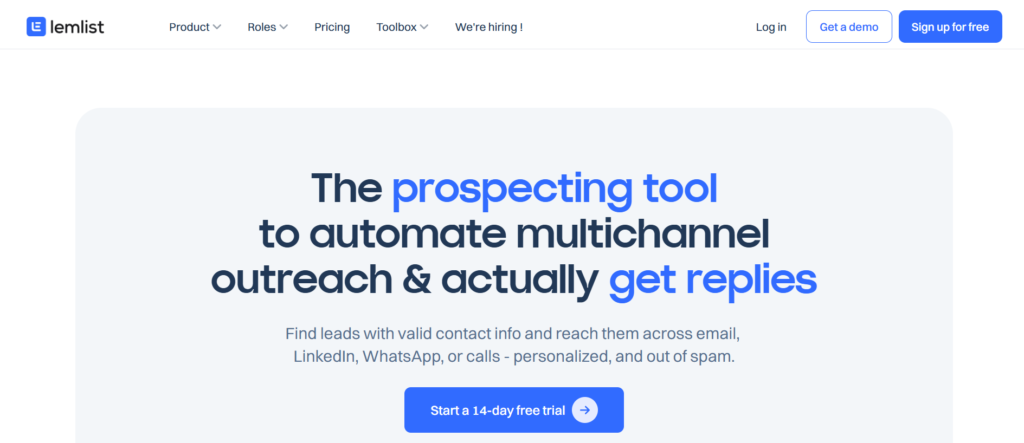
Tagline: Personalised Cold Email That Still Scales
Summary
Lemlist is built for salespeople who want personalisation without sending emails manually. It is widely used by outbound reps who sell into competitive markets where generic emails fail.
Instead of focusing purely on volume, Lemlist puts attention on message variation, visuals, and custom fields that help emails look human.
Sales teams use Lemlist when quality matters more than raw sending speed.
Key Features
Visual Personalisation
Lemlist allows images, dynamic screenshots, and personalised thumbnails inside emails.
For salespeople, this helps break through crowded inboxes, especially when prospecting decision-makers who see hundreds of emails weekly.
Multi-Step Campaigns
Sales reps can create structured sequences with delays, logic rules, and stop conditions.
This keeps follow-ups consistent while still allowing manual replies when prospects respond.
Email Warm-Up Tool
Lemwarm is included to warm inboxes before campaigns go live.
Sales teams launching new domains rely on this to reduce early deliverability problems.
Team Collaboration
Campaigns, templates, and stats can be shared across teams.
This is useful for sales managers who want consistent messaging without micromanaging reps.
Analytics Dashboard
Lemlist tracks open rates, replies, and bounce rates clearly.
While not a full analytics suite, it gives salespeople enough insight to adjust copy and targeting.
Pros and Cons
| Pros | Cons |
| Strong personalisation | Slower at scale |
| Clean interface | Higher pricing |
| Visual features | Learning curve |
Pricing
Lemlist starts at £39 per month per user. Pricing increases based on features and team size.
A free trial is available for testing campaigns.
Best For Personalised Sales Outreach
Lemlist suits:
- Account executives targeting specific roles
- Salespeople selling high-ticket services
- Teams focused on reply quality
It is less suited for pure volume-driven outbound.
Usage Tip for Salespeople
Use image personalisation only in first-touch emails. Follow-ups perform better when kept text-based.
Verdict
Lemlist remains one of the best cold email tools for salespeople who value relevance and presentation over speed.
Best Alternate Tool: Woodpecker
3. Woodpecker
Tagline: Reliable Cold Outreach for B2B Sales Teams
Summary
Woodpecker is a straightforward cold email tool used heavily in B2B sales environments. It avoids unnecessary extras and focuses on sending, replies, and follow-ups.
Sales teams that prefer stability over experimentation often choose Woodpecker.
Key Features
Automatic Follow-Ups
Woodpecker sends follow-ups until a reply is received.
This keeps progress active without manual chasing.
Reply and Interest Detection
Replies are detected and campaigns stop automatically.
Salespeople do not risk sending follow-ups to prospects who already replied.
Personalisation Fields
Custom fields allow basic personalisation without complexity.
This works well for structured B2B prospect lists.
Deliverability Monitoring
Bounce detection and domain health alerts help maintain sender reputation.
Sales reps benefit from fewer disruptions mid-campaign.
CRM Integrations
Woodpecker integrates with common CRMs for deal tracking.
This reduces manual data entry for sales teams.
Pros and Cons
| Pros | Cons |
| Easy to use | Limited visuals |
| Stable delivery | Basic UI |
| Reliable support | Less flexible |
Pricing
Woodpecker pricing starts at £29 per month per user, making it accessible for small sales teams.
A free trial is available.
Best For B2B Sales Teams
Woodpecker fits:
- Outbound SDR teams
- Agencies selling B2B services
- Sales managers needing consistency
Usage Tip for Salespeople
Keep sequences short. Woodpecker performs best with three to four touches rather than long chains.
Verdict
Woodpecker is a dependable cold email tool for salespeople who want predictability over experimentation.
Best Alternate Tool: Lemlist
4. Smartlead
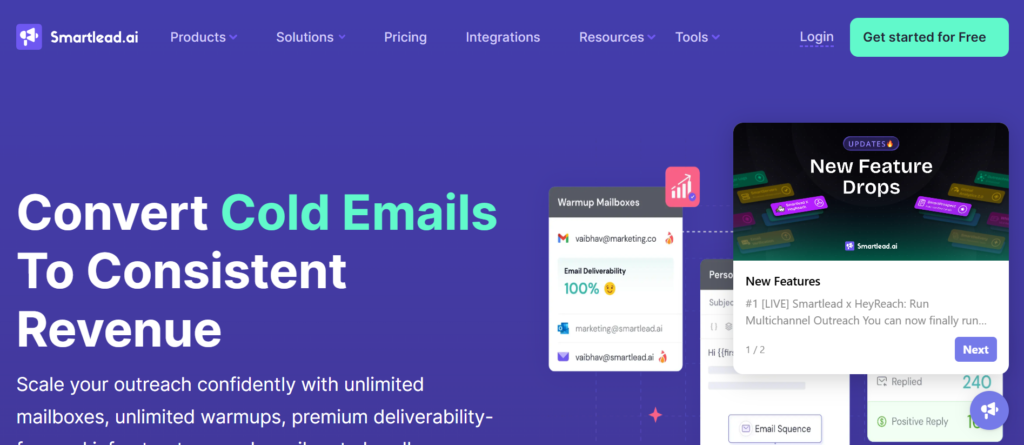
Tagline: Advanced Control for Serious Outbound Teams
Summary
Smartlead is built for sales teams and agencies managing many inboxes and campaigns simultaneously. It offers deep sending logic without becoming difficult to use.
Salespeople who operate multiple brands or clients often rely on Smartlead for inbox control.
Key Features
Multi-Inbox Campaign Logic
Smartlead distributes emails across inboxes intelligently.
This protects domains while maintaining steady send volume.
Centralised Reply Management
Replies from all inboxes appear in one dashboard.
Sales reps can manage conversations without logging into multiple email accounts.
Warm-Up Automation
Inbox warm-up is included, reducing setup time.
This supports rapid scaling of outbound operations.
Campaign Controls
Rules allow campaigns to pause based on reply type or bounce rates.
Sales managers use this to protect sender reputation.
Team Permissions
Roles and permissions help agencies manage clients securely.
Pros and Cons
| Pros | Cons |
| Strong inbox control | Less beginner friendly |
| Scales well | UI feels dense |
| Agency friendly | Limited templates |
Pricing
Smartlead starts at £33 per month, with pricing based on inbox count.
A free trial is available.
Best For Sales Agencies and Teams
Smartlead suits:
- Outbound agencies
- Sales teams managing many domains
- High-volume SDR groups
Usage Tip for Salespeople
Group inboxes by campaign type. This makes performance review easier later.
Verdict
Smartlead is a serious cold email tool for salespeople who operate at scale and need control.
Best Alternate Tool: Instantly
4. Reply.io

Tagline: Multi-Channel Outreach for Structured Sales Teams
Summary
Reply.io goes beyond email by combining cold email with LinkedIn and call tasks. It is often used by structured sales teams running defined cadences.
Salespeople who follow strict processes tend to favour Reply.io.
Key Features
Multi-Channel Sequences
Email, LinkedIn steps, and call reminders are combined into one flow.
This supports sales teams working across channels.
Task Automation
Reply.io creates daily tasks for reps automatically.
This keeps outreach consistent across the team.
Email Analytics
Campaign metrics are visible by rep and sequence.
Sales managers use this to compare performance.
CRM Syncing
Reply.io integrates with major CRMs.
Deals and activity remain aligned.
Team Reporting
Performance data is accessible at team level.
This supports coaching and forecasting.
Pros and Cons
| Pros | Cons |
| Multi-channel | Higher cost |
| Structured workflows | Steeper setup |
| Strong reporting | Email only not core |
Pricing
Reply.io pricing starts at £60 per month per user.
A free trial is available.
Best For Structured Sales Teams
Reply.io fits:
- Mid-size sales teams
- SDR teams with call steps
- Managers tracking activity
Usage Tip for Salespeople
Use email-only sequences first. Add LinkedIn steps later once replies stabilise.
Verdict
Reply.io is a solid cold email tool for salespeople who work within defined sales processes.
Best Alternate Tool: Salesloft
6. Apollo.io
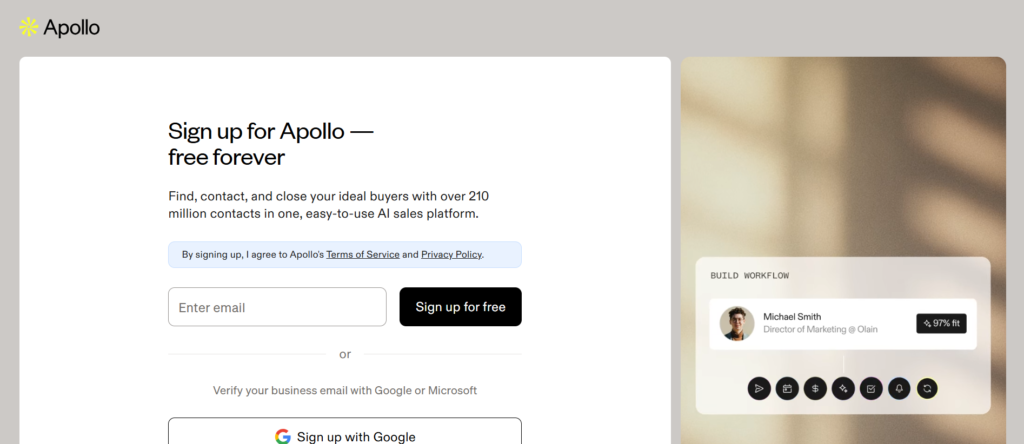
Tagline: Prospect Data and Cold Email in One Sales Workflow
Summary
Apollo.io is widely used by salespeople who want prospect data and cold outreach inside one system. Instead of sourcing leads elsewhere and uploading lists, Apollo allows sales teams to search, segment, and contact prospects from the same interface.
For salespeople working outbound daily, Apollo reduces list prep time. It is especially popular with SDRs who need a steady supply of new prospects without relying on external databases.
While not purely a cold email tool, Apollo has become a core part of many sales outreach stacks.
Key Features
Built-In Prospect Database
Apollo provides access to millions of business contacts with filters based on role, company size, industry, and location.
Salespeople use this to build targeted lists quickly without waiting for marketing support or data vendors.
Email Sequencing
Users can enrol prospects directly into cold email sequences from within Apollo.
This tight link between data and outreach reduces friction and speeds up outbound execution.
Contact Enrichment
Apollo enriches uploaded leads with additional data points such as job title and company details.
This supports better personalisation in cold emails.
CRM Integrations
Apollo syncs with popular CRMs so activity and replies remain visible to the wider sales team.
This helps sales managers track progress contribution from outbound efforts.
Analytics and Performance Tracking
Campaign level reporting shows reply rates, engagement, and sequence performance.
Sales reps can identify which messages resonate without switching tools.
Pros and Cons
| Pros | Cons |
| Built-in lead data | Email features basic |
| List building speed | Deliverability controls limited |
| CRM integrations | Higher learning curve |
Pricing
Apollo offers a free tier with limits. Paid plans start at £49 per month, depending on usage and data access.
Best For Data-Driven Sales Outreach
Apollo works best for:
- SDRs sourcing their own leads
- Early-stage sales teams
- Founders running outbound themselves
Salespeople who already have clean lists may prefer a dedicated email tool.
Usage Tip for Salespeople
Use Apollo for list building, then push engaged prospects into a dedicated follow-up sequence for better reply management.
Verdict
Apollo.io is a strong cold email tool for salespeople who want prospecting and outreach under one roof.
Best Alternate Tool: Snov.io
7. Mailshake
Tagline: Simple Cold Email for Sales Campaigns
Summary
Mailshake is designed for salespeople who want a simple interface without deep technical setup. It focuses on campaign execution rather than advanced sending logic.
Sales teams that prioritise ease of use often choose Mailshake, especially when onboarding new reps quickly.
Key Features
Campaign Builder
Mailshake uses a straightforward campaign builder with steps, delays, and follow-ups.
Sales reps can launch campaigns without extensive training.
Personalisation Tokens
Custom fields allow basic message personalisation at scale.
This supports targeted messaging without complexity.
Reply Management
Replies are tracked and visible inside the platform.
Salespeople can respond directly without switching tabs.
Deliverability Safeguards
Mailshake includes bounce handling and sending limits.
While not advanced, these features support consistent sending.
Team Collaboration
Templates and campaigns can be shared across teams.
This helps sales managers maintain message consistency.
Pros and Cons
| Pros | Cons |
| Easy to use | Limited automation |
| Clean interface | Basic analytics |
| Fast setup | Less scalable |
Pricing
Mailshake pricing starts at £47 per month per user. A free trial is available.
Best For Simple Sales Outreach
Mailshake suits:
- Small sales teams
- Solo salespeople
- Agencies onboarding junior reps
Usage Tip for Salespeople
Keep sequences short and focused. Mailshake performs best with concise campaigns.
Verdict
Mailshake is a practical cold email tool for salespeople who want speed and simplicity over advanced controls.
Best Alternate Tool: Woodpecker
8. Outreach
Tagline: Enterprise-Level Sales Engagement Platform
Summary
Outreach is a sales engagement platform used primarily by large sales organisations. It combines email, calls, tasks, and analytics into structured workflows.
For individual salespeople, Outreach enforces process. For managers, it provides visibility and control across teams.
Key Features
Sales Cadences
Outreach uses cadences to structure outreach across email, calls, and tasks.
Sales reps follow predefined steps, keeping consistency.
Advanced Analytics
Managers can track activity, reply rates, and conversion metrics across teams.
This supports forecasting and coaching.
CRM Integration
Outreach integrates deeply with enterprise CRMs.
Sales activity stays aligned with progress data.
Automation Rules
Tasks and follow-ups are generated automatically based on prospect behaviour.
This reduces manual workload for reps.
Team Governance
Permissions and approval workflows help maintain compliance.
This is critical for regulated sales environments.
Pros and Cons
| Pros | Cons |
| Enterprise controls | Expensive |
| Strong reporting | Heavy setup |
| Multi-channel | Overkill for small teams |
Pricing
Outreach uses custom pricing based on team size and features.
Best For Enterprise Sales Teams
Outreach suits:
- Large outbound teams
- Enterprise sales organisations
- Sales managers needing oversight
Usage Tip for Salespeople
Follow cadences closely. Outreach rewards consistency rather than improvisation.
Verdict
Outreach is a powerful cold email tool for salespeople working inside structured, enterprise environments.
Best Alternate Tool: Salesloft
9. Salesloft
Tagline: Structured Sales Engagement With Clear Reporting
Summary
Salesloft is similar to Outreach but with a slightly more approachable interface. It focuses on structured sales activity across email and calls.
Sales teams use Salesloft when consistency and reporting matter more than flexibility.
Key Features
Cadence-Based Outreach
Sales reps follow predefined sequences.
This keeps outreach happens on schedule.
Email and Call Tracking
Activity is logged automatically.
Managers can review rep performance easily.
Analytics Dashboard
Salesloft provides detailed reports on activity and outcomes.
This supports team optimisation.
CRM Sync
Salesloft integrates with major CRMs.
Data remains aligned across systems.
Coaching Tools
Managers can review messaging and activity patterns.
This supports rep development.
Pros and Cons
| Pros | Cons |
| Strong reporting | High cost |
| Team visibility | Rigid workflows |
| Sales coaching | Setup time |
Pricing
Salesloft pricing is custom and typically higher than SMB tools.
Best For Revenue Teams
Salesloft fits:
- Mid to large sales teams
- Organisations with sales enablement
- Managers focused on process
Usage Tip for Salespeople
Stick to the cadence timing. Deviating reduces reporting accuracy.
Verdict
Salesloft is a reliable cold email tool for salespeople operating within team-driven sales models.
Best Alternate Tool: Outreach
10. Yesware
Tagline: Email Tracking for Sales Conversations
Summary
Yesware focuses on email tracking rather than full campaign automation. It is used by salespeople who rely on direct emails rather than bulk outreach.
Sales reps use Yesware to understand when prospects engage.
Key Features
Email Open Tracking
Yesware tracks opens and link clicks.
Salespeople use this to time follow-ups.
Template Management
Frequently used messages can be saved and reused.
This saves time during daily outreach.
Activity Reporting
Managers can view email activity across teams.
This supports basic performance reviews.
CRM Integration
Yesware syncs email activity to CRM records.
This reduces admin work.
Calendar Integration
Meeting scheduling links integrate directly into emails.
This supports faster booking.
Pros and Cons
| Pros | Cons |
| Simple tracking | Not built for scale |
| Lightweight | Limited automation |
| Easy adoption | Basic features |
Pricing
Yesware pricing starts at £15 per month per user.
Best For One-to-One Sales Outreach
Yesware suits:
- Account executives
- Relationship-driven sales roles
- Low-volume outreach
Usage Tip for Salespeople
Use open tracking as a signal, not a decision maker. Replies matter more.
Verdict
Yesware is a lightweight cold email tool for salespeople focused on individual conversations rather than campaigns.
Best Alternate Tool: Mixmax
11. GMass
Tagline: Cold Email Directly From Gmail for Salespeople
Summary
GMass is a Gmail-based cold email tool used by salespeople who prefer working inside their inbox rather than a separate platform. It is popular with solo sales reps, founders, and consultants who send outbound emails daily but do not want complex systems.
Unlike full-scale cold email platforms, GMass runs as a layer on top of Gmail. This makes it familiar and quick to adopt, especially for salespeople already managing conversations manually.
GMass works best when outreach volume is moderate and messaging is hands-on.
Key Features
Native Gmail Sending
GMass sends emails directly from Gmail accounts, using the same interface salespeople already rely on.
This reduces friction and shortens the learning curve, especially for reps who manage conversations themselves.
Google Sheets Integration
Campaigns can be built using Google Sheets as the data source.
Salespeople often use this to manage prospect lists without exporting files or syncing CRMs.
Automated Follow-Ups
GMass can send follow-ups automatically when no reply is detected.
This supports consistent outreach while still keeping replies inside Gmail.
Open and Click Tracking
Email engagement is tracked and visible in reports.
Sales reps use this information to prioritise follow-ups.
Scheduling and Throttling
Sending limits and schedules help control email flow.
This reduces the risk of inbox issues during outbound activity.
Pros and Cons
| Pros | Cons |
| Gmail-native | Limited scalability |
| Fast setup | Basic deliverability tools |
| Low cost | No team dashboards |
Pricing
GMass pricing starts at £19 per month, with higher tiers based on sending limits.
Best For Gmail-Centric Salespeople
GMass suits:
- Solo sales reps
- Consultants running outreach themselves
- Founders doing direct selling
It is not designed for multi-rep teams.
Usage Tip for Salespeople
Use GMass for first-touch emails only. Handle follow-ups manually once replies start.
Verdict
GMass is a lightweight cold email tool for salespeople who want control without switching platforms.
Best Alternate Tool: Mailshake
12. QuickMail
Tagline: Deliverability-Focused Cold Outreach
Summary
QuickMail is built around one core idea: keep cold emails landing in inboxes. It is widely used by sales teams who prioritise deliverability over advanced features.
Salespeople often move to QuickMail after facing deliverability issues with simpler tools.
Key Features
Auto Warm-Up
QuickMail includes automated warm-up for connected inboxes.
This supports long-term sending health for outbound sales.
Inbox Rotation
Emails are distributed across multiple inboxes.
Sales teams use this to maintain consistent sending volume.
Reply Detection
Replies are detected and campaigns stop automatically.
This prevents awkward follow-ups.
Deliverability Monitoring
Alerts notify users of bounce issues or sending problems.
Salespeople can act before campaigns suffer.
Plain-Text Focus
QuickMail encourages simple email formats.
This aligns well with modern inbox filtering.
Pros and Cons
| Pros | Cons |
| Strong deliverability | Dated interface |
| Reliable sending | Fewer personalisation tools |
| Inbox safety | Limited reporting |
Pricing
QuickMail pricing starts at £49 per month, depending on inbox count.
Best For Deliverability-First Sales Teams
QuickMail fits:
- Sales teams sending daily volume
- Agencies managing multiple domains
- Reps recovering inbox reputation
Usage Tip for Salespeople
Keep formatting minimal. QuickMail performs best with plain text emails.
Verdict
QuickMail is a dependable cold email tool for salespeople who care about inbox placement above all else.
Best Alternate Tool: Instantly
13. Snov.io
Tagline: Prospecting and Cold Email Combined
Summary
Snov.io combines lead generation with cold email outreach. Salespeople use it to find contacts, verify emails, and send campaigns from one system.
It is often chosen by early-stage sales teams that want fewer tools in their stack.
Key Features
Email Finder
Snov.io finds verified email addresses based on domains and roles.
Sales reps use this to build lists quickly.
Email Verification
Emails are checked before sending.
This reduces bounce rates.
Campaign Automation
Cold email sequences can be launched directly from the platform.
Salespeople avoid exporting lists between tools.
CRM-Style Lead Management
Leads can be tagged and tracked through stages.
This supports basic progress organisation.
Browser Extension
Contacts can be captured from LinkedIn profiles.
This supports outbound prospecting workflows.
Pros and Cons
| Pros | Cons |
| All-in-one | Outreach features basic |
| Email verification | Deliverability controls limited |
| Affordable | UI can feel crowded |
Pricing
Snov.io pricing starts at £30 per month, with usage-based tiers.
Best For Prospecting-Led Sales Outreach
Snov.io suits:
- SDRs building lists daily
- Small sales teams
- Founders running outreach
Usage Tip for Salespeople
Verify emails before every campaign. This protects sender reputation.
Verdict
Snov.io is a practical cold email tool for salespeople who need lead data and outreach together.
Best Alternate Tool: Apollo.io
14. Hunter Campaigns
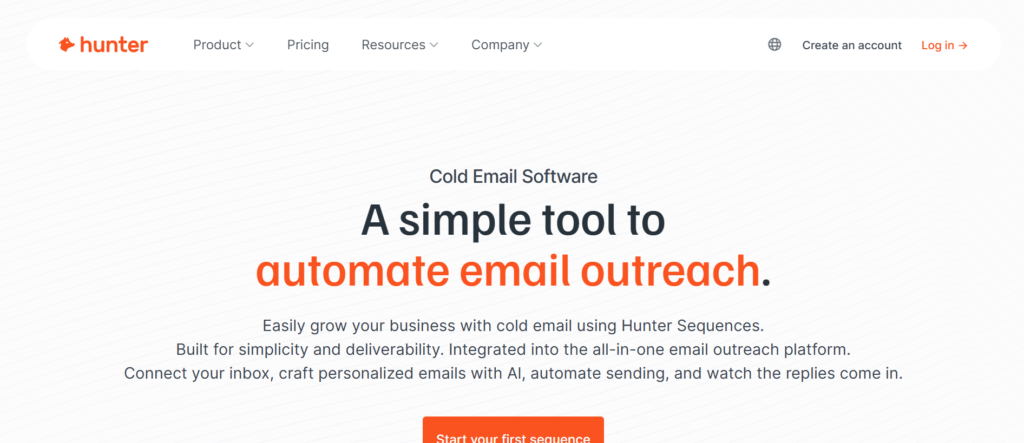
Tagline: Simple Cold Outreach With Verified Data
Summary
Hunter Campaigns is the outreach feature within Hunter, a tool known for email discovery and verification. It is designed for straightforward campaigns rather than complex sequences.
Salespeople who already use Hunter for prospecting often adopt Campaigns for convenience.
Key Features
Domain-Based Prospecting
Hunter focuses on domain-level email discovery.
Sales reps use this to target specific companies.
Email Verification
Emails are verified before sending.
This supports cleaner lists.
Simple Campaign Builder
Campaigns include basic follow-ups.
Salespeople can launch outreach quickly.
Team Access
Accounts can be shared across teams.
This supports small sales groups.
Analytics Overview
Basic engagement metrics are available.
Enough for performance checks.
Pros and Cons
| Pros | Cons |
| Clean data | Limited automation |
| Simple workflows | Not built for scale |
| Easy adoption | Few advanced features |
Pricing
Hunter Campaigns starts at £34 per month.
Best For Targeted Company Outreach
Hunter Campaigns fits:
- Account-based sales
- Low-volume outreach
- Research-driven prospecting
Usage Tip for Salespeople
Use Hunter for research-heavy outreach rather than bulk campaigns.
Verdict
Hunter Campaigns is a focused cold email tool for salespeople who value data quality over volume.
Best Alternate Tool: Snov.io
15. Mixmax
Tagline: Email Productivity for Sales Conversations
Summary
Mixmax focuses on productivity rather than mass outreach. It is used by salespeople who send personalised emails and want insight into engagement.
It works directly inside email clients, making it familiar.
Key Features
Email Tracking
Mixmax tracks opens and clicks.
Salespeople use this to time follow-ups.
Templates and Snippets
Common messages can be reused.
This speeds up daily outreach.
Scheduling Links
Calendar links are embedded directly into emails.
This reduces back-and-forth.
CRM Sync
Email activity syncs to CRM systems.
This supports record keeping.
Team Analytics
Managers can view basic activity data.
This supports oversight without complexity.
Pros and Cons
| Pros | Cons |
| Easy to use | Not built for cold volume |
| Productivity focused | Limited automation |
| Lightweight | Higher tiers costly |
Pricing
Mixmax pricing starts at £24 per month per user.
16. Klenty
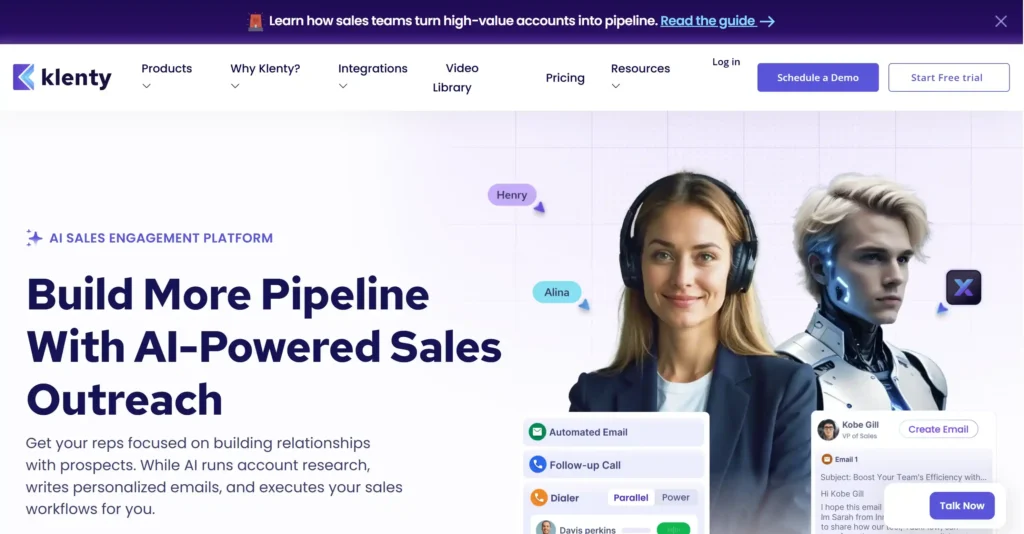
Tagline: Structured Outbound for SDR Teams
Summary
Klenty is built for sales development teams that work from defined outbound playbooks. It combines cold email, call tasks, and CRM alignment into one system, with a strong emphasis on consistency across reps.
Salespeople using Klenty usually operate in environments where activity targets, call blocks, and follow-up timing are closely monitored. Rather than encouraging improvisation, Klenty enforces a repeatable outreach rhythm.
It is commonly used by SaaS sales teams with multiple SDRs working the same market.
Key Features
Cadence-Based Outreach
Klenty uses cadences to organise email steps, call reminders, and task sequences.
For salespeople, this removes uncertainty around what to do next. Each day starts with a clear list of actions tied to prospects already in motion.
Email Automation With Guardrails
Cold email steps are automated within defined limits.
This keeps reps follow approved messaging and timing without drifting off-script.
CRM Synchronisation
Klenty syncs activity with major CRMs so outreach, replies, and deal stages remain connected.
Sales managers benefit from cleaner progress visibility without manual updates.
Activity Tracking and Reporting
Every email sent, call made, and reply received is logged.
This supports coaching conversations based on actual behaviour rather than assumptions.
Team Performance Dashboards
Managers can view outreach output and response trends across reps.
This helps identify where messaging or timing needs adjustment.
Pros and Cons
| Pros | Cons |
| Strong structure | Less flexible |
| CRM alignment | Heavier setup |
| Team visibility | Higher cost |
Pricing
Klenty pricing starts around £50 per month per user, depending on features and integrations.
Best For SDR Teams With Playbooks
Klenty suits:
- SaaS SDR teams
- Sales teams with strict activity targets
- Managers who want consistent execution
Usage Tip for Salespeople
Treat cadences as guardrails, not shortcuts. Personal replies still matter once prospects respond.
Verdict
Klenty is a reliable cold email tool for salespeople working inside structured SDR environments.
Best Alternate Tool: Reply.io
17. Overloop
Tagline: Visual Outbound Management for Sales Teams
Summary
Overloop blends cold email with progress-style prospect management. It is designed for salespeople who want visibility into where each prospect sits within an outbound journey.
Instead of treating cold email as a background process, Overloop makes outreach feel closer to progress management.
Sales teams that prefer visual workflows often gravitate toward this approach.
Key Features
Visual Prospect progress
Prospects move through stages based on outreach progress.
Salespeople can see who has been contacted, who replied, and who needs follow-up at a glance.
Email Sequences
Cold email sequences can be built with follow-ups and delays.
This keeps outreach consistent without manual reminders.
CRM-Like Interface
Overloop feels similar to a lightweight CRM.
This helps sales reps transition from prospecting to conversation management smoothly.
Team Collaboration
Prospects and campaigns can be shared across team members.
This supports account-based selling efforts.
Reporting Overview
Basic reporting shows outreach progress and response trends.
Enough to guide decisions without overwhelming detail.
Pros and Cons
| Pros | Cons |
| Visual workflows | Limited depth |
| Easy prospect tracking | Smaller ecosystem |
| Clean interface | Less suited for scale |
Pricing
Overloop pricing starts at £79 per month, aimed more at teams than individuals.
Best For progress -Oriented Salespeople
Overloop fits:
- Sales teams running account-based outreach
- Reps who manage fewer prospects deeply
- Managers who value visibility
Usage Tip for Salespeople
Use progress stages to reflect real intent, not just email steps. This keeps follow-ups meaningful.
Verdict
Overloop is a distinctive cold email tool for salespeople who want outreach and prospect management combined.
Best Alternate Tool: Close
18. PersistIQ
Tagline: Task-Based Cold Outreach for Busy Sales Reps
Summary
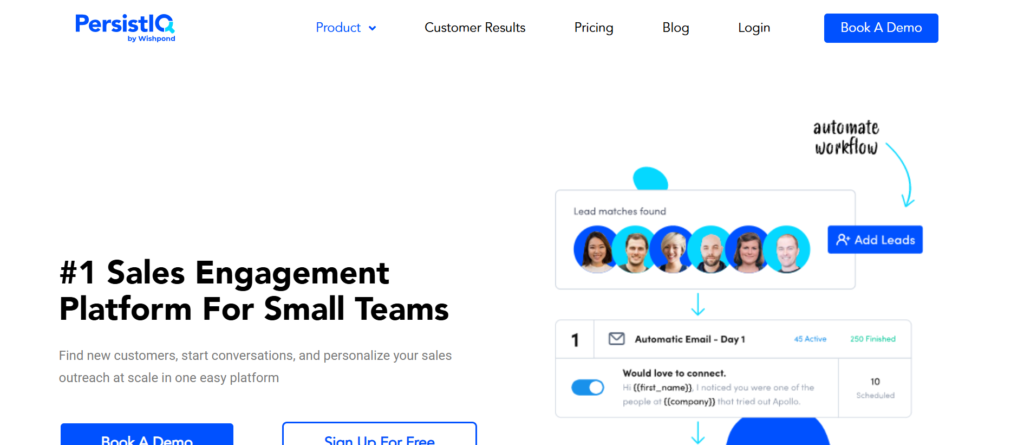
PersistIQ focuses on keeping salespeople moving through outbound tasks without losing track of prospects. It combines cold email automation with daily task lists that guide reps through outreach.
It is often used by sales teams that want structure without heavy enterprise systems.
Key Features
Task-Driven Workflow
PersistIQ generates daily tasks based on active campaigns.
Sales reps always know who to contact next.
Email Sequencing
Cold email sequences include follow-ups and reply detection.
This keeps campaigns running with minimal oversight.
CRM Integration
Activity syncs with CRM systems so deals stay aligned.
Salespeople avoid double entry.
List Management
Prospects can be segmented and filtered easily.
This supports targeted outreach efforts.
Team Activity Reporting
Managers can review outreach output by rep.
This supports performance reviews.
Pros and Cons
| Pros | Cons |
| Task clarity | Interface feels dated |
| Easy adoption | Limited custom logic |
| CRM syncing | Smaller feature set |
Pricing
PersistIQ pricing starts at £49 per month per user.
Best For Task-Focused Sales Teams
PersistIQ suits:
- SDR teams with daily activity goals
- Salespeople juggling many prospects
- Managers who want predictable execution
Usage Tip for Salespeople
Complete tasks in order. Skipping steps reduces sequence effectiveness.
Verdict
PersistIQ is a dependable cold email tool for salespeople who prefer task-led outreach.
Best Alternate Tool: Klenty
19. Gong Engage
Tagline: Outreach Guided by Conversation Intelligence
Summary
Gong Engage is part of the Gong platform and focuses on improving sales outreach using conversation insights. It is designed for teams that already analyse calls and emails deeply.
Salespeople using Gong Engage work within highly measured environments where messaging decisions are tied to performance data.
Key Features
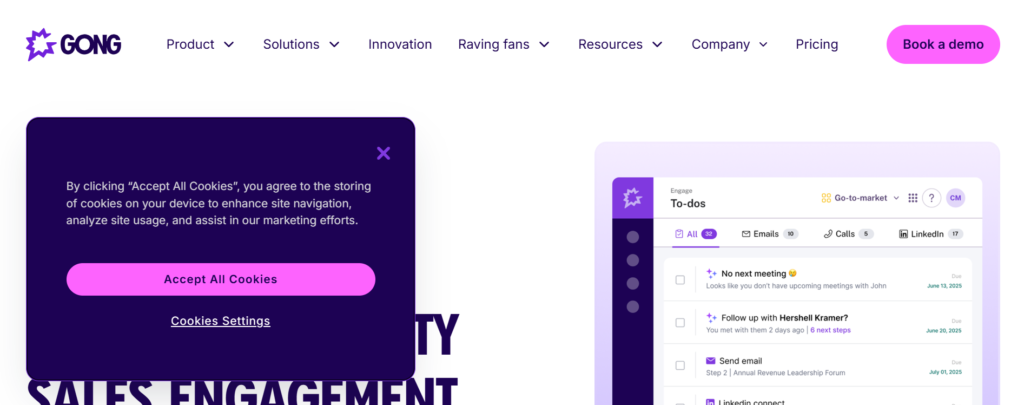
Email and Task Sequences
Gong Engage supports structured email and task sequences.
These are often informed by insights from previous conversations.
Conversation Intelligence Integration
Outreach messaging can be reviewed alongside call and email data.
This helps sales teams understand what language leads to replies.
CRM Alignment
All activity syncs with CRM systems.
Managers maintain full visibility into progress influence.
Performance Insights
Reports show which messages and steps correlate with outcomes.
This supports sales coaching.
Team Governance
Messaging and workflows can be controlled centrally.
This supports brand consistency.
Pros and Cons
| Pros | Cons |
| Insight-driven | Enterprise pricing |
| Strong reporting | Requires Gong stack |
| Coaching support | Heavy setup |
Pricing
Gong Engage uses custom pricing tied to the broader Gong platform.
Best For Data-Mature Sales Teams
Gong Engage fits:
- Enterprise sales teams
- Revenue operations-led organisations
- Managers focused on coaching
Usage Tip for Salespeople
Review call insights before writing emails. Alignment improves reply quality.
Verdict
Gong Engage is a specialised cold email tool for salespeople working in insight-led sales teams.
Best Alternate Tool: Outreach
20. Close
Tagline: CRM With Built-In Cold Outreach
Summary
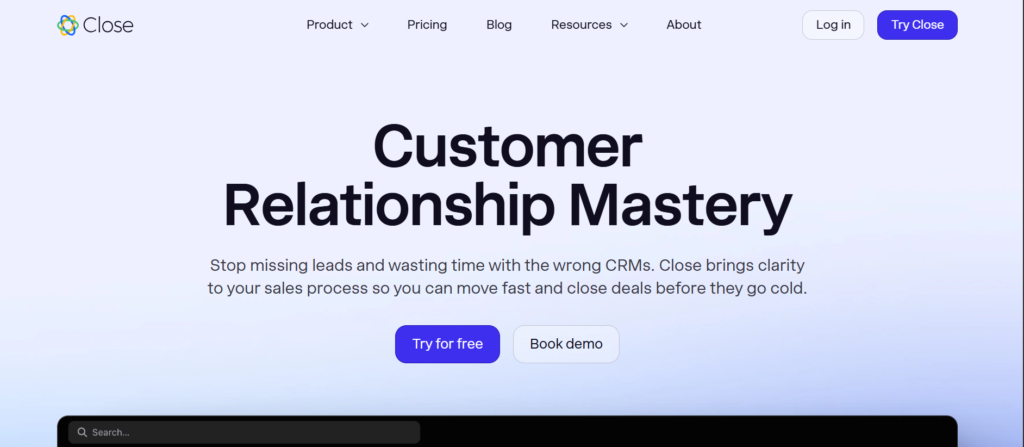
Close is a sales CRM that includes built-in cold email and calling features. It is designed for salespeople who want outreach and deal tracking in one place without complex integrations.
Sales teams often choose Close to reduce tool sprawl and keep activity centred.
Key Features
Built-In Cold Email
Cold emails can be sent directly from within Close.
Salespeople manage outreach and deals without switching tools.
Call and SMS Features
Calling and messaging are included alongside email.
This supports multi-touch outreach.
Progress Management
Deals move through stages visually.
Sales reps can track progress easily.
Activity Tracking
Emails, calls, and tasks are logged automatically.
This supports accurate reporting.
Team Reporting
Managers can review activity and deal movement across reps.
This supports forecasting.
Pros and Cons
| Pros | Cons |
| All-in-one | Email features basic |
| Reduced tool stack | Less specialised |
| Easy onboarding | Limited custom logic |
Pricing
Close pricing starts at £49 per month, depending on features and users.
Best For Sales Teams Wanting One Platform
Close suits:
- Small to mid-size sales teams
- Founders managing deals personally
- Teams reducing software sprawl
Usage Tip for Salespeople
Use Close for warm follow-ups and deal progression rather than high-volume cold sending.
Verdict
Close is a practical cold email tool for salespeople who want outreach and CRM combined.
Best Alternate Tool: Overloop
- Relationship sales roles
- Low-volume outreach
Usage Tip for Salespeople
Use Mixmax for warm or semi-cold conversations rather than first-touch blasts.
Verdict
Mixmax is a supportive cold email tool for salespeople focused on conversation quality rather than scale.
Best Alternate Tool: Yesware
Wrap-Up
Choosing the right cold email software is not about features on a pricing page. It is about fit. Salespeople who send high volume need inbox control. Teams selling complex offers need structure. Account executives working fewer deals need visibility into replies, timing, and intent.
Across these 20 tools, one pattern is clear. The best cold email tools for salespeople are the ones that match how you already sell. When the tool fits the workflow, follow-ups happen on time, replies are handled properly, and progress activity stays consistent.
If your outreach feels scattered or hard to maintain, the issue is rarely effort. It is usually the system sitting underneath the work.
Conclusion
Cold email still works when it is done with discipline, clarity, and the right platform supporting the process. Salespeople who rely on memory, inbox filters, or spreadsheets eventually lose momentum. The tools covered in this guide exist to remove friction from outbound work, not to replace sales skill.
Whether you are sending fifty emails a week or five thousand, the difference between noise and conversations comes down to structure, timing, and follow-through. The tools listed above give salespeople a framework to stay consistent without burning out inboxes or prospects.
Pick one that matches your sales motion, commit to it properly, and review performance weekly. That alone puts you ahead of most outbound teams.
Call-to-Action
At Pearl Lemon Sales, we work directly with sales teams that rely on cold outreach to build progress. We help companies select the right cold email tools, configure them correctly, and build outbound systems that salespeople actually use day to day.
Our work focuses on outbound setup, domain strategy, inbox health, campaign structure, and reply handling. Instead of layering tools on top of broken processes, we fix the system underneath so sales activity stays consistent.
If your team is sending cold emails but struggling with replies, inbox issues, or stalled progress, book a call with us. We will review your current setup and show you exactly where performance is leaking and how to fix it.
Frequently Asked Questions
1. Which cold email tools are best for salespeople sending high volume
Tools like Instantly, Smartlead, and QuickMail are better suited for higher sending volumes because they focus on inbox rotation and deliverability controls.
2. Are cold email tools safe to use for sales outreach
Yes, when configured properly with warmed domains, sending limits, and clean lists. Problems usually come from poor setup rather than the tools themselves.
3. Should sales teams use one tool or multiple tools
Most teams perform better with one core outreach tool and a separate CRM. Overlapping tools often create confusion and duplicate work.
4. How many inboxes should a salesperson use
This depends on daily volume. Many salespeople start with one to two inboxes and scale gradually once reply patterns stabilise.
5. Do cold email tools replace sales skill
No. These tools support timing, follow-ups, and organisation. Message quality and deal handling still depend on the salesperson.
6. What is the biggest mistake sales teams make with cold email software
Launching campaigns before inboxes are warmed and lists are verified is the most common issue.
7. Are enterprise tools better than simpler platforms
Not always. Smaller teams often perform better with simpler tools that are easier to manage consistently.
8. How long should a cold email sequence run
Most sales teams see the best results with three to five steps spread over two to three weeks.
9. Should salespeople personalise every cold email
Personalisation matters, but relevance matters more. A clear message sent consistently often outperforms shallow personalisation.
10. When should a sales team review cold email performance
Weekly reviews are ideal. This allows fast adjustments without overreacting to daily fluctuations.