
If your sales team is chasing weak leads, reply rates drop and revenue stalls. That problem almost always links back to the quality of your B2B prospecting database. The right B2B prospecting databases give you verified contacts, firmographic depth, and buying signals your reps can act on immediately.
We analysed dozens of B2B prospecting databases used by SaaS teams, consultancies, agencies, and enterprise sales departments. After filtering out bloated datasets and outdated records, this list highlights the platforms that consistently deliver usable B2B data in 2026.
This guide is for revenue teams, outbound SDRs, founders running sales themselves, and marketing teams supporting account-based selling. If B2B prospecting databases sit at the core of your visibility plan, this list saves you months of trial and error.
What Are B2B Prospecting Databases?
B2B prospecting databases are platforms that store and update business contact data used for outbound sales, account-based marketing, and progress development. They typically include:
- Decision-maker email addresses
- Direct dials and mobile numbers
- Company size, revenue, and sector data
- Job titles and seniority filters
- Buying intent and activity signals
Modern B2B prospecting databases go beyond static lists. Many now connect to CRMs, sales engagement tools, and email platforms so sales teams can move from data to outreach without friction.
The value is simple. Better data equals better conversations, higher connect rates, and shorter sales cycles.
Quick Comparison Table of B2B Prospecting Databases
These columns focus on what buyers care about most when choosing B2B prospecting databases: data accuracy, use case fit, pricing entry point, and ease of rollout for sales teams.
| Tool Name | Best For | Starting Price (£/user/month) | Free Trial | Key Feature |
| ZoomInfo | Enterprise sales | £200+ | No | Intent data |
| Apollo.io | SMB outbound | £39 | Yes | Email credits |
| Cognism | Compliance-led teams | £120 | Demo | Mobile numbers |
| Lusha | Fast enrichment | £29 | Yes | Browser plugin |
| Clearbit | Marketing ops | £99 | No | Firmographics |
| RocketReach | Founder-led sales | £39 | Yes | Personal emails |
| Seamless.AI | SDR prospecting | £37 | Yes | Live search |
| Kaspr | LinkedIn sourcing | £45 | Yes | Direct dials |
| LeadIQ | Sales teams | £75 | Demo | CRM sync |
| UpLead | Data accuracy | £74 | Yes | Email verification |
| SalesIntel | Human-verified data | £120 | Demo | Research team |
| Adapt.io | Budget teams | £49 | Yes | Contact filters |
| Snov.io | Cold email | £30 | Yes | Email finder |
| Hunter.io | Email sourcing | £39 | Yes | Domain search |
| Lead411 | Trigger-based sales | £75 | Yes | Buying signals |
| SignalHire | Recruiters | £49 | Yes | CV database |
| ContactOut | LinkedIn outreach | £39 | Yes | Verified emails |
| Swordfish AI | Direct dials | £99 | Yes | Phone accuracy |
| Datanyze | Tech targeting | £29 | Yes | Stack data |
| People Data Labs | Data teams | £150 | Demo | API access |
Best B2B Prospecting Databases 2026
- ZoomInfo
- Apollo.io
- Cognism
- Lusha
- Clearbit
- RocketReach
- Seamless.AI
- Kaspr
- LeadIQ
- UpLead
- SalesIntel
- Adapt.io
- Snov.io
- Hunter.io
- Lead411
- SignalHire
- ContactOut
- Swordfish AI
- Datanyze
- People Data Labs
1. ZoomInfo
Enterprise B2B Prospecting Database Built for High-Value Sales progress
What ZoomInfo Is and Who Uses It
ZoomInfo is a large-scale B2B prospecting database used by sales teams that require depth, accuracy, and buying context across complex accounts. It is commonly adopted by enterprise organisations, mid-market SaaS companies, and revenue teams running account-based sales models.
Rather than serving as a simple contact list, ZoomInfo functions as a sales intelligence system. It combines contact data, company data, and behavioural signals so teams can decide who to contact, when to reach out, and how to position their message.
How ZoomInfo Sources and Refreshes Its Data
ZoomInfo builds its database using a combination of proprietary data collection, web analysis, user-contributed updates, and third-party partnerships. Records are refreshed continuously, with particular focus on job changes, company visibility, and organisational shifts.
For B2B prospecting databases, data decay is one of the biggest risks. ZoomInfo addresses this by monitoring changes at both the contact and account level, reducing time spent chasing outdated leads and disconnected numbers.
Key Features That Matter for B2B Prospecting
ZoomInfo’s feature set is designed to support structured outbound and account-based sales. Instead of focusing on raw volume, the platform prioritises relevance, timing, and account visibility, which are essential for teams selling higher-value deals.
Below are the ZoomInfo features that have the most direct impact on prospecting outcomes.
Buyer Intent Signals
ZoomInfo tracks research behaviour across its data network to identify companies actively investigating specific topics. These intent signals allow sales teams to prioritise accounts that are already showing interest rather than relying solely on static filters.
Reps can focus outreach on accounts that are closer to decision-making, which improves connection rates and shortens sales cycles.
Advanced Firmographic and Technographic Filters
Users can segment prospects using detailed firmographic data such as revenue range, employee count, visibility trends, and industry classification. Technographic filters add another layer by identifying the software and tools a company already uses.
This level of targeting helps teams align prospect lists tightly with their ideal customer profile.
Organisational Charts and Contact Mapping
ZoomInfo visualises reporting lines within target companies, showing how contacts relate to one another. Sales teams use this to identify decision-makers, influencers, and internal champions.
This supports multi-threaded outreach, where several stakeholders are contacted in parallel instead of relying on a single entry point.
CRM and Sales Tool Integrations
ZoomInfo integrates with major CRMs and sales engagement platforms, allowing contacts, accounts, and intent data to flow directly into existing workflows.
This reduces manual list building and ensures prospecting data is immediately usable by sales teams.
Data Enrichment and Record Updates
Existing CRM records can be enriched with missing details such as job titles, direct dials, and company attributes. Updates sync automatically, helping teams maintain clean and current databases without manual intervention.
Pros and Cons for Sales Teams
ZoomInfo offers clear advantages for large sales organisations, but it also introduces trade-offs that teams should evaluate before committing.
The points below reflect how ZoomInfo performs in real sales environments.
Advantages for Large and Mid-Market Teams
ZoomInfo provides one of the deepest datasets available among B2B prospecting databases. Coverage across large organisations is strong, and intent data adds a layer of context that improves prioritisation.
Teams selling complex solutions benefit from the platform’s account visibility and filtering depth.
Limitations and Practical Constraints
Pricing is significantly higher than SMB-focused tools, and contracts are typically annual. Smaller teams may find the platform excessive if their sales motion is simple or founder-led.
The feature set also requires onboarding time, which can slow adoption for new users.
ZoomInfo Pricing Overview
ZoomInfo pricing is custom and based on seat count, feature access, and data volume. Entry-level plans generally start in the hundreds per user per month, with higher tiers unlocking intent data and advanced analytics.
There is no self-serve free trial. Access is provided through demos and sales-led onboarding.
Best Fit: Account-Based Sales and Long Deal Cycles
ZoomInfo is best suited to organisations where:
- Deals involve multiple stakeholders
- Sales cycles extend beyond several months
- Outreach is planned at the account level
- Data spend is justified by deal size
For these teams, the value lies in relevance and timing rather than volume.
Practical Prospecting Tip Using ZoomInfo
Many teams overlook the combined use of intent signals and job change alerts. A strong approach is to prioritise accounts showing intent while targeting contacts who have recently moved into decision-making roles. Outreach during this window often receives higher engagement than standard outbound campaigns.
ZoomInfo Alternatives to Consider
ZoomInfo is often compared with Apollo.io when teams weigh cost against scale. Cognism and SalesIntel are also considered ZoomInfo alternatives when mobile numbers or human-verified research are higher priorities.
2. Apollo.io
All-in-One B2B Prospecting Database for High-Volume Outbound Teams
What Apollo.io Is and Who Uses It
Apollo.io is a B2B prospecting database built for sales teams that run consistent outbound at scale. It is widely used by SMBs, SaaS companies, agencies, and founder-led sales teams that need contact data and outreach tools in one system.
Unlike enterprise-first platforms, Apollo.io focuses on speed and accessibility. Users can find contacts, build lists, send sequences, and track replies without switching between multiple tools. This makes Apollo.io popular with teams that prioritise execution over layered account planning.
How Apollo.io Builds and Updates Its Database
Apollo.io sources its data from a combination of public web signals, proprietary crawling, user contributions, and third-party providers. Contact records are refreshed frequently, with visible indicators for email verification and data confidence.
For teams relying on B2B prospecting databases for daily outbound, this update cycle reduces bounce rates and limits time spent cleaning lists before launch.
Key Features That Matter for B2B Prospecting
Apollo.io is designed to support fast-moving outbound programmes. Its feature set focuses on list creation, contact access, and outreach execution without heavy onboarding requirements.
The features below are the ones sales teams rely on most.
Large Contact and Company Database
Apollo.io provides access to millions of business contacts across roles, seniority levels, and industries. Users can filter by job title, department, company size, and location to build targeted prospect lists quickly.
This suits outbound teams that need steady list volume without relying on separate data providers.
Email and Phone Number Access
Contacts include verified business email addresses and phone numbers where available. Email verification status is displayed before export or outreach, which helps protect sender reputation.
This feature is frequently highlighted in Apollo.io reviews as a practical advantage for cold email campaigns.
Built-In Sales Engagement Tools
Apollo.io includes email sequencing, task management, and basic analytics. Sales reps can move directly from list building to outreach without exporting data into another platform.
For smaller teams, this reduces tool sprawl and shortens setup time.
CRM Integrations and Data Sync
Apollo.io connects with popular CRMs, allowing contacts and activities to sync automatically. This keeps prospecting activity aligned with progress tracking and reporting.
Teams using Apollo.io as their primary outbound engine often rely on this integration to maintain visibility across sales stages.
List Scoring and Prioritisation
Users can apply scoring rules based on fit and activity. This helps reps focus effort on contacts that match target criteria rather than working through lists sequentially.
Pros and Cons for Sales Teams
Apollo.io offers a strong balance of access and affordability, but it is not designed for every sales motion.
Understanding where it performs best helps teams set realistic expectations.
Advantages for Outbound-Focused Teams
Apollo.io combines a B2B prospecting database with outreach tools at a price point that suits increasing teams. Setup is quick, and reps can start prospecting within hours rather than weeks.
This makes it a common choice for early-stage companies building repeatable outbound.
Limitations to Be Aware Of
Data depth at the enterprise account level is lighter than platforms built for account-based sales. Intent data and organisational mapping are limited compared to higher-priced alternatives.
Teams selling complex, multi-stakeholder deals may outgrow Apollo.io as they scale.
Apollo.io Pricing Overview
Apollo.io pricing starts at approximately £39 per user per month for paid plans, with a limited free tier available. Higher tiers increase monthly credit limits and unlock advanced features.
This transparent pricing model is a frequent reason teams choose Apollo.io over larger B2B prospecting databases.
Best Fit: High-Volume Outbound and Founder-Led Sales
Apollo.io works best for organisations where:
- Outbound is the primary growth channel
- Sales teams need fast list generation
- Budgets favour predictable monthly costs
- Reps handle both prospecting and outreach
For these teams, Apollo.io supports daily execution without heavy configuration.
Practical Prospecting Tip Using Apollo.io
Teams often see stronger reply rates by separating list building from sequencing. Build narrow lists based on role and company size, then run shorter sequences with fewer steps. This keeps messaging relevant and reduces unsubscribe risk.
Apollo.io Alternatives Worth Reviewing
Apollo.io is frequently compared with ZoomInfo when teams assess cost versus data depth. Lusha and RocketReach are also considered Apollo.io alternatives for teams focused primarily on contact enrichment rather than full outbound workflows.
3. Cognism
Compliance-First B2B Prospecting Database for Revenue Teams
What Cognism Is and Who Uses It
Cognism is a B2B prospecting database built for sales teams that place strong emphasis on data compliance, accuracy, and direct dial coverage. It is commonly used by mid-market and enterprise organisations operating in regulated environments or selling into senior decision-makers.
Revenue teams adopt Cognism when legal certainty and contact reliability matter as much as scale. The platform is often selected by SaaS companies, consultancies, and outbound teams that need confidence in how contact data is sourced and maintained.
How Cognism Sources and Validates Its Data
Cognism collects data through proprietary research, partnerships, and continuous verification processes. A significant portion of its database is checked by internal researchers, particularly mobile numbers and senior-level contacts.
This approach reduces the risk associated with outdated or non-compliant records. For teams using B2B prospecting databases in regions with strict data regulations, Cognism’s sourcing model provides an additional layer of assurance.
Key Features That Matter for B2B Prospecting
Cognism focuses on quality, legality, and usability rather than raw volume. Its feature set supports outbound teams that want reliable contact methods and clear permission standards.
The following features are central to how sales teams use Cognism day to day.
Mobile Numbers and Direct Dials
Cognism is well known for its coverage of verified mobile numbers, particularly for senior decision-makers. These numbers are validated regularly, making them suitable for phone-based prospecting.
Sales teams using call-led outreach often prioritise Cognism for this reason alone.
Compliance-Led Data Framework
Cognism applies a permission-based approach to data sourcing, aligning with strict privacy and data protection requirements. This is especially relevant for teams concerned about regulatory exposure.
For organisations where compliance reviews are part of procurement, this framework simplifies internal approval.
Firmographic and Role-Based Filters
Users can filter prospects by role, seniority, department, company size, and industry. These filters help sales teams focus outreach on contacts with decision-making authority rather than broad job titles.
This supports targeted prospecting rather than volume-led campaigns.
CRM and Sales Tool Integrations
Cognism integrates with major CRMs and sales engagement platforms, allowing contacts and activity data to sync directly into existing workflows.
This reduces manual exports and keeps prospecting aligned with progress reporting.
Buying Signal Indicators
Cognism highlights accounts showing visibility signals such as hiring trends and expansion activity. While not intent data in the traditional sense, these indicators help sales teams identify accounts likely to be entering buying cycles.
Pros and Cons for Sales Teams
Cognism offers clear strengths for compliance-focused organisations, though it may not suit every outbound model.
Evaluating these trade-offs helps teams choose the right fit.
Advantages for Regulated and Phone-Led Sales Teams
Cognism’s verified mobile numbers and compliance framework make it suitable for phone-first outreach. Data quality is prioritised over quantity, which appeals to teams targeting senior stakeholders.
For sales teams operating under strict legal review, Cognism reduces internal friction.
Limitations to Be Aware Of
Cognism pricing is higher than SMB-focused databases, and access is typically contract-based. Teams focused on high-volume email outreach may find other tools more cost-efficient.
The platform also places less emphasis on built-in outreach tools compared to all-in-one solutions.
Cognism Pricing Overview
Cognism pricing is provided on request and usually starts around £120 per user per month, depending on features and data volume. There is no self-serve free trial, though demos are available.
Pricing reflects the platform’s emphasis on compliance and verified contact data.
Best Fit: Compliance-Sensitive and Call-Led Sales Teams
Cognism is best suited to organisations where:
- Phone outreach is a core channel
- Data compliance is closely reviewed
- Senior decision-makers are the target
- Accuracy matters more than list size
For these teams, Cognism provides confidence as well as contact access.
Practical Prospecting Tip Using Cognism
Sales teams often see better connect rates by pairing mobile numbers with job change alerts. Reaching out shortly after a contact changes role increases response likelihood and reduces gatekeeper resistance.
Cognism Alternatives Worth Comparing
Cognism is frequently compared with ZoomInfo when teams evaluate enterprise data providers. Apollo.io and Lusha are also considered Cognism alternatives when budget or outreach volume takes priority.
4. Lusha
Contact Enrichment-Focused B2B Prospecting Database for Fast Outreach
What Lusha Is and Who Uses It
Lusha is a B2B prospecting database designed for sales teams that prioritise speed and simplicity. It is widely used by SDRs, recruiters, account managers, and founders who source leads directly from LinkedIn and need contact details instantly.
Rather than positioning itself as a full sales intelligence platform, Lusha focuses on contact enrichment. It fits into existing workflows where prospecting starts on LinkedIn and ends in a CRM or outreach tool.
How Lusha Collects and Refreshes Contact Data
Lusha sources its data through a mix of public sources, partnerships, and user-contributed updates. Contact records are refreshed regularly, with confidence indicators shown for emails and phone numbers.
For teams using B2B prospecting databases to support daily outreach, this refresh cycle reduces bounce rates and failed calls, particularly when prospecting mid-level roles and commercial teams.
Key Features That Matter for B2B Prospecting
Lusha’s feature set is deliberately narrow. It focuses on giving sales reps usable contact data at the moment they identify a prospect.
This approach suits teams that already know who they want to contact and simply need verified details.
Browser Extension for LinkedIn Prospecting
Lusha’s browser extension overlays contact data directly on LinkedIn profiles. Reps can view email addresses and phone numbers without leaving the page.
This reduces friction during list building and supports rapid prospecting during manual research sessions.
Email and Phone Number Enrichment
Users can enrich existing leads with missing contact details. This is commonly used to clean inbound leads or fill gaps in CRM records before outreach.
Sales teams value this feature when inherited databases lack usable contact methods.
CRM Integrations
Lusha integrates with popular CRMs, allowing enriched contacts to be saved directly into existing records. This prevents duplication and keeps prospecting data aligned with sales reporting.
Integration simplicity is a recurring theme in Lusha reviews.
Team Credit Management
Admins can control credit usage across teams, preventing overuse and ensuring data access is aligned with role and seniority.
This is useful for organisations managing multiple SDRs.
Pros and Cons for Sales Teams
Lusha performs well in specific prospecting scenarios but is not designed to replace full-scale B2B prospecting databases.
Understanding this distinction prevents mismatched expectations.
Advantages for Speed-Driven Prospecting
Lusha is quick to deploy and easy to use. Reps can start sourcing contacts immediately without onboarding delays.
It fits teams that prospect manually and value simplicity over layered analytics.
Limitations to Consider
Lusha does not offer intent data, deep firmographics, or account-level planning tools. Coverage for senior executives can also vary.
Teams running structured account-based sales may need additional platforms.
Lusha Pricing Overview
Lusha pricing starts at approximately £29 per user per month, with free credits available on entry plans. Higher tiers increase monthly credit limits and team controls.
This pricing structure makes Lusha accessible for small teams and individual contributors.
Best Fit: LinkedIn-Led Prospecting and CRM Enrichment
Lusha works best for organisations where:
- Prospecting begins on LinkedIn
- Speed matters more than depth
- Teams already use a CRM
- Outreach is handled elsewhere
For these teams, Lusha acts as a reliable enrichment layer.
Practical Prospecting Tip Using Lusha
Sales reps often improve results by enriching contacts only after shortlist approval. This avoids wasting credits on low-priority prospects and keeps usage aligned with conversion potential.
Lusha Alternatives Worth Reviewing
Lusha is commonly compared with Apollo.io and RocketReach. Teams also review Cognism as a Lusha alternative when mobile coverage and compliance are higher priorities.
5. Clearbit
Firmographic-Driven B2B Prospecting Database for Revenue Operations
What Clearbit Is and Who Uses It
Clearbit is a B2B prospecting database focused on company intelligence rather than individual contact volume. It is most often used by marketing operations, revenue operations, and sales teams that rely on segmentation and routing logic.
Clearbit fits organisations where inbound, outbound, and account-based workflows depend on accurate company-level data rather than bulk contact exports.
How Clearbit Sources and Maintains Its Data
Clearbit aggregates company data from public sources, web signals, partnerships, and proprietary analysis. Updates focus on company attributes such as size, funding, sector, and technology usage.
For teams using B2B prospecting databases to support targeting and scoring, Clearbit’s strength lies in consistency rather than breadth of contacts.
Key Features That Matter for B2B Prospecting
Clearbit supports prospecting indirectly by improving how leads and accounts are identified, routed, and prioritised.
Its features are designed for systems, not individual reps.
Firmographic and Company Enrichment
Clearbit enriches leads and accounts with detailed company attributes, including revenue range, employee count, and sector classification.
This enables precise segmentation and routing across sales and marketing systems.
Website and IP Identification
Clearbit can identify companies visiting a website based on IP and domain signals. Sales teams use this data to trigger outbound based on anonymous interest.
This is particularly useful for account-based workflows.
CRM and Marketing Automation Integrations
Clearbit integrates deeply with CRMs and marketing platforms, allowing enrichment to happen automatically at lead creation.
This reduces manual qualification work and supports consistent data hygiene.
Account Scoring and Routing Logic
Teams use Clearbit attributes to score accounts and route leads to the right sales reps based on territory, size, or sector.
This improves response times and reduces misrouted opportunities.
Pros and Cons for Sales Teams
Clearbit is powerful in structured environments but less suitable for direct prospecting.
Knowing where it fits prevents misuse.
Advantages for Operations-Led Teams
Clearbit brings consistency to data across revenue systems. It supports alignment between marketing and sales and reduces manual data handling.
This is valuable for teams managing high inbound volume.
Limitations to Be Aware Of
Clearbit is not designed for contact discovery or cold list building. Teams focused on outbound sourcing will need another database.
Pricing also reflects its operational focus rather than individual usage.
Clearbit Pricing Overview
Clearbit pricing typically starts around £99 per month, depending on usage volume and integrations. Plans are often bundled as part of broader data workflows.
There is no standard free trial.
Best Fit: Revenue Operations and Account-Based Workflows
Clearbit suits organisations where:
- Company data drives sales routing
- Inbound and outbound systems are connected
- Segmentation accuracy matters
- Prospecting is system-led
For these teams, Clearbit supports scale without manual intervention.
Practical Prospecting Tip Using Clearbit
Sales teams often combine website identification with targeted outbound to active accounts. This approach prioritises relevance over volume and improves early-stage engagement.
Clearbit Alternatives to Compare
Clearbit is often compared with ZoomInfo and Datanyze. Teams also explore Apollo.io as a Clearbit alternative when contact access is required.
6. RocketReach
Flexible B2B Prospecting Database for Founder-Led and Small Sales Teams
What RocketReach Is and Who Uses It
RocketReach is a B2B prospecting database focused on individual contact discovery. It is widely used by founders, consultants, recruiters, and small sales teams that need access to business email addresses across many sectors.
RocketReach appeals to users who want simple access to contact data without complex configuration or long contracts.
How RocketReach Builds and Updates Its Database
RocketReach collects contact data through public sources, partnerships, and ongoing verification processes. Email confidence scores are displayed to help users assess deliverability before outreach.
This transparency makes RocketReach suitable for teams managing their own sender reputation.
Key Features That Matter for B2B Prospecting
RocketReach prioritises accessibility and breadth. Its features support lightweight prospecting across many industries.
Business and Personal Email Discovery
RocketReach provides both business and personal email addresses where available. This increases reach when corporate emails are difficult to identify.
This feature is frequently cited in RocketReach reviews.
Contact Search by Role and Company
Users can search for contacts by job title, company name, and sector. This supports targeted prospecting without advanced filters.
For small teams, this simplicity is often preferred.
Browser Extension and CSV Exports
RocketReach includes a browser extension and bulk export options. Contacts can be saved locally or uploaded into CRMs and outreach tools.
This flexibility supports varied workflows.
Pros and Cons for Sales Teams
RocketReach offers accessibility but trades depth for ease of use.
Advantages for Small Teams and Solo Sellers
RocketReach is easy to adopt and does not require heavy onboarding. Pricing is predictable and suitable for individuals.
This makes it popular for founder-led sales.
Limitations to Consider
Data depth is lighter than enterprise B2B prospecting databases. There is limited account context and no intent signals.
Teams selling complex solutions may require additional tools.
RocketReach Pricing Overview
RocketReach pricing starts at approximately £39 per user per month, with higher tiers increasing lookup limits.
Free trials are available with limited credits.
Best Fit: Founder-Led Sales and Light Prospecting
RocketReach works best for organisations where:
- One-to-one outreach is common
- Prospecting volume is moderate
- Budgets are tightly managed
- Simplicity matters
For these teams, RocketReach offers practical access without overhead.
Practical Prospecting Tip Using RocketReach
Users often see better delivery rates by validating emails externally before sending campaigns. This reduces bounce risk when working with personal addresses.
RocketReach Alternatives Worth Comparing
RocketReach is commonly compared with Lusha and Hunter.io. Apollo.io is also considered a RocketReach alternative when teams need built-in outreach.
7. Seamless.AI
Live Search B2B Prospecting Database for Continuous Outbound
What Seamless.AI Is and Who Uses It
Seamless.AI is a B2B prospecting database built around real-time contact discovery. It is primarily used by outbound SDR teams, sales managers, and recruiters who need fresh contact data on demand rather than static lists.
The platform positions itself as a live search engine for B2B contacts. Instead of relying entirely on stored datasets, Seamless.AI updates records dynamically as users search, making it suitable for teams that prospect continuously rather than quarterly.
How Seamless.AI Sources and Updates Contact Data
Seamless.AI uses automated web scanning, third-party sources, and user-triggered searches to populate and refresh its database. When users search for a contact, the system attempts to validate and enrich the record in real time.
For teams using B2B prospecting databases daily, this model prioritises freshness over historical depth. It is particularly useful for roles and companies that change frequently.
Key Features That Matter for B2B Prospecting
Seamless.AI focuses on speed and volume. Its feature set supports rapid list creation and continuous outbound execution.
Real-Time Contact Search
Users can search for contacts by role, company, or sector and receive updated email addresses and phone numbers instantly. This reduces dependency on pre-built lists.
Sales teams often use this feature when prospecting new verticals or emerging companies.
Bulk Prospecting and List Building
Seamless.AI allows bulk searches and list creation across multiple accounts. This supports SDR teams responsible for high daily activity targets.
Lists can be exported or pushed into CRMs for follow-up.
CRM Integrations
The platform integrates with common CRMs, enabling contacts to be saved directly into existing progress.
This prevents manual data handling and keeps prospecting aligned with reporting.
Credit-Based Usage Controls
Usage is managed through a credit system. Managers can assign limits to reps to control consumption and focus effort on priority accounts.
Pros and Cons for Sales Teams
Seamless.AI performs well for volume-driven teams but introduces trade-offs in accuracy consistency.
Advantages for High-Activity SDR Teams
The platform supports fast prospecting and frequent list refreshes. Teams running daily outbound campaigns value the immediacy of contact discovery.
It also suits sales floors where activity volume is closely tracked.
Limitations to Be Aware Of
Data accuracy can vary depending on role and sector. Senior-level contacts and niche industries may require additional verification.
Teams selling high-value deals may need complementary tools for account context.
Seamless.AI Pricing Overview
Seamless.AI pricing typically starts around £37 per user per month, with higher tiers offering increased credits and team management features.
Free access is limited and primarily used for evaluation.
Best Fit: SDR Teams Running Continuous Outbound
Seamless.AI works best where:
- Daily outbound targets are high
- Lists need frequent refreshing
- Speed is prioritised over depth
- Sales managers monitor activity closely
Practical Prospecting Tip Using Seamless.AI
Teams often improve results by validating contacts externally before launch and reserving Seamless.AI searches for accounts already approved by management. This reduces wasted credits and improves campaign quality.
Seamless.AI Alternatives Worth Reviewing
Seamless.AI is often compared with Apollo.io and RocketReach. ZoomInfo is also considered when teams require deeper account intelligence.
8. Kaspr
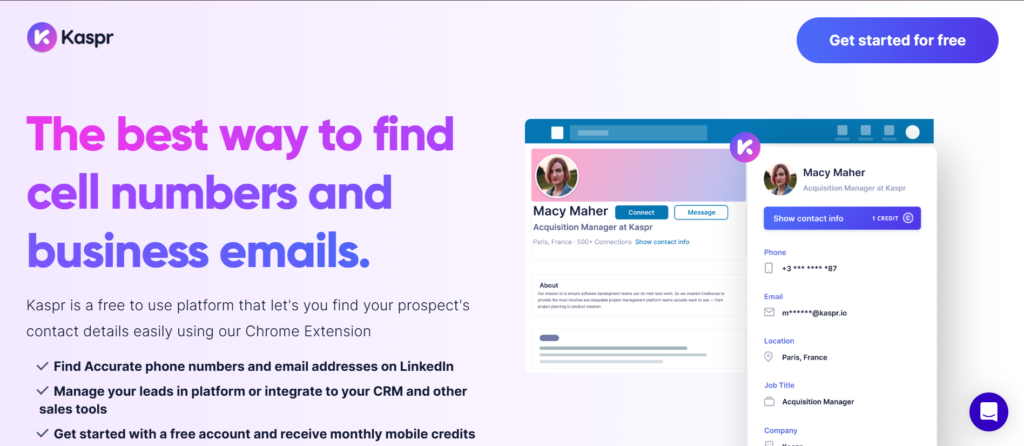
LinkedIn-Centric B2B Prospecting Database for Direct Dials
What Kaspr Is and Who Uses It
Kaspr is a B2B prospecting database built specifically for LinkedIn-based sourcing. It is commonly used by SDRs, recruiters, and sales consultants who rely on LinkedIn Sales Navigator for daily prospecting.
Kaspr focuses on extracting verified contact details directly from LinkedIn profiles, making it suitable for teams that prospect manually rather than through bulk list creation.
How Kaspr Collects and Verifies Data
Kaspr sources its data from public records, partnerships, and direct verification processes. Phone numbers, particularly direct dials, are a central focus and are checked regularly.
For teams that prioritise phone outreach, this approach reduces time spent searching for usable numbers.
Key Features That Matter for B2B Prospecting
Kaspr’s features are built around LinkedIn workflows rather than standalone prospecting.
LinkedIn Browser Extension
Kaspr overlays contact data directly onto LinkedIn profiles. Reps can access emails and phone numbers without leaving LinkedIn.
This reduces friction during manual prospecting sessions.
Direct Dial and Mobile Number Coverage
Kaspr places strong emphasis on phone numbers, particularly for sales and commercial roles. This supports call-led outreach strategies.
CRM and ATS Integrations
Contacts can be pushed directly into CRMs or applicant tracking systems. This keeps prospecting activity aligned with existing processes.
Team Credit Allocation
Admins can manage credit usage across teams to prevent overspend and ensure focus on priority prospects.
Pros and Cons for Sales Teams
Kaspr is effective within LinkedIn-led workflows but limited outside that context.
Advantages for Manual LinkedIn Prospecting
Kaspr integrates naturally into how many reps already work. It reduces context switching and speeds up contact capture.
This suits teams that value control over automation.
Limitations to Consider
Kaspr is not designed for bulk list building or intent-led targeting. Teams running structured outbound campaigns may need additional platforms.
Kaspr Pricing Overview
Kaspr pricing starts at approximately £45 per user per month. Free credits are available for testing, with higher tiers increasing monthly allowances.
Best Fit: Phone-Led and LinkedIn-Based Outreach
Kaspr works best for organisations where:
- LinkedIn is the primary sourcing channel
- Phone outreach is central
- Reps prospect manually
- Precision matters more than scale
Practical Prospecting Tip Using Kaspr
Sales reps often achieve better call connection rates by prioritising contacts who recently updated their LinkedIn role. These contacts are more likely to answer direct dials.
Kaspr Alternatives to Compare
Kaspr is commonly compared with Lusha and Cognism. Apollo.io is also reviewed when teams want LinkedIn sourcing combined with email sequencing.
9. LeadIQ
Sales-Led B2B Prospecting Database Built for progress Creation
What LeadIQ Is and Who Uses It
LeadIQ is a B2B prospecting database designed for sales teams that prospect directly into CRM-driven progress. It is used by SDR teams, account executives, and revenue operations groups that want prospecting tightly linked to progress creation.
LeadIQ focuses on accuracy at capture rather than raw database size.
How LeadIQ Captures and Maintains Data
LeadIQ pulls contact data during prospecting activity, primarily from LinkedIn and company websites. Records are verified at the point of capture and enriched before being saved.
This reduces duplicate records and incomplete CRM entries.
Key Features That Matter for B2B Prospecting
LeadIQ supports structured sales workflows rather than ad hoc list building.
LinkedIn Prospect Capture
Reps can capture contact data directly from LinkedIn profiles and save it to CRM with one action.
This keeps prospecting aligned with account ownership rules.
CRM-First Data Handling
LeadIQ is designed to respect existing CRM structures. Duplicate detection and field mapping reduce data clutter.
This is particularly valuable for larger sales teams.
Sales Engagement Integration
Captured contacts can be added to sales engagement tools immediately, allowing reps to begin outreach without delay.
Team Collaboration Controls
Admins can define how data is captured and shared across teams, reducing conflicts and overlap.
Pros and Cons for Sales Teams
LeadIQ suits structured sales environments but is less flexible for ad hoc research.
Advantages for progress-Focused Teams
LeadIQ keeps prospecting connected to revenue systems. Data quality and consistency are prioritised.
This suits teams measured on progress rather than activity alone.
Limitations to Be Aware Of
LeadIQ does not offer large standalone databases. Teams must prospect actively to generate contacts.
LeadIQ Pricing Overview
LeadIQ pricing typically starts around £75 per user per month, with plans tailored to team size and CRM complexity.
Free trials are limited.
Best Fit: SDR Teams Feeding CRM Progress
LeadIQ works best where:
- CRM discipline is enforced
- Prospecting feeds progress directly
- Data hygiene is critical
- Teams collaborate on accounts
Practical Prospecting Tip Using LeadIQ
Teams often improve efficiency by standardising capture fields across roles. This ensures downstream reporting remains consistent and usable.
LeadIQ Alternatives Worth Reviewing
LeadIQ is often compared with Kaspr and Lusha. Apollo.io is also considered when teams want prospecting plus outreach in one platform.
10. UpLead
Accuracy-Focused B2B Prospecting Database with Built-In Verification
What UpLead Is and Who Uses It
UpLead is a B2B prospecting database designed for teams that value accuracy over volume. It is commonly used by agencies, consultants, and sales teams that want confidence in deliverability before launching campaigns.
UpLead positions itself around verification rather than raw contact counts.
How UpLead Builds and Verifies Its Database
UpLead sources contact data from multiple providers and verifies email addresses in real time before export. Each contact includes a confidence indicator.
This reduces bounce rates and protects sender reputation.
Key Features That Matter for B2B Prospecting
UpLead focuses on list quality and validation.
Real-Time Email Verification
Emails are checked before export, reducing invalid addresses in outbound campaigns.
This is a core reason teams choose UpLead.
Firmographic and Role Filters
Users can filter prospects by company size, industry, role, and location. This supports targeted list building without excess volume.
Bulk Export and CRM Sync
Lists can be exported in bulk or synced with CRMs for follow-up.
This supports both manual and automated workflows.
Pros and Cons for Sales Teams
UpLead suits quality-driven outreach but may not scale for high-volume SDR teams.
Advantages for Email-Led Outreach
UpLead protects sender reputation and improves delivery rates. Teams running cold email campaigns value this focus.
Limitations to Consider
Phone number coverage is limited compared to enterprise databases. There is also less account-level intelligence.
UpLead Pricing Overview
UpLead pricing starts at approximately £74 per user per month, with a limited free trial available.
Best Fit: Accuracy-First Email Prospecting
UpLead works best where:
- Email is the primary channel
- Deliverability matters
- Lists are curated carefully
- Volume is controlled
Practical Prospecting Tip Using UpLead
Teams often see better engagement by combining smaller, verified lists with tighter messaging. This approach outperforms large unverified sends.
UpLead Alternatives to Compare
UpLead is often compared with Hunter.io and RocketReach. Apollo.io is also reviewed when teams want outreach tools included.
11. SalesIntel
Human-Verified B2B Prospecting Database for Accuracy-Dependent Sales Teams
What SalesIntel Is and Who Uses It
SalesIntel is a B2B prospecting database built for organisations where inaccurate data directly damages revenue, reputation, or compliance posture. It is widely used by mid-market and enterprise sales teams selling high-consideration services, complex software, managed solutions, and long-term contracts.
Teams that adopt SalesIntel usually do so after experiencing poor call connection rates, high email bounce levels, or internal pushback from legal and operations teams. Rather than focusing on the largest possible dataset, SalesIntel positions itself around trust in each record. This makes it attractive to revenue teams where every conversation carries weight and wasted outreach has a measurable cost.
SalesIntel is commonly deployed across outbound SDR teams, account executives, and revenue operations teams that require shared confidence in prospecting data.
How SalesIntel Sources, Verifies, and Maintains Its Data
SalesIntel’s core differentiator lies in its human verification model. Instead of relying exclusively on automated scraping or inferred data, SalesIntel employs in-house research teams to validate contact records manually.
Phone numbers, especially direct dials and mobile numbers, are checked by researchers who confirm role alignment, company association, and contact validity. Job titles and seniority levels are reviewed to ensure relevance to sales use cases rather than generic directory listings.
This verification process reduces the volume of stale records and significantly lowers the chance of contacting the wrong individual. For B2B prospecting databases used in phone-led outreach, this approach improves both efficiency and rep confidence.
Data refresh cycles prioritise role changes, company movement, and organisational restructuring, which are the most common causes of data decay.
Key Features That Matter for B2B Prospecting
SalesIntel’s feature set is deliberately focused on accuracy, governance, and controlled access. It is designed to support disciplined sales teams rather than high-volume experimentation.
Human-Verified Contact Records
Every verified record undergoes manual checks before being made available to users. This applies to direct dials, mobile numbers, and key decision-maker roles.
For sales teams that rely on calling as a primary channel, this reduces wasted dials, improves rep morale, and increases meaningful conversations per session.
Intent and Research Indicators
SalesIntel includes intent-style indicators that surface accounts researching specific topics or showing signs of buying readiness. These signals are derived from content interaction and activity monitoring.
While not as broad as enterprise intent platforms, these indicators help sales teams prioritise outreach timing rather than working static lists.
Firmographic and Account Filters
Users can segment prospects using firmographic data such as company size, revenue band, sector, and visibility indicators. Filters are designed to support focused prospecting rather than mass exports.
This enables teams to align outreach with defined sales territories and account tiers.
CRM Integration and Controlled Enrichment
SalesIntel integrates with major CRMs and supports controlled enrichment of existing records. Admins can define which fields are updated and when enrichment occurs.
This protects data integrity for organisations with strict CRM governance and reporting standards.
Research-on-Demand Capabilities
For accounts lacking coverage, SalesIntel offers research-on-demand options where users can request verification or enrichment for specific contacts or companies.
This is particularly useful for strategic accounts or niche verticals.
Pros and Cons for Sales Teams
SalesIntel offers clear advantages for certain sales environments, but it is not designed to replace every type of B2B prospecting database.
Advantages for Accuracy-Driven Sales Organisations
Sales teams benefit from higher confidence in contact data, especially for phone outreach and senior-level targeting. Fewer incorrect contacts reduce frustration and improve daily productivity.
Revenue leaders also value the platform’s governance controls and verification transparency.
Limitations and Trade-Offs
The human verification process limits overall database size compared to scraping-heavy platforms. Teams seeking large volumes of early-stage leads may find coverage narrower.
Pricing reflects the cost of verification and may not suit teams focused on rapid experimentation or low-cost outreach.
SalesIntel Pricing Structure
SalesIntel pricing is provided on a contract basis and typically starts around £120 per user per month, depending on feature access and data volume.
Plans scale based on seat count, verification access, and enrichment usage. There is no self-serve free trial, with access usually granted through demos and onboarding sessions.
Best Fit: Phone-Led Sales and High-Stakes Outreach
SalesIntel is best suited to organisations where:
- Phone outreach is a primary channel
- Decision-makers are senior and difficult to reach
- Data accuracy is reviewed internally
- Each meeting has high revenue impact
For these teams, fewer but higher-quality contacts outperform mass list strategies.
Practical Prospecting Tip Using SalesIntel
Sales teams often see improved results by aligning call blocks with verified mobile availability. Concentrating calls into focused time windows, rather than spreading attempts across the day, increases connection rates and rep efficiency.
Combining verified numbers with role-change alerts further improves timing relevance.
SalesIntel Alternatives Commonly Considered
SalesIntel is frequently compared with Cognism when teams evaluate verified mobile coverage. ZoomInfo is also reviewed when broader account intelligence is required, while Apollo.io is considered by teams seeking lower entry pricing.
12. Adapt.io
Cost-Controlled B2B Prospecting Database for Lean and increasing Sales Teams
What Adapt.io Is and Who Uses It
Adapt.io is a B2B prospecting database built for sales teams that need reliable access to contact and company data without committing to enterprise-level pricing. It is commonly used by agencies, consultancies, outsourced sales teams, and early-stage SaaS companies that run consistent outbound but operate under tight budget controls.
Teams that adopt Adapt.io usually have a defined outbound motion and clear targeting criteria but do not require intent data, complex account mapping, or multi-layer analytics. The platform fits environments where simplicity, predictability, and cost management are more important than depth.
Adapt.io is often selected as a first dedicated B2B prospecting database once teams move beyond spreadsheets and manual LinkedIn sourcing.
How Adapt.io Sources and Refreshes Its Data
Adapt.io aggregates contact data from publicly available sources, licensed providers, and business directories. Email addresses are checked through automated validation processes, while company data is refreshed on a scheduled basis.
Although the platform does not rely on human verification, it focuses on maintaining usable accuracy for standard outbound scenarios. Job titles, company associations, and email formats are monitored for changes, particularly in commercial and operational roles.
For teams that prospect mid-level decision-makers rather than board-level executives, this sourcing model delivers acceptable consistency at a lower cost point.
Key Features That Matter for B2B Prospecting
Adapt.io’s features are designed to support straightforward outbound workflows without complexity or unnecessary layers.
Contact Search and Role-Based Filtering
Users can search for contacts based on job title, department, company size, and sector. These filters allow sales teams to build lists that align with their ideal customer profile without excessive configuration.
This supports repeatable outbound motions across similar account types.
Email Discovery and Validation Indicators
Email addresses are provided with validation status indicators that help users assess deliverability risk before outreach.
For teams running cold email campaigns, this reduces bounce rates and protects sending infrastructure.
Company-Level Intelligence
Adapt.io includes basic firmographic data such as employee count, industry classification, and geographic presence. While not exhaustive, this information supports qualification and segmentation.
CRM Export and Workflow Compatibility
Contacts can be exported via CSV or synced into common CRMs. This flexibility allows teams to maintain existing outreach and reporting workflows without disruption.
Credit-Based Usage Management
Usage is managed through credits, allowing teams to control consumption and align spend with campaign priorities.
Pros and Cons for Sales Teams
Adapt.io delivers practical value for cost-conscious teams, though it is not designed for complex sales strategies.
Advantages for Lean Outbound Operations
Adapt.io provides predictable access to contact data at a manageable price. Setup is quick, and reps can begin prospecting without formal onboarding.
This makes it suitable for agencies managing multiple client campaigns.
Limitations and Constraints
Phone number coverage is limited, and there are no intent or trigger signals. Data depth may be insufficient for enterprise account planning or senior executive targeting.
Adapt.io Pricing Structure
Adapt.io pricing typically starts around £49 per user per month, with higher tiers increasing monthly credit allowances.
Plans are transparent and scalable, which appeals to increasing teams managing cash flow carefully.
Best Fit: Budget-Conscious Email Prospecting
Adapt.io works best for organisations where:
- Email is the primary outreach channel
- Sales motions are repeatable
- Budgets are tightly managed
- Data depth requirements are modest
Practical Prospecting Tip Using Adapt.io
Teams often improve campaign performance by narrowing filters rather than increasing list size. Smaller, better-defined lists produce stronger engagement and more consistent replies.
Adapt.io Alternatives Commonly Reviewed
Adapt.io is often compared with Snov.io and Hunter.io. Apollo.io is also considered when teams want outreach tools included.
13. Snov.io
Email-Led B2B Prospecting Database with Built-In Outreach Execution
What Snov.io Is and Who Uses It
Snov.io is a B2B prospecting database combined with email outreach and automation tools. It is widely used by startups, agencies, and small sales teams that rely heavily on cold email as their primary acquisition channel.
The platform appeals to teams that want prospecting, verification, and campaign execution in a single environment rather than stitching together multiple tools.
How Snov.io Collects and Maintains Contact Data
Snov.io sources email data through domain searches, web crawling, and pattern recognition. Email addresses are checked through verification systems before being added to campaigns.
Data accuracy varies depending on industry and company size, but transparency around verification status allows teams to manage risk.
Key Features That Matter for B2B Prospecting
Snov.io is structured around email-first workflows rather than account-level sales intelligence.
Domain-Based Email Discovery
Users can search company domains to uncover associated email addresses. This is useful when job titles are known but direct contacts are not listed publicly.
Email Verification and Deliverability Controls
Built-in verification tools reduce bounce rates and protect sender reputation. Users can validate lists before launching campaigns.
Cold Email Campaign Management
Snov.io includes sequencing, scheduling, and tracking tools. This allows teams to move from list creation to outreach without exporting data.
CRM and API Integrations
The platform integrates with CRMs and supports API access for custom workflows and automation.
Pros and Cons for Sales Teams
Snov.io supports efficient email outreach but lacks depth outside that channel.
Advantages for Email-Driven Acquisition
All-in-one setup reduces operational overhead. Pricing remains accessible for early-stage teams.
Limitations to Consider
Phone data is limited, and there is minimal account context. Not suitable for phone-led or account-based sales.
Snov.io Pricing Overview
Snov.io pricing starts around £30 per user per month, with plans scaling based on email volume and feature access.
Best Fit: Cold Email-Focused Growth Teams
Snov.io works best where:
- Cold email is central to growth
- Campaign speed matters
- Budgets are controlled
- Sales teams are small
Practical Prospecting Tip Using Snov.io
Teams often improve deliverability by warming inboxes gradually and limiting daily send volumes during the first weeks.
Snov.io Alternatives Worth Comparing
Snov.io is frequently compared with Hunter.io and Apollo.io.
14. Hunter.io
Email Discovery-Focused B2B Prospecting Database for Targeted Outreach
What Hunter.io Is and Who Uses It
Hunter.io is a B2B prospecting database designed specifically for finding and verifying business email addresses. It is used by founders, marketers, consultants, and SDRs who need quick access to email contacts without additional complexity.
The platform fits workflows where users already know which companies to target and simply need accurate email data.
How Hunter.io Sources and Verifies Data
Hunter.io identifies email addresses by scanning public web pages, company websites, and email pattern structures. Each address is assigned a confidence score based on verification checks.
This transparency allows users to assess risk before outreach.
Key Features That Matter for B2B Prospecting
Hunter.io keeps its feature set narrow and focused.
Domain Search
Displays known email addresses associated with a company domain along with pattern insights.
Email Verification
Checks whether an address is deliverable before sending.
Bulk Email Lookup
Supports list uploads for large-scale verification and cleanup.
Pros and Cons for Sales Teams
Hunter.io excels at email accuracy but offers limited scope beyond that.
Advantages for Email Accuracy
Strong verification and pattern detection reduce bounce rates.
Limitations to Be Aware Of
No phone numbers, no account intelligence, and no outreach tools.
Hunter.io Pricing Overview
Hunter.io pricing starts around £39 per user per month, with free credits available for testing.
Best Fit: Email Research and Validation
Hunter.io works best where email accuracy matters more than context or scale.
Practical Prospecting Tip Using Hunter.io
Users often combine Hunter.io with LinkedIn research to ensure role relevance before sending outreach.
Hunter.io Alternatives Commonly Compared
Hunter.io is often compared with Snov.io and RocketReach.
15. Lead411
Trigger-Driven B2B Prospecting Database for Time-Sensitive Outreach
What Lead411 Is and Who Uses It
Lead411 is a B2B prospecting database designed around sales triggers such as funding rounds, hiring trends, and increasing events. It is used by sales teams that prioritise timing and relevance over database size.
Teams adopt Lead411 when their sales motion depends on engaging prospects during moments of change.
How Lead411 Collects and Updates Its Data
Lead411 combines contact data with trigger events sourced from public filings, business news, and proprietary feeds. Records are refreshed frequently to reflect company activity.
This approach allows sales teams to align outreach with specific business moments.
Key Features That Matter for B2B Prospecting
Lead411 focuses on when to contact prospects rather than just who.
Sales Triggers and Alerts
Funding announcements, hiring spikes, and expansion signals indicate potential buying readiness.
Verified Contact Records
Email and phone data includes validation indicators to reduce outreach risk.
CRM and Workflow Integration
Triggers and contacts can sync into CRM systems, enabling timely follow-up.
Pros and Cons for Sales Teams
Lead411 supports relevance-driven outreach but has limits.
Advantages for Timing-Led Sales
Trigger-based targeting improves engagement and conversation quality.
Limitations to Consider
Database breadth is smaller than enterprise platforms, and intent coverage is narrower.
Lead411 Pricing Structure
Lead411 pricing generally starts around £75 per user per month, depending on access and trigger volume.
Best Fit: Sales Teams Selling on Timing
Lead411 works best where:
- Buying signals influence outreach
- Timing affects conversion rates
- Sales cycles align with increasing events
- Lists are curated carefully
Practical Prospecting Tip Using Lead411
Sales teams often achieve better results by acting on triggers within a short window, rather than letting alerts sit unaddressed.
16. SignalHire
Multi-Source B2B Prospecting Database for Role-Based Contact Discovery
What SignalHire Is and Who Uses It
SignalHire is a B2B prospecting database designed for teams that need to identify and reach professionals across multiple platforms, including LinkedIn, GitHub, and company websites. It is widely used by recruiters, outbound SDRs, and consultants who prospect across technical, commercial, and operational roles.
Unlike tools focused on single-platform sourcing, SignalHire supports broader role discovery. This makes it useful for teams targeting engineers, analysts, and specialised roles that are often underrepresented in traditional sales databases.
SignalHire is commonly adopted by teams that combine hiring intelligence with sales prospecting or sell into technical buying groups.
How SignalHire Sources and Refreshes Its Data
SignalHire aggregates data from public professional profiles, social networks, and web-based sources. Contact records are refreshed automatically as users search and as profiles change across platforms.
Email addresses and phone numbers are verified through automated checks, and confidence indicators are displayed before use. This approach supports dynamic datasets rather than static snapshots.
For teams prospecting fast-moving technical roles, this refresh model helps maintain relevance.
Key Features That Matter for B2B Prospecting
SignalHire is designed to support cross-platform prospecting rather than deep account intelligence.
Cross-Platform Contact Discovery
Users can find contacts based on profiles from LinkedIn, GitHub, and other professional networks. This broadens reach beyond traditional sales personas.
This is particularly useful when targeting technical influencers or internal champions.
Role and Skill-Based Search
SignalHire allows searches based on skills, roles, and experience rather than just job titles. This supports nuanced targeting for complex solutions.
Email and Phone Data Access
Where available, SignalHire provides business and personal contact details with verification indicators.
CRM Export and Workflow Flexibility
Contacts can be exported or synced into CRMs, supporting diverse sales workflows.
Pros and Cons for Sales Teams
SignalHire offers reach across varied roles but trades off account depth.
Advantages for Technical and Niche Prospecting
The platform surfaces contacts that are difficult to find in standard B2B prospecting databases.
Limitations to Consider
Account-level intelligence and intent signals are limited. Not ideal for enterprise account planning.
SignalHire Pricing Overview
SignalHire pricing typically starts around £49 per user per month, with credit-based usage.
Best Fit: Technical and Multi-Role Prospecting
SignalHire works best where:
- Technical roles influence buying
- Multiple platforms are used
- Prospecting is role-driven
- Email and phone outreach are mixed
Practical Prospecting Tip Using SignalHire
Teams often improve response rates by tailoring messaging to role-specific challenges rather than job titles alone.
SignalHire Alternatives Worth Reviewing
SignalHire is often compared with ContactOut and RocketReach.
17. ContactOut
LinkedIn-Based B2B Prospecting Database for Verified Emails
What ContactOut Is and Who Uses It
ContactOut is a B2B prospecting database focused on extracting verified email addresses from LinkedIn profiles. It is commonly used by recruiters, sales consultants, and founders who prospect manually and need reliable contact details quickly.
The platform fits workflows where prospecting is deliberate and individual, rather than automated at scale.
How ContactOut Collects and Validates Data
ContactOut sources data from public records, professional networks, and proprietary verification processes. Emails are checked before being displayed, reducing bounce risk.
The platform places emphasis on accuracy rather than coverage breadth.
Key Features That Matter for B2B Prospecting
ContactOut supports LinkedIn-first workflows.
LinkedIn Browser Extension
Contact details appear directly on LinkedIn profiles, reducing workflow friction.
Email Verification Indicators
Confidence scores help users assess deliverability before outreach.
CRM and ATS Integrations
Contacts can be saved into systems used by sales and recruitment teams.
Pros and Cons for Sales Teams
ContactOut suits manual prospecting but lacks scale.
Advantages for Precision Outreach
Verified emails improve reply rates when outreach volume is controlled.
Limitations to Be Aware Of
Limited phone data and no account intelligence.
ContactOut Pricing Overview
ContactOut pricing starts around £39 per user per month.
Best Fit: Manual LinkedIn Prospecting
ContactOut works best where:
- Outreach is one-to-one
- LinkedIn is primary
- Email accuracy matters
- Volume is moderate
Practical Prospecting Tip Using ContactOut
Sales reps often combine ContactOut with short, personalised messages to improve engagement.
ContactOut Alternatives Commonly Compared
ContactOut is often compared with Lusha and Kaspr.
18. Swordfish AI
Direct Dial-Focused B2B Prospecting Database for Phone Outreach
What Swordfish AI Is and Who Uses It
Swordfish AI is a B2B prospecting database designed for teams that prioritise phone outreach. It is widely used by SDRs, recruiters, and sales teams that need access to mobile numbers and direct dials.
The platform focuses on surfacing contact methods rather than deep account intelligence.
How Swordfish AI Sources Its Data
Swordfish AI aggregates phone numbers from public sources, user contributions, and verification processes. Numbers are refreshed continuously as users search.
This model supports fast-moving outreach but varies by role and region.
Key Features That Matter for B2B Prospecting
Swordfish AI is built for call-led prospecting.
Mobile and Direct Dial Discovery
Strong emphasis on phone numbers supports call-heavy sales motions.
Browser Extension Integration
Contacts are accessible directly from LinkedIn and other platforms.
Export and CRM Sync
Contacts can be exported into CRMs and dialling tools.
Pros and Cons for Sales Teams
Swordfish AI supports calling but offers limited context.
Advantages for Call-Led Outreach
Higher likelihood of reaching prospects by phone.
Limitations to Consider
Email data and firmographics are lighter than other databases.
Swordfish AI Pricing Overview
Swordfish AI pricing typically starts around £99 per user per month.
Best Fit: Phone-Centric Prospecting Teams
Swordfish AI works best where:
- Phone outreach dominates
- Direct dials are critical
- Prospecting is fast-paced
- Context is secondary
Practical Prospecting Tip Using Swordfish AI
Teams often see better connect rates by calling shortly after local business hours begin.
Swordfish AI Alternatives to Compare
Swordfish AI is often compared with Cognism and Kaspr.
19. Datanyze
Technology-Focused B2B Prospecting Database for Stack-Based Targeting
What Datanyze Is and Who Uses It
Datanyze is a B2B prospecting database centred on technographic intelligence. It is used by sales and marketing teams that sell software or services dependent on a prospect’s existing technology stack.
Datanyze supports targeting based on what tools a company already uses.
How Datanyze Collects Technology Data
Datanyze analyses websites, scripts, and digital signals to identify installed technologies. Company data is refreshed regularly.
This enables accurate stack-based segmentation.
Key Features That Matter for B2B Prospecting
Datanyze focuses on context rather than contacts.
Technographic Intelligence
Identify companies using specific tools or platforms.
Account Segmentation
Segment accounts based on stack compatibility.
CRM Integration
Sync data into CRMs for targeting.
Pros and Cons for Sales Teams
Datanyze adds context but requires complementary tools.
Advantages for Software Sales
Improves relevance of outreach.
Limitations to Be Aware Of
Limited contact data.
Datanyze Pricing Overview
Datanyze pricing starts around £29 per user per month.
Best Fit: Stack-Dependent Sales Motions
Datanyze works best where:
- Product depends on existing tools
- Context drives messaging
- Outreach is targeted
- Contact data comes elsewhere
Practical Prospecting Tip Using Datanyze
Teams often pair technographic filters with firmographic criteria to avoid poor-fit accounts.
Datanyze Alternatives Worth Comparing
Datanyze is often compared with ZoomInfo and Clearbit.
20. People Data Labs
API-Driven B2B Prospecting Database for Data and Engineering Teams
What People Data Labs Is and Who Uses It
People Data Labs is a B2B prospecting database delivered primarily through APIs rather than a traditional user interface. It is used by engineering teams, data teams, and large organisations that need programmatic access to contact and company data.
The platform is designed for custom systems rather than manual prospecting.
How People Data Labs Sources and Updates Its Data
People Data Labs aggregates data from licensed sources, public records, and proprietary. Data is normalised and refreshed continuously.
This model supports scalable, automated usage.
Key Features That Matter for B2B Prospecting
People Data Labs prioritises flexibility and scale.
API-Based Contact and Company Access
Teams can query data programmatically for custom workflows.
Data Normalisation and Enrichment
Standardised fields support internal systems.
Compliance Controls
Data usage policies support governance requirements.
Pros and Cons for Sales Teams
People Data Labs suits technical teams but not reps.
Advantages for Custom Systems
Scales across products and platforms.
Limitations to Consider
No sales UI and requires engineering resources.
People Data Labs Pricing Overview
People Data Labs pricing typically starts around £150 per month, scaling with usage.
Best Fit: Engineering-Led Prospecting Systems
People Data Labs works best where:
- Custom platforms are used
- Data is consumed programmatically
- Scale matters more than UI
- Teams manage compliance internally
Practical Prospecting Tip Using People Data Labs
Teams often improve efficiency by defining strict query rules to avoid unnecessary data pulls.
Strategic Takeaways for Choosing the Right B2B Prospecting Database
Choosing the right B2B prospecting database is not about chasing the biggest dataset. It is about aligning data quality, sourcing methods, outreach channels, and sales motion with how your team actually sells. Across these 20 platforms, the differences are clear. Some tools prioritise verified phone numbers, others focus on email accuracy, some support account-based sales, and others exist purely to feed high-volume outbound.
What matters is fit. A founder-led team running cold email has very different needs from an enterprise sales floor running call blocks and account planning. When the database matches the motion, reply rates improve, call connections rise, and progress becomes predictable instead of reactive.
The platforms covered in this guide represent the strongest options available right now for teams that rely on outbound sales to generate revenue.
How Predictable Outbound Revenue Is Built and Sustained
At Pearl Lemon Sales, we work with outbound sales teams that depend on B2B prospecting databases to fuel consistent progress. Our role is not to sell you a tool. It is to make sure the tool you choose actually works inside your sales process.
We help teams assess their current prospecting setup, select the right data providers, and build outbound systems that reps can execute daily without friction. This includes database selection, ICP definition, list logic, messaging alignment, and workflow setup across CRM and outreach platforms.
If your team is dealing with poor data quality, low connect rates, or inconsistent progress, our sales specialists can map out what needs fixing and where.
Book a call to review your current prospecting stack and see where immediate gains can be made.
Frequently Asked Questions
1. What is a B2B prospecting database?
A B2B prospecting database is a platform that provides business contact data such as emails, phone numbers, job titles, and company details used for outbound sales and account targeting.
2. How accurate are B2B prospecting databases?
Accuracy varies by provider. Platforms using human verification or real-time validation generally offer higher accuracy than tools relying solely on automated scraping.
3. Are B2B prospecting databases compliant with data regulations?
Some providers prioritise compliance and permission-based sourcing, while others focus on volume. Teams operating under strict data policies should review sourcing methods carefully.
4. Which database is best for cold calling?
Databases with verified mobile numbers and direct dials are better suited for cold calling than email-only platforms.
5. Which database works best for cold email?
Tools with strong email verification and bounce protection are more suitable for cold email campaigns.
6. Can I use more than one prospecting database?
Many sales teams combine databases to cover gaps, such as using one tool for phone numbers and another for email accuracy.
7. Do these databases integrate with CRMs?
Most leading platforms integrate with popular CRMs, though the depth of integration varies by provider.
8. How often does prospecting data go out of date?
Contact data can decay within months due to job changes and company movement. Frequent refresh cycles reduce this risk.
9. Are free plans usable for real sales outreach?
Free plans are usually limited and suitable only for testing. Paid plans are required for consistent outbound activity.
10. How do I choose the right database for my team?
The best choice depends on sales motion, deal size, outreach channel, budget, and how much accuracy versus volume your team needs.