
Not because your sales team lacks talent. Not because your offer is weak. But because your reps are buried in admin, chasing cold leads, and writing follow-ups at midnight.
That is exactly why AI sales assistants have become a serious competitive advantage in 2026.
We reviewed and tested dozens of AI sales assistants used by SDRs, account executives, sales managers, SaaS founders, B2B teams, and enterprise revenue operations leaders. We analysed AI-powered sales tools based on automation, CRM integration, lead scoring, conversational AI, visibility, and pricing transparency.
Here is what the data shows:
- Salesforce reports that high-performing sales teams are 2.8x more likely to use AI in their sales process.
- McKinsey estimates AI in sales can increase revenue by 5 to 15 percent while reducing selling costs by up to 10 percent.
If you want shorter sales cycles, higher reply rates, better lead qualification, and more closed-won deals, this list of the best AI sales assistants will point you in the right direction.
We distilled the top 20 tools that are actually worth your budget.
What Is an AI Sales Assistant?
An AI sales assistant is software that uses artificial intelligence to automate and support key sales activities such as:
- Lead qualification
- Email outreach
- Sales follow-ups
- CRM data entry
- Meeting scheduling
- Sales forecasting
- Conversation intelligence
- Management
Instead of hiring more junior sales staff, companies are using AI sales automation to:
- Prioritise high-intent leads
- Personalise outbound sequences
- Analyse sales calls
- Predict deal outcomes
- Improve conversion rates
Modern AI sales assistants combine natural language processing, predictive analytics, machine learning models, and workflow automation. Many integrate directly with Salesforce, HubSpot, Pipedrive, and other CRM platforms.
The result is simple. More selling. Less admin.
If your sales team spends more than 30 percent of their time on non-selling tasks, you need AI sales software in your stack.
Quick Comparison Table of the Best AI Sales Assistants
When choosing between AI sales assistants, most teams care about these core decision factors:
- AI automation depth
- CRM integrations
- Conversation intelligence
- Pricing transparency
- Best-fit sales team size
- Sales engagement capabilities
Below is a high-level comparison of the top AI sales assistants in 2026.
| Tool | Best For | Starting Price (USD) | Free Trial | Key Feature | CRM Integration |
| Salesforce Einstein | Enterprise teams | Custom | No | Predictive scoring | Native Salesforce |
| HubSpot Sales Hub | SMB to mid-market | $20 | Yes | AI email writing | HubSpot native |
| Gong | Revenue teams | Custom | No | Call intelligence | Salesforce, HubSpot |
| Outreach | Outbound teams | Custom | No | Sequence automation | Major CRMs |
| Salesloft | SDR teams | Custom | No | Cadence AI | Major CRMs |
| Drift | Conversational sales | Custom | No | AI chatbots | Salesforce, HubSpot |
| Apollo.io | Prospecting teams | $39 | Yes | Lead database | Multi-CRM |
| Clari | Forecasting teams | Custom | No | Revenue prediction | Enterprise CRMs |
| Exceed.ai | Lead follow-up | Custom | No | AI email replies | Salesforce |
| Lavender | Email optimisation | $27 | Yes | Email scoring | Gmail, Outlook |
| Conversica | Lead engagement | Custom | No | AI assistants | Salesforce |
| People.ai | Revenue operations | Custom | No | Activity capture | Salesforce |
| Regie.ai | AI outbound copy | $29 | Yes | Sales content AI | Major CRMs |
| Seamless.ai | Prospecting | Custom | Yes | Contact search | Salesforce |
| Pipedrive AI | Small sales teams | $14 | Yes | Smart insights | Pipedrive |
| Zoho Zia | Budget teams | $12 | Yes | AI suggestions | Zoho CRM |
| Reply.io | Cold outreach | $49 | Yes | Multichannel AI | Salesforce |
| Freshsales Freddy | Increasing teams | $15 | Yes | AI insights | Freshsales |
| Tact.ai | Mobile enterprise sales | Custom | No | Voice assistant | Salesforce |
| Chorus | Call analytics | Custom | No | Conversation AI | Salesforce |
Top AI Sales Assistants in 2026
- Salesforce Einstein
- HubSpot Sales Hub
- Gong
- Outreach
- Salesloft
- Drift
- Apollo.io
- Clari
- Exceed.ai
- Lavender
- Conversica
- People.ai
- Regie.ai
- Seamless.ai
- Pipedrive AI
- Zoho Zia
- Reply.io
- Freshsales Freddy
- Tact.ai
- Chorus
1. Salesforce Einstein
Large B2B sales teams, enterprise account executives, and revenue operations departments rely on Salesforce Einstein to bring predictive analytics, automated data capture, and deal intelligence into one interface.
When people search for a Salesforce Einstein review, they usually want one answer. Does it actually improve win rates? For high volume teams managing complex tasks , the answer is yes.
Key Features
Salesforce Einstein is designed to reduce manual CRM updates, surface high value opportunities, and improve forecasting accuracy. It works quietly in the background while your sales reps focus on closing deals.
Below are the core Salesforce Einstein features that matter most to revenue teams.
Predictive Lead Scoring
Einstein analyses historical deal data, customer behaviour, and engagement signals to score leads automatically. Instead of relying on manual qualification rules, your SDR team sees which leads are most likely to convert.
This improves prioritisation and reduces wasted outreach on low intent prospects. In competitive B2B sales cycles, that focus makes a measurable difference.
Opportunity Insights
This feature scans emails, meetings, and CRM activity to flag risks inside your sales flow. If a deal is stalling or key stakeholders are missing from conversations, Einstein alerts the rep.
Sales managers gain clearer visibility into deal health without manually reviewing every opportunity. It strengthens discipline and improves forecast reliability.
Automated Activity Capture
Manual CRM entry is one of the biggest productivity killers in sales. Einstein automatically logs emails, meetings, and interactions directly into Salesforce.
Reps spend less time updating records and more time selling. Revenue operations also gain cleaner, more consistent data for reporting.
AI Powered Forecasting
Forecast accuracy is critical for enterprise teams. Einstein analyses historical trends, rep performance, deal stage progression, and buyer engagement to produce predictive revenue forecasts.
This reduces reliance on subjective rep estimates and improves board level reporting.
Next Best Action Recommendations
Einstein suggests recommended actions for each opportunity based on prior success patterns. That may include follow up timing, stakeholder engagement, or pricing adjustments.
It supports consistent execution across large sales teams where performance varies between reps.
Pros and Cons
| Pros | Cons |
| Deep Salesforce integration | Expensive for smaller teams |
| Strong enterprise forecasting | Requires Salesforce ecosystem |
| Automated CRM data capture | Setup can be complex |
| Advanced analytics | Limited outside Salesforce |
Pricing
Salesforce Einstein pricing is not publicly listed in simple monthly tiers. It is typically bundled within Salesforce Enterprise and Unlimited plans.
Estimated entry cost for enterprise deployments starts in the mid five figures annually depending on user count and configuration.
A detailed Salesforce Einstein pricing breakdown requires a custom quote.
Best For Enterprise Sales Teams Managing Complex Task
Salesforce Einstein is ideal for organisations that:
- Enterprise B2B teams managing multi stakeholder deals
- Revenue operations departments focused on forecast accuracy
- Companies already invested in Salesforce CRM
- Large SDR teams handling high lead volumes
If your entire tech stack runs through Salesforce, Einstein becomes a logical extension rather than another tool.
Verdict: For enterprise environments, Salesforce Einstein vs Outreach or Salesforce Einstein vs Gong is not a direct comparison. Einstein governs the CRM intelligence layer. Outreach and Gong focus on execution and conversation analysis.
How to Use Salesforce Einstein for Smarter Forecast Calls
Most teams use Einstein only for lead scoring. A smarter approach is to combine Opportunity Insights with AI forecasting during weekly Sales reviews.
Instead of asking reps what they think will close, review AI driven risk indicators first. This shifts meetings from opinion to evidence based discussion.
It tightens accountability across the sales floor.
Best Alternative Tool
If you are not using Salesforce CRM, a practical alternative is Gong for conversation intelligence or HubSpot Sales Hub for integrated AI inside a different CRM environment.
2. HubSpot Sales Hub
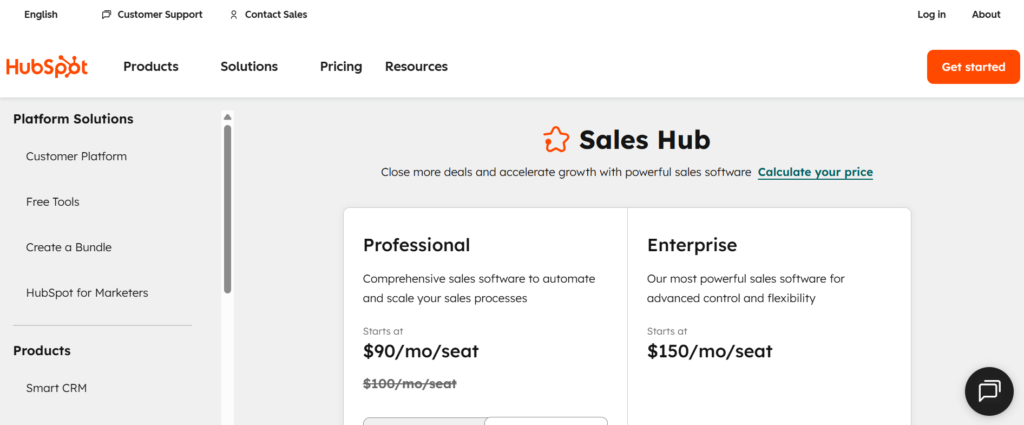
AI Powered Sales Execution Inside HubSpot CRM
If your team wants AI sales assistants without enterprise level complexity, HubSpot Sales Hub is usually the first serious contender.
It combines CRM, sales engagement, reporting, and AI writing tools inside one system. Startups, scale ups, agencies, SaaS founders, and mid market B2B teams often choose HubSpot because setup is simpler than Salesforce and adoption tends to be faster.
When buyers compare HubSpot Sales Hub vs Salesforce Einstein, the question is control versus usability. Salesforce offers deep enterprise intelligence. HubSpot focuses on practical sales execution for teams that want clarity without heavy configuration.
Search volume for HubSpot Sales Hub review and HubSpot Sales Hub pricing continues to rise in 2026 because smaller teams want AI without a complex tech stack.
Key Features
HubSpot Sales Hub blends CRM functionality with AI driven content support, sales automation, and reporting. It is built to support outbound prospecting, inbound lead handling, and account management inside one interface.
Below are the core HubSpot Sales Hub features that matter most for active sales teams.
AI Email Writer and Personalisation Assistant
HubSpot includes an AI powered email drafting tool built directly into the CRM. Sales reps can generate personalised follow up messages based on contact history, company data, and prior interactions.
This reduces time spent staring at a blank screen. It also keeps messaging consistent across the team. For SDRs sending high volumes of outreach, that consistency matters.
Many HubSpot Sales Hub review articles highlight this feature because it removes friction from outbound sequences.
Sales Sequences and Automation
Sales reps can create automated email and task sequences triggered by prospect behaviour. When a lead downloads a resource, attends a webinar, or replies to an email, the system schedules the next step.
Unlike standalone sales engagement tools, this automation sits inside the CRM. There is no need for separate syncing tools.
Compared with Outreach vs HubSpot Sales Hub, Outreach offers deeper outbound functionality. HubSpot provides stronger alignment between marketing and sales data.
Sales Cycle Reporting and Deal Forecasting
HubSpot provides visual tracking with AI assisted forecasting. It analyses deal stage movement, rep activity, and close history to provide revenue projections.
Sales managers can quickly identify stalled deals or underperforming segments without building complex reports.
For mid sized teams, this strikes a balance between insight and usability.
Conversation Intelligence
HubSpot records and transcribes sales calls. The system analyses conversation patterns, keyword usage, and talk time ratios.
Sales leaders can review coaching insights without listening to every recording. It also helps new reps ramp faster by studying high performing calls.
Compared to Gong vs HubSpot Sales Hub, Gong offers deeper analytics. HubSpot provides call analysis within the broader CRM ecosystem.
Lead Scoring and Qualification
HubSpot uses behavioural data, email engagement, and firmographic information to assign lead scores.
Marketing and sales teams can align around shared qualification criteria. High intent leads receive priority, while low quality contacts remain in nurture sequences.
This reduces manual filtering and supports cleaner sales .
Pros and Cons
| Pros | Cons |
| Easy to implement | Advanced features cost more |
| Built in CRM | Less enterprise customisation |
| AI email drafting | Not as deep as Gong for calls |
| Clear pricing tiers | Complex workflows need upgrades |
Pricing
HubSpot Sales Hub pricing starts at approximately $20 per user per month for the Starter plan.
Professional plans typically begin around $90 per user per month.
Enterprise plans exceed $150 per user per month depending on features and contract terms.
The HubSpot Sales Hub pricing structure scales based on contacts, automation features, and reporting depth.
Best For increasing B2B Teams Needing CRM and AI in One System
HubSpot Sales Hub fits:
- SaaS startups building their first structured sales team
- Agencies managing inbound and outbound leads
- Mid market B2B companies wanting clear reporting
- Sales teams aligned closely with marketing
Verdict: If you want AI sales assistants without enterprise complexity, HubSpot Sales Hub is often the practical choice. For outbound heavy teams comparing HubSpot vs Outreach, the decision depends on sequence depth versus CRM simplicity.
How to Use HubSpot Sales Hub for Higher Reply Rates
Most teams use sequences in a basic way. A more advanced approach is segmenting sequences by buyer persona and industry vertical.
Pair the AI email assistant with behavioural triggers such as pricing page visits or repeated email opens. This increases contextual relevance and improves response rates without increasing send volume.
Best Alternative Tool
If your focus is outbound prospecting at scale, Outreach or Salesloft may offer stronger sequence control.
3. Gong
Gong is not a CRM. It is a revenue intelligence platform built around call recording, transcription, and behavioural analysis. Enterprise sales teams, revenue leaders, and fast scaling B2B companies rely on Gong to identify patterns inside thousands of sales interactions.
When evaluating Gong review content, one theme appears consistently. It surfaces insights hidden inside conversations that managers would never manually detect.
Compared to Gong vs Chorus, both provide call analytics. Gong tends to be favoured by larger organisations requiring deeper reporting and integration.
Key Features
Gong captures, analyses, and interprets sales conversations across phone calls, video meetings, and emails. It converts raw communication into measurable coaching insights and deal intelligence.
Below are the most impactful Gong features for sales organisations.
AI Powered Call Transcription and Analysis
Gong automatically records and transcribes sales calls. It identifies keywords, objections, competitor mentions, pricing discussions, and customer sentiment.
Sales leaders gain visibility into messaging consistency and buyer concerns across the team. Instead of relying on anecdotal feedback, managers review patterns across hundreds of calls.
This shifts coaching from opinion to evidence.
Deal Risk Detection
Gong analyses conversation frequency, stakeholder involvement, and topic coverage to flag at risk opportunities.
If a deal lacks executive engagement or pricing has not been discussed at a late stage, the system highlights the risk.
This helps managers intervene earlier rather than reacting after a lost opportunity.
Sales Coaching Insights
Top performing reps often follow consistent behavioural patterns. Gong identifies those patterns and compares them across the team.
It may reveal that high performers ask more open ended questions or spend less time speaking during discovery calls.
New hires can model their approach based on actual performance data.
Revenue Forecasting Support
Gong aggregates deal level insights to support revenue forecasting. It analyses engagement trends rather than relying only on CRM stage updates.
For organisations comparing Gong vs Salesforce Einstein, Einstein operates within CRM data. Gong adds behavioural intelligence from real conversations.
Together they form a powerful combination for enterprise sales operations.
Integration With CRM and Sales Platforms
Gong integrates with Salesforce, HubSpot, Slack, and major conferencing platforms.
Call data flows directly into CRM records, creating a centralised revenue intelligence environment.
This removes manual call logging and improves reporting accuracy.
Pros and Cons
| Pros | Cons |
| Deep call analytics | Enterprise pricing |
| Strong coaching insights | Requires rep adoption |
| Deal risk alerts | Not a full CRM |
| Enterprise integrations | Implementation time |
Gong pricing is not publicly listed. Contracts are typically custom based on seat count and data volume.
Industry estimates suggest enterprise deployments often start above $1,200 per user per year, though actual figures vary by contract size.
A direct Gong pricing proposal is required for accurate cost planning.
Best For Enterprise Revenue Teams Focused on Call Performance
Gong is ideal for:
- Enterprise B2B sales teams running complex discovery processes
- Revenue leaders seeking deeper call analysis
- Companies with high value deal sizes
- Sales teams needing structured coaching frameworks
Verdict: If your sales cycle relies heavily on conversation quality, Gong provides visibility that most CRM systems cannot offer on their own.
How to Use Gong to Improve Discovery Calls
Most teams use Gong only for reviewing lost deals. A stronger approach is analysing top performing discovery calls and creating a structured question framework based on common themes.
By identifying the question sequences used by high performers, sales leaders can create internal playbooks grounded in actual performance patterns.
Best Alternative Tool
Chorus is a strong alternative for teams seeking similar call analytics functionality.
4. Outreach
Sales Engagement Built for High Volume Outbound Teams
If your revenue model depends on outbound prospecting, Outreach is often part of the conversation.
Outreach is a sales engagement platform built for SDR teams running structured cadences across email, phone, and LinkedIn. It is commonly used by SaaS firms, B2B service providers, and technology companies managing large outbound teams.
When comparing Outreach vs HubSpot Sales Hub, the main difference is depth of sequencing. Outreach focuses heavily on outbound execution and performance tracking. HubSpot focuses on CRM plus sales alignment.
Searches for Outreach review and Outreach pricing remain strong because outbound sales remains central to B2B acquisition in 2026.
Key Features
Outreach focuses on execution discipline, activity tracking, and performance visibility across outbound sales teams. It provides structure for reps who need to follow multi step cadences without losing consistency.
Below are the most relevant Outreach features for outbound sales organisations.
Advanced Sales Sequences
Outreach allows teams to build multi step cadences combining email, phone calls, LinkedIn tasks, and manual actions.
Each step can branch depending on prospect behaviour such as opens, replies, or meeting bookings. Managers can see which steps produce meetings and which underperform.
This structure creates accountability in outbound activity and reduces inconsistent follow up.
AI Assisted Email Writing
Outreach includes AI powered content suggestions inside its email composer. Reps can draft personalised messages based on account context and previous touchpoints.
Unlike basic templating tools, Outreach analyses reply rates and performance trends across campaigns. This helps teams refine messaging based on actual outcomes rather than guesswork.
When reviewing Outreach vs Salesloft, both offer sequencing. Outreach often stands out for analytics depth and testing flexibility.
Deal Health and Forecast Intelligence
Outreach does not replace the CRM, but it provides additional insight into engagement levels inside active opportunities.
If email response rates decline or key contacts stop replying, managers receive visibility before deals stall completely.
This supports stronger weekly reviews.
Performance Analytics and Rep Scoring
Outreach tracks activity levels, reply rates, meeting conversion, and sequence effectiveness across the team.
Sales leaders can identify high performers and analyse what differentiates their outreach patterns.
This allows targeted coaching rather than generic training sessions.
CRM Integration
Outreach integrates with Salesforce, HubSpot, Microsoft Dynamics, and other CRM systems.
Activity data flows into CRM records automatically, reducing manual updates.
For companies evaluating Outreach vs Salesforce Einstein, the distinction is clear. Einstein operates inside the CRM intelligence layer. Outreach focuses on outbound engagement execution.
Pros and Cons
| Pros | Cons |
| Deep outbound sequencing | Enterprise pricing |
| Strong analytics | Learning curve for new reps |
| Multi channel outreach | Not a full CRM |
| Strong enterprise integrations | Requires process discipline |
Outreach pricing is not publicly listed with simple monthly tiers.
Industry reports indicate pricing often starts above $100 per user per month depending on contract size and features.
A formal Outreach pricing quote is required for accurate budgeting.
Best For SDR Teams Running Structured Outbound Cadences
Outreach is ideal for:
- Large outbound sales development teams
- SaaS firms targeting enterprise accounts
- B2B companies running multi touch prospecting campaigns
- Sales leaders who want detailed activity tracking
Verdict: If outbound prospecting is your primary acquisition channel, Outreach provides structure and visibility that basic CRM tools cannot match.
How to Use Outreach for Higher Meeting Rates
Many teams build long cadences with ten or more touchpoints. A more effective strategy is testing shorter sequences with higher message quality and stronger personalisation in early steps.
Review reply data weekly. Remove low performing steps quickly rather than keeping them out of habit.
This improves overall efficiency without increasing activity volume.
Best Alternative Tool
Salesloft is the most direct competitor when comparing Outreach vs Salesloft for outbound sales execution.
5. Salesloft
Sales Engagement Platform Focused on Rep Productivity
Salesloft is another leading sales engagement platform widely used by outbound focused teams.
It provides cadence management, email automation, call tracking, and analytics inside a structured interface. Many mid market and enterprise B2B firms evaluate Salesloft vs Outreach when selecting a sales engagement solution.
Search trends for Salesloft review and Salesloft pricing show steady interest among companies scaling outbound operations.
Key Features
Salesloft centres around cadence control, rep performance tracking, and visibility into engagement quality.
Below are the most relevant Salesloft features for revenue teams.
Cadence Builder and Workflow Management
Salesloft allows managers to design structured outreach cadences that reps follow step by step.
Tasks are automatically assigned each day based on active sequences. This prevents missed follow ups and reduces manual planning.
Compared with Outreach vs Salesloft, both offer strong sequencing. Salesloft is often praised for its intuitive workflow interface.
Email Tracking and Performance Insights
Salesloft tracks opens, replies, and engagement metrics across campaigns.
Managers can compare performance between reps and adjust messaging accordingly.
Rather than relying on isolated email tools, Salesloft centralises activity reporting.
Call Dialler and Recording
Salesloft includes a built in dialler with call recording functionality.
Reps can place calls directly from the platform, log outcomes automatically, and review recordings for coaching purposes.
For teams without a separate call analytics tool, this adds operational visibility.
Buyer Signal Tracking
Salesloft surfaces engagement signals such as repeated email opens or link clicks.
Reps can prioritise leads showing higher activity.
While not as deep as dedicated conversation intelligence platforms like Gong, this still supports stronger timing decisions.
CRM Synchronisation
Salesloft integrates with Salesforce and other CRM systems.
Activities, emails, and call data sync automatically into contact and opportunity records.
This reduces administrative overhead and improves data consistency.
Pros and Cons
| Pros | Cons |
| Clear cadence management | Enterprise focused pricing |
| Built in dialler | Less forecasting depth |
| Strong rep visibility | Not a CRM replacement |
| User friendly interface | Requires disciplined usage |
Pricing
Salesloft pricing is not listed publicly in simple entry level tiers.
Most contracts begin above $100 per user per month depending on feature access and seat count.
Direct consultation is required for accurate Salesloft pricing details.
Best For Mid Market and Enterprise Outbound Teams
Salesloft is ideal for:
- SDR teams running structured outreach
- Revenue leaders seeking performance tracking
- Companies standardising outbound processes
- Teams evaluating Salesloft vs Outreach
Verdict: If you want structured cadence management with built in calling tools, Salesloft is a strong choice for outbound heavy sales teams.
How to Use Salesloft for Better Call Outcomes
Analyse recorded calls from top performing reps and compare them against lower performing reps inside the platform.
Identify differences in opening statements, question flow, and objection handling.
Use these findings to update cadence scripts and training material.
Best Alternative Tool
Outreach remains the most direct alternative when comparing Salesloft vs Outreach.
6. Drift
Drift is a conversational marketing and sales platform that uses AI chatbots to qualify leads and book meetings directly from your website.
Companies comparing Drift vs Intercom often look at use case. Drift positions itself heavily toward B2B sales qualification and meeting booking.
Interest in Drift review and Drift pricing continues to rise among SaaS and B2B companies relying on inbound traffic.
Key Features
Drift centres around real time website conversations, lead qualification, and meeting scheduling.
Below are the most relevant Drift features for inbound focused sales teams.
AI Chatbots for Lead Qualification
Drift chatbots engage website visitors instantly. They ask qualifying questions, collect contact information, and route prospects to the correct sales rep.
Instead of waiting for form submissions, companies can capture intent while visitors are actively browsing.
This increases meeting booking efficiency from existing traffic.
Automated Meeting Booking
Qualified leads can book meetings directly through the chat interface based on rep availability.
This removes the typical email back and forth required to schedule calls.
Sales reps receive confirmed meetings without manual coordination.
Account Based Targeting
Drift can identify known companies visiting your website through IP data and CRM integration.
For high value accounts, chat messaging can be customised to reflect account status or sales ownership.
This supports account based sales strategies.
Conversation Routing
Drift routes conversations to the appropriate rep based on geography, industry, or account ownership.
If no rep is available, the chatbot continues the qualification process.
This maintains engagement without relying on constant human monitoring.
CRM Integration
Drift integrates with Salesforce, HubSpot, and other CRM systems.
Chat transcripts and lead data sync automatically into contact records.
This maintains continuity between inbound conversations and outbound follow up.
Pros and Cons
| Pros | Cons |
| Real time engagement | Pricing increases with volume |
| Automated meeting booking | Requires traffic volume |
| Account based targeting | Not ideal for outbound |
| Strong CRM integrations | Setup planning required |
Pricing
Drift pricing is custom and based on traffic volume, features, and number of users.
Entry level packages for smaller teams typically begin above $2,500 per year, though enterprise deployments are significantly higher.
A direct Drift pricing proposal is required for exact figures.
Best For B2B Companies With Strong Website Traffic
Drift is ideal for:
- SaaS firms with high inbound traffic
- B2B companies running paid search campaigns
- Marketing teams focused on meeting bookings
- Account based sales programmes
Verdict: If you already invest heavily in inbound marketing, Drift converts active visitors into booked meetings without relying solely on forms.
How to Use Drift to Increase Qualified Meetings
Rather than asking generic chatbot questions, build qualification flows based on your actual ideal customer profile.
Add conditional logic that routes enterprise visitors to senior reps while smaller prospects enter nurture flows.
Review chatbot transcripts weekly to refine qualification logic.
Best Alternative Tool
Intercom is a common alternative when comparing Drift vs Intercom for conversational sales.
7. Apollo.io
Prospecting Database and AI Outreach in One Platform
If your sales team spends hours searching for contact details before writing a single email, Apollo.io changes that workflow completely.
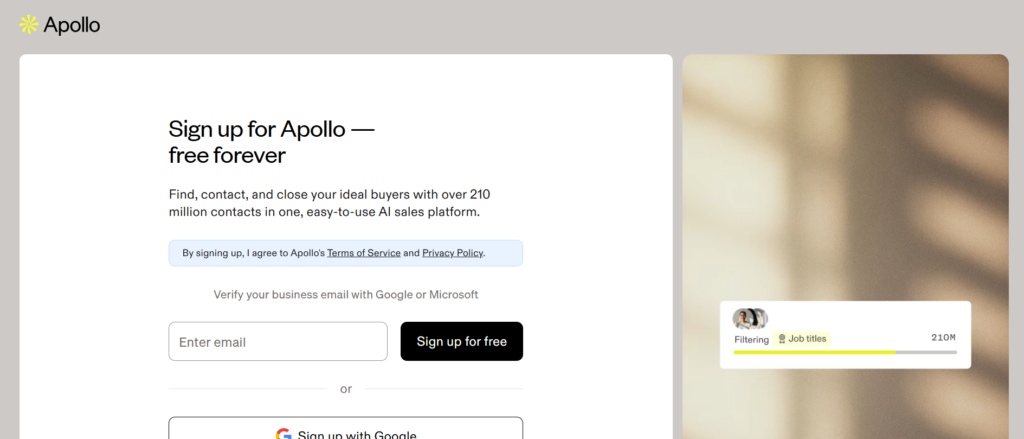
Apollo.io combines a large B2B contact database with outbound sequencing, email automation, and AI message drafting. For startups, agencies, and mid market sales teams, it often replaces several separate tools.
When buyers compare Apollo.io vs ZoomInfo, the main consideration is database depth versus pricing accessibility. ZoomInfo focuses on enterprise data coverage. Apollo.io positions itself as a more accessible prospecting engine with built in engagement tools.
Search demand for Apollo.io review and Apollo.io pricing remains high in 2026 because prospecting accuracy directly impacts outbound performance.
Key Features
Apollo.io is built around three pillars. Contact discovery, outreach execution, and performance tracking. Instead of moving between multiple systems, sales teams operate within one interface.
Below are the core Apollo.io features that matter most to outbound focused teams.
B2B Contact and Company Database
Apollo.io provides access to millions of company profiles and professional contacts across industries.
Users can filter by job title, company size, revenue range, location, industry, and technology stack. Advanced filters allow SDRs to narrow down highly specific segments.
Rather than manually scraping LinkedIn profiles, reps can build targeted lists in minutes. This reduces time spent researching and increases time spent speaking with prospects.
When evaluating Apollo.io review content, database coverage and filtering accuracy are consistently highlighted strengths.
AI Assisted Email Personalisation
Apollo.io includes AI tools that generate email drafts based on contact information and company data.
Instead of generic templates, reps can reference industry context, job role, or recent company developments pulled from the database.
This shortens the time between list building and first outreach. For teams sending hundreds of emails weekly, this efficiency matters.
Sales Sequences and Multichannel Outreach
Apollo.io includes email sequences, call tasks, and LinkedIn steps inside its workflow builder.
Users can create automated campaigns triggered by behaviour such as opens, clicks, or replies.
While not as deep as Outreach or Salesloft in enterprise sequencing complexity, Apollo.io provides strong functionality for small to mid sized teams.
Analytics and Performance Reporting
Managers can track open rates, reply rates, meeting bookings, and conversion rates inside the platform.
Campaign level analytics help identify underperforming messaging quickly. Reps can compare performance across sequences.
Instead of relying on disconnected reporting tools, Apollo.io centralises outreach metrics.
CRM Integration
Apollo.io integrates with Salesforce, HubSpot, and other CRM platforms.
Contact data, engagement activity, and meeting outcomes sync into CRM records automatically.
This prevents duplication of data entry and maintains visibility.
Pros and Cons
| Pros | Cons |
| Large contact database | Data accuracy varies by region |
| Affordable entry pricing | Less advanced than enterprise tools |
| Built in sequencing | Limited call intelligence |
| Strong filtering options | Requires list hygiene discipline |
Pricing
Apollo.io pricing starts at approximately $39 per user per month for basic plans.
Higher tiers range between $79 and $119 per user per month depending on database credits and advanced features.
Enterprise contracts are custom priced.
Best For Startups and Mid Market Teams Focused on Prospecting
Apollo.io is ideal for:
- SaaS startups building outbound lists
- Agencies running B2B lead generation campaigns
- Sales teams replacing multiple prospecting tools
- Companies comparing Apollo.io vs ZoomInfo
Verdict: If your primary need is contact discovery combined with light sales engagement functionality, Apollo.io provides strong value at accessible pricing levels.
How to Use Apollo.io for Higher Quality Prospect Lists
Avoid building massive unfiltered lists. Instead, combine firmographic filters with specific job function criteria and seniority level.
Export smaller segments and personalise messaging around industry pain points. This improves reply quality without increasing volume.
Best Alternative Tool
ZoomInfo remains the primary alternative when evaluating large scale enterprise data solutions.
8. Clari
Revenue Forecasting and Visibility for Enterprise Teams
If forecasting accuracy keeps your finance team awake at night, Clari is built specifically for revenue visibility.
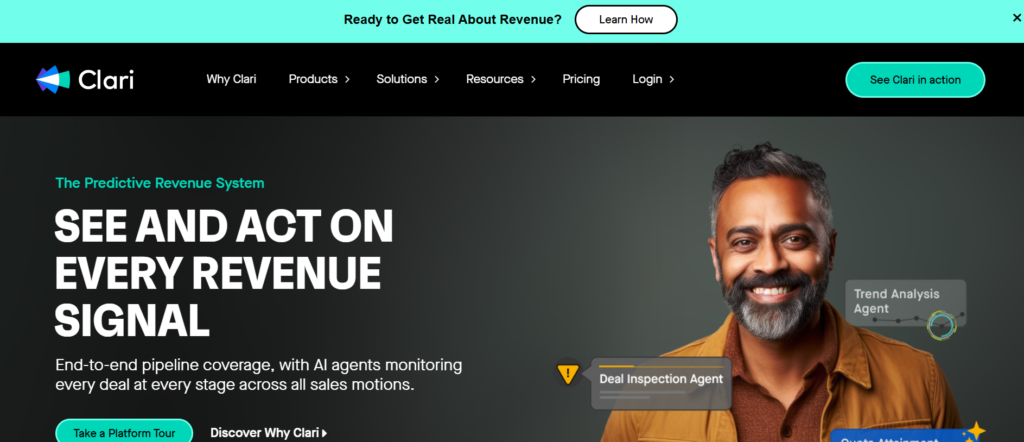
Clari is not a prospecting tool or outbound engagement platform. It focuses on revenue operations, inspection, and forecasting reliability.
Enterprise sales organisations compare Clari vs Salesforce forecasting when deciding how much additional intelligence they need beyond CRM reports.
Search interest in Clari review and Clari pricing reflects increasing concern around forecast predictability in complex B2B sales environments.
Key Features
Clari consolidates CRM data, sales activity, and engagement signals into a unified revenue dashboard.
It is used primarily by revenue leaders, CROs, and finance teams who require accurate visibility into expected revenue.
Below are the key Clari features that matter most to enterprise organisations.
Inspection and Deal Monitoring
Clari provides visual inspection tools that highlight deal movement, inactivity, and risk indicators.
Managers can quickly see which opportunities have not progressed or lack recent engagement.
Instead of relying solely on stage updates entered by reps, Clari analyses activity patterns to identify potential issues.
Forecast Rollups and Revenue Projections
Clari aggregates forecasts from individual reps and applies predictive modelling based on historical trends.
This provides layered revenue projections rather than single number forecasts.
Revenue leaders gain greater confidence during board presentations and investor discussions.
Activity and Engagement Tracking
Clari integrates with email, calendar, and CRM systems to track engagement frequency.
If deals show declining communication activity, the system flags potential concern.
This supports earlier intervention before opportunities deteriorate.
Scenario Planning
Clari allows revenue teams to model different revenue scenarios based on deal assumptions.
Finance teams can simulate conservative, expected, and aggressive outcomes.
This supports budgeting decisions and hiring plans.
CRM and Data Integration
Clari integrates primarily with Salesforce and other enterprise CRM systems.
Data flows automatically without requiring manual uploads.
This maintains alignment between sales and finance.
Pros and Cons
| Pros | Cons |
| Strong forecasting visibility | Enterprise pricing |
| inspection tools | Not a prospecting tool |
| Scenario modelling | Requires CRM data hygiene |
| Revenue leadership focus | Limited SMB use case |
Clari pricing is custom and typically structured for enterprise clients.
Annual contracts often begin in the high five figure range depending on user count and configuration.
Direct consultation is required for exact Clari pricing details.
Best For Enterprise Revenue Leadership Teams
Clari is ideal for:
- Large B2B sales organisations
- Companies with complex multi quarter sales cycles
- Revenue operations departments
- Finance teams needing accurate projections
Verdict: If forecasting accuracy and board level visibility are priorities, Clari provides structured revenue oversight beyond basic CRM reports.
How to Use Clari for Stronger Forecast Discipline
Schedule weekly forecast reviews that reference Clari activity signals rather than relying only on rep verbal updates.
Highlight deals with declining engagement and assign follow up actions immediately.
This creates a culture of evidence based forecasting.
Best Alternative Tool
Salesforce native forecasting is the closest alternative when evaluating Clari vs Salesforce capabilities.
9. Exceed.ai
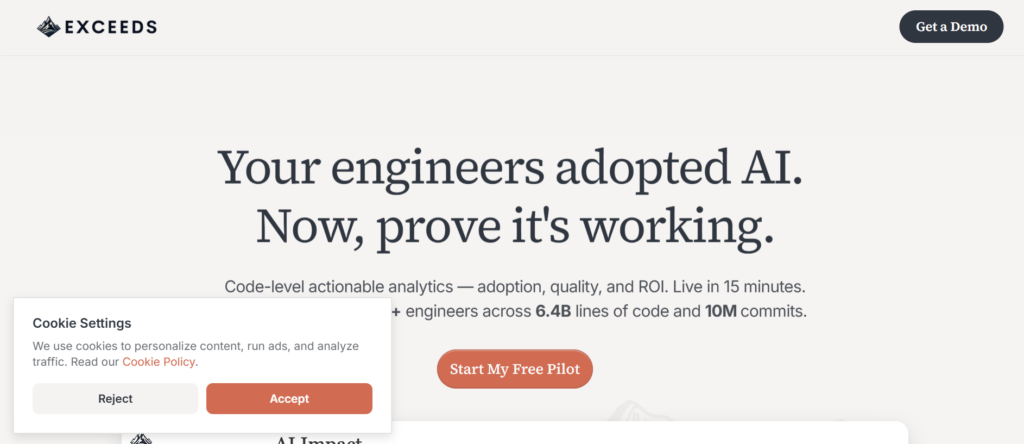
Exceed.ai uses conversational AI to respond to inbound enquiries, qualify prospects, and schedule meetings without constant human intervention.
Companies comparing Exceed.ai vs Conversica often focus on conversation quality and integration flexibility.
Search demand for Exceed.ai review and Exceed.ai pricing reflects rising interest in automated qualification tools.
Key Features
Exceed.ai operates as an AI sales development representative. It handles initial email exchanges, asks qualification questions, and routes qualified leads to human reps.
Below are the key Exceed.ai features that matter for inbound focused sales teams.
Automated Email Conversations
Exceed.ai sends follow up emails to inbound leads and responds to replies in a conversational manner.
It interprets responses, answers common questions, and requests missing information such as budget, timeline, or decision authority.
This maintains engagement even outside working hours.
Lead Qualification Workflows
Sales leaders can define qualification criteria such as company size, industry, or buying timeline.
Exceed.ai uses these criteria to determine whether a lead should be routed to a rep or placed in nurture sequences.
This reduces manual screening workload for SDR teams.
Meeting Scheduling
Qualified prospects can book meetings directly through integrated calendar tools.
The AI assistant handles scheduling without requiring human coordination.
This reduces friction between initial enquiry and booked call.
CRM Integration
Exceed.ai integrates with Salesforce and other CRM systems.
All conversation data and qualification details are logged automatically.
Reps receive context before speaking with prospects.
Reporting and Analytics
Managers can review conversation performance, qualification rates, and meeting booking metrics.
This provides visibility into how automated conversations perform relative to human outreach.
Pros and Cons
| Pros | Cons |
| Automated two way conversations | Limited to email channels |
| Reduces SDR workload | Requires clear qualification rules |
| Meeting scheduling included | Not ideal for complex enterprise sales |
| CRM integration | Pricing not transparent |
Pricing
Exceed.ai pricing is custom and based on lead volume and feature usage.
Contracts typically begin above $2,000 per month for moderate volume teams.
Exact pricing requires a direct proposal.
Best For Companies Handling High Volumes of Inbound Leads
Exceed.ai is ideal for:
- SaaS companies with frequent demo requests
- Marketing teams generating inbound traffic
- SDR teams overwhelmed with email responses
- Businesses comparing Exceed.ai vs Conversica
Verdict: If response speed to inbound leads is inconsistent, Exceed.ai maintains engagement without increasing headcount.
How to Use Exceed.ai Without Losing Personal Tone
Review automated email templates regularly and adjust language to reflect your brand voice.
Monitor conversations for common objections and refine qualification questions over time.
This keeps communication aligned with human rep standards.
Best Alternative Tool
Conversica is the most common alternative when comparing automated AI SDR platforms.
10. Lavender
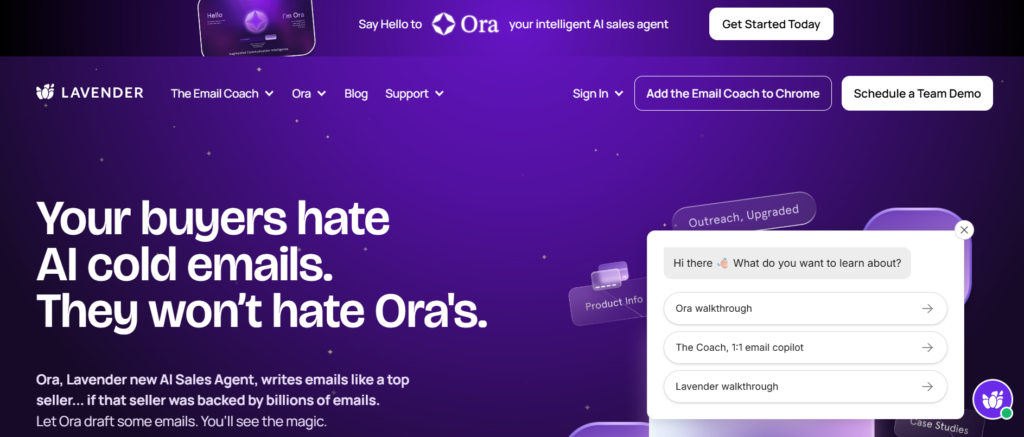
Lavender is an AI email assistant that scores drafts in real time and provides suggestions for clarity, tone, and structure.
When evaluating Lavender review content, users often highlight how it changes writing habits rather than simply automating tasks.
Search interest in Lavender pricing continues to increase among SDRs and account executives seeking better outbound performance.
Key Features
Lavender works inside Gmail and Outlook, analysing each draft as it is written.
Instead of automating entire campaigns, it focuses on improving message quality.
Below are the key Lavender features relevant to outbound sales professionals.
Real Time Email Scoring
Lavender scores each email based on length, readability, personalisation, and clarity.
Reps receive feedback instantly before sending.
This encourages concise, focused messaging rather than long generic templates.
Personalisation Suggestions
Lavender analyses prospect LinkedIn profiles and company data to suggest personalised opening lines.
This reduces the temptation to send generic outreach messages.
Personalisation remains one of the strongest predictors of reply rates in B2B sales.
Tone and Sentiment Analysis
Lavender flags overly formal, overly casual, or unclear language.
This helps maintain consistent tone across teams.
New reps benefit from guided improvement rather than learning solely through trial and error.
Performance Tracking
Users can track reply rates over time and compare results against industry benchmarks.
This allows reps to see measurable improvement in messaging effectiveness.
CRM Compatibility
Lavender works alongside most CRM and sales engagement platforms since it integrates at the email client level.
This means it can complement Outreach, Salesloft, HubSpot, and Apollo.io without conflict.
Pros and Cons
| Pros | Cons |
| Real time email coaching | Limited beyond email |
| Easy to install | Not a full sales platform |
| Improves writing discipline | Advanced features cost more |
| Works with major platforms | No built in prospect database |
Pricing
Lavender pricing starts at approximately $27 per user per month for individual plans.
Team plans are higher depending on features and reporting access.
Enterprise contracts are custom.
Best For SDRs and Account Executives Focused on Email Quality
Lavender is ideal for:
- Individual SDRs refining cold outreach
- Sales managers coaching writing performance
- Teams using other sequencing platforms
- Professionals comparing Lavender vs Regie.ai
Verdict: If your outbound infrastructure is in place but reply rates remain low, Lavender addresses the messaging layer directly.
How to Use Lavender for Consistent Messaging Standards
Establish internal email benchmarks based on high scoring messages.
Encourage reps to maintain target readability and personalisation thresholds before sending.
Review team level analytics monthly to track improvement patterns.
Best Alternative Tool
Regie.ai offers broader AI content generation for outbound messaging when comparing Lavender vs Regie.ai.
11. Conversica
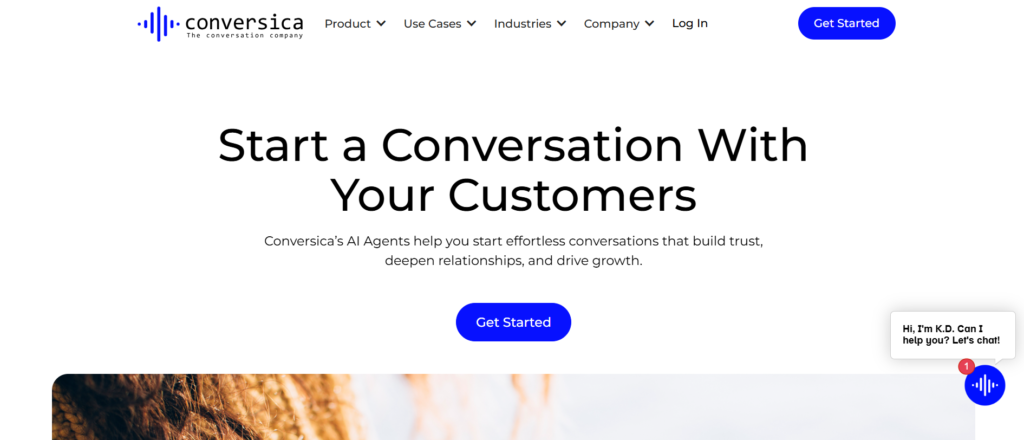
Conversica operates as an AI revenue assistant that sends personalised email conversations over extended periods. Unlike basic autoresponders, it replies contextually and adapts based on prospect responses.
When companies compare Conversica vs Exceed.ai, they typically evaluate conversation depth, integration flexibility, and enterprise readiness.
Search traffic for Conversica review and Conversica pricing continues to increase because organisations want better returns from dormant lead databases.
Key Features
Conversica is designed for long cycle B2B sales environments where leads often require nurturing over months rather than days.
Below are the most important Conversica features for marketing and sales alignment.
Two Way Email Conversations
Conversica sends outbound emails and replies to prospect responses in a conversational tone.
If a prospect indicates interest but asks for follow up next quarter, the system schedules continued engagement automatically.
This maintains contact without adding manual workload for SDR teams.
Lead Re Engagement Campaigns
Many companies hold thousands of old leads inside their CRM that never received structured follow up.
Conversica reactivates those contacts through gradual email outreach.
Rather than running short term campaigns, it maintains ongoing communication aligned with buyer timing.
Qualification and Routing Logic
Sales leaders can define qualification criteria such as budget range, company size, and decision making authority.
When leads meet the criteria, they are routed directly to human sales representatives.
This prevents unqualified prospects from occupying sales calendars.
Multi Department Use Cases
Conversica is used not only by sales but also by customer success and marketing teams.
It can follow up on webinar attendees, post event leads, or trial signups.
This extends automated communication beyond first touch prospecting.
CRM and Marketing Platform Integration
Conversica integrates with Salesforce, HubSpot, Marketo, and other marketing automation systems.
Conversation history and qualification status sync directly into CRM records.
This provides context for reps before live calls.
Pros and Cons
| Pros | Cons |
| Long term lead nurturing | Enterprise focused pricing |
| Conversational AI replies | Less suited for rapid outbound |
| CRM and marketing integration | Requires clear qualification criteria |
| Multi department use cases | Implementation planning needed |
Conversica pricing is custom based on database size, conversation volume, and integration requirements.
Contracts typically begin in the mid five figure annual range for larger teams.
Direct consultation is required for precise pricing details.
Best For Enterprises With Large Existing Databases
Conversica is ideal for:
- B2B companies with thousands of dormant leads
- Marketing teams seeking higher database utilisation
- Enterprise sales teams with long buying cycles
- Organisations comparing Conversica vs Exceed.ai
Verdict: If you want to reactivate past leads without increasing SDR headcount, Conversica offers structured long term outreach.
How to Use Conversica Without Over Messaging Prospects
Segment old leads by last engagement date and campaign type.
Adjust frequency based on engagement history rather than sending uniform sequences to all contacts.
Review conversation logs monthly to refine qualification triggers.
Best Alternative Tool
Exceed.ai remains a common alternative for automated inbound qualification.
12. People.ai
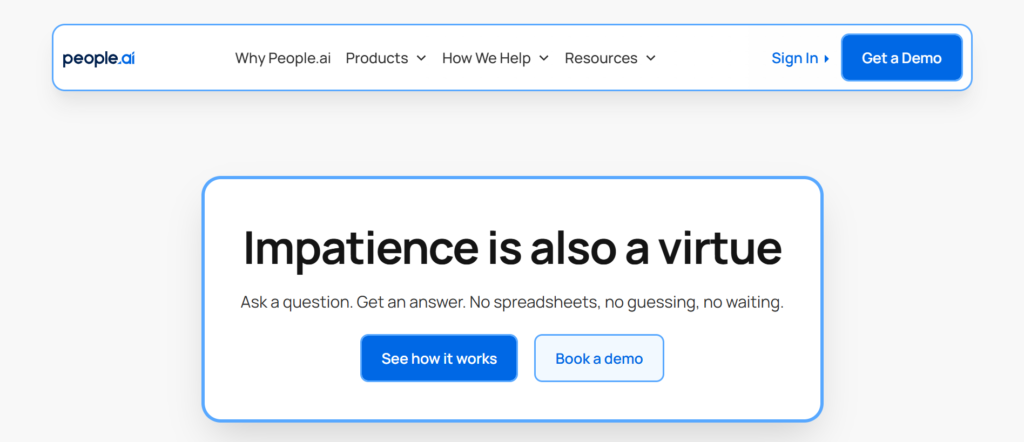
Revenue Intelligence Focused on Activity Capture and Data Accuracy
If your CRM reports feel unreliable because reps forget to log activity, People.ai focuses on data capture and revenue intelligence.
People.ai automatically collects sales activity data from email, calendar, and meeting platforms and syncs it into CRM systems.
When organisations compare People.ai vs Clari, they often evaluate data accuracy versus forecasting focus.
Interest in People.ai review and People.ai pricing continues to increase among revenue operations leaders seeking cleaner reporting.
Key Features
People.ai concentrates on eliminating gaps in CRM data while providing insights into sales productivity.
Below are the core People.ai features that matter for revenue operations teams.
Automated Activity Capture
People.ai captures emails, meetings, and call data without requiring manual entry.
Activities are linked to the correct accounts and opportunities automatically.
This improves CRM reliability and reduces dependency on rep compliance.
Account Level Engagement Mapping
The platform visualises engagement across multiple stakeholders within an account.
Revenue teams can see whether decision makers are actively involved or if communication is limited to junior contacts.
This supports stronger account management strategies.
Sales Productivity Analysis
People.ai measures time spent on different activities such as meetings, emails, and administrative tasks.
Managers can assess workload distribution and identify bottlenecks.
This provides operational visibility beyond revenue numbers alone.
Opportunity Risk Signals
By analysing engagement frequency and stakeholder coverage, People.ai flags deals that lack sufficient activity.
This supports early intervention before opportunities decline.
CRM Integration
People.ai integrates primarily with Salesforce and other enterprise CRM systems.
It enhances existing CRM data rather than replacing the core platform.
Pros and Cons
| Pros | Cons |
| Automatic activity logging | Enterprise pricing |
| Improved CRM accuracy | Not a prospecting tool |
| Account engagement visibility | Implementation planning required |
| Productivity insights | Limited SMB use case |
Pricing
People.ai pricing is custom and typically structured for enterprise clients.
Annual contracts often begin in the high five figure range depending on seat count and configuration.
A direct proposal is required for precise pricing.
Best For Revenue Operations and Enterprise Sales Teams
People.ai is ideal for:
- Enterprise organisations using Salesforce
- Revenue operations leaders seeking clean CRM data
- Companies struggling with incomplete activity logging
- Teams comparing People.ai vs Clari
Verdict: If CRM data integrity is a recurring problem, People.ai addresses the root cause rather than relying on manual compliance.
How to Use People.ai for Stronger Account Coverage
Review engagement maps during account planning sessions.
Identify key stakeholders who have not yet participated in conversations and assign targeted outreach actions.
This reduces single contact dependency inside large accounts.
Best Alternative Tool
Clari offers forecasting and visibility rather than activity capture when comparing People.ai vs Clari.
13. Regie.ai
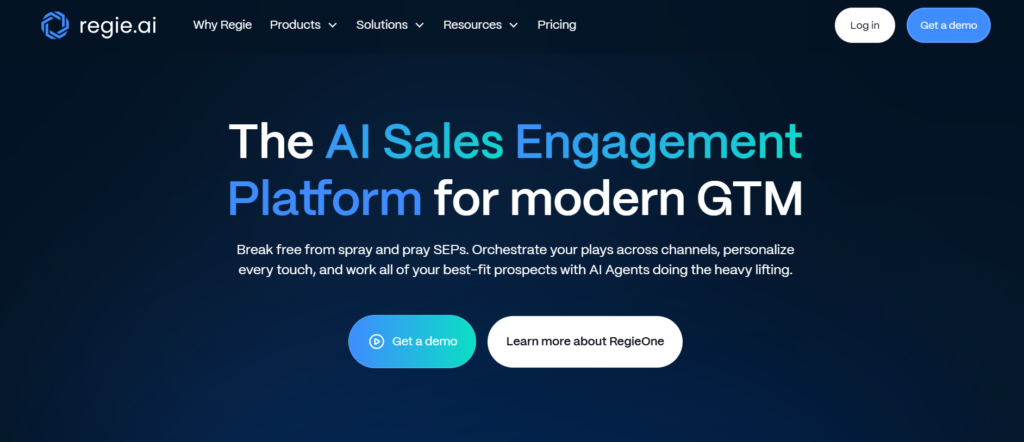
Regie.ai supports email drafting, call scripts, LinkedIn messaging, and sequence building using artificial intelligence.
When companies compare Regie.ai vs Lavender, the distinction is clear. Lavender coaches writing quality. Regie.ai generates messaging frameworks across channels.
Search demand for Regie.ai review and Regie.ai pricing continues to rise among outbound heavy sales teams.
Key Features
Regie.ai is designed to assist sales teams with structured messaging across prospecting campaigns.
Below are the key Regie.ai features relevant to outbound sales professionals.
AI Generated Email Sequences
Regie.ai can generate full outbound sequences based on industry, persona, and value proposition inputs.
Reps can adjust tone and length before deploying campaigns.
This reduces blank page hesitation and supports consistent messaging across teams.
Persona Based Messaging Frameworks
Users can create persona profiles and generate content aligned with specific job roles.
For enterprise selling where CFOs and technical buyers require different language, this improves relevance.
Multichannel Content Creation
Regie.ai supports email, LinkedIn messages, and call outlines.
This centralises messaging strategy across outreach channels.
Performance Feedback Loop
The platform tracks sequence performance and suggests refinements based on engagement data.
This supports iterative improvement over time.
CRM and Sales Platform Compatibility
Regie.ai integrates with major sales engagement tools and CRM systems.
Content can be deployed directly into Outreach, Salesloft, or HubSpot workflows.
Pros and Cons
| Pros | Cons |
| AI generated sequences | Not a contact database |
| Persona specific messaging | Requires human editing |
| Multichannel support | Advanced plans cost more |
| Integrates with major tools | No forecasting features |
Regie.ai pricing begins around $29 per user per month for basic plans.
Advanced features and team reporting increase monthly cost.
Enterprise contracts are custom.
Best For SDR Teams Needing Messaging Support
Regie.ai is ideal for:
- Outbound focused SDR teams
- Startups building initial sales playbooks
- Sales managers standardising messaging
- Professionals comparing Regie.ai vs Lavender
Verdict: If messaging consistency is weak across your sales team, Regie.ai provides structured content support.
How to Use Regie.ai Without Sounding Generic
Treat generated content as a draft rather than final output.
Add specific references to prospect industry, recent company developments, and clear problem statements before sending.
This maintains authenticity while saving time.
Best Alternative Tool
Lavender remains a strong alternative for real time email coaching.
14. Seamless.ai
Seamless.ai focuses primarily on prospect data rather than full sales engagement functionality.
When comparing Seamless.ai vs Apollo.io, buyers often evaluate database size, data accuracy, and pricing transparency.
Interest in Seamless.ai review and Seamless.ai pricing reflects ongoing demand for reliable contact data.
Key Features
Seamless.ai is centred on contact discovery and list building for outbound sales teams.
Below are the most relevant Seamless.ai features.
Real Time Contact Search
Users can search for contacts by job title, company, and industry.
The platform attempts to provide verified emails and direct dial numbers.
This reduces reliance on manual research.
Browser Extension
Seamless.ai offers a browser extension that extracts contact information while viewing LinkedIn profiles.
Reps can build lists while browsing potential prospects.
List Building and Export
Contacts can be organised into lists and exported into CRM or sales engagement platforms.
This supports structured outbound campaigns.
CRM Integration
Seamless.ai integrates with Salesforce and other CRM systems.
Contact data can be synced directly into records.
Data Credits System
Access to contact data operates through a credit based system depending on subscription tier.
Teams must manage credit usage carefully to control costs.
Pros and Cons
| Pros | Cons |
| Contact discovery focus | Data accuracy varies |
| Browser extension | Credit based limitations |
| CRM integration | Not a full engagement tool |
| Suitable for prospecting | Limited analytics |
Seamless.ai pricing is custom and often structured around credit packages.
Entry level plans are typically above $100 per month depending on data volume.
Exact pricing requires consultation.
Best For Outbound Teams Focused on Contact Discovery
Seamless.ai is ideal for:
- SDR teams building new prospect lists
- Companies comparing Seamless.ai vs Apollo.io
- B2B firms needing direct dial numbers
- Sales teams supplementing existing databases
Verdict: If your primary challenge is contact data acquisition rather than sequencing, Seamless.ai addresses that specific gap.
How to Use Seamless.ai for Cleaner Prospect Lists
Avoid bulk exports without filtering.
Cross reference contact data with LinkedIn and company websites before launching large campaigns.
This reduces bounce rates and protects sender reputation.
Best Alternative Tool
Apollo.io offers a broader combination of database and engagement tools.
15. Pipedrive AI
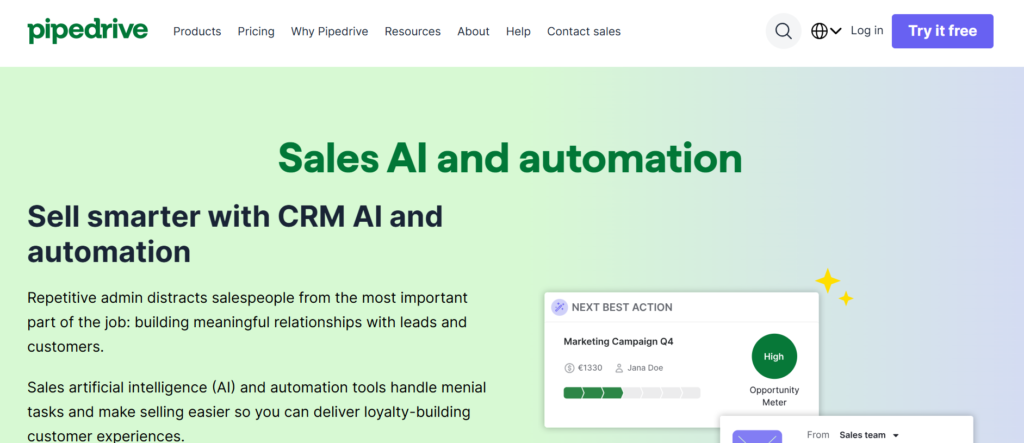
Unlike enterprise revenue intelligence platforms, Pipedrive AI focuses on actionable recommendations for smaller teams.
Searches for Pipedrive AI review and Pipedrive AI pricing continue to increase among small and mid sized businesses.
Key Features
Pipedrive AI enhances core CRM functionality with predictive insights and activity suggestions.
Below are the most relevant Pipedrive AI features.
Sales Assistant Recommendations
Pipedrive AI analyses deal activity and suggests next actions.
If follow up has not occurred within a defined timeframe, the system alerts the rep.
This supports consistent follow through.
Probability Scoring
The system assigns probability scores to deals based on historical performance and activity patterns.
Reps gain clearer understanding of likely outcomes.
Automated Reminders
Pipedrive AI flags overdue tasks and inactive deals.
This prevents opportunities from being forgotten.
Email Integration
Emails sent and received can be synced automatically into deal records.
This maintains accurate communication history.
Reporting Enhancements
Pipedrive AI provides simple performance dashboards without requiring advanced configuration.
Small teams can monitor activity and revenue trends easily.
Pros and Cons
| Pros | Cons |
| Affordable pricing | Limited enterprise features |
| Easy to use | Basic forecasting |
| Built into CRM | Not suitable for large teams |
| Quick setup | Limited AI depth |
Pipedrive pricing begins around $14 per user per month for basic plans.
Advanced plans range between $29 and $59 per user per month depending on features.
AI features are included in higher tier subscriptions.
Best For Small and Mid Sized Sales Teams Using Pipedrive
Pipedrive AI is ideal for:
- Small B2B sales teams
- Startups implementing structured CRM processes
- Companies wanting simple AI insights
- Businesses comparing Pipedrive AI vs Zoho Zia
Verdict: For smaller teams already using Pipedrive, the built in AI assistant provides practical guidance without requiring new software adoption.
How to Use Pipedrive AI for Better Follow Through
Set clear stage definitions inside the CRM.
Review probability scores weekly and focus attention on deals with high value and high likelihood of closure.
This maintains focus without overwhelming smaller teams.
16. Zoho Zia
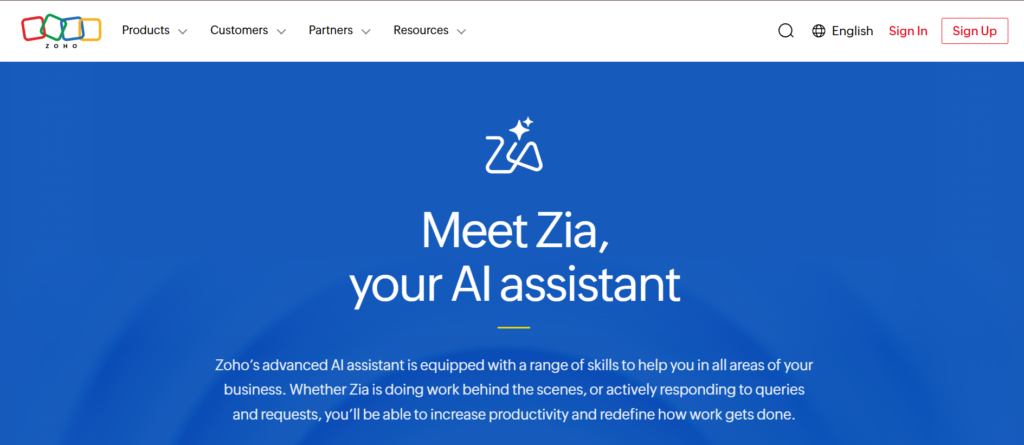
Zoho Zia is designed primarily for small and mid sized businesses that want practical AI suggestions directly inside their CRM. It does not attempt to replace full revenue intelligence platforms. Instead, it enhances day to day sales workflows.
Searches for Zoho Zia review and Zoho Zia pricing continue to increase among budget conscious sales teams comparing Pipedrive AI vs Zoho Zia.
Key Features
Zoho Zia operates across multiple areas of the CRM including deal prediction, anomaly detection, email analysis, and task recommendations.
Below are the most relevant Zoho Zia features for increasing sales teams.
Deal Prediction Scores
Zoho Zia analyses historical deal data and current activity levels to assign probability scores.
Reps can quickly identify which opportunities require attention and which are progressing as expected.
This supports prioritisation without complex configuration.
Anomaly Detection
Zia flags unusual changes in sales trends, such as sudden drops in activity or lower than expected conversion rates.
Managers can investigate these shifts before revenue performance declines significantly.
This provides early awareness of potential issues.
Task and Workflow Suggestions
Zia suggests next steps for deals based on stage movement and activity history.
If follow up has not occurred within a certain timeframe, the assistant highlights it.
This reduces reliance on manual reminders.
Email Sentiment Analysis
Zia analyses inbound and outbound emails for tone and sentiment.
If a prospect email indicates dissatisfaction or hesitation, reps can respond accordingly.
This adds contextual awareness to written communication.
Voice Command Support
Zoho Zia supports voice commands inside the CRM interface.
Users can request reports or update records verbally, which reduces manual clicking.
Pros and Cons
| Pros | Cons |
| Built into Zoho CRM | Limited outside Zoho ecosystem |
| Affordable pricing tiers | Not suitable for enterprise complexity |
| Deal scoring included | Basic forecasting depth |
| Simple user interface | Limited advanced analytics |
Pricing
Zoho CRM pricing begins around $12 per user per month for entry plans.
AI features such as Zia are typically available in higher tiers ranging from $20 to $45 per user per month.
Exact access depends on plan level.
Best For Small and Mid Sized Businesses Using Zoho CRM
Zoho Zia is ideal for:
- Businesses already operating within Zoho ecosystem
- Small B2B sales teams
- Budget conscious companies seeking built in AI
- Organisations comparing Zoho Zia vs Pipedrive AI
Verdict: If your CRM is Zoho and you want AI insights without introducing new vendors, Zia provides practical assistance at accessible cost.
How to Use Zoho Zia for Better Deal Management
Review deal prediction scores weekly rather than relying solely on stage names.
Investigate anomalies immediately rather than waiting until monthly reporting cycles.
This keeps sales conversations grounded in data.
Best Alternative Tool
Pipedrive AI remains a strong alternative for smaller teams comparing CRM based assistants.
17. Reply.io
Reply.io is commonly compared with Outreach and Salesloft, particularly by mid market teams seeking flexible sequencing without enterprise level contracts.
Search interest in Reply.io review and Reply.io pricing reflects increasing demand for multichannel sales engagement.
Key Features
Reply.io combines outbound automation, AI message drafting, and performance tracking across communication channels.
Below are the key Reply.io features that matter most for outbound teams.
Multichannel Sequences
Reply.io allows users to build sequences that combine email, phone calls, LinkedIn steps, and SMS.
This supports coordinated outreach rather than isolated email campaigns.
Managers can track performance across channels.
AI Message Assistant
Reply.io includes AI support for drafting personalised messages.
Users can input prospect data and generate initial drafts for review.
This reduces preparation time while maintaining personalisation potential.
Built In Dialler
Reply.io offers a dialler for making and logging calls directly within the platform.
Call outcomes sync into CRM systems automatically.
This centralises outbound execution.
Email Deliverability Tools
Reply.io includes features designed to improve email sending reputation, such as warm up functionality and inbox rotation.
This supports better deliverability for high volume senders.
CRM Integration
Reply.io integrates with Salesforce, HubSpot, and other CRM systems.
Activity data syncs into contact and opportunity records.
Pros and Cons
| Pros | Cons |
| Multichannel outreach | Learning curve for beginners |
| AI message drafting | Not enterprise revenue intelligence |
| Deliverability tools included | Advanced features cost more |
| Flexible pricing tiers | Requires outbound discipline |
Reply.io pricing starts at approximately $49 per user per month for basic plans.
Higher tiers range between $89 and $139 per user per month depending on features.
Enterprise contracts are custom.
Best For Mid Market Outbound Sales Teams
Reply.io is ideal for:
- SDR teams running coordinated outreach
- Companies comparing Reply.io vs Outreach
- Sales teams needing email and calling tools together
- Businesses seeking flexible pricing tiers
Verdict: If you want multichannel outreach without committing to high enterprise contracts, Reply.io offers balanced functionality.
How to Use Reply.io for Higher Meeting Quality
Limit sequence length to focus on relevance rather than repetition.
Use AI drafted content as a starting point and adjust manually for specific industry pain points.
Monitor deliverability metrics weekly.
Best Alternative Tool
Outreach remains the enterprise focused alternative when comparing Reply.io vs Outreach.
18. Freshsales Freddy
Freddy provides lead scoring, deal insights, and predictive recommendations aimed at small and mid sized sales teams.
Search demand for Freshsales Freddy review and Freshsales Freddy pricing continues among companies comparing CRM based AI assistants.
Key Features
Freddy enhances CRM functionality by analysing activity data and suggesting actions.
Below are the core Freshsales Freddy features.
Predictive Lead Scoring
Freddy assigns lead scores based on behaviour, email engagement, and past conversion trends.
Reps can prioritise high scoring prospects first.
This supports better allocation of time.
Deal Insights
Freddy analyses deal activity and flags potential risks.
If communication slows or tasks remain incomplete, the system highlights these issues.
Managers gain clearer visibility into sales flow status.
Email and Activity Tracking
Freddy tracks email interactions and logs activity into CRM records automatically.
This reduces manual updates.
Chatbot Integration
Freshsales includes chatbot functionality for website engagement.
Freddy assists with routing and qualification.
Forecast Support
Freddy contributes predictive insights to revenue forecasting based on activity patterns.
Pros and Cons
| Pros | Cons |
| Built into Freshsales | Limited outside ecosystem |
| Affordable pricing | Not enterprise grade |
| Lead scoring included | Basic analytics depth |
| Simple interface | Fewer advanced integrations |
Freshsales pricing begins around $15 per user per month for entry plans.
AI features are included in higher tiers ranging from $39 to $69 per user per month.
Exact access depends on subscription level.
Best For Small to Mid Sized Teams Using Freshsales
Freshsales Freddy is ideal for:
- Businesses already using Freshsales CRM
- Smaller B2B teams
- Organisations comparing Freshsales Freddy vs Zoho Zia
- Companies wanting built in AI insights
Verdict: If your CRM is Freshsales, Freddy provides practical AI guidance without introducing separate platforms.
How to Use Freshsales Freddy for Better Prioritisation
Review lead scores daily and align outreach order accordingly.
Use deal insights during weekly sales meetings to focus on at risk opportunities.
Best Alternative Tool
Zoho Zia is a comparable built in assistant for companies using Zoho CRM.
19. Tact.ai
Tact.ai integrates with Salesforce and allows reps to update CRM records through conversational interfaces.
Search interest in Tact.ai review and Tact.ai pricing reflects demand from field sales organisations.
Key Features
Tact.ai emphasises mobility and ease of CRM interaction.
Below are the key Tact.ai features.
Voice Based CRM Updates
Reps can update opportunity status, log meeting notes, and schedule follow ups through voice commands.
This reduces reliance on laptops while travelling.
Mobile Interface
Tact.ai provides a mobile friendly interface designed for on the move sales professionals.
Information is accessible quickly during client meetings.
Salesforce Integration
Tact.ai integrates directly with Salesforce.
Updates sync automatically into CRM records.
Guided Selling Prompts
The platform provides prompts during sales interactions based on account data.
Reps receive reminders about open tasks and relevant account information.
Collaboration Tools
Tact.ai allows sharing of notes and updates with internal team members.
This supports coordination between field reps and office staff.
Pros and Cons
| Pros | Cons |
| Mobile focused | Salesforce dependent |
| Voice updates | Enterprise pricing |
| Field sales support | Limited broader functionality |
| Improves data entry compliance | Not for desk based teams |
Tact.ai pricing is custom and typically structured for enterprise Salesforce users.
Contracts vary based on number of mobile users and integration scope.
Direct proposal required for accurate pricing.
Best For Field Sales Organisations Using Salesforce
Tact.ai is ideal for:
- Field based sales teams
- Enterprise organisations running Salesforce
- Companies needing mobile CRM updates
- Teams comparing Tact.ai vs standard Salesforce mobile app
Verdict: If your reps spend most of their time in meetings rather than at desks, Tact.ai supports CRM updates on the move.
How to Use Tact.ai for Better Field Reporting
Encourage reps to log meeting outcomes immediately after leaving client sites.
Use voice entry to capture details while memory is fresh.
Best Alternative Tool
Salesforce native mobile app offers similar functionality without third party integration.
20. Chorus
Many organisations compare Chorus vs Gong when selecting call analytics software.
Search interest in Chorus review and Chorus pricing remains steady among enterprise sales teams.
Key Features
Chorus records, transcribes, and analyses sales calls across phone and video platforms.
Below are the most relevant Chorus features.
Call Recording and Transcription
Chorus captures sales conversations and produces searchable transcripts.
Managers can review calls without listening to full recordings.
This saves time while maintaining oversight.
Keyword and Topic Analysis
Chorus identifies keywords such as competitor mentions, pricing discussions, and objection patterns.
Sales leaders gain insight into messaging trends across the team.
Coaching Dashboards
Managers can compare rep performance metrics including talk time ratios and question frequency.
This supports structured coaching conversations.
CRM Integration
Chorus integrates with Salesforce and other CRM platforms.
Call insights sync into opportunity records.
Deal Risk Indicators
Chorus flags deals where communication frequency declines or where key stakeholders are absent from conversations.
This highlights potential risk before final stages.
Pros and Cons
| Pros | Cons |
| Strong call analytics | Enterprise pricing |
| Coaching visibility | Not a CRM replacement |
| Keyword tracking | Requires adoption discipline |
| CRM integration | Limited SMB suitability |
Pricing
Chorus pricing is custom and typically aligned with enterprise contracts.
Annual costs vary based on seat count and integration scope.
A direct consultation is required for accurate figures.
Best For Enterprise Sales Teams Focused on Coaching
Chorus is ideal for:
- Enterprise B2B sales teams
- Revenue leaders prioritising coaching quality
- Companies comparing Chorus vs Gong
- Organisations seeking structured call analysis
Verdict: If your team relies heavily on sales conversations, Chorus provides visibility into what happens during calls and how reps perform.
How to Use Chorus for Stronger Sales Coaching
Create a library of high performing calls and use them during onboarding sessions.
Track keyword usage trends across quarters to identify messaging gaps.
Focus coaching sessions on measurable behaviours rather than subjective impressions.
Final Thoughts on the Best AI Sales Assistants in 2026
Choosing the right AI sales assistant is not about chasing trends. It is about identifying the bottleneck inside your sales process.
If your team struggles with prospecting, tools like Apollo.io or Seamless.ai may be the priority.
If forecasting accuracy is the issue, Clari or Salesforce Einstein deserve attention.
If outbound performance is inconsistent, Outreach, Salesloft, or Reply.io may offer structure.
If conversation quality determines success, Gong or Chorus provide visibility.
If you rely heavily on inbound traffic, Drift or Exceed.ai can convert interest into meetings faster.
The best AI sales assistants reduce manual admin, improve decision visibility, and support consistent execution across the team.
The key is simple.
Select the tool that solves your biggest constraint first.
Then integrate it properly into your existing workflow.
Then measure results weekly.
Technology alone will not fix a weak sales process. But the right AI sales assistant, implemented correctly, can significantly improve efficiency, response speed, and revenue predictability.
Why Businesses Choose Pearl Lemon Sales for AI Driven Sales Execution
At Pearl Lemon Sales, we do not just talk about AI sales assistants. We implement them inside structured sales systems that produce measurable commercial outcomes.
Most companies invest in AI sales software but fail to align it with:
- Clear lead qualification criteria
- Defined outbound cadences
- Forecast accountability processes
- CRM hygiene standards
- Performance benchmarks
That is where we come in.
We assess your current sales infrastructure, identify the true constraint inside your revenue process, and deploy the right AI sales assistant accordingly. Whether that means integrating Gong for call intelligence, implementing Outreach for outbound structure, or configuring Salesforce Einstein for forecasting accuracy, our approach is practical and execution focused.
We work with:
- B2B service firms
- SaaS companies
- Enterprise sales teams
- Startups building their first outbound engine
- Organisations struggling with inconsistent close rates
AI alone does not fix sales performance. Implementation discipline does.
Our team supports:
- CRM integration and configuration
- AI sales assistant selection and deployment
- SDR team training
- Message framework development
- Sales process documentation
- Weekly performance review structures
If you are investing in AI sales assistants in 2026, the difference between average results and measurable revenue improvement lies in how well the system is integrated.
Frequently Asked Questions
1. Does Pearl Lemon Sales recommend a specific AI sales assistant?
We recommend based on your sales model. Outbound heavy teams may require Outreach or Salesloft. Enterprise forecasting challenges may require Clari or Salesforce Einstein. Inbound qualification issues may require Drift or Exceed.ai.
2. Can Pearl Lemon Sales implement AI sales assistants into our existing CRM?
Yes. We work with Salesforce, HubSpot, Zoho, Pipedrive, and other CRM systems. Integration planning is part of our engagement process.
3. How long does implementation take?
Smaller systems can be configured within weeks. Enterprise platforms require longer depending on data migration and team training requirements.
4. Do you provide SDR training alongside AI implementation?
Yes. Technology without structured training produces inconsistent results. We align tool configuration with rep execution standards.
5. What industries do you work with?
We work primarily with B2B service firms, SaaS companies, agencies, and enterprise sales organisations.
6. Can you improve our outbound performance?
We analyse messaging frameworks, cadence structure, prospect targeting, and response rates before recommending adjustments.
7. Do you support forecasting process improvement?
Yes. We configure forecasting dashboards and review systems aligned with revenue leadership requirements.
8. Is this suitable for small businesses?
Yes. We support both early stage teams and established enterprises.
9. Do you work internationally?
Yes. Our sales systems are designed for global B2B markets.